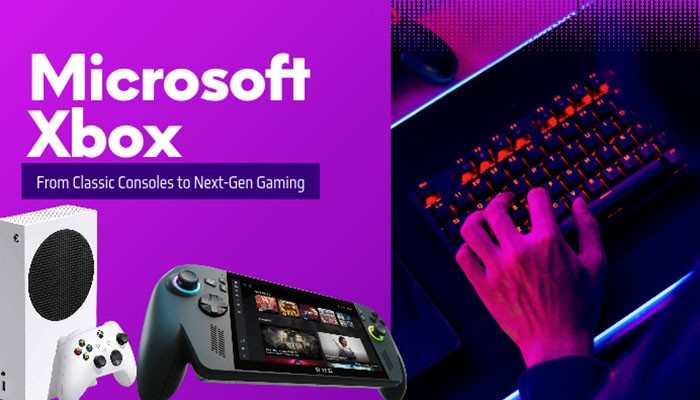

Gaming has changed dramatically over the past two decades, and Microsoft Xbox has played an important role in that transformation. What started as a gaming console in 2001 has become a global gaming platform offering powerful hardware, online multiplayer, subscription services, and cloud gaming. Today, Xbox connects millions of players through consoles, Windows PCs, and supported mobile devices.
For many gamers, Xbox brings back memories of playing Halo, racing through Forza Motorsport, and competing with friends online. Each console generation has introduced new technology, better graphics, and faster performance. From the original Xbox to the Xbox Series X and Series S, Microsoft has continued to improve how people discover, purchase, and enjoy video games.
But what makes Microsoft Xbox different from PlayStation and Nintendo? Is buying an Xbox console worth it in 2026? This guide explores the complete history of Xbox, its console generations, popular games, Game Pass, cloud gaming, and future developments. Whether you are buying your first gaming console or upgrading an older system, this article will help you make an informed decision.
What Is Microsoft Xbox?
Microsoft Xbox is a gaming brand owned and developed by Microsoft. It includes video game consoles, gaming software, online services, subscription plans, and gaming accessories.
Microsoft launched the original Xbox on November 15, 2001, in North America. The company entered the gaming industry to compete with established brands such as Sony and Nintendo.
Over the years, Xbox has expanded beyond traditional consoles. Players can now enjoy supported Xbox games on Windows PCs, through cloud gaming, and on compatible devices.
The Xbox ecosystem includes:
- Xbox Consoles: Gaming systems designed for home entertainment.
- Xbox Game Pass: A subscription service offering access to a changing library of games.
- Xbox Cloud Gaming: Technology that allows users to stream supported games over the internet.
- Xbox Network: Online services for multiplayer gaming, achievements, and communication.
- Xbox Game Studios: Microsoft’s collection of game development studios and publishing teams.
- Xbox Accessories: Wireless controllers, headsets, and adaptive gaming equipment.
This connected ecosystem makes Xbox more than a gaming console. It is a platform that allows players to enjoy games across different devices.
The History of Microsoft Xbox: From 2001 to 2026
The journey of Microsoft Xbox began when Microsoft decided to enter the gaming console market. Each generation introduced features that helped shape the future of gaming.
1. Original Xbox (2001): The Beginning of a Gaming Brand
The original Xbox launched in November 2001 and marked Microsoft’s entry into the console gaming industry. Unlike many competing systems at the time, it included a built-in hard drive, Ethernet connectivity, and powerful hardware for 3D gaming.
One of its most successful launch titles was Halo: Combat Evolved. The game became closely associated with Xbox and helped attract players to the new console.
Important features of the original Xbox included:
- Built-in hard drive for storing game data
- Support for four controllers
- Ethernet connectivity for network gaming
- Strong 3D graphics capabilities
- Xbox Live online gaming service, launched in 2002
Although the original Xbox did not outsell its main competitors, it established Microsoft as a serious participant in the gaming industry.
2. Xbox 360 (2005): Making Online Gaming Popular
Microsoft released the Xbox 360 in November 2005. The console became one of the company’s most successful gaming products. It introduced high-definition gaming, an improved Xbox Live experience, and a large collection of popular titles.
Xbox 360 also made online achievements an important part of console gaming. Players could earn Gamerscore points by completing challenges and reaching milestones.
Popular Xbox 360 games included:
- Halo 3
- Gears of War
- Forza Motorsport 4
- Fable II
- Mass Effect
However, the Xbox 360 experienced hardware reliability problems, particularly the Red Ring of Death issue. Microsoft responded by extending warranty coverage for certain hardware failures.
Despite these challenges, the Xbox 360 helped establish online multiplayer gaming as a major part of modern console entertainment.
3. Xbox One (2013): Combining Gaming and Entertainment
The Xbox One launched in November 2013. Microsoft initially promoted the console as an entertainment system that could combine gaming, television, and digital media.
However, its early strategy received criticism over proposed restrictions and connectivity requirements. Microsoft later changed several policies before launch.
Over time, the Xbox One became a stronger gaming platform through software updates and new services.
Important developments included:
- Xbox One S, introduced in 2016
- Xbox One X, released in 2017
- Backward compatibility with selected older Xbox games
- Xbox Game Pass, launched in 2017
- Improved digital game downloads and online features
The Xbox One generation also helped Microsoft develop the subscription-based gaming strategy that remains important today.
4. Xbox Series X and Series S (2020): Next-Generation Gaming
Microsoft launched the Xbox Series X and Xbox Series S on November 10, 2020. Both consoles introduced faster SSD storage, modern AMD processors, improved graphics, and reduced loading times.
However, they were designed for different types of players. The Xbox Series X focuses on powerful hardware and high-resolution gaming, while the Xbox Series S provides a smaller and more affordable digital gaming experience.
Both systems support features such as Quick Resume, variable refresh rate, and backward compatibility with supported games.
Microsoft Xbox Console Generations Compared
Understanding the different Xbox generations can help players see how gaming technology has improved.
| Xbox console | Release year | Major improvement |
| Original Xbox | 2001 | Built-in hard drive and online gaming foundation |
| Xbox 360 | 2005 | HD gaming, achievements, and improved Xbox Live |
| Xbox One | 2013 | Entertainment features and digital gaming services |
| Xbox One S | 2016 | Smaller design and 4K video playback |
| Xbox One X | 2017 | Enhanced performance for 4K gaming |
| Xbox Series X | 2020 | Fast SSD, powerful graphics, and 4K-focused gaming |
| Xbox Series S | 2020 | Compact and affordable all-digital gaming |
Each generation introduced technology that improved performance, accessibility, or online gaming.
Xbox Series X vs. Xbox Series S: Which Console Is Better?
Choosing the right Microsoft Xbox console depends on your budget, gaming preferences, and television.
Although both consoles belong to the same generation, their hardware and features are different.
| Feature | Xbox Series X | Xbox Series S |
| Target gaming resolution | 4K | 1440p |
| Maximum supported frame rate | Up to 120 FPS | Up to 120 FPS |
| GPU performance | Approximately 12 TFLOPS | Approximately 4 TFLOPS |
| RAM | 16 GB GDDR6 | 10 GB GDDR6 |
| Storage options | 1 TB or 2 TB SSD | 512 GB or 1 TB SSD |
| Disc drive | Available on selected models | No disc drive |
| Console size | Larger | Smaller |
| Best for | High-end gaming | Budget-friendly digital gaming |
Actual game resolution and frame rates depend on individual titles, graphics settings, and display capabilities.
Why Choose Xbox Series X?
The Xbox Series X is designed for players who want stronger gaming performance. It offers powerful graphics hardware, fast loading times, and support for demanding modern games.
The Series X is suitable for:
- Gamers who own a 4K television
- Players who prefer high-quality graphics
- People with physical Xbox game collections who choose a disc-equipped model
- Gamers who regularly play demanding titles
- Users who want more storage options
Why Choose Xbox Series S?
The Xbox Series S is designed for players who want modern gaming at a lower hardware cost. It is smaller than the Series X and does not include a disc drive.
The Series S is suitable for:
- Beginners buying their first Xbox
- Students and casual gamers
- Players who mainly purchase digital games
- Families looking for a compact console
- Gamers using 1080p or 1440p displays
The Series S can play modern Xbox Series games, although some titles use lower resolutions or different performance settings than on Series X.
Microsoft Xbox Game Pass: Features and Benefits
One of the most popular services in the Microsoft Xbox ecosystem is Xbox Game Pass. Xbox Game Pass is a subscription service that gives members access to a changing library of games.
Instead of purchasing every game separately, subscribers can play eligible titles included in their membership.
The service includes games from major publishers, independent developers, and Microsoft-owned studios.
What Are the Benefits of Xbox Game Pass?
Some important benefits include:
- Access to a large and changing game library
- Different gaming genres in one subscription
- Selected new games available at launch through qualifying plans
- Online console multiplayer with eligible memberships
- Cloud gaming through supported plans and devices
- Access to PC games through qualifying subscriptions
- Member discounts and other benefits where available
For example, someone interested in racing, adventure, and action games can try different titles without buying every game individually.
However, games may leave the subscription library, and not every plan includes the same benefits.
Xbox Game Pass Plans in 2026
Microsoft’s Game Pass offerings include Essential, Premium, Ultimate, and PC Game Pass in supported markets.
| Game Pass plan | General purpose |
| Essential | Entry-level access to selected games and gaming benefits |
| Premium | A broader game library and additional membership features |
| Ultimate | Extensive gaming benefits, including eligible day-one releases and cloud gaming |
| PC Game Pass | Subscription gaming designed for Windows PC users |
Plan features, pricing, and regional availability may change. Players should visit the official Xbox Game Pass website for current details.
Xbox Cloud Gaming: Play Games Without a Console

Cloud gaming is one of the biggest developments in modern gaming. Microsoft Xbox Cloud Gaming allows eligible users to stream supported games over the internet instead of installing and running them entirely on their own hardware.
This technology can make gaming accessible through compatible smartphones, tablets, computers, televisions, and other supported devices.
How Does Xbox Cloud Gaming Work?
The process is straightforward:
- Create or sign in to a Microsoft account
- Check whether your game or subscription supports cloud gaming
- Open the supported Xbox cloud gaming app or website
- Select an available game
- Connect a compatible controller if required
- Start playing using a stable internet connection
Advantages of Xbox Cloud Gaming
Cloud gaming offers several benefits.
- Convenience: Players can access supported games without purchasing a dedicated console
- Device flexibility: Some games can be played across different compatible devices
- Less local storage: Streaming does not require downloading the entire game to the device
- Easy game discovery: Eligible subscribers can try supported titles without lengthy installations
However, cloud gaming also has limitations. A weak internet connection can cause input delays, lower image quality, or interrupted gameplay.
For competitive gaming, locally installed games may provide a more consistent experience.
Best Microsoft Xbox Games Worth Playing
The Microsoft Xbox gaming library includes racing, adventure, action, role-playing, and creative games. Here are some well-known titles that demonstrate the variety available within the Xbox ecosystem.
1. Halo Infinite
Halo Infinite is a science-fiction first-person shooter featuring Master Chief. It offers a campaign and multiplayer gameplay. The Halo franchise has been closely connected with Xbox since the original console launched.
2. Forza Horizon 5
Forza Horizon 5 is an open-world racing game set in Mexico. Players can explore different environments, collect cars, participate in racing events, and complete driving challenges.
Its detailed landscapes and large vehicle collection make it appealing to racing fans.
3. Starfield
Starfield is a space-themed role-playing game developed by Bethesda Game Studios. Players can explore planets, complete missions, customize spacecraft, and develop their characters. The game focuses on exploration and player choice.
4. Minecraft
Minecraft is a sandbox game that allows players to build structures, explore environments, and survive challenges. Its creative gameplay makes it popular among children, students, and adults. Players can enjoy the game alone or with friends through supported multiplayer features.
5. Sea of Thieves
Sea of Thieves is a multiplayer pirate adventure. Players can sail ships, search for treasure, fight enemies, and explore islands. The game encourages teamwork and cooperative gameplay.
6. Gears 5
Gears 5 is a third-person action game featuring intense combat and a story-driven campaign. It also includes cooperative and multiplayer experiences. The Gears franchise is one of the best-known series associated with Xbox.
7. Microsoft Flight Simulator
Microsoft Flight Simulator offers a detailed flight simulation experience. Players can fly different aircraft, explore real-world locations, and experience changing weather conditions.
It is particularly appealing to aviation enthusiasts and simulation fans. Not all these games are exclusive to Xbox. Availability also differs across console generations, PCs, and other gaming platforms.
Xbox Backward Compatibility: Can You Play Older Games?
Backward compatibility is an important feature of Microsoft Xbox. It allows players to enjoy selected games from previous Xbox generations on newer consoles.
For example, Xbox Series X and Series S support many Xbox One titles, along with selected Xbox 360 and original Xbox games.
Benefits of Xbox Backward Compatibility
- Play supported older games on modern hardware
- Access eligible games from previous purchases
- Enjoy faster loading times in certain titles
- Experience visual improvements in supported games
- Continue playing favorite franchises without keeping every old console
Some compatible games support features such as Auto HDR and FPS Boost. However, backward compatibility does not mean every older Xbox game will work.
Physical discs also require a compatible console with a disc drive. Players should check Microsoft’s official backward compatibility information before purchasing older titles.
Microsoft Xbox vs. PlayStation vs. Nintendo
The gaming industry includes several major competitors, each offering different advantages. Xbox, PlayStation, and Nintendo appeal to different types of players.
| Feature | Xbox | PlayStation | Nintendo |
| Main strength | Gaming services and connected ecosystem | High-end gaming and exclusive franchises | Family-friendly gaming and distinctive hardware |
| Subscription service | Xbox Game Pass | PlayStation Plus | Nintendo Switch Online |
| PC integration | Strong Windows integration | Selected games available on PC | Limited official PC support |
| Cloud gaming | Supported through Xbox services | Available through eligible services | Depends on game and platform |
| Popular franchises | Halo, Forza, Gears | God of War, Gran Turismo, Astro Bot | Mario, Zelda, Pokémon |
| Gaming approach | Console, PC, and cloud | Console-focused with PC expansion | Dedicated console and portable experiences |
Why Some Gamers Prefer Xbox
Xbox appeals to players who value Game Pass, Windows integration, backward compatibility, and access across multiple devices.
Why Some Gamers Prefer PlayStation
PlayStation is popular among players who enjoy its major franchises, cinematic adventures, and console-exclusive experiences.
Why Some Gamers Prefer Nintendo
Nintendo focuses on accessible gameplay, creative game design, and franchises that appeal to families and longtime fans. The best platform depends on the games you want to play rather than hardware specifications alone.
How Microsoft Xbox Is Changing the Gaming Industry
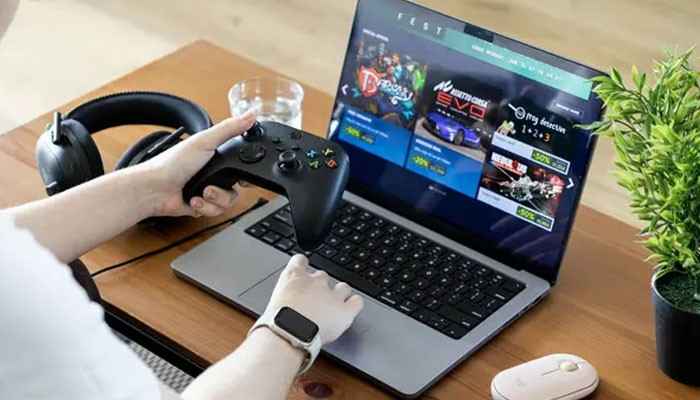
Modern gaming is moving beyond traditional consoles. Microsoft is investing in technologies that connect gaming hardware, software, and online services.
1. Gaming Across Multiple Devices
Players increasingly want access to their games on different devices. Microsoft supports this approach through Windows gaming, Xbox consoles, cloud services, and selected cross-platform features.
For supported games, cloud saves and cross-progression can allow players to continue their progress across devices.
2. Growth of Digital Gaming
Digital game purchases and subscription services have changed how people build their gaming libraries. Players can download games directly instead of visiting physical stores.
However, digital purchases and subscriptions have different ownership conditions.
A purchased digital game generally provides a license to access the title under the platform’s terms. A subscription usually provides access only while the game and membership remain eligible.
3. Artificial Intelligence in Gaming
Artificial intelligence is becoming more important in game development. Developers can use AI-assisted tools for testing, production workflows, and technical analysis.
Future gaming experiences may include more responsive non-player characters and improved accessibility features.
However, these developments depend on how individual developers design and implement the technology.
4. Accessibility Features
Xbox has introduced accessibility tools to help more people enjoy gaming. The Xbox Adaptive Controller is an important example.
It allows players with limited mobility to create customized control setups using compatible external devices.
Other accessibility options include button remapping, subtitles, visual settings, and supported accessibility features within games.
5. Cross-Platform Multiplayer
Cross-platform gaming allows players using different systems to participate in the same multiplayer game. For example, a supported game may allow Xbox and PC players to compete or cooperate.
However, cross-play availability depends on the game and its supported platforms.
The Future of Microsoft Xbox: What’s Next After Series X and S?
The future of Microsoft Xbox is closely connected to the next generation of gaming hardware and services. Microsoft has been working to bring console and PC gaming closer together while continuing to develop its cloud gaming ecosystem.
Project Helix: Microsoft’s Next-Generation Xbox
In March 2026, Microsoft publicly discussed Project Helix, its next-generation Xbox console initiative. The company confirmed that the hardware is being developed in collaboration with AMD.
Project Helix is intended to support both Xbox console games and PC games, representing an important change in Microsoft’s hardware strategy. Microsoft also indicated plans to provide early hardware versions to developers beginning in 2027.
However, the final consumer release date, retail price, and complete specifications have not been confirmed.
What Could Future Xbox Gaming Look Like?
Several areas are likely to influence Microsoft’s gaming strategy.
- Better graphics: More advanced hardware could improve visual quality and performance
- Stronger PC integration: Future Xbox hardware may reduce the separation between console and Windows gaming
- Cloud gaming improvements: Better streaming technology could make games accessible on more devices
- Expanded accessibility: New control options may help more players enjoy games
- Connected gaming libraries: Microsoft may continue improving how eligible games and progress work across devices
These are areas of development rather than guaranteed features of a future retail console. Players should follow official Xbox announcements instead of relying on unconfirmed rumors.
Is Microsoft Xbox Worth Buying in 2026?
For many gamers, Microsoft Xbox remains a worthwhile choice in 2026. However, the value depends on how often you play, which games you enjoy, and how much you want to spend.
Reasons to Buy an Xbox
An Xbox console may be a good investment if you want:
- A large selection of games
- Access to eligible Game Pass titles
- Online multiplayer experiences
- High-quality graphics and fast loading
- Backward compatibility with supported games
- Family gaming features and parental controls
- Integration with Microsoft gaming services
Reasons to Consider Other Options
Xbox may not be the right choice for everyone. For example, a player who mainly wants Nintendo-exclusive games would benefit more from Nintendo hardware.
Similarly, someone who already owns a powerful Windows gaming PC may not need a separate Xbox console. The total cost also matters.
Besides the console itself, buyers may need to pay for games, additional controllers, subscriptions, storage expansion, and internet access.
Important Things to Check Before Buying an Xbox
Before purchasing a console, compare your requirements carefully.
| Buying factor | What you should consider |
| Budget | Console price, games, subscriptions, and accessories |
| Television | Resolution, HDR support, and refresh rate |
| Storage | Game sizes and available SSD capacity |
| Physical games | Whether you need a disc drive |
| Internet | Connection speed and reliability |
| Favorite games | Availability on the selected console |
| Family use | Parental controls and age ratings |
| Warranty | Local service availability and seller reliability |
Example: Choosing an Xbox for Casual Gaming
Suppose you mainly play Minecraft, sports games, and racing titles on a 1080p television. An Xbox Series S may provide everything you need without the higher cost of a Series X.
However, if you want stronger graphics performance, physical game discs, and a premium 4K experience, the Series X may be a better investment.
Common Microsoft Xbox Problems and How to Fix Them
Even powerful gaming consoles can experience technical issues. Fortunately, many common Xbox problems have simple solutions.
1. Xbox Not Connecting to Wi-Fi
If your Xbox cannot connect to the internet:
- Restart the console and router
- Check your Wi-Fi password
- Test the connection using Xbox network settings
- Move the console closer to the router if possible
- Check for network service interruptions
2. Xbox Controller Not Connecting
If your controller is not responding:
- Check its batteries or charge level
- Restart the controller
- Pair it with the console again
- Update controller firmware when available
- Try a compatible USB cable to test the connection
3. Xbox Games Loading Slowly
Slow loading can happen because of storage problems, software issues, or game-specific limitations.
Try restarting the console, checking available storage, closing unused applications, and installing system updates.
4. Xbox Game Pass Games Not Working
If a Game Pass title is unavailable:
- Confirm that your subscription is active
- Check whether the game remains in the catalog
- Verify that you are signed in with the correct account
- Check the game’s platform and regional availability
- Restart the console or application
For additional help, visit the official Xbox Support website.
Conclusion
From the original Xbox in 2001 to modern consoles, Game Pass, and cloud gaming, Microsoft Xbox has helped shape the gaming industry. Each generation has introduced improvements in graphics, performance, online connectivity, and accessibility.
Today, Xbox offers several ways to enjoy gaming. The Xbox Series X delivers powerful hardware for demanding players, while the Series S provides a more affordable digital experience. Game Pass and cloud gaming expand the options available to people who want to discover games across supported devices.
Looking ahead, Microsoft’s next-generation hardware plans, including Project Helix, suggest that console and PC gaming may become more closely connected. For anyone considering Microsoft Xbox in 2026, the smartest choice is to compare available games, hardware features, subscriptions, and long-term costs before buying.
Microsoft Xbox FAQs
1. What is Microsoft Xbox used for?
Microsoft Xbox is used for playing video games, accessing online multiplayer, communicating with friends, and enjoying supported entertainment applications. The Xbox ecosystem also includes PC gaming and cloud gaming services.
2. Which Xbox console is best for beginners?
The Xbox Series S is a good starting point for beginners who prefer digital games and want a lower upfront hardware cost. The Xbox Series X is better for players who need stronger graphics performance or physical disc support on selected models.
3. Is Xbox Game Pass free?
No. Xbox Game Pass is a paid subscription service. Different plans provide access to different gaming benefits, and prices vary by region.
4. Can I play Xbox games without buying an Xbox console?
Yes. Some Xbox games are available on Windows PCs and through Xbox Cloud Gaming on supported devices. Availability depends on the game, region, and access requirements.
5. Can Xbox Series X play Xbox 360 games?
Yes. Xbox Series X supports selected Xbox 360 games through backward compatibility. However, not every Xbox 360 title is supported.
6. Does Xbox support 4K gaming?
Yes. Xbox Series X is designed for 4K gaming. Xbox Series S generally targets lower rendering resolutions but can output a 4K signal and upscale supported content.
7. Is Microsoft releasing a new Xbox console?
Microsoft has confirmed development work on next-generation Xbox hardware under Project Helix. However, the final release date, pricing, and complete consumer specifications have not been officially confirmed.
8. Is Xbox better than PlayStation?
Neither platform is automatically better. Xbox offers strong integration with Windows and subscription gaming services, while PlayStation provides its own exclusive franchises and gaming experiences. The best choice depends on your favorite games, budget, and preferred features.
9. Do Xbox consoles require an internet connection?
Many installed single-player games can work offline after the necessary setup and licensing requirements are met. Online multiplayer, cloud gaming, downloads, and certain digital features require an internet connection.
10. How long can an Xbox console last?
An Xbox console can remain usable for many years with proper care. Its practical lifespan depends on hardware condition, maintenance, software support, and whether newer games continue to support the device.