



Your Sonic gift card balance tells you how much money is available for your next order at SONIC Drive-In. Checking it before ordering helps you avoid payment problems and unexpected charges.
Whether you have a physical gift card or an eGift card, you can check your remaining funds through SONIC’s official balance-checking service. Knowing your balance makes it easier to plan your purchase.
This guide explains how to check your Sonic gift card balance online, use the Sonic app, reload your card, and fix common balance problems before your next order.
Quick Answer
To check your Sonic gift card balance, visit SONIC’s official Gift Cards page and select Check Balance. Enter your card details to view the remaining amount. You can also call 1-866-657-6642 for assistance. Standard SONIC gift cards never expire and have no maintenance fees.
Key Takeaways
- Online balance check: Visit sonicdrivein.com/gift-cards.
- Direct balance checker: sonic.gift.solutions/balance.
- Phone support: Call 1-866-657-6642.
- Sonic app: Add and manage eligible gift cards for mobile orders.
- Physical cards: Accepted at participating SONIC Drive-In locations.
- eGift cards: Redeemable through the Sonic app.
- Expiration: Standard SONIC gift cards never expire.
- Reloading: Available online and at participating locations.
- Low balances: Split-payment restrictions may apply.
Sonic Gift Card Balance Check Methods
You can check your Sonic gift card balance through SONIC’s official website or customer support. The Sonic app may also display information for eligible saved cards, while participating Drive-In locations may offer assistance.
| Method | How It Works | Best For |
|---|---|---|
| Official website | Select Check Balance and enter card details | Fast online balance checks |
| Phone support | Call 1-866-657-6642 | Balance errors and card assistance |
| Sonic app | Review eligible saved gift cards | Mobile app users |
| SONIC Drive-In | Ask staff if balance checking is available | In-person assistance |
Best option: Use SONIC’s official website for a quick Sonic gift card balance check before placing your order.
How to Check Sonic Gift Card Balance Online
You can check your Sonic gift card balance online through SONIC’s official website using a smartphone, tablet, or computer. Follow these five simple steps to see how much money remains on your card.
Step 1. Visit the Official SONIC Gift Card Page
Open SONIC’s official Gift Cards page, where you can find options to check balances, purchase cards, and reload existing gift cards.
Step 2. Select Check Balance
Click Check Balance to access SONIC’s gift card balance-checking service. You can also use the direct balance checker linked from the official website.
Step 3. Enter Your Gift Card Details
Enter the information requested on the screen, which may include:
- Gift card number
- PIN or security code
- Additional verification details, if required
Check your information carefully before continuing.
Step 4. Submit Your Request
Follow the on-screen instructions to submit your details. The service should display your available funds after successful verification.
If an error appears, recheck your information or contact SONIC Customer Care.
Step 5. Review Your Remaining Balance
Confirm your Sonic gift card balance before ordering. For example, if your card has $15 and your total purchase costs $11.50, you will have $3.50 remaining.
Checking your funds beforehand helps you decide whether to reload your card or use another accepted payment method.
Security tip: Always access the balance checker through SONIC’s official website. Avoid unfamiliar third-party sites requesting your gift card number or PIN.
How to Check Sonic Gift Card Balance by Phone
You can check your Sonic gift card balance by contacting SONIC Customer Care if the online checker is unavailable or you need assistance with your card.
SONIC Customer Care: 1-866-657-6642
Follow these steps:
- Keep your SONIC gift card nearby.
- Call the customer support number.
- Follow the automated instructions or speak with a representative.
- Provide the requested card details through the official support process.
- Ask for your remaining gift card balance.
Phone support is especially helpful when your card details are damaged, a transaction appears incorrect, or the online service is not working.
Can You Check Sonic Gift Card Balance Without the PIN?
Checking your Sonic gift card balance without a PIN may be difficult because online verification can require a security code.
If your PIN is missing or unreadable:
- Check your original gift card packaging or purchase receipt.
- Search your email for the digital gift card details.
- Review eligible cards saved in the Sonic app.
- Contact SONIC Customer Care for assistance.
- Keep your purchase receipt as proof of ownership.
SONIC may require additional verification, and balance recovery is not guaranteed without sufficient card information.
Can You Check Sonic Gift Card Balance at a Drive-In?
You can ask an employee at a participating SONIC Drive-In to check your Sonic gift card balance before placing an order. Keep your physical gift card ready so staff can assist you if balance checking is available.
However, not every SONIC location offers this service. The easiest way to confirm your remaining funds is through SONIC’s official website or customer support.
For a quick Sonic gift card balance check, use the online balance checker before visiting. This helps you avoid payment problems and know how much you can spend.
How to Check Sonic Gift Card Balance in the Sonic App
The Sonic app allows customers to manage eligible gift cards, make payments, and place mobile orders. You may be able to view your Sonic gift card balance in the app after adding your card to your account.
How to Add a Sonic Gift Card to the App
Follow these steps to add your gift card:
- Open the Sonic app and sign in to your account.
- Go to the payment or gift card section.
- Select the option to add a gift card.
- Enter your gift card number and PIN.
- Follow the verification instructions.
- Review your saved card before ordering.
Menu names and available features may vary by app version.
Can You Use a Physical Sonic Gift Card in the App?
Yes. Eligible physical SONIC gift cards can be added to the Sonic app for supported mobile purchases. However, digitized cards may have different redemption rules, so check the current terms before adding your physical card.
Why Is My Sonic Gift Card Not Showing in the App?
Your gift card may not appear because of:
- Incorrect card number or PIN
- Outdated Sonic app
- Temporary connection problems
- Unsupported gift card type
- Account or wallet restrictions
Update the app, verify your card details, and sign in again. If the problem continues, use SONIC’s official online checker to confirm your Sonic gift card balance or contact Customer Care for assistance.
Sonic Gift Card Balance Rules for Physical and Digital Cards
Your Sonic gift card balance may be available, but how you spend it depends on the type of card you own. Physical cards, eGift cards, and promotional cards have different redemption rules.
| Gift Card Type | Where You Can Use It | Important Rule |
|---|---|---|
| Physical gift card | Participating SONIC Drive-Ins | Eligible cards can also be added to the app |
| SONIC eGift card | Eligible Sonic app orders | Not accepted directly at Drive-Ins |
| Digitized gift card | Eligible Sonic app orders | App redemption rules apply |
| Promotional eBonus | Depends on the promotion | May have expiration dates or restrictions |
- Physical Sonic Gift Cards: Physical SONIC gift cards can be used for eligible purchases at participating Drive-In locations across the United States. They are convenient for customers who prefer paying directly at the restaurant.
- Sonic eGift Cards: SONIC eGift cards are delivered electronically and can be redeemed through eligible Sonic app orders. Under the standard gift card terms, they cannot be used directly at Drive-In locations or for website orders.
- Promotional Sonic Gift Cards: SONIC occasionally offers promotional eBonus cards with qualifying purchases. These cards may have separate expiration dates, redemption limits, or app restrictions.
Always review the promotion’s terms before spending your Sonic gift card balance, as promotional cards may follow different rules from standard gift cards.
Why Is My Sonic Gift Card Balance Showing Zero or the Wrong Amount?
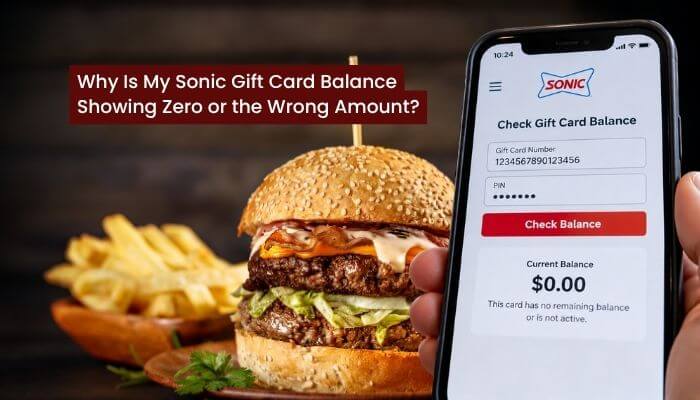
Your Sonic gift card balance may show zero or an incorrect amount because of activation issues, previous purchases, incorrect card details, or temporary technical problems. Identifying the cause can help you resolve the issue faster.
| Problem | Possible Cause | Recommended Solution |
|---|---|---|
| Balance shows $0 | Card was spent or not activated | Check receipts and contact support |
| Card number rejected | Incorrect card details | Re-enter the number carefully |
| PIN does not work | Incorrect or damaged PIN | Contact SONIC Customer Care |
| Balance seems too low | Previous purchase or disputed charge | Review recent transactions |
| New card has no funds | Activation failure | Contact the original seller |
| Balance checker unavailable | Website or connection error | Retry or call support |
| App rejects gift card | App issue or card restriction | Check card type and update the app |
1. Incorrect Card Number or PIN: Entering the wrong card number or PIN can prevent balance verification. Check the details printed on your physical card or included in your eGift card email before trying again.
2. Gift Card Was Not Activated: A newly purchased card may show no funds if activation was unsuccessful. Contact the original retailer and keep your purchase receipt available.
3. Unexpected Balance Deduction: If your remaining funds are lower than expected, review your recent purchases and compare them with your receipts. Contact SONIC Customer Care if you notice an unfamiliar transaction.
4. Balance Checker Is Not Working: Refresh the official website, try another browser, or check your internet connection. If your Sonic gift card balance still appears incorrect, contact SONIC Customer Care for assistance.
Security tip: Never enter your gift card number or PIN on an unfamiliar third-party balance-checking website.
What Happens to Your Sonic Gift Card Balance After Canceling an Order?
Your Sonic gift card balance may not update immediately after an order is canceled. SONIC’s published terms allow certain scheduled Order Ahead purchases to be canceled through the app up to five minutes before pickup. Orders already being prepared or placed for immediate pickup may not qualify.
How to Resolve a Missing Refund
If your canceled order has not been refunded, follow these steps:
- Open the Sonic app and review your order history.
- Find the canceled order and confirm its status.
- Save your cancellation confirmation or receipt.
- Check your remaining gift card funds.
- Contact SONIC Customer Care if the refund is missing.
SONIC’s online-services terms advise allowing at least two weeks for refund processing, although the timing may vary.
If your Sonic gift card balance still has not been restored, contact SONIC with your order details and proof of cancellation.
What Happens if Your Sonic Gift Card Balance Is Too Low?
If your Sonic gift card balance is lower than your order total, you may need to reload your card or use another accepted payment method. For example, if your card has $6 remaining and your order costs $10, you need an additional $4.
Can You Use a Sonic Gift Card and Credit Card Together?
SONIC’s published guidance does not support combining multiple payment methods for standard Order Ahead purchases. However, certain in-person SONIC Pay transactions may allow customers to use their remaining gift card funds and pay the difference with cash or a credit card.
To use this option, where available:
- Place your order at a participating SONIC Drive-In.
- Open the Sonic app and select the Pay option.
- Follow the check-in instructions.
- Review your payment settings and disable automatic reloading if required.
- Apply your available gift card funds.
- Pay the remaining amount using an accepted payment method.
Check the app’s current features or ask restaurant staff before ordering, as payment options may vary.
Can You Use Two Sonic Gift Cards in One Order?
Using multiple gift cards in a single transaction may be restricted, particularly for app orders. Check the available checkout options or contact SONIC Customer Care before attempting to combine cards.
Can You Get Cash Back From a Small Sonic Gift Card Balance?
SONIC gift cards generally cannot be exchanged for cash unless required by state law. Some states allow customers to redeem small remaining balances.
For example, California law generally requires cash redemption for qualifying gift cards with a remaining value of less than $15, effective April 1, 2026, subject to applicable exceptions.
If your Sonic gift card balance is $8 and your card qualifies under California law, you may be entitled to receive the remaining amount in cash. Other states have different rules.
How to Reload Your Sonic Gift Card Balance
You can reload eligible SONIC gift cards online or at participating Drive-In locations. Adding funds to your existing card makes it easier to manage your Sonic gift card balance without purchasing a new one.
Reload Your Sonic Gift Card Online
- Visit SONIC’s official Gift Cards page.
- Select Reload Gift Card.
- Enter your gift card details.
- Choose an available reload amount.
- Complete the payment.
- Save your transaction confirmation.
After reloading, check your Sonic gift card balance to confirm the additional funds are available.
Reload Your Sonic Gift Card at a Drive-In
Visit a participating SONIC Drive-In and ask an employee to reload your eligible gift card. Keep your receipt until the updated balance is confirmed.
Does Sonic Charge a Gift Card Reload Fee?
SONIC states that standard gift cards have no fees. Review the payment details before completing your reload to confirm the total amount charged.
Does Sonic Gift Card Balance Expire?
No. Your Sonic gift card balance does not expire on a standard SONIC gift card, and there are no inactivity or maintenance fees. For example, if your card has $20 remaining, the funds will still be available after a year of inactivity.
However, promotional eBonus cards may have separate expiration dates and redemption restrictions. Always review the terms of your specific card.
Sonic Gift Card Balance vs Sonic Rewards Points
A SONIC gift card holds prepaid money, while Sonic Rewards allows members to earn points on qualifying purchases. Unlike your Sonic gift card balance, Rewards points generally expire one year after they are earned.
| Feature | Sonic Gift Card | Sonic Rewards |
|---|---|---|
| Purpose | Prepaid purchases | Loyalty benefits |
| Value | Dollar balance | Reward points |
| Expiration | Standard cards never expire | Points generally expire after one year |
| How to earn or obtain | Purchase or reload | Qualifying purchases |
| Redemption | Eligible payments | Qualifying rewards |
Does Using a Sonic Gift Card Earn Rewards Points?
Eligible purchases paid with gift card funds may earn Sonic Rewards points when the customer is signed in and the transaction meets program requirements. However, purchasing or reloading a gift card does not earn points.
Do Sonic Rewards Points Expire?
Yes. Under SONIC’s July 2026 Rewards terms, points generally expire one year after they are earned. Redeemed rewards may have separate expiration dates.
Where Can You Use Your Sonic Gift Card Balance?
You can spend your Sonic gift card balance on eligible food and drink purchases at participating SONIC Drive-In locations across the United States. Physical cards are accepted at participating restaurants, while eGift and digitized cards follow Sonic app redemption rules.
Can You Use a Sonic Gift Card for Delivery?
SONIC gift cards are not generally accepted as payment through third-party delivery platforms such as DoorDash, Uber Eats, or Grubhub. These services have separate payment systems, so check the available payment options before ordering.
Can You Use a Sonic Gift Card Outside the United States?
SONIC gift cards are intended for use at participating U.S. locations. If you plan to order internationally, do not assume your Sonic gift card balance will be accepted outside the United States.
What to Do if Your Sonic Gift Card Is Lost or Stolen
Losing your SONIC gift card can put your remaining Sonic gift card balance at risk. SONIC does not guarantee replacement for standard gift cards that are lost, stolen, damaged, or used without authorization.
If your card is missing, follow these steps:
- Contact SONIC Customer Care at 1-866-657-6642.
- Provide your gift card number, if available.
- Keep your original purchase receipt as proof of ownership.
- Explain when and where the card was purchased.
- Ask whether a balance review or other assistance is available.
Keep your 16-digit card number and purchase receipt in a secure place. These details may help SONIC investigate a missing card, although recovery is not guaranteed.
Is a My SONIC Card Different From a Gift Card?
Yes. My SONIC Cards and standard SONIC gift cards have different terms. Certain registered My SONIC Cards may qualify for replacement under separate conditions.
However, this protection does not automatically apply to standard gift cards. If your card is missing, contact Customer Care to ask whether your Sonic gift card balance can be recovered.
Sonic Complaints About Gift Card Balance Problems
If your Sonic gift card balance appears incorrect, your card is declined, or a reload fails, contact SONIC Customer Care for assistance. Explain the problem and provide the relevant transaction details.
SONIC Customer Care: 1-866-657-6642
Official Contact Page: SONIC Customer Support
Before submitting a complaint, keep the following information ready:
- Gift card number or type
- Original purchase receipt
- Expected remaining balance
- Date and details of the disputed transaction
- Order confirmation or error message
SONIC may request additional information to investigate the issue. If your Sonic gift card balance remains incorrect after troubleshooting, ask Customer Care whether a transaction review is available.
Security tip: Never share your complete gift card number or PIN on public complaint websites or social media.
How to Protect Your Sonic Gift Card Balance From Scams
Your Sonic gift card balance could be stolen if scammers obtain your card number or PIN. The Federal Trade Commission recommends purchasing gift cards from trusted sellers, checking for tampering, and keeping proof of purchase.
To protect your gift card funds:
- Use SONIC’s official website to check your balance.
- Never share your gift card number or PIN with strangers.
- Avoid unauthorized gift card resale websites.
- Inspect physical cards for signs of tampering.
- Keep your purchase receipt and card details secure.
- Report suspicious transactions to SONIC Customer Care.
SONIC may reject or deactivate gift cards associated with fraud or unauthorized resale. If you notice an unexpected deduction from your Sonic gift card balance, contact SONIC promptly and request assistance.
Common Sonic Gift Card Balance Mistakes to Avoid
Managing your Sonic gift card balance is easier when you understand the card’s payment and redemption rules. Avoid these common mistakes before placing your next order:
- Skipping the balance check: Confirm your remaining funds before ordering.
- Using the wrong payment method: Physical and digital gift cards have different redemption rules.
- Entering incorrect card details: Double-check your gift card number and PIN.
- Ignoring payment restrictions: Multiple gift cards or split payments may not be supported.
- Confusing gift cards with Rewards: SONIC Rewards points and prepaid gift card funds follow different rules.
- Using unofficial websites: Check your balance only through SONIC’s trusted channels.
A quick Sonic gift card balance check, along with reviewing the accepted payment methods, can help prevent declined transactions and checkout problems.
Conclusion
Checking your Sonic gift card balance before ordering helps prevent payment issues and ensures you know how much money is available. SONIC’s official online balance checker offers a convenient way to verify your funds, while Customer Care can assist with card errors or disputed transactions.
Standard SONIC gift cards never expire, and eligible cards can be reloaded for future purchases. However, physical and digital cards have different redemption rules, making it important to understand where and how your card can be used.
Ultimately, managing your Sonic gift card balance comes down to checking available funds, following the correct payment rules, and keeping your card information secure. These simple steps can make every SONIC Drive-In purchase more convenient.
FAQs About Sonic Gift Card Balance
1. How long does a Sonic gift card balance take to update?
Your Sonic gift card balance should reflect completed transactions once they are processed. If the amount has not changed, check again later or contact SONIC Customer Care.
2. Can I check my Sonic gift card balance using a receipt?
A purchase receipt may show your remaining balance, depending on the transaction. For the latest Sonic gift card balance, use SONIC’s official online checker.
3. Can I check my Sonic gift card balance before activation?
A gift card generally needs successful activation before its funds become available. If your Sonic gift card balance shows zero after purchase, contact the original seller.
4. Can I check my Sonic gift card balance on someone else’s phone?
Yes. You can access SONIC’s official balance checker using another device. Avoid saving your Sonic gift card balance details or PIN on a shared phone.
5. Can I check my Sonic gift card balance without creating an account?
SONIC’s online balance checker is separate from the app account system. You can generally check your Sonic gift card balance without creating a SONIC Rewards account.
6. Can I check the balance of a Sonic gift card received as a gift?
Yes. You can check your Sonic gift card balance using the card number and any required security information, even if someone else originally purchased it.
7. Why does my Sonic gift card balance differ from my last receipt?
Your Sonic gift card balance may differ because another transaction was processed after the receipt was issued. Compare recent purchases and contact support if the difference remains unexplained.
8. Can I check multiple Sonic gift card balances separately?
Yes. Check each eligible gift card individually using its own card details. This helps you track your Sonic gift card balance for every card you own.
Disclaimer: This article is for informational purposes only and is not affiliated with or endorsed by SONIC Drive-In. Gift card terms, app features, redemption rules, and support options may change. Confirm current information through SONIC’s official website.
