


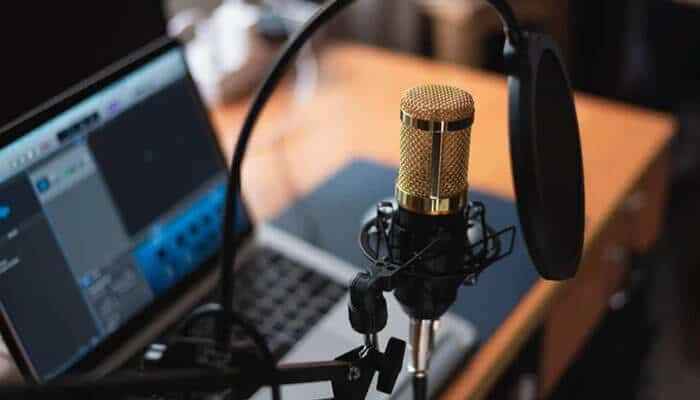

Strong podcast audio begins with controlled speech capture, not a room full of expensive devices. Understanding Podcast Equipment Basics helps beginners and new teams focus on the tools that truly improve recording quality rather than investing in unnecessary gear. Many people assume better sound requires complex equipment, yet professional results usually come from proper microphone positioning, steady audio levels, and reduced echo. A lean setup supports interviews, internal updates, lessons, or training material without burdening the speaker. Before recording starts, every team should know which equipment improves clarity and which purchases can safely wait.
Start With the Core Setup
Early planning works best when each choice serves speech clarity, room control, and repeatable workflow. A practical reference on podcast equipment for beginners can help teams distinguish essentials from accessories before spending money. The first kit usually needs a suitable mic, monitoring headphones, reliable software, and a quiet recording area.
Choose the Right Microphone
The microphone decides how present and intelligible a voice feels. USB models suit solo hosts because setup is direct. Dynamic microphones reject more room noise, which helps in untreated offices. Condenser options capture finer vocal detail but also pick up reflections. A stable mid-priced model, placed correctly, often outperforms premium gear handled without care. One mistake beginners make is sitting too far from the microphone. Keeping a steady distance works. It often produces clearer and more consistent audio throughout the recording.
Use Headphones While Recording
Closed-back headphones give speakers immediate feedback. Mouth clicks, cable taps, echo, and uneven volume become easier to notice during the session. Wired pairs are preferred because they avoid delay. Guests should wear them as well. Sound from laptop speakers can bleed into the microphone, creating phasing and distracting audio.
Pick Simple Recording Software
Recording software should let people focus on delivery, not menus. Audacity, GarageBand, video-call tools, and browser recorders can all handle basic sessions. Separate-track capture is valuable when several voices join remotely. It lets an editor balance levels later. Still, the best tool is the one that participants can operate correctly under normal pressure.
Record in a Quiet Space
Room behavior changes the recording before the software ever touches it. Bare walls, windows, and empty floors reflect speech back into the microphone. Curtains, rugs, padded chairs, and loaded shelves absorb some of that energy. A small, quiet office may beat a large, polished room. Silence phones, fans, alerts, and nearby appliances before the first take. Experiment with different rooms. Testing a few locations can noticeably improve your audio.
Know When an Interface Helps
An audio interface is useful when professional microphones require a connection to a computer. It also helps when two people record together in one room. Separate inputs allow each voice to sit at a healthy level. Solo beginners rarely need one at the start. Remote teams can often stay simple if every participant records with a personal microphone.
Add Accessories Only When Needed
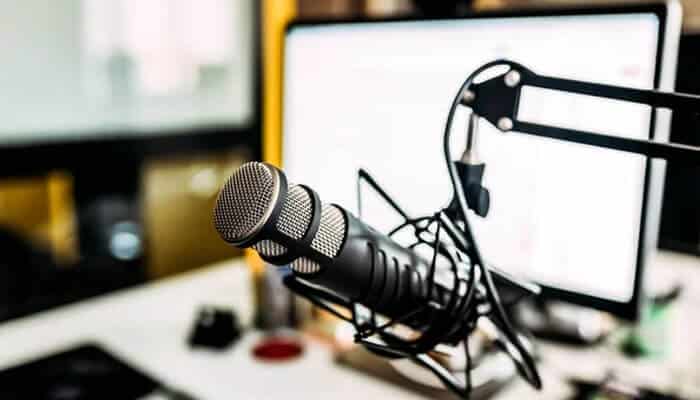
Accessories should solve a real problem. A pop filter reduces sharp bursts of air on certain consonants. A boom arm keeps the microphone fixed and clears desk space. Quality cables prevent crackles, dropouts, and loose connections. These additions are helpful. That said, they should never slow down setup or make sessions harder to repeat. A microphone stand also deserves consideration. Holding a microphone during longer recordings can be problematic. It often leads to shifting positions and inconsistent sound. A stand or boom arm keeps the microphone steady and reduces handling noise. It also lets speakers focus on the conversation instead of adjusting their grip.
Plan for Remote Guests
Remote guests need short, plain instructions before recording begins. Each speaker should sit near the microphone. They should use headphones and choose a quiet room. A two-minute sound check catches many preventable problems. Stable internet helps, although local-track platforms protect recordings during connection dips. Clear preparation usually improves results more than extra equipment.
Solo Episodes
Solo episodes are efficient and controlled. One speaker, one microphone, and a prepared outline can produce a polished result quickly. Leadership notes, training lessons, and brief internal updates fit this format well. The speaker should keep a consistent distance from the mic. Short pauses between ideas also make editing cleaner.
Group Conversations
Group episodes need structure before they need more gear. Each person should use a dedicated microphone when possible. Shared microphones create level swings and blurred speech. A host can manage turn-taking, pace, and interruptions. For remote panels, separate tracks help correct differences later. Defined roles keep the conversation warm without letting it drift.
Keep Editing Light
Editing should protect attention. Remove false starts, long silences, repeated phrases, and obvious background intrusions. Gentle volume leveling helps listeners avoid sudden loud or quiet moments. Heavy processing can make voices sound thin or unnatural. A good edit preserves human tone while removing distractions that compete with the message.
Think About Hosting Early
Recording plans should include distribution. Public podcasts need broad access across listening apps. Internal podcasts require privacy, permissions, and controlled delivery. Private feeds can assign access per person instead of relying on a single shared link. That matters for onboarding, leadership briefings, training, and sensitive updates. Good hosting keeps content organized as staff and episodes increase.
Avoid Buying Too Much
Overbuying often creates more friction than quality. Mixers, studio lights, premium processors, and backup recorders can wait until a clear need appears. Every added device brings cables, settings, and failure points. A useful kit should make recording more dependable. Clear speech, consistent habits, and organized delivery beat impressive shelves of unused hardware.
Conclusion
A beginner podcast setup should be practical, controlled, and easy to repeat. Teams need a suitable microphone, closed-back headphones, and simple recording software before they need advanced accessories. Good technique improves sound faster than unnecessary purchases. Hosting and access should also be planned early. With steady habits and the right basics, recordings become clearer, and sessions run more smoothly. Also, listeners can follow every message with less effort.
