The idea that Mark Zuckerberg Facebook’s fake news problem could have influenced the result of the 2016 presidential elections is a “crazy idea,” says the social network’s co-founder and chief executive.
Mark Zuckerberg Response to Fake News
Mark Zuckerberg was responding to calls Thursday from media writers and experts for Facebook to examine its role in spreading hyperpartisan misinformation to a wide audience in the months before the elections.
Zuckerberg countered that fake news “surely had no impact” on whom voters chose to be president.
“Voters make decisions based on their lived experience,” Mark Zuckerberg said in an interview with David Kirkpatrick at the Techonomy conference in Half Moon Bay, Calif.
“I think there is a certain profound lack of empathy in asserting that the only reason why someone could have voted the way they did is because they saw some fake news.”
There are a couple of reasons why, days after the election of now-President-elect Donald Trump. Mark Zuckerberg is being asked to answer for Facebook’s long-standing difficulties in dealing with hoaxes and fake news that spread freely through its massive user network.
Mark Zuckerberg Facebook
Facebook is a tech company, one that prides itself on neutrality and that has explicitly said it is not a media company. With 1.7 billion monthly active users across the globe, Facebook is also perhaps the most influential distributor of information in the world.
According to a recent Pew study, 44 percent of the general population in the United States says it gets its news from Facebook. And 79 percent of Americans online use Facebook in general, a much larger share than that of any other social network.
Facebook has become the favorite online home for Americans. It has also become host to a wide array of hyperpartisan content machines that publish mountains of misleading or outright fabricated stories that are explicitly designed to be widely shared among people who are more inclined to believe them.
BuzzFeed Analysis
According to a BuzzFeed analysis of many of these hyperpartisan pages, misinformation targets both progressives and conservatives, but false or misleading news stories are more common among right-wing sites.
That’s also reflected in The Post’s own, non-scientific tracking of fake stories about the election across all social media platforms over the past few weeks. Misinformation on Facebook wasn’t exclusive to the supporters of one candidate, but it was more common and viral on the right.
There is also some evidence that right-wing readers of online news are being encouraged to ignore attempts at verification of these stories.
“Forget the press, read the Internet,” Trump told his supporters just months before his victory.
He didn’t specify which parts of the Internet he liked. But we already know that he accepts and repeats information from websites and tabloids that publish false or misleading articles.
For instance, he has in the past complimented the work of Alex Jones. The conspiracy theorist behind Infowars has argued that the massacre at Sandy Hook Elementary School was a “false flag.”
“The Internet,” even just Facebook, looks very different to different people. As Facebook gains influence in the lives of its users. Experts have become concerned about algorithmically enforced “filter bubbles.” People tend to click on stories that confirm their worldview.
Exchanging Old Rs 500 and Rs 1,000 Notes Under RBI Rules
The limit to exchanging old notes of Rs 500 and Rs 1000 is Rs 4000 till further review by the RBI and NOT per day, as has been misunderstood by some people. The Frequently Asked Questions (FAQs) on the RBI website and the notification regarding de-monetization mention that old notes of Rs 500 and Rs 1000 can be exchanged at bank or post office branches till December 30, 2016, up to a value of Rs 4000 by filling up a form and providing ID proof.
The notification regarding this does not state that this is ‘Rs 4000 per day’.
The above is clear from the notification issued on November 8 regarding “Withdrawal of Legal Tender Character of existing Rs 500/- and Rs 1000/- Bank Notes”. Regarding ‘Provision of Exchange Facility’, this notification states that the old de-monetised notes can be exchanged at any Issue Office of the Reserve Bank or any branch of public sector banks, private sector banks, foreign banks, Regional Rural Banks, Urban Cooperative Banks and State Cooperative Banks for a period up to and including the 30th December, 2016,
Exchanging Old Currency and RBI Notification Details
These following condition:
(i) the specified bank notes of aggregate value of Rs 4,000/- or below may be exchanged for any denomination of bank notes having legal tender character, with a requisition slip in the format specified by the Reserve Bank and proof of identity; the limit of Rs 4,000/- for exchanging specified bank notes shall be reviewed after fifteen days from the date of commencement of this notification and appropriate orders may be issued, where necessary.
This implies that the limit of Rs 4000 per person is at one time exchange allowed till this decision is reviewed 15 days from November 8 i.e. on November 22nd. Two bank branches that this correspondent visited were also following this principle. Further, RBI has not issued any clarification to the contrary so far.
However, quite obviously this rule is being currently circumvented by people visiting branches of different banks with the same ID proof or with different ID proofs. It appears unlikely that given the short time at their disposal and the current pressure of work bank officials would be able to cross check with branches of other banks.
However, quite obviously this rule is being currently circumvented by people visiting branches of different banks with the same ID proof or with different ID proofs. It appears unlikely that given the short time at their disposal and the current pressure of work bank officials would be able to cross check with branches of other banks.
The confusion has arisen because of the RBI instructions regarding cash withdrawals from ATMs, which state: Withdrawal from ATMs shall be restricted to Rs 2,000 per day per card up to 18th November, 2016 and the limit shall be raised to Rs 4,000 per day per card from 19th November, 2016. However, it is to be noted that when a person is withdrawing from the ATM he/she is drawing from his/her own bank account and NOT exchanging notes. Quite obviously, RBI has restricted the exchange of notes to Rs 4000 per person till further review.
Since all the instructions regarding withdrawal from ATM and savings account have been specified for per day, it has been inadvertently assumed that exchange of old notes worth Rs 4,000 limit is also per day.
The Magic Kingdom is at risk of losing some of its magic. For years, Disney’s was the envy of its industry, the media giant that thrived like no other. The firm’s stock rose 335% between CEO Bob Iger’s appointment in March 2005 and one year ago, when the stock peaked at $120 a share. Since then, the stock has lost more than a fifth of its value, thanks to the impact of cord cutting on its cable properties, notably sports behemoth ESPN.
Disney fell another 3% in late trading Thursday immediately after it missed revenue and earnings estimates for the second time in three quarters. (It rose over 2% later in the evening.) Revenue in the Magic Kingdom totaled $13.1 billion, below Wall Street’s consensus estimate of $13.5 billion. Earnings per share of $1.10 fell six cents short of expectations.
This marks a break from past years, when Disney would routinely beat Wall Street’s forecasts quarter after quarter. The culprit again is the company’s cable networks, notably ESPN but also the Disney channels, which saw a 7% drop in revenue and a 13% drop in operating income.
By contrast, revenue from Disney’s broadcast networks, like ABC, rose 8%, while operating income rose 37%. The problem is, Disney’s cable networks have long accounted for about half the company’s operating profit. Worse, operating profit also declined in other areas, such as theme parks and games (both down 5%) and film studios (down 28%.)
The disappointment largely centers around a threat that Disney and media companies have seen coming for a dozen years: the rise of digital content. Online streaming is going from a fringe medium to a mainstream preference, thanks in good part to the ubiquity of mobile devices. To many, a cable subscription is no longer seen as a necessity. This threat is even more perilous for ESPN at a time when NFL ratings are slumping and younger viewers are gravitating toward digital alternatives.
To head off such threats, Disney vowed in August to invest in a tech infrastructure to make more money from a streaming version of ESPN. It bought a one-third stake in BAM Tech, a streaming technology backed by Major League Baseball, for $1 billion. “Through this investment,” Iger said at the time, “we plan to launch a new, direct-to-consumer ESPN-branded, multi-sport subscription streaming service.”
But as some pointed out, the digital service would offer new ESPN-branded content but not the ESPN channels. The strategy shows, in a nutshell, the dilemma Iger is facing with ESPN. If he opens ESPN’s channels up to digital streaming, he risks cannibalizing his premier cable asset. But any alternative moves he’s made are so far looking like too little too late.
Disney could make a bold acquisition to gain a stronger foothold in digital media. The company was reportedly in the running as a suitor for Twitter, one that the Twitter board itself seemed to prefer. But the company backed away after its shareholders balked at the notion of taking on a social network plagued with abusive trolls. Another rumored purchase of Netflix didn’t pan out, largely because Netflix is pricey and doesn’t want to sell.
One bright spot in all of this should be Hulu, the Netflix rival crafted by media giants, in which Disney is a part owner. However, Disney said that equity losses from Hulu were a drag on its overall profitability, a trend that stretches back to earlier quarters.
In a conference call to discuss earnings, Iger expressed his optimism for ESPN’s future, saying that “the causes of those losses has abated,” that its direct-to-consumer ESPN product launching next year will appeal to millennials, and that a Nielsen survey showing ESPN disappeared from 621,000 homes last month was misleading because it didn’t count digital subscriptions.
“We’ve taken a more bullish position on the future of ESPN’s [subscription] base,” Iger said. “We fully expect to return to more robust growth in fiscal 2018 and beyond.”
Those soothing words helped Disney’s stock recover from the early selloff, but bigger challenges remain. Short of an acquisition or two of influential digital media properties, Iger has few options for a quick fix. Earlier Thursday, Liberty Media chairman John Malone mused on CNBC about some unpalatable options for Disney.
“If somebody went after Disney, my guess is Apple would have to finally make a decision,” Malone said. “If I had to guess, you will see a split of Disney with ESPN spun off . . . Apple would be more interested.”
One year ago, when the cracks in the Disney empire began to become apparent, this scenario was unthinkable as Iger’s legacy. Even now, such an outcome seems unlikely. But if Iger doesn’t make some quick moves to adapt to the digital media landscape, Disney may find itself riding the Tower of Terror.
Good question. With platforms such as Twitter, Facebook, LinkedIn, and Instagram, you can generate tremendous online exposure for your brand, allowing you to showcase your products and services. Social media helps you listen to what people are saying, including your customers, prospects, peers, and competitors.
You can generate leads through all the major social networking sites (Twitter is very effective for this, particularly in B2B). This will help you attract more customers, who you can dazzle by providing a personal touch, building relationships, and driving loyalty
All of this can be accomplished at a low cost without sacrificing quality. Check out the visual below for a wealth of facts, figures, and tips on why social media is good for business, which comes courtesy of CJG Digital Marketing.
The platform, which was developed by Google, provided nearly anyone and everyone with an Android-powered smartphone with the taste of virtual reality—and without having to invest such a huge sum of money in the process, something that made it accessible to a broad range of people. Fast forward to the present, and the mobile virtual reality experience is evolving with the release of Google’s next-generation headset. The level of immersion is undeniably critical in making virtual reality believable, so it’s going to be intriguing to see how the advances with the Google VR Daydream View will make for a convincing argument for the segment.
Mobile VR, as we’ve seen thus far, has been largely static in comparison to what commercial VR systems, such as the HTC Vive and Oculus Rift, have delivered for a decent time now. Let’s just cross our fingers and hope this next iteration is a leap forward, as opposed to just a small step up from what we know and have.
Google VR Daydream Design
Sorry, Cardboard, you were cheap and readily available to the masses, but the comfort and ergonomics weren’t there at all. Thankfully, Google’s approach this time is more mindful of those two qualities, seeing that the Daydream View adopts a design that’s more agreeable to the styling of today’s clothing than the monolithic, sometimes sci-fi-looking designs of other headsets. Its design is inspired by the clothes we wear, so to that degree, there’s a friendlier demeanor to its particular look and feel.
While we applaud Google’s choice of the material employed by the headset, this breathable fabric-esque material dubbed “textiles,” they missed the mark in terms of its fitting. To be fair, though, the soft fabric material feels good over the skin and surrounding area that goes over our eyes. And the uniformity it exudes is much more charming in appearance than the prototype-esque aesthetics of the Samsung Gear VR, or the crudeness of the Cardboard headset.
However, having only a single, adjustable strap that goes around our head with the Daydream View, it doesn’t seem equipped to keep itself propped up while it’s worn. When you place the Google Pixel XL into the headset, the phone’s weightiness causes the entire thing to become front-heavy – making it a nuisance because of the constant need to be propped up using our free hand. Of course, this particular design flaw could be ameliorated by simply adding another strap that would go over the head.
Sure, the decision to go with a fabric exterior is a great direction for the headset’s overall design, but when it cracks under the weight when the handset is positioned into place, it’s more of an annoyance than anything else trying to constantly adjust the straps. Nice design, but that one flaw is glaring.
Google VR Daydream Setup
There’s nothing to it with the setup process of the Google VR Daydream View. Once the Google Pixel XL is fastened safely into place, the sensors automatically launch the Daydream app. After that, all that’s needed to complete the initial setup process is to press and hold the home button on the new controller that comes included with the headset.
We will mention, however, that Google manages to at least plan accordingly with the controller. Its diminutive size allows it to be tucked away in the inside of the headset when it’s not being used. For what it does in the VR world, this new accessory adds to the VR experience by providing us with an expressive and intuitive way of interacting with things.
Google VR Daydream Controllers
Not only does it have a touch-sensitive pad, as well as the usual home, back, and volume controls, but it’s also capable of sensing motion. Call it the secret weapon in its arsenal, it’s similar in premise to other motion-sensing controllers, like the Nintendo Wii remotes, DualShock 4, and even the HTC Vive controllers.
Once the calibration is completed, we’re automatically brought to the Daydream Home portal, which is set in this forest world, and it’s the area where we see all of our downloaded apps and content. Currently, though, this portal is the only way to initiate downloads for Daydream-supported apps. Meaning, there’s no separate section yet in the Google Play Store to download apps, so you’re forced to use Daydream’s VR interface.
Google VR Daydream experience
Given that the Daydream View is still the vessel for the brains of the operation, the Google Pixel XL in our case here, its implementation doesn’t stray far from other mobile VR experiences, including Cardboard. In our time checking out the limited selection of Daydream apps and experiences, we can agree that they follow the same fundamental properties as what we’ve seen from mobile VR already. That means that it’s still a mostly static experience, one with limited range extended to looking all around us as we’re sitting or standing still.
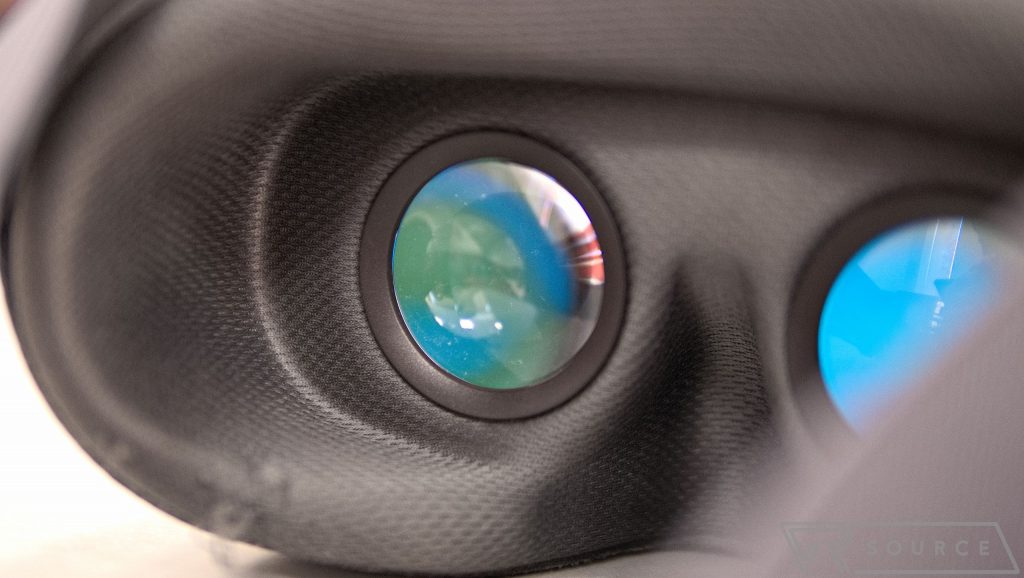
Before we get deeper into its experience, let’s briefly talk about the two lenses in the headset that allow us to see into this virtual reality. There’s not a whole lot to complain about, especially when the handset’s Quad-HD resolution is the gold standard for mobile VR currently. Plus, the lenses have wide enough coverage to never once make it feel narrow as we peer into them.
Processing Power and Performance
In our brief time using the headset, we never once felt nauseous using it, which can also be attributed to the processing power and smooth performance of the Google Pixel XL.
Going back to the overall VR experience, Google VR Daydream still can’t escape the static approach of current mobile VR implementations. Indeed, the addition of the motion controller does nicely to enhance the experience, but at the end of the day, we’re still confined to our space while just being able to look around. Unfortunately, there’s no advancement in terms of spatial movement tracking, which obviously would involve a bit more hardware to achieve.
The controller acts as a pointer in the virtual world, and in some instances, it’s even virtualized for us to look at. From the looks of it, the motion tracking seems spot-on and responsive, as waving, tilting, and panning are precisely tracked, so it very much works like other motion controllers. The caveat is that it’s tethered in such a way that it doesn’t respond appropriately in the VR world when it’s raised above the headset. It’s a minor limitation, of course, but one that we have to mention.
Don’t get us wrong, the motion controller enhances the mobile VR experience, but ultimately, the overall experience is still very much like Cardboard and Gear VR. Therefore, its level of immersion still falls short of what’s achieved by the complex VR systems out there. For an on-the-go experience, it achieves the same result as other mobile solutions—just that it’s enhanced by the addition of the motion controller.
The Games and Content
We’ve been checking out a few games and experiences with the Google VR Daydream View ahead of its official availability date of November 10th. It’s tough to say after checking them out if it’s a home run for Daydream, especially when you know developers will no doubt create some cool and innovative content as time goes by. In the meantime, however, we will just say that this is just the beginning, so don’t expect anything extraordinary.
Google apps such as YouTube, Street View, Google Photos, and Play Movies all act as you’d expect, wherein they function in the same capacity as what we’ve been exposed to with mobile VR. Street View allows us to visit famous landmarks in faraway places, or visit the street where we spent the majority of our childhood.
There’s nothing exorbitant with the VR experience, naturally, since it’s a static experience that lets us absorb the sights and scenery while using the motion controller to quickly jump from one location to another. With Play Movies, it does nothing more than replicate the big-screen experience of a movie theater.
Google VR Daydream Motion Controller
Again, we can’t stress enough about the static experiences here, which are due to the headset’s being unable to measure spatial movement. The motion controller makes it more convenient to interact with things in the VR world, such as pointing at dots to jump from one area to another in Street View. Despite its addition, it’s not doing a whole lot to move forward the experience – still, it’s better than having to press some button on the headset or something like that.
Moving on to the games, they make better use of the motion controller. Games like Wonderglade make it necessary to use the controller to play many of the mini-games there. For example, it’s used to act as a firehose to douse flames; it becomes a golf club in mini golf; and it even shows off its motion tracking by tilting it in all sorts of ways to guide a ball through a maze. Wonderland, by far, best showcases the potential of the motion controller’s implementation in the VR world.
Mekorama
Other games we’ve checked out also make use of the motion controller. In Mekorama, we use the motion controller to help guide our tiny robot friend through these puzzles by pointing it where to go, moving blocks with the motion controller to gain access to new levels, and much more. Endless shooters are being transformed as well with the Google VR Daydream View’s implementation. Hunters Gate, in particular, utilizes the controller’s touchpad to navigate our player on the map while using the controller at the same time to target enemies.
These games do a better job of showing how valuable the motion controller is in the overall experience. It’s a small tease so far, so we’re itching to see how other games and experiences try to innovate the overall VR experience.
Conclusion
Cardboard is so beloved not only because it exposed a vast majority of smartphone owners to virtual reality, for the very first time, but also because of the minimum investment cost coming from users. With the Google VR Daydream views, of course, its new motion controller and breathable fabric design means there’s a significant cost attached to it over its Cardboard brethren. At first glance, the Daydream View’s cost of $79 might seem alarming, but it undercuts the competition – making for a presentable solution that’s priced effectively.
The bigger question we need to ask, though, is whether or not these new implementations add any value to the overall experience. Early on, it doesn’t seem likely, as we feel that only one game manages to harness the power of the new motion controller. Then again, things might very well change rapidly once the headset launches, and developers can go on to tinker with it more, fine-tune things, and eventually come up with some ingenious ways this system can sell virtual reality to the masses.
One of the most pressing things, however, is just the continued static approach – something that hasn’t changed at all. The missing piece here is spatial tracking, something that has been the defining, also differentiating factor that separates mobile VR from the full-blown experience we see in things like the Sony PlayStation VR, HTC Vive, and Oculus Rift.
We’re hesitant to recommend picking up the Google Daydream View right now, mainly because it’s only a small step forward from what we’ve seen in the mobile VR space throughout the last couple of years.
Then again, if you have a Pixel, it’s only $79 so you’re not exactly investing a ton of money for the chance to dive a bit deeper with VR than you could with Cardboard.
When I started my first e-commerce site, I was a hungry and novice entrepreneur (a.k.a., a Wantrepreneur). I shelled out more than $40,000 of my hard-earned cash developing an idea that I believed will work. I made all the mistakes there are to make, such as attempting to implement all the features I assumed the users will need. At the end of the day, 90% of the features are useless, and there really is no demand for my app. Long story short, my first entrepreneurial endeavor became my $40,000 mistake. To help you avoid the same (expensive) mistakes I’ve made, I will share with you the step-by-step methodology to start a successful eCommerce store.
Step #1 – Find a profitable niche
Sell what you like and what you know: When you are choosing a product, it’s important to pick something you know and are passionate about. Entrepreneurship already has a high learning curve, and you don’t want to make things even harder.
First, list all the things you like to buy and use in hobbies and daily activities.
For example: If you’re into winter sports and like snowboarding, you might start an eCommerce shop in this niche. You can sell everything from boards, boots, goggles, helmets, gloves, jackets and other things related to snowboarding.
Don’t forget that Tony Hawk started Birdhouse, his skateboarding company, because of his love for the sport. You can do the same based on what you like to do.
To get started, here are some categories you can look into:
Consumer electronics: Notebooks, printers, smartphones, TVs, digital cameras, video game consoles, etc.
Books. Both digital and printed.
Clothing and apparel: T-shirts, jeans, suits, dresses, shoes, watches, jewelry, etc. You can also buy ugg boots online.
Household goods: Air conditioners, furniture, washers, dryers, coffee machines, dishes, kitchen utensils, etc.
Office supplies: Paper clips, post-it notes, stables, cash registers, photocopiers, pens, paper, etc.
Pet supplies: Food, toys, appeal, treats, litter, beds, aquariums, cleaners, cages, grooming, etc.
Tools: Knives, camping gear, etc.
What do your friends and peers complain about? If you know people who occasionally complain about something, maybe they need a solution that can be delivered as a product or service.
Even the slightest dissatisfaction with current products or distributors is a sign that there is a need for something better.
It is often a good idea to further investigate and ask people questions like:
What are the things you’d like to buy online right now?
What are your biggest challenges at the moment [in that niche]?
Is there something you can buy that will help you out in your situation?
What are the hardest products for you to order and why?
Is there something your current provider is not offering you? What is lacking in their service?
The answers to these questions could give you a good idea of what people are looking to buy.
What are people complaining about on social media channels? Review posts and ask others on Facebook & LinkedIn groups, Google+ communities, Reddit, Quora, Forums, etc.
Your end goal here must be to find out the biggest problem people have in your niche, so you’ll know what to offer them.
For example:
Imagine you have a neighbor who often complains about his cat peeing on the floor inside the house. To solve his problem, he might be very interested in buying things like a litter that kills the bad smell or lessons to litter box train the cat.
Check out the top-selling items on Amazon and eBay: One of the best ways to further investigate your niche is to simply review the top-selling lists on Amazon or eBay. By doing so, you will learn exactly what people are already buying so you don’t need to guess if there is a demand or not for your product.
Just go to Amazon Best Sellers and select your category of desired products from the bar on the left.
Let’s say you want to further investigate Home & Kitchen -> Kitchen & Dining. When you visit this page, you’ll see the following:
It looks like the most popular product in this section is “Thermometer Instant-read Digital Temperature Gun with Laser Sight and Backlit LCD.”. Who would have thought?
Here is how to find the top-selling items on eBay.
First, log in to your eBay account or sign up for one if you don’t have an account.
Then you need to scroll down to the bottom of the homepage, and you’ll see 2 links: Top Products and What’s Popular.
Top Products is visually a more appealing section; however, What’s Popular contains links to all categories and subcategories. So choose the one that suits you best.
For example, when you visit Top Products, you’ll see categories represented with a picture and links to subcategories.
If you’re interested in building an eCommerce store for cameras, it makes sense to check out “Digital cameras” to see what people are buying the most.
As you can see, top-selling brands are Canon and Nikon. By making this search, you’ll know which products to offer on your eCommerce store as well.
Read the news: Reading online and industry-specific print media is a great way to uncover unmet needs and products already in demand.
When you’re looking for ideas in your niche, pay attention to:
New product releases
Trends/innovations
Industry reports
Main challenges for consumers
PayPal: A little known fact is that you can also use PayPal for your online research and find what people are buying the most.
To do this, go to the bottom of the homepage and click Shop. This will lead you to a list of all eCommerce sites that use it as a payment, and then you can select the desired category.
For example, let’s say we’re into fashion. By choosing this product category, you’ll see all eCommerce sites ranked by sales volume.
Here we can further explore the top shops in this category by visiting their websites.
Read the product reviews: Product reviews will show you where you can compete in this niche.
When reading reviews, cherry-pick the bad but constructive ones.
You can do this in Amazon by clicking on the 3-star (2-star or 1-star) reviews, then sorting them by “Most Helpful First.”
In the screenshot above, you can see the common complaint is that the iPhone 6 case is thin and low pricing, but it doesn’t do a good job protecting the phone.
You can compete with this product by creating a thin and low-priced case that actually protects the phone.
Step #2 – Analyze the market opportunity
Once you find a potential product with demand, you need to figure out whether there is a big enough market in the long term? You don’t want to start your eCommerce site only to realize there are simply not enough people interested in what you’re selling.
Here are a few ways to determine the size of the market and its profitability:
Use Keyword Planner Tool: high volume of searches for your product keywords on Google usually means high demand and a big market. If there are several thousand average. monthly searches per month, you’ll know you’re on the right track.
For example: If you’re looking to sell digital cameras in the UK, this is what the Keyword Planner tool will show you:
You might search for specific brands like GoPro and see there are 20 times more searches for that:
You can further investigate by checking specific products or series:
As you can see, there are a lot of searches for GoPro Hero 3, which means there are tons of people willing to buy it. If you‘re looking to build an eCommerce store for digital cameras, this is a product you‘d definitely want to include.
Use Facebook ads manager: Very similar to the Google Keyword Planner tool, you can use the Facebook ads manager to determine the size of the prospective audience related to certain products.
To do this, simply create a new ad. Choose either Clicks to Website or Page Likes from the following options.
Select your link or Facebook page and continue. Scroll down to “Audience”. Choose your location and list your products based on the specific niche. Then Facebook will automatically display your potential reach or market size.
In this example, we once again look for people interested in “digital cameras“ and “GoPro“ who live in the UK. Clearly, the potential reach shows us a big market opportunity: 820,000 people interested in these products.
Industry reports: From these, you can learn which products are highest in demand and get an idea of how to position yourself.
For example:
The report Global Consumer Electronics Market 2014-2018 reveals information about key market drivers, challenges, trends, opportunities, expected market size in 2018, etc.
The information in these reports is very structured, which will save you time when putting all the different pieces of the puzzle together. The downside is that sometimes you’ll have to pay for them.
Google Trends: This helpful tool will show how the average search volume for product keywords has changed over time. By looking at this data, you can analyze if your prospective market is shrinking, staying steady or growing.
If we once again search for GoPro, we’ll notice a rapid advance of search volumes from 2009 till 2014. It looks like the market is booming and will continue to grow at a rapid speed in the following years.
Check your competition: What is the competition like for the products you’d like to sell on your eCommerce store?
If there is none, think twice before you choose this niche. There is probably a reason no one wants to enter it: it’s not profitable enough or is difficult to deliver. On the other hand, if there is already some competition, then someone is making money.
For example: when you search in Google.co.uk for “GoPro”, you‘ll see there are already some eCommerce stores selling these products.
Remember: don‘t be afraid of competition in the market. You can always find a way to position yourself in a way to stand out from the crowd.
Step #3: Define your target customers
Don’t try to sell to just anybody. Most people are not interested in your products, and they will never buy from you (even if they have the money).
Instead, focus on finding the people who actually need your product, .a.k.a. your buyer personas.
Develop buyer personas for your target customers: These are semi-fictional representations of your ideal customer. They allow you to narrow your niche and the specific people who will want to buy from you so you can focus only on them.
When creating buyer personas, you should ask yourself the following:
What are their demographics? (Age, gender, location of residence, etc.)
What are their behavior patterns? (How do they act in the environment in different situations?)
What are their core motivations and goals?
What are their biggest challenges/issues in your niche?
Why would they want to buy your products? What can they accomplish with them?
For example: If you’re selling GoPro cameras, your buyer persona might look something like this.
Adventurous, 15-25-year-old man who likes to film himself snowboarding. His core motivations are to promote himself on YouTube in order to find more sponsors and advance his sports career. He wants to buy GoPro to shoot from extreme angles, which is something he can’t afford to do with other types of cameras.
You might have several more buyer personas: like a stuntman or a diver, all with different goals and motivations for buying your products.
Estimate the lifetime value of a customer: The second thing you should do is to understand how much money you can earn from a single customer over a period of time. This will allow you to predict in advance how profitable your company will be long-term.
For example: Imagine you have an eCommerce store for pets and someone decides to buy a Labrador from you. Here is a list of the things he’ll need to pay for:
The initial cost of the Labrador is $700 (or $0 if you adopt, which we support.)
Collar, leash and ID tag: $35
Food per year: $3,000
Toys and treats: $200
Kennel or dog bed: $100
In the first year, this customer will bring you $4,035 and at least $3,335 after that. If he stays with you for 5 years, his lifetime value is $17,375.
Wow! that’s a lot of money people are spending on their dogs.
Step #4: Validate your idea
Finding a product and the market is great.
But how would you know if people will actually give you money for your product?
You don’t need people to tell you that your products are great and funky—you need them to open their wallets. If they’re not willing to do that for you, you’ll need to find out why.
Your price range may be too high.
You might be competing with a more refined and better version of your product.
You could be selling to the wrong people.
There simply isn’t a demand for your product.
To find out the reason, simply ask
What’s preventing you from buying my product?
To save you unnecessary use of time, money, and headaches, you must refine your product or find a new niche that actually sells.
If you’re going to fail, then fail fast, so you can move on.
Here are some ways you can use to validate your idea:
Sell your products in person: You don’t need a website for your first few customers. Connect with your target audience and sell to them directly. Then, if you find out that there are people interested in buying your products, it makes sense to build an eCommerce site and to upscale your business.
How do you find your target audience in person?
One way to meet potential customers is to join a Meetup group. You can literally find many different hobbies with different interests.
If you’re selling pet products, here are all the dog meetups in the world.
If you’re selling campaign gear, here are all the camping meetups in the world.
There really shouldn’t be any excuses not to do this.
Sell your products on Amazon or eBay: List your products on already-established marketplaces. eBay and Amazon will bring traffic to items, so the only things that you need to worry about are the demand and your rankings.
Click here to learn how to start selling on eBay, and here for Amazon.
Launch a crowdfunding campaign: This is one of the best ways to prove your business idea and to get traction fast. Unfortunately, it only works if you’re selling your own products. If this is the case, go to Kickstarter or IndieGoGo and create your campaign.
A great example here is Pebble, the amazing smartwatch company, which managed to raise $10M+ from its Kickstarter campaign.
Build landing-page offers: Pick several products and build customized landing pages for them. Then drive traffic with PPC ads (Facebook ads or Adwords) and count your sales.
You can use this method to ask people to buy straight away or to pre-sign for your products before your official launch. It would be a good idea to test both ways.
You don’t even need a developer to build landing pages. Just sign up for an Unbounce account, and you can create them with the drag-and-drop builder within minutes.
Set up a test store: The easiest way to do this is to sign up for a 14-day free trial at Shopify. Choose a basic free template, list some products, and drive PPC traffic. If you make sales before your trial expires, then there is a market opportunity for your business idea.
In general, you can validate your idea for a few days up to a week or two, depending on your market and response time. Be sure to do this properly before moving to the next step. If you don’t make any sales in advance, consider finding another business idea.
Step #5: Position your brand and product
The internet is full of products to choose from and most of them look the same. If you don’t find a way to differentiate yourself from the rest of the market, you’re destined to fail.
Don’t compete with others: People remember no more than 7 companies from the same niche category and usually, the market leader is first in their mind.
It’s smart to create a new niche category where you can be first in rather than competing with numerous existing companies in a brand category. You do this by positioning.
How to position yourself in a new category: Start by asking yourself what aspect of your customer’s need is critically important to them. Is it:
Speed
Convenience
Specific results
Guarantees
Whatever it is, base your eCommerce category on this key need that is currently unmet.
How to niche your category? eBay was not the first eCommerce site. It launched after Amazon but is the first to allow independent people or companies to sell products on auction. Zappos was also not the first eCommerce site. There was already Amazon and eBay, but it was the first to introduce online shopping for shoes.
You can transform each niche into a new one by adding a new perspective, such as shoes for the urban man or busy woman. It’s important to define the product category and position yourself as the number one choice.
The concept of positioning was first introduced in the book Positioning – The Battle for Your Mind by Jack Trout, and we highly suggest reading it if you’re serious about building a successful eCommerce business.
Products: The next obvious step is to consider some physical aspects of your products that will inevitably affect your eCommerce business.
Weight and size: Bigger and heavier products are usually harder and more expensive to deliver. If you’re offering gym equipment, spend some serious time considering how you’re going to deal with the shipping.
Fragility: If it’s easy for your products to break during delivery, you’ll have lots of turnovers, and this will result in a bad reputation for your company. The last thing you want is for your customers to receive broken porcelain dishes.
Seasonality: Some products are only sold around Christmas or in the summer. It might be difficult to build a profitable, long-term business around them. If you’re thinking of starting an eCommerce store for swimming suits, consider what you’re going to sell during the winter.
Availability: Consider what would happen if your distributor decided to stop supplying you with products. Can you order an alternative? It’s always a good idea to have 2 or more options.
Restrictions & regulations: There might be some laws or regulations you need to be aware of in any market. Some products might be prohibited or allowed only in certain situations. Consult with a lawyer to be sure.
Shipping costs: Most people expect free shipping nowadays. You should calculate the price of your products with this in mind so you don’t have to charge an additional shipping fee.
Step #6: How to price your product
One of the hardest things to learn in business is how to price your products properly. If your prices are too low, you’ll make no profits; if prices are too high, you’ll lose revenue.
To figure out the right price, follow these simple steps:
1. Calculate your costs: Don’t sell your products for less than what it costs you to deliver them. Summarize what it costs you to:
Purchase the products
Acquire customers
Deliver the product
Pay for salaries, office materials, website maintenance, etc.
For example: Let’s imagine you’re selling jeans and you have the following costs: to buy the product $5, to acquire the customer $4, to deliver it $3 and you also spend $2 on other expenses. This means you should not sell these jeans for less than $14 and preferably for more if you want some profit.
2. Check out the prices of your competition: One of the easiest ways to determine how much to charge for certain products is to find out what other websites are charging.
For example: If you’re going to sell shoes on your eCommerce store, go to Zappos and check out the prices.
Keep in mind you can always sell the products for more or less depending on how you position yourself.
3. Use suggested retail price: Most often manufacturers will suggest how to price products for end consumers so you don’t need to think about it. Use this as a starting point and experiment further to see how much your customers are willing to pay.
4. Use keystone pricing: Double what it costs you to purchase the product. That’s the easiest pricing model for eCommerce businesses.
For example: if you bought a pair of glasses for $5, you‘re going to sell it for $10.
5. A/B test your pricing: If you can justify a higher price than your competitors and think you can get away with it, then test the higher pricing with the original pricing. See if you’ll lose lots of sales.
How much are your customers really willing to pay?
Sometimes the retailer’s price has nothing to do with how much it costs you to buy the products. In certain situations, customers might be willing to pay more for what you’re offering because they simply want it that much.
To learn more about pricing, we suggest you read Your Ultimate E-Commerce Product Pricing Guide.
Step #7: Technical stuff
Last but not least, you should consider the technical aspects of building an eCommerce business. You can’t start an online business without a website so you should take care of:
Domain name: The unique name that identifies your website. It will usually cost $10-$12 for a.com domain. You can buy one from the following sites:
Register.com
GoDaddy
NameCheap
Content Management System (CMS): An application that provides a user interface to publish, edit and modify your website’s content.
Go sign up for Shopify. which provides you with all the tools you need to start selling products online. You can quickly set up a shop.
Hosting: This is the server that stores your website so it can be accessed from all over the world. For an eCommerce site, it’s often required to use at least a VPS hosting or dedicated hosting server plan.
Some great hosting providers to choose from:
Bluehost
Dreamhost
Hostgator
The price for VPS hosting is around $15.96/month and for dedicated hosting about $139/month. If you choose to use a CMS platform like Shopify, you don’t need to worry about hosting as it is already included in your plan.
Note: You’ll only need hosting if you choose not to use Shopify for some reason.
SSL certificate: People won’t trust you with their credit card details if you don’t secure their data.
You do this by using Secure Sockets Layer, or SSL. That way no one can steal your customers’ credit card information, and they can feel safe when buying from your site.
To implement SSL, you need to buy a certificate. You can do so from GeoTrust, and it will cost you around $299. If you’re using Shopify as a platform, you don’t need to purchase an SSL certificate as it is included.
Payment options: The last technical aspect you should think about is how you will get paid. Keep in mind that more payment options increase sales and conversion rates. That’s why it’s smart to offer as many as you can: credit card, PayPal, cash on delivery, etc.
You also need a payment gateway to accept money from your site and transfer it to your bank account.
Here is a list of vendors you can use:
PayPal
Stripe
Authorize.net
First data
Braintree
Paymill
The downside is that these payment gateways charge a commission for each transaction, which will lower your profits (often around 2.9% + 30¢)
If you’re using Shopify, you can use their own payment gateway, in which case you will have a lower transaction fee (between 0.5% and 2% depending on your plan).
Time to take action
Starting a successful eCommerce business might seem like rocket science but it’s not. Follow these steps, research several ideas and choose a niche you believe will have the highest potential. In the end, it doesn’t need to be perfect, just good enough to get you started.
If people are willing to pay for your product, you’ll have years to redefine and improve as you’re building your online empire.
Source:Shopify
Do you have any additional suggestions on starting a successful eCommerce store?
CHINA: China today successfully launched a navigation satellite which will conduct in-orbit experiments using pulsar detectors to demonstrate new technologies. The X-ray pulsar navigation satellite — XPNAV-1 — weighing more than 200 kilogrammes, was sent skyward at 7:42 AM (local time) atop a Long March 11 solid-fuelled rocket from the Jiuquan Satellite Launch Center in China’s northwest.
The satellite operates in a Sun-synchronous orbit and will conduct in-orbit experiments using pulsar detectors to demonstrate new technologies, state-run China Daily reported. It was carried by a Long March-11 rocket, the 239th flight mission by a Long March carrier rocket series.
While in orbit, the satellite will undergo tests on its detector functions and space environment adaptability. It weighs more than 200 kilogrammes and carries two detectors, China Academy of Space Technology said.
Shuai Ping, chief designer of the satellite at the academy, said X-ray pulsar navigation is an innovative
navigation technology in which periodic X-ray signals emitted from pulsars are used to determine the location of a spacecraft in deep space, the Daily reported.
The satellite and the rocket were designed by academies affiliated with the China Aerospace Science and Technology Corporation, state-run Xinhua news agency reported. The X-ray pulsar navigation will help reduce the spacecraft’s reliance on ground-based navigation methods and is expected to lead to autonomous spacecraft navigation in the future.
The use of X-ray pulsar navigation is significant because it can reduce a spacecraft’s reliance on ground-based navigation methods. Ground-based navigation typically involves tracking the spacecraft from Earth and sending commands to adjust its trajectory. X-ray pulsar navigation, on the other hand, allows the spacecraft to autonomously determine its position and navigate in space using signals from distant pulsars.
The publicly hidden results of NASA tests on the dubbed-impossible’ EM Drive have been leaked, and it reveals that the said controversial propulsion system does work and can generate an impressive thrust in a vacuum, even after multiple error measurements have been made before they got it right.
The EM Drive made a lot of noise just last year due to its incredible possibility of a fuel-free propulsion system that could give humans the chance to finally get to Mars in just 70 days. But there’s one major problem: According to some current laws of physics, it shouldn’t be possible for it to work.
The current obstacle that the EM Drive has is the fact that it defies Newton’s 3rd law of motion. It states that “for every action, there is an equal and opposite reaction.”
So, as per Newton and our current understanding of the world, for a system to procure propulsion, it has to be pushed to something out of the way for it to work.
But after tests, it has been revealed that the EM Drive works without any fuel at all. It functions simply by bouncing microwave photons back and forth inside a cone-shaped metal.
That constant motion causes the ‘pointy end’ of the EM Drive to produce some much-needed thrust and propel the drive towards the opposite direction.
NASA has done it
On paper, and according to laws of physics, it shouldn’t work. But NASA’s Eagleworks Laboratory defied all odds about the almost debunked EM Drive, resulting in new tests in late 2015 that have just recently been leaked. Now, it is revealing that not only does the EM Drive work, but it also generates a pretty impressive thrust.
This just gave more hope toward the possibility of finally being able to travel to Mars in just under 70 days. But since it does defy the laws that were understood to be a definite rule in this world, it has been revealed that NASA researchers will conduct more and more tests just to be certain.
INDIA: In a move that took everyone by surprise, Prime Minister Narendra Modi on Tuesday announced Rs. 500 and 1000 notes are being demonetized, and they will be replaced by a new 500 Rs. note and a brand new 2000 rupee note. RBI has released images and some details about the new 500 rupee and 2000 rupee notes, but even before PM Modi’s announcement, there were messages going around on WhatsApp talking about the 2000 rupee note having a ‘nano GPS chip‘ – aka NGC, that can be used to track the notes from anywhere.
We treated these forwards with a healthy doubt of skepticism, and with RBI having released many details of the 2000 rupee note and the so-called nano GPS chip finding no mention therein, it’s safe to say that those forwards are a hoax. Here’s a sample message that some of you may have seen:
RBI to issue ₹2000 Rupees Notes coming February 2017
India is all set to add one more denomination to its currencies shortly. The Reserve Bank of India (RBI) will be issuing Rs 2,000 currency notes, the highest to come into circulation, even as some experts feel7 high-value denominations should be discontinued to curb black money.
The Rs 2000 currency is designed keeping in mind to eradicate the black money issues using state-of-the-art indigenous nano technology, every Rs. 2000 currency note is embedded with an NGC (Nano GPS Chip)
How does the embedded NGC Technology work? The unique feature of the NGC is it doesn’t need any power source. It only acts as a signal reflector. When a Satellite sends a signal requesting location the NGC reflects back the signal from the location, giving precise location coordinates, and the serial number of the currency back to the satellite, this way every NGC embedded currency can be easily tracked & located even if it is kept 120 meters below ground level. The NGC can’t be tampered with or removed without damaging the currency note
How will this help eradicate the black money menace? Since every NGC-embedded currency can be tracked, The satellite can identify the exact amount of money stored at a certain location. If a relatively high concentration of currency is found in a certain location for a longer period of time at suspicious locations other than banks & other financial institutions,. The information will be passed on to the Income Tax Department for further investigation
Just a beginning of the end of black money in India
Just to reiterate, everything you read above is unofficial, and almost everything is a hoax. We can barely get a GPS signal indoors, and if you believe the forward, the RBI has packed every single 2000 rupees note with a wafer-thin nano GPS chip that can get a signal even “120 meters below ground level”, which makes absolutely no sense. Not to mention the only chips that can be powered by a ‘reflective signal’ – like RFID chips – can transmit data only over very short distances, and not across hundreds of thousands of kilometers like the forward suggests.
Here’s what RBI has actually said about the 2000 rupee note, and it’s the only thing you should believe about the new currency at this stage:
T-Mobile has become the latest company seeking to take over your car.
Unlike efforts from the big technology players, however, the wireless carrier has an after-market device that consumers can, in theory, easily install in their cars. Called SyncUP DRIVE, the device plugs into your car’s onboard diagnostics port (OBD-II), which T-Mobile said has been standard on most cars built since 1996. SyncUP Drive is always on, doesn’t require charging, and users can manage it from their smartphone.
The new T-Mobile device requires a data plan, like any phone, and it turns your vehicle into a mobile hot spot. It also gives consumers extensive added vehicle diagnostic, safety, and security features, according to a press release.
“With T-Mobile SyncUP DRIVE, you have a new way to ride on America’s fastest nationwide 4G LTE network,” said CEO John Legere. “We’re making it radically simple for customers to connect their cars with a complete, all-in-one package — and the best part is that we’re making it totally free at launch.”
When the device launches on November 18, consumers can get the $149.99 SyncUp for free if they sign a two-year agreement with a 2GB or higher data plan. T-Mobile did not give a price for this plan, but it charges anywhere between $20 and $95 a month for its one-line plan and for 2GB–22GB on its Simple Choice plan.
What is T-Mobile doing?
The company is seeking to make it easy for people to turn their vehicle into a connected car without requiring expensive installation fees. The company also says that its product is different than Verizon’s (NYSE: VZ) Hum because that after-market product uses 2G technology and does not offer Wi-Fi.
Hum connects to the OBD-II port as well, but the Verizon product is designed to monitor the vehicle’s health, access emergency assistance, and offer various traffic alerts. It’s not meant to turn a car into a hot spot.
T-Mobile’s SyncUp Drive lets consumers connect to Wi-Fi devices. It also analyzes driving behavior to help owners drive more carefully by keeping track of dangerous driving behaviors like speeding, harsh braking, and rapid accelerations. That same technology can also be used to track miles for business expenses.
The new device also lets people track the location and status of multiple cars without contacting the drivers. Families (or business owners) can set speeding alerts and enable notifications to be alerted when a car enters or leaves a certain area. SyncUp can also track your car in a parking lot, making it easy to find, and alerts can be set up to let you know if your car has moved.
This is a bold move by T-Mobile
Cars are the next frontier for wireless carriers and technology companies. With SyncUp Drive, T-Mobile has delivered a seemingly easy-to-use device that offers more functionality than Verizon’s similar technology.
The car diagnostic and tracking features are useful, with some seeming especially appealing to families containing young drivers. The most important thing for the company may be the mobile hot spot access. Any family traveling with kids will see the appeal of being able to go online with tablets, laptops, or other devices at 4G speeds.
T-Mobile has not released pricing for data plans for the device, but assuming they are reasonable, this could be a major entry into a new market for the company. As long as data plans are reasonable (and in typical T-Mobile style, there are no overage charges), it’s easy to see families opting to install one of these in their vehicles.
This solves a need without requiring very much effort. Ultimately, this type of functionality may come factory-installed, but the sheer amount of used cars being sold and older cars on the road makes it so that day is still far away. T-Mobile likely has forced its way into the vehicle market by offering something where the uses are obvious and the cost, plus the barrier to getting started, is low.