


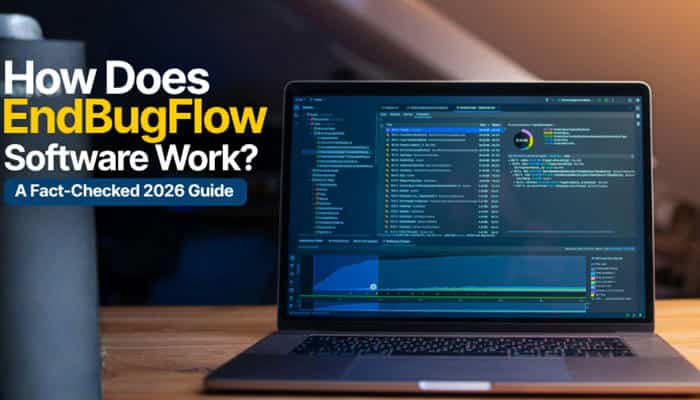

How does EndBugFlow software work? Based on the clearest first-party information available in 2026, EndBugFlow is described as a lightweight command-line tool designed to work with GitHub workflows and CI/CD automation. Its official Mac installation guide says developers can install the tool, connect it to a GitHub repository, add commands to workflow YAML files, trigger actions, and inspect workflow logs.
However, answering how does EndBugFlow software work accurately is not as simple as repeating the feature claims found across search results. The EndBugFlow homepage presents the brand primarily as a technical platform focused on debugging, workflow optimization, root-cause analysis, and software-development guidance. Its installation material, meanwhile, describes an actual CLI-style developer tool.
That difference matters because broad discussions of debugging, automation, monitoring, or AI should not automatically be treated as documented EndBugFlow product features.
This fact-checked guide therefore separates:
- what EndBugFlow currently documents
- how its GitHub-based workflow appears to work
- which EndBugFlow capabilities remain unclear
- whether EndBugFlow is really a bug tracker
- what can be verified about AI and integrations
- whether it automatically fixes bugs
- and what developers should check before installing it or connecting it to an important repository.
Quick Answer: How Does EndBugFlow Software Work
The strongest current evidence suggests this EndBugFlow workflow:
Install → Configure Repository → Add Workflow Commands → Trigger GitHub Action → Review Logs → Refine Automation
EndBugFlow’s Mac guide describes it as a lightweight CLI intended to improve automation inside GitHub workflows. It specifically discusses push triggers, conditional actions, event-based branching logic, and CI/CD routines.
So, if you are asking how does EndBugFlow software work in practical terms, the process appears to be:
- Install EndBugFlow on your development machine.
- Create or clone a GitHub repository.
- Make sure the repository contains .github/workflows/.
- Add EndBugFlow-related commands to a YAML workflow.
- Configure an event such as a push to trigger the workflow.
- Push the changes.
- Inspect the run inside GitHub Actions.
- Review logs and correct workflow or permission problems.
- Expand the automation after the basic setup works reliably.
GitHub Actions itself uses YAML-defined automated processes stored in .github/workflows/ and can run them in response to repository events such as pushes.
That makes the GitHub and CI/CD explanation the strongest evidence-based answer to how does EndBugFlow software work today.
Key Takeaways
- EndBugFlow’s homepage presents it as a platform focused on debugging knowledge, workflow optimization, and technical guidance.
- An official EndBugFlow installation guide separately describes a lightweight command-line interface designed for GitHub workflows.
- GitHub Actions and CI/CD are currently the clearest documented EndBugFlow use cases.
- EndBugFlow’s guide discusses workflow YAML files, push triggers, conditional actions, branches and workflow logs.
- A clearly documented EndBugFlow application-monitoring SDK was not identified in the reviewed material.
- A comprehensive public REST API reference was not identified.
- A clearly documented SaaS debugging dashboard was not identified.
- Detailed first-party setup documentation proving Jira and Slack integrations was not identified.
- Fully autonomous AI bug repair is not established by the available first-party evidence.
- GitHub workflow permissions and secrets deserve particular attention because automated workflows can receive repository credentials.
What Is EndBugFlow?
Understanding how does EndBugFlow software work first requires understanding what EndBugFlow currently presents itself as.
EndBugFlow’s homepage describes the platform around topics including:
- debugging foundations
- root-cause analysis
- workflow optimization
- development pipelines
- software architecture
- technical concepts
- system-wide debugging
- prevention-focused methodologies.
The homepage therefore reads primarily like an engineering-information and technical-guidance resource. However, EndBugFlow’s Mac installation article provides a more product-focused description.
a lightweight command-line interface designed to enhance automation inside GitHub workflows.
The guide associates the tool with developers working with GitHub Actions, push triggers, conditional actions, and CI/CD tasks.
EndBugFlow is a debugging and workflow-focused technical platform whose own website also describes a CLI-style developer tool designed around GitHub workflow automation.
This distinction is important when researching how does EndBugFlow software work, because features discussed elsewhere on the website should not automatically be attributed to the software unless they are supported by product-specific documentation.
Why Is EndBugFlow Difficult to Define?
The main difficulty is that EndBugFlow’s public presence combines educational content with product-style documentation. The homepage emphasizes engineering guidance and technical insights, while its Mac installation page provides instructions that resemble documentation for an executable developer utility.
That creates several important questions.
| Question | Best-Supported Answer |
| Is EndBugFlow a technical website? | Yes |
| Does it publish debugging guidance? | Yes |
| Does it describe software called EndBugFlow? | Yes |
| Is that software described as a CLI? | Yes |
| Is GitHub Actions central to the documented workflow? | Yes |
| Is it clearly documented as a full SaaS bug tracker? | Not established |
| Is an application-monitoring SDK clearly documented? | Not identified |
| Is an AI debugging architecture documented? | Not identified |
| Is automatic code repair demonstrated? | Not established |
These distinctions make a fact-checked approach more useful than simply compiling every EndBugFlow feature claimed online.
How We Fact-Checked EndBugFlow
To answer how does EndBugFlow software work as accurately as possible, this guide gives the highest weight to:
- EndBugFlow’s current homepage.
- EndBugFlow installation and workflow instructions.
- Destinations linked directly from EndBugFlow.
- Official GitHub documentation for GitHub Actions.
- OWASP security and logging guidance.
- Official Atlantis documentation when comparing bug tracking.
- Official Sentry documentation when comparing monitoring and AI-assisted debugging.
This method helps separate technically plausible claims from capabilities that are actually documented.
How Does EndBugFlow Software Work According to Its Installation Guide?
The most concrete EndBugFlow workflow currently revolves around GitHub Actions.
Step 1: Install EndBugFlow
The Mac guide describes two installation approaches:
- home brew
- Manual installation from a GitHub release.
The guide says users should have macOS 11 Big sure or newer and identifies home brew as its preferred installation route. It also recommends having Git available when testing EndBugFlow inside GitHub workflows.
The article additionally claims native Apple Silicon compatibility.
However, the same guide also suggests trying Terminal under Rosetta if the binary does not behave correctly on an Apple Silicon Mac.
That does not necessarily make the compatibility claim incorrect, but developers should verify the current binary, architecture, and release notes for their own hardware.
Step 2: Create or Clone a GitHub Repository
After installation, EndBugFlow tells users to create or clone a GitHub repository.
The repository should contain:
github/workflows/
This is the standard GitHub Actions location for workflow files.
Step 3: Add EndBugFlow Commands to the Workflow
EndBugFlow instructs developers to open or create a .y ml workflow file and place EndBugFlow-related commands inside it.
According to the guide, these workflows may be used around:
- pushes
- labels
- branching logic
- deployment actions
- repository automation
The conceptual architecture is therefore:
Repository Event → GitHub Actions Workflow → EndBugFlow Command → Automated Operation
This is one of the clearest pieces of evidence available when answering how does EndBugFlow software work.
Step 4: Configure the Trigger
A GitHub workflow needs an event that starts it.
EndBugFlow specifically mentions push triggers and event-based logic.
A simplified example is:
Developer pushes code → GitHub detects the event → workflow begins → configured commands execute
The exact EndBugFlow command syntax should come from verified EndBugFlow documentation rather than being invented or copied from unverified third-party sources.
Step 5: Run the Workflow and Inspect the Result
EndBugFlow instructs developers to commit and push their changes and then inspect the workflow inside GitHub Actions.
The guide says users should look for:
- successful workflow runs
- correct trigger behavior
- expected log output
This makes the execution model relatively clear.
EndBugFlow’s documented process appears to rely heavily on GitHub’s existing workflow infrastructure rather than replacing GitHub Actions with a separate execution system.
Step 6: Automate Repetitive Repository Tasks
The guide discusses examples involving:
- automated deployment behavior
- label changes
- branch operations
- GitHub workflow logic
The potential benefit is straightforward.
Without automation:
Event → Developer notices it → Developer manually performs the task
With workflow automation:
Event → Workflow starts → Predefined task runs
GitHub Actions already uses this general model for build, test and deployment automation.
Step 7: Troubleshoot Problems
EndBugFlow’s guide lists several command-line issues developers might encounter:
- permission errors
- command-not-found errors
- PATH problems
- shell configuration issues
- Apple Silicon compatibility problems
These are conventional issues for locally installed command-line developer tools.
Step 8: Keep EndBugFlow Updated
The EndBugFlow guide encourages users to keep the software current and describes different update methods depending on how it was installed.
Before updating any developer utility that can interact with repositories or CI/CD pipelines, verify:
- package source
- version number
- release date
- change log
- publisher
- repository ownership
- integrity or signing information.
EndBugFlow Workflow at a Glance
For readers who want a simple answer to how does EndBugFlow software work, the documented process can be summarized in this table.
| Stage | What the Documented Workflow Suggests |
| Install | Add the EndBugFlow CLI to the development machine |
| Repository setup | Create or clone a GitHub repository |
| Workflow setup | Work inside .github/workflows/ |
| Configuration | Add commands to a YAML workflow |
| Trigger | A GitHub event starts the workflow |
| Execution | GitHub Actions runs the configured operations |
| Review | Developer checks workflow logs |
| Troubleshooting | Fix permissions, PATH, or configuration problems |
| Update | Keep the CLI and workflow configuration current |
This is currently the clearest practical explanation of how does EndBugFlow software work.
Is EndBugFlow Really a Bug-Tracking Platform?
The available first-party evidence does not clearly establish EndBugFlow as a conventional Jira-style bug tracker.
A mature bug-tracking platform generally includes:
- centralized bug records
- assignments
- priority levels
- issue statuses
- comments
- workflow stages
- notifications
- dashboards
- reporting
Jira, for example, explicitly documents bug capture, assignment, prioritization, tracking and automation. Equivalent first-party EndBugFlow documentation for a complete ticket-management interface was not identified in the material reviewed.
That does not mean EndBugFlow cannot participate in bug-related development workflows. It means the strongest documented product model is currently GitHub workflow automation rather than a full Jira replacement.
Therefore, an article explaining how does EndBugFlow software work should avoid presenting bug-tracking features as established facts unless stronger product documentation is available.
Does EndBugFlow Automatically Capture Application Errors?
This feature requires better technical evidence.
An application-monitoring system that automatically receives runtime failures typically needs some form of instrumentation, such as:
- browser SDK
- JavaScript SDK
- server-side library
- mobile SDK
- runtime agent
- logging integration
- OpenTelemetry integration
- framework plugin
For comparison, established monitoring platforms document exactly how developers install an SDK and transmit application events. A similarly clear EndBugFlow application-monitoring SDK was not identified in the first-party material reviewed.
Therefore, claims that EndBugFlow automatically captures application runtime errors should not be treated as fully verified until its collection mechanism is documented.
Does EndBugFlow Use an SDK or Agent?
No clearly documented public EndBugFlow application-monitoring SDK or runtime agent was identified during this review.
A typical monitoring platform would explain:
- which package developers install
- supported programming languages
- supported frameworks
- authentication
- event transmission
- data collection
- filtering and redaction
- sampling
EndBugFlow’s clearest current setup instructions instead focus on installing a CLI and working inside GitHub workflow YAML. This is another reason why the answer to how does EndBugFlow software work currently points more strongly toward GitHub automation than application serviceability. A CLI used to automate GitHub workflows and an SDK that monitors running applications are fundamentally different technologies.
Does EndBugFlow Have a Dashboard?
A clearly documented first-party EndBugFlow SaaS dashboard was not identified during this review.
The current site primarily emphasizes:
- articles
- engineering insights
- technical guidance
- debugging concepts
- workflow information
This does not resemble the conventional product navigation normally associated with a mature application-monitoring dashboard.
Until EndBugFlow publishes clearer documentation, users should not assume a centralized visual bug-management dashboard exists simply because some third-party pages describe one.
Does EndBugFlow Work With GitHub Actions?
Yes. GitHub Actions is the best-supported EndBugFlow integration.
The official EndBugFlow guide specifically discusses:
- GitHub workflows
- GitHub Actions
- repositories
- YAML workflow files
- push triggers
- workflow logs
- CI/CD routines
GitHub Actions itself works through YAML workflows stored inside .github/workflows/, where repository events can trigger automated jobs.
For readers researching how does EndBugFlow software work with GitHub, this is currently the clearest documented answer.
Does EndBugFlow Support CI/CD?
The available EndBugFlow documentation strongly associates the tool with CI/CD.
Its Mac guide discusses GitHub Actions and development pipelines, including deployment-related automation.
GitHub Actions is itself a CI/CD platform used to automate processes such as:
- builds
- testing
- deployment
- repository operations
Among all capabilities associated with EndBugFlow, GitHub-based CI/CD automation currently has some of the strongest first-party support.
Does EndBugFlow Integrate With Jira or Slack?
Detailed first-party EndBugFlow documentation for Jira or Slack integration was not identified during this research.
For a mature integration, developers would normally expect setup documentation covering:
- authorization
- OAuth scopes
- required permissions
- configuration
- synchronization
- webhooks
- error handling
- token management
Until EndBugFlow provides those details, Jira and Slack integration should be treated as something to verify rather than an assumed product capability.
Does EndBugFlow Use AI?
AI is another area where technical precision matters.
A product genuinely using AI for debugging should ideally document:
- what the AI analyzes
- what model is used
- where processing occurs
- whether source code leaves the customer’s environment
- whether customer data is used for training
- what the AI can modify
- whether human approval is required.
For comparison, established AI-assisted debugging systems document functions such as root-cause analysis, solution generation and code-change suggestions. Comparable detailed EndBugFlow AI documentation was not identified.
Therefore, when answering how does EndBugFlow software work, it is safer not to describe EndBugFlow as a verified AI debugging platform without stronger first-party evidence.
Does EndBugFlow Automatically Fix Bugs?
There is not enough evidence to conclude that EndBugFlow autonomously fixes software defects.
Several stages are involved in software remediation.
| Stage | What It Means |
| Detection | Identify that a failure occurred |
| Logging | Record information surrounding the failure |
| Diagnosis | Determine the likely cause |
| Triage | Decide how important the issue is |
| Assignment | Give the issue to an appropriate person |
| Repair | Modify the source code |
| Verification | Confirm the fix works |
| Deployment | Release the corrected version |
Automating one stage does not prove that every stage is automated.
That distinction is essential when researching how does EndBugFlow software work, because detecting an event, running a GitHub workflow and automatically repairing production code are very different technical capabilities.
Fully autonomous EndBugFlow code repair has not been sufficiently demonstrated in the material reviewed.
The EndBugFlow GitHub Repository Question
EndBugFlow’s Mac installation guide points users toward an EndBugFlow GitHub Releases destination under the EndBug GitHub identity. Publicly indexed information for the EndBug identity is associated with developer Federico Grandi and various GitHub automation projects. That information alone does not establish who owns or maintains an EndBugFlow product.
Before downloading or executing any repository or binary presented as EndBugFlow, verify:
- repository owner
- relationship with the EndBugFlow website
- README
- contributors
- commit history
- releases
- license
- binary signatures
- official cross-links
A clearly documented canonical EndBugFlow repository would make this much easier for prospective users.
Is EndBugFlow Safe to Use?
There is not enough publicly documented EndBugFlow-specific security information for an unconditional safety endorsement.
Because the strongest documented EndBugFlow workflow involves GitHub Actions, GitHub’s own security model is especially relevant.
Important concerns include:
- repository permissions
- GITHUB_TOKEN permissions
- personal access tokens
- workflow secrets
- third-party actions
- untrusted input
- commands executed on workflow runners.
GitHub recommends granting workflow credentials only the minimum permissions required.
EndBugFlow Security Checklist
Before connecting EndBugFlow to an important repository:
- Verify the genuine software source.
- Inspect the repository when possible.
- Review each workflow file.
- Grant only necessary repository permissions.
- Avoid unnecessary write access.
- Store tokens as GitHub secrets.
- Never paste credentials directly into YAML files.
- Use fine-grained credentials where appropriate.
- Pin third-party actions to trusted versions or commits.
- Test inside a disposable repository first.
- Review the commands executed by the workflow.
- Check what information leaves the runner.
Anyone researching how does EndBugFlow software work safely should pay as much attention to permissions and repository access as to the automation features themselves.
What If EndBugFlow Collects Debugging Logs?
If a future or separate EndBugFlow implementation collects runtime logs or application telemetry, another security layer becomes important.
Application logs can contain sensitive information such as:
- passwords
- access tokens
- encryption keys
- session identifiers
- payment information
- sensitive personal information
- database connection strings
- application source code
- commercially sensitive information
Sensitive logging data should be removed, masked, sanitized, hashed or encrypted where appropriate.
Therefore, any EndBugFlow implementation that captures application telemetry should clearly document:
- what data is collected
- where it is transmitted
- how long it is retained
- who can access it
- whether secrets are redacted
- whether request bodies are captured
- whether customers can permanently delete stored data.
EndBugFlow Fact-Check Scorecard
| Claimed or Documented Capability | Evidence Status |
| EndBugFlow website exists | Verified |
| Debugging/workflow technical content | Verified |
| CLI-style software description | First-party documented |
| macOS installation guide | First-party documented |
| GitHub workflow usage | First-party documented |
| GitHub Actions involvement | First-party documented |
| CI/CD automation | First-party documented |
| Workflow YAML configuration | First-party documented |
| Automatic application error capture | Not clearly established |
| Application-monitoring SDK | Not identified |
| Public REST API reference | Not identified |
| SaaS debugging dashboard | Not clearly established |
| Jira integration | Not sufficiently documented |
| Slack integration | Not sufficiently documented |
| AI debugging architecture | Not identified |
| Automatic source-code repair | Not demonstrated |
| Public pricing | Not clearly identified |
| Enterprise security certifications | Not clearly identified |
This scorecard provides a useful shortcut for readers asking how does EndBugFlow software work and which features are actually verified.
How Much Does EndBugFlow Cost?
A clear current first-party EndBugFlow pricing structure was not identified in the material reviewed.
Before paying for an EndBugFlow-related product, confirm:
- whether the software is free or paid
- subscription terms
- commercial-use rights
- number of permitted users
- enterprise pricing
- support conditions
- renewal terms
- refund conditions.
Do not assume that pricing shown on a third-party site is official unless it can be traced back to EndBugFlow itself.
What License Does EndBugFlow Use?
A clearly explained EndBugFlow product licensing model was also not identified in the current first-party material reviewed.
Developers should ideally know:
- whether the software is proprietary or open source
- whether commercial use is permitted
- whether modifications are allowed
- whether self-hosting is possible
- whether enterprise deployment requires a separate license
For developer tooling, licensing can be just as important as pricing.
What Programming Languages Does EndBugFlow Support?
The available first-party documentation does not provide a clear programming-language or framework compatibility matrix. That could make sense if EndBugFlow is primarily a GitHub workflow CLI because GitHub Actions can operate around repositories written in many different programming languages.
That does not automatically mean EndBugFlow directly monitors applications written in:
- JavaScript
- Python
- Java
- Go
- PHP
- Ruby
- .NET
- Swift
- Kotlin
Those runtime-support claims would require specific SDK or agent documentation. This distinction helps answer how does EndBugFlow software work across programming languages: workflow automation may be language-agnostic, while runtime monitoring would require language-specific instrumentation.
EndBugFlow vs GitHub Actions, Jira and Sentry
The easiest way to understand EndBugFlow is to compare its strongest documented role with established tools.
| Tool | Primary Documented Role |
| EndBugFlow | GitHub-oriented developer workflow/CLI automation based on current first-party evidence |
| GitHub Actions | Repository automation and CI/CD |
| Jira | Bug and development work tracking |
| Sentry | Application error monitoring, debugging and performance investigation |
GitHub Actions focuses on software-development automation such as builds, tests and deployments. Jira provides structured bug capture, assignment, prioritization and work tracking.
Sentry focuses on application errors, issue context, monitoring and debugging. These comparisons matter because many discussions of how does EndBugFlow software work incorrectly combine capabilities from different categories of developer software.
EndBugFlow vs a Traditional Bug Tracker
| Capability | Traditional Bug Tracker | Best-Supported EndBugFlow Model |
| Store bug tickets | Core function | Not clearly established |
| Assign developers | Core function | Not clearly established |
| Prioritize issues | Core function | Not clearly established |
| Comments/statuses | Core function | Not clearly established |
| Workflow automation | Often available | Strongly supported |
| GitHub Actions | Usually integration-based | Strongly supported |
| CLI operation | Not always | First-party documented |
| CI/CD tasks | Often integrated | First-party documented |
| Runtime telemetry | Usually separate monitoring | Not clearly established |
| AI bug repair | Product-specific | Not demonstrated |
This comparison helps prevent EndBugFlow from being categorized incorrectly.
Potential Benefits of EndBugFlow
If the documented CLI works as described, several benefits could make EndBugFlow useful for GitHub-focused development teams.
- Reduce Repetitive GitHub Tasks
Automating routine operations can reduce the manual steps developers repeatedly perform during builds, releases and repository management.
- Improve Workflow Consistency
A defined YAML workflow executes the same configured process whenever its trigger fires.
- Fit Into Existing GitHub Actions Pipelines
Teams already using GitHub Actions may find a GitHub-focused CLI easier to incorporate than an entirely separate automation platform.
- Support Scriptable Processes
Command-line tooling can be useful for engineering teams that prefer repeatable and version-controlled workflows.
- Help Standardize CI/CD Tasks
Automation can make deployment or repository operations more predictable across developers and environments. These potential benefits help explain how does EndBugFlow software work as a productivity tool, but they should not be interpreted as proof of specific performance gains.
Potential Limitations of EndBugFlow
- Limited Public Product Documentation
Important technical questions remain unanswered.
- Unclear Canonical Repository
The relationship between EndBugFlow and the linked GitHub identity would benefit from clearer documentation.
- Unclear Pricing and Licensing
There is no easily verified current pricing and licensing structure.
- Limited Integration Documentation
Detailed first-party setup instructions for integrations beyond GitHub were not identified.
- No Clear Application SDK
Runtime error-monitoring claims would require a documented collection mechanism.
- Security Depends on Permissions
A GitHub automation tool can become high impact if it receives broad write permissions or sensitive credentials.
Who Might Find EndBugFlow Useful?
Based on its best-supported current description, EndBugFlow may be most relevant to:
- developers already using GitHub Actions
- DevOps engineers
- teams maintaining CI/CD pipelines
- developers automating repository operations
- teams using scripted deployments
- engineers who prefer command-line tools
- small teams seeking repeatable GitHub workflows
For these users, the answer to how does EndBugFlow software work is mainly about repository automation rather than replacing a dedicated bug-tracking or monitoring platform.
Who Should Be More Cautious?
Apply a higher verification standard if:
- you cannot identify the official repository;
- the installer requests unusual permissions;
- workflow files require broad write scopes;
- sensitive production secrets are involved;
- the repository contains proprietary code;
- an installation comes from an unrelated third-party domain;
- documentation does not explain which commands execute.
The more sensitive the repository, the more important source verification becomes.
A Safe Way to Test EndBugFlow
If you want to discover how does EndBugFlow software work in practice, avoid starting with a production repository.
- Begin With the Official Site
Use EndBugFlow’s own documentation as your starting point.
- Verify the Download Destination
Check the repository or package owner before installing anything.
- Examine the Project
Look for:
- README
- license
- releases
- commit history
- contributors
- issues
- Use a Disposable GitHub Repository
Create a test repository containing non-sensitive sample code.
- Add a Minimal Workflow
Start with one harmless automation rather than a complex production pipeline.
- Restrict Permissions
Grant the workflow only the permissions it genuinely needs.
- Trigger the Workflow
Use a controlled event such as a test push.
- Inspect the Logs
Check:
- commands executed
- files modified
- errors
- permissions
- unexpected network activity
- Verify the Result
Confirm that the automation performed only the intended operation.
- Expand Carefully
Only connect valuable repositories after you understand and trust what the tool actually does.
How Does EndBugFlow Software Work in Simple Terms?
Using the strongest current first-party evidence, think of EndBugFlow like this:
Developer changes repository → GitHub event occurs → workflow starts → EndBugFlow-related automation executes → developer checks the result
Or even more simply:
Configure → Trigger → Automate → Review
EndBugFlow’s Mac documentation describes installing a command-line tool, working inside .github/workflows/, triggering GitHub Actions, and checking workflow logs.
So if someone asks how does EndBugFlow software work in simple terms, the most defensible answer is that it appears to help developers automate GitHub-centered workflow tasks rather than functioning as a proven all-in-one AI bug-fixing platform.
Conclusion: How Does EndBugFlow Software Work
Geometry Dash Scratch offers a simple and accessible way for players to experience the fast-paced, rhythm-based platforming style associated with Geometry Dash through Scratch projects. Its combination of precise timing, obstacle avoidance, creative level design, and instant restarts makes the gameplay easy to understand but challenging to master.
Whether players are exploring community-made levels or learning how game mechanics can be recreated with Scratch programming, Geometry Dash Scratch combines entertainment with creativity and basic coding concepts. For anyone interested in rhythm platformers and user-generated games, it remains an engaging way to play, experiment, and discover new creations.
How Does EndBugFlow Software Work FAQs
