


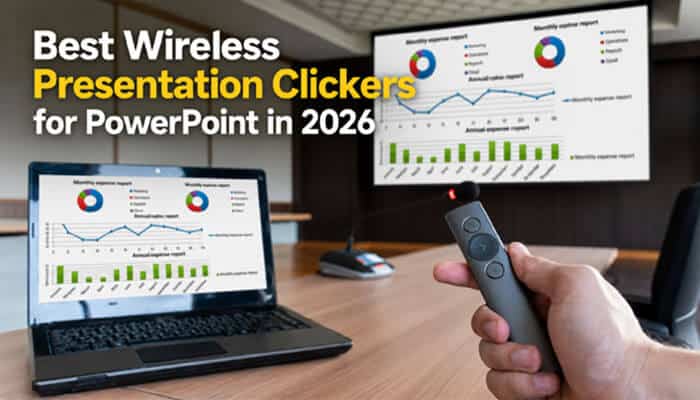

A presentation can lose momentum in seconds when you’re tied to a keyboard or fumbling for the next slide. A reliable clicker keeps you in control, helps maintain eye contact with your audience, and lets you deliver your message with confidence. The best wireless presentation clickers are designed to make presentations smoother, whether you’re speaking in a classroom, boardroom, or conference hall.
Today’s presentation remotes offer much more than basic slide navigation. Depending on the model, they may include Bluetooth or USB connectivity, digital or laser pointers, timers, cursor control, screen highlighting, and rechargeable batteries to suit different presentation environments.
Not every presenter needs the same features. Some users want a simple plug-and-play remote, while others need advanced tools for hybrid meetings, large venues, or virtual presentations. This guide compares the Best Wireless Presentation Clickers for PowerPoint in 2026, explains the strengths and limitations of each option, and helps you identify the right clicker based on your presentation environment, preferred features, and budget.
Key Takeaways
- Best Wireless Presentation Clickers give you the freedom to present confidently without staying beside your laptop.
- Digital pointers work better than traditional lasers on TVs, LED displays, and during virtual presentations.
- Red lasers are ideal for projector screens, while green lasers are easier to see in large or brightly lit rooms.
- Bluetooth is convenient for modern laptops, but USB receivers usually offer faster plug-and-play setup.
- Check whether the receiver uses USB-A or USB-C before buying.
- Premium features like digital highlighting or annotation may require companion software.
- The Best Wireless Presentation Clickers prioritize reliable controls, compatibility, and pointer visibility over unnecessary extra buttons.
Best Wireless Presentation Clickers Comparison
Compare the leading wireless presentation clickers side by side before exploring the detailed reviews below. This table highlights each model’s ideal use case, connection type, pointer technology, and published wireless range, making it easier to narrow your options before choosing the right presenter.
| Presentation Clicker | Best For | Connection | Pointer | Published Range |
|---|---|---|---|---|
| Logitech Spotlight 2 | Premium and hybrid presentations | Bluetooth + USB-C receiver | Digital effects + physical laser | 100 ft |
| Logitech R500s | Most users | Bluetooth + USB receiver | Red laser | 65 ft |
| Logitech Spotlight | Hybrid meetings and screen sharing | Bluetooth + USB receiver | Digital pointer | 100 ft |
| Logitech R800 | Timed speeches and large rooms | USB receiver | Green laser | 100 ft |
| Kensington Presenter Expert | Auditoriums and bright rooms | 2.4 GHz USB receiver | Green laser | 150 ft |
| Targus AMP16US | Simple PowerPoint control | 2.4 GHz USB receiver | Red laser | 50 ft |
| Logitech R400 | Classrooms and small meetings | USB receiver | Red laser | 50 ft |
| Kensington Wireless Presenter | Basic slide navigation | 2.4 GHz USB receiver | Red laser | Not specified |
How We Selected These Presentation Clickers
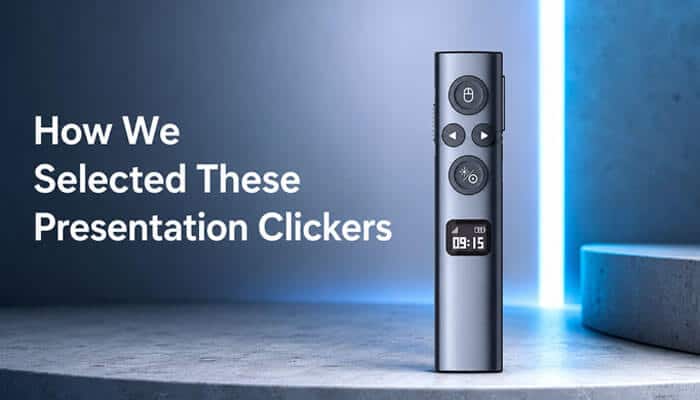
Each presentation clicker was evaluated using current manufacturer specifications, compatibility information, wireless range, pointer technology, connectivity options, battery design, and PowerPoint functionality. Rankings reflect documented features, practical presentation scenarios, and overall value rather than hands-on laboratory testing.
1. Logitech Spotlight 2: Best Premium Presentation Clicker
The Logitech Spotlight 2 is built for presenters who regularly speak in boardrooms, conferences, and hybrid meetings. It combines Bluetooth and a Logi Bolt USB-C receiver with a published wireless range of up to 100 feet. New features such as haptic feedback, a customizable button, digital annotation, magnification, and a physical Class 1 laser make it one of the most capable presentation remotes available.
Unlike a traditional laser pointer, its digital highlighting tools appear directly on shared screens, making them useful for Microsoft Teams, Zoom, and large LED displays where a physical laser may not be visible.
Pros
- Digital highlighting and annotation
- Bluetooth + USB-C connectivity
- Rechargeable battery with fast charging
- Physical laser for projector presentations
Cons
- Expensive compared with standard clickers
- Full features require Logi Options+
- USB-C receiver may need an adapter on older laptops
Best for: Executives, trainers, consultants, and hybrid presenters.
2. Logitech R500s: Best Overall Value
The Logitech R500s offers one of the best combinations of simplicity, compatibility, and reliability for everyday presentations. It connects through Bluetooth or a 2.4 GHz USB receiver, works with major presentation software, and provides a published wireless range of up to 65 feet. Its three-button layout is easy to use without looking down during a presentation.
Although it lacks advanced annotation tools, the R500s delivers dependable slide control, long battery life, and broad device compatibility at a more affordable price than premium models.
Pros
- Bluetooth and USB receiver
- Comfortable three-button design
- Long battery life
- Broad software compatibility
Cons
- Red laser is less effective on LED displays
- No timer or digital pointer
- USB receiver occupies a laptop port
Best for: Teachers, students, office professionals, and business presenters.
3. Logitech Spotlight: Best Established Hybrid Option
The original Logitech Spotlight remains one of the Best Wireless Presentation Clickers for users who frequently deliver hybrid presentations and can find it at a lower price than the newer Spotlight 2. It combines Bluetooth and a USB receiver with digital highlighting, magnification, cursor control, and a rechargeable battery rated for up to three months.
Its digital pointer appears directly on shared screens instead of projecting onto a wall, making it a practical choice for Microsoft Teams, Zoom, and other virtual presentations where remote participants need to follow every point clearly.
Pros
- Digital pointer visible during screen sharing
- Bluetooth and USB connectivity
- Cursor control for interactive presentations
- Long-lasting rechargeable battery
Cons
- No physical laser or annotation tools
- Advanced features require Logitech software
- Becoming less widely available
Best for: Professionals looking for the Best Wireless Presentation Clickers with premium hybrid presentation features at a more affordable price.
4. Logitech R800: Best Presentation Clicker With a Timer
The Logitech R800 is one of the Best Wireless Presentation Clickers for speakers who need precise time management. Its built-in LCD timer provides silent vibration alerts, while the green laser is easier to see than a standard red laser in large auditoriums, lecture halls, and brightly lit conference rooms. With a published wireless range of up to 100 feet, it offers dependable performance for professional presentations.
Although it relies on a USB receiver instead of Bluetooth, the timer, reception indicator, and highly visible green laser make it a dependable choice for presenters who regularly work within strict time limits.
Pros
- LCD timer with silent vibration alerts
- Bright green laser for large venues
- Published wireless range of up to 100 feet
- Reception indicator helps prevent signal loss
Cons
- USB receiver only
- Older design than newer Logitech models
- Physical laser is not visible during screen sharing
Best for: Conference speakers, trainers, lecturers, and anyone seeking Best Wireless Presentation Clickers with reliable timing features.
5. Kensington Presenter Expert: Best for Large Rooms
The Kensington Presenter Expert is one of the Best Wireless Presentation Clickers for presenters who need extra range in auditoriums, lecture halls, and large conference venues. It features presentation controls, cursor navigation, a green laser pointer, and a published wireless range of up to 150 feet—the longest in this comparison. The presenter connects through a 2.4 GHz USB receiver and supports both Windows and macOS.
Its extended range allows presenters to move confidently across large stages, while the cursor-control function makes it easy to open links or interact with on-screen content without returning to the computer.
Pros
- Published wireless range of up to 150 feet
- Bright green laser for large venues
- Built-in cursor control
- Backed by a limited three-year warranty
Cons
- No Bluetooth connectivity
- USB receiver may require a USB-C adapter
- Green laser is not visible during screen sharing
Best for: Professionals looking for the Best Wireless Presentation Clickers for large rooms, auditoriums, and conference stages.
6. Targus AMP16US: Best for Straightforward PowerPoint Controls
The Targus AMP16US is one of the Best Wireless Presentation Clickers for users who want simple, reliable slide control without installing additional software. Its plug-and-play design includes forward and back navigation, slideshow start and end controls, screen blackout, a red laser pointer, and a published wireless range of up to 50 feet using a 2.4 GHz USB receiver. It supports both Windows and macOS.
The dedicated blackout button is a practical feature that shifts the audience’s attention from the screen back to the presenter, making it useful during training sessions, classrooms, and business meetings.
Pros
- Simple plug-and-play setup
- Dedicated screen blackout button
- Easy-to-use presentation controls
- Compatible with Windows and macOS
Cons
- No Bluetooth support
- Shorter wireless range than premium models
- Red laser is best suited for projector screens
Best for: Office professionals and educators seeking the Best Wireless Presentation Clickers with straightforward PowerPoint controls.
7. Logitech R400: Best Basic Wireless Presentation Clicker
The Logitech R400 is one of the Best Wireless Presentation Clickers for users who want dependable slide control without unnecessary features. Designed for classrooms, meeting rooms, and occasional business presentations, it offers tactile navigation buttons, a red laser pointer, a battery-status indicator, and a plug-and-play USB receiver that stores inside the remote. Logitech publishes a wireless range of up to 50 feet, and no software is required for everyday use.
Its simple button layout allows presenters to navigate slides confidently by touch, helping them stay focused on the audience instead of the remote.
Pros
- Easy plug-and-play setup
- Comfortable tactile buttons
- Receiver stores inside the remote
- No software required
Cons
- No Bluetooth connectivity
- Limited to a published 50-foot range
- No timer, cursor control, or digital pointer
- Red laser is less effective on LED displays
Best for: Students, teachers, and anyone seeking Best Wireless Presentation Clickers for reliable everyday PowerPoint presentations.
8. Kensington Wireless Presenter With Red Laser: Best No-Frills Alternative
The Kensington Wireless Presenter is one of the Best Wireless Presentation Clickers for buyers who need simple PowerPoint navigation at an affordable price. It uses a 2.4 GHz USB receiver and includes essential presentation controls, a red laser pointer, automatic power-off, and built-in receiver storage. It supports Windows and macOS and is backed by a limited two-year warranty.
Its straightforward design focuses on dependable slide navigation, while automatic power-off helps conserve battery life during travel and occasional use.
Pros
- Simple plug-and-play operation
- Automatic power-off extends battery life
- Built-in USB receiver storage
- Compatible with Windows and macOS
Cons
- No Bluetooth or USB-C connectivity
- No digital pointer or cursor control
- Published operating range is not clearly specified
- Availability may vary by region
Best for: Buyers looking for Best Wireless Presentation Clickers with basic presentation controls at an affordable price.
Red Laser vs Green Laser vs Digital Pointer
The Best Wireless Presentation Clickers use different pointer technologies, and choosing the right one depends on where and how you present. The comparison below highlights the ideal use case and the main limitation of each pointer type to help you select the best option for your presentations.
| Pointer Type | Best For | Limitation |
|---|---|---|
| Red Laser | Projector screens, classrooms, meeting rooms | Difficult to see on many LED and LCD displays |
| Green Laser | Large venues and brightly lit rooms | Costs more and isn’t visible during screen sharing |
| Digital Pointer | Zoom, Microsoft Teams, hybrid meetings, TVs, and LED walls | Requires compatible software and proper screen sharing |
When comparing the Best Wireless Presentation Clickers, choose a red laser for traditional projector presentations, a green laser for large venues, and a digital pointer when presenting to both in-person and remote audiences.
How to Choose the Best Wireless Presentation Clicker
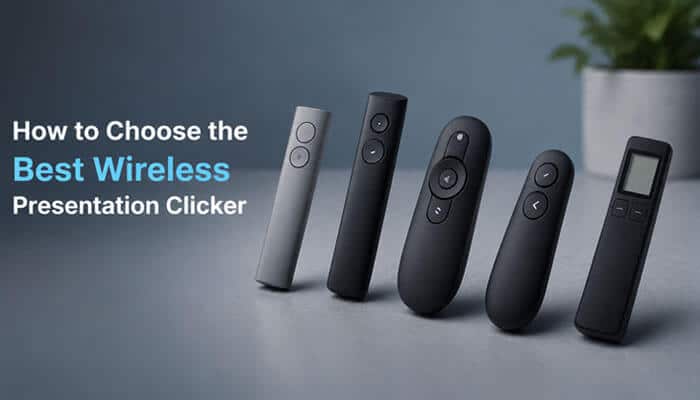
Choosing the Best Wireless Presentation Clickers starts with how and where you present. Before buying, focus on these essentials:
- Connection: Choose Bluetooth, USB-A, or USB-C based on your laptop.
- Range: Around 50 feet is enough for most classrooms and meeting rooms, while larger venues benefit from 100–150 feet.
- Pointer Type: Red lasers suit projector screens, green lasers work better in bright spaces, and digital pointers are ideal for Zoom and Microsoft Teams.
- Controls: Prioritize large, easy-to-find buttons for confident slide navigation.
- Power: Decide between replaceable batteries or a rechargeable model based on your usage.
The Best Wireless Presentation Clickers are the ones that match your presentation environment, device compatibility, and workflow rather than simply offering the most features.
PowerPoint Controls That Matter Most
The Best Wireless Presentation Clickers should make it easy to control your presentation without returning to your keyboard. Before buying, check that the remote supports the functions you use most often.
Essential PowerPoint Controls
- Next and previous slide
- Start slideshow
- Black screen
- Laser or digital pointer
- Media playback controls (on supported models)
- Custom buttons (premium models)
Useful PowerPoint Shortcuts
| PowerPoint Action | Windows Shortcut |
|---|---|
| Start from the beginning | F5 |
| Start from the current slide | Shift + F5 |
| Next slide | Spacebar, Right Arrow, or Page Down |
| Previous slide | Left Arrow, Page Up, or P |
| Black screen | B |
| White screen | W |
| End presentation | Esc |
Some premium models let you assign shortcuts to customizable buttons, although these features may require companion software.
How to Connect a Wireless Clicker to PowerPoint
Most Best Wireless Presentation Clickers are ready to use within a few minutes.
- Insert the battery or fully charge the remote.
- Plug the USB receiver into your computer or pair the clicker using Bluetooth.
- Open your PowerPoint presentation and start Slide Show mode.
- Test the next slide, previous slide, pointer, and black-screen buttons.
- Walk around the presentation area to confirm a stable wireless connection.
Some premium models require companion software to enable digital highlighting, customizable buttons, timers, or gesture controls.
Can You Control PowerPoint Without a Presentation Clicker?
The Best Wireless Presentation Clickers offer the most convenient way to navigate slides, but you can also control PowerPoint using:
- Smartphone with the PowerPoint mobile app
- Compatible Bluetooth digital pen
- Wireless mouse
- PowerPoint keyboard shortcuts (F5, Shift + F5, Arrow keys, Spacebar)
- Wireless keyboard for basic slide navigation
These alternatives are useful as backups, but a dedicated presentation clicker provides better mobility, one-handed control, and a smoother presentation experience.
Common Presentation Clicker Problems
Even the Best Wireless Presentation Clickers can occasionally experience connection or performance issues. Most problems can be resolved with a few simple checks.
| Problem | Quick Fix |
|---|---|
| Slides won’t advance | Make sure PowerPoint is the active window, reconnect the USB receiver, replace the battery, or reconnect Bluetooth. |
| Laser is difficult to see | Use a projector screen, switch to a green laser, or choose a digital pointer for TVs and LED displays. |
| Short wireless range | Keep the receiver in a clear line of sight and away from wireless interference. |
| Advanced features don’t work | Install or update the manufacturer’s companion software if required. |
Presentation Clicker Laser Safety
Using the Best Wireless Presentation Clickers responsibly helps protect both presenters and audiences. Follow these basic safety practices:
- Never point the laser at anyone’s eyes.
- Keep laser presenters away from children.
- Avoid reflective surfaces.
- Follow the manufacturer’s laser safety instructions.
- Never direct a laser toward an aircraft.
Choose presentation clickers from reputable manufacturers and always comply with local laser safety regulations.
Which Presentation Clicker Should You Buy?
The Best Wireless Presentation Clickers aren’t necessarily the most expensive—they’re the ones that fit your presentation style.
- Choose Logitech Spotlight 2 if you regularly deliver professional or hybrid presentations and want digital highlighting, annotation tools, and USB-C connectivity.
- Choose Logitech R500s if you want the best balance of price, Bluetooth, reliability, and broad compatibility.
- Choose Logitech R800 if a built-in timer is essential for conferences, lectures, or timed presentations.
- Choose Kensington Presenter Expert if you need a long wireless range and a bright green laser for large venues.
- Choose Logitech R400 or Targus AMP16US if you prefer a simple plug-and-play remote for everyday PowerPoint presentations.
Ultimately, the Best Wireless Presentation Clickers are the ones that match your presentation environment, laptop, and workflow—not just the longest list of features.
Conclusion
The Best Wireless Presentation Clickers help you present with confidence by giving you reliable slide control, greater freedom of movement, and better audience engagement. The right choice depends on your presentation environment, device compatibility, and the features you actually use.
The Logitech R500s remains the best all-around option for most teachers, students, and office professionals, while the Logitech Spotlight 2 is the strongest choice for executives, trainers, and hybrid presenters who benefit from digital highlighting, annotation, and USB-C connectivity. If you regularly present in large venues, the Kensington Presenter Expert and Logitech R800 offer brighter green lasers and longer wireless ranges. For occasional presentations, the Logitech R400 and Targus AMP16US deliver dependable performance without unnecessary complexity.
Before making a purchase, consider your laptop ports, display type, room size, and software requirements. The Best Wireless Presentation Clickers are the ones that let you focus on delivering your message while the technology stays in the background.
FAQs About Best Wireless Presentation Clickers
1. Are the Best Wireless Presentation Clickers compatible with Google Slides?
Yes. Most Best Wireless Presentation Clickers work with Google Slides, Keynote, and PDF viewers because they emulate standard keyboard commands. Always verify compatibility before purchasing.
2. Do the Best Wireless Presentation Clickers work with Chromebooks?
Many Best Wireless Presentation Clickers support ChromeOS through Bluetooth or a USB receiver, but advanced features such as digital highlighting or custom buttons may require additional software.
3. Can the Best Wireless Presentation Clickers control videos during a presentation?
Some premium Best Wireless Presentation Clickers include media playback controls or customizable buttons that can pause, play, or resume embedded videos, depending on the presentation software.
4. How long do the batteries last in the Best Wireless Presentation Clickers?
Battery life varies by model. Replaceable battery models often last several months, while rechargeable Best Wireless Presentation Clickers typically provide weeks or months of use on a full charge.
5. Do the Best Wireless Presentation Clickers require an internet connection?
No. Most Best Wireless Presentation Clickers communicate through Bluetooth or a wireless USB receiver and work without an internet connection.
6. Can one presentation clicker be paired with multiple computers?
Some Bluetooth-enabled Best Wireless Presentation Clickers can be paired with multiple devices, but most connect to only one computer at a time and require switching before use.
7. Are the Best Wireless Presentation Clickers allowed on airplanes?
Yes. The clickers themselves are generally allowed in carry-on luggage. However, always follow airline rules for devices containing rechargeable batteries or laser pointers.
