


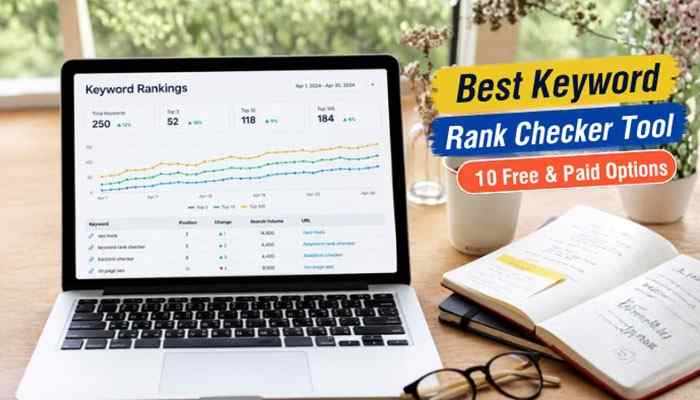

Finding the best keyword rank checker tool is essential for businesses, bloggers, website owners, and SEO professionals who want to improve their Google search visibility. Tracking keyword rankings helps identify which pages are gaining positions, which search terms are losing visibility, and where content improvements could attract more organic traffic.
However, choosing the right keyword ranking tool is not always straightforward. Some platforms provide free ranking checks, while others offer daily monitoring, competitor analysis, local SEO tracking, historical data, and detailed reporting. Understanding these differences can help you avoid unnecessary subscriptions and choose software that matches your requirements.
This guide compares 10 free and paid keyword rank checker tools, including their features, pricing, benefits, and limitations. It also explains how to monitor Google rankings, evaluate accuracy, investigate ranking drops, and turn keyword tracking data into better SEO decisions.
Quick Answer: What Is the Best Keyword Rank Checker Tool?
The best keyword rank checker tool depends on your website’s size, budget, and SEO goals. Google Search Console is the best free starting point for monitoring organic search performance, while Semrush offers comprehensive keyword tracking and competitor research. SE Ranking is particularly useful for daily position monitoring, and Ahrefs combines keyword analysis with backlink research.
For specialized requirements, AccuRanker supports professional rank tracking, Nightwatch focuses on local SEO, and SERPROBOT provides affordable automated keyword checks. Beginners can also consider Wincher, Mangools SERPWatcher, and SEO PowerSuite Rank Tracker.
Key Takeaways
- Google Search Console is a free option for tracking search impressions, clicks, and average keyword positions.
- Semrush combines daily rank tracking, SEO research, and competitor analysis
- SE Ranking provides daily monitoring with 2,000 tracked keywords on its Core subscription
- Ahrefs combines keyword tracking with backlink and competitor research
- AccuRanker specializes in detailed monitoring of large keyword portfolios
- Nightwatch provides location-specific tracking for local SEO campaigns
- Wincher and Mangools offer accessible ranking reports for smaller businesses and beginners
- SEO PowerSuite and SERPROBOT provide free keyword checking options with paid upgrades
What Is a Keyword Rank Checker Tool?
A keyword rank checker tool is SEO software that measures where a website or webpage appears in search engine results for specific keywords. It helps website owners understand their search visibility and monitor changes in ranking positions over time.
For example, suppose your website publishes an article targeting “best accounting software for small business.” A ranking checker can determine whether the article appears among Google’s first 10 organic results or farther down the rankings.
Advanced platforms can track keywords across different countries, cities, search engines, and devices. They may also offer competitor comparisons, ranking alerts, historical reports, and information about search result features.
Why Keyword Rank Tracking Matters for SEO
The best keyword rank checker tool should help website owners identify important search performance changes and make informed optimization decisions.
A reliable ranking platform can help you:
- Monitor keyword positions across search engines
- Identify pages gaining or losing search visibility
- Compare rankings with competing websites
- Analyze mobile and desktop search positions
- Track keywords in specific cities and countries
- Evaluate performance after publishing or updating content
- Identify keywords with opportunities for improvement
- Prepare SEO reports for businesses and clients
Keyword rankings provide useful information, but they should not be evaluated independently. Organic impressions, clicks, and conversions help determine whether search visibility produces meaningful website traffic and business outcomes.
Keyword Rank Checker vs Keyword Research Tool
Keyword rank tracking and keyword research are closely related, but they serve different purposes.
A keyword research tool helps identify relevant search terms, estimate search demand, and evaluate competition. A keyword rank checker measures how existing website pages perform for selected queries.
| Feature | Keyword Rank Checker | Keyword Research Tool |
| Primary purpose | Monitor existing rankings | Discover potential keywords |
| Main information | Search positions and changes | Search volume and difficulty |
| Competitor analysis | Compare ranking positions | Identify competitor keywords |
| Historical data | Ranking trends | Search demand trends |
| Main benefit | Measure SEO performance | Plan content opportunities |
Using both tools can strengthen an SEO strategy. Keyword research helps determine what content to publish, while rank tracking measures how that content performs after publication.
10 Best Keyword Rank Checker Tools Compared
Finding the best keyword rank checker tool requires comparing more than subscription prices. Ranking update frequency, keyword capacity, geographical coverage, and reporting features can significantly affect how useful a platform is.
The following table compares 10 popular options.
| Tool | Best For | Free Option | Updates |
| Google Search Console | Free Google search performance | Yes | Data processed by Google |
| Semrush | All-in-one SEO analysis | Limited free access | Daily |
| SE Ranking | Daily SEO monitoring | 14-day trial | Daily |
| Ahrefs | Keyword and backlink research | Free limited tools | Weekly by default |
| AccuRanker | Professional rank tracking | Paid | Daily |
| Nightwatch | Local SEO monitoring | 14-day trial | Daily |
| Wincher | Simple keyword monitoring | Free trial | Daily |
| Mangools SERPWatcher | Beginner-friendly SEO | Limited free access | Weekly; daily on Agency |
| SEO PowerSuite Rank Tracker | Desktop ranking checks | Free edition | Manual or scheduled |
| SERPROBOT | Budget-friendly tracking | Free manual checker | Manual or automated |
The recommendations below are based on publicly documented product capabilities, pricing, tracking frequency, and suitability for different website owners. They are editorial assessments rather than independently measured accuracy rankings.
1. Google Search Console: Best Free Keyword Rank Checker Tool
Google Search Console is Google’s free platform for monitoring website search performance, indexing, and organic visibility.
Unlike conventional rank trackers that check predefined keywords, Search Console provides information from actual Google Search appearances. It reports search queries, clicks, impressions, average positions, and click-through rates for verified websites.
Key Features
- Free Google Search performance monitoring
- Keyword impressions, clicks, and average positions
- Historical search performance comparisons
- Country and device filtering
- Page-level and query-level reports
- Website indexing and technical SEO information
- Branded and non-branded query analysis
- Generative AI search visibility reporting
Advantages
Google Search Console is particularly useful for beginners because it provides first-party Google search data without a subscription.
It helps website owners identify keywords that already generate impressions, even when those keywords receive relatively few clicks. This information can reveal opportunities to improve existing content.
Limitations
Search Console reports average positions rather than fixed live rankings from a specific location. It also does not provide dedicated competitor rank tracking.
Some search queries are anonymized, and reporting totals can differ because of data processing and aggregation.
Pricing: Free.
Best for: Bloggers, startups, publishers, beginners, and small businesses.
Verdict: Google Search Console is the best free starting point for understanding your own website’s organic search performance.
2. Semrush: Best Keyword Rank Checker Tool for Comprehensive SEO
Semrush Position Tracking is designed for businesses that want keyword monitoring alongside broader SEO research.
The platform supports daily keyword position tracking, competitor comparisons, and search visibility analysis. Users can also access keyword research, technical auditing, backlink analysis, and additional marketing features.
Key Features
- Daily keyword ranking updates.
- Desktop and mobile position tracking.
- Local and national search monitoring.
- Competitor visibility comparisons.
- Historical keyword ranking reports.
- SERP feature monitoring.
- Technical website auditing.
- Keyword research and backlink analysis.
- AI search visibility tools.
Advantages
Semrush is useful for businesses managing multiple SEO activities from one platform. Marketing teams can monitor keyword changes and investigate potential content, technical, or competitive issues without relying on numerous separate services.
Its broader research tools are particularly valuable for identifying competitor keywords and understanding how competing pages perform in search results.
Limitations
Semrush can be expensive for website owners who only need basic ranking checks. Some advanced capabilities, including expanded historical analysis and detailed multi-location tracking, require higher subscription tiers.
Pricing: The SEO plan costs $139 per month with monthly billing and includes 500 keywords tracked daily.
Best for: SEO agencies, professional marketers, growing businesses, and established websites.
Verdict: Semrush is one of the strongest choices when selecting the best keyword rank checker tool for comprehensive SEO management.
3. SE Ranking: Best for Daily Keyword Rank Monitoring
SE Ranking provides daily keyword position tracking, competitor research, technical website auditing, and search performance reporting.
The platform supports Google and other major search engines, allowing users to monitor keyword positions across different devices and geographical locations.
Key Features
- Daily keyword position updates
- Google and other supported search engine monitoring
- Country and location-based tracking
- Mobile and desktop rankings
- Competitor analysis
- Keyword grouping and reporting
- Website auditing and backlink research
- Google Search Console and Analytics integrations
- AI search monitoring capabilities
Advantages
SE Ranking offers a combination of daily keyword monitoring and broader SEO management tools.
Its Core plan includes 2,000 tracked keywords, 10 projects, and one manager seat. This capacity makes it worth evaluating for businesses managing several websites or substantial keyword lists.
Limitations
SE Ranking does not offer a permanently free full-featured rank tracking subscription. Additional projects, users, and specialized features may require higher subscription levels.
Pricing: Core starts at $129 per month with monthly billing or $103.20 per month when billed annually. A 14-day free trial is available.
Best for: Small businesses, freelancers, agencies, and professional bloggers.
Verdict: SE Ranking is a useful option for website owners seeking consistent daily keyword tracking and SEO reporting.
4. Ahrefs: Best for Keyword Rankings and Backlink Research
Ahrefs Rank Tracker helps website owners monitor keyword positions while using Ahrefs’ wider research tools to investigate backlinks, competitors, and organic search opportunities.
The platform provides historical ranking information, competitor comparisons, and insights into search engine result features.
Key Features
- Keyword position tracking.
- Historical ranking data.
- Mobile and desktop analysis.
- Regional and international tracking.
- Competitor ranking comparisons.
- SERP feature monitoring.
- Keyword research.
- Backlink analysis.
- Technical website auditing.
Advantages
Ahrefs is useful for content creators and SEO professionals who want to understand more than individual keyword rankings.
Its backlink analysis and competitor research tools can help identify potential content opportunities and investigate why competing websites have stronger search visibility.
Limitations
Ahrefs Rank Tracker updates weekly by default. Businesses requiring frequent daily ranking checks should review available tracking options before subscribing.
The Starter plan also has lower research, usage, and reporting allowances than larger subscriptions.
Pricing: Starter costs $29 per month and includes 50 tracked keywords. Lite costs $129 per month and includes 750 tracked keywords.
Best for: Bloggers, content marketers, publishers, and SEO consultants.
Verdict: Ahrefs is particularly valuable when selecting the best keyword rank checker tool for combining keyword analysis with backlink research.
5. AccuRanker: Best for High-Volume Keyword Tracking
AccuRanker is a specialized keyword ranking platform designed for professional SEO monitoring.
It focuses on ranking positions, historical performance, search visibility, and competitor comparisons across large keyword portfolios.
Key Features
- Daily keyword ranking updates
- Local and international tracking
- Keyword tagging and segmentation
- Search intent analysis
- Competitor visibility comparisons
- Share of Voice reporting
- Historical performance data
- Reporting and exports
- Analytics integrations
Advantages
AccuRanker is suitable for SEO teams managing large collections of keywords across multiple markets.
Its reporting and segmentation features make it easier to analyze performance by campaign, geographical location, keyword group, or competitor.
Limitations
AccuRanker may be unnecessary for smaller websites with limited tracking requirements.
The subscription cost also makes it more appropriate for professional SEO campaigns than occasional individual keyword checks.
Pricing: Professional starts at $224 per month, with additional plans available.
Best for: Enterprises, large websites, established agencies, and in-house SEO teams.
Verdict: AccuRanker is a specialized option for organizations prioritizing detailed ranking analysis and extensive keyword monitoring.
6. Nightwatch: Best Keyword Rank Checker Tool for Local SEO
Nightwatch provides keyword rank tracking with detailed geographical targeting.
The platform helps businesses monitor search visibility across different cities, countries, devices, and supported search engines.
Key Features
- Daily keyword position updates
- Detailed location-specific ranking checks
- Google Maps and local search monitoring
- Desktop and mobile tracking
- Competitor comparisons
- Historical ranking reports
- AI visibility monitoring
- Reporting and integrations
- Multiple search engine support
Advantages
Nightwatch is particularly useful for companies operating across multiple geographical markets.
A local business serving several cities can use location-specific monitoring to understand how its rankings differ between markets and identify areas where competitors have stronger visibility.
Limitations
Some advanced features may be unnecessary for websites serving only one broad national audience.
Businesses should also consider tracking allowances when monitoring several locations or many search terms.
Pricing: Starter costs €79 per month when billed annually and includes 500 keywords tracked daily.
Best for: Local businesses, franchise operators, multi-location companies, and local SEO agencies.
Verdict: Nightwatch is a strong candidate for businesses looking for the best keyword rank checker tool for location-based SEO monitoring.
7. Wincher: Best for Simple Keyword Monitoring
Wincher provides daily keyword position tracking through an accessible reporting dashboard.
The platform focuses on keyword performance, competitor monitoring, search visibility, and practical reporting features.
Key Features
- Daily ranking updates
- Historical keyword positions
- Competitor monitoring
- Keyword research suggestions
- Mobile and desktop tracking
- Geographical rank monitoring
- Ranking notifications
- CSV exports and SEO reports
Advantages
Wincher is suitable for website owners who want to monitor keyword performance without adopting an extensive SEO software suite.
Its ranking reports and competitor tracking features support smaller marketing teams that need consistent performance information.
Limitations
Advanced features such as on-demand checks, expanded competitor monitoring, and additional reporting integrations depend on the selected subscription.
Pricing: Paid subscriptions with a free trial. Costs vary according to keyword capacity and available features.
Best for: Freelancers, bloggers, small businesses, and independent marketers.
Verdict: Wincher is a practical option for straightforward keyword ranking reports and daily monitoring.
8. Mangools SERPWatcher: Best for Beginners
Mangools SERPWatcher is a keyword rank tracking tool within the Mangools SEO toolkit.
It provides historical ranking information, performance indicators, and accessible reporting designed for users who prefer a simpler interface.
Key Features
- Keyword ranking history
- Performance Index reports
- Desktop and mobile search monitoring
- Location-based tracking
- Keyword movement alerts
- Interactive SEO reports
- Integration with other Mangools tools
Advantages
Mangools is useful for beginners and content creators who need keyword research alongside ranking reports.
Its Performance Index combines keyword positions with estimated search demand, making it easier to evaluate general search visibility.
Limitations
SERPWatcher provides weekly ranking updates on standard plans. Daily monitoring is currently associated with the Agency plan.
This distinction matters for businesses requiring frequent ranking information.
Pricing: Limited free access and paid Mangools subscriptions.
Best for: Beginners, bloggers, freelance marketers, and small content websites.
Verdict: Mangools SERPWatcher is a beginner-friendly option for straightforward keyword tracking and SEO research.
9. SEO PowerSuite Rank Tracker: Best Free Desktop Rank Checker
SEO PowerSuite Rank Tracker is desktop software for checking keyword positions and researching search performance.
Unlike fully cloud-based platforms, it runs through an application installed on Windows, macOS, or Linux.
Key Features
- Free manual keyword ranking checks.
- Desktop-based SEO software.
- Local and international tracking.
- Mobile and desktop position analysis.
- Keyword research.
- Competitor comparisons.
- Historical reports in paid editions.
- Scheduled ranking checks with supported paid licenses.
Advantages
SEO PowerSuite offers a free way to perform keyword ranking checks without immediately subscribing to a cloud-based platform.
Its desktop format may be particularly useful for SEO professionals who prefer locally installed applications.
Limitations
The free edition has restrictions on saving projects and maintaining ranking history. Automated monitoring and more advanced reporting require paid licenses.
Pricing: Free edition available, with paid Professional and Enterprise options.
Best for: Desktop users, independent SEO professionals, and budget-conscious website owners.
Verdict: SEO PowerSuite Rank Tracker is useful for manual keyword checks and desktop-based SEO workflows.
10. SERPROBOT: Best Budget-Friendly Keyword Rank Checker
SERPROBOT provides free individual ranking checks and affordable automated keyword monitoring.
Its free checker allows users to enter a website and selected search terms to examine ranking positions. Paid SERP Bots support repeated checks and additional reporting capabilities.
Key Features
- Free manual keyword checking
- Automatic monitoring through paid bots
- Mobile and desktop search checks
- Local and international tracking
- Historical ranking reports
- Competitor monitoring
- Ranking notifications
- Multiple search engine support
Advantages
SERPROBOT provides an inexpensive alternative for businesses that primarily need keyword position tracking.
Its straightforward pricing makes it useful for bloggers, freelancers, and smaller websites that do not require extensive technical SEO research.
Limitations
The free checker is designed for individual checks rather than comprehensive automated historical monitoring.
Users must purchase enough bot capacity to support their required keyword update frequency.
Pricing: Free manual checks are available. Paid SERP Bots cost $4.99 per month each and include 75 keyword updates every 24 hours.
Best for: Bloggers, small websites, freelancers, and budget-conscious businesses.
Verdict: SERPROBOT is worth considering when looking for the best keyword rank checker tool at a relatively low monthly cost.
Free vs Paid Keyword Rank Checker Tools: Which Is Better?
The choice between free and paid software depends on your website’s size, monitoring requirements, and budget.
Free tools can provide useful information for beginners who mainly want to understand their search visibility. Paid platforms become more valuable when businesses need automatic updates, competitor monitoring, historical reports, and location-specific ranking data.
| Feature | Free Tools | Paid Tools |
| Basic keyword checks | Available | Available |
| Historical positions | Limited or variable | Usually available |
| Automatic daily monitoring | Often restricted | Common |
| Competitor comparisons | Limited | More extensive |
| Local SEO tracking | Basic or limited | More detailed |
| Large keyword lists | Varies | Plan-dependent |
| Automated reports | Often limited | Common |
| Team collaboration | Limited | Available on supported plans |
For newly launched websites, Google Search Console can provide sufficient information to begin monitoring organic search performance.
As the website grows, purchasing a dedicated ranking platform may become worthwhile when manual checks are no longer practical.
How Much Does the Best Keyword Rank Checker Tool Cost?
Keyword rank tracking prices vary because providers offer different features and subscription models.
Some platforms combine rank tracking with keyword research, backlink analysis, and technical SEO tools. Others focus primarily on monitoring search positions.
The following table compares selected publicly advertised prices.
| Tool | Price Example | Main Allowance |
| Google Search Console | Free | First-party search performance |
| Semrush SEO | $139/month | 500 daily tracked keywords |
| SE Ranking Core | $129/month | 2,000 daily tracked keywords |
| Ahrefs Starter | $29/month | 50 tracked keywords |
| Ahrefs Lite | $129/month | 750 tracked keywords |
| AccuRanker Professional | $224/month | Capacity depends on plan |
| Nightwatch Starter | €79/month, billed annually | 500 daily tracked keywords |
| SEO PowerSuite Rank Tracker | Free edition | Paid plans expand capabilities |
| SERPROBOT | $4.99/bot/month | 75 keyword updates per day |
Pricing examples were reviewed in October 2026. Taxes, billing periods, subscription allowances, and add-on costs may change.
Hidden Costs of Keyword Rank Tracking
Some providers count keywords separately according to geographical location, device, search engine, or project.
For example, a company tracking 100 keywords across three cities on desktop and mobile devices might require 600 tracking combinations if each combination uses a separate allowance.
Before purchasing a subscription, check whether it covers your required keywords, devices, locations, competitors, reports, and integrations.
The best keyword rank checker tool should offer enough capacity for your SEO activities without forcing you to pay for features that provide little practical value.
How to Choose the Best Keyword Rank Checker Tool
Choosing the best keyword rank checker tool requires considering the features most relevant to your business rather than relying only on advertised prices.
1. Evaluate Keyword Tracking Capacity
Determine how many important keywords you need to monitor. A small website may require only a few dozen, while larger businesses may manage thousands across multiple categories.
2. Compare Ranking Update Frequency
Daily monitoring helps active SEO campaigns identify changes quickly. Weekly updates may be sufficient for websites focused on longer-term search performance.
3. Check Local and International Tracking
Businesses serving customers in particular cities should prioritize geographical targeting. National ranking reports may not accurately represent local search visibility.
4. Confirm Desktop and Mobile Support
Google rankings can differ between mobile and desktop searches. A suitable platform should support the devices used by your target audience.
5. Review Competitor Monitoring
Competitor comparisons help identify websites gaining visibility for important keywords and reveal potential content gaps.
6. Evaluate Historical Reporting
Historical ranking information helps businesses distinguish temporary fluctuations from sustained improvements or declines.
7. Examine Integrations and Exports
CSV downloads, automated reports, and analytics integrations are valuable when search performance needs to be analyzed or shared with clients.
8. Review Pricing and Data Collection Practices
Confirm how tracking allowances are counted and evaluate whether the provider’s data collection methods comply with applicable search engine rules and terms.
How Accurate Are Keyword Rank Checker Tools?
Accuracy is an important factor when evaluating the best keyword rank checker tool. However, no tracker can guarantee that every Google user will see exactly the same ranking positions.
Search results may vary according to geographical location, device, language, search intent, time, and result features.
Factors Affecting Ranking Accuracy
- Geographical location: Rankings may differ between cities and countries.
- Device: Mobile and desktop positions may not match.
- Update frequency: Weekly reports may not reflect recent fluctuations.
- SERP features: Maps, videos, featured snippets, and AI results can affect visibility.
- Tracking depth: Some tools monitor only a limited number of positions.
- Tracked URL: A platform may track a domain’s highest-ranking page rather than one specific URL.
How to Test Ranking Accuracy

Select 10–20 relevant keywords and configure the same search location, device, and search engine across the platforms being compared.
Review their reported positions over several days, checking whether they identify the correct URLs and consistently detect important changes.
This provides a more meaningful comparison than judging accuracy from a single manually performed Google search.
How to Check Google Keyword Rankings for Free
Google Search Console is a practical starting point for monitoring your website’s search performance without paying for SEO software.
Step 1: Open Google Search Console
Visit Google Search Console and sign in with your Google account. Add and verify your website if necessary.
Step 2: Open the Performance Report
Select your property and open the Search results Performance report.
The dashboard displays clicks, impressions, average click-through rate, and average position.
Step 3: Review Search Queries
Open the Queries tab to identify the searches associated with your website’s visibility.
Look for keywords generating impressions, attracting clicks, or showing opportunities for improvement.
Step 4: Identify Ranking Pages
Select an important query and open the Pages tab to see which website URLs appeared for that search.
This helps determine whether the intended page is receiving visibility.
Step 5: Compare Performance Over Time
Choose an appropriate date range and compare performance with an earlier period.
Look for meaningful changes in impressions, clicks, and average positions rather than reacting to every small daily movement.
Step 6: Filter by Country and Device
Apply geographical and device filters when your website serves different audiences.
These filters help explain why search performance may differ across markets.
Google Search Console vs Dedicated Rank Tracking Software
Google Search Console measures actual search performance, while conventional rank trackers check predefined keywords under specific conditions.
Search Console’s average position metric may combine results from different users, geographical areas, and devices. A dedicated tracker generally reports positions for a configured search location and device.
| Feature | Google Search Console | Dedicated Rank Tracker |
| Data source | Google Search performance | Tool-collected search checks |
| Ranking metric | Average position | Selected search position |
| Keyword selection | Queries where the website appeared | User-defined tracking list |
| Competitor monitoring | Not directly supported | Usually available |
| Fixed-location ranking | Not conventional live tracking | Often supported |
| Automatic keyword checks | Not a traditional rank tracker | Available |
| Cost | Free | Free, trial, or paid |
Search Console also has limitations involving anonymized queries, data processing delays, and reporting aggregation.
For many businesses, using Search Console alongside a dedicated keyword tracker provides a more complete understanding of search visibility.
Best Keyword Rank Checker Tool for WordPress Websites
WordPress website owners can monitor search performance using Google Search Console and supported reporting plugins.
Site Kit by Google provides a free way to connect Google services to a WordPress dashboard.
How to Monitor WordPress Keyword Performance
- Open WordPress and navigate to Plugins > Add New.
- Search for the official Site Kit by Google plugin.
- Install and activate the plugin.
- Connect your Google account.
- Configure Google Search Console or connect an existing property.
- Review available search performance information in Site Kit.
- Open Search Console for more detailed query and page analysis.
Site Kit provides helpful first-party search data but does not replace specialized rank tracking software for fixed-location competitor monitoring.
For publishers managing several websites, the best keyword rank checker tool may be a paid platform that supports separate projects, keyword groups, and consolidated reports.
How to Track Competitor Keyword Rankings
Competitor monitoring helps businesses identify which websites have stronger visibility for important searches.
A keyword tracker with competitor analysis can compare positions, identify ranking changes, and reveal content opportunities.
Steps to Analyze Competitor Rankings
- Identify three to five relevant competing websites.
- Add their domains to a supported SEO platform.
- Review their ranking keywords and important pages.
- Compare their positions with your own website.
- Identify relevant keywords your website does not adequately cover.
- Examine search intent and competing content quality.
- Add valuable keywords to your tracking campaign.
For example, a competitor may rank for a useful software comparison that your website has not yet covered. That information can help determine whether a well-researched, original article would serve your audience.
Competitor analysis should support better content development rather than copying competing pages.
How to Identify Keyword Cannibalization
Keyword cannibalization can occur when multiple pages from the same website target substantially the same search intent.
For example, a website might publish separate articles about “best email marketing software” and “top email marketing tools” that cover nearly identical information.
A keyword rank tracker with URL-level monitoring can help identify whether different pages frequently appear or exchange positions for the same queries.
How to Investigate Possible Cannibalization
- Identify keywords associated with multiple URLs.
- Compare the search intent of those pages.
- Review content overlap and internal links.
- Examine each page’s rankings and traffic.
- Determine whether consolidation or clearer differentiation would benefit users.
- Monitor performance after making justified changes.
Multiple pages ranking for one keyword do not automatically indicate a problem. The issue becomes relevant when overlapping content prevents pages from serving distinct purposes effectively.
Branded vs Non-Branded Keyword Tracking
Branded keywords include company or product names, while non-branded keywords describe topics, services, or products without necessarily identifying a company.
For example, “Ahrefs Rank Tracker” is a branded search, while “best keyword rank checker tool” is non-branded.
| Keyword Type | Example | Purpose |
| Branded | Ahrefs Rank Tracker | Monitor brand demand |
| Non-branded | Best SEO rank tracking software | Attract wider audiences |
| Informational | How to check Google keyword rankings | Answer user questions |
| Commercial | Best keyword rank checker tool | Reach comparison shoppers |
| Transactional | Buy rank tracking software | Reach purchase-oriented visitors |
Google Search Console supports branded and non-branded query filtering for eligible properties.
Monitoring both keyword categories helps businesses distinguish existing brand awareness from opportunities to attract new audiences.
Important Keyword Rank Tracking Metrics Explained
The best keyword rank checker tool should provide meaningful performance indicators rather than ranking positions alone.
| SEO Metric | Meaning | Why It Matters |
| Keyword position | Search ranking for a query | Measures visibility |
| Ranking change | Position movement over time | Identifies gains and declines |
| Impressions | Search result appearances | Measures exposure |
| Organic clicks | Clicks from search results | Measures engagement |
| CTR | Clicks divided by impressions | Evaluates result appeal |
| Search volume | Estimated search demand | Helps prioritize keywords |
| Share of Voice | Estimated visibility across tracked terms | Supports competitor analysis |
| Conversions | Valuable visitor actions | Connects SEO with business goals |
Example of Ranking Performance
Suppose a website monitors the keyword “small business accounting software” for four weeks.
| Week | Ranking Position | Organic Clicks |
| Week 1 | 18 | 12 |
| Week 2 | 13 | 20 |
| Week 3 | 9 | 35 |
| Week 4 | 6 | 58 |
These figures are hypothetical and illustrate how ranking changes may be analyzed.
The example shows improving search positions alongside increasing clicks. However, website owners should also examine search demand, impressions, and conversions before attributing the improvement to one specific SEO action.
Keyword Rankings vs Organic Traffic: Which Matters More?
Keyword rankings measure search visibility, while organic traffic shows how many visitors arrive from search engines.
A page may rank highly for a low-volume keyword but attract few visitors. Another page may rank lower for a more frequently searched term and generate more organic traffic.
Google Search Console helps measure search appearances and clicks, while Google Analytics 4 provides information about visitor activity after users reach a website.
Combining both platforms can help identify:
- Pages generating organic search traffic.
- Keywords producing impressions but few clicks.
- Articles attracting engaged visitors.
- Landing pages generating leads or purchases.
- Changes in search demand.
- SEO improvements producing measurable business outcomes.
Rankings are valuable, but traffic and conversions provide additional context when measuring SEO success.
Why Is My Website Not Ranking for a Keyword?
A missing keyword ranking does not automatically mean that Google has penalized your website.
The page may not have been indexed, may target the wrong search intent, or may appear below the rank tracker’s measurement range.
Common Reasons Keywords Do Not Rank
- The page has not been indexed.
- Content does not match search intent.
- Competing pages provide more relevant information.
- Technical SEO problems affect crawling or indexing.
- The page was recently published.
- The selected tracking location is incorrect.
- Another URL from the same website ranks instead.
- The page appears below the tool’s tracking depth.
How to Investigate Missing Rankings
Start by inspecting the affected URL in Google Search Console. Check the indexing status, canonical URL, and technical accessibility.
Next, compare the page’s content with relevant competing results. Determine whether the competing pages provide information, examples, or content formats better suited to the query.
If the page is accessible and indexed, prioritize useful improvements instead of repeatedly rewriting content based on a single ranking report.
How to Investigate Sudden Keyword Ranking Drops
A decline in search rankings can occur because of technical problems, website changes, competition, seasonality, or changes to Google’s ranking systems.
Not every ranking decline indicates a penalty or a serious website issue.
Steps to Investigate Ranking Declines
- Confirm the change using consistent tracking locations and devices.
- Review Google Search Console for changes in clicks and impressions.
- Identify which pages and queries experienced declines.
- Check indexing, redirects, server responses, and canonical URLs.
- Review official Google Search ranking update information.
- Analyze search demand using Google Trends.
- Compare competing pages and search intent.
- Make justified improvements and monitor performance over time.
Common Ranking Problems and Solutions
| Problem | Possible Cause | Recommended Action |
| One article loses rankings | Content relevance or competition | Review search intent |
| Multiple pages decline | Technical or sitewide issue | Investigate website performance |
| Rankings stable but clicks fall | CTR or demand changes | Analyze search appearance |
| Rankings drop after migration | Redirect or canonical problems | Review URL changes |
| Seasonal traffic decline | Reduced search demand | Compare historical data |
| Keyword disappears from tracker | Indexing or tracking issue | Check settings and URL status |
Google recommends investigating persistent declines before making substantial website changes because normal fluctuations can occur without a fundamental problem.
How to Use Keyword Rankings to Improve SEO
Using the best keyword rank checker tool effectively requires more than monitoring positions. Website owners should turn ranking information into practical content improvements.
A focused approach begins with tracking keywords that match the website’s services, products, audience, and existing articles.
Prioritize Keywords by Ranking Position
| Position | Opportunity | Suggested Action |
| 1–3 | Maintain strong visibility | Keep content accurate and useful |
| 4–10 | Improve established rankings | Review relevance, titles, and internal links |
| 11–20 | Potential higher-ranking opportunity | Strengthen useful topic coverage |
| 21–50 | Investigate performance gaps | Review competition and search intent |
| Not detected | Identify visibility problems | Check indexing and tool settings |
These ranges are practical prioritization guidelines, not guaranteed routes to higher positions.
Create a Monthly SEO Monitoring Routine
During the first week, review important ranking changes and identify pages that lost meaningful visibility. In the second week, evaluate competitor rankings and keyword opportunities.
During the third week, make evidence-based improvements to selected pages. At the end of the month, review search clicks, rankings, and conversions to understand whether overall performance improved.
Consistent monitoring and targeted improvements are more useful than reacting to every small daily ranking movement.
Can Keyword Rank Checker Tools Track AI Search Results?
Traditional rank tracking measures positions in search engine results, but AI-powered search creates additional visibility signals, including mentions and citations within generated answers.
Some SEO platforms now provide AI Overview monitoring, AI prompt tracking, and brand visibility analysis across supported AI search services.
However, AI citations and mentions should not be treated as equivalent to conventional numbered organic rankings.
Google Search Console AI Reporting in 2026
Google introduced dedicated generative AI performance reports on June 3, 2026, and completed their worldwide rollout on August 31, 2026.
These reports help website owners understand visibility in supported AI-powered search features, including AI Overviews and AI Mode.
Available information includes impressions, associated pages, countries, dates, and device data where supported.
Multimodal Search Reporting
In September 2026, Google also announced reporting for multimodal search experiences.
These include supported searches using Google Lens, Circle to Search, image uploads, and Chrome image search features.
This reporting helps publishers understand how audiences discover website content through visual search.
Search Console Query Groups
Google introduced Query Groups in October 2025 to organize related queries into broader topics.
Eligible website owners can use these groups to understand which topics generate clicks and which areas are gaining or losing search interest.
These features complement conventional keyword rank tracking by providing additional information about modern search visibility.
How to Create Keyword Ranking Reports
Keyword ranking reports help businesses measure SEO progress, identify visibility changes, and communicate results clearly.
Many paid trackers support exports, automated reports, and integrations with reporting platforms. Google Search Console also allows performance data exports.
Important Sections of an SEO Report
| Report Section | Purpose |
| Ranking gains | Identify improving keywords |
| Ranking declines | Highlight potential problems |
| Organic impressions | Measure search exposure |
| Organic clicks | Monitor search engagement |
| Top landing pages | Identify successful content |
| Competitor visibility | Compare market performance |
| Conversions | Measure business outcomes |
Google Looker Studio can combine supported Search Console and Analytics data within one reporting dashboard.
For larger websites, Search Console also offers bulk performance exports to BigQuery for more advanced analysis.
A useful report should explain what changed and why it matters rather than simply displaying ranking numbers.
How to Test the Best Keyword Rank Checker Tool Before Paying
Before purchasing a subscription, evaluate the software using a small group of keywords from your website.
Testing helps determine whether the platform provides the ranking coverage, reporting features, and usability your SEO workflow requires.
Seven-Day Evaluation Plan
- Days 1–2: Select approximately 20–30 important keywords and configure the required locations, devices, and search engines.
- Days 3–4: Review ranking positions, associated URLs, historical data, and competitor comparisons where available.
- Days 5–6: Examine ranking alerts, keyword groups, exports, reports, and integrations included in the plan.
- Day 7: Compare the platforms according to tracking capacity, pricing, consistency, usability, and reporting requirements.
Evaluation Checklist
| Question | Why It Matters |
| Does it support your target locations? | Ensures relevant ranking results |
| Does it track mobile rankings? | Accounts for device differences |
| Are updates frequent enough? | Matches monitoring needs |
| Can it identify ranking URLs? | Supports page analysis |
| Does it monitor competitors? | Adds competitive context |
| Are exports available? | Supports reporting |
| Is historical data included? | Helps identify trends |
| Are subscription limits clear? | Prevents unexpected costs |
The best keyword rank checker tool is the one that consistently provides useful ranking information for your actual SEO requirements.
Common Mistakes to Avoid With Keyword Rank Checkers
Even reliable ranking software can lead to poor decisions if the information is interpreted incorrectly.
Avoid these common mistakes:
- Tracking irrelevant keywords: High rankings have limited value when searches do not match your audience.
- Ignoring search intent: Content should provide information users actually expect.
- Checking positions too frequently: Minor fluctuations do not always indicate meaningful changes.
- Comparing different locations: Geographical differences can make comparisons misleading.
- Ignoring mobile rankings: Mobile and desktop search results may vary.
- Focusing only on positions: Clicks, impressions, and conversions provide important context.
- Overlooking SERP features: Maps, videos, snippets, and AI answers can affect visibility.
- Ignoring competitor improvements: Competing pages can change search performance.
- Making unnecessary content changes: Investigate ranking declines before rewriting pages.
- Overlooking subscription limits: Tracking allowances affect the real value of paid software.
Consistent monitoring, useful content, and evidence-based SEO decisions provide more value than reacting to isolated ranking numbers.
Which Is the Best Keyword Rank Checker Tool for Your Website?
Choosing the best keyword rank checker tool depends on whether your priority is free monitoring, daily updates, comprehensive research, or specialized local SEO.
| Main Requirement | Recommended Tool |
| Free Google Search performance | Google Search Console |
| Comprehensive SEO analysis | Semrush |
| Daily keyword monitoring | SE Ranking |
| Backlink and keyword research | Ahrefs |
| High-volume professional tracking | AccuRanker |
| Local and multi-location SEO | Nightwatch |
| Simple ranking dashboards | Wincher |
| Beginner-friendly SEO tracking | Mangools SERPWatcher |
| Free desktop keyword checks | SEO PowerSuite Rank Tracker |
| Affordable automated tracking | SERPROBOT |
Best for Beginners
Google Search Console is a strong free starting point. Beginners who need occasional individual ranking checks can combine it with SERPROBOT.
Best for Small Businesses
SE Ranking and Wincher are worth evaluating when daily monitoring and easy-to-understand reports are important.
Best for SEO Agencies
Semrush, AccuRanker, and Nightwatch offer different advantages depending on whether an agency prioritizes comprehensive research, high-volume tracking, or local search reporting.
Best for Bloggers and Content Publishers
Google Search Console, Mangools SERPWatcher, and Ahrefs are useful options for publishers who want to connect content performance with keyword research.
Best for Budget-Conscious Websites
Google Search Console, SERPROBOT, and SEO PowerSuite provide ways to access ranking information without purchasing expensive all-in-one SEO subscriptions.
Conclusion: Best Keyword Rank Checker Tool
Choosing the best keyword rank checker tool depends on your website’s size, budget, and SEO requirements. Google Search Console provides a valuable free starting point, while Semrush, SE Ranking, and Ahrefs offer additional features for keyword monitoring, competitor analysis, and SEO research.
Businesses with specialized requirements can consider AccuRanker for large keyword portfolios, Nightwatch for local SEO, and SERPROBOT for affordable automated checks. Beginners may prefer Wincher or Mangools, while desktop users can explore SEO PowerSuite Rank Tracker.
Ultimately, the best keyword rank checker tool is one that provides reliable information and helps you make better SEO decisions. Monitoring keyword positions alongside search impressions, organic traffic, content relevance, and conversions creates a stronger foundation for sustainable website growth.
Best Keyword Rank Checker Tool FAQs
1. What is the best keyword rank checker tool in 2026?
The Best Keyword Rank Checker Tool depends on your SEO needs. Google Search Console is ideal for free tracking, while Semrush, Ahrefs, and SE Ranking offer advanced features.
2. How can I check my Google keyword ranking for free?
Use Google Search Console to monitor keyword positions, clicks, impressions, and search performance without paying for SEO software.
3. Which keyword rank checker tool is most accurate?
Google Search Console provides first-party Google search performance data. Semrush, Ahrefs, and AccuRanker offer location-specific ranking reports, but results can vary.
4. Can keyword rank checker tools improve SEO rankings?
Keyword rank checker tools help identify ranking changes, competitor performance, and content opportunities. These insights support better SEO decisions but do not directly increase rankings.
5. Is a free or paid keyword rank checker tool better?
Free tools work well for beginners and small websites. Paid tools offer advanced features such as daily tracking, competitor analysis, historical data, and automated reports.
