



Finding an ai video generator no restrictions free can be confusing because most tools still come with limits such as credits, watermarks, short video lengths, or paid upgrades.
In 2026, some platforms offer free browser-based AI video generation, while open models provide more control through local installation. The right choice depends on what matters most to you—watermark-free exports, commercial use, longer clips, fewer credit limits, better privacy, or local generation.
This guide compares leading options, including Wan2.2, HunyuanVideo-1.5, LTX-2.x, Pika, Google Flow with Veo 3.1, Runway, Luma, Kling AI, Hailuo AI, Grok Imagine, and Seedance 2.5.
If you are looking for an ai video generator no restrictions free, this comparison will help you understand which tools offer the most flexibility and where the real limitations still exist.
Quick Answer
There is no completely unlimited free AI video generator that removes every restriction. The best choice depends on what you need most.
Wan2.2 is a strong option for maximum local control, HunyuanVideo-1.5 is better suited to lower-VRAM local generation, and LTX-2.x stands out for local audio-and-video workflows.
For browser-based tools, Pika is particularly attractive for free watermark-free downloads, while Google Flow with Veo 3.1 is a strong choice for high-quality cloud generation. Runway, Luma, Hailuo AI, Kling AI, Grok Imagine, and Seedance 2.5 are useful alternatives, but each has its own limits.
Ultimately, the best ai video generator no restrictions free option depends on whether your priority is avoiding watermarks, reducing credit limits, gaining commercial rights, improving privacy, or having more control over generation.
Key Takeaways
- There is no completely unlimited ai video generator no restrictions free that removes every practical limitation.
- Local models such as Wan2.2, HunyuanVideo-1.5, and LTX-2.x generally provide more control than hosted AI video platforms.
- Wan2.2 is one of the strongest options for creators who want local generation without recurring cloud credits.
- HunyuanVideo-1.5 can run with around 14 GB of GPU memory when model offloading is enabled.
- Google Flow currently provides qualifying non-subscribers with 50 free credits per day for Veo 3.1 generation.
- Pika currently offers 80 monthly video credits and watermark-free downloads on its free plan.
- Runway provides 125 one-time free credits and adds a watermark to Free-plan videos, while Luma limits free output to personal, non-commercial use.
- Free access, open weights, and local generation do not automatically mean unlimited use or unrestricted commercial rights, so always check current pricing and licensing.
AI Video Generator No Restrictions Free: What Does “No Restrictions” Really Mean?
When people look for an ai video generator no restrictions free, they are not always looking for the same thing. Some want unlimited generations, while others care more about watermark-free downloads, commercial rights, privacy, or running the model locally.
In practice, “no restrictions” can refer to several different limitations:
| Restriction | What Users Usually Want |
|---|---|
| Credits | No daily or monthly generation cap |
| Watermark | Clean video exports |
| Sign-up | No account required |
| Prompt restrictions | Greater creative flexibility |
| Resolution | 720p, 1080p, or higher |
| Video duration | Longer generated clips |
| Commercial rights | Permission to monetize videos |
| Local generation | Processing on personal hardware |
| Privacy | Less reliance on cloud uploads |
| Queue limits | Faster processing |
| API access | Automated video generation |
| Model access | Downloadable or customizable models |
No tool removes every limitation. Pika, for example, may offer watermark-free downloads and commercial use on its free plan while still limiting monthly credits. Runway provides free access but restricts the available credits and watermarks Free-plan generations. Local models such as Wan2.2 can remove recurring cloud-credit limits, but users must provide their own GPU, storage, electricity, and technical setup.
The key point is that “no restrictions” is a spectrum, not an absolute product category. The best tool depends on which limitations matter most to your workflow.
How We Evaluated the AI Video Generators
To identify the best ai video generator no restrictions free options, we looked beyond marketing terms such as free, unlimited, open, and no filter.
Each tool was evaluated based on free access, credit limits, watermarks, registration requirements, video quality and duration, text-to-video and image-to-video support, commercial rights, local deployment, licensing, privacy, and platform restrictions.
For time-sensitive details such as free credits, pricing, licensing, and product availability, this guide prioritizes current official product pages, documentation, developer repositories, and provider announcements.
Because AI video platforms change quickly, free-plan features and credit allowances should be treated as a current August 2026 snapshot and verified before starting a major project.
AI Video Generator No Restrictions Free: Best Options at a Glance
The tools below offer different combinations of free access, local control, watermark-free exports, recurring credits, and commercial-use options.
| Tool | Free Access | Type | Main Limitation |
|---|---|---|---|
| Wan2.2 | Yes | Local | GPU requirements |
| HunyuanVideo-1.5 | Yes | Local | Hardware and licensing |
| LTX-2.x | Yes | Local | Hardware and licensing |
| Google Flow / Veo 3.1 | Yes | Cloud | Daily credits |
| Pika | Yes | Cloud | 80 monthly credits |
| Runway | Yes | Cloud | One-time credits + watermark |
| Luma | Yes | Cloud | Watermark + personal use |
| Hailuo AI | Yes | Cloud | Watermark + queues |
| Kling AI | Limited free access | Cloud | Plan restrictions |
| Grok Imagine | Access varies | Cloud/API | Usage limits |
| Seedance 2.5 | Access varies | Cloud/API | Free access varies |
The best ai video generator no restrictions free option depends on whether you prioritize local control, watermark-free exports, recurring free credits, commercial use, or higher-quality cloud generation.
1. Wan2.2 — Best for Maximum Local Control
Wan2.2 is one of the strongest options for creators who want local AI video generation without recurring cloud credits. It supports text-to-video, image-to-video, speech-to-video, and other workflows, with its TI2V-5B model supporting 720p generation at 24 FPS.
Running Wan2.2 locally avoids hosted queues and platform watermarks, while its models use the Apache 2.0 license. The trade-off is hardware: the TI2V-5B workflow can require at least 24 GB VRAM, while larger configurations are substantially more demanding.
Best for: Advanced users who prioritize local control and higher generation volume.
2. HunyuanVideo-1.5 — Best for Lower-VRAM Local Generation
Tencent’s HunyuanVideo-1.5 is a strong alternative for users who want local generation without the extreme hardware requirements of some larger models. The 8.3-billion-parameter model supports text-to-video, image-to-video, 480p and 720p generation, and video enhancement.
Its minimum GPU-memory requirement is 14 GB with model offloading enabled. However, the Hunyuan Community License includes geographic and acceptable-use restrictions, so local access should not be confused with unrestricted use.
Best for: Local AI video generation on more accessible consumer hardware.
3. LTX-2.x — Best for Local Audio and Video
LTX-2.x from Lightricks stands out for combining video generation with synchronized audio workflows. It supports text-to-video, image-to-video, video-to-video, keyframes, retakes, and local audiovisual generation.
Its community license is an important limitation. Organizations reaching the specified $10 million annual-revenue threshold may need a paid license for covered commercial use.
Best for: Advanced users who want customizable local audio-and-video workflows.
4. Google Flow With Veo 3.1 — Best High-End Free Cloud Option
Google Flow with Veo 3.1 is one of the strongest browser-based options for high-quality AI video. Qualifying non-subscribers currently receive 50 free Flow credits per day, usable with Veo 3.1 Lite, Fast, and Quality.
Veo supports text-to-video, frames-to-video, multiple aspect ratios, video extension, and reference-based workflows. However, generation credits, model limits, content policies, rate limits, and watermarking rules still apply.
Best for: High-quality free cloud generation when unlimited usage is not essential.
5. Pika — Best Free Browser Tool Without Watermark
Pika is one of the strongest browser-based choices for anyone looking for an ai video generator no restrictions free, particularly when watermark-free downloads and commercial use matter more than unlimited generation.
Its current free Basic plan provides 80 monthly video credits, Pika 2.5 access at 480p, commercial use, and downloads without a watermark. A five-second 480p Pika 2.5 text-to-video or image-to-video generation currently costs 12 free-plan credits, so the free tier is useful but not unlimited.
Best for: Free browser-based AI videos without a watermark.
6. Runway — Best Professional Creative Ecosystem
Runway provides a polished professional AI-video environment, but its Free plan is better treated as a trial than an unlimited solution. It currently provides 125 one-time credits, 5 GB of storage, and limited access to generative tools. The credits do not renew after use.
Free-plan videos also contain a Runway watermark.
Best for: Creators who want to test a professional AI-video ecosystem before upgrading.
7. Luma — Best for Personal Experimentation
Luma offers free access to its Ray video-generation ecosystem and is useful for testing prompts and experimenting with AI video.
The trade-offs are significant: free videos contain a watermark, credits are limited, and Free and Lite generations are restricted to personal, non-commercial use.
Best for: Personal experimentation rather than commercial production.
8. Hailuo AI — Best for Basic Free Testing
Hailuo AI provides free access to basic video-generation features, but free downloads include a watermark. Free users also face queue limitations, including one video at a time in the parallel queue.
Paid plans add higher priority, more credits, and watermark-free downloads.
Best for: Testing hosted AI video before paying.
9. Kling AI — Best for Advanced Hosted Generation
Kling AI offers sophisticated image-to-video and cinematic generation, but its free experience has important limitations.
Features such as watermark removal, professional video modes, video extension, priority generation, and broader commercial-use rights are associated with paid membership.
For readers comparing an ai video generator no restrictions free, Kling AI is therefore better viewed as a powerful freemium option rather than a completely unrestricted generator.
Best for: Advanced cloud generation when you are willing to work within plan restrictions.
10. Grok Imagine Video 1.5 — Best for Fast Audiovisual Generation
Released in June 2026, Grok Imagine Video 1.5 combines video with sound effects, ambience, dialogue, and synchronized audio. xAI says its Fast model can generate a six-second 720p video in roughly 25 seconds under its published example.
However, consumer access varies by account, while API usage is metered separately.
Best for: Fast video-and-audio generation rather than unlimited free use.
11. Seedance 2.5 — Best for Longer AI Video
ByteDance’s Seedance 2.5 is particularly notable for generating up to 30 seconds of audio-video content in a single pass. It also supports multimodal references, character consistency, multi-shot sequences, video editing, and repeated extensions.
However, Seedance is a model rather than one universally free service. Pricing, credits, availability, and restrictions depend on the platform used to access it.
Best for: Longer multimodal AI-video generation.
What Happened to OpenAI Sora in 2026?
Older AI-video comparisons may still recommend OpenAI Sora, but that information is outdated. OpenAI discontinued the Sora web and app experiences on April 26, 2026, while the Sora API is scheduled to be discontinued on September 24, 2026.
For that reason, Sora is not included among the active ai video generator no restrictions free options in this guide.
Its discontinuation also shows why AI-video comparisons need frequent updates: pricing, free access, model availability, credits, and usage rights can change quickly.
Which AI Video Generator Has the Fewest Restrictions?
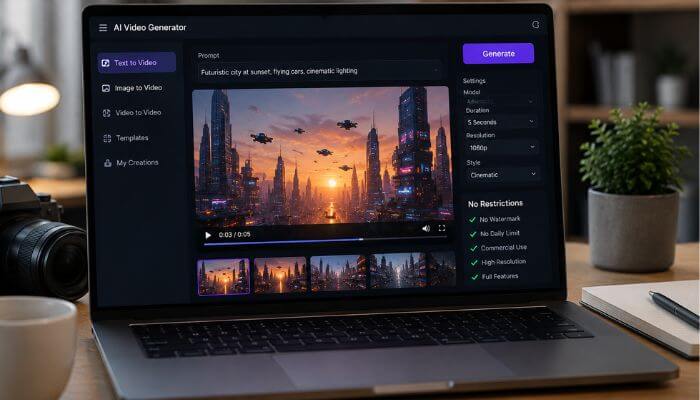
There is no universal winner. The best ai video generator no restrictions free option depends on which limitation you most want to avoid.
- Wan2.2—Best for local control: Runs locally without a provider-controlled monthly credit balance, although your hardware becomes the practical limit.
- HunyuanVideo-1.5—Best for lower VRAM: Supports local generation with a minimum of 14 GB GPU memory when model offloading is enabled.
- LTX-2.x — Best for local audio and video: A strong choice for customizable workflows involving synchronized audiovisual generation.
- Pika—Best for watermark-free browser use: Its free Basic plan combines recurring credits with watermark-free downloads.
- Google Flow with Veo 3.1 — Best for high-end cloud generation: Provides qualifying non-subscribers with 50 free Flow credits per day.
- Runway — Best for testing a professional workflow: Its Free plan is limited, but it provides access to Runway’s broader creative ecosystem.
Overall, Wan2.2 offers greater local control, while Pika and Google Flow are more convenient for users who prefer browser-based generation.
AI Video Generator No Restrictions Free Without Watermark
Watermark-free output is a major priority for creators who want clean videos for social media, portfolios, client projects, or commercial content.
| Tool | Free Watermark-Free Output? |
|---|---|
| Wan2.2 local | No hosted-platform watermark |
| HunyuanVideo-1.5 local | No hosted-platform watermark |
| LTX-2.x local | No hosted-platform watermark |
| Pika | Yes, on the current Basic plan |
| Google Flow | Watermark conditions apply |
| Runway | No |
| Luma | No |
| Hailuo AI | No |
| Kling AI | Watermark removal is a membership benefit |
| Grok Imagine | Depends on current access conditions |
For browser-based generation, Pika currently stands out for offering free watermark-free downloads. For advanced users, locally run models such as Wan2.2, HunyuanVideo-1.5, and LTX-2.x avoid adding a hosted platform’s export watermark.
AI Video Generator No Restrictions Free Without Sign-Up
Finding a reliable AI video generator that works without creating an account is difficult because most cloud platforms require registration to manage free credits, generation queues, saved projects, moderation, and usage limits.
For users who want to avoid recurring sign-ins, local AI video models are the closest alternative. Once a model such as Wan2.2 is downloaded and configured, videos can be generated directly on your computer without logging into a cloud platform for every session.
However, initial downloads may still require accepting license terms or creating an account to access certain model files.
If no recurring sign-in is your priority, a locally run AI video model is generally more practical than relying on an anonymous free cloud generator.
Is There a Completely Free Unlimited AI Video Generator?
Not realistically as a permanent premium cloud service. AI video generation requires substantial GPU compute, electricity, server capacity, storage, and bandwidth, so providers typically control free usage through daily or monthly credits, queues, watermarks, resolution limits, or shorter video durations.
That is why an ai video generator no restrictions free may still have practical limits even when a platform advertises free or unlimited generation.
What Does “Unlimited” Usually Mean?
“Unlimited” often refers to relaxed generation, lower-priority processing, fair-use limits, or selected models rather than unrestricted access to every premium feature at maximum speed.
How Local Generation Changes the Limit
Local models work differently. There may be no provider-controlled monthly credit balance, but you supply the GPU, electricity, storage, cooling, maintenance, and processing time yourself.
Does “No Restrictions” Mean Uncensored or Unfiltered?
No. When someone looks for an ai video generator no restrictions free, “no restrictions” does not automatically mean uncensored, unfiltered, unlimited, or free from platform policies.
| Term | What It Usually Means |
|---|---|
| Free | Some usage without payment |
| Unlimited | No fixed generation count or a high allowance |
| No restrictions | Fewer practical limitations |
| No watermark | No visible platform branding |
| No sign-up | No account required |
| No filter | Fewer prompt restrictions |
| Uncensored | Broader content-generation rules |
| Open weights | Downloadable model parameters |
| Open source | Software released under an open-source license |
These distinctions matter. A generator can be watermark-free but still moderated, while a local model can avoid cloud credits but still be subject to licensing conditions.
In short, fewer restrictions does not mean no rules.
Local vs Browser vs API AI Video Generators
When choosing an ai video generator no restrictions free, the way you access the technology can matter as much as the model itself. Most AI video workflows fall into browser-based, local, API, or hybrid approaches.
| Approach | Best For | Main Advantage | Main Limitation |
|---|---|---|---|
| Browser | Beginners | Easy setup | Credits and platform limits |
| Local | Advanced creators | Greater control | Hardware requirements |
| API | Developers | Automation | Usage costs |
| Hybrid | Studios and agencies | Flexibility | More complexity |
Browser-based generators are easiest for beginners because they require no GPU setup, but free plans commonly impose credits, queues, watermarks, or feature limits.
Local models provide greater control, privacy, and generation volume, although users need suitable hardware and technical knowledge. APIs are better for automated apps, batch generation, and production systems but typically charge according to usage.
Professional creators may use a hybrid workflow, such as:
Local image generation → cloud image-to-video → local editing → audio → upscaling → final export
The best approach therefore depends on whether you prioritize convenience, control, automation, privacy, or cost.
Can Free AI-Generated Videos Be Used Commercially?
Sometimes. If you are choosing an ai video generator no restrictions free, do not assume that free generation automatically includes commercial-use rights.
Commercial use can depend on the platform, subscription plan, model license, source material, third-party intellectual-property rights, and applicable law.
| Tool | Commercial-Use Position |
|---|---|
| Pika | Commercial use is currently included with the free Basic plan |
| Luma | Free and Lite generations are limited to personal, non-commercial use |
| Kling AI | Commercial-use permissions depend on the applicable plan and terms |
| LTX-2.x | Larger qualifying organizations may need a paid commercial license |
These conditions can change, and having commercial rights from the AI provider does not give you rights to copyrighted images, music, characters, trademarks, or other third-party material used in your project.
A video being free to generate does not automatically make it free to monetize. Always check the current license and plan terms before using AI-generated video for advertising, client work, monetized content, or other commercial projects.
Privacy: Are Local AI Video Models Better?
Privacy can be an important consideration when choosing an ai video generator no restrictions free, particularly when working with confidential or unpublished material.
Cloud generators typically process prompts, source images, and video files on provider-controlled infrastructure. Local models can offer greater control by keeping more of the workflow on your own hardware, which may be useful for private photos, client footage, unreleased products, advertising concepts, or internal business material.
However, local generation does not automatically mean better security. Model files, third-party plugins, software dependencies, network access, file permissions, and backups can still create risks.
Local AI video models can provide greater privacy and control, but security depends on the entire workflow—not simply where the model runs.
Can You Use Free AI Video for YouTube?
Yes, but using an ai video generator no restrictions free does not automatically mean the finished video will qualify for YouTube monetization.
Creators still need to consider commercial rights, source-image and music permissions, voice and character rights, disclosure requirements, originality, and whether the content feels repetitive or mass-produced.
AI-generated videos are more likely to provide lasting value when they include genuine creative input such as original scripts, research, commentary, narration, storytelling, human editing, and unique scene selection.
The key is to use AI as part of a broader creative process rather than relying on minimally changed template videos at scale.
Free AI video can work well for YouTube, but monetization depends on rights, originality, disclosure, and the overall value of the finished content.
What Should You Check Before Choosing a Free AI Video Generator?
Before choosing an ai video generator no restrictions free, look beyond the word “free.” The real value depends on credits, watermarks, commercial rights, video quality, privacy, and licensing.
1. Free Credit Structure
Check whether credits are one-time, daily, or monthly. For example, Runway currently offers 125 one-time free credits, Pika provides 80 monthly credits, and Google Flow offers qualifying users 50 free credits per day.
2. Watermark Policy
A free tool may still add visible branding, which can matter for YouTube, client work, advertising, portfolios, and social media content.
3. Commercial Rights
Confirm whether free output can be used for monetized channels, paid campaigns, client projects, or business content.
4. Resolution and Video Length
Check both quality and duration. Some free plans limit resolution, while many AI video tools still focus on short clips. Seedance 2.5 is notable for supporting up to 30 seconds in one generation.
5. Image-to-Video and Audio Support
Reference-image support can improve control over characters, products, style, and composition. Built-in audio generation can also reduce the need for separate sound tools.
6. Privacy and Licensing
Review how uploaded files are handled and what the license actually allows.
Never assume:
Free = commercial use
or
Open weights = unrestricted use
Those are separate questions.
How to Get Better Results Without Wasting Free Credits
When using an ai video generator no restrictions free, precise prompts can help you get better results without wasting limited credits on repeated attempts.
A simple prompt formula is:
Subject + action + environment + camera + lighting + motion + visual style
Instead of:
A blue sports car driving.
Try:
A vintage blue sports car drives along a rain-soaked city street at night, filmed with a low tracking shot, realistic tire spray, neon reflections on wet asphalt, cinematic lighting, shallow depth of field, and natural suspension movement.
The second prompt gives the model clearer instructions about the subject, movement, setting, camera angle, lighting, and visual style, which can improve consistency and reduce unnecessary regenerations.
Use Clear Camera Instructions
Clear camera directions can make AI-generated video feel more intentional and consistent.
Useful terms include:
- Tracking shot
- Dolly forward
- Slow pan
- Drone shot
- Close-up
- Wide establishing shot
- Low-angle shot
- Overhead shot
Specific camera instructions usually work better than vague requests such as “make it cinematic” because they tell the model exactly how the scene should be framed or move.
Describe Motion Precisely
Instead of:
A dog on the beach.
Try:
A golden retriever runs toward the camera along the shoreline while its fur moves naturally in the sea breeze and small waves break behind it.
For better results, describe what moves, the direction of movement, the speed, and how the environment reacts.
For example, mention whether the subject walks slowly, runs toward the camera, turns to the side, or moves through wind, water, smoke, or other environmental effects.
Keep Early Generations Simple
Avoid starting with an overly complex prompt that includes too many characters, locations, transformations, camera movements, or background events at once.
Begin with one clearly defined scene and one main action. Once the model handles that well, gradually add more characters, motion, camera direction, or environmental details.
This approach can improve consistency and reduce failed generations, which is especially helpful when your free credit allowance is limited.
Common Mistakes When Looking for an AI Video Generator With No Restrictions
Avoid these common mistakes when comparing free AI video tools:
- Assuming “unlimited” means unlimited everything: It may apply only to selected models, slower queues, or relaxed processing.
- Assuming free means watermark-free: Many free plans still add platform branding.
- Ignoring commercial rights: A video may be free to generate but not cleared for client work, advertising, or monetization.
- Assuming open models have no rules: Downloadable models can still include licenses, usage conditions, or commercial restrictions.
- Ignoring hardware costs: Local generation removes cloud credit charges, but GPU hardware, electricity, storage, and maintenance still cost money.
- Uploading sensitive material to unknown websites: Avoid sharing private photos, ID documents, confidential client footage, unreleased products, or proprietary files with services you cannot verify.
- Confusing a model with a platform: The same model can be free to download locally, paid through an API, and credit-based on a hosted website at the same time.
Why Free AI Video Limits Change So Often
Free AI video limits can change quickly because video generation requires significant GPU compute, storage, bandwidth, and infrastructure. As costs and models evolve, providers may adjust free credits, resolution, video length, watermarks, queue priority, commercial rights, and regional availability.
Google Flow’s recurring free-credit offer shows how advanced video generation can become more accessible, while Sora’s discontinuation demonstrates that even major AI-video products may change or disappear.
For this reason, treat free-plan limits as a current snapshot rather than permanent features, and always verify pricing, credits, licensing, and usage terms before starting a large project.
Popular AI Video Tools That Do Not Fully Qualify as “No Restrictions Free”
Several popular platforms appear in ai video generator no restrictions free comparisons, but none removes every practical limitation.
| Tool | Main Strength | Why It Does Not Fully Qualify |
|---|---|---|
| Google Veo 3.1 | High-quality cloud video | Daily credits and platform policies |
| Pika | Watermark-free free exports | Monthly credit limit |
| Runway | Professional ecosystem | One-time credits and watermark |
| Luma | Easy experimentation | Watermark and non-commercial free use |
| Kling AI | Advanced hosted generation | Plan and branding restrictions |
| Grok Imagine | Fast audiovisual generation | Usage limits |
| Seedance 2.5 | Longer video generation | Free access varies |
There is no completely unrestricted free AI video generator. Every option involves trade-offs in credits, watermarks, licensing, hardware, or usage limits.
Which AI Video Generator Should You Choose?
Choosing the right tool depends on the kind of restriction you want to avoid.
For maximum local control, Wan2.2 is the strongest starting point. If you want local generation with lower hardware requirements, HunyuanVideo-1.5 is a better fit, while LTX-2.x is especially useful for synchronized audio-and-video workflows.
For browser-based use, Pika is one of the best options when watermark-free downloads matter most. Google Flow with Veo 3.1 is a stronger choice when video quality is the priority, while Runway is better suited to creators who want a more professional creative ecosystem.
Luma and Hailuo AI are useful for casual experimentation, while Kling AI offers more advanced hosted generation. Grok Imagine is a good option for fast audiovisual creation, and Seedance 2.5 stands out for longer generated scenes.
Conclusion
An ai video generator no restrictions free sounds like the perfect solution, but in 2026 every serious option still involves trade-offs.
Hosted tools are easier to use, but they usually limit some combination of credits, watermarks, resolution, queues, commercial rights, or platform access. Local models provide greater control but shift the cost and complexity to your own hardware.
For maximum local flexibility, Wan2.2 is one of the strongest choices. HunyuanVideo-1.5 is worth considering for lower GPU-memory requirements, while LTX-2.x stands out for advanced audio-and-video workflows.
For browser users, Pika is especially attractive for recurring free credits and watermark-free downloads, while Google Flow with Veo 3.1 is a stronger option when high-quality cloud generation matters most.
Runway, Luma, Hailuo AI, Kling AI, Grok Imagine, and Seedance 2.5 remain useful alternatives, but none removes every restriction.
Ultimately, the best ai video generator no restrictions free option depends on which limitation matters most to your project—credits, watermarks, commercial rights, privacy, video quality, hardware, or workflow control.
AI Video Generator No Restrictions Free FAQs
1. Can an AI video generator no restrictions free create 1080p videos?
Some tools support 1080p generation or upscaling, but free plans may limit resolution, credits, or export quality. Check the current plan before generating.
2. Can I use an AI video generator no restrictions free on my phone?
Yes. Many cloud-based AI video generators work through mobile browsers or apps, although advanced local models generally require desktop-class hardware.
3. Do free AI video generators support vertical 9:16 videos?
Many modern generators support vertical formats suitable for YouTube Shorts, TikTok, and Instagram Reels, but aspect-ratio options vary by model and plan.
4. Can an AI video generator no restrictions free turn photos into videos?
Yes. Many AI video tools support image-to-video, allowing users to animate a still image with motion, camera movement, and scene instructions.
5. Can I run a free AI video generator without an NVIDIA GPU?
Cloud generators do not require your own GPU. Local video models usually perform best on supported dedicated GPUs, and hardware requirements vary significantly.
6. Do free AI video generators create sound and dialogue?
Some newer models can generate video, ambience, sound effects, speech, or synchronized audio, while others create silent clips that require separate audio editing.
7. Can free AI video generators make videos for TikTok and Reels?
Yes, provided the tool supports vertical video or the output can be reframed during editing. Always confirm platform dimensions and usage rights before publishing.
8. Can I edit an existing video with an AI video generator?
Some AI video platforms support video-to-video, restyling, extension, retakes, or reference-based editing, but these features may be limited on free plans.
