


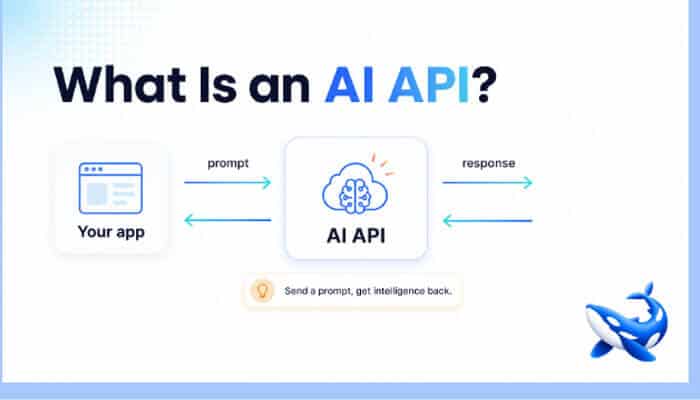

If you’re building software in 2026, the phrase “AI API” is everywhere — but the concept is simpler than the hype suggests. An AI API is just a way to send text (or images, audio, or documents) to a large language model over the internet and get a useful response back, without hosting the model yourself. It’s the bridge between your application and the intelligence you want to add to it. This guide explains what an AI API actually is, how it works, and what to think about before you wire one into your product.
The core idea in one paragraph
Instead of training or running a multi-billion-parameter model on your own hardware, you send a request to a provider that already runs it: you pass a prompt and a few settings, and the model returns generated text in seconds, billed per token so you only pay for what you use. In practice most teams don’t want to wire up a separate provider for every model, which is where a unified AI API like OrcaRouter comes in – one OpenAI-compatible endpoint that fronts many models from different vendors, so your app asks once and any model can answer through the same call.
What a typical request looks like
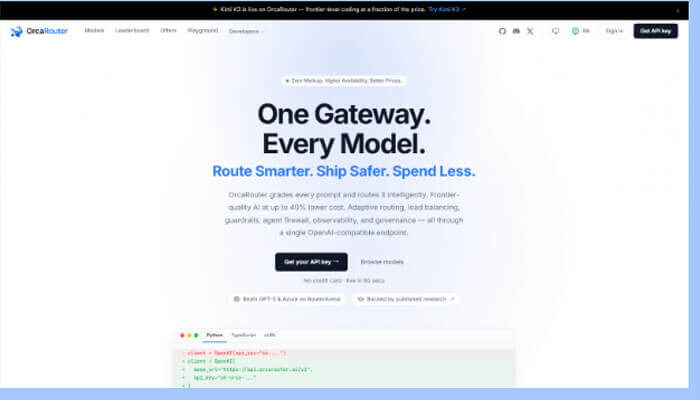
Most modern AI APIs follow the same shape, popularized by the OpenAI chat-completions format: you send a list of messages (a system instruction plus the conversation so far), name a model, and set a few options like temperature or max tokens. The API returns the model’s reply, and often metadata like token counts. Because so many providers adopted this same format, code written for one is usually portable to others — a detail that matters more than it first appears.
Why AI APIs won over self-hosting for most teams
A few years ago, adding AI meant a serious infrastructure project. APIs collapsed that into an afternoon. The advantages are hard to overstate: no GPUs to buy or manage, instant access to the latest models the day they ship, automatic scaling from one request to millions, and a pay-as-you-go cost model instead of a big upfront investment. For the vast majority of applications, calling an API is simply the rational choice — self-hosting only makes sense when you have strict data-residency needs or enormous, steady volume.
The one-provider trap
Here’s a mistake worth avoiding early: hard-wiring your app to a single provider’s SDK. The AI landscape moves monthly — new models leapfrog each other, prices change, and the best model for a task this quarter may not be the best next quarter. If your code is welded to one vendor, switching means a rewrite. The fix is to build against a provider-neutral, OpenAI-compatible endpoint so the model is a swappable choice, not a permanent commitment. Aggregators exist specifically for this: they put many models behind one API so you can route and switch by changing a model name.
What to consider before you commit
• Model choice. Does the API give you access to the models you need — and new ones as they launch?
• Compatibility. Does it speak the OpenAI format, so your code stays portable?
• Pricing transparency. Is it clear what you pay per model, with no surprise markup?
• Ease of starting. Can you get a key and make a call in minutes, ideally without a sales call?
• Room to grow. Will it scale with you and let you switch models as the market shifts?
Trying it cheaply (or free)
You don’t need to spend money to evaluate an AI API. Many platforms offer free credits or free models to start. OrcaRouter, for example, exposes a wide catalog behind one OpenAI-compatible endpoint and runs a free AI API offers page with credit drops and $0 models, so you can make real calls and compare models before spending anything. Starting free is the smart way to learn what an AI API can do for your specific use case.
AI API vs traditional API: a quick mental model
If you’ve used any web API, an AI API will feel familiar with one twist. A traditional API is deterministic: given the same input, you get the same output, and the response is structured data you defined. An AI API is generative and probabilistic: given the same prompt, you may get slightly different phrasings, and the “output” is model-generated content you then shape (often via structured-output settings) into data your app can use. That difference has practical consequences. You design prompts instead of just parameters, you validate outputs rather than assuming them, and you think about token cost the way you’d think about compute.
The similarities are just as important, though, and they’re why adoption is fast. It’s still an HTTP request with auth, still JSON in and out, still something you can call from any language. You can log it, cache it, rate-limit it, and monitor it like any other dependency. So the learning curve isn’t a new paradigm — it’s a familiar API pattern plus a handful of AI-specific habits: write clear prompts, request structured output, validate results, and watch token usage. Internalize those four habits and an AI API stops feeling exotic and starts feeling like just another well-behaved service in your stack.
Frequently asked questions
1. What is an AI API in simple terms?
It’s a way to send a prompt to a hosted AI model over the internet and get a response back, paying per token, without running the model yourself.
2. Do I need my own hardware?
No — that’s the point. The provider runs the model; you just make HTTP requests.
3. What’s the OpenAI-compatible format?
A widely adopted request/response shape (messages, model, options) that many providers support, which keeps your code portable across models.
4. How am I billed?
Almost always per token — the amount of text sent and received — so cost scales with usage.
5. Can I switch models later?
Yes, easily, if you build against an OpenAI-compatible endpoint or an aggregator; switching becomes a model-name change rather than a rewrite.
6. Can I try one for free?
Yes — many offer free credits or free models. It’s the best way to evaluate before committing.
Bottom line
An AI API is the simplest path from “I want AI in my product” to a working feature: send a prompt, get a response, pay for what you use, skip the infrastructure. The key decisions are which models you can reach, whether your code stays portable (favor OpenAI-compatible), and how easily you can start and scale. Build model-agnostic, start with free credits to learn, and treat the model as a swappable component — that’s how you get the benefits of AI APIs without getting locked in.
