




BHN customer service provides different phone numbers for Visa gift cards, Mastercard products, refunds, balance inquiries, and business accounts. Finding the right contact matters when your card is declined, funds are missing, or activation fails.
Blackhawk Network (BHN) manages several gift card and prepaid payment programs, but each product may have its own support team. The correct phone number depends on the card type, issuing company, and problem you need to resolve.
Whether you need a live representative or help checking your balance, this guide explains how to contact BHN customer service, find the right phone number, resolve common gift card issues, and escalate unresolved complaints.
Quick Answer
The general BHN customer service phone number is 1-888-371-2109. For Visa gift card assistance, Blackhawk Network lists 1-877-610-1075. Customers with general website inquiries can also contact 1-833-264-5710.
However, the best number depends on your specific card. For activation, balance, or transaction problems, Blackhawk Network recommends calling the customer service number printed on the back of your card or included in your digital gift card email.
BHN Customer Service Phone Numbers
BHN customer service provides different contact numbers for Visa and Mastercard cardholders, gift card redemption, refunds, and business accounts. Choosing the correct department can help you avoid unnecessary transfers and delays.
| Support Department | Phone Number |
|---|---|
| General BHN card support | 1-888-371-2109 |
| Visa card support | 1-877-610-1075 |
| Mastercard card support | 1-888-371-2109 |
| General BHN website support | 1-833-264-5710 |
| Gift card redemption | 1-833-568-8729 |
| Hawk Marketplace support | 1-833-484-3242 |
| CashStar support | 1-855-741-1209 |
| OmniCard registration help | 1-888-909-9385 |
| Eligible remaining-balance refunds | 1-800-786-8028 |
| National Partners fraud reporting | 1-877-246-6255 |
| Other card-specific problems | Number on the card |
Not every number handles the same type of request. For example, the National Partners fraud line serves a specific business program and is not a general fraud hotline for all gift cards. Before calling BHN customer service, check the number printed on your card or included in your digital gift card notification.
Key Takeaways
- BHN customer service has separate numbers for Visa, Mastercard, and business programs.
- The listed general card support number is 1-888-371-2109.
- BHN Visa support is listed at 1-877-610-1075.
- Most general support lines operate Monday through Friday, 8 AM–5 PM Central Time.
- Gift card balances and activation details should be checked through authorized cardholder websites.
- Refunds, replacement cards, and transaction disputes depend on the card’s terms.
- Blackhawk Network has a Better Business Bureau profile where customers can review complaints.
- For card-specific problems, the support information supplied with the card should take priority.
What Is BHN Customer Service?
BHN customer service is the support system provided through Blackhawk Network, a company specializing in gift cards, prepaid payment solutions, employee rewards, and business incentive programs. It helps eligible customers with card activation, balance inquiries, payment issues, refunds, and other card-related concerns.
Blackhawk Network, also known as BHN or Blackhawk, offers several payment and rewards services, including:
- Physical and digital gift cards
- Visa and Mastercard prepaid reward cards
- Retailer-branded gift cards
- Employee recognition and incentive programs
- Business gift card distribution
- Card activation, redemption, and payment support
Because these products may have different issuing banks and administrators, BHN customer service does not operate through one universal support department. For example, retailer-specific gift card issues may require contacting the retailer, while Visa or Mastercard reward card problems may need assistance from the designated card administrator.
Which BHN Customer Service Phone Number Should You Call?
Choosing the right BHN customer service department depends on your card type and the issue you need to resolve. Visa, Mastercard, retailer gift cards, and business reward programs may use different support teams.
1. BHN Visa Gift Card Customer Service
Blackhawk Network lists 1-877-610-1075 for applicable Visa card support.
Contact this department for issues such as:
- Declined Visa gift card transactions
- Incorrect or missing card balances
- Failed online payments
- Card activation problems
- Delayed refunds
- Unrecognized transactions
- Lost, stolen, or damaged cards
Before calling, verify the support number printed on your card. Not every Visa gift card is administered by Blackhawk Network, even when purchased from a retailer that sells BHN products.
2. BHN Mastercard Gift Card Customer Service
Blackhawk Network lists 1-888-371-2109 for eligible Mastercard cardholder assistance.
This department may help with declined payments, balance discrepancies, card activation, and other Mastercard gift card problems.
Always check your card’s instructions to confirm the appropriate support contact.
3. BHN Gift Cards Customer Service
Support for retailer-branded and digital gift cards depends on the issuing company and redemption program.
- Retailer gift cards: Contact the retailer for purchase or initial activation problems.
- Prepaid reward cards: Use the administrator listed on the card.
- Digital gift cards: Check the original delivery email for support instructions.
- Redemption problems: Contact the issuer or designated card support department.
If the card is active but cannot be redeemed, the card administrator may need to investigate the transaction.
4. BHN Business Customer Service
Businesses using Blackhawk Network for employee incentives, corporate rewards, or bulk gift cards may require specialized assistance.
Blackhawk Network lists the following contacts:
- Hawk Marketplace: 1-833-484-3242
- CashStar: 1-855-741-1209
- General BHN support: 1-888-371-2109
Business customers should also review their platform dashboards and account agreements for dedicated support options.
For the fastest assistance, contact the BHN customer service department associated with your specific card or business program rather than relying on a general support number.
BHN Customer Service Phone Number for a Live Person
Customers looking for a BHN customer service live representative can call the support number associated with their Visa, Mastercard, or gift card program. Blackhawk Network provides telephone assistance, but reaching a live agent depends on the department’s operating hours and automated menu options.
How to Speak With a BHN Customer Service Representative
Follow these steps to contact a live representative:
- Find the official phone number printed on your card.
- Call during the department’s operating hours.
- Follow the automated menu and select your issue.
- Choose the representative option if available.
- Complete the required identity verification.
- Explain your problem and request a case number if needed.
If the first representative cannot resolve your issue, ask to be transferred to the appropriate department or request further assistance.
What Information Should You Prepare Before Calling?
Having the correct details ready can make the support process easier.
- Gift card brand and card type
- Original purchase receipt or order confirmation
- Purchase or activation date
- Available balance and transaction details
- Relevant error messages
- Previous support reference numbers
Before contacting BHN customer service, keep your documents nearby and use only verified support channels. Never share your PIN, CVV, or complete card details through unsolicited calls, emails, or public complaint forms.
BHN Customer Service Hours and Response Times
BHN customer service generally operates Monday through Friday, from 8 AM to 5 PM Central Time (CT), excluding holidays, according to Blackhawk Network’s published support guidance. However, operating hours may vary depending on the card type, issuing company, and support department.
BHN Customer Service Operating Hours
| Day | General Support Hours |
|---|---|
| Monday | 8 AM–5 PM CT |
| Tuesday | 8 AM–5 PM CT |
| Wednesday | 8 AM–5 PM CT |
| Thursday | 8 AM–5 PM CT |
| Friday | 8 AM–5 PM CT |
| Saturday | Varies by program |
| Sunday | Varies by program |
| Holidays | Hours may differ |
Some card programs offer automated balance inquiries outside regular business hours. Certain business accounts may also have extended support options, but 24/7 live assistance is not guaranteed for every BHN card.
How Long Does BHN Customer Service Take to Respond?
Response times depend on the contact method, department, and complexity of the issue.
| Contact Method | General Response Guidance |
|---|---|
| Phone support | During staffed operating hours |
| Live chat | Real-time when available |
| Email or online form | Approximately 24–48 hours for non-urgent requests |
| Complex investigations | Initial response may take 3–5 business days |
These time frames are general estimates rather than guaranteed resolution deadlines. Fraud investigations, disputed transactions, and replacement card requests may require additional time.
If BHN customer service has not responded within the expected period, follow up using your existing case number and ask for an update on your request.
How to Contact BHN Customer Service Online
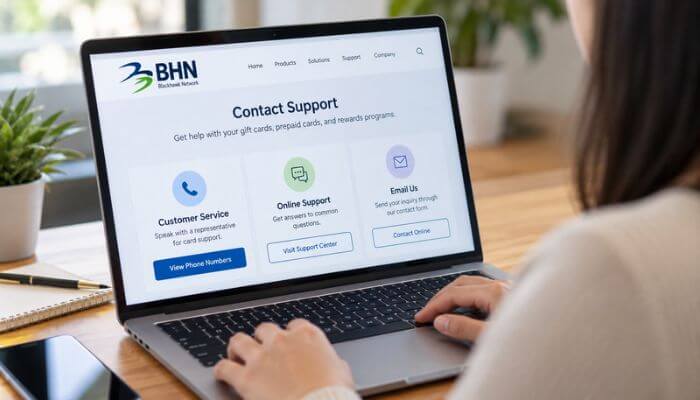
BHN customer service offers online support options for eligible gift cardholders, prepaid card users, and business customers. Depending on your card or account, you may be able to submit a support request, access a customer portal, or use live chat.
1. BHN Official Support Form
Visit the Blackhawk Network Support Page to find available contact options and submit an inquiry.
Include your card type, a clear description of the problem, and any relevant order or support reference number. For card-specific issues, follow the instructions provided with your card.
2. BHN Customer Login and Support
The BHN Customer Login and Support page provides access to business and rewards platforms, including Tango, Hawk Marketplace, and BHN Rewards.
Businesses managing employee incentives, digital gift cards, or corporate reward orders should use their designated platform for account-related assistance.
3. My Prepaid Center
Some Blackhawk Network prepaid products use My Prepaid Center for reward redemption and related cardholder services.
Only use this website if your card or reward notification specifically directs you there. It is not the universal activation or balance-checking website for every BHN gift card.
4. BHN Live Chat Support
Blackhawk Network references live chat for certain account, product, and technical support inquiries. However, availability depends on the department and service program.
If live chat is unavailable, contact BHN customer service through the official online support form or the phone number printed on your card.
How to Check Your BHN Gift Card Balance
Checking your gift card balance before contacting BHN customer service can help identify insufficient funds, pending transactions, or payment restrictions. Blackhawk Network manages different card programs, so the correct balance-checking website depends on your specific card.
Steps to Check Your BHN Gift Card Balance
- Locate the official website or phone number printed on your card.
- Visit the designated cardholder website.
- Select the balance inquiry option.
- Complete the required card verification.
- Review your available balance and recent transactions, if provided.
For eligible OmniCard products, Blackhawk Network directs customers to omnicard.com/cards. Its official guidance states that balance inquiries through this portal are free for supported cards.
Why Is My BHN Gift Card Balance Lower Than Expected?
A lower balance does not always mean money has been permanently deducted. Some merchants place temporary authorization holds when processing payments.
For example, suppose your prepaid card has a $100 balance and you attempt an $80 purchase. If the order is canceled after authorization, the $80 may remain temporarily unavailable until the hold is released.
Blackhawk Network explains that certain canceled or declined transactions may take approximately 7–10 business days for held funds to become available again. Processing times can vary by merchant and card program.
If the balance remains incorrect or you notice an unfamiliar transaction, contact BHN customer service using the official number printed on your card.
How to Activate or Register a BHN Gift Card
Not every Blackhawk Network gift card requires manual activation. Some cards are activated automatically at checkout, while certain prepaid reward cards require online registration or additional verification. If activation fails, BHN customer service may help identify the problem and direct you to the correct card administrator.
BHN Gift Card Activation Steps
For eligible OmniCard products, follow these steps:
- Visit the official OmniCard website.
- Select the card activation or registration option, if available.
- Enter the required card information through the secure portal.
- Complete any identity or card verification.
- Confirm the activation status before making a purchase.
Blackhawk Network lists 1-888-909-9385 for certain OmniCard registration inquiries. Other gift cards may use different activation websites and support numbers.
Why Is My BHN Gift Card Not Activating?
A gift card may fail to activate for several reasons:
- Incomplete checkout activation: The retailer may not have completed the activation process.
- Incorrect card information: The entered details may not match the card records.
- Processing delays: Activation information may not have updated.
- Card restrictions: Some prepaid cards require additional registration or verification.
- Technical problems: Temporary website or payment system errors may interrupt activation.
If you purchased the card at a physical store, keep the original receipt and activation confirmation. These records may help the retailer or card administrator investigate the issue.
If the problem continues, contact BHN customer service using the official number printed on your card or included in your digital gift card notification.
How to Set or Change a BHN Gift Card PIN
Some Visa and Mastercard prepaid cards support PIN-based payments, but PIN requirements vary by card program. If you cannot create, change, or use your PIN, BHN customer service may help you identify the correct cardholder instructions.
For eligible OmniCard products, Blackhawk Network provides PIN management through its official website.
Steps to Set or Change Your Card PIN
- Visit omnicard.com/cards if your card identifies OmniCard as its administrator.
- Select the Card PIN Info option.
- Complete the required card verification.
- Follow the instructions to create or change your PIN.
- Confirm the update before attempting another transaction.
Some eligible prepaid cards may allow purchases to be processed as credit without entering a PIN. However, this depends on the card, merchant, and transaction type.
Not every BHN gift card supports PIN creation or changes. Check your cardholder agreement first, and contact BHN customer service using the number printed on your card if the PIN feature is unavailable or not working.
Common BHN Customer Service Problems and Solutions
Gift card problems often involve declined transactions, activation failures, missing balances, or delayed refunds. Before contacting BHN customer service, identify the issue and check whether it can be resolved through your card’s official website.
| Problem | Possible Cause | Recommended Action |
|---|---|---|
| Card declined | Insufficient funds or restrictions | Check available balance |
| Activation failed | Retailer or processing issue | Contact retailer or card support |
| Online payment rejected | Billing information mismatch | Review card registration |
| Missing balance | Pending transaction or authorization hold | Check transaction history |
| Refund not received | Merchant processing delay | Contact merchant or card issuer |
| Digital card not delivered | Email or delivery issue | Contact seller or rewards platform |
| Card expired | Product-specific expiration rules | Check replacement eligibility |
| Unfamiliar transaction | Possible unauthorized use | Report immediately |
1. BHN Visa Gift Card Declined Online
A Visa gift card may be declined online because of insufficient funds, billing address verification, merchant restrictions, or security controls.
Some online merchants require the billing information to match the details registered with the card. For eligible OmniCard products, Blackhawk Network provides address registration through its official cardholder website.
If the payment continues to fail, check your card’s balance, registration requirements, and transaction restrictions before contacting support.
2. BHN Gift Card Declined at a Restaurant
Restaurants may temporarily authorize more than the bill amount to cover a possible tip. Blackhawk Network explains that certain restaurant transactions may include an additional authorization allowance of approximately 20%.
For example, a $50 restaurant bill could require $60 in available funds. A gift card containing exactly $50 might therefore be declined.
Ask whether the restaurant accepts split payments so you can use your available gift card balance and pay the remaining amount separately.
3. BHN Gift Card Not Working at a Gas Station
Gas station payment terminals may place temporary authorization holds that exceed the actual fuel purchase.
For certain prepaid cards, Blackhawk Network recommends paying inside the station instead of at the pump.
Tell the cashier the exact amount you want to charge and ask whether the transaction can be processed as credit, if supported by your card.
4. BHN Gift Card Shows a Zero Balance
An unexpected zero balance may result from completed purchases, pending authorizations, or unauthorized transactions.
Check your available transaction history and compare it with your recent purchases. Some temporary holds may take several business days to clear.
If the missing funds cannot be explained, contact BHN customer service using the official number printed on your card. Report unfamiliar transactions promptly rather than waiting for a pending hold to clear.
What Is a BHN Charge on Your Bank Statement?
A transaction labeled “BHN,” “Blackhawk,” or a similar gift card-related description may appear on a bank or credit card statement. Some customers contact 0 to investigate whether the charge is connected to a Blackhawk Network gift card purchase or payment service.
However, a transaction description alone cannot confirm who processed the payment or whether it was authorized. Always verify the charge before assuming it is legitimate.
What Should You Do if You See an Unknown Charge?
If you notice an unfamiliar BHN-related transaction, follow these steps:
- Review recent purchases: Check whether you bought a gift card or prepaid product.
- Compare transaction details: Match the amount and date with receipts or confirmation emails.
- Check authorized purchases: Confirm whether another authorized cardholder made the payment.
- Contact your bank: Report the charge promptly if you cannot identify it.
- Request further information: Ask the appropriate Blackhawk Network support department whether it can identify a related order.
If the transaction remains unexplained, contact BHN customer service through an official channel while continuing to work with your bank or card issuer.
If you suspect an unauthorized debit or credit card transaction, notify your financial institution immediately. Do not delay reporting while waiting for a gift card support investigation.
Can BHN Customer Service Help With Refunds?
BHN customer service may help customers with eligible gift card refunds, missing payments, and unused card balances. However, the refund process depends on the card issuer, merchant policies, and applicable consumer protection laws.
1. Refunds for Purchases Made With a Gift Card
When you return an item purchased with a gift card, the retailer generally processes the refund according to its return policy. The refunded amount is usually returned to the original payment card.
Blackhawk Network states that certain refunds may take approximately 5–7 business days to appear in the available balance. Processing times can vary depending on the merchant and card program.
If your refund is delayed, contact the retailer first to confirm that it was issued. You can then contact BHN customer service using the number on your card to request further assistance.
2. Refunds of Unused Gift Card Balances
Blackhawk Network lists 1-800-786-8028 for certain eligible remaining-balance refund requests. The published support hours are Monday through Friday, 8 AM–5 PM Central Time, excluding holidays.
Some qualifying BHN-issued gift cards with $10 or less remaining may be eligible for a cash refund. However, eligibility depends on the specific card, remaining balance, and applicable state laws. Not every gift card can be exchanged for cash.
What Happens When a BHN Gift Card Expires?
Gift card expiration rules vary depending on the card type and issuing program. BHN customer service may help customers determine whether an expired card can be replaced or whether its remaining balance is still available.
Under U.S. federal law, funds on most covered consumer gift cards must remain valid for at least five years from issuance or the most recent qualifying reload. Certain promotional and reward cards may be exempt, while some states provide additional protections.
Can BHN Replace an Expired Gift Card?
Some prepaid cards have an expiration date printed on the physical card, even though the remaining funds may still be accessible. In these cases, a replacement card or another method of accessing the balance may be available.
However, replacement eligibility depends on the cardholder agreement, issuing company, and applicable rules. Certain promotional prepaid rewards may have different expiration and replacement conditions.
Before contacting BHN customer service, check your card’s expiration date, remaining balance, and terms. Keep your purchase receipt or activation confirmation available in case additional verification is required.
For more information, review the Consumer Financial Protection Bureau’s prepaid card expiration guidance.
BHN Gift Card Fees and Restrictions
Gift card fees vary depending on the issuing bank, card type, and payment program. BHN customer service can help cardholders understand applicable charges, transaction restrictions, and replacement fees.
Blackhawk Network’s OmniCard guidance provides examples of fees that may apply to certain prepaid products. These include a 3% foreign transaction fee, a $5 lost or stolen card replacement fee, a $2 U.S. ATM withdrawal fee, a $4.75 international ATM withdrawal fee, and a $0.75 ATM balance inquiry fee.
These charges are product-specific and do not apply to every Blackhawk Network gift card. Some prepaid cards do not support ATM withdrawals, international transactions, or certain online purchases.
Before using your card, review its fee schedule and cardholder agreement. If you notice an unexpected charge or need clarification about a restriction, contact BHN customer service using the official number printed on your card.
BHN Customer Service Fraud Reporting and Disputed Transactions
If your gift card is lost, stolen, or used without permission, contact BHN customer service or your card’s designated support department immediately. Reporting suspicious activity promptly may help prevent further unauthorized transactions.
Blackhawk Network lists 1-877-246-6255 as a specialized fraud contact for its U.S. and Canada National Partners programs. This number is not necessarily intended for individual Visa or Mastercard gift cardholders. For personal card issues, use the official support number printed on your card.
How to Report an Unauthorized Transaction
Follow these steps if you notice an unfamiliar transaction on your gift card:
- Check your transaction history: Review recent payments and identify any suspicious charges.
- Contact card support: Call the official number printed on your card or listed in its agreement.
- Explain the issue: Provide the transaction date, amount, and merchant details.
- Request card protection: Ask whether the card can be blocked to prevent additional transactions.
- Start a dispute: Request the issuer’s dispute procedure and reporting deadlines.
- Submit supporting documents: Provide requested evidence through an official, secure channel.
- Keep your records: Save the case number, transaction details, and correspondence for follow-up.
Can BHN Customer Service Reverse Unauthorized Charges?
BHN customer service may help direct an unauthorized transaction report to the responsible card issuer or administrator. However, a refund or charge reversal is not guaranteed.
The outcome depends on the card program, available transaction evidence, reporting deadlines, and applicable consumer protection laws.
Some registered prepaid accounts have dispute protections that differ from those available for standard gift cards. Review your cardholder agreement and follow the issuer’s instructions to understand your options.
How to Avoid Fake BHN Customer Service Numbers
Scammers sometimes create fake gift card balance websites or impersonate BHN customer service representatives to steal card details, PINs, or money. These websites and phone numbers may appear legitimate, making them difficult to identify.
How to Identify and Avoid BHN Gift Card Scams
Follow these precautions to protect your gift card information:
- Use official contact numbers: Call the support number printed on your card or listed on the issuer’s verified website.
- Check website addresses: Confirm the correct URL before entering your card number or PIN.
- Avoid suspicious balance-checking websites: Use only the balance-checking service specified by your card issuer.
- Watch for unexpected fees: Never pay a supposed activation, verification, or refund fee using another gift card.
- Protect verification codes: Do not share one-time codes with unexpected callers or messages.
- Keep purchase records: Save your gift card receipt, packaging, and activation confirmation.
- Report suspicious activity: Contact your card issuer immediately if you notice unauthorized transactions.
If someone claiming to represent BHN customer service asks you to purchase another gift card, send money, or disclose sensitive information through an unverified channel, stop communicating and contact the official support department independently.
The Federal Trade Commission warns consumers against using gift cards to pay strangers demanding money for taxes, fines, emergencies, or supposed account problems.
BHN Customer Service for OmniCard, SVM, and Other Programs
Blackhawk Network operates or supports several gift card and rewards programs, including OmniCard, SVM Cards, and NGC. Customers looking for BHN customer service should check which company or program issued their card before contacting support.
1. OmniCard Support
- OmniCard customers can visit OmniCard.com/cards to check balances, activate eligible cards, register card details, or manage PINs.
- These services depend on the card type and program. Some cards may require customers to contact the issuer directly.
2. SVM Gift Card Support
- Blackhawk Network directs certain damaged or nonworking SVM-issued gift card inquiries to GiftCardReturns.com.
- Its support information covers selected cards from brands such as 76, Chevron, Conoco, ExxonMobil, Phillips 66, Sunoco, Texaco, and Choice Hotels.
- Replacement eligibility depends on the card’s terms and the nature of the problem. Customers should review the requirements before submitting a request.
3. CashStar and Business Rewards Support
- CashStar, Tango, Hawk Marketplace, and BHN Rewards handle different digital gift card, employee incentive, and business rewards services.
- If a digital reward has not arrived, contact the company that sent it or the platform mentioned in the delivery email.
- If the card has arrived but does not work, contact the card issuer or administrator listed in its instructions.
- Using the correct program’s support channel can help resolve problems faster than calling a general BHN customer service number.
BHN Customer Service and the Better Business Bureau
The Better Business Bureau (BBB) provides customer reviews, complaint records, and business information about Blackhawk Network. These details can help consumers research BHN customer service experiences before contacting the company.
Is Blackhawk Network BBB Accredited?
As of October 8, 2026, the BBB profile for Blackhawk Network Holdings, Inc. displayed an A+ rating and BBB accreditation.
The profile also includes customer complaints and company responses. Readers can review reported issues involving gift cards, transactions, refunds, and customer assistance.
However, a BBB rating does not guarantee customer satisfaction. BBB letter grades and customer review ratings are different measurements, and both may change over time.
How to Check Blackhawk Network on BBB
Visit the official Blackhawk Network BBB profile to review its current rating, accreditation status, customer feedback, and complaint history.
When researching BHN customer service, pay attention to recent complaints about gift card activation, missing balances, delayed refunds, and support response times.
Read the company’s responses alongside customer complaints to better understand how reported issues were handled.
How to File a BHN Customer Service Complaint
If your problem remains unresolved after contacting BHN customer service, you can request further assistance or file a formal complaint. Follow these steps to report your issue and seek a resolution.
- Contact the correct support department: Call the official number printed on your card or listed in your account. Explain the issue and mention any previous support requests.
- Request an escalation: Ask to speak with a supervisor or specialist if the problem remains unresolved. Request a case number for future reference.
- Collect supporting documents: Keep purchase receipts, transaction details, confirmation emails, screenshots, and previous support messages. Never share your full card number or PIN in a public complaint.
- Submit a BBB complaint: Visit the Better Business Bureau complaint portal. Explain the problem, describe previous attempts to resolve it, and state your requested outcome. The BBB cannot guarantee a refund.
- Contact consumer protection agencies: Report suspected gift card scams through the Federal Trade Commission. For eligible prepaid financial products, you may also file a complaint with the Consumer Financial Protection Bureau.
If your BHN customer service complaint involves an unauthorized debit or credit card transaction, notify your financial institution immediately rather than waiting for a response to your complaint.
Does BHN Customer Service Help International Customers?
Blackhawk Network operates in multiple countries, but BHN customer service options depend on the card issuer, location, and specific gift card program. Not every product offers international telephone support.
Some prepaid cards allow international purchases, while others restrict transactions outside the country of issuance. Eligible cards may also charge foreign transaction fees.
If you received a gift card outside the United States, review its terms and use the official support details provided for your country. Check whether the card can be redeemed internationally before making a purchase.
U.S. toll-free numbers may not work from other countries. Multilingual assistance and local support channels may be available for certain programs, but availability varies.
For international card issues, contact BHN customer service through the support channel listed on your card or the issuing program’s official website.
Tips for Getting Faster Help From BHN Customer Service
Getting help from BHN customer service can be easier when you have the right card details and transaction information ready. A few simple steps may help avoid unnecessary delays.
- Identify your card: Check whether you have a Visa, Mastercard, retailer gift card, or employee reward card.
- Check your balance: Confirm the available funds before reporting a declined transaction.
- Keep your receipt: Purchase receipts and activation confirmations may help verify your card.
- Use the correct number: Call the official support number printed on your card or listed by the issuing program.
- Explain the problem clearly: Provide the transaction date, amount, and relevant error message.
- Request a case number: Save the reference number for future follow-ups.
- Record support details: Keep notes about previous calls, dates, and instructions.
- Ask for escalation: Request supervisor assistance or dispute instructions if the issue remains unresolved.
Before contacting BHN customer service again, review your previous case details and keep supporting documents ready. This can help the next representative understand your issue without repeating the entire process.
Conclusion
BHN customer service offers different support numbers for gift cards, prepaid cards, refunds, activation issues, and business programs. General card support is listed at 1-888-371-2109, but the correct contact number depends on your card type and the issue you need to resolve.
Before calling, check your available balance, gather transaction details, and keep your purchase receipt ready. Report suspected fraud or unauthorized transactions promptly to the appropriate card issuer.
For accurate assistance, always contact BHN customer service using the official phone number printed on your card or provided in your digital gift card notification.
FAQs About BHN Customer Service
1. Can BHN customer service update my email address?
BHN customer service may help with email updates for eligible accounts. Account changes depend on the specific card or rewards platform and may require identity verification.
2. Can BHN customer service resend a digital gift card?
BHN customer service may direct you to the appropriate delivery platform. Resending a digital gift card depends on the seller, program rules, and order status.
3. Can BHN customer service help without a purchase receipt?
BHN customer service may review your request without a receipt, but proof of purchase is often important for activation, replacement, or missing-funds investigations.
4. Does BHN customer service offer accessibility assistance?
Accessibility options depend on the support department. Customers can ask about available communication accommodations when contacting their designated card administrator.
5. Can BHN customer service correct a misspelled recipient name?
Corrections may be possible for certain digital gift card orders before delivery. Contact the original seller or rewards platform to check whether changes are allowed.
6. Can BHN customer service transfer a gift card balance?
Balance transfers are not universally supported. Whether funds can move between cards depends on the issuer’s rules and the specific prepaid product.
7. Can BHN customer service help with an accidentally deleted gift card email?
The original seller or delivery platform may be able to locate the order and resend eligible gift card information after verification.
8. Can BHN customer service confirm whether a gift card is genuine?
The appropriate card administrator may help investigate an activation or validity concern. Keep your receipt and contact the verified support channel associated with the card.
Disclaimer: This article is an independent informational guide and is not affiliated with or endorsed by Blackhawk Network, Visa, Mastercard, or the Better Business Bureau. Contact numbers, business hours, fees, and refund policies may change. Always verify information through official sources before sharing personal or financial details.
