


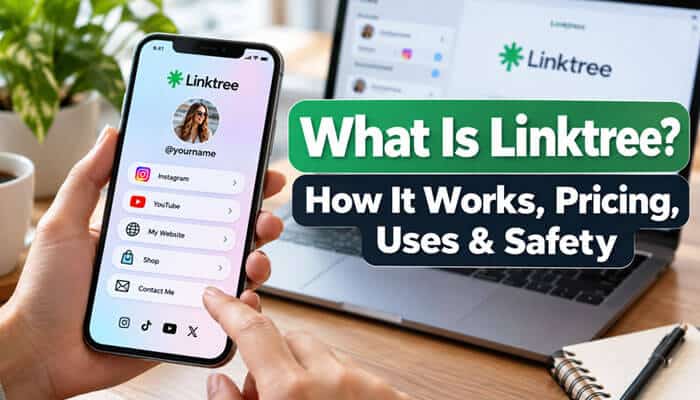

What is Linktree, and why do creators, influencers, entrepreneurs, and businesses use it on Instagram, TikTok, and other social media platforms? Linktree is a link-in-bio platform that allows users to share multiple websites, products, videos, social media profiles, and other online resources through one customizable link. Instead of constantly changing the website address in a social media bio, users can organize their most important destinations on a single landing page.
Linktree has evolved beyond basic link sharing. It now offers audience analytics, contact forms, digital product tools, QR codes, link scheduling, privacy controls, and marketing integrations. Whether you want to promote your business or build a personal brand, understanding what Linktree does, how much it costs, and whether it is safe can help you choose the right approach.
Quick Answer: What Is Linktree?
Linktree is a link-in-bio tool that combines multiple clickable links into one personalized landing page. Users create a shareable URL, such as linktr.ee/yourname, where visitors can access websites, social media accounts, videos, online stores, booking pages, and contact information.
Linktree offers a Free plan with unlimited basic links, while paid subscriptions provide additional customization, analytics, marketing integrations, and automation. It is commonly used on Instagram, TikTok, YouTube, and other platforms where creators or businesses want to promote several destinations from one profile.
Key Takeaways
- Linktree organizes multiple online destinations under one customizable URL.
- Its Free plan supports unlimited basic links and selected customization features.
- Creators use Linktree to promote videos, newsletters, affiliate products, and social profiles.
- Businesses can use it for appointments, customer inquiries, ecommerce, and lead generation.
- Paid subscriptions offer advanced branding, analytics, link scheduling, and integrations.
- Linktree supports Featured Links, Collections, QR codes, contact forms, and embedded content.
- Privacy controls and verification features are available to eligible accounts.
- Monetization features depend on subscription requirements and geographical eligibility.
- Linktree can complement a business website, but an independent website provides greater control over SEO and branding.
What Is Linktree and Why Was It Created?
Linktree is an online platform designed to simplify how individuals and businesses share their digital presence. Rather than directing followers to several unrelated websites, users create a central page containing links to their most important resources.
The company was founded in Melbourne, Australia, in 2016 by Alex Zaccaria, Anthony Zaccaria, and Nick Humphreys. Its original purpose was to solve a common challenge faced by social media creators who needed to promote several online destinations when profile-link options were limited.
Today, Linktree has developed into a broader creator and digital marketing platform. According to its official website, it serves more than 70 million users worldwide, including musicians, artists, entrepreneurs, influencers, and businesses.
Although Instagram now supports multiple external profile links, Linktree remains useful because it provides customized presentation, link organization, and audience engagement tools.
What Does a Linktree URL Look Like?
A typical Linktree address follows this format:
https://linktr.ee/yourusername
The username appears after the main Linktree domain and identifies the individual profile.
For example, a company called Bright Studio might choose linktr.ee/brightstudio, provided the username is available. Businesses should use recognizable usernames that match their brand or existing social media accounts whenever possible.
How Does Linktree Work?
Linktree creates a customizable landing page where users can display multiple links, social icons, and supported interactive content. Visitors open the Linktree URL and select the destination that interests them.
For example, a small business owner might use Linktree to promote an online store, appointment booking service, product catalog, newsletter, and contact page. Instead of placing several separate links across different profiles, the business can share one organized URL.
Example of How a Linktree Page Works
A Linktree page displays multiple clickable buttons that direct visitors to different websites, products, or online services. Here is an example of how a business can organize its Linktree page.
| Linktree Button | Destination | Purpose |
|---|---|---|
| Visit Our Website | Business homepage | Introduce the company |
| Shop Our Products | Online store | Generate sales |
| Watch Our Videos | YouTube channel | Promote content |
| Book an Appointment | Scheduling page | Receive bookings |
| Read Our Blog | Latest articles | Increase website traffic |
| Join Our Newsletter | Email signup form | Build an audience |
| Contact Us | Contact page | Generate inquiries |
When visitors click a traditional Linktree button, they are redirected to the selected website. Some Link Apps also allow supported content to appear directly within the Linktree page.
Business owners can update their links without changing their main Linktree URL. This flexibility makes Linktree useful for product launches, seasonal promotions, marketing campaigns, and sharing new content.
Linktree vs. a Regular Website Link
A regular website link takes visitors directly to one destination. Linktree provides a page containing several choices, allowing people to decide where they want to go.
This additional step can be valuable when several destinations are equally important. However, a direct link may work better when the goal is a single action, such as completing a purchase or registering for an event.
What Is Linktree Used For?
People searching for what is Linktree used for often want to know whether it is useful beyond Instagram profiles. The platform supports several activities, including content promotion, ecommerce, professional networking, and customer communication.
1. Social Media Content Promotion
Content creators regularly publish videos, podcasts, blog articles, and newsletters across several platforms. Linktree allows them to organize everything in one place so followers can discover new content without searching through multiple accounts.
For example, a YouTube creator might share the latest video, podcast episodes, merchandise store, and newsletter through one profile. When new content becomes available, the creator only needs to update the relevant destination.
2. Small Business Marketing
Businesses use Linktree to connect customers with product catalogs, appointment systems, service descriptions, and contact information. It is particularly useful for companies that receive customer inquiries through social media.
A restaurant could use Linktree to share its menu, reservation system, online ordering page, and location. A consulting business might promote its services, client testimonials, booking calendar, and professional website.
3. Affiliate Marketing
Affiliate marketers can organize product recommendations, shopping collections, review articles, and promotional offers. Instead of changing their social media links repeatedly, they can maintain one page containing several relevant recommendations.
However, affiliate promotions must comply with the applicable advertising disclosure requirements and affiliate program policies. Users should clearly identify sponsored relationships or commissions where required.
4. Online Shopping and Digital Products
Creators and businesses can promote online stores, downloadable templates, ebooks, courses, and other products through Linktree. Some eligible users can also sell supported digital products directly through the platform. However, built-in selling tools depend on the user’s subscription, country, and payment eligibility.
Businesses that cannot access direct selling features may still link to an external ecommerce platform.
5. Freelancing and Professional Portfolios
Freelancers, designers, photographers, consultants, and other professionals can use Linktree as a central directory for their work.
A profile might include a portfolio, LinkedIn account, service packages, testimonials, and an appointment booking page. This can help professionals establish a basic online presence without developing a complete website immediately.
6. Events and Community Promotion
Event organizers can share ticketing websites, registration forms, schedules, venue details, and contact information through one profile. They can also use Linktree QR codes on event posters or printed materials to help attendees access information quickly.
How to Create a Linktree Account for Free

Creating a Linktree account does not require coding skills or website development experience. The platform provides an editing dashboard where users can create, customize, and publish their profiles.
Step 1: Visit the Official Linktree Website
Open the official Linktree website and select the signup option. You can create a Free account without purchasing a subscription.
Step 2: Register Your Account
Enter your email address and follow the registration instructions. Choose a username that represents your personal identity, business, or content brand. Complete any required account verification steps before continuing.
Step 3: Choose a Linktree Plan
Select the Free plan if you primarily need basic link sharing and selected customization features. Consider paid subscriptions later if you need advanced analytics, integrations, or more control over branding.
Step 4: Add Your Important Links
Open the Linktree dashboard, select My Linktree, and enter the Links editor. Choose + Add, paste the destination URL, and create a descriptive button title.
For example, “Shop Our New Collection” explains the destination more clearly than “Click Here.” Descriptive titles help visitors understand what to expect before opening a link.
Step 5: Customize Your Profile
Upload a profile picture, add a display name, and write a short description. Select a theme and adjust available colors, layouts, or other design settings to match your brand. Businesses should maintain consistent names and images across their websites and social media accounts.
Step 6: Organize Your Links
Move the most important destinations toward the top of the page. Group related links where appropriate and remove outdated resources. A clean layout helps visitors identify the information they need without scrolling through too many unrelated options.
Step 7: Share Your Linktree URL
Copy your Linktree address and place it on your social media profiles, website, email signature, or marketing materials.
Before sharing it widely, open your published page on a mobile device and confirm that every button directs visitors to the correct destination.
Do You Need the Linktree App?
No, downloading the Linktree app is not necessary to create or manage a profile. Users can access their accounts through a desktop or mobile web browser.
However, Linktree also offers mobile applications for iOS and Android. These are convenient for people who frequently update their profiles while traveling or working away from a computer.
Linktree App vs. Website
Linktree is accessible through its mobile app and web browser. Both options allow users to manage their profiles, update links, and track performance. However, the mobile app is more convenient for quick updates, while the website provides a larger workspace for editing.
| Feature | Mobile App | Web Browser |
|---|---|---|
| Create an account | Yes | Yes |
| Add and edit links | Yes | Yes |
| Customize a profile | Yes | Yes |
| Review analytics | Supported | Supported |
| Manage content on the go | Convenient | Available |
| Desktop editing | No | Yes |
The Linktree mobile app and website use the same account, allowing users to switch between devices without registering again. This flexibility helps creators and businesses manage their links from anywhere.
What Is Linktree on Instagram and TikTok?
Another common question is what is Linktree on Instagram, and why do influencers place it in their profiles? Linktree gives followers access to a personalized page containing websites, videos, online stores, and other resources through one clickable link. It is particularly useful for social media creators who promote several types of content or manage multiple online platforms.
How to Add Linktree to Instagram
Instagram users can add a Linktree URL through their profile’s Links section.
Follow these steps:
- Open Instagram and visit your profile.
- Select Edit Profile.
- Open the Links section.
- Choose Add External Link.
- Paste your complete Linktree URL.
- Enter a descriptive title and save the changes.
Instagram supports up to five external profile links. Linktree remains useful when users want more destinations, organized content sections, or additional analytics capabilities.
How to Add Linktree to TikTok
TikTok allows eligible users to add clickable website links to their profiles. Personal accounts generally need at least 1,000 followers, while qualifying Registered Business Accounts may have website-link access subject to availability.
To add Linktree to TikTok:
- Open TikTok and select Profile.
- Choose Edit Profile.
- Find the website-link option.
- Paste your Linktree URL.
- Save the changes and test the link.
If the website option does not appear, check your account eligibility and regional restrictions.
Where Else Can You Share Linktree?
Linktree can also be shared through YouTube, Facebook, LinkedIn, Pinterest, Twitch, email newsletters, business cards, and other marketing materials.
Businesses should use Linktree when several destinations are relevant to the audience. When a campaign has one clear conversion goal, linking directly to the appropriate page may provide a simpler experience.
Linktree Pricing: Is Linktree Free or Paid?
When researching what Linktree is, many users want to know whether the platform is free. Linktree offers a Free plan alongside paid subscriptions that provide additional customization, analytics, branding, and marketing features.
The following table summarizes the US pricing figures provided for October 9, 2026.
| Linktree Plan | Monthly Billing | Monthly Equivalent With Annual Billing | Best For |
|---|---|---|---|
| Free | $0 | $0 | Beginners and casual users |
| Starter | $8 | $6 | Growing creators |
| Pro | $15 | $12 | Professionals and businesses |
| Premium | $35 | $30 | Advanced marketing and analytics |
| Agency / Enterprise | Custom | Custom | Larger teams and organizations |
The Free plan supports unlimited basic links and audience sign-ups. Starter adds basic analytics and featured links, while Pro offers greater design flexibility and marketing integrations. Premium includes more advanced analytics, data exports, and automation features.
What Is Linktree’s Free Plan?
The Free plan allows users to add unlimited basic links, customize their profile using available themes, and access selected audience features. It is suitable for individuals who want to promote websites, social profiles, videos, and contact information without paying a monthly subscription.
However, advanced customization, marketing integrations, and extended analytics require paid plans.
Linktree Starter Plan
Starter includes additional personalization, expanded analytics, Featured Link options, and link scheduling. It is designed for creators who regularly promote new content and want greater control over the appearance and timing of their links.
Linktree Pro Plan
Pro provides more advanced branding, customization, analytics, and marketing integrations. Users can access supported tools such as Google Analytics integration and email marketing connections.
This plan can be useful for businesses that actively monitor their marketing performance.
Linktree Premium Plan
Premium focuses on advanced audience management, analytics exports, smart link routing, social media scheduling, and AI integrations. It is suitable for professional creators and businesses that manage more complex campaigns and need detailed performance information.
Which Linktree Plan Should You Choose?
The best Linktree plan depends on your goals, budget, and required features. Beginners can use the Free plan, while businesses and content creators may benefit from paid plans that offer more customization and analytics.
| Requirement | Suggested Plan |
|---|---|
| Share websites and social media links | Free |
| Schedule links and highlight important content | Starter |
| Access advanced designs and marketing integrations | Pro |
| Use smart routing, AI features, and data exports | Premium |
| Manage teams with enterprise controls | Agency / Enterprise |
Most beginners can start with the Free plan and upgrade when they need specific features. For growing businesses, Pro offers stronger branding and marketing tools, while Premium is better suited to users who need advanced analytics and automated link management.
Is Linktree Free Forever?
Yes, Linktree offers a permanent Free plan. Users do not have to upgrade simply to continue sharing unlimited basic links. However, the Free plan has restrictions, and some features are available only through paid subscriptions.
Does Linktree Show Ads on Free Pages?
In July 2026, Linktree introduced a limited advertising beta for selected Free profiles in eligible countries. Some visitors may encounter a brief, dismissible advertisement after clicking an external link but before reaching the destination.
The experiment does not affect every Free account or every visitor. According to Linktree, these advertisements do not appear on paid plans.
Does Linktree Charge Transaction Fees?
Linktree may charge fees for certain eligible monetization activities. These charges can depend on the subscription, transaction type, and relevant payment arrangements. Payment processors may also apply separate fees. Sellers should review the specific terms of the selling feature they plan to use.
Key Features of Linktree
Linktree provides tools for organizing destinations, presenting content, collecting contact information, and measuring audience engagement.
| Feature | What It Does |
|---|---|
| Unlimited basic links | Shares multiple destinations |
| Profile themes | Customizes profile appearance |
| Social icons | Displays social media platforms |
| Featured Links | Highlights important content |
| Link Apps | Embeds supported experiences |
| Collections | Groups related links |
| Link scheduling | Controls when links appear |
| QR codes | Connects offline and online audiences |
| Contact forms | Collects subscribers and inquiries |
| Analytics | Measures profile engagement |
| Smart link rules | Personalizes link destinations |
| AI integrations | Supports authorized account management |
Linktree Links vs. Link Apps
Traditional links redirect visitors to external websites. Link Apps provide embedded experiences, allowing visitors to interact with certain content directly on the Linktree page.
For example, a traditional video link may open YouTube, while a supported Link App can display a video player without immediately redirecting the visitor.
| Traditional Links | Link Apps |
|---|---|
| Open external destinations | Display supported embedded content |
| Suitable for websites and stores | Suitable for videos, forms, or bookings |
| Provide simple navigation | Offer a more interactive experience |
| Usually quick to configure | May require additional setup |
Traditional links direct visitors to another website, while Link Apps can allow visitors to engage with supported content without leaving Linktree.
How to Add Social Icons and Featured Links
Social icons display recognizable symbols for platforms such as Instagram, TikTok, YouTube, and LinkedIn. Featured Links make selected destinations more prominent through larger visual layouts.
They are useful for product launches, featured articles, important announcements, and promotional campaigns. Users should highlight only their most important content rather than making every link equally prominent.
How to Organize Links Using Collections
Collections allow users to group related destinations into organized sections. This is useful for businesses and creators with several product categories or content topics. For example, a blogger might create Collections for Business Guides, Marketing Articles, and Technology Resources.
To create a Collection, open the Links editor, choose Add Collection, enter a title, and move relevant links into the group. Depending on the plan, Linktree supports layouts such as Stack, Grid, Carousel, and Showcase.
How to Edit, Reorder, or Delete Linktree Links
A Linktree profile should be reviewed regularly to keep information accurate. Businesses may need to change product destinations, reorder promotions, or remove links that are no longer relevant.
How to Edit an Existing Link
Open the Links section of your dashboard and select the destination you want to update. Change the link title, URL, or available presentation settings, then review the public page to confirm that the changes appear correctly.
How to Reorder Links
Linktree provides drag-and-drop controls for moving links. Select the six-dot handle beside a destination and drag it into the preferred position.
Important links should generally appear near the top of the page.
How to Archive or Delete Links
Linktree provides separate options for archiving and deleting links.
- Archive: Removes a link from the active page while preserving historical analytics.
- Delete: Permanently removes the link and associated analytics.
Archiving is useful for seasonal promotions, while deletion is more appropriate for content that is no longer needed.
How to Schedule Linktree Links
Linktree allows eligible users to schedule links to appear or disappear at selected times. This can be useful for limited-time promotions, product launches, and event registrations.
To schedule a link, open the Links editor, select the destination, choose the scheduling option, and enter the date and time. Link scheduling is available on supported paid plans.
Can You Change Your Linktree Username or URL?
Yes, Linktree allows users to change their usernames, which also changes their public profile addresses. To update a username, open Account settings, locate the relevant username under Account management, and select the change option.
The new username must be available. Linktree currently limits username changes to once every seven days. After changing the username, update the URL wherever it has been shared.
Can You Use a Custom Domain with Linktree?
Linktree does not currently support replacing the standard linktr.ee profile address with a fully independent custom domain.
Businesses that require a fully branded website address can maintain a dedicated website or use another landing-page service with custom-domain support.
How to Create a Linktree QR Code
Linktree QR codes allow visitors to open a profile by scanning a code with a smartphone. Businesses can use QR codes on menus, business cards, event posters, brochures, and other printed materials.
To create a QR code:
- Open the Links editor.
- Select Share.
- Choose My Linktree QR Code.
- Download the code in an available format.
- Test it before printing or distribution.
Pro and Premium subscribers can access additional QR customization options. Linktree-generated QR codes continue working after username changes because they use a separate underlying URL.
How to Collect Email Subscribers Using Linktree
Linktree provides contact forms that allow businesses and creators to collect inquiries, subscriptions, and other information from interested visitors. For example, a startup could offer a free educational guide in exchange for an email signup. A consulting company might use a contact form to collect service inquiries.
To add a contact form, open the Links editor, select + Add, and search for Contact Form. Choose a template or create a form, customize the fields, and publish it.
Linktree also supports integrations with selected email marketing and data management services on eligible paid plans. Businesses should explain how collected information will be used and obtain any consent required under applicable privacy regulations.
Can You Make Money with Linktree?
One reason people research what is Linktree for business is to understand whether it can help generate income.
Linktree can support monetization through affiliate promotions, external ecommerce stores, digital products, online courses, and selected sponsored opportunities.
Ways to Earn Through Linktree
| Method | How It Works |
|---|---|
| Affiliate marketing | Earn commissions on eligible referrals |
| Digital products | Sell supported ebooks, templates, and downloads |
| Online courses | Offer paid educational content |
| Sponsored opportunities | Participate in eligible brand promotions |
| External ecommerce | Direct visitors to online stores |
| Professional services | Generate bookings and client inquiries |
Linktree’s dedicated digital-product selling documentation identifies Pro and Premium plans for certain paid digital products and courses, while its broader pricing materials describe additional selling options.
Monetization features vary by subscription plan, location, and account eligibility. Users should check Linktree’s current requirements before assuming a particular selling feature is available on their plan.
Can You Monetize Linktree in Every Country?
No, Linktree’s built-in monetization tools are restricted by country and eligibility.
Certain partner-earning opportunities are currently limited to eligible United States users. Direct product-selling features are available in a separate list of supported countries.
As of October 2026, India is not included in Linktree’s published supported-country list for direct earnings. However, creators in unsupported countries can still share appropriate external store, service, and affiliate links.
How to Track Linktree Analytics and Performance
Linktree provides an Insights dashboard that helps account owners understand how visitors interact with their profiles. These metrics can reveal which destinations attract attention and which marketing campaigns generate engagement.
Important Linktree Metrics
Linktree analytics help users understand profile traffic, visitor engagement, and link performance.
| Metric | What It Measures |
|---|---|
| Total Views | Total number of profile views |
| Unique Views | Number of distinct profile visitors |
| Total Clicks | Total clicks on links and destinations |
| Unique Clicks | Number of distinct visitors clicking links |
| Click Rate | Percentage of views that result in clicks |
| Referral Sources | Where visitors come from |
Note: Analytics features and historical data availability depend on the Linktree subscription plan.
| Plan | Analytics History |
|---|---|
| Free | Last 28 days |
| Starter | Last 90 days |
| Pro | Last 365 days |
| Premium | All-time history |
For example, a business can compare clicks on its product page, booking form, and newsletter button to understand which actions attract the most interest.
However, clicks should not be confused with confirmed purchases or qualified leads.
Can You Connect Linktree to Google Analytics?
- Yes, Linktree supports Google Analytics integration on eligible Pro and Premium plans.
- This allows users to track supported Linktree activity through a connected Google Analytics property.
- Businesses can use the information alongside website analytics to evaluate marketing performance.
How UTM Parameters Help Track Linktree Traffic
UTM parameters are tracking values added to URLs so analytics tools can identify traffic sources and campaigns.
For example:
https://example.com/shop?utm_source=linktree&utm_medium=social&utm_campaign=product_launch
This URL identifies Linktree as the traffic source and associates the visit with a product launch campaign.
Linktree also provides built-in UTM tools on supported paid plans.
How to Export Linktree Analytics
Premium subscribers can export supported analytics in CSV format. These reports may include clicks, views, visitor locations, device information, and referral sources.
Users can select a reporting period from Insights and download the available CSV files for further analysis.
This is useful for businesses preparing marketing reports or comparing campaign performance.
Can You Manage Linktree Using AI Tools?
In June 2026, Linktree introduced an integration that allows eligible users to connect supported AI tools, including ChatGPT and Claude, to their accounts.
The integration uses Model Context Protocol, or MCP, which allows authorized applications to interact with supported external services.
Depending on the connected tool and approved permissions, users may be able to:
- Add, edit, reorder, or remove links.
- Update profile descriptions.
- Change supported appearance settings.
- Retrieve profile analytics.
- Manage multiple authorized profiles.
This functionality is currently available on Premium plans and requires the user to authorize the connection.
How Do Linktree Smart Links Work?
Linktree’s advanced link rules allow eligible users to personalize supported destinations according to visitor characteristics, including location or referral source.
For example, an international retailer could direct visitors from different countries to appropriate regional websites. A creator could also display different button titles depending on where visitors arrive from.
These capabilities are available on Premium plans and apply to supported Classic links rather than every type of embedded content.
Is Linktree Safe and Legitimate?
For people asking what is Linktree and is it safe, the important distinction is between the platform itself and the external destinations shared through individual profiles.
Linktree is a legitimate online service, but a Linktree address does not automatically verify that the account owner is trustworthy or that every linked destination is safe.
Is Linktree Safe for Visitors?
Visitors should verify unfamiliar profiles before entering passwords, downloading files, or making payments.
Important safety precautions include:
- Confirm that the profile belongs to the intended person or business.
- Check external website addresses before entering sensitive information.
- Avoid unexpected downloads and suspicious offers.
- Be cautious of unrealistic financial promotions.
- Use trusted payment services when making purchases.
- Report profiles that appear fraudulent or misleading.
A professional-looking Linktree profile does not guarantee that every advertised product or service is genuine.
Is Linktree Safe for Account Owners?
Linktree supports multi-factor authentication to provide additional account protection. Users should enable available authentication controls, use strong passwords, and secure the email accounts associated with their profiles.
Businesses should also review their active links periodically to identify unexpected changes or outdated destinations.
Can You Make a Linktree Profile Private?
Linktree provides selected privacy controls that allow eligible users to restrict access to their profiles or individual links.
What Is Linktree Profile Lock?
Profile Lock allows eligible users to place an access requirement over their entire Linktree page.
Supported methods include:
- Password Lock: Requires visitors to enter a password.
- Code Lock: Requires a four-digit access code.
- Subscribe Lock: Requires visitors to provide an email address before access.
Profile Lock is currently a beta feature on Starter, Pro, and Premium plans. It is not available to every eligible user yet.
Profile Lock vs. Individual Link Lock
Linktree provides access-control features that help users manage who can view their profile or specific links.
| Feature | Main Purpose |
|---|---|
| Profile Lock | Restricts access to the entire Linktree page |
| Individual Code Lock | Protects a specific link with an access code |
| Subscribe Lock | Requires visitors to subscribe with an email address |
| Age Lock | Adds an age-related access step |
| Sensitive Content Label | Displays a warning before accessing sensitive content |
Note: These features can help control access to selected content, but they should not replace secure authentication systems for highly confidential information.
How to Get Verified on Linktree
Linktree offers verification badges that help visitors identify profiles meeting its verification requirements. The platform currently recognizes blue and gold badges. Eligible paid subscribers may apply for blue verification by connecting a supported social media account and completing the required review.
Verification remains a beta feature and is not available to every paid account. A verification badge does not mean Linktree endorses the account’s products, services, or external websites.
Does Linktree Collect Personal Data?
- Linktree processes information associated with registered users, profile visitors, and people who interact with its services.
- The information collected depends on the tools being used, such as analytics, contact forms, subscriptions, and payment features.
- Businesses collecting personal information should provide appropriate privacy notices and follow applicable data protection requirements.
Is Linktree Good for SEO and Google Rankings?
Businesses researching what is Linktree for SEO should understand that the platform primarily supports audience navigation rather than replacing a complete search engine optimization strategy.
Linktree profiles can appear in search results, but creating a profile does not automatically improve the rankings of an external website.
Linktree SEO and Discoverability Features
Linktree offers a Discoverability strength checklist across its plans. Pro and Premium users can also customize certain search metadata, including meta titles and descriptions.
To improve profile clarity:
- Choose a recognizable username.
- Write a useful biography.
- Use descriptive button titles.
- Connect legitimate social profiles.
- Keep destinations relevant and updated.
- Complete available discoverability settings.
- Share the profile through relevant websites and social channels.
These practices can help search engines understand the profile, but they do not guarantee indexing, rankings, or increased organic traffic.
Why Is My Linktree Not Showing Up on Google?
A Linktree profile may not immediately appear in Google results because search engines need time to discover and process pages. Users should check whether the profile is publicly accessible and review any search engine visibility restrictions. Pro and Premium users should also verify whether the option to hide the profile from search engines has been enabled.
Can Linktree Improve Your Website’s SEO?
Linktree can direct visitors to blog articles, product pages, and other website content. This may support content discovery and referral traffic.
However, referral visits do not automatically improve Google rankings. Businesses pursuing long-term search visibility should maintain valuable original content, clear navigation, and sound technical SEO on their independent websites.
Linktree vs. a Website: What’s the Difference?
Understanding what is Linktree compared with a website helps businesses choose an appropriate online marketing strategy. Linktree focuses on organizing multiple destinations, while a traditional website provides broader control over content, ecommerce, branding, and technical SEO.
| Feature | Linktree | Traditional Website |
|---|---|---|
| Main purpose | Organize and share links | Provide a complete online presence |
| Setup | Usually quick | Depends on the platform |
| Customization | Plan-dependent | Generally more flexible |
| Long-form content | Limited | Fully supported |
| Technical SEO | Limited control | Greater control |
| Custom domain | Standard Linktree URL | Usually supported |
| Ecommerce | Selected tools and integrations | Broader functionality |
| Analytics | Built-in and integrated options | Depends on configuration |
Can Linktree Replace a Business Website?
For individuals who only need to share several destinations, Linktree may provide a useful starting point. However, businesses that rely on detailed product pages, search traffic, ecommerce, or long-form content generally benefit from maintaining an independent website.
A practical approach is to use the website as the main business destination and Linktree as a supporting navigation tool for social media audiences.
Linktree vs. Instagram Bio Links
Instagram allows users to add multiple external links directly to their profiles. For users who only need to promote a website, newsletter, or online store, these built-in options may be sufficient.
Linktree becomes more useful when users want more destinations, customized presentation, Collections, embedded experiences, and detailed analytics.
| Feature | Instagram Bio Links | Linktree |
|---|---|---|
| External destinations | Up to five links | Unlimited basic links |
| Custom landing page | Limited | Supported |
| Grouped content | Limited | Collections available |
| Embedded experiences | Limited | Supported Link Apps |
| Design customization | Limited | Available |
| Detailed link analytics | Limited | Depends on subscription plan |
Instagram bio links work well for sharing a few destinations, while Linktree offers a more customizable landing page with additional marketing and engagement tools.
The better choice depends on the number of destinations, customization needs, and whether advanced marketing features are necessary.
Best Linktree Alternatives
Linktree is not the only platform designed to organize online destinations. Several alternatives provide different combinations of customization, ecommerce features, and creator tools.
| Alternative | Main Focus | Best For |
|---|---|---|
| Beacons | Creator marketing and monetization | Influencers and digital sellers |
| Carrd | Customizable one-page websites | Freelancers and small businesses |
| Lnk.Bio | Simple link-in-bio pages | Casual users and creators |
| Campsite.bio | Link organization and profile design | Social media creators |
| Later Link in Bio | Social media content integration | Marketing teams |
| Taplink | Mobile landing pages | Service providers |
| Stan Store | Creator commerce | Coaches and digital sellers |
Before choosing a platform, compare pricing, analytics, custom-domain support, branding restrictions, ecommerce fees, and available export options.
Why Is Linktree Not Working? Common Problems and Fixes
A Linktree page may occasionally fail to load, display incorrect destinations, or encounter restrictions imposed by external platforms.
Before making major changes, determine whether the problem affects the entire profile or only one link.
| Problem | Possible Cause | Suggested Solution |
|---|---|---|
| Profile does not load | Browser or connection issue | Try another device or browser |
| Link button is missing | Inactive or unpublished link | Review settings |
| Invalid URL message | Incorrect address format | Verify the URL |
| Link opens wrong website | Outdated destination | Update the address |
| Instagram displays a warning | Platform security checks | Investigate the destination |
| TikTok link is not clickable | Account eligibility restriction | Check TikTok requirements |
| Page appears disorganized | Too many destinations | Reorder or group links |
| Analytics appear delayed | Reporting refresh | Review the available date range |
If the entire profile fails to load, users can test another browser, check their connection, or clear cached data.
Security warnings should be investigated rather than automatically ignored.
Common Linktree Mistakes to Avoid
Creating a Linktree page is simple, but poor organization can reduce its effectiveness.
Common mistakes include:
- Adding too many unrelated links: Excessive choices make navigation confusing.
- Using unclear button titles: Visitors may not understand the destination.
- Ignoring mobile usability: Poor mobile design can discourage engagement.
- Leaving expired promotions visible: Outdated content may reduce trust.
- Using inconsistent branding: Different names or images can confuse visitors.
- Ignoring analytics: Businesses may miss opportunities to improve performance.
- Missing disclosures: Affiliate and sponsored promotions may require clear identification.
- Neglecting security: Weak protection increases the risk of unauthorized account access.
Regularly reviewing the page can help maintain a cleaner and more professional visitor experience.
How to Optimize Linktree for More Clicks and Engagement
An effective Linktree page should make its most important destinations easy to find. Instead of promoting every resource equally, users should prioritize actions that support their main goals.
For example, a startup promoting a software product could organize its Linktree page around free trials, demonstrations, pricing, and customer inquiries.
Example Linktree Layout for a Startup
A startup can organize its Linktree profile to attract potential customers, promote products, and generate leads.
| Position | Link Title | Business Objective |
|---|---|---|
| 1 | Try Our Product | Generate free trials |
| 2 | Watch the Product Demo | Explain product features |
| 3 | View Pricing | Support purchase decisions |
| 4 | Read Customer Stories | Build trust |
| 5 | Book a Consultation | Generate inquiries |
| 6 | Read Our Blog | Promote educational content |
Tip: Place high-priority links, such as product trials and demos, at the top of the Linktree page. Keep supporting resources below to help visitors explore the business without overwhelming them.
How to Cancel a Linktree Subscription or Delete Your Account
Linktree allows users to cancel paid subscriptions and return to the Free plan. However, canceling a subscription and permanently deleting an account are different actions.
How to Cancel a Paid Linktree Plan
Open the Billing section of your account, locate the relevant subscription, and choose Manage followed by Cancel Plan. Users generally retain access to paid features until the current billing period ends. Their accounts then return to the Free plan, and subscription-only features become unavailable.
How to Permanently Delete a Linktree Account
Users who no longer need Linktree can delete an individual profile or their entire account through Account settings. Permanent deletion removes the associated profile, links, and account data.
Linktree states that deleted usernames and email addresses cannot be reused for 14 days. Before deleting an account, save important URLs and available analytics exports.
Conclusion
What is Linktree? It is a customizable link-in-bio platform that helps creators, professionals, and businesses organize multiple online destinations on one shareable page. From websites and videos to products, newsletters, and booking systems, Linktree makes important resources easier for visitors to find.
Its Free plan offers a practical starting point, while paid subscriptions provide advanced customization, analytics, automation, and marketing integrations. Features such as Collections, Featured Links, QR codes, contact forms, and supported AI tools make the platform useful beyond basic link sharing.
However, users should consider subscription costs, country-specific monetization restrictions, account security, and the limitations of depending on a third-party platform. For creators and small businesses, Linktree can simplify content promotion and audience navigation. Organizations focused on long-term organic traffic, ecommerce, and brand development may benefit from using it alongside their own websites.
The most effective Linktree page is not necessarily the one with the most links. It is the one that helps visitors find relevant information quickly and take meaningful action.
What is Linktree FAQs
1. What is Linktree used for on Instagram?
Linktree allows Instagram users to share multiple websites, videos, products, and social media profiles through one clickable URL. It is useful for people who want a customizable landing page containing several destinations.
2. What is Linktree, and is it free?
Linktree is a link-in-bio platform that organizes several destinations under one URL. It offers a permanent Free plan with unlimited basic links, while advanced customization, analytics, and marketing features may require paid subscriptions.
3. Can I use Linktree without having a website?
Yes, a separate website is not required. Users can share social media profiles, booking pages, online stores, videos, and other supported destinations through their Linktree page.
4. Can someone see who clicked their Linktree?
Linktree provides analytics showing views, clicks, and selected audience information. However, ordinary analytics do not automatically identify every individual who visits a profile or clicks a link.
5. Can you make money using Linktree?
Eligible users can monetize through digital products, courses, affiliate opportunities, and sponsored promotions. Availability depends on subscription requirements, country, and account eligibility.
6. Is Linktree safe to click on?
Linktree is a legitimate platform, but individual profiles may contain external destinations operated by unrelated parties. Visitors should verify unfamiliar links before sharing sensitive information or making purchases.
7. Does Linktree help increase Instagram followers?
Linktree can make it easier for visitors to discover additional social profiles and content. However, it does not guarantee follower growth, which depends on audience interest, content quality, and promotion.
8. Is Linktree better than a personal website?
Linktree is easier to set up for basic link sharing, while a personal website provides greater control over content, branding, ecommerce, and SEO. The better choice depends on the user’s needs.
9. Can I create multiple Linktree profiles?
Yes, Linktree supports managing multiple profiles, with available account-management and team features depending on the subscription. Each profile can have its own username, appearance, and links.
10. What is Linktree’s main benefit for small businesses?
Linktree helps small businesses organize product pages, booking links, contact information, newsletters, and other resources under one URL. This simplifies navigation for customers who discover the business through social media.
