


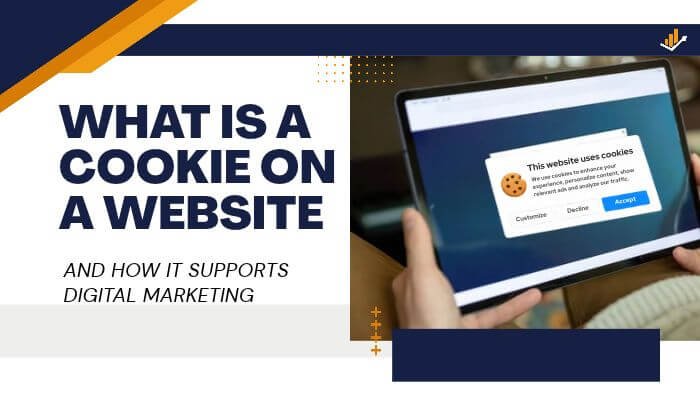

A customer adds a product to an online cart, leaves the site, and returns later to find it still there. That small convenience shows why cookies matter to both users and businesses. So, what is a cookie on a website? It is a small piece of data stored in a browser to help websites remember sessions, preferences, activity, and other useful information.
For businesses, what is a cookie on a website is also a digital marketing question. Cookies can support analytics, conversion tracking, personalization, advertising, and customer experience, while privacy rules and browser restrictions determine how they should be used.
Quick Answer
What is a cookie on a website? A cookie is a small piece of data stored in a browser that helps a website remember sessions, preferences, shopping carts, and other activity. Businesses also use cookies for analytics, conversion tracking, personalization, advertising, and remarketing, subject to browser controls and applicable privacy rules.
Key Takeaways
- What is a cookie on a website? It is a small piece of browser-stored data that helps websites remember sessions, preferences, and activity.
- Essential cookies support functions such as logins, security, checkout, and shopping carts.
- Analytics and marketing cookies can help businesses measure traffic, conversions, attribution, remarketing, and campaign performance.
- First-party and third-party cookies work differently, while Chrome, Safari, and Firefox apply different privacy controls.
- Google Consent Mode, Enhanced Conversions, and server-side tagging can support more privacy-aware marketing measurement.
- What is a cookie on a website also matters for compliance because businesses should respect consent choices and regularly audit tracking technologies.
What Is a Cookie on a Website?
A what is a cookie on a website explanation starts with a simple idea: a cookie is a small piece of data stored by a web browser so a website can remember information about a session, preference, or activity.
HTTP is naturally stateless, meaning one website request does not automatically remember the previous one. Cookies help websites maintain continuity between requests, which is why what is a cookie on a website matters for logins, carts, preferences, and other everyday functions.
A web server can send a cookie through the Set-Cookie response header, and the browser can later return applicable stored cookies through a Cookie request header. In practical terms, what is a cookie on a website often means giving the browser a small identifier that helps the server recognize an existing session.
For example, an ecommerce website may create a session identifier after a customer signs in. As the customer moves between pages, the browser can send the relevant cookie so the website keeps the user logged in.
How Do Website Cookies Work?
For businesses, what is a cookie on a website becomes clearer when you follow the process from a customer’s first visit to later website requests.
| Step | What Happens |
|---|---|
| 1 | The customer opens the website |
| 2 | The website sends content to the browser |
| 3 | The website may ask the browser to store a cookie |
| 4 | The browser stores the permitted cookie |
| 5 | The customer moves to another page |
| 6 | The browser may return the relevant cookie |
| 7 | The website uses it to maintain a session, preference, or other function |
Cookies usually contain small values rather than complete customer profiles. A website might store a session identifier such as session_id=847296, while the larger account or customer record remains on the company’s server.
What Information Can Website Cookies Store?
When explaining what is a cookie on a website, it is important to distinguish between information stored directly in a cookie and information that the cookie merely helps a server identify.
Cookies may contain or reference:
- Session identifiers
- Login status
- Shopping-cart information
- Language settings
- Currency preferences
- Consent choices
- Analytics identifiers
- Advertising identifiers
- Campaign information
- Affiliate referrals
- A/B testing groups
- Personalization settings
Cookies do not give a website unrestricted access to a user’s computer. Their behavior depends on browser controls, cookie settings, website configuration, security attributes, and the information a business chooses to store.
Businesses should avoid placing sensitive information directly inside cookies when a secure identifier can serve the same purpose.
Why Do Websites Use Cookies?
From a business perspective, what is a cookie on a website is closely connected to maintaining a smooth customer experience and measuring digital activity.
Without cookies or another state-management method, a website could forget important information whenever a visitor moves between pages. A customer might lose a shopping cart, be asked to log in repeatedly, or need to select the same preferences again.
Cookies can support:
- User authentication
- Shopping carts
- Checkout sessions
- Security
- Fraud prevention
- Website preferences
- Analytics
- Advertising
- Conversion measurement
- Personalization
- Affiliate attribution
- A/B testing
The purpose matters. A cookie used to keep a customer logged in serves a very different function from one used for advertising or remarketing.
Main Types of Website Cookies
Cookies can be grouped by their purpose, duration, and relationship with the website being visited.
| Cookie Type | Main Purpose | Example |
|---|---|---|
| Strictly necessary | Core website functions | Login or checkout session |
| Preference | Remember user choices | Language selection |
| Analytics | Measure website activity | Session measurement |
| Advertising | Support marketing | Remarketing identifier |
| First-party | Used in the site’s own context | Website session |
| Third-party | Used in a cross-site context | Certain advertising services |
| Session | Designed for the current session | Temporary checkout state |
| Persistent | Remains beyond a session | Saved preference |
| Partitioned | Isolated by top-level website | Embedded service state |
These categories can overlap. For example, an analytics cookie may be both first-party and persistent.
How Long Do Website Cookies Last?
There is no single lifespan for website cookies. Session cookies generally last for a browsing session, while persistent cookies can remain after the browser closes until they expire, are replaced, or are removed.
Cookies may disappear earlier because:
- The user deletes them
- Browser settings remove them
- Private browsing ends
- Privacy tools block them
- Browser tracking protections shorten their lifespan
- The website replaces them
- Their configured expiration date is reached
Google Analytics 4 cookies such as _ga can have a default expiration period of up to two years, but browser restrictions may shorten how long they actually remain available.
For marketers, the important point is that a configured cookie lifespan does not guarantee the same tracking window across every visitor, browser, or device.
First-Party Cookies vs Third-Party Cookies
When explaining what is a cookie on a website, the difference between first-party and third-party cookies is especially important for businesses using analytics, advertising, and conversion tracking.
First-Party Cookies
A first-party cookie operates in the context of the website a person is currently visiting. It can help the site maintain sessions, remember preferences, measure activity, or support checkout.
For example, when someone visits example.com, a cookie associated with that site may help keep the customer signed in or remember items in a shopping cart. This practical use is an important part of what is a cookie on a website for ecommerce and other digital businesses.
First-party cookies commonly support:
- Login sessions
- Shopping carts
- Website preferences
- Analytics
- Conversion measurement
- Personalization
- Consent preferences
Google Analytics 4 also uses first-party cookies to help distinguish users and maintain measurement information across sessions.
Third-Party Cookies
Third-party cookies operate in a cross-site context. When explaining what is a cookie on a website, these cookies matter because they can allow an outside service embedded on multiple sites to recognize browser activity across different websites.
Historically, third-party cookies have supported:
- Digital advertising
- Cross-site recognition
- Remarketing
- Audience measurement
- Conversion attribution
- Embedded third-party services
Their ability to connect activity across websites has created greater privacy concerns, leading browsers such as Safari and Firefox to impose stronger restrictions on cross-site tracking.
What Is a Marketing Cookie?
A marketing cookie is generally used to support advertising, attribution, audience measurement, remarketing, or campaign analysis. From a business perspective, what is a cookie on a website often includes understanding whether a cookie supports essential functionality or optional marketing activity.
Marketing cookies may help businesses:
- Attribute conversions to campaigns
- Build eligible advertising audiences
- Measure advertising performance
- Control ad frequency
- Support remarketing
- Analyze campaign results
The term marketing cookie describes what the cookie is used for rather than a separate technical cookie type. Both first-party and third-party cookies can support marketing functions, so the purpose and implementation matter more than the label alone.
How Cookies Support Digital Marketing
For businesses, what is a cookie on a website becomes especially important when cookies are used to measure performance, improve customer experience, and support marketing decisions.
- Website Analytics — Cookies can help measure visitors, page views, traffic sources, returning users, conversions, and funnel activity.
- Conversion Tracking — They can help connect actions such as purchases, lead forms, calls, bookings, app installs, and software trials with earlier marketing interactions.
- Marketing Attribution — Cookies and other signals can help businesses understand which channels contributed to a conversion across journeys such as social media, search, paid ads, content, and email.
- Remarketing — Eligible previous visitors may be reached again with relevant advertising, subject to browser settings, consent, platform rules, and applicable privacy laws.
- Website Personalization — Cookies can remember language, currency, region, recently viewed content, and interface preferences.
- A/B Testing — They can help keep visitors in the same test group when businesses compare headlines, landing pages, offers, buttons, or checkout designs.
- Affiliate Marketing — Cookies may help identify which affiliate or referral partner contributed to a qualifying sale.
- Advertising Frequency — Identifiers can help limit how often the same eligible user sees an advertisement.
From a digital marketing perspective, what is a cookie on a website is closely tied to measurement and customer experience, but cookies are only one part of modern tracking as browsers and privacy rules continue to limit how data can be collected and used.
Example of Cookies in a Customer Journey
For businesses, what is a cookie on a website becomes easier to understand when you follow a customer from an advertisement to a completed purchase.
| Customer Action | Possible Role of Cookies |
|---|---|
| Arrives through an advertisement | Campaign information may be recorded |
| Views office furniture | Website activity may be measured |
| Adds a product to the cart | Cart state can be maintained |
| Leaves the website | Certain permitted information may remain |
| Returns later | Browser may be recognized where allowed |
| Completes a purchase | Conversion may be recorded |
| Marketing team reviews results | Revenue may be attributed to marketing activity |
The exact journey depends on the browser, consent choice, tracking setup, and advertising platform. Cookies can support useful measurement, but they do not provide a complete view of every customer’s journey.
Cookies and Google Analytics 4
When businesses ask what is a cookie on a website, Google Analytics 4 provides a common example because GA4 uses first-party cookies such as _ga to help distinguish users and maintain measurement information.
| GA4 Cookie | Typical Purpose |
|---|---|
_ga |
Helps distinguish users |
_ga_<container-id> |
Helps maintain session-related information |
Google lists a default expiration of up to two years for these cookies, although browser restrictions and user choices can shorten their effective lifetime.
GA4 can help businesses understand:
- Which channels generate traffic
- Which pages attract engagement
- Which content produces leads
- Where visitors leave a funnel
- Which campaigns contribute to conversions
Businesses should not expect every visitor to be measured identically. Browser privacy controls, consent decisions, cookie deletion, and tracking restrictions can create gaps in analytics data.
What Is Google Consent Mode?
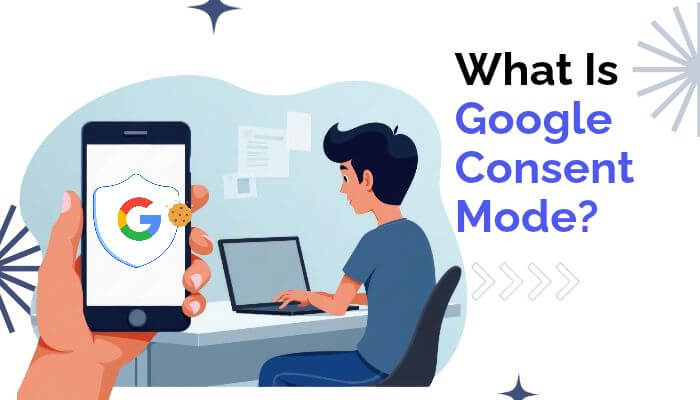
From a measurement perspective, what is a cookie on a website also involves understanding how Google tags respond when users grant or deny different types of consent.
Google Consent Mode can adjust supported Google tags according to signals such as:
| Consent Signal | Main Function |
|---|---|
analytics_storage |
Controls analytics-related storage |
ad_storage |
Controls advertising-related storage |
ad_user_data |
Controls advertising-related user data |
ad_personalization |
Controls personalized advertising |
Consent Mode does not collect legal consent by itself. It communicates consent states from a website’s consent system to supported Google technologies.
Depending on the setup, denied consent may restrict cookie storage while still allowing limited cookieless or aggregated measurement signals.
What Happens When Visitors Reject Marketing Cookies?
For marketers, what is a cookie on a website becomes especially important when visitors reject optional analytics or advertising cookies because several measurement and targeting capabilities may become more limited.
Possible effects include:
- Less reliable returning-user recognition
- Reduced cross-session measurement
- Limited remarketing eligibility
- Less detailed conversion attribution
- Reduced advertising personalization
- Smaller measurable audience pools
- More incomplete customer journeys
However, rejecting a marketing cookie does not always mean all measurement stops. Some platforms can use consent-aware, aggregated, modeled, or cookieless measurement where permitted.
Businesses should respect the visitor’s choice rather than trying to reconstruct tracking that the user declined.
How Enhanced Conversions Reduce Measurement Gaps
As businesses reconsider what is a cookie on a website, Enhanced Conversions shows how modern measurement can supplement traditional cookie-based tracking with eligible first-party customer information.
Google Ads Enhanced Conversions may use information provided during a conversion, such as:
- Email address
- Phone number
- Name
- Address
Google says eligible customer information is hashed before transmission and can be matched with signed-in Google users to improve conversion measurement.
Modern conversion measurement can therefore combine:
Cookies + consent signals + first-party data + modeled measurement
This approach helps reduce some measurement gaps without relying entirely on traditional browser cookies. Businesses must still handle customer information appropriately and follow applicable privacy and advertising requirements.
What Is Server-Side Tagging?
Traditional marketing tags often send measurement information directly from a visitor’s browser to analytics or advertising platforms.
With server-side tagging, some processing moves to a server environment controlled by the business before information is forwarded to marketing vendors.
Potential benefits include:
- Greater control over collected data
- Fewer third-party scripts in the browser
- Better data-quality management
- Ability to filter or transform information
- Improved security controls
- Potential website-performance improvements
Server-side tagging can give businesses more control over how measurement information moves between their website and marketing platforms.
Does Server-Side Tagging Replace Cookies?
No.
Cookies and server-side tagging serve different purposes.
- Cookies store or maintain information in the browser.
- Server-side tagging controls how measurement information is processed and routed.
- Client-side tags may still work alongside server-side systems.
Server-side tagging should not be treated as a way to bypass browser privacy controls or consent requirements. Moving data through a company’s server does not automatically make the underlying collection or use acceptable.
Are Third-Party Cookies Going Away?
The discussion around what is a cookie on a website has changed significantly because Google no longer plans the universal Chrome third-party-cookie phaseout that marketers once expected.
On April 22, 2025, Google said Chrome would maintain its existing approach to third-party-cookie choice rather than introduce the previously proposed standalone prompt.
Google revised its Privacy Sandbox roadmap again on October 17, 2025, retiring some technologies while continuing work around areas such as CHIPS, FedCM, and advertising measurement.
Therefore, this statement is inaccurate in 2026:
“Google Chrome has completely eliminated third-party cookies.”
It has not.
However, businesses should not assume traditional cross-site cookie tracking will always remain dependable because:
- Safari already blocks third-party cookies by default.
- Firefox uses strong cross-site tracking protections.
- Chrome users can restrict third-party cookies.
- Privacy tools and extensions can block tracking.
- Users can delete stored cookies.
- Privacy regulations continue to affect advertising practices.
The practical strategy is not to wait for one universal “cookieless” deadline. Businesses should strengthen first-party data, consent-aware measurement, and marketing systems that can still provide useful insights when browser cookies are unavailable.
How Safari, Firefox and Chrome Handle Cookies Differently
When explaining what is a cookie on a website, browser behavior matters because Chrome, Safari, and Firefox apply different privacy controls to cookies and cross-site tracking.
| Browser | Important Behavior |
|---|---|
| Chrome | Gives users controls over third-party cookies |
| Safari | Blocks third-party cookies by default and limits some tracking storage |
| Firefox | Uses Total Cookie Protection to isolate cookies by site |
| Private browsing | Cookie storage may be temporary or more restricted |
Safari
Safari uses WebKit’s Intelligent Tracking Prevention to reduce cross-site tracking.
Key points include:
- Third-party cookies are blocked by default.
- Some script-writeable storage can face shorter retention periods in certain tracking-related situations.
- Cross-site tracking techniques receive additional restrictions.
Firefox
Firefox uses Total Cookie Protection, which keeps cookie data separated by the top-level website being visited.
This helps prevent third parties from using the same cookie to follow users across unrelated websites.
Chrome
Chrome has not universally eliminated third-party cookies. Instead, users can manage third-party-cookie settings through Chrome’s privacy controls.
For businesses, what is a cookie on a website also means recognizing that the same analytics or advertising setup may behave differently across browsers.
Businesses should therefore:
- Test analytics in Chrome, Safari, and Firefox
- Check whether conversions are recorded consistently
- Monitor gaps caused by browser privacy controls
- Avoid relying entirely on cross-site cookie tracking
What Are Partitioned Cookies and CHIPS?
When explaining what is a cookie on a website, partitioned cookies are an important newer development because they allow embedded services to store information separately for each top-level website instead of sharing the same cookie freely across unrelated sites.
CHIPS stands for Cookies Having Independent Partitioned State. It separates third-party cookie storage by the top-level site, helping preserve useful embedded features while limiting cross-site tracking.
For example:
chat-service.comembedded onwebsite-a.comreceives one partition.- The same service on
website-b.comreceives a separate partition. - The two sites cannot simply share the same cookie state.
Partitioned cookies can support:
- Embedded chat
- Maps
- Content widgets
- Authentication features
- Embedded applications
For businesses, what is a cookie on a website now includes understanding how technologies such as CHIPS can maintain useful website functionality while reducing unrestricted cross-site tracking.
Why First-Party Data Is Becoming More Important
First-party data comes directly from a company’s own interactions with customers or prospects. As cross-site tracking becomes less reliable, what is a cookie on a website is increasingly connected to a broader first-party data strategy rather than cookie tracking alone.
Common first-party data sources include:
- Purchases
- Account registrations
- Newsletter signups
- CRM records
- Customer-service interactions
- Loyalty programs
- Website forms
- Product usage
- Event registrations
This data can help businesses understand whether customers purchased before, joined a loyalty program, requested a quote, or prefer certain products.
First-party data can be commercially valuable because it comes from a direct customer relationship. However, businesses must still consider privacy notices, retention periods, user rights, consent requirements, and other applicable rules.
What Is Zero-Party Data?
Zero-party data is a marketing term for information customers intentionally provide about their preferences, needs, or intentions.
Examples include:
- Survey responses
- Product quizzes
- Preference-center selections
- Stated interests
- Communication preferences
- Style choices
- Budget ranges
| Data Type | Example |
|---|---|
| Cookie data | Browser identifier |
| First-party behavioral data | Purchase history |
| Zero-party data | Customer states a preferred product |
| CRM data | Lead or customer record |
A retailer, for example, can ask customers which products they prefer instead of trying to infer every preference from browsing behavior. This can create a more transparent and useful customer relationship.
Cookies vs First-Party Data
Understanding what is a cookie on a website also requires separating cookies from first-party data because cookies are a storage technology, while first-party data describes information collected through a direct relationship with customers.
| Cookies | First-Party Data |
|---|---|
| Browser storage technology | Business data category |
| Often browser or device specific | Can exist across several systems |
| Can expire or be deleted | May remain under retention policies |
| Can be first-party or third-party | Comes from direct customer interactions |
| May contain identifiers | May include purchases, accounts or leads |
A first-party cookie can help collect or connect first-party information, but cookies and first-party data are not the same thing.
Do All Websites Need Cookie Consent?
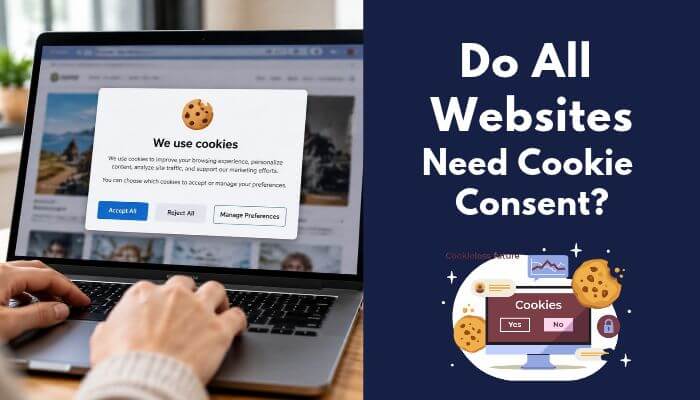
There is no single cookie-consent rule for every website. For businesses, what is a cookie on a website also depends on where users are located, what the cookie does, and which privacy laws apply.
Key factors include:
- Visitor location
- Business location
- Cookie purpose
- Type of data collected
- Advertising activity
- Applicable privacy laws
- Consent or opt-out requirements
European Union
- Strictly necessary cookies may not require consent in certain cases.
- Non-essential cookies generally require valid user consent.
- Consent should be freely given, specific, informed, and unambiguous.
- Pre-ticked boxes are not considered valid active consent.
United Kingdom
- UK rules changed under the Data (Use and Access) Act 2025.
- Updated ICO guidance took effect in 2026.
- Certain uses may qualify for consent exceptions, including:
- Communication
- Strictly necessary purposes
- Statistical purposes
- Appearance settings
- Emergency assistance
- Some analytics may qualify for a statistical-purpose exception when specific conditions are met.
- Online advertising technologies generally still require consent.
California
- California does not follow the same consent model as the EU.
- Covered businesses may need to provide opt-out rights for qualifying sale or sharing of personal information.
- Global Privacy Control signals may need to be honored where applicable.
- Updated CCPA regulations became effective in 2026.
Businesses operating across multiple regions should not assume that one cookie banner will satisfy every privacy requirement.
This information is for general guidance and is not legal advice.
What Should a Good Cookie Banner Do?
For businesses asking what is a cookie on a website, the next step is making sure visitors can clearly understand and control optional cookie use.
A good cookie banner should:
- Explain cookie purposes clearly
- Separate necessary and optional cookies
- Offer meaningful choices
- Prevent non-permitted tags from firing too early
- Save the user’s preferences
- Allow users to change choices later
- Pass consent choices to analytics and advertising tools
- Avoid misleading buttons or confusing design
A cookie banner should match what actually happens behind the scenes. If marketing tags ignore a visitor’s choice, the banner itself provides little value.
Cookie Policy vs Privacy Policy
When explaining what is a cookie on a website, businesses should also understand that a cookie policy and privacy policy serve different purposes.
| Cookie Policy | Privacy Policy |
|---|---|
| Focuses on cookies and similar technologies | Covers broader personal-data practices |
| Explains cookie purposes and categories | Explains data collection and processing |
| May list cookie duration | Covers broader retention practices |
| May identify cookie providers | May identify data recipients |
| Explains cookie controls | Explains wider privacy rights |
A separate cookie-policy page is not always required. Some businesses include cookie information within a broader privacy notice, provided visitors receive the disclosures and controls required for the technologies being used.
How to Audit Website Cookies
For website owners, what is a cookie on a website should also include knowing which cookies, pixels, tags, and tracking tools are actually active.
A simple cookie audit should:
- Scan the site before optional cookies are accepted.
- Repeat the scan after different consent choices.
- Identify cookies, pixels, scripts, and storage technologies.
- Record the provider, purpose, and duration.
- Check whether each tool is first-party or cross-site.
- Confirm whether data is shared with another company.
- Verify that optional tags respect consent choices.
- Compare actual tracking with the cookie notice.
- Remove duplicate or unused tags.
- Retest after major website or plugin changes.
Do not check only the homepage. Tracking technologies may appear on:
- Product pages
- Checkout pages
- Contact forms
- Landing pages
- Video pages
- Thank-you pages
Regular cookie audits can improve privacy compliance, website performance, and marketing-data accuracy.
Common Cookie Mistakes Businesses Make
When businesses understand what is a cookie on a website, they can avoid common tracking, privacy, and performance mistakes.
- Treating every cookie as advertising — Login, security, and shopping-cart cookies can serve essential functions.
- Assuming first-party cookies are always privacy-free — Their purpose still matters, especially when used for profiling or advertising.
- Installing tags without testing — Duplicate tags can inflate traffic, conversions, and revenue reports.
- Keeping unused marketing scripts — Old tracking tools can slow websites and create unnecessary privacy risk.
- Ignoring consent choices — A cookie banner is ineffective if underlying tags do not respect user preferences.
- Using excessive cookie lifetimes — Cookie duration should match the actual business purpose.
- Recreating deleted cookies — “Zombie cookie” techniques can undermine user privacy and control.
Cookie Security Best Practices
For businesses asking what is a cookie on a website, security is important because cookies may contain session identifiers and other information used to maintain website access.
Key cookie security practices include:
- Secure — Sends the cookie only over HTTPS connections.
- HttpOnly — Prevents client-side JavaScript from directly accessing the cookie.
- SameSite — Controls when cookies are sent with cross-site requests.
- SameSite=Strict — Provides the strongest cross-site restriction.
- SameSite=Lax — Allows limited cross-site use in common navigation situations.
- SameSite=None — Allows cross-site use and must also use
Secure. - Limit Domain and Path — Give cookies access only where necessary.
- Use reasonable expiration periods — Avoid keeping cookies longer than their purpose requires.
Marketing teams should work with developers when analytics, advertising, or tracking technologies interact with login sessions, checkout systems, or other sensitive website functions.
Cookies vs Cache
Understanding what is a cookie on a website also means knowing that cookies and browser cache serve different purposes.
| Cookies | Cache |
|---|---|
| Store small website-related values | Stores copies of website resources |
| Can maintain sessions and preferences | Mainly improves loading speed |
| May support analytics or marketing | Usually stores images, CSS, and scripts |
| May be sent back to a server | Cached files are mainly reused by the browser |
Deleting cookies may sign users out or remove saved preferences, while clearing the cache usually forces the browser to download fresh website files.
Cookies vs Tracking Pixels
Cookies and tracking pixels are different technologies, although they often work together in digital marketing.
- Cookies store information in the browser.
- Pixels or tags can send information when a page loads or an action occurs.
- Server events can send permitted measurement data from business systems.
- First-party data can provide additional customer or conversion context.
Modern marketing systems may combine cookies, pixels, tags, server events, and first-party information. This broader view is important when explaining what is a cookie on a website because cookies are only one part of today’s tracking ecosystem.
Do Cookies Affect SEO?
Cookies are not a direct Google ranking factor, but poor cookie implementation can affect crawling and user experience.
Googlebot Does Not Behave Like a Normal Returning Customer
Googlebot generally should not be expected to maintain cookie-based state like a normal returning visitor.
Businesses should therefore:
- Keep important content accessible without persistent cookies.
- Avoid hiding essential indexable content behind cookie-dependent experiences.
- Test A/B pages carefully.
- Make sure search engines can access the main version of important content.
For SEO, what is a cookie on a website matters less as a ranking signal and more in how cookie-dependent experiences affect accessibility, crawling, and usability.
Cookie Banners Can Affect User Experience
Cookie banners should provide required choices without unnecessarily blocking the entire page.
Good practice includes:
- Keeping banners clear and easy to use
- Avoiding unnecessarily intrusive full-screen designs
- Making important content accessible
- Providing understandable consent options
- Allowing users to update choices later
A simple, functional consent interface usually provides a better experience than an aggressive pop-up that dominates the page.
Does Blocking Cookies Break a Website?
Sometimes. The impact depends on which cookies are blocked.
Blocking optional advertising or analytics cookies should not normally prevent basic website content from working, but blocking necessary cookies may affect:
- Login sessions
- Shopping carts
- Checkout
- Saved preferences
- Fraud prevention
- Certain embedded services
Businesses should clearly separate strictly necessary cookies from optional analytics and advertising technologies.
Are Cookies Bad?
No. Cookies are a technical tool, and their impact depends on how they are used. This distinction is important when answering what is a cookie on a website from a privacy and business perspective.
Businesses should consider:
- What information the cookie stores
- Why the cookie is needed
- Who receives the data
- How long the cookie lasts
- Whether users have appropriate controls
- Whether applicable privacy rules are followed
A login cookie can keep an account active, a shopping-cart cookie can support ecommerce, and an analytics cookie can help improve a website. Cross-site advertising cookies can create greater privacy concerns because they may be used to recognize activity across different websites.
The key issue is not whether cookies are automatically good or bad, but whether they are used securely, transparently, and for a legitimate purpose.
Can Digital Marketing Work Without Cookies?
Yes. Understanding what is a cookie on a website also means recognizing that digital marketing can continue even when cookies are limited or unavailable.
Businesses can use:
- First-party relationships — Customer accounts, loyalty programs, subscriptions, and purchase history.
- Contextual advertising — Ads based on page content instead of browsing history.
- Customer surveys — Directly collect preferences, interests, and feedback.
- CRM measurement — Connect leads and customers with revenue outcomes.
- Controlled experiments — Compare results across campaigns, audiences, regions, or time periods.
- Enhanced Conversions — Use eligible first-party conversion data to support measurement.
- Server-side measurement — Process permitted data with greater business control.
- Aggregated and modeled measurement — Estimate performance when every conversion cannot be observed directly.
The goal is not to track every person everywhere. It is to collect enough reliable information to make better marketing decisions.
What Should Businesses Do as Cookie Tracking Changes?
As what is a cookie on a website becomes part of a wider privacy and measurement strategy, businesses should avoid depending on one browser identifier.
Key priorities include:
- Understand every marketing tag — Know why each script or tracking tool is installed.
- Collect useful data — Focus on information that supports real business decisions.
- Strengthen first-party data — Build direct relationships through CRM systems, accounts, loyalty programs, and subscriptions.
- Respect user choices — Make sure privacy controls work technically, not just visually.
- Test across browsers — Check measurement in Chrome, Safari, Firefox, and private browsing.
- Use multiple measurement methods — Do not depend entirely on cookies or last-click attribution.
- Review marketing technology regularly — Remove outdated, duplicate, or low-value tracking tools.
A strong digital-marketing strategy should remain useful even when some cookies are blocked, deleted, or unavailable.
Why Website Cookies Still Matter to Business
For businesses, what is a cookie on a website still matters because cookies support essential website functions, customer experience, and marketing measurement.
Cookies can help businesses:
- Maintain login sessions
- Preserve shopping carts
- Remember customer preferences
- Support account security
- Measure website activity
- Track campaign performance
- Run A/B tests
- Record conversions
What has changed is how much businesses can rely on cookie data. Browser restrictions, privacy choices, cross-device activity, offline purchases, and regulatory requirements can all create measurement gaps.
Successful businesses therefore treat cookies as one useful data signal among many, combining them with first-party data, CRM information, consent-aware analytics, and other measurement methods.
Conclusion
For businesses, what is a cookie on a website is no longer just a technical question. Cookies sit at the intersection of customer experience, marketing measurement, privacy, and digital strategy.
They still help companies maintain sessions, measure conversions, personalize experiences, and understand customer behavior. But browser restrictions, consent requirements, first-party data, and newer measurement tools are reducing the value of treating cookies as the only source of marketing insight.
The real advantage now comes from knowing what is a cookie on a website, why each tracking technology is being used, and whether the data it produces leads to better business decisions.
Companies that combine cookies with first-party data, consent-aware analytics, stronger customer relationships, and disciplined measurement will be better positioned than those that simply collect more data.
Cookies are not disappearing from digital business. Their role is becoming more selective, more regulated, and more strategic.
Frequently Asked Questions
1. Can website cookies follow users across different devices?
Usually not by themselves. A standard browser cookie is generally tied to a particular browser or device, although account-based systems may connect activity across devices.
2. Are website cookies automatically encrypted?
No. Understanding what is a cookie on a website includes knowing that cookie contents are not automatically encrypted. HTTPS protects data during transmission, while secure implementation still matters.
3. Are cookies and local storage the same thing?
No. Both store browser data, but cookies can be sent automatically with relevant web requests, while local storage normally remains in the browser until website code accesses it.
4. Can subdomains share website cookies?
Sometimes. Cookie settings such as the Domain attribute can determine whether eligible subdomains can access the same cookie.
5. Can too many cookies slow down a website?
Yes, potentially. Large numbers of cookies can add data to web requests, so businesses should avoid unnecessary or oversized cookies.
6. Does clearing browser history also delete cookies?
Not always. Browsers often provide separate controls for browsing history, cached files, cookies, and other site data.
7. Can a website store passwords inside cookies?
Technically data can be placed in cookies, but businesses should not store plain-text passwords or sensitive credentials directly in them. Secure session identifiers are safer.
8. Do mobile apps use website cookies?
Some apps use cookies inside embedded web views or browser-based login flows, while native apps may also rely on other storage and authentication technologies.
