


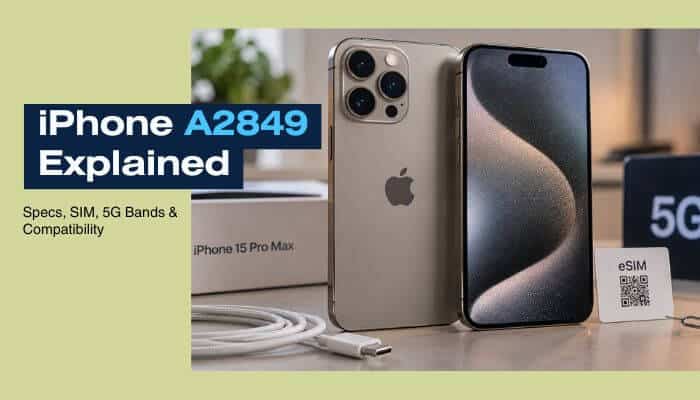

The iPhone A2849 is the United States and Puerto Rico version of Apple’s iPhone 15 Pro Max. It features the A17 Pro chip, a 6.7-inch ProMotion OLED display, titanium construction, a 48MP Main camera, a dedicated 5x telephoto camera, USB-C, and extensive 5G connectivity.
The model number matters most when buying a used or imported phone. Unlike many iPhone 15 Pro Max versions sold internationally, the U.S. A2849 has no physical SIM tray and depends entirely on eSIM. It also supports a broad selection of 5G bands, including mmWave frequencies designed for compatible high-speed networks.
In 2026, the iPhone 15 Pro Max remains compatible with iOS 27 and Apple Intelligence, giving the iPhone A2849 continued relevance several years after its original 2023 launch.
This guide explains the iPhone A2849 specifications, SIM support, 5G bands, international compatibility, battery condition, USB-C features, warranty considerations, and the checks buyers should complete before purchasing one.
Quick Answer
The iPhone A2849 is the U.S. and Puerto Rico iPhone 15 Pro Max.
Apple introduced the model in 2023 with 256GB, 512GB, and 1TB storage options. Its biggest regional difference is the SIM configuration: there is no physical nano-SIM tray, so mobile service uses eSIM.
A2849 also supports both sub-6GHz 5G and mmWave bands n258, n260, and n261. Actual network performance still depends on your carrier, mobile plan, location, and local network deployment.
iPhone A2849 at a Glance
The iPhone A2849 is the U.S. and Puerto Rico version of the iPhone 15 Pro Max. Here is a quick overview of its most important specifications and connectivity features.
| Feature | Specification |
|---|---|
| Device | iPhone 15 Pro Max |
| Model number | A2849 |
| Launch year | 2023 |
| Primary market | United States and Puerto Rico |
| Display | 6.7-inch Super Retina XDR OLED |
| Processor | A17 Pro |
| Main camera | 48MP |
| Telephoto camera | 12MP 5x |
| Storage | 256GB, 512GB, 1TB |
| Physical SIM | No |
| eSIM | Yes |
| Dual SIM | Dual eSIM |
| 5G | Sub-6GHz + mmWave |
| USB port | USB-C |
| USB speed | USB 3 up to 10Gb/s |
| Wi-Fi | Wi-Fi 6E |
| Bluetooth | Bluetooth 5.3 |
| Current software generation | iOS 27 |
| Apple Intelligence | Supported |
Key Takeaways
- iPhone A2849 is an iPhone 15 Pro Max.
- Apple assigns A2849 to the United States and Puerto Rico.
- It has no physical SIM tray.
- It supports Dual eSIM.
- It supports sub-6GHz and mmWave 5G.
- Storage options are 256GB, 512GB, and 1TB.
- It uses Apple’s A17 Pro processor.
- The display measures 6.7 inches and supports ProMotion up to 120Hz.
- It includes a 48MP Main camera and dedicated 5x telephoto camera.
- USB-C supports USB 3 data transfer up to 10Gb/s.
- It supports Wi-Fi 6E and Bluetooth 5.3.
- Apple rates the iPhone 15 Pro Max for up to 29 hours of video playback.
- iPhone 15 batteries are designed to retain 80% capacity after 1,000 complete charge cycles under ideal conditions.
- iPhone 15 Pro Max supports iOS 27 and Apple Intelligence in 2026.
- International compatibility depends on eSIM, carrier lock status, supported bands, and carrier policies.
What Is iPhone A2849?
iPhone A2849 is Apple’s regional model number for the iPhone 15 Pro Max sold in the United States and Puerto Rico. It belongs to the same iPhone 15 Pro Max family as other regional versions, but its SIM and cellular configuration can differ.
Apple identifies the iPhone 15 Pro Max with the following model numbers:
| Model Number | Region |
|---|---|
| A2849 | United States and Puerto Rico |
| A3105 | Canada, Guam, Japan, Mexico, Saudi Arabia and U.S. Virgin Islands |
| A3108 | China mainland, Hong Kong and Macao |
| A3106 | Other countries and regions |
All four model numbers represent the iPhone 15 Pro Max, so they share the same core product family rather than representing different iPhone generations.
The regional model number becomes particularly important when checking physical SIM and eSIM support, cellular bands, carrier compatibility, activation, and international use. For example, the U.S. A2849 does not have a physical SIM tray and relies on eSIM for cellular service.
iPhone A2849 Full Specifications
For buyers who want the technical details, the iPhone A2849 specifications cover everything from display and performance to cameras, connectivity, dimensions, and SIM support.
| Specification | Details |
|---|---|
| Product | iPhone 15 Pro Max |
| Model number | A2849 |
| Introduced | 2023 |
| Display | 6.7-inch Super Retina XDR OLED |
| Resolution | 2796 × 1290 pixels |
| Pixel density | 460 ppi |
| Refresh rate | ProMotion up to 120Hz |
| Chip | Apple A17 Pro |
| CPU | 6-core |
| GPU | 6-core |
| Neural Engine | 16-core |
| Main camera | 48MP |
| Ultra Wide camera | 12MP |
| Telephoto camera | 12MP 5x |
| Front camera | 12MP TrueDepth |
| Storage | 256GB, 512GB, 1TB |
| Physical SIM | No |
| eSIM | Yes |
| Dual SIM | Dual eSIM |
| 5G | Sub-6GHz and mmWave |
| Connector | USB-C |
| USB data transfer | USB 3 up to 10Gb/s |
| Video output | DisplayPort over USB-C |
| Wi-Fi | Wi-Fi 6E with 2×2 MIMO |
| Bluetooth | Bluetooth 5.3 |
| Ultra Wideband | Second-generation UWB |
| Thread | Supported |
| NFC | Supported |
| Water resistance | IP68 |
| Weight | 221g |
| Dimensions | 159.9 × 76.7 × 8.25 mm |
These specifications show why the A2849 remains a capable iPhone 15 Pro Max variant. However, international buyers should pay particular attention to its eSIM-only design and cellular compatibility, because those are the areas where the U.S. model can differ most significantly in everyday use.
iPhone A2849 Display and Design
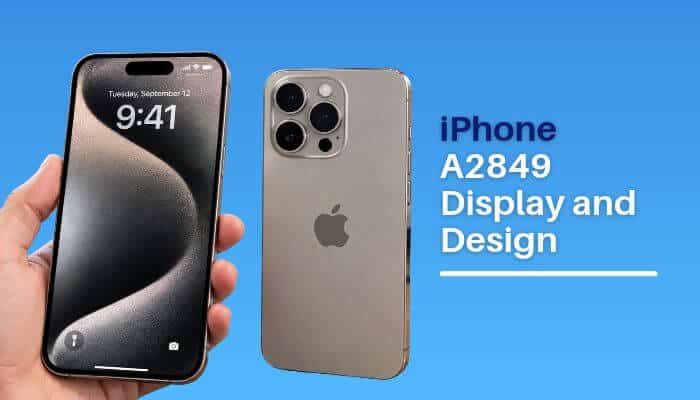
The iPhone A2849 has the same premium titanium construction as other iPhone 15 Pro Max variants. Its 6.7-inch Super Retina XDR OLED display supports ProMotion with an adaptive refresh rate of up to 120Hz, along with Dynamic Island, Always-On display, HDR, True Tone, and wide color.
The 2796 × 1290 display delivers 460 pixels per inch, while the thinner borders around the screen help maximize viewing space without increasing the overall footprint unnecessarily.
Apple originally offered the iPhone 15 Pro Max in four finishes:
- Black Titanium
- White Titanium
- Blue Titanium
- Natural Titanium
The design combines a contoured titanium frame with a textured matte-glass back. Compared with the previous stainless-steel Pro Max generation, the move to titanium also helped reduce the phone’s weight while retaining the large 6.7-inch Pro Max form factor.
A17 Pro Performance
The iPhone A2849 is powered by Apple’s A17 Pro chip, featuring a 6-core CPU with two performance and four efficiency cores, a 6-core GPU, and a 16-core Neural Engine.
A17 Pro also supports hardware-accelerated ray tracing for more advanced graphics in compatible games and applications. More importantly for buyers in 2026, the chip remains powerful enough to support Apple Intelligence and Apple’s current software generation.
Does iPhone A2849 Support iOS 27?
Yes. The iPhone 15 Pro Max supports iOS 27, keeping the A2849 compatible with Apple’s current iPhone software generation in 2026.
Apple released iOS 27 on September 14, 2026, with new Apple Intelligence features, Siri AI, and other system improvements.
Continued software support is an important consideration for anyone thinking about buying a used iPhone A2849 in 2026.
Does iPhone A2849 Support Apple Intelligence?
Yes. Because the iPhone A2849 is an iPhone 15 Pro Max with the A17 Pro chip, it supports Apple Intelligence.
With iOS 27, compatible features include Siri AI, writing assistance, Visual Intelligence, photo and productivity tools, and other AI-powered experiences.
However, individual Apple Intelligence features can vary by language, region, software version, and availability.
iPhone A2849 Camera System
The iPhone A2849 uses the iPhone 15 Pro Max camera system, led by a 48MP Main camera.
Its rear setup includes:
- 48MP Main camera
- 12MP Ultra Wide camera
- 2x telephoto option using the Main sensor
- 12MP dedicated 5x telephoto camera
The 5x telephoto uses Apple’s tetraprism design and provides a 120mm-equivalent focal length, making it particularly useful for distant subjects and tighter portraits.
Other features include Night mode, Smart HDR, Apple ProRAW, macro photography, Portrait mode, Deep Fusion, Photonic Engine, ProRes video, Cinematic mode, Action mode, LiDAR, and digital zoom up to 25x.
The dedicated 5x telephoto camera is also a notable hardware difference between the iPhone 15 Pro Max and the smaller iPhone 15 Pro.
Does iPhone A2849 Have a Physical SIM Slot?
No. The iPhone A2849 does not have a physical SIM tray.
Because A2849 is the U.S. and Puerto Rico version of the iPhone 15 Pro Max, cellular service relies on eSIM rather than a removable nano-SIM card.
This distinction is especially important for international buyers. Before importing an A2849, confirm that your mobile carrier supports eSIM activation for the device.
If you regularly depend on physical prepaid SIM cards while travelling, another regional iPhone 15 Pro Max variant may be more convenient.
How Does eSIM Work on iPhone A2849?
An eSIM is a digital SIM stored electronically rather than on a removable plastic card.
The iPhone A2849 can use eSIM plans supplied by compatible mobile carriers.
This allows users to activate mobile service without opening a SIM tray and makes it easier to store multiple carrier profiles for work, travel, or secondary numbers.
A typical setup might use one eSIM for a home carrier and another for a travel plan.
Does iPhone A2849 Support Dual SIM?
Yes.
The iPhone 15 Pro Max supports Dual SIM through eSIM, allowing two compatible lines to be active simultaneously.
That can be useful for:
- Personal and business numbers
- Home and travel plans
- Voice and secondary data plans
- Two different carriers
When using plans from different carriers, the iPhone generally needs to be carrier unlocked.
Is iPhone A2849 Factory Unlocked?
Not necessarily. The iPhone A2849 model number does not indicate whether the device is carrier locked or unlocked.
An A2849 may have been purchased unlocked, unlocked later by its original carrier, or remain locked to a U.S. carrier. This is especially important when buying a used or imported device.
To check the current lock status, open:
Settings → General → About
Then look for Carrier Lock or Network Provider Lock.
If the phone displays “No SIM restrictions,” it is unlocked and can generally be used with another compatible carrier.
Before buying a used iPhone A2849, verify the carrier-lock status directly on the device rather than relying only on the seller’s description.
iPhone A2849 5G Bands
The iPhone A2849 supports a broad range of 5G bands, which helps make the U.S. iPhone 15 Pro Max compatible with many cellular networks.
Apple lists the following 5G NR bands for this model:
n1, n2, n3, n5, n7, n8, n12, n14, n20, n25, n26, n28, n29, n30, n38, n40, n41, n48, n53, n66, n70, n71, n75, n76, n77, n78 and n79.
The A2849 also supports these mmWave 5G bands:
- n258
- n260
- n261
Important iPhone A2849 5G Bands at a Glance
| 5G Band | Frequency Category |
|---|---|
| n1 | Sub-6GHz |
| n3 | Sub-6GHz |
| n5 | Low-band/Sub-6GHz |
| n7 | Sub-6GHz |
| n28 | Low-band |
| n41 | Mid-band |
| n66 | AWS |
| n71 | Low-band |
| n77 | Mid-band |
| n78 | Mid-band |
| n79 | Mid-band |
| n258 | mmWave |
| n260 | mmWave |
| n261 | mmWave |
Supporting a particular 5G band does not automatically guarantee that 5G service will work.
Your carrier must support the device, use compatible frequencies, provision the eSIM and mobile plan correctly, and provide 5G coverage in your location. Network availability can also vary by country, carrier, and region.
What Is mmWave 5G on iPhone A2849?
The iPhone A2849 supports mmWave 5G, a high-frequency form of 5G designed to deliver very fast data speeds over relatively short distances in areas with compatible network coverage.
The A2849 supports three mmWave bands:
- n258
- n260
- n261
However, mmWave coverage is much less widespread than sub-6GHz 5G. Buildings, distance from the network equipment, carrier deployment, and location can all affect availability.
Having mmWave hardware also does not guarantee that the feature will work with every carrier or in every country.
For many international users, sub-6GHz bands such as n28, n77, and n78 are more relevant to everyday 5G compatibility than mmWave.
iPhone A2849 LTE and 4G Bands
In addition to 5G, the iPhone A2849 supports extensive LTE connectivity, which is important when 5G coverage is unavailable or when using the phone internationally.
FDD-LTE Bands
1, 2, 3, 4, 5, 7, 8, 12, 13, 14, 17, 18, 19, 20, 25, 26, 28, 29, 30, 32, 66 and 71
TD-LTE Bands
34, 38, 39, 40, 41, 42, 46, 48 and 53
The phone also supports older UMTS/HSPA+ and GSM/EDGE network technologies.
This broad frequency support makes an unlocked A2849 compatible with many international mobile networks. However, actual service still depends on carrier support, eSIM activation, local frequencies, network coverage, and roaming arrangements.
Why Does iPhone A2849 Show LTE Instead of 5G?
Seeing LTE instead of 5G on an iPhone A2849 does not necessarily indicate a problem. The phone may switch between 5G and LTE depending on network availability, settings, and carrier conditions.
Common reasons include:
- Weak or unavailable 5G coverage
- A mobile plan without 5G access
- Incorrect carrier provisioning
- 5G being disabled in cellular settings
- Carrier configuration requiring an update
- eSIM activation problems
- Limited support for an imported device
- Network congestion or temporary carrier conditions
To review the network setting, open:
Settings → Cellular/Mobile Data → Cellular Data Options → Voice & Data
Check that an appropriate 5G option is enabled.
If 5G is enabled but the phone continues to use LTE, confirm with your carrier that the eSIM, IMEI, mobile plan, and device are provisioned for 5G service.
Remember that the iPhone can also use LTE automatically when 5G provides no meaningful advantage, depending on the selected cellular settings and current network conditions.
Does iPhone A2849 Work Outside the United States?
Yes, an unlocked iPhone A2849 can work outside the United States when the destination carrier supports eSIM and compatible frequencies.
Before importing or travelling with one, verify four things:
- The phone is carrier unlocked.
- Your carrier supports eSIM.
- The required cellular frequencies are supported.
- The carrier accepts and activates the device.
The absence of a physical SIM tray can be more important than the actual cellular-band list for some international users.
Does iPhone A2849 Work in India?
An unlocked iPhone A2849 can work with compatible Indian networks when activated through eSIM.
As of September 2026, Apple lists Airtel, Reliance Jio, and Vi as Indian carriers supporting eSIM Carrier Activation.
Apple also lists Airtel and Reliance Jio as supporting eSIM Quick Transfer.
The A2849 hardware includes important 5G frequencies such as n28 and n78. However, network compatibility and device activation should still be confirmed with the selected carrier before importing the phone.
iPhone A2849 Wireless Connectivity
The iPhone A2849 offers more than mobile-network connectivity.
Apple lists:
- Wi-Fi 6E with 2×2 MIMO
- Bluetooth 5.3
- Second-generation Ultra Wideband
- Thread networking technology
- NFC with reader mode
- Express Cards with power reserve
Wi-Fi 6E can access compatible 6GHz Wi-Fi networks where supported by the router and permitted under local regulations.
iPhone A2849 USB-C Features
The iPhone A2849 uses USB-C instead of the Lightning connector found on earlier Pro Max generations. The port supports charging, accessories, external storage, DisplayPort video output, and USB 3 data transfer at speeds of up to 10Gb/s.
However, reaching the maximum USB 3 transfer speed requires a compatible high-speed USB-C cable. A basic USB-C cable may charge the phone normally while providing slower data transfer.
Can iPhone A2849 Connect to a Monitor?
Yes. The iPhone A2849 supports DisplayPort video output through USB-C, allowing it to connect to compatible monitors, TVs, and other external displays.
With compatible cables or adapters, the iPhone 15 Pro Max supports video mirroring and video output up to 4K HDR.
External display support can be useful for:
- Presentations
- Watching videos on a larger screen
- Reviewing photos and videos
- Displaying creative work
- Mobile productivity
Compatibility and maximum output quality depend on the display, cable, adapter, and content being used.
iPhone A2849 Action Button
The iPhone A2849 includes Apple’s customizable Action button, which replaced the traditional Ring/Silent switch used on earlier iPhone models.
Users can configure the Action button for functions such as:
- Silent Mode
- Focus
- Camera
- Flashlight
- Voice Memo
- Translate
- Magnifier
- Accessibility features
- Shortcuts
The Shortcuts option provides additional flexibility because it can trigger customized actions and workflows instead of limiting the button to a single predefined function.
iPhone A2849 Battery Life
The iPhone A2849 uses the same battery system as the iPhone 15 Pro Max, with Apple originally rating the device for up to 29 hours of video playback.
| Activity | Apple Rating |
|---|---|
| Video playback | Up to 29 hours |
| Streamed video playback | Up to 25 hours |
| Audio playback | Up to 95 hours |
These figures are Apple’s original playback estimates under controlled testing conditions, so actual battery life can vary.
Real-world performance depends on factors such as:
- Battery age and health
- 5G and cellular signal strength
- Screen brightness
- Always-On display use
- Gaming and demanding apps
- Camera and video recording
- GPS and navigation
- Background activity
- Ambient temperature
For anyone buying a used iPhone A2849 in 2026, current battery health and cycle count are more useful than the original battery-life rating. A heavily used device may deliver substantially different battery performance from a new iPhone 15 Pro Max.
iPhone A2849 Battery Health and Cycle Count
Apple states that batteries in iPhone 15 models and later are designed to retain 80% of their original capacity after 1,000 complete charge cycles under ideal conditions.
Actual battery degradation varies with temperature, charging habits, usage patterns, battery age, and how frequently the device goes through charge cycles.
On an iPhone A2849, battery information can help you judge the condition of a used device before buying. Check:
Settings → Battery → Battery Health
Depending on the current iOS version, available battery information can include maximum capacity, cycle count, manufacture date, first-use date, and service-related information.
When evaluating a used phone, consider maximum capacity and cycle count together. Neither number alone provides a complete picture of battery condition.
What Is a Battery Cycle?
A battery cycle does not necessarily mean charging the phone from 0% to 100% in a single session.
One complete cycle is counted when cumulative battery use reaches 100% of the battery’s capacity.
For example, if you use 60% of the battery one day and 40% the next day, those two periods of use together equal approximately one complete charge cycle.
A higher cycle count does not automatically mean the battery needs replacement. However, when combined with maximum capacity, device age, and battery warnings, it provides useful context about how heavily the phone has been used.
iPhone A2849 Charging Options
The iPhone A2849 supports wired and wireless charging, including USB-C fast charging, MagSafe, Qi2, and Qi.
| Charging Method | Apple Rating |
|---|---|
| MagSafe | Up to 15W |
| Qi2 | Up to 15W |
| Qi | Up to 7.5W |
| Wired fast charging | Up to around 50% in about 30 minutes with a 20W or higher adapter |
Actual charging speed can vary depending on battery temperature, current battery level, cable and adapter capability, power source, background activity, and other conditions.
For wired fast charging, a compatible USB-C power adapter and cable are required.
Does iPhone A2849 Support Satellite Features?
Yes. The iPhone A2849 supports Apple’s compatible satellite features, including Emergency SOS via satellite and other satellite services where Apple makes them available.
The iPhone 15 Pro Max also supports Crash Detection, although Crash Detection itself is not a satellite technology. In an emergency, supported features can work together depending on connectivity and service availability.
Satellite features are country- and region-dependent, so owning a U.S. A2849 does not guarantee that every satellite service will work when the phone is used abroad.
Before relying on a particular satellite feature while travelling, check its current availability in your destination.
iPhone A2849 vs A2848
A2848 and A2849 are easy to confuse because their model numbers differ by only one digit. However, they identify two different iPhone 15 Pro models.
| Model Number | Device |
|---|---|
| A2848 | iPhone 15 Pro |
| A2849 | iPhone 15 Pro Max |
The iPhone A2849 is the larger iPhone 15 Pro Max, while A2848 identifies the U.S. version of the smaller iPhone 15 Pro.
Both belong to Apple’s 2023 Pro generation and use the A17 Pro chip, but the Pro Max has a larger display and includes the dedicated 5x telephoto camera.
This distinction is useful when checking a used phone, replacement parts, accessories, listings, or device specifications.
iPhone A2849 vs A3105, A3106 and A3108
A2849, A3105, A3106, and A3108 are regional model numbers belonging to the iPhone 15 Pro Max family.
| Model Number | Primary Region |
|---|---|
| A2849 | United States and Puerto Rico |
| A3105 | Canada, Guam, Japan, Mexico, Saudi Arabia and U.S. Virgin Islands |
| A3106 | Other countries and regions |
| A3108 | China mainland, Hong Kong and Macao |
The core iPhone 15 Pro Max experience is similar across these models, but regional differences can affect SIM configuration and cellular compatibility.
Before choosing an imported version, compare:
- Physical SIM and eSIM requirements
- Carrier compatibility
- Supported cellular bands
- Warranty and service availability
- Local repair options
- Purchase price
For international buyers, SIM support and carrier compatibility are usually more important than the regional model number itself.
How to Check If Your iPhone Is A2849
You can confirm whether your device is an iPhone A2849 directly from iOS rather than relying on the box or seller description.
- Open Settings.
- Tap General.
- Select About.
- Find Model Number.
- If a part number appears first, tap it to display the hardware model number.
- Look for A2849.
If A2849 appears, the device is the U.S. and Puerto Rico version of the iPhone 15 Pro Max.
The absence of a physical SIM tray can also indicate a U.S. model, but checking the model number in Settings is the more reliable way to identify the exact regional version.
Is an iPhone A2849 Original or Fake?
The iPhone A2849 model number alone does not prove that a device is genuine. A model number can be copied into an online listing, printed on packaging, or included in a misleading product description.
Before buying, check the information directly on the device under Settings → General → About and compare important details such as:
- Model number
- Serial number
- IMEI
- Carrier Lock status
- Parts and Service History, when shown
- Battery information
- Apple warranty or coverage information
You should also test important iPhone functions such as Face ID, cameras, App Store access, Apple Account sign-in, software updates, and other built-in iOS features.
For additional verification, enter the device’s serial number on Apple’s official coverage-checking service. However, a valid serial number by itself should not be treated as absolute proof, because identifying information can potentially be copied from a genuine device.
For a used iPhone A2849, the safest approach is to cross-check several identifiers and functions rather than relying on a single model number, serial number, box, or seller claim.
Buying a Used iPhone A2849: 12 Checks Before Paying
Before buying a used iPhone A2849, check these points to avoid activation, hardware, and compatibility problems:
- Model number: Go to Settings → General → About and confirm A2849.
- Carrier lock: Look for No SIM restrictions to confirm the phone is unlocked.
- Activation Lock: Make sure the previous owner has removed the device from their Apple Account.
- IMEI: Check that the IMEI is not reported lost, stolen, or blocked where verification is available.
- Battery: Review maximum capacity, cycle count, and battery warnings.
- Parts history: Check Parts and Service History for available repair information.
- Face ID: Confirm Face ID can be set up and works normally.
- Cameras: Test the Main, Ultra Wide, 5x telephoto, and front cameras.
- Display: Check for cracks, dead pixels, touch problems, and abnormal brightness.
- USB-C: Test charging and, if possible, data transfer.
- eSIM: Confirm your carrier can activate eSIM because A2849 has no physical SIM tray.
- Return policy: Prefer a seller offering a reasonable return period or warranty.
iPhone A2849 Warranty and Repair Outside the U.S.
Warranty and repair availability should be checked before importing an iPhone A2849 from the United States.
Service options can vary depending on the country, original place of purchase, local consumer laws, parts availability, Apple service policies, and AppleCare coverage.
Before buying, check:
- Remaining Apple warranty
- AppleCare coverage
- Local Apple-authorized service availability
- Availability of compatible replacement parts
Do not assume a U.S.-market A2849 will always receive the same warranty or repair options as an iPhone originally sold in your country.
Is iPhone A2849 Good for International Travel?
The iPhone A2849 can be suitable for international travel because it supports a wide range of cellular bands and Dual eSIM. Travelers can keep a home eSIM active while adding a compatible local or travel eSIM.
The main limitation is the lack of a physical SIM slot. In countries where prepaid physical SIMs are widely available but eSIM support is limited, another regional iPhone 15 Pro Max model may be more convenient.
Before traveling, confirm your destination carrier’s eSIM support, compatible bands, and device activation requirements.
Common iPhone A2849 Problems and Solutions
Some iPhone A2849 issues are related to carrier compatibility or configuration rather than faulty hardware.
- eSIM Will Not Activate: Confirm the phone is unlocked, the carrier supports eSIM, and the carrier accepts the device’s IMEI.
- Stuck on LTE Instead of 5G: Check 5G coverage, your mobile plan, cellular settings, and carrier provisioning.
- Locked to a U.S. Carrier: A factory reset does not remove a carrier lock. Contact the original carrier to check its unlocking requirements.
- Cannot Insert a Physical SIM: This is normal. The A2849 is an eSIM-only model and does not have a physical SIM tray.
- mmWave Does Not Work Abroad: Hardware support does not guarantee local mmWave service. Availability depends on the carrier and destination.
- Mobile Data Works but Calls Do Not: Check carrier provisioning, VoLTE support, roaming settings, and account restrictions. Contact the carrier if the problem continues.
Who Should Buy an iPhone A2849?
The iPhone A2849 is best suited to buyers who:
- Are comfortable using eSIM
- Have confirmed carrier compatibility
- Want a U.S.-market iPhone 15 Pro Max
- Find an unlocked imported model at a competitive price
- Frequently travel to countries with good eSIM support
It may be less convenient for buyers who rely on physical SIM cards, have limited local eSIM support, or want the simplest local warranty and repair experience.
Is iPhone A2849 Still Worth Buying in 2026?
The iPhone A2849 remains technically capable in 2026, with the A17 Pro chip, iOS 27 support, Apple Intelligence compatibility, a 120Hz OLED display, 48MP Main camera, 5x telephoto camera, USB-C with USB 3 speeds, Wi-Fi 6E, broad 5G support, and Dual eSIM.
For a used or imported model, however, condition, price, carrier compatibility, battery health, and unlock status are more important than the model number alone.
A well-maintained, unlocked A2849 with good battery condition and confirmed eSIM compatibility can still be a practical option in 2026, particularly when its price compares favorably with newer alternatives.
Quick iPhone A2849 Compatibility Check
Before buying or importing an iPhone A2849, confirm these five essentials:
| Check | What to Confirm |
|---|---|
| Carrier lock | No SIM restrictions |
| eSIM | Supported by your carrier |
| IMEI | Accepted by your carrier |
| 5G/LTE | Compatible with your network |
| Warranty | Local service availability confirmed |
If these checks pass, move on to battery condition, hardware testing, and the complete used-iPhone buying checklist above.
Conclusion
The iPhone A2849 is the U.S. and Puerto Rico version of Apple’s iPhone 15 Pro Max, combining the A17 Pro chip, 6.7-inch ProMotion OLED display, titanium design, 48MP Main camera, dedicated 5x telephoto camera, USB-C, Wi-Fi 6E, and broad 5G support.
Its most important regional difference is the eSIM-only design. Because there is no physical SIM tray, international buyers should confirm carrier eSIM support, device compatibility, and unlock status before purchasing or importing one.
For used buyers, battery health, cycle count, IMEI status, repair history, warranty options, and overall device condition should also be considered alongside price.
With iOS 27 and Apple Intelligence support in 2026, a well-maintained and unlocked iPhone A2849 can remain a capable option for buyers who want strong performance, cameras, connectivity, and modern software features without necessarily purchasing a newer iPhone.
FAQs About iPhone A2849
1. Does iPhone A2849 support wireless charging?
Yes. The iPhone A2849 supports compatible MagSafe, Qi2, and Qi wireless charging accessories.
2. Is iPhone A2849 waterproof?
The iPhone A2849 has an IP68 water- and dust-resistance rating, but water resistance can decrease with normal wear and is not permanent.
3. Does iPhone A2849 support Wi-Fi calling?
Yes. The iPhone A2849 can use Wi-Fi Calling when the feature is supported and enabled by your mobile carrier.
4. Can iPhone A2849 use a mobile hotspot?
Yes. The iPhone A2849 supports Personal Hotspot, although availability and data limits depend on your carrier and mobile plan.
5. Does iPhone A2849 have NFC?
Yes. The iPhone A2849 includes NFC capabilities for supported contactless and NFC-based features.
6. Does iPhone A2849 support Bluetooth headphones?
Yes. The iPhone A2849 supports Bluetooth 5.3 and can connect to compatible AirPods, headphones, speakers, and other Bluetooth accessories.
7. Can iPhone A2849 use two different carriers?
Yes, when unlocked. The iPhone A2849 can use compatible eSIM plans from different carriers, subject to carrier support and activation requirements.
8. What storage sizes are available for iPhone A2849?
The iPhone A2849 was offered with 256GB, 512GB, and 1TB of internal storage.
