


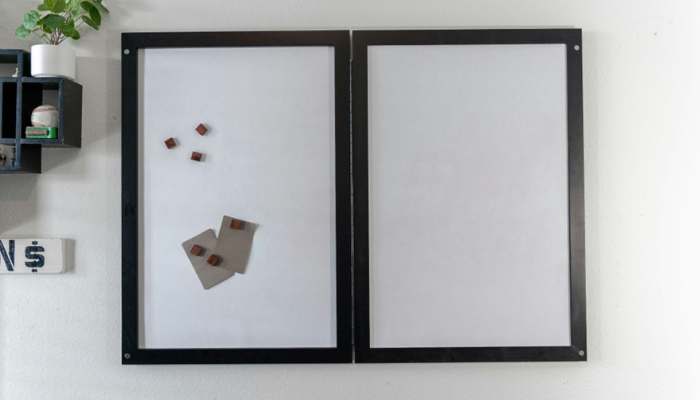

Large notice boards help prevent important messages from getting lost. They sit in email threads, scatter across group chats, or get passed along verbally during a busy shift and disappear by the next one. For small businesses running across offices, retail floors, warehouses, or hospitality venues, this can lead to missed deadlines, repeated questions, and staff who feel out of the loop.
Workplace communication boards offer a simple, visible fix. A well-placed physical board acts as a shared information point that everyone walks past, whether or not they checked their inbox. It does not replace digital channels. It supports them by putting the most important updates, rosters, safety alerts, and action items somewhere they cannot be accidentally swiped away.This guide is for Australian small-business owners and operations managers. It covers how to design, place, maintain, and measure a large notice board so it helps reduce missed messages and improves communication across shifts. You will also find practical layout ideas, a 30-day rollout plan, and a checklist you can adapt to your workplace.
Key Takeaways
- Visibility beats volume. A single, well-zoned board in a high-traffic spot can surface important information more reliably than several digital channels competing for attention.
- Larger boards create room for clarity. More space lets you separate announcements, rosters, safety updates, and recognition so priorities are easier to scan.
- Governance keeps boards useful. Without a named owner, a regular update cadence, and clear archiving rules, any board can become a wall of expired notices.
- Simple metrics prove value. Track update freshness, acknowledgment rates, and repeated questions to see whether the board is working.
- Tamper-resistant options suit public areas. Lockable cabinets and weather-resistant enclosures protect content in outdoor, customer-facing, or high-traffic locations.
Why Physical Boards Still Matter
Digital tools are fast and flexible, but they rely on each person choosing to open an app or check a screen. Physical boards work differently. They sit in shared spaces, stay visible, and passively share updates with anyone who walks by.
For small businesses, this has a few practical advantages:
- Shared context. Everyone sees the same board, which reduces the I did not get that message problem across shifts.
- Persistent visibility. A printed roster or safety alert stays put until someone deliberately removes it. It does not scroll out of view.
- Low barrier. There is no login, app download, or special training. New starters can orient themselves on day one.
The key principle is to summarise and highlight, not duplicate. Post the headline and the required action, then use a QR code or internal reference to point people to the full document when they need more detail. If you are mapping a wider business communication platform, define which updates belong on the board, which belong in chat, and which need a formal document.
When Bigger Is Better
A small pinboard near the kettle can hold a few notices. Once your team grows beyond a handful of people, or you need to cover several categories such as rosters, safety, KPIs, and recognition, a larger board can make the information easier to manage.
A bigger format is useful when you need:
- Better viewing distance. In a warehouse or workshop, staff may read the board from several metres away. Larger boards allow bigger type and clearer zones. A practical test is to print your notices at the size you plan to use, pin them up, and check readability from where people usually stand.
- Room for a larger team. If more than about ten people rely on the same board, you need space for a roster, announcements, and action items without overlap.
- Daily huddles. Teams that run short standup meetings at the board benefit from a surface large enough for everyone to see at once and for someone to write or move items during the discussion.
- Clear categories. Mixing safety alerts with social notices on a small board buries both. A larger surface lets urgent items stand apart from lower-priority updates.
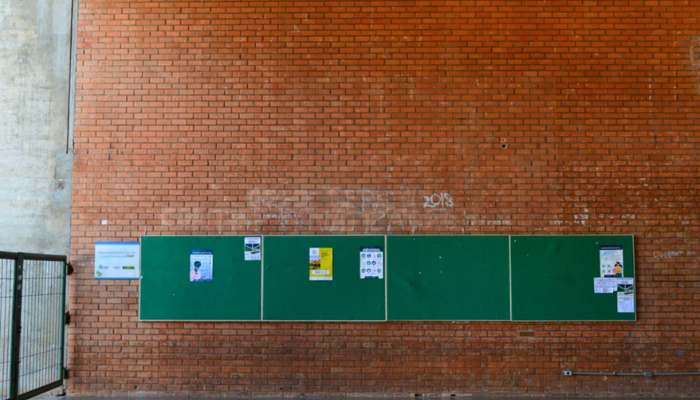
Designing Your Board: Zones and Hierarchy
A board without structure quickly becomes a wall of paper. Dividing the surface into labelled zones keeps content organised and makes scanning easier.
Use the following seven-zone layout as a starting point and adjust the proportions to match your business:
- What is New / Announcements. Place this top-left or top-centre, where eyes land first. Limit it to three current items.
- Actions Due / Assignments. Position this beside or below announcements. Include names or role titles, due dates, and status.
- Roster and Calendar. Use a fixed section for the current week and next week. Update it every Friday or Monday.
- KPIs / Progress. Keep this small and visual, such as a simple bar chart, tally, or weekly target.
- Safety and Maintenance. Use a distinct colour border, such as red or orange, so it stands out. Include current alerts and the date of the last safety review.
- Recognition / Thank-Yous. Create space for peer shout-outs or weekly wins. Rotate it weekly to keep it fresh.
- Policies and Must-Post Notices. Reserve a lower section for standing notices. Check the Fair Work Ombudsman and your state or territory work health and safety authority to confirm which employment and safety notices apply to your industry.
Use three rules for every zone:
- Give every item a posted date and, where relevant, an expiry date.
- Cap each zone at a set number of items, such as three to five. When a new item goes up, the oldest comes down.
- Use clear, bold headers so people can find what they need in seconds.
Choose the Right Type and Size
Not all boards are the same. The surface material, frame, and enclosure should match where the board will sit and how people will use it.
Surface materials
| Type | Best for | Considerations |
| Cork / pin | Offices, break rooms | Easy to update with printed notices; pins can fall out in high-traffic areas |
| Magnetic | Warehouses, workshops | No pins to lose; magnetic clips hold paper; the surface can scratch over time |
| Dry-erase whiteboard | Daily huddles, KPI tracking | Good for handwritten updates; needs regular cleaning to avoid ghosting |
| Combination cork and whiteboard | Multi-purpose boards | Flexible for teams that mix printed and handwritten content |
| Glass | Customer-facing reception areas | Clean look; heavier and more fragile; requires suitable markers |
Frames and durability
Aluminium frames are lightweight and suit most indoor settings. Timber frames can suit retail or hospitality spaces where appearance matters. For areas with dust, grease, or moisture, look for sealed frames and wipe-clean surfaces.
Indoor, outdoor, and tamper-resistant boards
If your board sits in a publicly accessible area, a corridor shared with customers, or an outdoor location, protecting the content matters. Open pin boards in these spots can be vulnerable to tampering, weather damage, or removal of important notices.
If you are comparing secure, weather-resistant large notice boards, check the available sizes, enclosure style, surface material, and mounting requirements before shortlisting options.
Lockable cabinets usually have hinged or sliding doors with a lock, which keeps content visible but protected. Confirm that the product is suitable for your climate and the way the board will be installed.
For outdoor settings, also consider waterproof printed notices or laminated inserts, UV-resistant surfaces to reduce fading, and a sheltered mounting position where possible.
Regulations around signage, mounting heights, and accessibility can vary by state, territory, and site type. Check the National Construction Code and your local council requirements so the board does not obstruct access, egress, or emergency equipment and remains reachable for intended users.
Placement Best Practices for Workplace Communication Boards
A well-designed board in the wrong spot will be ignored. Place it where attention is already high and where people naturally pause.
High-value locations include:
- Break rooms and kitchen areas where people linger
- Near time clocks or sign-in points
- Entrance hallways or foyers that staff pass on arrival
- Dispatch or loading areas in warehouses
- Back-of-house areas in retail or hospitality venues
Placement audit: For one week, note where staff naturally gather or pause during their shift. Pick the top two spots and pilot a board in each. After a fortnight, check which one gets more engagement using acknowledgment checkboxes or informal feedback.
Safety notes: Make sure the board does not block emergency exits, fire equipment, or walkways. In workshops and warehouses, mount it away from moving machinery. Check Safe Work Australia guidance for any signage or communication requirements specific to your industry.
Privacy reminder: If the board is visible to customers or the public, avoid personal information such as full names on rosters, home addresses, personal phone numbers, or medical details. The Australian Privacy Principles, managed by the OAIC, set out obligations around personal information. When in doubt, use first names only, employee numbers, or role titles.
Governance and Upkeep
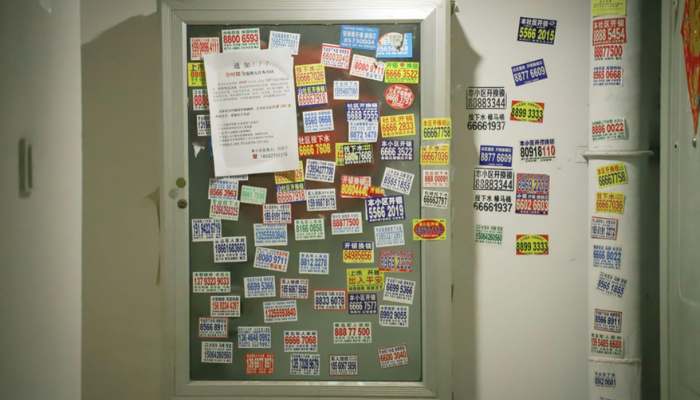
The most common reason boards fail is neglect. A board full of outdated notices signals that nobody is in charge, and staff stop reading it. A few simple rules help prevent this.
Assign an owner
Each board needs one named person responsible for updates. In a small business, this might be the office manager, shift supervisor, or team lead. The owner does not need to create all the content. They make sure content is current, correctly placed, and removed when expired.
Set an update cadence
- Daily: Actions due, safety alerts, and urgent changes.
- Weekly: Roster updates, KPI refreshes, and recognition items.
- Monthly: Policy review, archiving of completed items, and layout checks.
Create an archive spot
Dedicate a small section or nearby folder for recently removed items. This gives staff a place to find something that was on the board last week without cluttering the active zones.
Use a mini style guide
Keep the design simple. Use a consistent font size, high-contrast colours, and a clear colour system for categories. For example, red borders can mark safety items, blue can mark announcements, and green can mark recognition. Avoid using too many colours, or the system loses meaning.
Driving Engagement
Posting information is only half the job. You also need people to read it, understand it, and act on it.
Acknowledgment checkboxes. Next to important notices, add a sign-off sheet or tick box where staff confirm they have read the item. This takes seconds and gives you a measurable read rate.
QR codes. For longer documents such as policies, procedures, or training materials, print a QR code on the board that points to the full digital version. This keeps the board uncluttered while still giving people access to the detail. When a notice needs discussion, team communication tools can carry the conversation while the board keeps the action visible.
Rotating prompts. Change a small section weekly with a safety tip, weekly win, or question of the week. This gives people a reason to check the board even when they think they have seen everything.
Standup rituals. If your team runs daily or weekly huddles, hold them at the board. A five-minute standup where the supervisor walks through the zones turns the board into an active communication habit.
Measuring Impact
You do not need complex software to tell whether your board is working. Track a few simple measures and compare them over time.
- Update freshness score. Check each zone weekly. If every item has been updated within its agreed cadence, mark that zone as fresh. Track the percentage of fresh zones each week.
- Acknowledgment rate. Count the tick marks or signatures on sign-off sheets and divide by the number of staff who should have seen the notice.
- On-time task completion. For action items posted on the board, track how many are completed by their due date.
- Repeated questions. Keep a tally of questions from staff that are already answered on the board. A declining count suggests the board is helping.
- Safety observations. If you post safety prompts, track whether safety observation submissions increase after the board goes live.
How to compare: Run a four-week baseline period before the board launches or before a major redesign. Track repeated questions and task completion during this window. Then compare those results with the four weeks after launch. Even a rough comparison can show whether the board is making a difference.
30-Day Rollout Plan
Use this checklist to move from idea to functioning board in four weeks.
Week 1: Audit and plan
- Walk through your workplace and identify the top two high-traffic spots.
- List the categories of information you need to display, such as announcements, roster, safety, and actions due.
- Decide on zones and assign a board owner.
- Check any state or territory requirements for mandatory notices through the Fair Work Ombudsman, Safe Work Australia, and local council guidance.
Week 2: Purchase and set up
- Choose the board type and size based on your environment, including indoor or outdoor use, surface material, and lockable or open access.
- Order or source the board and accessories such as magnets, pins, markers, and QR code printouts.
- Prepare zone labels and a simple colour guide.
Week 3: Pilot with one team
- Mount the board and populate it with current content.
- Brief the pilot team on the zones, update cadence, and acknowledgment process.
- Run one standup meeting at the board.
- Start tracking baseline metrics such as repeated questions and task completion.
Week 4: Expand and refine
- Gather feedback from the pilot team. Ask what is working, what is ignored, and what is hard to find.
- Adjust zone sizes, item limits, or placement if needed.
- Roll out the board process to additional teams or locations.
- Set a calendar reminder for a monthly board review.
Common Mistakes to Avoid
It is also worth checking how technology in the workplace affects attention in your setting: too many channels can make the board harder, not easier, to trust.
- No owner. Without someone accountable, boards become stale quickly.
- Overstuffed boards. If everything is pinned, nothing stands out. Enforce item limits for each zone.
- Tiny type. If staff cannot read it from a natural standing distance, they will not use it.
- No dates. Undated notices reduce trust because people cannot tell what is current.
- Mixing must-post policies with short-lived updates. Regulatory notices should have their own fixed zone, separate from daily changes.
- Poor placement. A board behind a door or in a corridor where people cannot gather is unlikely to work.
- Leaving expired items up. Stale content trains people to ignore the board.
Final Thoughts
A large, well-managed notice board is a simple way for small businesses to reduce missed messages and keep teams aligned across shifts. It works best as a complement to digital channels, not a replacement.
The essentials are straightforward: choose the right board for your environment, divide the surface into clearly labelled zones, assign an owner, set a regular update cadence, and track a few practical metrics. Pair the board with short standup routines and it becomes part of the way your team communicates.
Start with one board and one team, measure the results over four weeks, and refine the process before expanding it.
FAQ
These common questions can help you choose the right board size, access level, and update routine for your workplace.
What size board suits a small team of five to ten people?
For a team of five to ten, a board around 900 mm by 600 mm is usually enough for three or four zones. If you plan to run daily standups at the board or need space for a full weekly roster, consider 1200 mm by 900 mm. The best test is to mock up your planned content on paper and check whether everything fits with comfortable spacing.
Can several smaller boards replace one large board?
They can, but each board still needs an owner and a clear purpose. Spreading content across multiple boards can make it easier for staff to miss a section. If you use more than one board, give each one a single category, such as safety or rosters, and place them close together so people can scan them in one stop.
Should I use an open board or a lockable cabinet when customers can see it?
If the board is in a customer-facing or publicly accessible area, a lockable cabinet is usually the safer choice. It prevents tampering, protects notices from weather or accidental damage, and helps you control what is visible. For staff-only areas with no public access, an open board is simpler and quicker to update.
How often should I refresh the board content?
It depends on the zone. Urgent actions and safety alerts should be reviewed daily. Rosters and announcements usually need a weekly refresh. Policies and standing regulatory notices can stay until they are superseded, but review them monthly to confirm they are still current.
