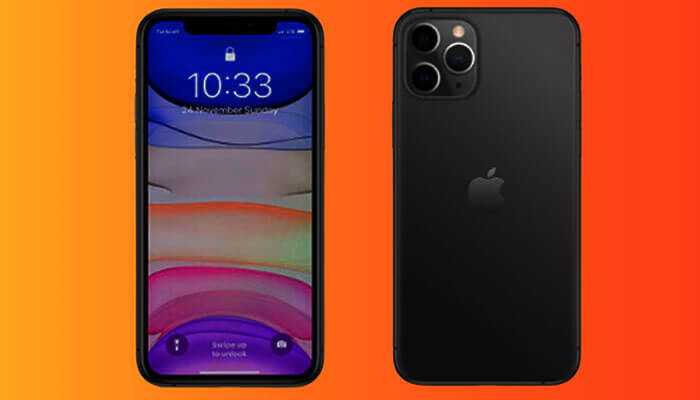
Apple iPhones are very popular in different parts of the world because they come with the latest technologies and features. Moreover, Apple will upgrade the older versions of phones and introduce a new series of models to satisfy the needs of users. The iPhones come with a Do Not Disturb (DND) function that lets a person block calls, messages, and alerts in offices or other places effectively. However, some iPhone users don’t know how to turn off DND on their devices properly due to a lack of knowledge. Therefore, they should follow some guidelines to overcome the problem with ease.
Those who have older versions of iPhone models, such as iOS 14, 13, 12, 11, or 10, should follow the below steps when they want to turn off the DND.
The first step is to open the settings on an iPhone device and tap the “Do Not Disturb” button.
In the second step, one should toggle the DND switch off.
Now, the DND function is disabled, which gives ways to receive calls and other things.
It is not easy for iPhone users to turn off the DND function when they have a new version, such as iOS 15 or iOS 16. They can follow the below steps to manage the problem with a control panel.
The first step is that a user should swipe down from the right side of the screen on a device and tap “Focus.”.
In the second step, one should tap the “Do Not Disturb” button to disable it quickly.
Here are some steps to follow to turn off DND in the settings section.
A user should open the settings on an iPhone and tap on “Focus.”.
The second step is to tap on DND and locate the toggle switch to turn off the same as soon as possible.
Anyone who is using iOS 15 or iOS 16 should know how to turn off DND from the local screen as well. They should follow the steps below to overcome the problem.
The first step is that a user should tap on the DND button in iOS 16 or the crescent screen in iOS 15 when the screen is in locked mode.
One will see a list of focus modes on the screen and tap on the DND button to turn it off.
An automatic schedule set on an iPhone device will turn on DND at a specific time, and a user should turn it off in simple steps.
The first step is that one should go to the settings section and choose the “Focus” icon.
In the second step, a user should choose the DND on an iPhone device and scroll down to the Set A Schedule section. If a person sees any schedule in the on mode, then he or she should turn off the toggle next to the schedule.
Apple iPhones are not easy to operate, and new users should know how to activate a device for making calls and other things. They should understand how to turn off do not disturb on iPhone devices properly to overcome unwanted issues. Furthermore, they should know how to customize DND mode functions with more attention. This will help them accomplish their goals without any hassle.
The first step is for the user to go to the settings section and tap on the “Do Not Disturb” icon.
One should toggle the DND switch until it becomes green and toggle the scheduled option to set a timer for the feature.
The third step is to tap the” While iPhone is locked” option after unlocking a device to allow notifications.
In the fourth step, a user can tap the” Allow Calls From” option and add contacts to their favorites. Users will receive calls and texts only from those numbers at any time.
A user who doesn’t want to miss an emergency phone call can toggle the switch next to “Repeated Calls.”.
New versions, such as iOS 15 and iOS 16, need different techniques when a user wants to customize a DND feature on a device.
Here are some steps they should follow when it comes to customization.
A user should open the settings section on a device and tap the “Focus” button.
The second step is to tap the “Do Not Disturb” option and choose any one of the options that are available on that page.
Apple iPhone users who want to turn off DND mode quickly can consider using the control center on their device.
Here are some steps to follow when disabling DND mode from the control center.
A user should swipe down from the top corner of a phone’s screen to open the control center easily on new versions. However, they should swipe up from the bottom of a phone’s screen on older versions.
The second step is to tap the “Focus” option and choose “Do Not Disturb” in the listed focus modes, which will disable it soon.
The DND feature available on old and new iPhone models allows users to restrict calls while driving and performing other important tasks. It is wise to know how to disable the function on a device properly that will help receive notifications or calls during emergencies. Apart from this, users can avoid unwanted issues when disabling the DND mode on a device and help them to avoid complications.
If there is one promotion that has genuinely transformed the way Malaysian players approach online slot gaming, it is slot…
The first step to having a safe financial future is to find the appropriate location to keep your money. There…
Parenting in the modern world is evolving rapidly. Parents are balancing work, technology, emotional development, and education while trying to…
Parenting in the digital age has become more complex than ever. With social media influence, evolving educational systems, and increasing…
Motherhood has always been one of the most transformative journeys in human life. In recent years, however, the rise of…
Understanding how credit repair works can help individuals improve their financial health and open doors to better borrowing opportunities. The…