


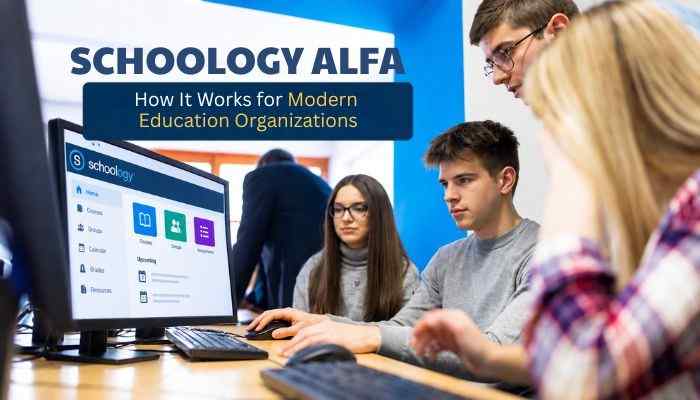

Schoology Alfa refers to the Schoology Learning environment connected with Alfa Fundacion, an education organization based in Monterrey, Mexico. It is not a separate LMS or a special version of Schoology. The platform runs on PowerSchool Schoology Learning and supports Alfa Fundacion’s institution-specific digital learning environment.
For modern education organizations, an LMS can do more than provide student access to assignments. It can centralize courses, assessments, learning resources, communication and digital workflows while giving administrators greater control over how learning technology is managed.
This guide explains how Schoology Alfa works, its connection with Alfa Fundación, the role of Schoology Learning, and what education organizations can take from this model when building more organized digital learning systems.
Quick Answer
Schoology Alfa refers to the Schoology Learning environment associated with Alfa Fundación in Monterrey, Mexico. It is not a separate LMS product. The platform uses PowerSchool Schoology Learning to support digital courses, assignments, assessments, resources and communication within the organization’s learning environment.
Key Takeaways
- Schoology Alfa is an institution-specific Schoology Learning environment connected with Alfa Fundación, not a separate LMS product.
- PowerSchool Schoology Learning provides the core technology for courses, assignments, assessments, resources and communication.
- Alfa Fundación adds the educational model, institutional structure and student-support context.
- Available features depend on how the organization configures its Schoology environment.
- Alfa Fundación emphasizes active, collaborative, experiential and self-managed learning.
- Preparatoria Alfa Fundación reported 481 students in its 2025–2026 school profile.
- Schoology Alfa shows how an LMS can support more organized digital learning workflows across a modern education organization.
What Is Schoology Alfa?
Schoology Alfa refers to an institution-specific Schoology Learning environment associated with Alfa Fundación rather than a separate software product. Schoology is an established learning management system owned by PowerSchool, which acquired the platform in 2019 and continues to operate it as Schoology Learning.
The name can be confusing because Schoology Alfa sounds like a separate or upgraded edition. However, PowerSchool does not identify an independent product by that name. The more accurate explanation is that Alfa Fundación uses an organization-specific Schoology environment built on PowerSchool’s LMS technology.
| Term | Meaning |
|---|---|
| Schoology | The original learning management platform |
| Schoology Learning | PowerSchool’s current LMS product |
| Alfa Fundación | Educational organization based in Monterrey, Mexico |
| Schoology Alfa | Institution-specific Schoology environment associated with Alfa Fundación |
| Alfa Schoology | Search variation for the same environment |
| Schoology Alfa Fundacion | Search phrase used to find the Alfa Fundación platform |
This distinction matters because Schoology Alfa should not be described as a new AI-powered or premium version of Schoology without official evidence. Schoology supplies the LMS technology, while Alfa Fundación provides the educational program and institutional setting.
Who Is Alfa Fundación?
Alfa Fundación is an educational organization focused on helping high-potential students from public-school communities in the Monterrey metropolitan area develop academically and progress toward university and professional careers.
Its education model supports students across several stages for approximately ten years, making Schoology Alfa relevant as part of a broader digital learning environment rather than simply a homework portal.
The foundation’s educational pathway includes:
- Extracurricular academic programs during secondary school
- A three-year preparatory-school program
- Continued support as students progress toward university completion
Alfa Fundación also emphasizes rigorous education, collaboration, responsibility and long-term student development. Its official information shows that the program is designed around sustained academic support rather than a single short-term course.
How Does Schoology Alfa Work?
Schoology Alfa follows the general operating model of PowerSchool Schoology Learning. An organization can structure courses, manage users, define permissions and use tools for assignments, assessments, resources and grades according to its own configuration. PowerSchool documentation also shows that Schoology administrators can configure settings based on institutional needs.
Users access Schoology Alfa through the authentication process established by Alfa Fundación. As of October 2, 2026, the public alfafundacion.schoology.com address redirects to Microsoft’s authentication service, indicating Microsoft-based sign-in at the portal’s current public entry point.
After authentication, available tools can vary by user role:
- Students may access courses, materials, assignments and grades.
- Teachers may organize course content, create assignments, assess work and manage grades.
- Administrators may control broader settings, permissions and institutional configurations.
The important point is that Schoology is configurable. A feature available in the wider PowerSchool Schoology ecosystem should not automatically be presented as active inside Schoology Alfa unless Alfa Fundación or another authoritative source confirms it.
How a Schoology Learning Environment Typically Works
Schoology Alfa follows the general structure of Schoology Learning, although the exact tools available depend on Alfa Fundación’s configuration.
- User Access: Students, teachers and administrators sign in through the institution’s approved authentication system.
- Courses: Teachers organize lessons, materials and learning resources within digital course spaces.
- Assignments: Educators can create, distribute, collect and grade student work.
- Assessments: Schoology supports quizzes, tests and other tools for measuring student progress.
- Gradebook: Teachers can record and manage grades within the platform.
- Groups: Students and staff can collaborate and share resources through dedicated group spaces.
- Integrations: Schoology can connect with approved tools such as Microsoft, Google and other education services.
The exact experience inside Schoology Alfa may differ by user role, permissions and the features enabled by Alfa Fundación.
Alfa Schoology
Alfa Schoology refers to the Schoology Learning environment used in connection with Alfa Fundación. Alfa Fundación provides the educational structure and programs, while PowerSchool Schoology Learning supplies the technology for managing courses, assignments, assessments and digital resources.
This setup allows the organization to use an established learning management system instead of developing its own platform. Schoology Alfa can support more consistent workflows for students, teachers and administrators while helping keep learning materials and academic activities organized.
How Alfa Schoology Supports the Organization
The platform can help bring several educational activities into one structured environment, including:
- Course materials and learning resources
- Assignment distribution and submission
- Assessments and grading
- Student-teacher communication
- User roles and permissions
- Digital collaboration
Schoology Alfa is therefore best viewed as part of Alfa Fundacion’s broader digital learning infrastructure rather than as a separate Schoology product.
Schoology Alfa Fundacion
Schoology Alfa connects Alfa Fundación’s educational environment with PowerSchool Schoology Learning. Alfa Fundación operates a long-term program in Monterrey that supports talented students from secondary school through preparatory education and toward university completion. The foundation says its full educational pathway can accompany students across three stages for about ten years.
Students can begin in extracurricular centers while continuing at their public schools. Those who meet the foundation’s academic standards may progress to Preparatoria Alfa Fundación, a three-year program recognized by the education authorities and designed around rigorous academic preparation.
For an organization managing students, teachers, resources and assessments across several years, Schoology Alfa can provide part of the digital structure needed to keep learning activities organized.
How Schoology Alfa Fits Alfa Fundacion’s Learning Model
Alfa Fundacion describes its teaching model as active and student-centered. Students participate in challenging activities, solve problems, share results and reflect on their progress, while teachers serve as facilitators and guides supported by educational technology. Schoology Alfa can complement this approach by providing a structured digital environment for learning resources and academic workflows.
The foundation organizes its model around four forms of learning:
Contextual Learning
Students connect academic concepts with real situations and examine problems from different perspectives to develop critical and creative thinking.
Collaborative Learning
Students work with peers, compare viewpoints, complete shared projects and build knowledge through cooperation.
Experiential Learning
Students participate in meaningful activities, reflect on results and apply knowledge gained from experience to future challenges.
Self-Managed Learning
Students develop independence by monitoring their strategies, motivation, persistence and progress toward learning goals.
Through tools such as courses, assignments, assessments and digital resources, Schoology Alfa can support these learning methods, although Alfa Fundación does not publicly document exactly how each Schoology feature is used within its pedagogical model.
Inside Preparatoria Alfa Fundacion
Preparatoria Alfa Fundación, or PAF, provides useful context for the scale surrounding Schoology Alfa. Its official 2025–2026 school profile describes PAF as a tuition-free, three-year high school serving academically high-performing students who face economic barriers to higher education.
| PAF Metric | 2025–2026 Figure |
|---|---|
| Total enrollment | 481 students |
| Senior class | 147 students |
| Educator-to-student ratio | 16:1 |
| Faculty with advanced degrees | 65% |
| Program length | 3 years |
| Grade levels | 10–12 |
The same profile reports 450 computers in 18 classrooms, plus 21 laptops and 40 iPads available for student borrowing. These resources show that technology already forms an important part of PAF’s learning environment.
Academic Program
PAF’s curriculum covers:
- Mathematics
- Science
- English
- Spanish literacy
- Social sciences
- Technology
- Humanities
- Wellness
Technology courses include Information Technology, Electronics Workshop, Graphic Design and Communication, Research Methodology and Extended Essay. The humanities program also includes Social Entrepreneurship and Entrepreneurship courses. Spanish is the primary language of instruction, with English taught as a foreign language.
With hundreds of students and a broad multi-subject curriculum, Schoology Alfa can help provide an organized digital layer for course content and learning workflows alongside PAF’s physical academic resources.
What Schoology Learning Can Provide to Education Organizations
PowerSchool documents a broad set of Schoology Learning capabilities. These features show what the underlying LMS can support, but they should not automatically be assumed to be enabled within Schoology Alfa.
| Schoology Capability | Organizational Purpose |
|---|---|
| Courses | Organize and deliver instructional content |
| Assignments | Create, distribute and grade student work |
| Assessments | Measure student understanding |
| Gradebook | Track and share student performance |
| Resources | Organize reusable learning materials |
| Groups | Support collaboration |
| Administration | Configure institutional settings |
| Parent tools | Help families follow learning where enabled |
| PowerBuddy | Provide AI assistance where available |
PowerSchool’s current Schoology resources specifically cover Courses, Groups, Assessments, Assignments, Gradebook, System Administrators, Schoology for Parents and PowerBuddy for Learning.
For education organizations, the value of Schoology Alfa is therefore not simply access to individual tools. Its broader role is to provide a structured environment where digital learning activities can be organized around the institution’s own educational processes.
Used effectively, Schoology Alfa can complement Alfa Fundación’s existing academic model while leaving curriculum design, teaching methods and institutional decisions under the organization’s control.
Why Schoology Alfa Matters From a Business Perspective
Education organizations manage people, data, technology, resources and repeatable workflows just like other complex institutions. Schoology Alfa can support that operational structure by bringing important learning activities into one organized digital environment.
- Centralized workflows: Courses, assignments, assessments and resources can be managed from one platform instead of scattered tools.
- Consistent processes: Standardized course and assessment workflows can make administration easier across teachers and programs.
- Reusable knowledge: Lesson plans, rubrics, assessments and course materials can be organized and reused when appropriate.
- Less repetitive work: Digital submission, grading and communication workflows can reduce unnecessary manual tasks.
- Better coordination: Students, teachers and administrators can work within a more structured learning environment.
- Scalable operations: A consistent LMS framework can support growth without requiring entirely different processes for every course or program.
From a business-management perspective, the value comes from making educational processes more organized, consistent and easier to manage, not simply from adding more technology.
Schoology Alfa for Students
For students, Schoology Alfa can provide one organized place for course materials, assignments, assessments, grades and feedback when those features are enabled by Alfa Fundación.
A well-structured course can make it easier to see:
- What work is due
- Which resources are required
- Where assignments should be submitted
- What feedback or grades have been posted
Schoology supports organization, but effective learning still depends on strong teaching, clear course design and consistent academic practices. PowerSchool documents tools for course content, assignments and assessments within the platform.
Schoology Alfa for Parents and Families
Where parent access is enabled, Schoology can help families view assignments, grades and learning activity. PowerSchool also documents parent tools for viewing student activity and communicating with teachers or staff.
For families, the platform can improve visibility into learning without replacing direct communication with teachers or the institution.
Schoology Alfa for Teachers
Schoology gives educators tools to organize course materials, create assignments and assessments, provide feedback and manage learning activities. PowerSchool’s current teacher guidance also covers course organization, discussions and PowerBuddy features where enabled.
For teachers, the value comes from creating more consistent digital workflows while preserving flexibility in how individual courses are taught.
Schoology Alfa for Administrators
Administrators manage the institutional side of the LMS. Their responsibilities may include:
- User roles and permissions
- Course and organization settings
- Privacy controls
- Feature availability
- Integrations
- Training and support
- Access policies
PowerSchool documents organization-level controls that allow system administrators to manage features, roles, privacy settings and other configurations.
Mobile Access, Language and Accessibility
Schoology supports different user needs across web and mobile learning environments. PowerSchool documentation also shows that users can change the interface language, including to Spanish.
Language Support
Spanish-language interface support is particularly relevant because Spanish is the primary instructional language at Preparatoria Alfa Fundación. Schoology Alfa can therefore fit more naturally into the institution’s existing learning environment, subject to its configuration.
Changing the interface language does not automatically translate teacher-created course materials.
Accessibility Tools
PowerSchool has documented accessibility-related options such as:
- Microsoft Immersive Reader
- Assessment accommodations
- Interface language options
System administrators can control whether certain features, including Immersive Reader and accommodation options, are enabled.
Integrations and the Connected Education Ecosystem
Education organizations may use Schoology alongside:
- Student information systems
- Microsoft or Google tools
- Identity-management systems
- Assessment platforms
- Communication services
- Other approved education applications
PowerSchool states that Schoology Learning can exchange data with other PowerSchool products or approved third-party services when the educational institution enables those connections.
For Schoology Alfa, a clear integration strategy can reduce duplicate work and help define which system is responsible for learning activities, authentication and official records.
Why Integration Strategy Matters
Poorly planned integrations can create duplicate records, inconsistent information and unnecessary administrative work.
Education leaders should know:
- Which platform owns official student records
- Where assignments and grades are managed
- How users authenticate
- Which third parties receive data
- Who manages each connected system
PowerSchool also supports Schoology-to-SIS syncing for assignments, grades and related information in compatible environments.
Security and Privacy Considerations
PowerSchool’s privacy statement says Schoology Learning stores educator-uploaded lessons and content and receives student-submitted materials such as assignments. Educational institutions are typically the data controllers for student records processed through PowerSchool applications.
For Schoology Alfa, users should rely on institution-approved access methods, while Alfa Fundación determines how its environment is configured and which integrations are permitted.
Who Controls Schoology Data?
The educational institution plays a central role in determining how Schoology data is handled. PowerSchool says institutions may choose to connect Schoology with other PowerSchool products or approved third-party services.
Administrators should review:
- Enabled integrations
- User permissions
- Authentication methods
- Third-party data access
- Privacy policies
- Record-access procedures
Schoology Alfa Login
Authorized users should access the institution-approved portal. As of October 2, 2026, alfafundacion.schoology.com redirects to Microsoft’s authentication service before returning users to Schoology.
Safe Login Practices
- Use the official Alfa Fundación Schoology address.
- Sign in with the institution-approved Microsoft account when required.
- Avoid entering credentials on unofficial websites.
- Contact Alfa Fundación for account or enrollment problems.
- Never pay third parties to activate or unlock an institutional account.
Schoology Alfa Login and Access Problems
Common login problems can often be handled with a few basic checks:
| Problem | Recommended Action |
|---|---|
| Incorrect password | Use the approved password-recovery process |
| Wrong Microsoft account | Sign out and use the correct organizational account |
| Missing course | Contact the teacher or administrator |
| Locked account | Contact authorized institutional support |
| Browser issue | Refresh the session or try a supported browser |
| Permission problem | Ask an administrator to verify enrollment or role |
| Wider service issue | Check official PowerSchool service information |
Users should never provide passwords to third-party websites offering unofficial account recovery.
What to Do When Schoology Alfa Is Not Working
If the platform is unavailable, the cause may involve authentication, connectivity, browser sessions, permissions, enrollment or a wider service issue.
Try these steps:
- Confirm the official Alfa Fundación portal.
- Check that the correct institutional account is being used.
- Sign out of conflicting Microsoft accounts.
- Restart the browser session.
- Try another supported browser or device.
- Check whether other users have the same problem.
- Contact Alfa Fundación for account or course-access issues.
Is Schoology Alfa Free?
The platform should not be treated as a public free service that anyone can join. PowerSchool’s current privacy statement identifies an enterprise version licensed to educational institutions and says its older basic version is no longer enabled for new instructor accounts.
Students and staff associated with Alfa Fundación should use access provided through the organization rather than attempting to create an independent institutional account.
Schoology Alfa vs a Student Information System
An LMS and a student information system serve different purposes:
| LMS | Student Information System |
|---|---|
| Organizes instruction | Maintains official student records |
| Manages course materials | Manages enrollment information |
| Supports assignments and assessments | Stores schedules and administrative data |
| Supports learning communication | Supports institutional reporting |
Schoology is primarily an LMS, while a student information system manages administrative records. PowerSchool supports integration between Schoology Learning and compatible SIS platforms to reduce duplicate data entry.
Does Schoology Alfa Use Artificial Intelligence?
PowerSchool offers PowerBuddy for Learning, an AI assistant designed to work within Schoology Learning. It can help educators create instructional content and provide students with conversational learning assistance.
However, Schoology Alfa should not be described as an AI-powered platform unless Alfa Fundación confirms that PowerBuddy or other AI capabilities are enabled in its environment.
AI and Data Privacy
PowerSchool states that customer data and user-entered prompts are not used to train or fine-tune third-party models used by PowerBuddy. It also says its AI features are optional and activated only for customers that choose to purchase and enable them.
This means broader PowerSchool AI capabilities would apply only when Alfa Fundación has licensed and enabled the relevant features.
How Education Organizations Can Implement an LMS Effectively
The Schoology Alfa example shows that successful LMS implementation depends on clear processes, user needs and ongoing management rather than simply enabling software features.
- Define the goal: Identify the main problem the LMS should solve, such as fragmented resources, inconsistent workflows or limited communication.
- Identify users: Plan for students, teachers, administrators, support staff and families.
- Standardize workflows: Create clear processes for courses, assignments, assessments and communication.
- Set permissions: Give each user group access only to the tools and information required for its role.
- Plan integrations: Connect the LMS carefully with identity systems, student records and approved learning tools.
- Train users: Provide practical guidance so teachers and staff understand how the platform fits into daily work.
- Measure adoption: Track whether important academic and administrative workflows are actually being completed through the system.
- Improve continuously: Use feedback and performance data to refine the LMS as institutional needs change.
For organizations considering a model similar to Schoology Alfa, the strongest implementation is one that makes learning workflows clearer, more consistent and easier to manage.
Metrics Education Leaders Should Monitor
Login counts alone do not prove that an LMS is delivering value. Education leaders should track adoption, usability, technical performance and learning outcomes together.
| Metric | What It Indicates |
|---|---|
| Active-user rate | Overall platform adoption |
| Teacher adoption | Staff participation |
| Assignment submission rate | Student workflow completion |
| Assessment completion | Participation in digital evaluation |
| Support requests | Areas causing user friction |
| Training completion | Staff readiness |
| Integration reliability | Technical stability |
| Family engagement | Parent participation where enabled |
| Student outcomes | Whether technology supports academic goals |
Metrics should support institutional objectives rather than become targets on their own. High activity is useful only when it contributes to clearer workflows, stronger engagement or better educational outcomes.
Common Schoology Alfa Misconceptions
Several assumptions about Schoology Alfa can create confusion about what the platform actually represents.
| Misconception | More Accurate Explanation |
|---|---|
| Schoology Alfa is a new LMS | It is an institution-specific Schoology environment associated with Alfa Fundación |
| Alfa is a premium Schoology edition | PowerSchool does not identify a separate Alfa edition |
| Every Schoology feature is available | Features depend on institutional configuration |
| Anyone can register | Access is intended for authorized institutional users |
| Schoology replaces every school system | An LMS normally works alongside other institutional systems |
| AI is automatically enabled | AI availability depends on licensing and configuration |
| More technology guarantees better learning | Outcomes depend on implementation, teaching and adoption |
Clear distinctions make the platform easier to evaluate without exaggerating its capabilities.
Limitations of Schoology Alfa
Like any LMS implementation, Schoology Alfa can face operational limits depending on configuration, infrastructure, training and user adoption.
- Training requirements: Teachers and students need time to understand new workflows.
- Configuration complexity: Administrators must manage roles, permissions and settings carefully.
- Internet dependence: Reliable connectivity and device access remain important.
- Integration challenges: Poorly connected systems can create duplicate data and extra work.
- Different user experiences: Course quality may vary depending on how individual teachers structure content.
- Technology limits: An LMS can organize learning but cannot replace effective teaching, curriculum or student support.
These limitations do not make an LMS ineffective; they show why implementation and management matter as much as the software itself.
Schoology Alfa and the Future of Education Management
Modern education organizations are becoming more connected, and Schoology Alfa reflects the wider shift toward integrated digital learning environments.
Future LMS strategies are likely to place greater emphasis on:
- Single sign-on
- Integrated student information
- Accessible digital content
- AI-assisted tools
- Mobile access
- Personalized learning
- Cross-platform interoperability
- Strong privacy governance
The strongest education technology strategy is not simply adding more tools. It is connecting the right systems so students, teachers and administrators can work efficiently without creating unnecessary complexity.
The Larger Business Lesson From Schoology Alfa
The broader value of Schoology Alfa is the organizational model behind it. Alfa Fundación can focus on education and student development while relying on an established LMS for digital learning infrastructure.
The same strategy appears across many industries:
- Businesses use accounting platforms instead of building their own.
- Retailers use commerce systems instead of creating payment infrastructure from scratch.
- Startups use cloud services instead of operating private data centers.
- Education organizations use LMS platforms instead of developing every classroom tool internally.
For Schoology Alfa, the business lesson is simple: technology creates more value when it fits the organization’s people, processes and long-term goals rather than becoming another disconnected system.
Conclusion
Schoology Alfa is more than a digital classroom environment. It shows how an education organization can use established technology to support learning, administration and long-term institutional goals without building every system internally.
For Alfa Fundación, the value lies in combining its educational mission with a structured LMS that can support courses, assessments, communication, resources and user management. The technology itself is not the advantage. The advantage comes from how effectively it fits the organization’s processes, teaching model and operational needs.
That is the broader business lesson. Digital platforms create value when they reduce friction, improve consistency and help people work more effectively. Schoology Alfa illustrates how education organizations can use existing infrastructure strategically while keeping their core focus on students, teaching and outcomes.
FAQs About Schoology Alfa
1. Can Schoology Alfa use course templates?
The underlying Schoology Learning platform supports course templates that can help organizations create more consistent course structures. Availability within Schoology Alfa depends on Alfa Fundación’s configuration.
2. Can Schoology Alfa connect with Google Assignments?
Schoology Learning supports the Google Assignments App. Whether Schoology Alfa uses this integration depends on the tools enabled by the organization.
3. Does Schoology Alfa support Advisor and Advisee tools?
Schoology includes an Advisor/Advisee feature that can help authorized staff monitor assigned students. Its availability in Schoology Alfa is not publicly confirmed.
4. Can Schoology Alfa restrict AI access by user role?
PowerSchool allows PowerBuddy access to be controlled by organization, school and user role. Schoology Alfa would need the relevant PowerBuddy product and configuration for these controls to apply.
5. Can Schoology Alfa import group enrollments in bulk?
Schoology Learning supports importing group enrollments through CSV or XLS files. Whether Schoology Alfa uses this administrative feature depends on its setup.
6. Does Schoology Alfa support gradebook exceptions?
Schoology Learning includes gradebook exception tools for handling specific grading situations. Their use within Schoology Alfa depends on institutional settings.
7. Can Schoology Alfa use a digital lesson planner?
PowerSchool provides Lesson Planner functionality connected with Schoology courses. Schoology Alfa may use it only if the appropriate functionality is enabled.
8. Does Schoology Alfa support course cross-listing?
Schoology Learning provides cross-listing functionality for administrators managing related courses. Public information does not confirm whether Schoology Alfa currently uses it.
