



Technology is no longer a background function that small companies can address only when something breaks. Email, customer records, payments, accounting, inventory, websites, remote work, and employee communication all depend on reliable digital systems. The right IT solutions for small business can reduce repetitive work, improve customer service, protect sensitive data and help a company grow without creating unnecessary complexity. Poor technology choices can have the opposite effect, leading to duplicated subscriptions, security gaps, vendor lock-in, unexpected expenses and tools employees refuse to use.
Cybersecurity is also a major business consideration in 2026. Verizon’s 2026 Data Breach Investigations Report states that 31% of breaches begin with software vulnerabilities, while ransomware is involved in 48% of breaches. The report also notes that generative AI is strengthening multiple attack techniques. These findings make software updates, access security, employee awareness and tested backups especially important.
Choosing the best IT solutions for small business requires more than comparing software prices. Owners must consider security, compatibility, support, employee needs, recovery options and the total long-term cost of every platform.
This guide explains the most important small-business technology solutions, what they may cost, how to choose the right tools and how to build a secure IT environment without paying for enterprise features the company does not need.
Quick Answer: IT solutions for small business
IT solutions for small business are the hardware, software, cloud platforms, networks, cybersecurity controls and support services used to operate and protect a company.
A practical small-business technology stack usually includes:
- Professional business email
- Cloud storage and collaboration
- Reliable internet and secure Wi-Fi
- Supported computers and mobile devices
- Multifactor authentication
- A business password manager
- Endpoint security and patch management
- Independent data backup
- Accounting, payroll and operational software
- Customer relationship management software
- Business phone and video-conferencing tools
- Website and domain management
- IT support or managed services
- Incident-response and business-continuity plans
A small company does not need every available platform. It needs a limited number of secure, compatible and manageable tools that solve clearly defined business problems.
Key Takeaways
- Start with business requirements rather than software brands.
- Standardize employees around company-managed accounts and approved platforms.
- Protect email, financial systems and administrator accounts with MFA.
- Replace unsupported devices and applications.
- Do not treat cloud file synchronization as a complete backup strategy.
- Evaluate implementation, support, training and migration costs.
- Create clear policies for remote work and personal devices.
- Review technology vendors before giving them access to company data.
- Maintain tested incident-response and business-continuity plans.
- Measure technology by reliability, security, and business outcomes—not by the number of tools purchased.
Small-Business IT Solutions at a Glance
| Business need | Recommended solution | Primary benefit |
| Email and documents | Microsoft 365, Google Workspace or equivalent | Centralized communication and collaboration |
| File access | Managed cloud storage | Controlled sharing and version history |
| Customer management | CRM software | Better sales and customer visibility |
| Accounting | Cloud accounting platform | More accurate financial records |
| Payments and retail | POS and payment-processing system | Faster, traceable transactions |
| Communication | VoIP, messaging and video meetings | Flexible employee and customer contact |
| Security | MFA, endpoint protection and patching | Reduced account and device risk |
| Recovery | Independent backup and disaster recovery | Faster restoration after disruption |
| Remote work | Managed devices, VPN or secure cloud access | Controlled access outside the office |
| Support | Internal IT, consultant or MSP | Reliable maintenance and problem resolution |
| Automation | Workflow and AI-assisted tools | Less repetitive administrative work |
| Continuity | Backup internet and response procedures | Reduced operational downtime |
This table provides a practical overview, but the appropriate IT solutions for small business depend on company size, industry, data sensitivity, employee roles and acceptable downtime.
What Are IT Solutions for Small Business?
IT solutions are the technologies and services a company uses to create, process, store, communicate and protect data.
They include visible tools such as laptops, payment terminals and accounting applications. They also include less visible systems such as user-access controls, network configuration, software updates, security monitoring and data recovery.
A complete small-business IT environment normally contains five layers.
| IT layer | Main purpose | Examples |
| Hardware | Gives employees the physical tools needed to work | Laptops, tablets, routers, monitors and payment terminals |
| Software | Supports business activities | Accounting, CRM, inventory and project-management tools |
| Cloud services | Provides online access to applications and data | Email, file storage, backup and software-as-a-service |
| Security | Protects accounts, devices and data | MFA, encryption, endpoint protection and access controls |
| Support | Maintains systems and resolves problems | Internal staff, consultants, MSPs and vendor support |
The right combination depends on how the company operates.
A ten-person consulting firm may need secure email, cloud documents, accounting, video meetings, project management and a CRM. A retailer with the same number of employees may also need payment terminals, inventory software, guest Wi-Fi, security cameras and backup internet.
Technology should therefore be selected according to business processes, risk and downtime requirements—not employee count alone.
Why Small Businesses Need an IT Strategy
Many companies purchase technology reactively. They add an application when a problem appears, allow employees to choose their own tools and replace equipment only after it fails.
Over time, this can create:
- Duplicate subscriptions
- Unused licenses
- Personal accounts containing company data
- Untracked administrator access
- Inconsistent security settings
- Poorly connected applications
- Multiple versions of the same document
- Unexpected renewal charges
- Former employees retaining access
- Dependence on one technically skilled person
A clear strategy helps companies select IT solutions for small business based on measurable needs rather than promotional claims or short-term convenience.
Technology Supports Core Operations
A modern company may depend on technology to:
- Receive customer inquiries
- Process orders and payments
- Schedule appointments
- Manage inventory
- Prepare invoices
- Run payroll
- Communicate with suppliers
- Store contracts
- Deliver digital services
- Support remote employees
- Prepare financial reports
A failure in one critical system can interrupt several operations at once.
For example, an internet outage may affect cloud software, phone calls, online payments and customer communication. A compromised email account may expose invoices, passwords, customer records and fraudulent payment requests.
Cybersecurity Is a Leadership Responsibility
Small businesses should treat cybersecurity as they treat insurance, financial controls and physical security: as a business risk that requires leadership, budgeting and oversight.
The NIST Cybersecurity Framework 2.0 provides a flexible structure for understanding, prioritizing and managing cybersecurity risk. NIST also provides a Small Business Quick Start Guide for organizations with modest or undeveloped cybersecurity programs.
Responsibility may be delegated to an employee, consultant or managed provider, but owners and senior leaders still need to approve priorities and understand significant risks.
How to Assess IT Needs Before Buying Technology
Before comparing IT solutions for small business, identify what the company needs technology to accomplish.
Buying a platform because it is popular or heavily advertised can lead to unused features, poor employee adoption and unnecessary expense.
Document Critical Workflows
List the company’s most important activities, including:
- Generating leads
- Responding to customers
- Creating estimates
- Processing orders
- Collecting payments
- Managing inventory
- Scheduling employees
- Delivering services
- Sharing documents
- Preparing payroll
- Recording financial transactions
- Recovering after an interruption
For each workflow, document:
- Who performs it
- Which systems are used
- Where the data is stored
- What delays or errors occur
- What happens if the process stops
- Which vendors are involved
- Which data is sensitive
This creates a direct connection between technology spending and business value.
Define the Problem Clearly
Do not begin with:
We need a CRM.
Begin with:
Sales opportunities are stored in separate spreadsheets, follow-ups are being missed and management cannot produce a reliable pipeline forecast.
That problem can be converted into measurable requirements:
- Centralized customer records
- Follow-up reminders
- Sales stages
- Email integration
- Mobile access
- Reporting
- Data export
- Role-based permissions
Use an IT Prioritization Matrix
| Evaluation factor | Question to ask | Suggested score |
| Business impact | How important is the affected process? | 1–5 |
| Security risk | Could the current weakness expose sensitive data? | 1–5 |
| Downtime impact | What happens if the process stops? | 1–5 |
| Customer impact | Will the solution improve customer experience? | 1–5 |
| Employee impact | How many employees will benefit? | 1–5 |
| Integration | Will it work with current systems? | 1–5 |
| Implementation difficulty | How disruptive will deployment be? | 1–5 |
| Total cost | What will it cost over several years? | 1–5 |
High-impact security and continuity improvements should normally be completed before optional convenience features.
Enabling MFA and fixing unreliable backups, for example, should take priority over purchasing an additional AI-writing platform.
Separate Requirements by Importance
| Category | Meaning | Example |
| Must have | Required for safe and effective operation | MFA and company-controlled accounts |
| Should have | Valuable but not essential at launch | Advanced reporting |
| Nice to have | Optional when budget permits | Additional design or AI features |
Every purchased system should also have:
- A business owner
- A technical administrator
- A billing contact
- A renewal date
- A support contact
- A documented recovery method
- A data-export procedure
Essential IT Solutions for Small Business
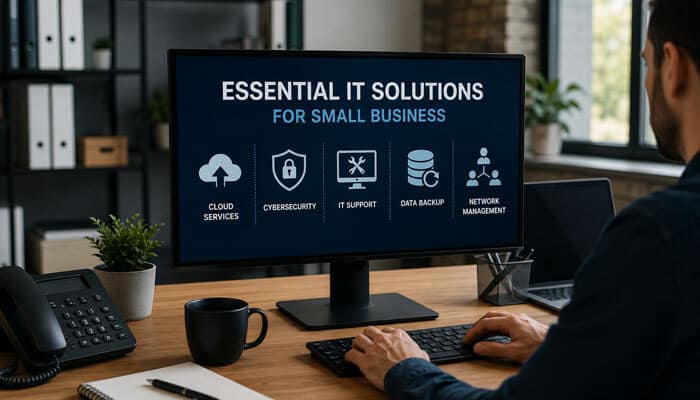
The following categories provide a strong foundation for companies that want secure, scalable and cost-effective technology.
1. Business Email and Productivity Software
A business productivity suite normally provides:
- Custom-domain email
- Calendars
- Word processing
- Spreadsheets
- Presentations
- Video meetings
- Team messaging
- Cloud storage
- Central user administration
Microsoft 365 and Google Workspace are common examples, but the correct choice depends on employee workflows, application compatibility and administrative requirements.
Microsoft 365 may suit companies that rely heavily on desktop versions of Word, Excel, PowerPoint and Outlook. Google Workspace may suit teams that prefer browser-based collaboration and simultaneous document editing.
The main goal is standardization. Employees should not conduct company work through a mixture of personal email accounts, consumer file-sharing platforms and unapproved communication applications.
Features to Evaluate
Look for:
- Central user management
- Multifactor authentication
- Spam and malware protection
- Shared calendars
- File-version history
- External-sharing controls
- Mobile-device administration
- Audit logs
- Retention options
- Account recovery
- Integration with business applications
Protect the Company’s Email Domain
Companies using custom-domain email should configure:
- Sender Policy Framework
- DomainKeys Identified Mail
- Domain-based Message Authentication, Reporting and Conformance
These controls are known as SPF, DKIM and DMARC.
They help receiving mail systems evaluate whether a message claiming to come from the company was sent through an authorized service. The FTC recommends using an email provider or host that supports all three technologies.
Email authentication does not prevent every type of fraud. Criminals may compromise a genuine employee account or register a similar-looking domain.
Verify Financial Changes Independently
Create verification procedures for:
- Supplier bank-account changes
- Employee direct-deposit changes
- Unusual wire transfers
- Gift-card requests
- Large refunds
- Urgent executive payment requests
- Requests for customer or payroll data
Employees should verify important changes through a known telephone number or approved communication channel—not contact information included in the suspicious message.
For sensitive changes:
- Retrieve the established contact details.
- Contact a known representative.
- Confirm the requested change.
- Require a second employee’s approval.
- Record the verification.
2. Cloud Storage and File Sharing
Cloud storage allows authorized employees to access data from different devices and locations. It can improve collaboration, reduce version confusion, and make permissions easier to manage.
A secure platform should provide:
- Role-based access
- Folder-level permissions
- Version history
- Activity logs
- Encryption
- External-sharing restrictions
- Account recovery
- Retention options
- Central administration
Business files should not be stored in employees’ personal cloud accounts. The company may lose access when an employee leaves, and administrators may be unable to review sharing activity or restore deleted data.
Build a Clear File Structure
Organize data according to departments, customers, projects or business functions.
For example:
- Finance
- Human resources
- Sales
- Customers
- Suppliers
- Legal
- Marketing
- Operations
- Archived projects
Avoid one unrestricted folder that gives every employee access to every document.
Cloud Storage Is Not the Same as Backup
Cloud platforms frequently synchronize changes across devices. Synchronization may also spread:
- Accidental deletions
- Incorrect edits
- File corruption
- Malicious encryption
- Unauthorized changes
An independent backup system provides a separate recovery path.
Plan Cloud Migrations
Before moving files or applications:
- Remove obsolete data.
- Identify restricted data.
- Define the new folder structure.
- Map employee permissions.
- Test a small migration.
- Verify file counts and access.
- Maintain a rollback plan.
- Train employees.
- Document where new files should be saved.
Poorly planned migrations often create duplicate files, broken links, and excessive permissions.
3. Reliable Internet and Secure Networking
Internet connectivity is an operational dependency for businesses using cloud applications, VoIP phones, online payments and video conferencing.
Evaluate Business Internet
Consider:
- Download speed
- Upload speed
- Latency
- Reliability
- Service commitments
- Support availability
- Data limits
- Static IP options
- Contract length
- Installation time
- Backup connectivity
Companies that regularly upload large files, use cloud backup or host video meetings should pay particular attention to upload performance.
Use Business-Grade Network Equipment
Growing businesses may need routers, firewalls and wireless access points that support:
- Central administration
- Multiple Wi-Fi networks
- Guest access
- Virtual local area networks
- Secure remote management
- Firmware updates
- Traffic monitoring
- VPN connectivity
- Internet failover
Separate Network Traffic
Where appropriate, establish separate networks for:
- Company computers
- Guest devices
- Payment systems
- Security cameras
- Smart devices
- Manufacturing equipment
- Building-control systems
A customer using guest Wi-Fi should not be able to communicate directly with an office computer or payment terminal.
Prepare for Internet and Power Failure
An internet-dependent business may need:
- A second internet provider
- Cellular failover
- Mobile hotspots
- Offline payment procedures
- Temporary call forwarding
- Locally available emergency data
- Battery backup for network equipment
- Surge protection
If losing connectivity for one hour would stop all sales, backup internet may provide more value than an additional productivity application.
4. Business Hardware and Device Management
Business devices should be treated as managed company assets.
Each computer should have:
- A supported operating system
- Current security updates
- Full-disk encryption
- Endpoint security
- Automatic screen locking
- Approved software
- A standard user account
- A separate administrator account
- An assigned owner
- An asset number
- A purchase and warranty record
- Remote-lock or wipe capability where appropriate
Replace Unsupported Systems
Unsupported operating systems may stop receiving normal security updates and technical assistance.
Microsoft ended general Windows 10 support on October 14, 2025. Businesses still using the operating system should evaluate supported upgrades, applicable Extended Security Updates or device replacement.
The IT inventory should also identify:
- Unsupported accounting software
- Old browsers
- Outdated routers
- Abandoned website plugins
- Unpatched servers
- Devices that cannot support modern encryption or authentication
Establish a Replacement Cycle
Consider replacing equipment based on:
- Age
- Performance
- Warranty status
- Battery health
- Repair history
- Operating-system compatibility
- Employee role
- Security capability
- Cost of downtime
A planned replacement program is usually less disruptive than waiting for every device to fail.
5. BYOD and Remote Work
Bring your own device, or BYOD, allows employees to access business data through personal phones, tablets or computers.
BYOD may reduce hardware costs, but it raises questions about:
- Security
- Employee privacy
- Data ownership
- Technical support
- Remote deletion
- Offboarding
- Software compatibility
Compare Device Models
| Model | Description | Main advantage |
| Company-owned | The business purchases and manages the device | Strong administrative control |
| BYOD | The employee uses a personal device | Lower direct hardware expense |
| Choose your own device | Employee selects from approved company devices | Balances choice and control |
Companies handling highly sensitive or regulated data may prefer company-owned devices.
Create a BYOD Policy
The policy should explain:
- Which devices are permitted
- Minimum operating-system versions
- Screen-lock requirements
- Encryption requirements
- Approved applications
- Prohibited data storage
- Lost-device reporting
- Remote removal of company data
- Support responsibilities
- Employee privacy expectations
- Offboarding procedures
Mobile-device management can help administrators enforce security settings, install approved applications, separate business data and remove company information from lost or retired devices.
Remote employees should also use updated home routers, WPA2 or WPA3 Wi-Fi security, approved cloud services, MFA and company-approved remote-access methods.
6. Identity and Access Management
Identity and access management controls who can sign in and what each person can access.
Every employee should have an individual account. Shared accounts make it difficult to determine who performed an action and complicate offboarding.
Essential controls include:
- Unique employee identities
- Role-based permissions
- MFA
- Separate administrator accounts
- Centralized sign-on where practical
- Password management
- Documented account recovery
- Regular access reviews
- Immediate offboarding
Require Multifactor Authentication
CISA recommends requiring MFA wherever possible and using the strongest supported option, with phishing-resistant methods preferred for sensitive access.
Prioritize MFA for:
- Business email
- Online banking
- Accounting
- Payroll
- Cloud administration
- Domain registration
- Remote access
- Backup systems
- Social-media accounts
- Customer databases
Security keys and passkeys are generally more resistant to phishing than text-message codes. Any supported MFA method generally provides stronger protection than relying on a password alone.
Use a Business Password Manager
A business password manager should provide:
- Central administration
- Shared business vaults
- MFA
- Account recovery
- Access logs
- Role-based permissions
- Employee offboarding
- Separation between personal and business credentials
Leadership should maintain a secure emergency-access process in case the primary administrator becomes unavailable.
7. Endpoint Security and Patch Management
Endpoint protection can help identify malware, ransomware, and suspicious activity on computers and mobile devices.
Possible features include:
- Antivirus and anti-malware
- Behavioral detection
- Web protection
- Ransomware controls
- Device isolation
- Central alerts
- Attack investigation
- Automated response
- Vulnerability reporting
Endpoint protection does not replace software updates.
A patch-management process should cover:
- Operating systems
- Browsers
- Office software
- Accounting applications
- Routers and firewalls
- Website plugins
- Mobile applications
- Remote-access tools
| Update type | Recommended approach |
| Actively exploited critical vulnerability | Accelerated testing and deployment |
| Operating-system security update | Defined monthly schedule |
| Browser update | Automatic installation |
| Business application | Vendor-supported update process |
| Network firmware | Regular review and controlled installation |
| Unsupported application | Upgrade, replace or isolate |
Verizon’s 2026 findings make vulnerability management particularly important because software vulnerabilities became the leading initial route into the breaches analyzed.
8. CRM, Accounting and Operations Software
Customer Relationship Management
A CRM organizes:
- Leads
- Contact information
- Sales opportunities
- Follow-up tasks
- Customer communication
- Quotes
- Service requests
- Marketing activity
- Revenue forecasts
A CRM becomes useful when several employees communicate with the same customers, follow-ups are being missed or the business is outgrowing spreadsheets.
Evaluate:
- Ease of use
- Email integration
- Mobile access
- Reporting
- Workflow automation
- Permissions
- Data export
- Duplicate management
- Customer support
- Integration with accounting or marketing tools
A sophisticated platform employees refuse to update may provide less value than a simpler system used consistently.
Accounting and Payroll
Accounting software may support:
- Invoicing
- Expense tracking
- Bank reconciliation
- Accounts receivable
- Accounts payable
- Financial reports
- Inventory
- Accountant access
- Tax integrations
Payroll software may manage:
- Employee records
- Wage calculations
- Direct deposit
- Tax withholding
- Benefits deductions
- Time tracking
- Reports and filings
Financial systems contain sensitive personal and banking data. Access should be restricted according to job responsibility, protected with MFA and reviewed regularly.
Inventory and Point of Sale
Inventory software may track:
- Stock quantities
- Reorder points
- Purchase orders
- Product costs
- Warehouses
- Serial or batch numbers
- Returns
- Shrinkage
- Sales channels
A POS system may combine payments, receipts, inventory, employee access, customer profiles, sales reports and loyalty programs.
PCI DSS applies to merchants involved in payment processing regardless of size or transaction volume. Outsourcing payment processing may reduce the requirements directly applicable to the merchant’s environment, but the merchant remains responsible for selecting compliant providers and understanding shared responsibilities.
9. Business Communication and Project Management
Cloud communication platforms may provide:
- Business phone numbers
- Auto-attendants
- Call routing
- Voicemail
- Mobile applications
- Team messaging
- Video meetings
- Call recording
- CRM integration
Evaluate call quality, emergency calling, number portability, mobile access, international charges, recording requirements, retention and outage procedures.
Project-management software can organize tasks, owners, deadlines, approvals, dependencies and documents.
The tool should clarify responsibilities rather than forcing employees to spend more time updating the platform than completing the work.
10. Workflow Automation and AI
Workflow automation connects applications and triggers routine actions.
Examples include:
- Create a CRM record after a website submission.
- Generate an invoice after project approval.
- Notify a manager when inventory reaches a reorder point.
- Create onboarding tasks when a candidate accepts an offer.
- Store approved attachments in the correct customer folder.
- Escalate unresolved support requests.
Every automation should have:
- A documented owner
- Error notifications
- Testing procedures
- Change records
- A manual alternative
AI tools may assist with drafting, meeting summaries, customer-service suggestions, data analysis, document classification and software development.
Businesses should adopt an AI policy explaining:
- Which platforms are approved
- Which data employees may submit
- Whether customer data is permitted
- When human review is required
- How generated claims should be verified
- Who approves integrations
- How incidents are reported
NIST’s AI Risk Management Framework and Generative AI Profile provide voluntary guidance for managing privacy, security, reliability and third-party risks associated with AI.
Employees should not paste passwords, confidential contracts, customer records, protected health information or unreleased financial data into unapproved public AI tools.
11. Website, Domain and Hosting Management
A company’s website and domain name are important business assets.
Losing control of either may interrupt sales, redirect customers, disable email, or allow criminals to impersonate the company.
Maintain a Domain Register
Record:
- Domain name
- Registrar
- Administrative owner
- Renewal date
- Payment method
- Recovery email
- MFA status
- DNS provider
- Email platform
- Website host
Do not register the company’s primary domain through a developer’s or employee’s personal account. The business should remain the administrative owner.
Protect the Registrar Account
Use:
- A company-controlled email address
- A unique password
- MFA
- Restricted administrator access
- Domain locking
- Renewal reminders
- Documented recovery information
Maintain the Website
A WordPress or other content-management website requires continuing maintenance.
Businesses should:
- Use supported themes and plugins.
- Remove unused components.
- Apply updates.
- Restrict administrator accounts.
- Back up files and databases.
- Monitor unexpected changes.
- Review external scripts.
- Test forms and checkout pages.
- Maintain a website-outage procedure.
The FTC recommends evaluating a host’s security practices, email authentication, update responsibilities, backup arrangements and incident procedures.
Recommended IT Solutions for Small Business by Company Size
The most suitable technology stack changes as a business adds employees, locations, devices and sensitive data.
| Business size | Recommended foundation |
| Solo business | Business email, cloud storage, MFA, password manager, backup, accounting and occasional IT support |
| 2–10 employees | Central user management, endpoint security, CRM, shared files, VoIP, backup and an IT consultant or MSP |
| 11–25 employees | Device management, network separation, formal onboarding, help desk, SaaS register and continuity planning |
| 26–50 employees | Centralized identity, advanced monitoring, formal IT ownership, security reviews and co-managed IT |
| Multi-location business | Central network management, redundant internet, standardized devices, remote monitoring and documented failover |
Solo Business
A solo operator should prioritize control and recovery.
The minimum foundation usually includes:
- Professional email
- MFA
- A password manager
- Secure cloud storage
- Independent backup
- Supported devices
- Accounting software
- Documented account recovery
A solo owner should also ensure that a trusted person can recover critical accounts during an emergency.
Two to Ten Employees
At this size, informal technology practices begin to create risk.
Priorities include:
- Individual company accounts
- Centralized onboarding and offboarding
- Endpoint protection
- Shared file permissions
- CRM or project management
- A support relationship
- Standard device settings
- Written security rules
Eleven to Twenty-Five Employees
A growing company may need:
- Mobile-device management
- A formal help desk
- Network segmentation
- A software-subscription register
- Defined patching responsibilities
- Regular access reviews
- Vendor-risk reviews
- Business-continuity exercises
Twenty-Six to Fifty Employees
At this stage, the business may need a dedicated internal technology owner, an MSP or a co-managed model.
Additional priorities may include:
- Centralized identity
- Security monitoring
- Formal approval processes
- Regular risk reviews
- Documented service levels
- Compliance assessments
- More advanced reporting
Backup, Recovery and Business Continuity
Backup protects data. Disaster recovery restores systems. Business continuity explains how the company will keep operating while systems, facilities or providers are unavailable.
These are connected but distinct responsibilities.
Build a Layered Backup Strategy
A practical strategy should maintain:
- More than one copy of critical data
- More than one storage type or platform
- At least one copy separated from ordinary production access
- Restricted backup-administrator accounts
- MFA
- Retention controls
- Alerts for failed jobs
- Regular restoration tests
CISA recommends maintaining offline or appropriately separated encrypted backups and regularly testing their availability and integrity.
Define RPO and RTO
Recovery Point Objective: How much recent data can the company afford to lose?
An RPO of four hours means the company wants to recover data from no more than approximately four hours before the disruption.
Recovery Time Objective: How long can the company operate without the system?
A payment or order-management system may need a shorter recovery time than an inactive archive.
Test Data Restoration
A successful backup notification confirms that a job ran; it does not prove that the data can be restored successfully.
Test:
- Individual files
- Complete folders
- Cloud accounts
- Application databases
- Full devices
- Recovery without the original administrator
- Recovery during an internet outage
Record the test date, data restored, time required, problems discovered and corrective actions.
Build a Business-Continuity Plan
The SBA recommends identifying critical functions, dependencies and recovery priorities when preparing for disruptions.
| Critical function | Main dependency | Maximum downtime | Temporary workaround |
| Customer payments | POS and internet | 30 minutes | Cellular payment terminal |
| Customer support | Email and phone | Two hours | Mobile phone and status page |
| Payroll | Payroll platform and bank | One business day | Protected payroll export |
| Order processing | E-commerce platform | One hour | Offline order form |
| File access | Cloud-storage provider | Four hours | Controlled emergency copies |
Possible manual alternatives include:
- Paper order forms
- Offline customer-contact lists
- Alternate supplier contacts
- Cellular internet
- Spare laptops
- Temporary call forwarding
- Manual payment records
- An alternative workplace
- Printed emergency instructions
Conduct tabletop exercises using scenarios such as email failure, ransomware, internet loss, cloud-account compromise or loss of access to the premises.
A Practical Small-Business Cybersecurity Framework
Security must be included when evaluating IT solutions for small business, because even efficient software can create risk when accounts, devices and data are not properly protected.
NIST CSF 2.0 organizes cybersecurity into six functions:
- Govern
- Identify
- Protect
- Detect
- Respond
- Recover
Together, these functions provide a practical structure for managing cybersecurity as an ongoing business process.
Govern
- Assign a cybersecurity owner.
- Approve a security budget.
- Identify legal and contractual requirements.
- Define acceptable-use rules.
- Approve vendors.
- Establish risk priorities.
- Report significant risks to leadership.
Identify
Create inventories of:
- Devices
- Applications
- Cloud subscriptions
- Domains
- Websites
- Administrator accounts
- Data locations
- Vendors
- Integrations
- Critical business processes
Classify data according to sensitivity.
| Classification | Examples | Recommended handling |
| Public | Published marketing materials | May be shared publicly |
| Internal | Procedures and schedules | Employees and approved partners |
| Confidential | Contracts, pricing and customer records | Restricted and encrypted |
| Highly sensitive | Payment, tax, health or identity data | Strict permissions and monitoring |
Protect
Priorities include:
- MFA
- Password management
- Least-privilege access
- Secure configuration
- Encryption
- Endpoint security
- Updates
- Employee training
- Network separation
- Backup
Detect
Monitor:
- Unusual sign-ins
- Failed login attempts
- Endpoint alerts
- Administrator changes
- New accounts
- Email-forwarding rules
- Backup failures
- Large data downloads
- Unexpected payment changes
Respond
An incident-response plan should explain:
- Who has authority to disconnect systems
- Who contacts the IT provider
- How evidence is preserved
- How banks and insurers are contacted
- How employees communicate
- How customers are informed
- How legal notification requirements are evaluated
Recover
Document:
- System-restoration order
- Backup locations
- Temporary communication methods
- Credential-reset procedures
- Alternative payment methods
- Vendor escalation contacts
- Customer communication
- Post-incident review
Data Privacy and Compliance
Security focuses on preventing unauthorized access. Privacy also considers why data is collected, how it is used and how long it is retained.
Create a Data Inventory
Document:
- What data is collected
- Why it is needed
- Where it is stored
- Who can access it
- Which vendors receive it
- How long it is retained
- How it is deleted
- Which legal or contractual requirements apply
Avoid collecting sensitive data without a legitimate business reason. Unnecessary data creates additional security, storage, compliance and customer-trust risks.
Establish a Retention Schedule
| Data category | Retention consideration |
| Financial records | Tax, accounting and legal requirements |
| Employee records | Employment and regulatory requirements |
| Customer files | Service, contract and legal requirements |
| Security logs | Investigation and compliance needs |
| Marketing contacts | Consent and active business use |
| Temporary exports | Delete after the approved task |
Specific periods depend on the company’s jurisdiction, industry and contractual obligations.
Understand Industry Requirements
Healthcare organizations subject to HIPAA must use appropriate administrative, physical and technical safeguards to protect electronic protected health information. HHS explains that the exact measures may vary according to an organization’s size, complexity, capabilities and risks.
Payment-card merchants should confirm applicable PCI DSS validation and reporting requirements with their acquiring bank or payment brand. Businesses operating in other regulated industries should obtain qualified legal, compliance and security advice.
SaaS Vendor and Exit Management
Cloud providers may store company email, payroll data, accounting records, customer information and payment data. Each provider therefore becomes part of the company’s technology supply chain.
NIST published SP 1326 in July 2026 to help organizations conduct due diligence on technology suppliers. The guide highlights supplier resilience, provenance, foundational cybersecurity practices, ownership considerations and lower-tier dependencies.
Evaluate Vendors Before Purchase
Review:
- MFA availability
- Encryption
- Administrator controls
- Audit logs
- Backup and recovery
- Data location
- Subprocessors
- Incident-notification terms
- Service availability
- Data-export options
- Provider stability
- Support
- Contract termination
- Independent security assessments
A payroll provider deserves more scrutiny than a low-risk graphic-design application.
Maintain a SaaS Register
| Field | Information to record |
| Product | Application name |
| Business owner | Department responsible |
| Administrator | Person managing access |
| Data stored | Customer, employee, financial or internal data |
| Users | Active licensed users |
| Cost | Monthly or annual expense |
| Renewal | Renewal and cancellation dates |
| Authentication | MFA or SSO status |
| Integrations | Connected platforms |
| Export | Available export method |
| Risk rating | Low, medium or high |
Review the register regularly to remove:
- Unused licenses
- Former employee access
- Duplicate applications
- Unapproved integrations
- Applications without a clear owner
Plan the Exit Before Signing
Before adopting a critical service, determine:
- How data can be exported
- Which formats are available
- Whether attachments and metadata are included
- How long an export takes
- Whether additional fees apply
- How data is deleted after termination
- How integrations are disconnected
- How administrator control is transferred
A low-cost platform can become expensive if the company cannot retrieve its own data in a usable format.
Restrict Vendor Access
Outside providers should receive access only when there is a legitimate need and only for the time required to complete the work.
The FTC recommends limiting vendor access on a need-to-know basis and reviewing vendors’ security practices.
How Much Do IT Solutions for Small Business Cost?
The cost of IT solutions for small business varies according to:
- Number of users
- Industry
- Security requirements
- Data volume
- Number of locations
- Support hours
- Compliance requirements
- Existing equipment
- Application complexity
- Acceptable downtime
The advertised subscription price is only one part of the total cost.
Main IT Cost Categories
| Category | Examples | Common pricing method |
| Hardware | Laptops, monitors and network equipment | Purchase or lease |
| Productivity | Email, documents and meetings | Per user per month |
| Security | Endpoint protection, MFA and filtering | Per user or device |
| Backup | Computer, server and cloud backup | Per user, device or storage volume |
| Business software | CRM, accounting and inventory | Per user, plan or transaction |
| Communication | VoIP, messaging and meetings | Per user per month |
| Support | Help desk and maintenance | Hourly or monthly managed fee |
| Projects | Migrations and installations | Fixed fee or hourly |
| Training | Security and software training | Per employee or annual license |
| Compliance | Assessments and documentation | Project or recurring fee |
Hidden Costs
Budget for:
- Setup
- Data migration
- Integration work
- Training
- Additional storage
- Premium support
- Minimum seat requirements
- Contract termination
- Backup retention
- Accessories
- Replacement equipment
- Employee onboarding and offboarding
- Security reviews
- Consulting
Cost Per Employee Formula
Monthly IT cost per employee = shared technology costs ÷ number of employees + individual subscriptions + support cost per employee
Suppose a ten-person company spends:
- $400 per month on shared systems
- $65 per employee on applications and security
- $1,000 per month on managed support
The estimated monthly cost is:
$400 ÷ 10 + $65 + $1,000 ÷ 10 = $205 per employee
This is an illustrative planning calculation, not a universal market price.
Total Cost of Ownership
TCO = purchase costs + subscriptions + implementation + support + training + maintenance + replacement − residual value
A $1,200 laptop used for four years has a simple hardware cost of approximately:
$1,200 ÷ 48 months = $25 per month
That amount does not include software, support, accessories or downtime.
Illustrative IT Budgets
The following figures are planning examples rather than surveyed market averages. Actual costs depend on location, provider, contract length, application mix, security scope and support requirements.
Solo Business
| Item | Illustrative monthly range |
| Email and productivity | $10–$30 |
| Password manager and security | $5–$25 |
| Backup | $8–$25 |
| Accounting or CRM | $0–$75 |
| Internet | $50–$150 |
| Hardware allowance | $25–$75 |
| Occasional support | $25–$200 |
| Estimated total | $123–$580 |
Ten-Person Business
| Item | Illustrative monthly range |
| Productivity suite | $100–$300 |
| Security and identity | $150–$600 |
| Backup | $80–$350 |
| CRM and operational software | $100–$1,500 |
| Internet and communication | $300–$1,500 |
| Hardware allowance | $300–$1,000 |
| Managed IT support | $750–$3,500 |
| Training and miscellaneous tools | $100–$600 |
| Estimated total | $1,880–$9,350 |
Twenty-Five-Person Business
| Item | Illustrative monthly range |
| Productivity and collaboration | $250–$1,000 |
| Security and device management | $500–$2,000 |
| Backup and recovery | $250–$1,250 |
| CRM and business software | $500–$5,000 |
| Internet, networking and phones | $800–$3,500 |
| Hardware allowance | $800–$2,750 |
| Managed IT and security | $2,000–$8,000 |
| Training, compliance and projects | $500–$3,500 |
| Estimated total | $5,600–$27,000 |
Regulated companies, multi-location businesses and organizations requiring around-the-clock support may spend more.
In-House IT vs. Managed IT Services
Companies implementing IT solutions for small business can use internal employees, outside consultants, a managed service provider or a combination of these approaches.
| Model | Best suited to | Main advantage | Main limitation |
| Break-fix consultant | Very small companies with simple systems | Pay only when help is needed | Reactive and unpredictable |
| Managed service provider | Companies needing ongoing support | Proactive monitoring and predictable fees | Dependence on an outside provider |
| Internal IT employee | Companies with frequent or specialized needs | Direct company knowledge | Salary, coverage and skill limitations |
| Hybrid or co-managed | Growing companies with internal and external resources | Combines control with specialized expertise | Requires clear responsibility boundaries |
Managed IT Services May Include
- Help-desk support
- Device monitoring
- Software updates
- Endpoint security
- Backup administration
- Cloud-account management
- Network support
- Vendor coordination
- Employee onboarding
- Technology planning
An MSP may create concentration risk because it can hold administrative access to several critical systems. CISA recommends that MSPs and customers discuss security responsibilities clearly, secure remote-access applications and enforce MFA where possible.
When In-House IT Makes Sense
An internal employee may be appropriate when:
- Support requests occur every day.
- The company uses specialized equipment.
- Several locations need coordination.
- Technology is central to the product or service.
- Fast on-site response is important.
- Vendor coordination requires substantial time.
When a Hybrid Model Works Best
A hybrid model may combine:
- An internal operations or IT owner
- An external MSP
- A security specialist
- A compliance consultant
- Direct application-vendor support
This approach can provide internal accountability while giving the company access to broader expertise.
How to Choose a Provider for IT Solutions for Small Business
Selecting a provider is not only a purchasing decision. It is also a security and business-continuity decision because the provider may control devices, accounts, backups and cloud systems.
Services and Scope
Ask:
- What is included?
- What is excluded?
- Which devices and platforms are monitored?
- Are projects billed separately?
- Is after-hours support available?
- Are specialized applications supported?
- Who coordinates third-party vendors?
Security
Ask:
- Is MFA required for technicians?
- How are privileged credentials stored?
- Are technician actions logged?
- How is remote-management software protected?
- Are subcontractors used?
- How are incidents reported?
- Does the provider maintain appropriate insurance?
Backup and Recovery
Ask:
- Which systems are backed up?
- Who monitors failures?
- Are backup credentials separated?
- How often are restores tested?
- What recovery objectives apply?
- Who may authorize a restoration?
Contract Terms
Ask:
- Who owns the accounts?
- Who owns the configurations?
- How can company data be exported?
- What happens when the agreement ends?
- Are there minimum terms?
- How can fees increase?
- What response targets apply?
- What liability limitations apply?
- How quickly will administrator access be transferred?
The company should retain ownership of its domains, cloud tenants, data and critical administrator accounts whenever possible.
Industry-Specific IT Solutions for Small Business
Industry requirements influence which systems, security controls and recovery procedures a company needs.
Professional Services
Professional-services firms may need:
- Secure document management
- Time tracking
- Project accounting
- Client portals
- Electronic signatures
- Version control
- Confidential communication
- Reliable backup
Retail and Restaurants
Common requirements include:
- POS systems
- Inventory management
- E-commerce or online ordering
- Payment terminals
- Guest Wi-Fi
- Security cameras
- Loyalty programs
- Backup internet
- Offline order and payment procedures
Healthcare
Healthcare organizations may need:
- Electronic health-record systems
- Secure patient portals
- Appropriate communication platforms
- Access logging
- Device encryption
- Backup
- Business associate agreements
- Risk analysis
- Incident procedures
A product marketed as suitable for healthcare does not automatically make the business compliant. Configuration, policies, contracts and employee behavior also matter.
Construction and Field Services
Common requirements include:
- Mobile scheduling
- Digital estimates
- Job costing
- Dispatch
- GPS
- Photo documentation
- Electronic signatures
- Offline access
- Managed mobile devices
Manufacturing
Manufacturers may require:
- ERP
- Production planning
- Inventory control
- Quality management
- Maintenance systems
- Operational-technology security
- Vendor-access controls
- Network segmentation
- Business continuity
Production equipment should not be connected to an unrestricted guest or office network.
90-Day Plan for Implementing IT Solutions for Small Business
A phased plan helps reduce disruption and gives the company time to correct urgent risks before adding more advanced tools.
Days 1–30: Discover and Stabilize
- Inventory devices and applications.
- List cloud subscriptions and vendors.
- Identify critical business processes.
- Record account owners and administrators.
- Enable MFA on critical accounts.
- Remove former employee access.
- Confirm backups are running.
- Test one file restoration.
- Identify unsupported systems.
- Review domain ownership.
Days 31–60: Standardize and Protect
- Standardize email and file storage.
- Deploy a business password manager.
- Configure SPF, DKIM and DMARC.
- Enable device encryption.
- Centralize endpoint protection.
- Establish patch deadlines.
- Separate guest and business networks.
- Create onboarding and offboarding checklists.
- Restrict administrator access.
- Create a BYOD policy.
Days 61–90: Monitor and Prepare
- Create an incident-response plan.
- Document business-continuity workarounds.
- Define recovery priorities.
- Test a larger restoration.
- Review vendor contracts.
- Establish help-desk procedures.
- Create a hardware-replacement schedule.
- Establish retention rules.
- Prepare a 12-month IT budget.
- Conduct a tabletop exercise.
IT Metrics Small Businesses Should Track
| Metric | What it measures |
| System availability | Reliability of important applications |
| First-response time | Speed of support acknowledgement |
| Resolution time | Time required to solve problems |
| Patch compliance | Percentage of devices updated |
| MFA coverage | Percentage of critical accounts protected |
| Backup success | Completion of scheduled backup jobs |
| Restore success | Ability to recover usable data |
| Unsupported devices | Systems beyond normal support |
| Training completion | Employee participation |
| Software utilization | Whether paid licenses are being used |
| Cost per employee | Technology expense relative to team size |
| Vendor reviews | Whether high-risk providers were assessed |
| Offboarding completion | Whether access was removed promptly |
Do not judge IT performance only by low ticket numbers. Employees may stop reporting problems when support is difficult to access.
IT Tools a Small Business May Not Need Yet
A strong technology strategy is not about buying as many tools as possible.
A small business may not need:
- An enterprise ERP platform
- Separate software for every department
- Advanced security tools no one can monitor
- Custom-built software for a standard process
- Several overlapping communication platforms
- Premium AI applications with duplicate features
- A full-time IT employee before support demand justifies one
- A complex server environment when secure cloud services meet the need
- Expensive analytics tools before basic data is accurate
- Multiple backup products without a documented recovery strategy
Choose the simplest secure system that meets current needs and can scale reasonably.
Before buying an additional application, ask:
- Does an existing platform already provide this feature?
- Will employees use it regularly?
- Can it integrate with current systems?
- Who will administer it?
- What data will it store?
- Can the company export the data?
- What is the full annual cost?
- What happens if the company stops using it?
Common Small-Business IT Mistakes
- Buying Software Before Defining the Problem
Document the users, workflow, desired outcome, integrations, budget and success measure before purchasing.
- Using Personal Accounts
Personal email and storage accounts weaken company control and make offboarding difficult.
- Giving Everyone Administrator Access
Employees should normally use standard accounts for routine work.
- Treating Cloud Storage as Backup
Synchronization and version history may not cover every recovery situation.
- Ignoring Mobile Devices
Phones may provide access to email, files, banking applications and authentication codes.
- Keeping Unsupported Systems
Old applications may continue operating while no longer receiving security updates.
- Using Untracked Software
Maintain an approval process and a central subscription register.
- Depending on One Technical Person
Leadership should maintain secure recovery access to domains, backups and critical accounts.
- Choosing an MSP Only by Price
Compare support scope, security controls, backup, project charges and contract terms.
- Failing to Test Recovery
Backup reports should be supported by actual restoration tests.
- Ignoring Vendor Exit Risk
Do not adopt a critical platform without understanding how data can be exported.
- Collecting Too Much Data
Unnecessary data increases risk without creating business value.
Conclusion: IT solutions for small business
The best IT solutions for small business are not necessarily the most expensive or technically advanced. They are the systems that solve real operational problems, protect important data and remain manageable as the company grows.
Begin with an inventory of devices, applications, accounts, data, vendors and critical workflows. Standardize business email and file storage. Protect important accounts with MFA. Replace unsupported systems, maintain tested backups and document what employees should do during an outage or security incident.
Technology decisions should then be measured against clear outcomes:
- Fewer interruptions
- Faster customer service
- Better financial visibility
- More efficient work
- Stronger access control
- Reliable recovery
- Lower operational risk
A well-designed IT environment provides more than software and hardware. It creates a stable foundation from which a small business can operate securely, serve customers consistently and scale with confidence.
When carefully selected and properly managed, IT solutions for small business can improve productivity, strengthen security, control costs and give owners greater confidence in the company’s ability to grow.
IT Solutions For Small Business FAQs
1. What are the most important IT solutions for small business?
The most important IT solutions for small business include professional email, secure cloud storage, reliable internet, managed devices, multifactor authentication, endpoint protection, independent backups, accounting software and dependable IT support.
2. How much do IT solutions for small business cost?
The cost of IT solutions for small business depends on employee count, software needs, security requirements, support level and number of locations. Businesses should calculate subscriptions, hardware, implementation, training, maintenance and recovery costs—not only advertised monthly prices.
3. How can IT solutions for small business improve cybersecurity?
Secure IT solutions for small business protect accounts, devices and data through MFA, password management, software updates, endpoint security, encryption, access controls, employee training and tested backups. These measures reduce the risk of account compromise, ransomware and data loss.
4. Should a small business use in-house IT or managed IT services?
A very small business may use an IT consultant, while a growing company may benefit from a managed service provider. Larger businesses may prefer internal or hybrid support. The right choice depends on technical complexity, response-time needs, budget and cybersecurity responsibilities.
5. How should a company choose the best IT solutions for small business?
A company should choose IT solutions for small business by first identifying critical workflows, security risks, downtime limits and employee requirements. It should then compare compatibility, support, data ownership, scalability, total cost and the ability to export or recover company data.
