


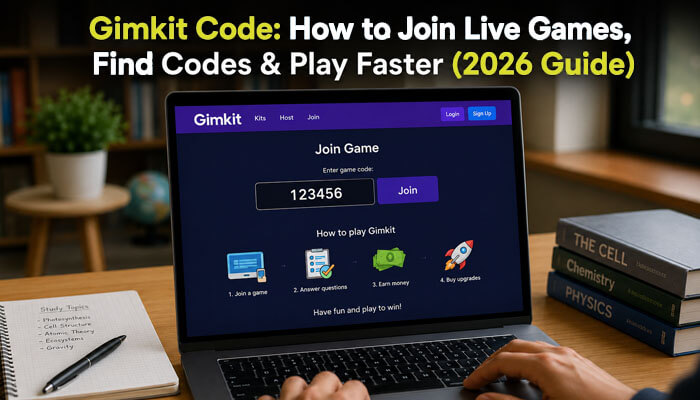

A Gimkit Code is a simple join code that students use to enter a live Gimkit learning game. Gimkit is an interactive classroom game platform where teachers host quiz-style activities, and students answer questions while using strategy, rewards, and game-based learning features.
In 2026, many students search for a Gimkit Code because they want to join a live classroom game quickly, understand where to enter the code, or fix issues when the code is not working. Teachers also use Gimkit codes to make classroom review more engaging, faster, and easier to manage.
A Gimkit Code is useful for live classroom games, remote learning sessions, test review, vocabulary practice, group competitions, and quick classroom activities. However, students should understand that most codes are temporary and should come from a trusted teacher, school, or classroom source.
What Is a Gimkit Code?
A Gimkit Code is a temporary game code that students use to join a live Gimkit learning game hosted by a teacher.
In simple words, a Gimkit Code helps students quickly enter a classroom quiz game without searching for it manually. Students can enter the code on Gimkit’s join page, scan a QR code, or use a direct join link shared by their teacher.
A Gimkit Code is commonly used for:
- Live classroom games
- Test review sessions
- Homework review
- Vocabulary practice
- Remote learning activities
- Group competitions
Most Gimkit Codes are temporary, which means they usually stop working after the teacher ends the live game.
Is a Gimkit Code Permanent or Temporary?
A Gimkit Code is usually temporary. It is created when a teacher starts hosting a live Gimkit game and is mainly used for that specific classroom session. Once the game ends, the code may stop working.
That is why students should always use the latest Gimkit Code shared by their teacher. Old codes, random codes from social media, or public code lists may already be expired, private, or unrelated to your class.
In simple terms, a Gimkit Code is not meant to be permanent. It works best when it comes directly from your teacher during a live classroom game.
How to Join a Gimkit Game With a Gimkit Code
| Step | What to Do |
| 1 | Get the Gimkit Code from your teacher’s screen |
| 2 | Go to Gimkit’s official join page |
| 3 | Enter the Gimkit Code carefully |
| 4 | Add your name or approve your nickname |
| 5 | Wait in the lobby until the teacher starts the game |
Students should look for the game code or QR code on the teacher’s screen. If the teacher shares a direct join link, students can also use that link to enter the game faster.
Can You Join Gimkit Without an Account?
In many live games, students can join with a Gimkit Code without creating a full account. They simply enter the code, add their name, and wait in the lobby.
However, if a teacher uses Gimkit Classes or Instant Join, students may need to be logged into their class account. Gimkit says Instant Join allows students to join without entering a game code or typing their names when the teacher uses Classes.
Gimkit’s account FAQ also states that students can play live games and assignments without needing an account or logging into Gimkit, depending on how the teacher sets up the activity.
Where to Enter a Gimkit Code
Students should enter the Gimkit Code on Gimkit’s official join page. This is the safest and most reliable way to join a live game.
Avoid random websites claiming to provide “free live Gimkit codes.” Most live codes are temporary, classroom-specific, and controlled by the teacher hosting the session.
Using a Gimkit Code on Mobile, Tablet, or Chromebook
Students can use a Gimkit Code on different devices, including:
- Laptop
- Chromebook
- Tablet
- Mobile phone
- School computer
- Classroom browser
For the best experience:
- Use a stable internet connection.
- Keep your browser updated.
- Enter the code carefully.
- Use the official Gimkit join page.
- Scan the QR code if typing is difficult.
- Use the teacher’s join link if shared.
- Avoid refreshing the page repeatedly.
This matters because many students use school Chromebooks, tablets, or mobile devices to join classroom games.
Gimkit Classes and Auto-Join
Some students may not need to type a Gimkit Code if their teacher uses Gimkit Classes. With Instant Join, students in a class can join live games automatically without entering a game code or typing their names.
Gimkit Classes can also help teachers keep student names appropriate, track assignment progress, and save assignment progress. Gimkit explains that Classes allow students to join live games automatically without needing the game code.
How Teachers Create a Gimkit Code
Teachers create a Gimkit Code by hosting a live game. To host a live Gimkit game, a teacher usually follows these steps:
| Step | Teacher Action |
| 1 | Select a kit |
| 2 | Choose a game mode |
| 3 | Set up game options |
| 4 | Share the game code or join link |
| 5 | Start the live game |
Gimkit’s official hosting guide says students can join a live game using a QR code, join link, or game code. Students joining without Classes can visit Gimkit’s join page and enter the game code.
Once the game is ready, Gimkit shows a lobby where students wait before the teacher starts the session. Teachers can also copy a direct game link or display a QR code for faster joining.
Gimkit Code for Students vs Teachers
| User | How They Use a Gimkit Code |
| Students | Enter the code to join a live game |
| Teachers | Create and share the code by hosting a live game |
| Parents | Help students join safely from the official page |
| Remote learners | Join using a code, QR code, or direct link |
A Gimkit Code is mainly used by students, but teachers control when the code is created, how it is shared, and when the game begins.
Gimkit Code, QR Code, and Join Link: What Is the Difference?
| Joining Method | Best For | How It Works |
| Gimkit Code | Students typing manually | Enter the code on the official join page |
| QR Code | Fast classroom joining | Scan the QR code from the teacher’s screen |
| Join Link | Online classes or quick access | Click the link shared by the teacher |
| Instant Join | Classes with accounts | Students join without typing a code |
Gimkit allows teachers to display QR codes during live games by hovering over the game code. Teachers can also copy a join link, which lets students join without manually entering the code.
Gimkit Live Code vs Assignment Link
| Feature | Gimkit Live Code | Gimkit Assignment |
| Use | Live classroom game | Homework or independent practice |
| Timing | Real-time | The student can play later |
| Code needed | Usually yes | Usually shared as an assignment link |
| Best for | Classroom review | Distance learning or homework |
| Teacher role | Hosts live session | Assigns work for students to complete |
A Gimkit Code is mainly for live games. Gimkit assignments are different because they allow students to play on their own time, making them useful for distance learning, independent review, or homework. Gimkit’s assignment guide says assignments allow students to play Gimkit on their own time.
Gimkit Code for Homework vs Live Class
A Gimkit Code is mostly used for live classroom games where the teacher hosts the session in real time. Students join the game, wait in the lobby, and play together when the teacher starts.
For homework, teachers may use Gimkit assignments instead of a live code. Assignments allow students to complete practice outside class, which makes them useful for remote learning, independent review, and after-class study.
| Use Case | Best Option |
| Live classroom review | Gimkit Code |
| Homework practice | Assignment link |
| Remote learning | Join link or assignment |
| Fast classroom entry | QR code or Gimkit Code |
| Class account setup | Instant Join |
Why Is My Gimkit Code Not Working?
A Gimkit Code may not work for several reasons:
- The teacher has not started hosting the game.
- The code was typed incorrectly.
- The game session has ended.
- The code is expired.
- The student is using the wrong website.
- The internet connection is slow.
- The teacher is using a class-based joining method.
- Late joining may be turned off by the teacher.
- The teacher may have changed the game settings.
Gimkit allows teachers to control whether students can join live games late from the Game Options screen. Live games allow late joining by default, but teachers can turn this setting off.
Gimkit Code Troubleshooting Table
| Problem | Possible Reason | Quick Fix |
| Code not working | Game ended | Ask your teacher for a new code |
| Cannot join | Wrong website | Use Gimkit’s official join page |
| Name not accepted | Nickname rules | Use a proper classroom name |
| Page loading slowly | Internet issue | Refresh once or check your connection |
| Joined automatically | Teacher uses Classes | Stay logged into your Gimkit account |
| Code disappeared | The teacher changed or ended the game | Wait for the teacher to share the new code |
| Cannot join late | Late joining is disabled | Ask the teacher if joining late is allowed |
| QR code not scanning | Camera or screen issue | Use the typed code or join link instead |
How to Play Faster With a Gimkit Code
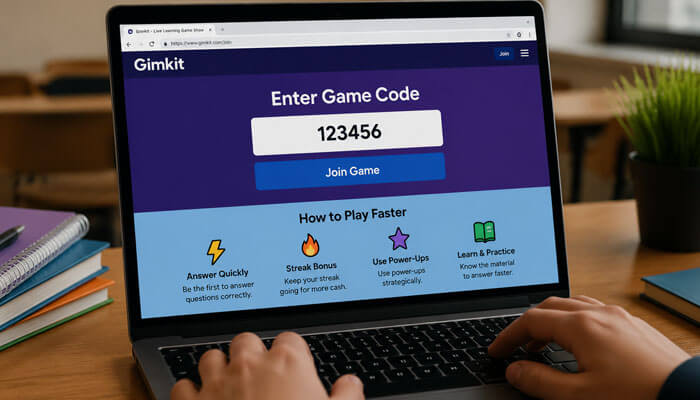
To join and play faster:
- Keep the official Gimkit join page open before class starts.
- Type the Gimkit Code carefully.
- Use the QR code when available.
- Use the teacher’s join link if shared.
- Check your internet connection before class.
- Avoid refreshing the page again and again.
- Enter your name quickly and wait in the lobby.
- Stay logged in if your teacher uses Gimkit Classes.
- Ask your teacher for a new code if the current one does not work.
Is a Gimkit Code Free?
A Gimkit Code itself is free for students to use when a teacher hosts a live game and shares the code. Students normally do not need to pay just to enter a live classroom game with a code from their teacher.
However, some Gimkit features may depend on the teacher’s account type, class setup, or available game features.
Can You Find Random Gimkit Codes Online?
You may see websites, forums, or social media posts claiming to share active Gimkit Code lists. However, live Gimkit codes are usually temporary and connected to a specific teacher-hosted game.
The safest way to get a valid Gimkit Code is from:
- Your teacher
- Your classroom screen
- Your school learning platform
- A direct class link
- A trusted classroom group
Students should avoid random code websites because many codes may be expired, unrelated, unsafe, or not meant for public use.
Are Public Gimkit Codes Safe?
Public Gimkit Code lists are not always safe or reliable. Most live codes are created for private classroom sessions and may expire after the game ends.
Students should only use codes shared by their teacher, school, or official classroom group. Joining random games can create privacy concerns, classroom disruption, and confusion.
Is Gimkit Code Safe?
A Gimkit Code is generally safe when students use codes shared directly by teachers, schools, or official classroom platforms. Most live game codes are temporary and designed only for classroom participation.
Students should avoid random code websites, inappropriate usernames, and unknown join links. Teachers can improve safety by using Gimkit Classes, checking player names, and turning off late joining when needed.
Teacher Privacy Tips for Gimkit Code
Teachers should avoid sharing a Gimkit Code publicly because random users may join the game. To reduce unwanted players, teachers can use Gimkit Classes, check student names in the lobby, remove inappropriate names, and turn off late joining when needed.
Gimkit’s game options guide says teachers can turn off late joining if they are having trouble with game crashers.
Teachers can also follow these privacy tips:
- Share the code only with the class.
- Do not post live code publicly.
- Use a classroom learning platform for sharing links.
- Check player names before starting.
- Remove unknown or inappropriate players.
- Use Gimkit Classes for better control.
- Turn off late joining if unwanted players appear.
- Use the Nickname Generator when appropriate.
Best Classroom Uses of Gimkit Code
Teachers can use a Gimkit Code for many classroom activities, including:
- Test review
- Vocabulary practice
- Math drills
- Science quizzes
- History revision
- Reading comprehension
- Remote learning games
- Group competitions
- Exit tickets
- Homework review
- Warm-up activities
- End-of-class recap
A Gimkit Code makes it easier for students to enter a game quickly, which gives teachers more time for learning and less time for setup.
Best Practices for Using Gimkit Code in Remote Learning
Teachers using Gimkit for remote learning can improve classroom organization by sharing direct join links, displaying QR codes during video calls, and reminding students to use the official Gimkit join page.
For smoother online sessions:
– Share the code in the classroom chat
– Keep the game lobby open long enough for all students
– Use stable internet connections
– Encourage students to stay logged into their class accounts
– Review player names before starting the game
These steps help reduce confusion and improve online classroom participation.
Benefits of Using Gimkit Code in Classrooms
| Benefit | Why It Helps |
| Fast access | Students can join quickly |
| Better engagement | Quiz games make learning interactive |
| Classroom control | Teachers manage the lobby and game |
| Easy participation | Students can join from their own devices |
| Review support | Helps students practice topics before tests |
| Flexible learning | Useful for live games and classroom activities |
| Remote access | Students can join online with a link or code |
| Better classroom flow | Less setup time and more learning time |
| Safer classroom setup | Teachers can manage names and late joining |
Gimkit Code Safety Tips for Students
Students should follow basic safety rules:
- Only join games shared by a teacher.
- Do not share personal information.
- Avoid inappropriate usernames.
- Do not click on unknown “free code” websites.
- Use Gimkit only through official classroom instructions.
- Follow classroom rules during the game.
- Do not share private class codes publicly.
- Leave the game if you joined the wrong session.
Gimkit Code Tips for Teachers
Teachers can make joining easier by:
- Displaying the Gimkit Code clearly.
- Using a QR code for faster access.
- Sharing a direct join link for remote students.
- Checking player names in the lobby.
- Using nickname controls when needed.
- Starting the game only after all students join.
- Keeping the code visible for late joiners.
- Turning late join on or off based on classroom needs.
Gimkit’s hosting guide explains that the lobby is where teachers can review student names before starting the game, and teachers can remove inappropriate names when needed.
Gimkit Code vs KitCodes
Some users confuse a Gimkit Code with KitCodes, but they are not the same.
| Feature | Gimkit Code | KitCodes |
| Main purpose | Join a live Gimkit game | A Gimkit game mode feature |
| Used by | Students joining a game | Students playing a specific mode |
| How it works | Enter a code or use a link | Students scan codes during gameplay |
| Best for | Joining live sessions | Movement-based classroom activity |
KitCodes is a Gimkit mode designed to get students moving around the classroom while scanning codes as part of gameplay.
Gimkit Code vs Kahoot PIN
| Feature | Gimkit Code | Kahoot PIN |
| Purpose | Join Gimkit live games | Join Kahoot live quizzes |
| Best For | Strategy-based classroom games | Fast quiz competitions |
| Join Method | Code, QR code, or link | Game PIN or link |
| Teacher Control | Lobby and game settings | Lobby and quiz settings |
| Learning Style | Quiz, strategy, and rewards | Quiz, speed, and competition |
Both tools help students join classroom games, but a Gimkit Code is connected to Gimkit’s game-based learning style, which often includes strategy, upgrades, rewards, and different game modes.
Common Mistakes Students Should Avoid
Students should avoid these common Gimkit Code mistakes:
- Searching for random codes instead of asking the teacher.
- Entering the code on the wrong website.
- Typing the code too late after the game starts.
- Using nicknames that may get removed.
- Leaving the lobby before the game begins.
- Sharing class codes outside the classroom.
- Refreshing too many times while joining.
- Using an old code from a previous class.
- Joining a game that was not meant for their class.
Final Tips to Use Gimkit Code Successfully
To use a Gimkit Code successfully, students and teachers should follow a few simple steps to make the joining process smooth, safe, and organized.
Tips for Students
- Get the Gimkit Code directly from your teacher.
- Enter the code carefully without typing mistakes.
- Use the correct Gimkit join page.
- Wait in the game lobby until the teacher starts the game.
- Avoid using old codes from previous classes.
- Do not trust random Gimkit Codes found online.
- Use a QR code or direct join link if your teacher shares one.
- Check your internet connection before joining.
Tips for Teachers
- Display the Gimkit Code clearly on the classroom screen.
- Use QR codes when possible for faster joining.
- Share direct join links with remote students.
- Check the game lobby before starting.
- Remove unknown or inappropriate names if needed.
- Keep the code visible until all students join.
- Turn off late joining if unwanted players enter the game.
- Use Gimkit Classes for better classroom control.
A Gimkit Code works best when students and teachers use it as part of an organized classroom activity. This helps students join quickly, reduces confusion, and keeps the live learning game safe and easy to manage.
Conclusion
A Gimkit Code is the easiest way for students to join a live Gimkit game. Teachers can share the code, QR code, or join link, while students can enter the game quickly through Gimkit’s official join page.
For the best experience, students should use codes only from trusted classroom sources and avoid random code websites. Teachers can improve the joining process by displaying the code clearly, using QR codes, sharing direct links, managing the lobby, and turning off late joining when needed.
In 2026, Gimkit remains a useful classroom tool because it combines learning, competition, strategy, and student engagement in one platform. A simple Gimkit Code can help students enter live games faster and make classroom learning more interactive.
Gimkit Code FAQs
1. What is a Gimkit Code?
A Gimkit Code is a temporary code that students use to join a live Gimkit game hosted by a teacher.
2. Where do I enter a Gimkit Code?
Students enter a Gimkit Code on Gimkit’s official join page or use a QR code or join link shared by the teacher.
3. Why is my Gimkit Code not working?
A Gimkit Code may not work if the game has ended, the code was typed incorrectly, the teacher has not started the game, or if late joining is turned off.
4. Can I find a working Gimkit Code online?
It is not recommended to search for random Gimkit Code lists online because most live codes are temporary and created for private classroom sessions.
5. How long does a Gimkit Code last?
A Gimkit Code usually lasts only for the live game session. Once the teacher ends the game, the code may stop working.
6. What is the difference between a Gimkit Code and an assignment link?
A Gimkit Code is mainly for live classroom games, while an assignment link is used for homework, distance learning, or independent practice.
7. Can I use a Gimkit Code on a phone?
Yes, students can use a Gimkit Code on a phone, tablet, Chromebook, laptop, or school computer as long as they have a working browser and internet connection.
Disclaimer:
Gimkit Codes are temporary and meant for live classroom games. Use only codes provided by your teacher or official sources. We are not responsible for expired, invalid, or publicly shared codes. Follow official Gimkit and school guidelines for safe use.
