


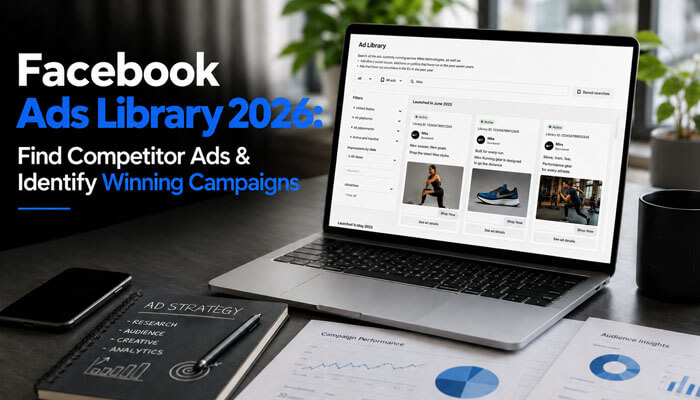

The Facebook Ads Library is one of the most useful free tools for marketers, business owners, agencies, startups, and content creators who want to understand how brands advertise across Facebook, Instagram, Messenger, and other Meta platforms.
In 2026, paid social advertising is more competitive than ever. Businesses are no longer only competing on budget. They are competing on creative quality, offer clarity, landing page experience, trust signals, and how well they understand their audience. That is why ad research has become an important part of every serious marketing strategy. Beyond creative and offer competition, brands now also compete on data quality — implementing Meta Conversions API sends conversion signals server-side directly to Meta, ensuring accurate measurement and audience optimization even when browser-based pixel tracking is degraded by ad blockers and iOS privacy restrictions.
The official name of the tool is Meta Ad Library, but many people still search for it as Facebook Ads Library because Facebook remains one of Meta’s most recognized advertising platforms. This guide explains what the tool is, how it works, how to find competitor ads, how to identify possible winning campaign patterns, and how to use ad research ethically without copying other brands.
Quick Answer: What Is the Facebook Ads Library?
The Facebook Ads Library is a free public ad transparency tool from Meta. It allows users to search and view ads running across Meta technologies, including Facebook and Instagram. Marketers use it to research competitor ads, study ad creatives, analyze offers, review landing pages, and understand how brands are positioning their products or services.
However, the tool does not show full performance data such as sales, profit, ROAS, cost per lead, conversion rate, or complete audience targeting. It is best used as a research and inspiration tool, not as proof that every visible ad is profitable.
Facebook Ads Library At a Glance
- Tool Name: Meta Ad Library
- Cost: Free
- Best For: Competitor Research
- Platforms Covered: Facebook, Instagram, Messenger, Audience Network
- Primary Benefit: Ad Transparency
- Ideal Users: Marketers, Agencies, Startups, Business Owners
- Research Focus: Ad Creatives, Copy, Offers, CTAs, Landing Pages
- Recommended Review Frequency: Weekly or Monthly
Search Intent Behind Facebook Ads Library
People searching for Facebook Ads Library usually want practical guidance, not just a definition. Most readers want to know how to find active competitor ads, how to study Facebook and Instagram campaigns, and how to use those insights to improve their own advertising.
The main search intent includes:
- Learning what the Facebook Ads Library is
- Finding competitor Facebook ads
- Studying winning ad examples
- Analyzing ad copy, creatives, CTAs, and landing pages
- Understanding what information the tool shows
- Knowing what the tool does not reveal
- Building a swipe file for ad inspiration
- Avoiding mistakes when researching competitor campaigns
This article is designed for beginners, marketers, agencies, startup founders, eCommerce brands, SaaS companies, local businesses, and advertisers who want to use the Facebook Ads Library in a smart and ethical way.
Official Source Verification: Is Facebook Ads Library a Real Meta Tool?
Yes. The Facebook Ads Library is a real public ad transparency tool from Meta. Its official name is Meta Ad Library, but the term Facebook Ads Library is still widely used by marketers and business owners.
Before trusting any ad example, users should understand the difference between the official Meta tool and third-party ad spy websites. The official Meta Ad Library is built for ad transparency, while third-party tools may add extra features such as saved collections, trend tracking, or multi-platform research.
Use this quick verification checklist before trusting ad data:
| Checkpoint | Why It Matters |
| Official Meta or Facebook source | Helps avoid fake ad library pages |
| Correct advertiser Page name | Prevents researching the wrong brand |
| Active ad status | Shows whether the ad is currently running |
| Delivery date | Helps identify old vs current campaigns |
| Landing page URL | Helps verify the campaign destination |
| Ad category | Helps separate commercial, political, social issue, housing, employment, or credit ads |
| Regional availability | Some ad details vary by country or region |
A strong Facebook Ads Library research process should begin with source verification, not random screenshots or copied ad examples.
Key Takeaways
- The Facebook Ads Library is free to use.
- It helps users research active ads across Meta platforms.
- You can search by advertiser, keyword, country, and ad category.
- It is useful for studying ad creatives, copy, offers, landing pages, and campaign angles.
- It does not show exact sales, profit, conversion rate, or full targeting data.
- Long-running ads can be useful signals, but they are not guaranteed winners.
- The best use of the tool is research, inspiration, and campaign planning.
- In 2026, creative research is more important because Meta advertising uses more AI and automation.
Why the Facebook Ads Library Matters in 2026
Meta advertising has changed significantly. Advertisers now use broader targeting, AI-powered campaign optimization, Advantage+ campaigns, Reels-style videos, creator-led ads, and automated creative testing. Because targeting is more automated, ad creative quality has become a major performance factor.
The Facebook Ads Library helps marketers understand what brands are actively testing. If a competitor is running several ad variations around the same offer, product, hook, or landing page, that may reveal an important market signal.
However, users should avoid assuming that every active ad is profitable. Some ads may be tests. Some may be brand awareness campaigns. Some may be retargeting campaigns. Others may be low-budget experiments. The value of the Facebook Ads Library comes from identifying patterns, not blindly copying one ad.
Facebook Ads Library vs Meta Ad Library
Many users get confused between Facebook Ads Library and Meta Ad Library. In simple terms, they refer to the same public ad transparency tool, but Meta Ad Library is the more official name.
| Term | Meaning | Best Use |
| Facebook Ads Library | Common search terms used by marketers | Best for SEO and beginner-friendly content |
| Meta Ad Library | Official Meta branding | Best for accuracy and source references |
| Ad Library | Short version of the tool name | Best for simple explanations |
| Facebook Ad Library | Singular keyword variation | Common search variation |
For SEO, it is smart to use Facebook Ads Library naturally in the title, introduction, and headings while also explaining that the official tool is known as Meta Ad Library.
What Can You See Inside the Facebook Ads Library?
The Facebook Ads Library gives users access to publicly visible ad information. The exact details may vary depending on country, ad type, category, and transparency rules.
Commonly visible details include:
- Advertiser or Page name
- Ad creative image or video
- Primary ad text
- Headline
- Description
- Call-to-action button
- Platform indicators
- Ad start date
- Ad status
- Landing page link
- Multiple ad variations
- Extra transparency details for political, social issue, or election ads
This information helps marketers understand how brands present products, communicate offers, and guide users from ad to landing page.
Political, Social Issues, and Election Ads in Facebook Ads Library
The Facebook Ads Library is important for political, social issue, and election ad transparency. These ads can include additional details such as who paid for the ad, delivery period, disclaimer information, spend range, impression range, and audience or location details where available.
This matters because political and social issue advertising can influence public opinion, elections, public policy, and community discussions. Journalists, researchers, voters, watchdog groups, and policy analysts often use the Facebook Ads Library to monitor political messaging.
When reviewing political or issue-related ads, users should check:
- Who paid for the ad
- What Page ran the ad
- When the ad was active
- What message was promoted
- Which country or region was reached
- Whether the ad includes a disclaimer
- Whether the advertiser appears credible
Users should not treat political ad data as complete proof by itself. For sensitive topics, always compare ad library data with official campaign sources, public records, reliable news reports, and fact-checking sources.
EU and UK Ad Transparency in Facebook Ads Library
In the European Union and the United Kingdom, ad transparency can be more detailed because of stronger digital advertising rules and platform accountability requirements. For some ads delivered to users in these regions, Meta’s tools may provide extra information compared with standard commercial ads in other countries.
This can include advertiser information, payer or beneficiary details, delivery dates, platform placement, and other transparency signals depending on ad type and available data.
| Region or Ad Type | What Users May See |
| General commercial ads | Active creative, Page name, text, CTA, platform, start date |
| Political or social issue ads | Extra transparency, possible spend and impression ranges |
| EU/UK delivered ads | Additional transparency details may be available |
| Non-EU commercial ads | Usually fewer public details |
| Inactive regular commercial ads | May not stay visible like regulated ad categories |
This helps users understand why one advertiser search may show detailed data while another shows limited information. Facebook Ads Library data is not always the same for every country, advertiser, or campaign type.
What the Facebook Ads Library Does Not Show
The Facebook Ads Library is powerful, but it has clear limits. It usually does not show:
- Exact sales numbers
- Conversion rate
- Cost per click
- Cost per lead
- Return on ad spend
- Profit margin
- Full campaign budget for normal commercial ads
- Complete targeting details
- Campaign objective
- Ad set structure
- Pixel data
- A/B test results
- Frequency
- Full funnel performance
This means the tool should be used for creative and market research, not as final proof that an ad is successful.
How to Access the Facebook Ads Library
You can access the Facebook Ads Library by searching for “Meta Ad Library” or “Facebook Ads Library” on Google. You can also find it through Facebook Page transparency sections when checking an advertiser’s Page.
Basic steps:
- Open the official Meta Ad Library.
- Select the country you want to research.
- Choose an ad category.
- Search by advertiser name, Page name, or keyword.
- Use filters to narrow the results.
- Open ads to study creatives, text, CTA, and landing pages.
For serious research, the desktop view is usually better because it is easier to compare ads, open landing pages, and organize notes.
Facebook Ads Library Filters Explained
Filters make the Facebook Ads Library more useful. Instead of only searching a brand name, use filters to narrow your research and find stronger campaign patterns.
| Filter | How It Helps |
| Country | Shows ads running in a specific market |
| Ad category | Separates commercial, political, social issue, housing, employment, or credit ads |
| Advertiser/Page | Finds ads from a specific brand |
| Platform | Helps identify Facebook, Instagram, Messenger, or other Meta placements |
| Media type | Separates image, video, and other creative formats |
| Active status | Helps focus on current campaigns |
| Language | Useful for international market research |
| Date or delivery period | Helps identify recent, seasonal, or long-running ads |
For competitor research, start with active ads in your target country. Then compare the same advertiser across different regions if the brand sells internationally.
For example, an eCommerce brand may use discount-heavy ads in one country and trust-based ads in another. A SaaS company may promote free trials in one market and demo bookings in another.
How to Find Competitor Ads Using the Facebook Ads Library
Competitor ad research is one of the most valuable uses of the Facebook Ads Library. Follow this step-by-step process.
Step 1: Make a Competitor List
Before opening the tool, create a list of direct and indirect competitors.
Direct competitors sell the same type of product or service. Indirect competitors solve the same customer problem in a different way.
| Business Type | Direct Competitor | Indirect Competitor |
| Fitness app | Other fitness apps | Online coaching programs |
| Skincare brand | Other skincare brands | Beauty clinics or supplements |
| SaaS tool | Similar software tools | Manual services or agencies |
| Local dentist | Nearby dental clinics | Cosmetic treatment centers |
| Online course | Similar course creators | YouTube educators or coaching groups |
This helps you research with purpose instead of randomly searching ads.
Step 2: Search by Brand Name
Enter the competitor’s brand name into the search bar. Choose the correct Page or advertiser from the results. Many brands have similar names, so check logos, Page names, country, and website links carefully.
Review:
- How many ads they are running
- Which products they promote most
- Which offers appear repeatedly
- Whether they use images, videos, carousels, or Reels-style creatives
- What call-to-action they use
- Whether they send traffic to product pages, landing pages, or lead forms
Step 3: Search by Keyword
Do not only search brand names. Search niche keywords too.
Examples:
- “AI writing tool”
- “meal delivery”
- “online MBA”
- “skincare serum”
- “real estate investment”
- “website design agency”
- “fitness program”
- “personal finance app”
Keyword search can help you discover competitors you did not already know.
Step 4: Use Country Filters
Ads often change by country. A campaign running in the United States may be different from one running in India, the United Kingdom, Canada, Australia, or the UAE.
Country filters help you understand:
- Local pricing angles
- Regional offers
- Language differences
- Cultural messaging
- Seasonal promotions
- Market-specific ad formats
This is useful for global brands, e-commerce businesses, SaaS tools, education companies, travel brands, and agencies.
Step 5: Study Active Ads First
Active ads are usually more useful than old ads because they show what competitors are currently testing or promoting. Ads that have been running for a longer period may be useful signals, but they are not guaranteed winners.
A long-running ad could be:
- A profitable conversion ad
- A brand awareness campaign
- A retargeting ad
- A low-budget test
- A seasonal campaign that has not been turned off
Always look for patterns across multiple ads instead of depending on one example.
Step 6: Open the Landing Page
The ad creative is only one part of the campaign. Always review the landing page when available.
Check:
- What headline appears on the page
- Whether the offer matches the ad
- What trust signals are used
- Whether pricing is shown
- What testimonials are included
- Whether there is a lead form, checkout, or booking page
- Whether the page loads quickly on mobile
- Whether the page uses urgency, discounts, free trials, or guarantees
A strong ad with a weak landing page may still fail. A simple ad with a strong landing page may perform better.
How to Analyze Competitor Ads Like a Pro
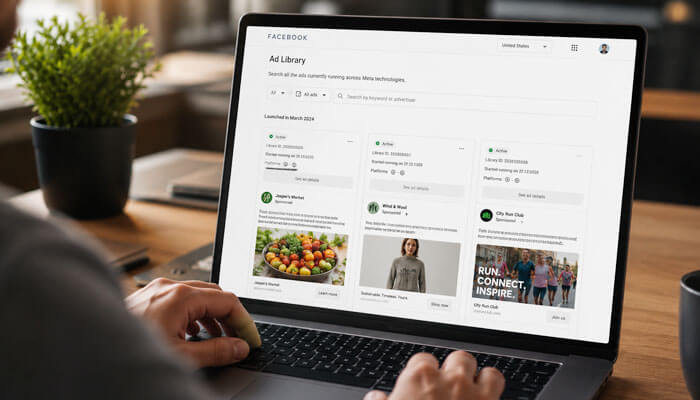
Finding ads is easy. Understanding them is the real skill. Use the following framework.
1. Analyze the Hook
The hook is the first line, visual, or opening seconds that grab attention.
Common hook types include:
- Problem-focused hook
- Result-focused hook
- Curiosity hook
- Discount hook
- Pain-point hook
- Social proof hook
- Founder story hook
- Product demonstration hook
- Comparison hook
| Hook Type | Example Style |
| Problem hook | “Struggling to generate leads?” |
| Result hook | “Get clearer skin in 30 days” |
| Curiosity hook | “Most business owners miss this ad strategy” |
| Social proof hook | “Trusted by 20,000+ customers” |
| Comparison hook | “Why brands are switching from X to Y” |
2. Analyze the Offer
A good ad usually has a clear offer. The offer is what the user gets after clicking.
Common offers include:
- Free trial
- Discount
- Free consultation
- Demo booking
- Free shipping
- Bundle deal
- Webinar registration
- Checklist download
- Lead magnet
- Early access
- Subscription plan
Ask:
- Is the offer easy to understand?
- Is it valuable?
- Does it reduce risk?
- Does it match the audience’s problem?
- Does it create urgency without sounding fake?
- Is it different from competitor offers?
3. Analyze the Creative Format
In 2026, ad format matters a lot. Meta placements include feeds, Stories, Reels, and other surfaces, so brands often test different creative styles.
Common creative formats include:
- Static image ads
- Short video ads
- UGC-style videos
- Founder videos
- Product demo videos
- Testimonial videos
- Carousel ads
- Comparison graphics
- Lifestyle visuals
- Before-and-after visuals
- Screenshot-style ads
If many competitors use creator-style videos, it may suggest that your audience responds well to authentic, less polished content.
4. Analyze the Copywriting Style
Ad copy reveals how a brand speaks to its audience.
Look for:
- Short direct copy
- Long storytelling copy
- Benefit-driven copy
- Emotional copy
- Technical copy
- Urgency-based copy
- Authority-based copy
- Educational copy
- Question-based copy
Strong ad copy usually answers:
- What is the problem?
- What is the solution?
- Why should the user care now?
5. Analyze the Call-to-Action
The call-to-action tells users what to do next.
Common CTAs include:
- Shop Now
- Learn More
- Sign Up
- Book Now
- Get Offer
- Download
- Subscribe
- Contact Us
- Apply Now
If competitors use “Learn More” for expensive products, it may suggest a longer buying journey. If they use “Shop Now,” the product may be more direct-response or impulse-friendly.
Facebook Ads Library Research Checklist
Use this checklist when studying competitor ads.
| Research Area | What to Check | Why It Matters |
| Advertiser name | Correct brand/Page | Avoids researching the wrong company |
| Active ads | Current campaigns | Shows present strategy |
| Long-running ads | Ads active for weeks or months | May suggest useful creative direction |
| Creative format | Video, image, carousel, UGC | Helps identify format trends |
| Hook | First line or opening scene | Shows attention strategy |
| Offer | Discount, trial, demo, lead magnet | Reveals conversion strategy |
| CTA | Shop, learn, sign up, book | Shows funnel stage |
| Landing page | Page after click | Reveals full campaign flow |
| Repetition | Same message across ads | Shows core positioning |
| Seasonal angle | Holiday, event, trend | Helps plan timely campaigns |
Can You Really See Competitor Facebook Ads?
Yes. Facebook Ads Library allows users to view many active advertisements running across Facebook and Instagram. While it does not provide exact performance metrics, it offers valuable insight into creative formats, ad messaging, offers, CTAs, and landing page strategies used by competitors.
How to Identify Winning Campaigns Without Performance Data
The Facebook Ads Library does not show exact results for most commercial ads. Instead of assuming performance, look for signals.
- Same Ad Running for a Long Time
If an ad has been active for a long time, it may be valuable enough to keep live. This is not guaranteed, but it is a useful clue.
- Many Variations of the Same Message
If a brand creates multiple versions of the same hook, product, offer, or landing page, it may be testing a strong angle.
- Repeated Landing Page
If several ads send users to the same landing page, that page may be central to the brand’s funnel.
- Strong Offer Repetition
If a brand repeatedly promotes a free trial, discount, demo, or bundle, that offer may be important to its acquisition strategy.
- Creative Consistency
If ads share similar visuals, formats, and messaging, the brand may have found a useful creative system.
- Seasonal Scaling
If a brand increases ads around Black Friday, New Year, Valentine’s Day, back-to-school, or festival periods, that can reveal campaign timing strategy.
Best Ways to Use the Facebook Ads Library for Your Business
The Facebook Ads Library is useful for more than competitor spying. It can support advertising, content marketing, funnel planning, and offer development.
1. Find Creative Inspiration
Study how brands use images, videos, colors, product shots, testimonials, text overlays, and lifestyle scenes. Do not copy directly. Identify patterns and create your own original version.
2. Improve Your Offer
Competitor ads can show whether your offer is strong enough. If every competitor offers a free trial, bonus, consultation, or discount, your offer may need a stronger reason to click.
3. Understand Market Positioning
Ads reveal how brands position themselves. Some focus on price. Others focus on quality, speed, luxury, convenience, expertise, trust, or simplicity.
4. Plan Seasonal Campaigns
Search your niche during different seasons to see how brands promote holiday sales, product launches, events, and limited-time offers.
5. Discover New Angles
You may find messaging angles such as:
- Save time
- Reduce cost
- Avoid mistakes
- Improve confidence
- Get expert help
- Build status
- Improve safety
- Make work easier
- Get faster results
6. Build a Swipe File
A swipe file is a collection of ad examples used for inspiration.
Save:
- Best hooks
- Best offers
- Best ad formats
- Best landing pages
- Best testimonial styles
- Best product demos
- Best headline ideas
- Best seasonal campaigns
Facebook Ads Library Research Template
Use this template for organized competitor research.
| Competitor | Ad Type | Hook | Offer | CTA | Landing Page | Notes |
| Brand 1 | Video | Problem hook | Free trial | Learn More | Demo page | Uses founder video |
| Brand 2 | Image | Discount hook | 20% off | Shop Now | Product page | Strong urgency |
| Brand 3 | Carousel | Benefit hook | Bundle deal | Buy Now | Collection page | Shows product use cases |
| Brand 4 | UGC video | Testimonial hook | Free guide | Download | Lead magnet | Strong social proof |
This makes research easier to compare and helps you turn competitor insights into original campaign ideas.
Common Mistakes When Using the Facebook Ads Library
Mistake 1: Copying Competitor Ads Directly
Copying ads can damage your brand, reduce originality, and create ethical or legal problems. Use competitor ads for inspiration, not duplication.
Mistake 2: Assuming Every Active Ad Is Profitable
An active ad may be a test, awareness campaign, retargeting ad, or low-budget experiment. Do not assume it is a winning ad without more evidence.
Mistake 3: Ignoring Landing Pages
The landing page is part of the campaign. If you only study ad copy and ignore the page after the click, your research is incomplete.
Mistake 4: Looking at Only One Competitor
One competitor does not represent the full market. Study at least 5 to 10 competitors to find stronger patterns.
Mistake 5: Not Checking Different Countries
Brands often run different ads in different markets. A winning message in one country may not work in another.
Mistake 6: Ignoring Ad Dates
Ad start dates can help separate fresh tests from long-running campaigns.
Mistake 7: Forgetting Your Own Audience
Competitor research is useful, but your audience, pricing, product quality, brand trust, and funnel may be different. Always test before scaling.
Facebook Ads Library for Different Business Types
| Business Type | What to Research |
| eCommerce brands | Product ads, bundles, discounts, UGC videos, landing pages |
| SaaS companies | Demo ads, feature messaging, free trials, comparison ads |
| Local businesses | Reviews, appointments, service offers, local trust signals |
| Coaches and consultants | Webinars, lead magnets, testimonials, authority hooks |
| Real estate brands | Property ads, lead forms, location-based messaging |
| Education companies | Course outcomes, student testimonials, enrollment offers |
| Healthcare brands | Trust signals, disclaimers, service education |
| Finance brands | Compliance-friendly language, credibility signals |
| Agencies | Case studies, service packages, booking funnels |
How to Use Facebook Ads Library for eCommerce
For eCommerce brands, visual research is especially important.
Check:
- Product demonstration videos
- Lifestyle product images
- Before-and-after examples
- Customer review ads
- Discount offers
- Free shipping messages
- Bundle deals
- Product page structure
- Upsell and cross-sell angles
- Seasonal campaigns
Ask:
- Are competitors promoting one product or a collection?
- Are they using discount codes?
- Are they showing product benefits quickly?
- Are they using creators or professional visuals?
- Are they using emotional lifestyle scenes?
How to Use Facebook Ads Library for SaaS
SaaS brands can use the tool to study how competitors explain software benefits.
Look for:
- Free trial offers
- Demo booking ads
- Feature-based ads
- Problem-solution messaging
- Comparison ads
- Testimonial videos
- Founder-led ads
- Case study ads
- Integration-focused ads
- ROI-focused messaging
SaaS ads often work best when they make a complex product feel simple, valuable, and easy to try.
How to Use Facebook Ads Library for Local Businesses
Local businesses can use the Facebook Ads Library to study competitors in the same city or nearby regions.
Useful research areas include:
- Service discounts
- Appointment booking ads
- Customer review ads
- Local trust signals
- Before-and-after photos
- Location-specific offers
- Event promotions
- Emergency service ads
- Seasonal campaigns
For example, a dental clinic can search nearby dental clinics to see how they promote whitening, implants, braces, checkups, and emergency dental services.
How to Use Facebook Ads Library for Content Ideas
The tool is not only useful for paid ads. It can also support SEO and content marketing.
Competitor ads can inspire:
- Blog topics
- Social media posts
- Email subject lines
- YouTube video ideas
- Landing page headlines
- Product page copy
- Lead magnet topics
- FAQ sections
- Case study angles
If many advertisers are using the same pain point in ads, that pain point may also be useful for organic content.
Facebook Ads Library and AI Advertising in 2026
In 2026, AI plays a bigger role in ad creation, campaign optimization, and audience delivery. Many brands use AI tools to generate copy variations, creative concepts, video scripts, and campaign ideas.
However, AI does not replace strategy. The Facebook Ads Library helps marketers see what real brands are actually publishing. This makes it useful for validating creative ideas before testing.
You can combine AI and library research by:
- Collecting competitor hooks
- Grouping ads by angle
- Creating original variations
- Writing new ad copy
- Building creative briefs
- Planning video scripts
- Testing different CTAs
- Creating landing page headline ideas
The best approach is not to let AI copy competitors. Instead, use research to create more original and relevant ads.
2026 Creative Trends to Watch in Facebook Ads Library
In 2026, strong advertisers are not only testing audiences. They are testing creative angles, hooks, offers, formats, and landing page experiences.
| Creative Trend | What to Look For |
| UGC-style videos | Real people, casual videos, creator-style reviews |
| Short Reels-style ads | Fast hooks, vertical format, quick product demos |
| Founder-led ads | Business owner or expert explaining the product |
| Problem-solution ads | Clear pain point followed by a simple solution |
| Comparison ads | Brand vs old method, product vs competitor, before vs after |
| Testimonial creatives | Customer stories, reviews, social proof |
| AI-assisted creatives | Multiple variations of headlines, visuals, or concepts |
| Offer-led ads | Discounts, free trials, bundles, consultations |
| Educational ads | Tips, mistakes, myths, checklists, short lessons |
| Landing-page-focused campaigns | Ads that match a dedicated page or funnel |
The goal is not to copy these ads. The goal is to understand what type of creative language your market is responding to and then create original campaigns for your own audience.
Safety Warning: Not Every Ad in Facebook Ads Library Is Trustworthy
The Facebook Ads Library can show ads that are active or recently available, but users should not assume every ad is trustworthy, profitable, compliant, or safe.
Some ads may be:
- Low-quality tests
- Misleading promotions
- Outdated offers
- Aggressive lead-generation campaigns
- Unsafe financial claims
- Weakly verified brand promotions
- Non-compliant health, crypto, or earning claims
Before using any ad as inspiration, review:
- The advertiser’s official Page
- Website quality
- Contact details
- Customer reviews
- Offer clarity
- Claims and disclaimers
- Landing page security
- Refund or privacy policy
- Whether the ad makes unrealistic promises
- Whether the brand appears legitimate
This is especially important in finance, health, supplements, crypto, online earning, weight loss, legal services, and education niches.
Ethical Way to Use the Facebook Ads Library
Competitor research is normal in marketing, but it should be done ethically.
Use the tool to:
- Understand market trends
- Learn messaging patterns
- Improve your positioning
- Identify content gaps
- Study creative formats
- Build better customer-focused campaigns
Do not use it to:
- Copy exact images
- Copy exact videos
- Copy brand names
- Copy testimonials
- Mislead customers
- Steal design identity
- Use false claims
- Break advertising policies
A good marketer studies competitors but builds an original strategy.
Facebook Ads Library SEO Benefits for Marketers
The Facebook Ads Library is also useful for SEO and content strategy because it reveals real market language. Ads often show the pain points, benefits, objections, and offers brands believe are important to customers.
Readers searching this topic may want to:
- Learn how to use the tool
- Find competitor ads
- Improve Facebook ad campaigns
- Study winning ad examples
- Research ad creatives
- Understand Meta advertising trends
- Track political or issue ads
- Analyze brand campaigns
This makes the topic valuable for marketers, founders, advertisers, agencies, and small business owners.
Suggested Keyword Variations
Use these naturally throughout the article:
| Keyword Variation | Use Case |
| Facebook Ads Library | Main focus keyword |
| Facebook Ad Library | Common singular variation |
| Meta Ad Library | Official tool name |
| Facebook ads research tool | Supporting keyword |
| Competitor Facebook ads | Search intent keyword |
| Find competitor ads | Action-based keyword |
| Winning Facebook ads | High-click keyword |
| Meta ads library guide | Related keyword |
| Facebook ad examples | Supporting keyword |
| Ad creative research | LSI keyword |
Facebook Ads Library Limitations
The tool is helpful, but it is not a complete competitor intelligence platform.
| Limitation | What It Means |
| No full performance data | You cannot confirm ROAS or conversions |
| Limited targeting visibility | You may not know the exact audience |
| No campaign structure | You cannot see ad sets or objectives |
| Ads may be tests | Not every ad is successful |
| Data can vary by region | Some transparency details depend on location and ad type |
| No full funnel view | Email follow-up, retargeting, and backend sales are hidden |
Because of these limits, combine library research with your own testing, analytics, customer research, and conversion tracking.
Facebook Ads Library API: What Advanced Users Should Know
The Facebook Ads Library API is useful for researchers, journalists, developers, and advanced marketers who want to search certain ad data in a more structured way. Instead of manually checking ads one by one, the API can help users collect and analyze eligible ad information at scale.
The API may be helpful for:
- Political ad research
- Social issue and monitoring
- Election advertising analysis
- EU and UK ad transparency research
- Academic studies
- Journalism investigations
- Public accountability projects
- Large-scale ad trend analysis
However, the API does not provide unlimited access to every commercial ad in every country. It also does not reveal private performance metrics such as cost per purchase, conversion rate, profit, or full funnel data.
For most business owners and beginner marketers, the normal Facebook Ads Library website is enough. The API is better suited for users who need structured ad data for research, reporting, or technical analysis.
Is the Facebook Ads Library Free?
Yes. The Facebook Ads Library is free to use. This is one reason it is popular among marketers, agencies, researchers, journalists, and business owners.
You do not need expensive software to start basic competitor ad research. However, paid tools may offer extra features such as saved collections, historical tracking, advanced filters, or multi-platform research.
Facebook Ads Library vs Paid Ad Spy Tools
| Feature | Facebook Ads Library | Paid Ad Spy Tools |
| Cost | Free | Usually paid |
| Official source | Yes | No, usually third-party |
| Active Meta ads | Yes | Often yes |
| Historical commercial ads | Limited | Often stronger |
| Multi-platform research | Limited to Meta platforms | May include TikTok, YouTube, Google, Pinterest, or others |
| Performance metrics | Not complete | May provide estimates, not always exact |
| Swipe file features | Manual | Often built-in |
| Best for beginners | Yes | Depends on budget |
| Best for agencies | Useful but manual | Useful for scaling research |
Start with the Facebook Ads Library first. Then, if your team needs deeper tracking or multi-platform research, compare paid tools carefully.
Is It Legal to View Competitor Ads?
Yes. The Facebook Ads Library is a public transparency tool, and viewing competitor ads is allowed. However, copying another brand’s creative assets, videos, images, claims, testimonials, or identity can create ethical and legal problems.
Use it for research and inspiration, not direct copying.
How Often Should You Check the Facebook Ads Library?
For most businesses, checking once or twice per month is enough. During major sales seasons, you may check weekly.
Good times to research include:
- Before launching a new campaign
- Before Black Friday
- Before holiday sales
- Before product launches
- Before entering a new market
- Before creating a new landing page
- Before updating ad creatives
- Before planning a quarterly marketing strategy
Best Facebook Ads Library Workflow for Agencies
Agencies can use the tool as part of client research.
A simple workflow:
- Identify 10 competitors.
- Search each competitor in the library.
- Save top ad examples.
- Group ads by offer and funnel stage.
- Review landing pages.
- Build a creative strategy document.
- Create original campaign concepts.
- Present findings to the client.
- Launch tests.
- Compare actual results with research assumptions.
This makes campaign planning more professional, organized, and data-informed.
Facebook Ads Library Content Gap Strategy
The tool can help you find content gaps. If competitors are advertising a problem but not explaining it well, you can create organic content around that topic.
| Competitor Ad Topic | Organic Content Idea |
| “Save time with automation.” | Blog post on automation mistakes |
| “Get more leads.” | Guide to lead generation strategy |
| “Try our skincare bundle.” | Routine guide for different skin types |
| “Book a free demo.” | Comparison article between tools |
| “Lose weight safely.” | Educational content on healthy habits |
This connects paid ad research with SEO content strategy.
Best Practices for Creating Your Own Ads After Research
After studying competitor ads, use the insights to create original campaigns.
Follow this process:
- Choose one customer problem.
- Write three different hooks.
- Create two creative formats.
- Build one strong offer.
- Match the landing page to the ad promise.
- Add trust signals such as reviews or results.
- Test different CTAs.
- Track real performance in Ads Manager.
- Keep the best-performing ads.
- Refresh creatives regularly.
Related Marketing Resources
- Facebook Advertising Guide
- Instagram Ads Strategy
- Landing Page Optimization
- Conversion Rate Optimization
- How to Write Ad Copy That Converts
- Best Facebook Ad Examples
Facebook Ads Library Strategy Framework
| Step | Action | Result |
| Discover | Search brands and keywords | Find competitor ads |
| Observe | Review copy, creative, CTA, offer | Understand market patterns |
| Organize | Save examples in a spreadsheet | Build a swipe file |
| Analyze | Find repeated hooks and formats | Identify possible winning angles |
| Create | Build original ad ideas | Avoid copying |
| Test | Run your own campaigns | Get real performance data |
| Improve | Compare results and refresh creatives | Increase campaign quality |
Example: How to Research a Skincare Brand
Suppose you sell skincare products. You can search competitors in the Facebook Ads Library and analyze:
- Are they promoting acne, anti-aging, hydration, or glow?
- Do they use before-and-after visuals?
- Are they offering discounts or bundles?
- Are they using dermatology-style authority?
- Are they using influencers or UGC creators?
- What landing pages do they use?
- Are they promoting one hero product or a full routine?
From this research, you may discover that competitors focus on customer transformation, social proof, and product bundles. You can then create your own campaign around your strongest product benefit.
Example: How to Research a SaaS Brand
Suppose you sell project management software. Search competitors and check:
- Are they selling productivity, team collaboration, or cost savings?
- Do they promote free trials?
- Are they using feature screenshots?
- Do they compare themselves with older tools?
- Are they using founder videos or demo videos?
- Do they target small teams or enterprises?
- What CTA appears most often?
This helps you decide whether your ad should focus on simplicity, speed, automation, pricing, integrations, or team productivity.
Advanced Tips for Using the Facebook Ads Library
-
Use Repetition as a Signal
If many competitors use the same pain point, offer, or creative format, it may be important to your audience.
-
Compare Small Brands and Big Brands
Big brands often test polished campaigns. Small brands may test more direct-response offers. Studying both gives a better view.
-
Check Ads Monthly
Competitor campaigns change. Review the library every month to track new offers and seasonal changes.
-
Save Screenshots
Ads can disappear. Save screenshots and notes for future reference.
-
Study Landing Pages Separately
Create a separate document for landing page research. Many campaign insights appear after the click.
-
Look for Gaps
Expert Perspective
Experienced media buyers rarely use Facebook Ads Library to copy competitors. Instead, they use it to identify recurring customer pain points, successful offer structures, creative trends, and messaging patterns. The strongest advertisers combine competitor research with original testing, customer feedback, analytics, and continuous creative improvement.
Conclusion
The Facebook Ads Library is one of the best free tools for competitor ad research in 2026. It helps marketers understand what brands are promoting, how they write ad copy, what offers they use, which creatives they test, and how they guide users to landing pages.
However, the tool should be used wisely. It does not show complete performance data, and not every visible ad is a winning campaign. The smartest approach is to study patterns, identify market signals, build original ideas, and test your own campaigns with real data.
If you want to improve Facebook and Instagram advertising, the Facebook Ads Library should be part of your regular research process. It can help you create better hooks, stronger offers, sharper landing pages, and more competitive campaigns without starting from zero.
Facebook Ads Library FAQs
1. What is the Facebook Ads Library used for?
The Facebook Ads Library is used to search and study ads running across Meta platforms. Marketers use it to find competitor ads, research campaign ideas, analyze ad copy, and improve advertising strategy.
2. Can I see competitor ads in the Facebook Ads Library?
Yes. You can search for a competitor’s brand name, Page name, or relevant keyword to find ads they are currently running, depending on availability and region.
3. Does the Facebook Ads Library show ad performance?
No. It usually does not show exact performance metrics such as sales, ROAS, conversion rate, cost per lead, or profit. It is mainly useful for creative and competitor research.
4. Is Facebook Ads Library the same as Meta Ad Library?
Yes. Many people call it Facebook Ads Library, but the official name is Meta Ad Library because it covers ads across Meta platforms, including Facebook and Instagram.
5. Can I copy ads from the Facebook Ads Library?
No. You should not copy competitor ads directly. Use the tool for inspiration, research, and strategy. Create your own original copy, visuals, and offers.
6. How do I find winning ads in the Facebook Ads Library?
You cannot confirm winning ads with full certainty, but you can look for signals such as long-running ads, repeated creative angles, multiple variations, strong offers, and consistent landing pages.
7. Why does Facebook Ads Library show different details for different ads?
Facebook Ads Library details can vary by ad type, country, category, and transparency rules. Political, social issue, election, EU, or UK-related ads may show more details than normal commercial ads.
8. Can I use Facebook Ads Library without a Facebook account?
In many cases, users can search the public Ad Library without using Ads Manager. However, access and visibility may vary depending on region, browser, account status, and Meta interface changes.
9. Does Facebook Ads Library show old competitor ads?
For normal commercial ads, visibility may be limited when ads are no longer active. Political, election, social issue, EU, or UK ads may have different archive rules depending on transparency requirements.
10. What is the best way to save ads from Facebook Ads Library?
The best way is to create a research spreadsheet and save the advertiser name, ad link, hook, offer, CTA, landing page, creative type, date, and notes. Screenshots can also help because ads may disappear later.
11. Is Facebook Ads Library enough for competitor research?
Facebook Ads Library is a strong free starting point, but it is not enough by itself. For better research, combine it with landing page analysis, customer reviews, SEO research, social media content, email funnels, and your own campaign data.
12. Can I use the Facebook Ads Library for Instagram ads?
Yes. Since Instagram is part of Meta, many Instagram ads can appear in the Meta Ad Library depending on ad settings and availability.
13. How often should marketers review Facebook Ads Library?
Most marketers review Facebook Ads Library monthly, while agencies and active advertisers may review it weekly to track new campaigns, creative trends, and seasonal promotions.
