


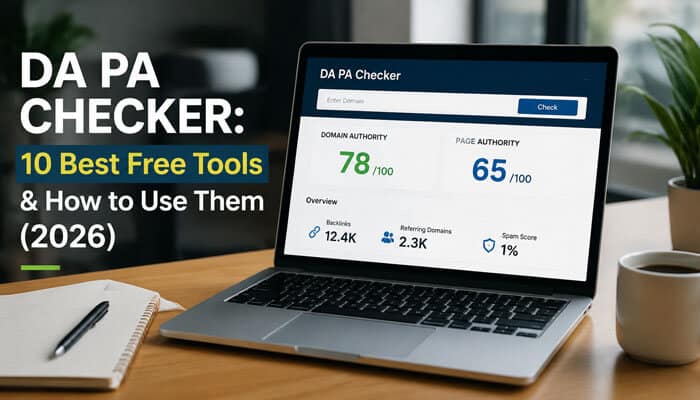

A website can display a Domain Authority score of 60 and still have weak content, little organic traffic, or an unnatural backlink profile. That is why using a DA PA checker correctly matters more than simply choosing the website with the highest number.
Domain Authority and Page Authority are proprietary metrics developed by Moz. They estimate the comparative ranking strength of a domain or individual page using link-related data. They are not scores assigned by Google, and a higher score does not guarantee rankings, traffic or backlink quality.
A reliable DA PA checker can still be extremely useful. It can help you compare competitors, shortlist outreach opportunities, assess individual pages and identify suspicious gaps between authority, traffic and content quality.
This guide compares the 10 best free tools and authority alternatives for 2026. It also explains how a DA PA checker works, why different platforms show different results, and how to evaluate a backlink opportunity without relying on one score.
Quick Answer: DA PA Checker
A DA PA checker is an SEO tool that displays authority metrics for a domain or a specific webpage.
- Domain Authority: Estimates the comparative ranking potential of an entire domain.
- Page Authority: Estimates the comparative ranking potential of one URL.
- Original provider: Moz developed both DA and PA.
- Score scale: Both use a 100-point scale.
- Best overall option: Moz Link Explorer.
- Best browser extension: MozBar.
- Best free bulk options: PrePostSEO, SmallSEOTools and The HOTH.
- Google status: DA and PA are not official Google ranking factors.
The best DA PA checker depends on whether you need original Moz data, quick browser access, bulk URL processing or additional backlink analysis. Ahrefs, Semrush and Majestic provide useful authority metrics, but their scores are different from Moz DA and PA.
Key Takeaways
- Authority tools are most useful for comparing similar domains and pages.
- Domain Authority evaluates an entire domain, while Page Authority evaluates one URL.
- DA and PA are comparative Moz metrics, not Google scores.
- A high authority score does not guarantee rankings, traffic or a safe backlink.
- Ahrefs DR, Semrush Authority Score, and Majestic Trust Flow are not interchangeable with Moz DA.
- The relevance and strength of the exact linking page can matter more than the domain-wide score.
- Topical relevance, organic visibility, and editorial quality should be reviewed alongside authority.
- Use the same DA PA checker and URL format when tracking scores over time.
What Is a DA PA Checker?
A DA PA checker is a website-analysis tool that reports authority-related metrics for a root domain, subdomain or individual URL.
Depending on the provider, a report may include:
- Domain Authority
- Page Authority
- Spam Score
- Referring domains
- Total backlinks
- Followed and nofollowed links
- Anchor text
- Estimated organic traffic
- Domain Rating
- URL Rating
- Authority Score
- Trust Flow
- Citation Flow
- Topical Trust Flow
Moz describes Domain Authority as a predictive domain-level score calculated using link data and a machine-learning model. Page Authority applies a similar concept at the individual-page level. Both are designed for comparative analysis rather than as absolute measures of quality.
For example, an SEO professional may use a DA PA checker to reduce a list of 100 outreach prospects to 20 candidates. Those candidates should then be reviewed manually for relevance, traffic, backlink quality and editorial standards.
The score should begin the investigation—not complete it.
Domain Authority vs. Page Authority
Authority tools usually place DA and PA together, but the two metrics evaluate different levels of a website.
| Metric | Full name | What it evaluates | Best use |
| DA | Domain Authority | Comparative authority of an entire domain or subdomain | Comparing competing websites |
| PA | Page Authority | Comparative authority of a specific URL | Evaluating articles, resources and landing pages |
| Spam Score | Moz Spam Score | Similarities to websites with spam-related characteristics | Identifying domains that need investigation |
| Referring domains | Linking domains | Unique websites linking to the target | Measuring backlink diversity |
| Backlinks | Inbound links | Total external links pointing to the target | Reviewing link-profile size |
A domain can have strong DA while a newly published article has low PA. Likewise, a frequently cited resource can develop strong PA even when the surrounding domain is relatively small.
Simple Example
| Website element | Authority result |
| Root domain | DA 58 |
| Homepage | PA 54 |
| Established research page | PA 46 |
| New article | PA 9 |
The DA 58 score does not make every page equally powerful. The tool helps reveal this difference, but you still need to inspect the actual page.
When evaluating a backlink, examine:
- The authority and reputation of the domain.
- The strength of the exact linking page.
- The relevance of the surrounding content.
- The page’s organic visibility.
- The placement and purpose of the link.
Are DA and PA Google Ranking Factors?
No. The scores shown by authority tools are not Google ranking factors.
Third-party SEO tools do not have access to Google’s internal ranking data. Their scores and predictions may support research, but they cannot guarantee rankings or performance.
Avoid claims such as:
- “Google gave my website a DA of 50.”
- “Increasing DA guarantees higher rankings.”
- “Google penalized my site because its DA fell.”
- “Every backlink from a DA 70 website is valuable.”
- “A low-DA website cannot rank.”
A more accurate explanation is:
DA and PA are comparative metrics developed by Moz. They estimate domain-level and page-level strength using Moz’s link index and models—not Google’s private ranking systems.
Google’s systems primarily evaluate individual pages, although some site-wide signals and classifiers can also contribute. Strong site-wide signals do not guarantee that every page on a domain will rank highly.
It is therefore a research tool, not a ranking oracle.
How Are DA and PA Calculated?
Moz does not provide a simple public formula that website owners can calculate manually.
Domain Authority uses information about a website and its backlinks as inputs to a machine-learning model. Page Authority is calculated at the individual-page level using information from Moz’s link index.
The displayed scores may be influenced by:
- Unique linking domains
- Number of backlinks
- Strength of linking pages
- Followed-link relationships
- Page-level link signals
- Link-quality patterns
- Spam and manipulation indicators
- Distribution of authority throughout the link graph
Because the index and models change, DA and PA should be treated as comparative estimates rather than fixed measurements.
DA and PA Are Relative Metrics
A DA of 35 is not automatically good or bad. Its usefulness depends on the scores of similar websites competing in the same niche.
For example:
- DA 25 may be competitive among local service businesses.
- DA 25 may be weak among national finance publications.
- PA 20 may be promising for a recently published article.
- PA 20 may be weak for a resource with hundreds of backlinks.
Use the same platform to compare similar targets and the same URL type.
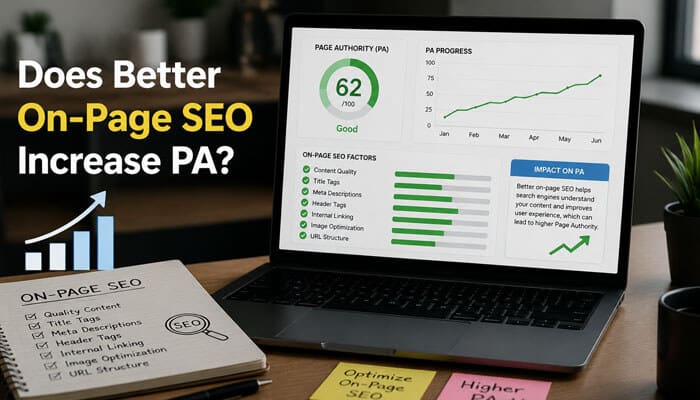
Does Better On-Page SEO Increase PA?
Not directly.
Changing a title, adding the focus keyword or increasing word count does not automatically improve Page Authority. However, stronger content can indirectly support PA when it:
- Attracts editorial backlinks
- Earns research citations
- Receives relevant internal links
- Becomes a trusted reference
- Is promoted to relevant audiences
- Remains useful over time
The content becomes more link-worthy, and the resulting links may influence its authority score.
Why Do DA and PA Scores Change?
Authority scores can rise or fall even when you have not intentionally changed your website.
Common reasons include:
- New backlinks were discovered.
- Previously known backlinks disappeared.
- Linking pages became unavailable.
- A referring domain lost authority.
- Moz updated its link index.
- The scoring model changed.
- Competitors gained stronger link profiles.
- Redirects or canonical URLs changed.
- Suspicious links were reevaluated.
- A free tool displayed cached information.
A decline does not automatically indicate a Google penalty.
Before reaching that conclusion, review:
- Search Console clicks
- Search impressions
- Average positions
- Indexed pages
- Leads or conversions
- Lost backlinks
- Referring domains
- Manual-action notifications
How We Selected the Best DA PA Checker Tools
Each tool and authority alternative in this guide was evaluated according to:
- Metric transparency
- Free availability
- Domain-level analysis
- Page-level analysis
- Bulk-checking capacity
- Supporting backlink data
- Export options
- Ease of use
- Account requirements
- Suitability for competitor and outreach research
The first six tools provide Moz DA and PA or claim to use Moz-related data. SEO Review Tools, Ahrefs, Semrush and Majestic use alternative authority data and should not be treated as original Moz sources.
10 Best Free DA PA Checker Tools in 2026
“Free” may mean limited searches, restricted metrics, account-based access or a basic report. Bulk exports and complete backlink analysis may require payment.
| Tool | Primary metric | Free availability | Bulk capability | Best for |
| Moz Link Explorer | Moz DA and PA | Limited free access | Limited | Original Moz data |
| MozBar | Moz DA and PA | Free account | SERP comparisons | Browser research |
| PrePostSEO | DA, PA and Spam Score | Five URLs | Up to 500 on premium | Downloadable reports |
| SmallSEOTools | DA and PA | Five URLs | Larger paid limits | Fast checks |
| The HOTH | Moz DA and PA | Up to 10 URLs | 10 URLs | Side-by-side comparison |
| WebsiteSEOChecker | DA, PA and supporting metrics | Limited | Large account-based checks | Prospect lists |
| SEO Review Tools | Semrush-powered authority data | Credit-based access | Up to 500 on premium | Initial screening |
| Ahrefs | Domain Rating and URL Rating | Free checker | Limited | Backlink strength |
| Semrush | Authority Score | Free checker | Platform-dependent | Links, traffic and manipulation signals |
| Majestic | Trust Flow and Citation Flow | Limited free access | Paid bulk tools | Link trust and topical relevance |
Important Metric Warning
Some tools display Moz metrics, while other platforms show their own proprietary scores.
The following measurements are not interchangeable:
- Moz Domain Authority
- Moz Page Authority
- Ahrefs Domain Rating
- Ahrefs URL Rating
- Semrush Authority Score
- Majestic Trust Flow
- Majestic Citation Flow
A Moz DA of 40 does not equal an Ahrefs DR of 40 or a Semrush Authority Score of 40. Each platform uses a different web index, calculation model, update schedule, and approach to link quality.
1. Moz Link Explorer
Best for: Checking original Moz DA and PA
Moz Link Explorer is the strongest starting point when you need the original metrics rather than another company’s authority score.
Moz Link Explorer can help you examine:
- Domain Authority
- Page Authority
- Linking domains
- Inbound links
- Followed links
- Lost links
- Anchor text
- Strongest linked pages
- Spam-related data
Moz provides limited free access, while larger reports and higher query allowances require Moz Pro.
How to Use Moz Link Explorer
- Create or sign in to a Moz account.
- Enter a root domain, subdomain or exact URL.
- Confirm the correct analysis scope.
- Record DA and PA.
- Review linking domains.
- Examine followed and lost links.
- Check anchor-text patterns.
- Compare the target with direct competitors.
Advantages
- Provides original Moz authority metrics
- Supports domain- and page-level analysis
- Includes detailed link data
- Helps verify unofficial results
- Suitable for competitor research
Limitations
- Free queries and report rows are restricted.
- Large audits may require a paid plan.
- Moz may discover different links from other providers.
- The scores remain predictions rather than Google measurements.
Verdict: This is the best DA PA checker when a client, marketplace or SEO report specifically requests Moz DA or PA.
2. MozBar
Best for: Checking DA and PA while browsing
MozBar is a Chrome extension that displays authority and on-page information directly in the browser.
This browser extension provides Domain Authority and Page Authority after users sign in with a Moz account. Advanced features may require Moz Pro.
How to Use MozBar
- Install the official MozBar extension.
- Sign in with a Moz account.
- Open the webpage you want to analyze.
- Activate the toolbar.
- Review DA and PA.
- Search for a target keyword.
- Use the search-results overlay.
- Compare ranking domains and pages.
Advantages
- Displays metrics while browsing
- Useful for search-results comparisons
- Includes link highlighting
- Reduces repeated tool switching
- Works well for prospect research
Limitations
- Requires Chrome or a compatible browser.
- Advanced data requires Moz Pro.
- Cached data may not update immediately.
- Toolbar metrics cannot replace a full backlink audit.
Verdict: MozBar is the most convenient DA PA checker for quickly reviewing outreach prospects and competing search results.
3. PrePostSEO Domain Authority Checker
Best for: Free bulk checks and Excel exports
PrePostSEO provides a bulk authority tool that reports Domain Authority, Page Authority, Spam Score, domain age and supporting information.
Free users can process a small batch, while premium access supports larger lists and downloadable reports.
How to Use PrePostSEO
- Prepare a clean list of domains or URLs.
- Paste one URL per line.
- Select “Check Authority.”
- Review DA, PA, and Spam Score.
- Download the spreadsheet.
- Sort results by relevance.
- Manually inspect shortlisted websites.
Advantages
- Processes multiple URLs
- Displays DA and PA together
- Includes Spam Score
- Supports Excel downloads
- Suitable for small outreach lists
Limitations
- Free checks are limited.
- Captcha or advertising may interrupt repeated use.
- Domain age does not prove quality.
- Important results should be verified through Moz.
Verdict: This DA PA checker is practical for small guest-post, competitor or outreach lists.
4. SmallSEOTools Domain Authority Checker
Best for: Fast checks without registration
SmallSEOTools allows users to process several URLs at once. Its report may include DA, PA, referring domains, inbound links, outbound links, and downloadable results.
The free tool is beginner-friendly and does not require a complex project setup.
How to Use SmallSEOTools
- Enter the allowed number of URLs.
- Select “Check Authority.”
- Complete any required verification.
- Compare DA and PA.
- Review available link data.
- Download or record the results.
Advantages
- No registration required for basic use
- Beginner-friendly interface
- Supports multiple URLs
- Includes supporting link information
- Offers report exports
Limitations
- Small free batch size
- Advertisements may affect usability
- Some data requires paid access
- Important scores should be confirmed elsewhere
Verdict: SmallSEOTools is a convenient DA PA checker for quick comparisons without account setup.
5. The HOTH Domain Authority Checker
Best for: Comparing a short list of URLs
The HOTH offers a bulk authority tool designed for simple side-by-side comparison.
How to Use The HOTH Checker
- Enter one URL per line.
- Add the allowed number of targets.
- Run the report.
- Compare DA and PA.
- Identify the strongest exact pages.
- Review each website manually.
Advantages
- Larger free batch than some alternatives
- Straightforward comparison table
- Moz-related authority information
- Easy for beginners
- Useful for competitor lists
Limitations
- Not a complete backlink-analysis platform
- Contact details may be requested
- Supporting information is limited
- Authority alone cannot verify link quality
Verdict: This DA PA checker works well when you need to compare several pages or domains quickly.
6. WebsiteSEOChecker
Best for: Larger prospect lists
WebsiteSEOChecker displays DA, PA, MozTrust, Spam Score, backlink information and other domain-level details.
Its bulk checker is designed for larger lists, although limits and pricing depend on the selected access level.
How to Use WebsiteSEOChecker
- Enter a domain or individual page.
- Run the authority report.
- Review DA, PA and supporting metrics.
- Create an account for bulk analysis.
- Import the URL list.
- Export the results where available.
- Verify important scores through Moz.
Advantages
- Supports larger lists
- Combines several metrics
- Provides export options
- May show authority history
- Suitable for agencies
Limitations
- Bulk access may require credits or payment.
- Historical comparisons may be affected by model changes.
- Supporting metrics may use different sources.
- Overall-strength indicators are not Google scores.
Verdict: WebsiteSEOChecker is a useful DA PA checker for processing large prospect lists before manual review.
7. SEO Review Tools Website Authority Checker
Best for: Initial competitor screening
SEO Review Tools provides domain-level and page-level authority data alongside backlinks, age estimates and other supporting information.
This tool should not be treated as an original Moz source when it uses alternative API data.
How to Use SEO Review Tools
- Enter the target domain or URL.
- Run the authority analysis.
- Review the displayed scores.
- Check backlinks and supporting data.
- Compare the site with direct competitors.
- Confirm the metric source.
- Verify Moz scores separately when required.
Advantages
- Provides broad competitor information
- Offers page- and domain-level analysis
- Includes other SEO tools
- Supports premium bulk checking
- Easy to use for early screening
Limitations
- It may not provide original Moz DA or PA.
- Free use may be restricted.
- Website-age estimates have limited SEO value.
- Professional link decisions require verification.
Verdict: Use this platform as a screening companion to a trusted DA PA checker, not as the sole source.
8. Ahrefs Website Authority Checker
Best for: Measuring backlink-profile strength
Ahrefs does not use Moz DA or PA. Its primary authority metrics are Domain Rating and URL Rating.
Ahrefs can complement Moz data by showing the comparative strength of a domain’s backlink profile.
How to Use Ahrefs
- Enter a domain in the free authority checker.
- Record its Domain Rating.
- Review available referring-domain data.
- Analyze the exact page where possible.
- Compare the domain with similar competitors.
- Do not compare DR directly with Moz DA.
Advantages
- Strong backlink-focused measurement
- Free single-domain checker
- Provides domain- and page-level metrics
- Useful for competitor analysis
- Complements Moz information
Limitations
- Does not provide Moz DA or PA.
- DR mainly evaluates backlink strength.
- High DR does not guarantee traffic or relevance.
- Free reports contain limited detail.
Verdict: Ahrefs is one of the strongest platforms to pair with a DA PA checker.
9. Semrush Website Authority Checker
Best for: Comparing links, traffic and manipulation signals
Semrush uses Authority Score, not Moz DA.
Semrush can complement Moz data by comparing backlink power with estimated organic traffic and suspicious link patterns.
How to Use Semrush
- Enter the target domain.
- Review Authority Score.
- Compare it with estimated traffic.
- Examine backlink growth.
- Check referring domains.
- Look for manipulation warnings.
- Compare the domain with niche competitors.
Advantages
- Combines backlink and traffic data
- Includes manipulation-related checks
- Helps identify authority-and-traffic mismatches
- Provides top-linked-page information
- Free basic checker available
Limitations
- Authority Score is not Moz DA.
- Organic traffic is estimated.
- Free reports offer limited depth.
- A compound score can hide individual weaknesses.
Verdict: Semrush is a useful companion to a DA PA checker when traffic and backlink quality need to be reviewed together.
10. Majestic
Best for: Link trust and topical relevance
Majestic uses Flow Metrics instead of Moz DA and PA.
Majestic can strengthen an authority analysis by showing Trust Flow, Citation Flow and topical relevance.
How to Use Majestic
- Enter a domain or exact URL.
- Review Trust Flow.
- Compare it with Citation Flow.
- Examine Topical Trust Flow.
- Review referring domains.
- Investigate large gaps between quality and quantity.
- Compare equivalent targets in the same niche.
Advantages
- Separates link quality from quantity
- Provides topical relevance data
- Supports URL-level analysis
- Useful for suspicious-profile checks
- Adds context to DA and DR
Limitations
- Does not provide Moz DA or PA.
- Full reports usually require paid access.
- Flow Metrics cannot be compared directly with DA.
- Correct interpretation requires link-analysis experience.
Verdict: Majestic is valuable when a DA PA checker needs additional context about link trust and topical relevance.
Which DA PA Checker Should You Choose?
The ideal tool depends on your objective.
| Your goal | Recommended tool |
| Check original Moz DA and PA | Moz Link Explorer |
| See DA and PA while browsing | MozBar |
| Check a small URL list quickly | PrePostSEO or SmallSEOTools |
| Compare several URLs | The HOTH |
| Analyze a larger URL list | WebsiteSEOChecker |
| Perform initial competitor screening | SEO Review Tools |
| Evaluate backlink-profile strength | Ahrefs |
| Compare authority with traffic | Semrush |
| Examine link trust and topical relevance | Majestic |
Best Overall Workflow
For an important backlink, partnership or acquisition decision:
- Record Moz DA and PA.
- Review Ahrefs DR and page-level strength.
- Compare Semrush Authority Score with traffic.
- Examine topical relevance.
- Inspect the backlink profile.
- Review the exact linking page.
- Confirm editorial standards manually.
Using two or three independent platforms is more reliable than trusting one score.
How to Use a DA PA Checker Step by Step
Step 1: Choose the Correct URL Scope
Before running the analysis, decide whether you are evaluating:
- Root domain
- Subdomain
- Homepage
- Exact article
- Canonical URL
- Redirecting URL
Compare like with like. Do not compare one website’s root domain with another website’s individual article.
Step 2: Build a Relevant Comparison Group
Authority data is most useful when the targets compete in a similar market.
Compare:
- Local businesses with local businesses
- SaaS companies with competing SaaS providers
- Finance publishers with finance publishers
- New websites with other developing sites
- Product pages with competing product pages
- Articles targeting the same search intent
Comparing a specialist blog with Wikipedia or Amazon rarely provides actionable insight.
Step 3: Use the Same Tool for Every Target
Use the same platform for every target in one comparison. Do not mix authority scores from different platforms in one column.
| Domain | Moz DA | Page PA | Ahrefs DR | Semrush AS | Referring domains | Estimated traffic |
| Example A | 42 | 38 | 47 | 40 | 1,250 | 18,000 |
| Example B | 39 | 51 | 43 | 44 | 980 | 25,000 |
| Example C | 55 | 22 | 58 | 36 | 4,800 | 1,200 |
Example C has strong domain-level scores but low page strength and limited estimated traffic. That mismatch requires further investigation.
Step 4: Inspect the Exact Page
An authority score cannot tell you everything about the actual linking page.
Before pursuing a backlink, ask:
- Is the page indexed?
- Is it relevant to your topic?
- Does it receive internal links?
- Does it contain original information?
- Does it rank for relevant searches?
- Does it have direct backlinks?
- Is the content maintained?
- Is the link placed within the main content?
- Is the page overloaded with outbound links?
- Will genuine readers encounter the link?
A relevant PA 25 page with real readership may be more useful than an unrelated PA 50 page created mainly to sell placements.
Step 5: Review the Backlink Profile
Use the score as a starting point, then review the full backlink profile.
Positive signals include:
- Diverse referring domains
- Links from relevant industries
- Natural anchor-text variation
- Editorial mentions
- Gradual backlink growth
- Links to several useful pages
- Limited dependence on directories
- Backlinks from established content
Warning signs include:
- Thousands of unrelated backlinks
- Repeated exact-match anchors
- Links from hacked pages
- Site-wide footer links
- Private blog networks
- Sudden unexplained spikes
- Large numbers of poor directories
- Links from unrelated industries or languages
Step 6: Compare Authority With Organic Visibility
A platform may show high authority even when a site has little organic traffic.
Possible explanations include:
- Lost rankings
- Changed ownership
- Deleted content
- Indexing problems
- A repurposed domain
- Irrelevant backlinks
- Manipulative link acquisition
- Inaccurate traffic estimates
Do not immediately approve or reject the website. Investigate the cause.
Step 7: Make a Human Decision
The final decision should never come from one authority score alone.
| Evaluation factor | Suggested weight |
| Topical relevance | 25% |
| Content quality | 20% |
| Organic visibility | 15% |
| Backlink quality | 15% |
| Domain-level authority | 10% |
| Exact-page strength | 10% |
| Editorial placement | 5% |
This framework prevents a DA score from overpowering more meaningful quality signals.
What Is a Good DA or PA Score?
No authority tool can provide one universal “good” score.
A useful score is one that is competitive with similar websites or pages in the same niche.
Ask:
- Is the score similar to direct competitors?
- Is it improving over several months?
- Does the website attract relevant traffic?
- Does the exact page have direct backlinks?
- Does the site publish original content?
- Does its link profile look natural?
- Is the domain respected in its niche?
A DA of 25 may be strong in a small local market but weak among international media companies. Context matters more than an arbitrary threshold.
Why Do Different DA PA Checkers Show Different Results?
One DA PA checker may show a different score from another because the platforms use different data and update schedules.
1. Different Metrics
One tool may show Moz DA, while another displays a proprietary authority metric.
2. Different Backlink Databases
Moz, Ahrefs, Semrush and Majestic crawl and store different sections of the web.
3. Different Update Schedules
A new backlink may appear in one database before another provider discovers it.
4. Different URL Formats
These can produce different reports:
- http://example.com
- https://example.com
- https://www.example.com
- https://blog.example.com
- https://example.com/article
- A redirecting URL
- The final canonical destination
5. Cached Results
A free DA PA checker may reuse stored data to reduce API costs.
6. Model Changes
Providers may update machine-learning models, link indexes or manipulation detection.
7. Temporary Errors
Reports may be incomplete when:
- An API limit is reached
- A server times out
- The target blocks crawlers
- A page is unavailable
- The checker experiences technical problems
Use the same provider, URL type and reporting interval when tracking changes.
Why Does a DA PA Checker Show 0, 1 or N/A?
A DA PA checker may return a low or unavailable result even when the website is legitimate.
The Domain Is New
The authority provider may not have discovered enough link data.
The Page Has No Direct Backlinks
A domain can have moderate DA while a new page shows PA 1.
The Wrong URL Was Entered
The checker may be analyzing an old protocol, noncanonical URL or redirect.
The Page Is Inaccessible
A crawler may encounter:
- Server errors
- Authentication
- Robots restrictions
- Security blocks
- Broken URLs
- Redirect loops
The Data Is Cached
An unofficial DA PA checker may show an older score.
The Provider Has Not Found the Links
Google and third-party backlink indexes do not necessarily discover the same links at the same time.
Troubleshooting Checklist
- Check the root domain and exact page separately.
- Confirm the canonical HTTPS URL.
- Test for redirects.
- Verify that the page loads normally.
- Check the URL in another platform.
- Review Search Console for your own site.
- Repeat the check after several weeks.
- Do not build artificial links merely to change the score.
How to Verify DA PA Checker Accuracy
No DA PA checker can reveal Google’s internal ranking calculations.
Use this process:
Confirm the Metric Source
Determine whether the result is:
- Moz DA
- Moz PA
- Ahrefs DR
- Ahrefs UR
- Semrush Authority Score
- Majestic Trust Flow
- A proprietary score
Verify Important Scores at the Original Provider
When a purchase or client requirement depends on Moz DA, verify the score through Moz instead of relying only on an unofficial DA PA checker.
Use the Same URL Scope
Compare root domains with root domains and exact pages with exact pages.
Review the Reporting Date
Look for:
- Last updated date
- Crawl date
- Cached-result notice
- Historical-data date
- Report-generation date
Examine Supporting Evidence
Review:
- Referring domains
- Direct page backlinks
- Organic traffic
- Ranking keywords
- Link growth
- Anchor-text distribution
- Indexed pages
- Topical relevance
Use Google Search Console
For your own site, prioritize first-party information such as:
- Search clicks
- Impressions
- Queries
- Indexing
- External linking sites
- Internal links
A DA PA checker provides estimates. Actual search performance, leads and revenue should carry greater weight.
How to Spot Artificially Inflated Authority
A DA PA checker can display an impressive number even when the underlying backlink profile is weak.
| Warning sign | Possible explanation |
| High authority with little traffic | Lost rankings, irrelevant links or a repurposed domain |
| Many links from very few domains | Site-wide or template links |
| Sudden authority increase | Aggressive link building or redirects |
| Backlinks from unrelated industries | Purchased or automated links |
| Repeated exact-match anchors | Manipulative link building |
| Casino or loan pages on unrelated sites | Changed ownership or reputation abuse |
| Strong domain but weak linking page | Limited page-level authority |
| Nearly every article is sponsored | Link-selling business model |
| Many unrelated content categories | Exploitation of established authority |
| Authority created mainly through redirects | Expired-domain manipulation |
A high score from a DA PA checker should trigger deeper research—not automatic approval.
How to Use DA and PA for Link Building
A DA PA checker can help organize link research, but it should not be used to purchase links based on minimum DA requirements.
Appropriate uses include:
- Prioritizing digital PR targets
- Finding reputable resource pages
- Analyzing competitor backlinks
- Comparing industry publications
- Finding broken-link opportunities
- Investigating unlinked brand mentions
- Reviewing professional associations
- Evaluating niche directories
- Screening interview or podcast opportunities
- Measuring linkable-asset performance
Relevance Comes Before Authority
A relevant website with moderate authority may provide:
- Qualified referral traffic
- Better audience alignment
- Stronger topical context
- A natural editorial relationship
- Better brand exposure
- More sustainable partnership opportunities
An unrelated DA 70 placement may provide less value than a genuine editorial citation from a relevant DA 30 publication.
Paid and Sponsored Links
Commercial links should be qualified with:
- rel=”sponsored”
- rel=”nofollow”
A DA PA checker should never be used as justification for buying links that pass ranking credit.
How to Improve Domain Authority
You cannot directly edit the number shown by a DA PA checker. You must improve the underlying link signals that authority models evaluate.
Publish Link-Worthy Resources
Examples include:
- Original research
- Industry surveys
- Free calculators
- Templates
- Statistics pages
- Data visualizations
- Case studies
- Public databases
- Expert analysis
- Comprehensive reference guides
Earn Relevant Editorial Links
Prioritize publications serving the same industry or audience.
A relevant editorial link can provide stronger contextual and referral value than an unrelated link selected only because of DA.
Increase Referring-Domain Diversity
A natural link profile generally includes links from multiple independent and trustworthy websites rather than hundreds of links from one source.
Recover Lost Backlinks
Look for links pointing to:
- Deleted pages
- Old URL structures
- HTTP versions
- Misspelled URLs
- Broken resources
- Unnecessary redirect chains
Create redirects only when the replacement page genuinely satisfies the same intent.
Use Digital PR
Possible campaigns include:
- Original surveys
- Expert commentary
- Newsworthy data
- Industry reports
- Journalist source responses
- Interactive tools
- Local business stories
Avoid Manipulative Tactics
Do not attempt to raise the score in a DA PA checker through:
- Bulk link purchases
- Private blog networks
- Automated comments
- Irrelevant guest posts
- Low-quality directories
- Hidden links
- Paid site-wide links
- Excessive reciprocal linking
How to Improve Page Authority
Improving Domain Authority is a site-wide objective. Improving Page Authority focuses on one URL.
A DA PA checker may show stronger PA after the page earns better links and stronger internal support.
Build Relevant Internal Links
Link to the target page from:
- Established articles
- Topic clusters
- Category pages
- High-traffic resources
- Related service pages
- Navigation elements where appropriate
Use concise and descriptive anchor text.
Earn Direct Backlinks
Potential sources include:
- Research citations
- Resource pages
- Digital PR coverage
- Expert contributions
- Broken-link replacements
- Industry roundups
- Tool collections
- Template libraries
Improve the Resource Before Outreach
Add:
- Original information
- Current statistics
- Expert analysis
- Useful tables
- Practical examples
- Clear sourcing
- Visual explanations
- Downloadable resources
These changes do not directly raise PA, but they can make the page more likely to earn links and improve over time in a DA PA checker.
Consolidate Overlapping Content
When several weak pages target the same intent, consider combining them into one comprehensive resource.
Redirect removed URLs only when the consolidated page is a relevant replacement.
Promote the Page More Than Once
Reintroduce the resource when:
- New data is added
- The article is substantially updated
- Relevant news develops
- A journalist requests sources
- A new industry report is published
- A suitable resource page is discovered
DA PA Checker Backlink-Prospect Scorecard
Use this DA PA checker scorecard before approving an outreach prospect.
| Evaluation factor | Maximum points |
| Topical relevance | 20 |
| Original and useful content | 15 |
| Genuine organic visibility | 15 |
| Relevant referring domains | 10 |
| Natural backlink growth | 10 |
| Competitive authority within its niche | 10 |
| Exact-page quality | 10 |
| Clear authorship and editorial standards | 5 |
| Natural outbound-link practices | 5 |
| Maximum score | 100 |
How to Interpret the Score
| Score | Recommended action |
| 80–100 | Strong prospect worth prioritizing |
| 65–79 | Potentially valuable; complete a manual review |
| 50–64 | Proceed cautiously |
| Below 50 | Usually reject or investigate further |
This is an editorial screening framework—not a Google formula. A website should never be approved solely because a DA PA checker displays a high score.
Common DA PA Checker Mistakes
- Treating DA as a Google Score
A DA PA checker reports third-party metrics. DA belongs to Moz, not Google.
- Comparing Different Metrics Directly
DA, DR, Authority Score and Trust Flow use different data and models.
- Ignoring the Exact Page
The page containing the backlink may be weak even when the domain is strong.
- Buying Links Based on DA
A high score does not prove relevance, traffic, safety or editorial quality.
- Assuming Domain Age Guarantees Authority
An older domain may have changed ownership, lost rankings or accumulated spam.
- Rejecting Every Low-DA Website
New publications, local organizations and niche specialists can provide highly relevant links.
- Tracking Scores Every Day
Small daily changes in a DA PA checker may be noise. Monthly or quarterly trends are usually more useful.
- Using Only One Provider
Every backlink database has coverage gaps.
- Treating Spam Score as Proof
Spam-related metrics indicate that a site needs investigation. They do not prove that Google penalized it.
- Disavowing Links Based Only on Low DA
A low score in a DA PA checker is not a valid reason to disavow a backlink. Investigate whether the link is artificial, manipulative or part of a deliberate link scheme.
How Often Should You Check DA and PA?
Use a DA PA checker according to the purpose of your analysis.
| Situation | Recommended frequency |
| Standard SEO reporting | Monthly |
| New link-building campaign | Before and after major stages |
| Competitor monitoring | Monthly or quarterly |
| Website migration | Before and periodically after migration |
| Sudden ranking decline | During the investigation |
| Outreach evaluation | Before approving the prospect |
| Agency reporting | Monthly alongside business KPIs |
DA and PA should not be your primary business metrics.
Track them alongside:
- Organic clicks
- Search impressions
- Keyword rankings
- Conversions
- Leads
- Revenue
- Referring domains
- Indexed pages
- Branded searches
- Referral traffic
Conclusion
A DA PA checker is valuable when it is used as part of a broader SEO evaluation. Moz Link Explorer and MozBar are the strongest options for original Domain Authority and Page Authority data. PrePostSEO, SmallSEOTools and The HOTH make small bulk comparisons convenient, while WebsiteSEOChecker can support larger prospect lists.
SEO Review Tools, Ahrefs, Semrush and Majestic provide additional authority information, but their metrics should not be treated as original Moz DA or PA. DA, DR, Authority Score and Trust Flow measure different things.
Most importantly, do not pursue a backlink simply because a DA PA checker shows a high authority score. Examine topical relevance, organic visibility, content quality, exact-page strength, backlink patterns, and editorial standards.
The best backlink prospect is not always the website with the highest number. It is the website with a relevant audience, trustworthy publishing practices, valuable content, and a natural backlink profile.
DA PA Checker FAQs
1. What Is a DA PA Checker?
A DA PA checker is an SEO tool that measures Domain Authority and Page Authority for a domain or specific webpage. It helps users compare competitors, evaluate backlink opportunities, and review the relative strength of a website.
2. Which Is the Best Free DA PA Checker?
Moz Link Explorer is the best option for checking original Moz DA and PA scores. Other free DA PA checker tools include MozBar, PrePostSEO, SmallSEOTools, and The HOTH, although their free limits may vary.
3. Does Google Use DA PA Checker Scores for Rankings?
No. Google does not use the scores shown by a DA PA checker as official ranking factors. DA and PA are third-party Moz metrics designed for comparative SEO analysis.
4. What Is a Good Score on a DA PA Checker?
There is no universal good score on a DA PA checker. Compare your website with relevant competitors in the same niche and also review organic traffic, backlink quality, content relevance, and the strength of the exact page.
5. Why Do DA PA Checker Tools Show Different Results?
Different DA PA checker tools may use separate databases, update schedules, cached data, or scoring methods. For consistent results, compare the same URL format using the same tool and reporting period.
