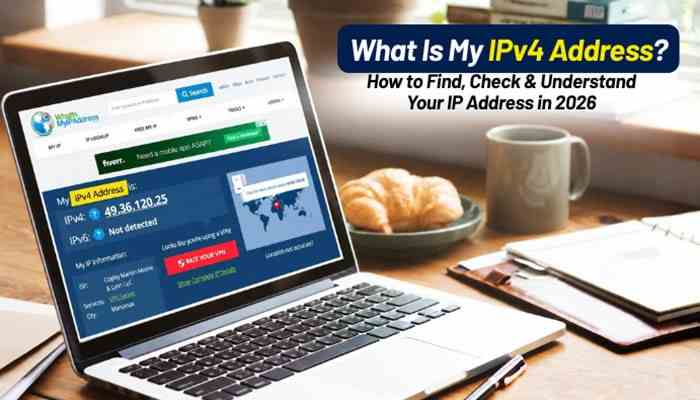

Have you ever searched what is my IPv4 address because your internet connection was not working, you needed to configure a device, or you simply wanted to understand how your network connects to the internet? Every device connected to a network uses an IP address to communicate with other devices, websites, and online services.
An IPv4 address works like a digital identification number for your device or network. Similar to how a home address helps a delivery service find a location, an IPv4 address helps internet data reach the correct destination. From browsing websites and streaming videos to online gaming and cloud applications, IPv4 plays an important role in modern internet communication.
This guide explains what an IPv4 address is, how to find your IPv4 address quickly, the difference between public and private IP addresses, how IPv4 works, whether your IP changes, IPv4 vs IPv6 differences, and how to protect your network information.
What Is My IPv4 Address?
What Is My IPv4 Address means finding the unique numerical address assigned to your internet connection or device. IPv4 stands for Internet Protocol Version 4, a networking system that allows computers and devices to identify each other and exchange information over the internet.
An IPv4 address is a series of four numbers separated by periods. Each number can range from 0 to 255.
Example of IPv4 Address:
192.168.1.45
An IPv4 address contains 32 bits, allowing approximately 4.3 billion possible addresses. These addresses help devices communicate across private networks and the global internet.
Examples of devices using IPv4 addresses include:
- Desktop computers
- Laptops
- Smartphones
- Smart TVs
- Gaming consoles
- Routers
- Website servers
Whenever you visit a website, your device sends a request using network information, and the server sends data back to your device using internet protocols.
Why Is an IPv4 Address Important?
An IPv4 address is one of the fundamental parts of internet communication. Without IP addresses, devices would not know where to send or receive information.
1. Device Identification
Every connected device requires an address so networks can recognize it.
Examples:
- Your laptop connected to Wi-Fi
- Your smartphone using mobile data
- Your smart TV streaming content
- Your gaming console connecting online
Each device needs network identification.
2. Internet Communication
When you open a website, IPv4 helps create communication between your device and the website server.
The process works like this:
- You enter a website URL
- Your browser sends a request
- Your network information identifies your connection
- The website server processes the request
- Data is returned to your device
IPv4 helps ensure information reaches the correct destination.
3. Network Troubleshooting
Internet providers and technical support teams often use IP addresses to diagnose connection problems.
Your IPv4 address can help when:
- Your internet connection fails
- A device cannot connect
- You configure network settings
- You need remote technical support
How Does IPv4 Work?
IPv4 works by assigning numerical addresses to devices connected to a network.
Think of the internet as a large city:
| Internet Concept | Real-World Example |
| Website server | Building |
| Device | Home |
| IPv4 address | Street address |
| Data packets | Delivery packages |
When you request information online:
- Your device creates a request
- The router forwards the request
- The network identifies the destination
- The server sends information back
- Your browser displays the result
IPv4 helps data packets travel to the correct location.
Types of IPv4 Addresses
IPv4 addresses are mainly divided into two categories:
| Type | Description | Example |
| Public IPv4 Address | Identifies your network on the internet | 49.36.120.25 |
| Private IPv4 Address | Used inside your local network | 192.168.1.10 |
What Is a Public IPv4 Address?
A public IPv4 address is assigned by your Internet Service Provider (ISP). It represents your internet connection and is visible to websites and online services.
Activities using your public IPv4 address include:
- Browsing websites
- Streaming videos
- Downloading files
- Using online applications
- Playing multiplayer games
Usually, your router receives the public IP address, while your connected devices use private IP addresses.
What Is a Private IPv4 Address?
A private IPv4 address is used inside your home, office, or local network. Your router assigns private IP addresses to devices connected to it.
Example:
| Device | Private IPv4 Address |
| Router | 192.168.1.1 |
| Laptop | 192.168.1.20 |
| Smartphone | 192.168.1.21 |
| Smart TV | 192.168.1.22 |
Private IP addresses allow devices within the same network to communicate.
What Is NAT and How Does It Work With IPv4?
One major reason IPv4 is still widely used is Network Address Translation (NAT).
Because IPv4 has a limited number of addresses, NAT allows multiple devices to share one public IPv4 address.
Example:
Your home network:
- Laptop → Private IP
- Phone → Private IP
- Smart TV → Private IP
All devices connect through:
- One public IPv4 address
Your router manages communication between your private network and the internet.
How to Find Your IPv4 Address Quickly
There are different ways to check your IPv4 address depending on your device.
Method 1: Use Google Search
The easiest way to find your public IPv4 address:
- Open Google.
- Search: What Is My IPv4 Address
- Google displays your public IP address.
- Compare results with online IP checker tools.
This works on:
- Windows
- Mac
- Android
- iPhone
- Tablets
How to Find IPv4 Address on Windows
Follow these steps:
Using Command Prompt:
- Press Windows + R
- Type: cmd
- Press Enter.
- Type:ipconfig
- Press Enter.
Look for:
IPv4 Address
Example:
IPv4 Address . . . : 192.168.1.25
How to Find IPv4 Address on Mac
To check your IPv4 address:
- Open System Settings
- Select Network
- Choose your Wi-Fi or Ethernet connection
- View network information
Your IPv4 address will appear in the details section.
How to Find IPv4 Address on Android
Steps may vary depending on your phone brand.
- Open Settings
- Select Wi-Fi
- Tap your connected network
- Open network details
- Find the IP address section
How to Find IPv4 Address on iPhone
For iPhone users:
- Open Settings
- Tap Wi-Fi
- Select your connected network
- View IPv4 information
You may see:
- IP Address
- Router
- Subnet Mask
Difference Between IPv4 vs IPv6
IPv6 was developed because the world needed more internet addresses.
| Feature | IPv4 | IPv6 |
| Release Period | 1980s | 1990s |
| Address Size | 32-bit | 128-bit |
| Format | Numbers with dots | Numbers with colons |
| Example | 192.168.1.1 | 2001:db8::1 |
| Address Availability | Limited | Extremely large |
IPv6 provides significantly more addresses, but IPv4 remains widely used worldwide.
Does My IPv4 Address Change?
Yes, your IPv4 address may change depending on your internet connection.
There are two common types:
Dynamic IPv4 Address
Most home users have dynamic IP addresses.
Benefits:
- Automatically assigned
- Requires no manual setup
- Lower cost
Your IP may change when:
- You restart your router
- Your connection lease expires
- Your ISP updates its network
Static IPv4 Address
A static IP remains the same.
Businesses often use static IP addresses for:
- Websites
- Servers
- Security systems
- Remote access
Can Someone Find My Location Using My IPv4 Address?
An IPv4 address can provide approximate information but usually does not reveal your exact location.
An IP lookup may show:
- Country
- Approximate city
- Internet provider
It normally does not reveal:
- Your home address
- Your name
- Personal information
IP location databases are not always perfectly accurate.
Is It Safe to Share My IPv4 Address?
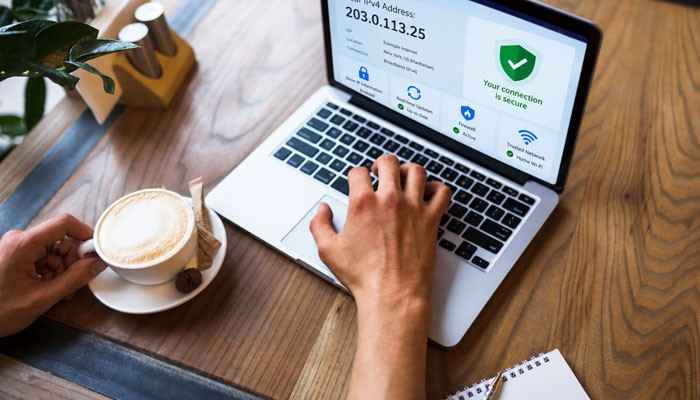
Sharing your IPv4 address is not automatically dangerous. However, avoid exposing network details unnecessarily.
Security practices:
- Use a strong router password
- Keep software updated
- Enable firewall protection
- Avoid unknown remote access requests
- Use trusted networks
An IPv4 address alone usually does not allow someone to access your device.
Why Does My IPv4 Address Look Different?
Sometimes users search “What Is My IPv4 Address” and receive different results.
Common reasons include:
- VPN Usage: A VPN shows the VPN server’s IP address instead of your actual IP.
- Mobile Networks: Mobile carriers may use shared IP systems.
- Router Settings: Your device may display a private IP instead of your public IP.
- IPv6 Preference: Some networks may prioritize IPv6 connections.
Conclusion
Understanding What Is My IPv4 Address helps you learn how your devices communicate with the internet. Whether you are troubleshooting a connection, setting up a device, improving security, or learning networking basics, knowing how IPv4 works is valuable.
IPv4 continues to support billions of internet connections around the world. Although IPv6 provides a larger address system for the future, IPv4 remains an essential part of modern networking. By learning how to find your IPv4 address and understanding public, private, and shared network connections, you can better manage your digital environment.
What Is My IPv4 Address FAQs
1. What Is My IPv4 Address?
What Is My IPv4 Address refers to finding the numerical address assigned to your device or internet connection that allows communication between networks.
2. How can I check my IPv4 address?
You can check your IPv4 address by searching online IP checker tools or viewing network settings on Windows, Mac, Android, or iPhone.
3. Is IPv4 the same as an IP address?
IPv4 is one type of IP address. IPv6 is another version created to support more internet-connected devices.
4. Can my IPv4 address identify me?
No. An IPv4 address usually provides general location and ISP information, not your personal identity.
5. Why does my IPv4 address change?
Most home internet connections use dynamic IPv4 addresses that can change automatically.
6. Is IPv4 still used today?
Yes. IPv4 remains widely used by websites, businesses, and internet providers despite the growth of IPv6.