


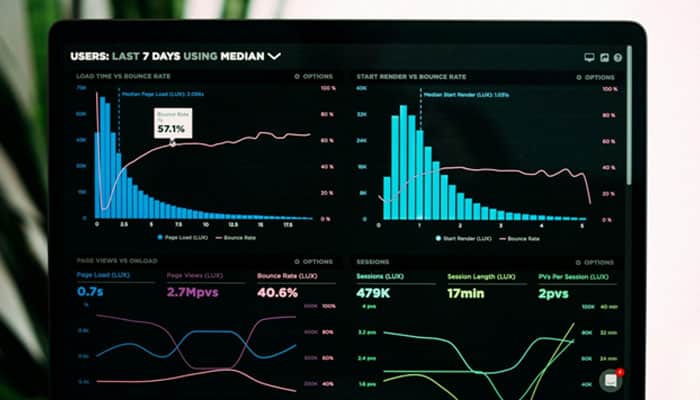

A website with ten thousand pages can be audited on a laptop in an evening. A website with ten million visitors requires a different infrastructure, a different budget, and a different approach to what is considered fresh data. Below is a breakdown of platforms capable of pulling off such a scale and where the boundary between them lies.
Botify
The enterprise segment reference and the tool against which all others are measured. Proprietary crawler, deep segmentation, rendering, and log analysis in a single interface, plus agentic optimization scenarios.
The price corresponds: annual licensing costs range from $30,000 up to several times more than $100,000. No publicly available pricing; all prices through sales. The numbers work out for sites with millions of URLs and considerable organic traffic; for everyone else, they do not. Not to mention weeks of deployment and lack of an expert to manage it, turning the platform into an expensive panel no one bothers to look at.
Lumar

Former DeepCrawl, Botify’s closest peer in class. Strong suits are crawl automation across tens of millions of URLs, as well as quality control and accessibility tools that most competitors lack entirely.
Pricing is also quote-based, and the entry threshold is high not only in terms of money but also implementation time. Lumar justifies itself when regularly crawling a giant catalog is an ongoing task rather than a one-off pre-redesign audit. For teams that scan a site sporadically, the cost of ownership here will not pay off.
EdgeComet

The platform flips traditional logic on its head: instead of scheduled scans, it captures every actual bot visit and extracts over forty SEO fields from the rendered page. Data updates continuously rather than once a week on a schedule.
The difference is felt where a classic SEO crawler tool shows the picture at the moment of scanning, which is why a deployment that overwrites canonical tags goes unnoticed until the next run. Here, the issue surfaces within minutes of the first affected bot visit, tied to a specific request and a specific crawler.
Rendering takes place in headless Chrome, so JavaScript-generated links and metadata enter the report alongside server markup. AI crawlers are broken out into separate dashboards: GPTBot, ClaudeBot, and PerplexityBot are tracked independently of each other. Pricing starts at $99 per month, and scanning creates no additional load on servers because the platform simply does not have its own bot.
Ahrefs Site A

The cloud crawler bundled with every paid Ahrefs plan, covering over 140 technical checks with JavaScript rendering and weekly automatic re-crawls. Pricing is public and starts at $129 per month for Lite, rising to $249 for Standard and $449 for Advanced.
The distinguishing trait is context: a technical issue can be cross-referenced immediately against organic traffic and backlink data from Site Explorer, which no dedicated crawler offers. The catch is the credit model. Lite includes 100,000 crawl credits per month, Standard 500,000, and Advanced 1.5 million, with one credit consumed per internal HTML page returning a 200 status. Native log-file analysis is absent entirely, so crawl-versus-fetch questions stay unanswered here.
OnCrawl

Another combination of crawling and logs, but with a data science twist: the platform is designed for large e-commerce and media projects where data feeds into a BI environment. Search Console and analytics integrations come pre-configured out of the box.
Cost estimates fluctuate around £200 per month, noticeably gentler than Botify. The weak spot that regularly pops up in reviews is support quality. Given the complexity of the platform itself, this factor should be factored into the assessment in advance.
Sitebulb

A compromise for consultants and small teams: the desktop version will set you back $18–42 per month, while the cloud version starts at $125. Instead of raw exports, the platform delivers prioritized insights.
There is no proprietary log analysis here, and on volumes exceeding a few million pages, the desktop version hits hardware limits. At the same time, for an agency where the bottleneck is analyst time rather than machine capacity, Sitebulb’s visual reports save more than the subscription costs.
| Tool | Pricing model | Log analysis | Data freshness |
| EdgeComet | Public, from $99/month | Included | Continuous, from real bot visits |
| Botify | Quote only | Scheduled crawls | |
| Lumar | Limited | ||
| Ahrefs Site Audit | Public, from $129/month | Not available | |
| OnCrawl | Semi-public, from £200/month | Included | |
| Sitebulb | Public, from $18/month | Not available | On demand |
The table highlights the main distinction in the segment, which is not the set of checks but the data update frequency. A scheduled crawl inevitably leaves a window in which an error is already live on the site yet has not made it into any report.
How to Size the Tool to the Site
Selection almost always comes down to catalog volume and who will process the exports. The general guidelines are as follows:
- Up to ten thousand pages, a desktop crawler, and Search Console are sufficient;
- From ten thousand to a million, a cloud platform with public pricing takes hardware off the table;
- Over a million URLs, enterprise-level scale with segmentation and logs justifies the budget;
- With frequent deployments, continuous monitoring matters more than the depth of a one-off audit.
Crawl budget is a separate issue. Without logs, it is impossible to understand what Googlebot actually crawled versus what a third-party bot managed to find, and on a large site, this difference costs money. That is precisely why combining crawls and logs has long been the standard for big catalogs.
Final Thoughts
A tool is selected not by the length of its feature list but by site volume and update frequency. A large catalog with daily releases needs fresh data, while a mid-sized project needs depth of analysis and a reasonable price. Thus, an honest assessment of your own scale saves more than any feature comparison.
