




For entrepreneurs, Instagram Reels is more than entertainment. It is a running feed of competitor moves, marketing experiments, customer sentiment, and creative inspiration. Founders and small teams increasingly want a way to keep the clips that inform their thinking, and saving a public reel for offline reference has become a quietly practical habit in the startup world.
Done well, it is simple and harmless. Done carelessly, it can expose you to sketchy websites and unnecessary risk. This guide explains why the practice is useful, how it actually works, and how to choose a tool that respects both your security and the creators whose work you are saving.
The Business Case for a Local Copy
Short-form video moves fast, and so does the platform. A reel that captures a competitor’s launch messaging today might be edited or deleted tomorrow. For a founder building a swipe file of marketing ideas, a local copy is insurance against content disappearing right when you want to study it.
There is also the matter of focus. Opening the app to rewatch a single clip pulls you into an endless feed engineered to keep you scrolling. Saving the specific reel you need lets you review it deliberately, on your own terms, without losing twenty minutes to the algorithm. For anyone protective of their time, that alone is worth the small effort.
Offline access matters too. Investors travel, founders pitch in venues with unreliable WiFi, and demos happen on airplanes. A downloaded clip plays on cue, with no buffering and no dependence on the room’s connection.
How Saving a Public Reel Works
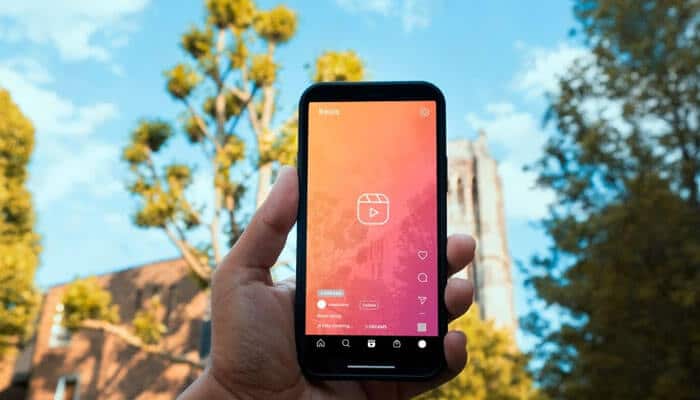
The mechanics are less mysterious than they sound. When a reel is set to public, the video file is delivered to any device that plays it. A saving tool captures that same public file and writes it to your downloads instead of letting it vanish after playback. You copy the reel’s link, paste it into the tool, and the video lands on your device.
Quality is the detail that separates good tools from bad ones. A capable tool preserves the original resolution rather than re-compressing the footage into a blurry approximation. If you plan to show a clip in a meeting or study its production values, that fidelity is not optional. The best experience feels like copying a file, not filming a screen.
Choosing a Tool Without Compromising Security
Founders are custodians of sensitive accounts, and a moment of carelessness can be costly. The non-negotiable rule is that you never enter your Instagram login into a third-party site to save a public video. Public content requires no authentication to access, so any request for your credentials is a request for access the task does not need. Treat it as a red flag and leave.
Prefer a browser-based tool that works without installing anything. A clean, web-based service such as Sssinstagram lets you paste a link and save a public reel in its original quality without an account or a download, which keeps your exposure minimal. Avoid tools that bombard you with redirects, demand a browser extension, or push a separate app; each of those adds risk without adding value. The ideal tool asks for nothing but the link.
A quick sanity check before adopting any service: does it do one job cleanly, and does it leave your accounts untouched? If the answer to either is unclear, keep looking. There are enough reputable options that you never need to gamble.
Real Scenarios Around the Startup
Picture a few everyday uses. A marketing lead saves a batch of high-performing public reels from admired brands to break down pacing, hooks, and calls to action during a strategy session. A founder keeps a customer’s public testimonial clip on file to include in an offline investor deck. A product manager archives a short demonstration of a feature a competitor just shipped, so the team can review it together without everyone opening the app.
Teams also save their own published reels as backups. Social accounts get locked, handed off between employees, or occasionally suspended, and holding a copy of your own content is basic operational hygiene rather than paranoia.
Staying on the Right Side of Ethics
Capability is not permission. Saving a public reel is fine for personal reference and internal study, but the creator still owns their work. Keep clips for your own use and your team’s private analysis, and do not re-upload someone else’s video as if your company produced it. Passing off another creator’s reel as your own is both a reputational risk and a disservice to the person who made it.
Limit yourself to public content. A private account has deliberately restricted its audience, and respecting that boundary is simply part of operating with integrity. When you do share a saved clip in a legitimate context, credit the original creator by name or handle. In a founder community where reputation compounds, that small courtesy pays off.
Apply judgment to what a clip contains as well. Public brand content is one thing; footage that captures private individuals or settings deserves more caution. The same discretion you would want applied to your own material, extend to others.
Turning It Into a Reliable Habit
Strip away the noise and the process is quick. Confirm the reel is public, copy the link, paste it into a reputable browser-based tool that never asks you to log in, and save the file in its original quality. Keep it in a labeled folder alongside your other reference material, review it offline whenever you need it, and credit the creator if you share it.
For entrepreneurs, the value is not in hoarding videos but in building a disciplined reference system that informs better decisions. A swipe file of competitor reels, customer clips, and creative inspiration is a genuine asset when it is organized and available on demand. Learn to save public reels safely and respectfully, and you turn a scattered feed into a resource you actually control, without ever putting your accounts or your integrity at risk.
