


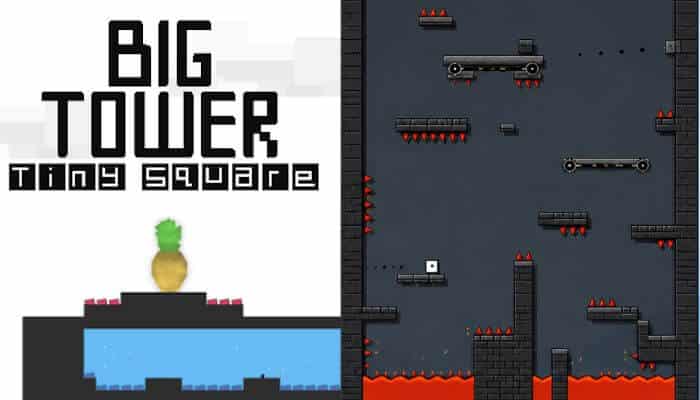

Big Tower Tiny Square Unblocked looks almost ridiculously simple when you first see it. You control a tiny square, face a gigantic tower, and have one clear goal: climb all the way to the top. But what begins as a simple platforming challenge quickly turns into a test of timing, patience, and precision.
Then you make your first serious jump.
Suddenly, that simple tower becomes a maze of lava, bullets, moving platforms, narrow landings, walls, traps, and jumps that punish even slightly mistimed movement. Your reward for surviving all of it? Rescuing Pineapple from the top.
That combination of minimalist graphics, precise movement, fast deaths, generous checkpoints, and escalating difficulty is exactly why Big Tower Tiny Square has remained memorable years after its original web release. For players searching for Big Tower Tiny Square Unblocked, the appeal is simple: the controls are easy to understand, but mastering the climb is anything but easy.
Developer Evil Objective describes the game as one enormous level divided into large single-screen sections, with carefully positioned obstacles designed around timing and precision. The developer lists the original release as February 2017, while an enhanced Steam edition followed on February 5, 2018.
Key Takeaways
- Big Tower Tiny Square is a precision platformer developed by Evil Objective.
- Big Tower Tiny Square Unblocked is a search phrase, not the official game title.
- The main objective is to climb the tower and rescue Pineapple.
- Jumping, wall-jumping, swimming, timing, and momentum control are central to gameplay.
- The tower is technically one enormous level divided into large sections.
- Checkpoints make repeated deaths much less punishing.
- Coolmath Games currently offers a browser version.
- Steam offers an enhanced edition with achievements, leaderboards, Steam Cloud, controller support, and other changes.
- New players may need around an hour or more, while competitive runners can complete the game dramatically faster.
Big Tower Tiny Square at a Glance
| Feature | Details |
|---|---|
| Official title | Big Tower Tiny Square |
| Developer | Evil Objective |
| Steam publisher | EO Interactive |
| Genre | Precision platformer |
| Original release | February 2017 |
| Coolmath release | August 24, 2017 |
| Steam release | February 5, 2018 |
| Main character | Tiny Square |
| Main antagonist | Big Square |
| Goal | Climb the tower and rescue Pineapple |
| Core skills | Timing, platforming, wall-jumping, swimming, momentum control |
| Browser version | Yes |
| Steam version | Yes |
| Multiplayer | No |
| Checkpoints | Yes |
| Speedrunning community | Yes |
Steam describes the game as a precision platformer built around dodging bullets, jumping over lava, wall-jumping, quick deaths, and generous respawns.
Big Tower Tiny Square Release Timeline
Big Tower Tiny Square has existed in several forms over the years, which helps explain why players may encounter slightly different versions today. For anyone searching for Big Tower Tiny Square Unblocked, this timeline also shows how the original game developed from a web-based platformer into an enhanced Steam release.
February 2017 — Original Release
Evil Objective lists the original Big Tower Tiny Square as released in February 2017.
The core concept was already established: one enormous tower, carefully designed obstacles, demanding platforming, and Pineapple waiting to be rescued at the top.
August 24, 2017 — Coolmath Games Release
Coolmath Games lists its browser version as released on August 24, 2017.
This browser edition is particularly relevant to players looking for Big Tower Tiny Square Unblocked, since it provides a straightforward way to experience the platforming challenge in a compatible web browser without installing a traditional desktop application.
February 5, 2018 — Enhanced Steam Edition
The enhanced Steam edition arrived on February 5, 2018, expanding the web game with additional PC features.
These include:
- Steam achievements
- Steam leaderboards
- Steam Cloud
- Controller support
- Frequent checkpoints
- Slightly redesigned visuals
- Level changes
Steam currently lists 62 achievements for the game, giving players additional goals beyond simply reaching the top of the tower and rescuing Pineapple.
What Is Big Tower Tiny Square Unblocked?
Big Tower Tiny Square Unblocked generally refers to browser-accessible versions of Big Tower Tiny Square, a precision platformer developed by Evil Objective. The phrase can be confusing because there is no separate official game carrying “Unblocked” as part of its title.
The official title is simply:
Big Tower Tiny Square
When players search for Big Tower Tiny Square Unblocked, they are usually looking for a version they can play directly in a compatible web browser rather than installing a traditional desktop game.
That distinction matters.
Evil Objective identifies Coolmath Games as a place where players can play the game for free, and Coolmath categorizes it as a browser platformer.
However, “unblocked” does not mean the game is guaranteed to work on every school, workplace, Chromebook, or managed network. Network administrators can restrict gaming websites, browser features, scripts, or entire categories of online content.
An “unblocked” game page also should not be confused with a method for bypassing network restrictions. If a school or workplace intentionally blocks gaming websites, those network policies should be respected.
For most players, the simplest option is to use a reputable browser platform that their device and network already permit.
Big Tower Tiny Square Browser vs Steam: What’s Different?
The browser and Steam editions share the same basic challenge—climb the enormous tower and rescue Pineapple—but they are not completely identical. For players searching for Big Tower Tiny Square Unblocked, understanding these differences can help determine whether browser play or the enhanced PC edition is the better choice.
Steam describes its release as an enhanced version of the original web game, adding several features beyond the basic browser experience.
| Feature | Browser Version | Steam Version |
|---|---|---|
| Core tower gameplay | Yes | Yes |
| Browser play | Yes | No |
| Installation required | No | Yes |
| Keyboard controls | Yes | Yes |
| Wall-jumping | Yes | Yes |
| Checkpoints | Yes | Yes |
| Controller support | Depends on version | Yes |
| Steam achievements | No | 62 |
| Steam leaderboards | No | Yes |
| Steam Cloud | No | Yes |
| Visual changes | Browser presentation | Slightly redesigned |
| Level changes | Original or host-specific | Some changes |
If your main goal is to play Big Tower Tiny Square Unblocked quickly without installing the Steam client, the browser edition is generally the more convenient option.
The Steam edition makes more sense for players who want achievements, Steam Cloud, competitive leaderboards, controller support, and a dedicated PC version.
Either way, the core challenge remains unchanged:
Tiny Square still has to reach the top.
What Is the Story Behind Big Tower Tiny Square?
The story behind Big Tower Tiny Square Unblocked is intentionally simple: Big Square has taken Pineapple to the top of a huge, dangerous tower, and Tiny Square must climb up to rescue Pineapple.
Instead of relying on a complicated storyline, the game gives players a clear reason to keep moving upward. The rescue mission connects directly to the platforming challenge, with every completed section bringing Tiny Square closer to the top.
The Story in Simple Terms
- You play as Tiny Square, the game’s small square-shaped hero.
- Pineapple is your friend and the character you need to rescue.
- Big Square is the antagonist responsible for taking Pineapple.
- Pineapple is at the top of Big Tower, so reaching the top becomes your main objective.
- The tower is filled with hazards, turning a simple rescue into a demanding platforming challenge.
- Checkpoints help you keep progressing as the obstacles become more difficult.
The story works because it never distracts from the gameplay. There are no lengthy cutscenes, complicated quests, or character-development systems to understand. You know who needs rescuing, where you need to go, and what stands between you and the goal.
For anyone playing Big Tower Tiny Square Unblocked, that simple setup gives the climb a purpose: survive the tower’s traps, improve your platforming skills, and eventually reach Pineapple.
Why Is Big Tower Tiny Square So Difficult?
The difficulty in Big Tower Tiny Square Unblocked comes from precision rather than complicated controls. Tiny Square has a limited movement set, but the tower constantly asks you to use it in tighter spaces and around increasingly dangerous obstacles.
Several things make the climb difficult:
- Precise landings: Small platforms leave little room for poorly timed jumps or excess horizontal momentum.
- Wall-jumping: Vertical sections require you to control both the timing of the jump and Tiny Square’s direction between walls.
- Combined hazards: Lava, projectiles, moving platforms, and other obstacles often appear together, so clearing one hazard may immediately put you in position for the next.
- Limited margin for error: Touching a deadly obstacle can send you back to the latest checkpoint, making consistency important.
- Pattern learning: Some sections become much easier once you stop rushing and recognize when platforms or hazards move.
- Increasing pressure: Later parts of the tower demand cleaner execution of movement skills you learned earlier.
What makes the difficulty work is the checkpoint system. Big Tower Tiny Square Unblocked can punish a mistimed jump immediately, but you usually get another attempt without replaying a huge portion of the tower.
That creates the game’s core challenge: learn the obstacle, adjust your timing, and execute the movement more cleanly on the next attempt.
Big Tower Tiny Square Controls
The controls in Big Tower Tiny Square Unblocked are simple to learn, but precise timing becomes increasingly important as you climb higher.
| Action | Keyboard Control |
|---|---|
| Move left | A or Left Arrow |
| Move right | D or Right Arrow |
| Jump | W, Up Arrow, or Space depending on version |
| Higher jump | Hold the jump control |
| Wall-jump | Jump while adjacent to a wall |
| Swim | Space on the developer’s browser version |
| Reset to checkpoint | R |
Coolmath lists A/D or the Arrow Keys for movement, W, Up Arrow, or Space for jumping, and R for returning to the previous save point.
The developer’s browser version also uses Space for swimming and wall-jumping, with controller support available on some versions. Controls can vary slightly by host, so check the instructions shown on the version you are playing.
One Movement Mechanic Beginners Often Miss: Swimming
Swimming is an easy mechanic to overlook in Big Tower Tiny Square Unblocked, especially because jumping and wall-jumping dominate most of the climb.
On Evil Objective’s browser version, Space is used for both jumping and swimming. When Tiny Square enters a water section, players need to adjust their timing rather than relying on the same movement rhythm used on normal platforms.
A few things to remember:
- Space controls swimming on the developer’s browser version.
- Water sections require controlled, well-timed inputs.
- Avoid rushing—small adjustments make movement easier.
- Controls may differ slightly between hosted versions.
Swimming is not the game’s most complicated mechanic, but knowing how it works can prevent unnecessary deaths when water appears in the tower.
How to Play Big Tower Tiny Square Unblocked
Playing Big Tower Tiny Square Unblocked is simple to understand: guide Tiny Square upward through the tower, avoid hazards, reach checkpoints, and eventually rescue Pineapple.
For a smoother first climb:
- Learn the movement — Get comfortable with jumping, higher jumps, and wall-jumping before the harder sections.
- Watch before moving — Check the timing of moving platforms, projectiles, lava, and other hazards.
- Aim for checkpoints — Treat each checkpoint as a small goal instead of worrying about the entire tower.
- Adjust after mistakes — If a jump keeps failing, change your timing, direction, or landing position rather than repeating the same attempt.
- Take difficult sections slowly — Precise movement is usually more reliable than rushing.
The basic rule is simple: observe the obstacle, time your movement, reach the next checkpoint, and keep climbing.
10 Tips to Beat the Impossible Climb
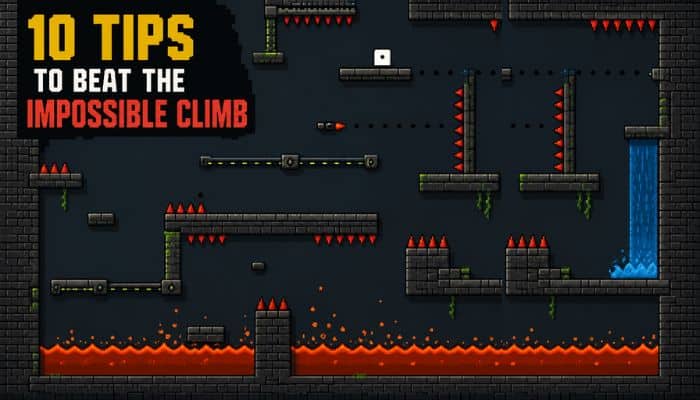
Getting through Big Tower Tiny Square Unblocked becomes easier once you stop treating every obstacle the same way. These tips focus on the movements and decisions that matter most during the climb.
1. Test Your Jump Distance Early
Use the easier opening sections to get a feel for Tiny Square’s movement.
- Test short and higher jumps.
- Notice how far momentum carries you.
- Learn how much you can adjust while airborne.
Knowing your jump range makes later platforms easier to judge.
2. Read the Next Section Before Moving
When the game gives you a safe place to stand, use it.
- Watch moving platforms complete a cycle.
- Identify where projectiles travel.
- Find your next safe landing before jumping.
A few seconds of observation can prevent several unnecessary deaths.
3. Use Walls to Control Your Climb
Wall-jumping is not only about gaining height. It can also help you reposition Tiny Square.
- Avoid jumping away from a wall too early.
- Watch where the opposite wall or platform is.
- Use controlled inputs instead of rapidly pressing jump.
4. Don’t Overcorrect in Midair
A common mistake is holding left or right for too long after a jump has already lined up correctly.
- Make small directional adjustments.
- Ease off the movement key before landing.
- Give yourself room to stay on the platform.
This becomes especially important on narrow ledges.
5. Separate Timing Problems From Jump Problems
If you keep dying at the same obstacle, determine what is actually going wrong.
- Missing the platform may mean your jump needs adjusting.
- Hitting a moving hazard may mean your timing is wrong.
- Reaching the wrong position may mean your route needs changing.
Fixing the correct problem is faster than changing everything at once.
6. Use Checkpoints as Your Real Goals
Don’t think about reaching Pineapple every time you respawn.
Focus on reaching the next checkpoint.
This breaks the enormous tower into manageable sections and makes repeated attempts much less frustrating.
7. Be Careful Immediately After a Hard Jump
Surviving the hardest obstacle on the screen does not always mean you are safe.
- Check where you landed.
- Look at the next hazard.
- Regain control before moving again.
Many avoidable deaths happen because players rush immediately after clearing a difficult sequence.
8. Reset a Bad Attempt When Necessary
If Tiny Square ends up in a poor position and the section is clearly lost, restarting from the checkpoint can be quicker than trying to rescue an impossible attempt.
The R key provides a fast checkpoint reset on supported versions.
9. Learn Difficult Sections in Pieces
You do not need to master an entire sequence immediately.
First learn the opening jump. Then work out the next landing. After that, connect the movements into one clean run.
This makes complicated sections much easier to memorize.
10. Save Speedrunning for Later
Your first successful climb should be about consistency, not record times.
Once you know:
- Where the hazards appear
- Which jumps need extra height
- Where wall-jumps are required
- How each section connects
- Where the checkpoints are
you can start removing hesitation and taking faster routes.
Learn the tower first. Then learn to climb it fast.
How Long Does Big Tower Tiny Square Take to Beat?
How long it takes to beat Big Tower Tiny Square Unblocked depends on your platforming experience, number of deaths, and which version of the game you play.
Coolmath Games estimates roughly one hour for beginners playing its browser version, while the enhanced Steam edition estimates approximately 1.5 to 2 hours for a first playthrough.
| Player Type | Approximate Completion Time |
|---|---|
| First-time browser player | Around 1 hour or longer |
| First-time Steam player | Roughly 1.5–2 hours |
| Improving player | Faster after learning difficult sections |
| Experienced player | Varies based on route and consistency |
| Competitive speedrunner | Dramatically faster |
These times are only estimates. In Big Tower Tiny Square Unblocked, a difficult wall-jump or hazard sequence can take multiple attempts on your first climb but become much faster once you understand its timing.
That is why completion times can drop significantly on later runs: the better you know the tower, the less time you lose to hesitation and repeated deaths.
Why Checkpoints Matter in Big Tower Tiny Square
Checkpoints are a major reason Big Tower Tiny Square Unblocked can stay difficult without making every death feel like a complete restart. As you move higher through the tower, reaching a checkpoint secures your progress and gives you a nearby place to retry the next obstacle.
They are especially useful because they:
- Protect your progress: You don’t have to replay the entire tower after every mistake.
- Make hard sections easier to practice: Difficult jumps and hazard sequences can be attempted repeatedly from nearby.
- Encourage experimentation: You can test different jump timings or wall-jump approaches without losing a large amount of progress.
- Keep the climb moving: Frequent restart points reduce the time spent repeating sections you have already mastered.
In Big Tower Tiny Square Unblocked, checkpoints do not make the obstacles easier—they simply make repeated attempts more manageable. That balance allows the game to demand precise movement while still giving players a practical way to learn difficult sections.
Does Big Tower Tiny Square Save Your Progress?
Yes, but saving in Big Tower Tiny Square Unblocked depends on which version you play. Checkpoints let you retry from a recent point in the tower, while persistent saves determine whether that progress remains available after you leave the game.
On Coolmath Games, pressing R returns Tiny Square to the previous save point. The Steam edition also uses frequent checkpoints and supports Steam Cloud for saved progress.
| Version | Progress System |
|---|---|
| Browser version | Checkpoints and last-save-point resets |
| Steam version | Frequent checkpoints plus Steam Cloud |
| Unofficial browser hosts | Save behavior may vary |
The main thing to remember is that checkpoint progress and long-term saving are not necessarily the same thing. An unofficial browser host may handle stored progress differently depending on its implementation and browser storage.
If keeping your progress between sessions matters, play Big Tower Tiny Square Unblocked through a reputable browser platform and check how that specific version handles saved data before closing the game.
Why the Minimalist Design Works So Well
The simple look of Big Tower Tiny Square Unblocked is more than a visual choice—it makes the tower easier to read while the platforming becomes harder. With fewer decorative elements competing for attention, players can quickly judge platforms, hazards, walls, and possible landing spots.
The minimalist design helps in several practical ways:
- Hazards are easier to spot: Lava, projectiles, and moving obstacles stand out clearly.
- Jumps are easier to judge: Clean platform edges help you estimate where Tiny Square needs to land.
- Busy sections stay readable: Even when several hazards appear together, the screen does not become overloaded with unnecessary detail.
- Movement stays the focus: Success depends on timing and control rather than interpreting complicated visuals.
That clarity is particularly important in Big Tower Tiny Square Unblocked, where a small positioning mistake can end an otherwise good attempt. The graphics may be simple, but they support exactly what the game needs most: clear, precise platforming.
How Many Levels Does Big Tower Tiny Square Have?
Big Tower Tiny Square Unblocked does not have a traditional set of numbered levels. Instead, the original game is built around one enormous tower, divided into large single-screen sections that you complete as you climb toward Pineapple.
Rather than returning to a level-selection screen, players move continuously upward through new areas featuring different platform layouts, hazards, wall-jumps, and checkpoints.
The structure is simple:
- One main tower rather than separate numbered levels
- Multiple sections with different obstacle layouts
- Checkpoints throughout the climb
- Increasingly demanding challenges as you progress upward
- Pineapple at the top as the final objective
So, if you’re wondering how many levels are in Big Tower Tiny Square Unblocked, the best answer is one giant level made up of many individual sections.
What Makes Big Tower Tiny Square So Addictive?
The appeal of Big Tower Tiny Square Unblocked comes from how quickly the game turns failure into another attempt. Checkpoints keep restarts short, while each obstacle gives you a clear challenge to figure out. A jump that seems impossible at first can become surprisingly manageable once you understand its timing.
Several things keep the climb engaging:
- Quick retries make it easy to attempt a difficult section again.
- Visible progress gives you a sense of achievement as Tiny Square moves higher up the tower.
- Skill matters more than upgrades, so improvement comes from learning the controls and obstacles.
- New hazard combinations keep later sections from feeling identical to earlier ones.
- A clear final goal—reaching Pineapple—gives the entire climb a simple purpose.
That combination of short retries, noticeable skill improvement, and constant upward progress is what gives Big Tower Tiny Square Unblocked its “one more attempt” appeal.
Is Big Tower Tiny Square Unblocked Free?
Yes, you can play Big Tower Tiny Square Unblocked for free through a browser version of the game. Developer Evil Objective directs players to Coolmath Games, where Big Tower Tiny Square is available as a browser-based platformer.
There are two main ways to play:
- Browser version: Free to play through Coolmath Games without installing the Steam client.
- Steam edition: A paid, enhanced PC version with features such as achievements, leaderboards, Steam Cloud, and controller support.
If you simply want to climb the tower and rescue Pineapple, the free browser version provides the core experience. Choose the Steam edition if you prefer its additional PC features.
Note: Pricing and availability can change, so check the relevant platform for current information.
Where Can You Play Big Tower Tiny Square Unblocked Safely?
The safest way to play Big Tower Tiny Square Unblocked is to use an established browser-game platform or a version connected to the game’s developer.
Evil Objective points players toward Coolmath Games for free browser play, while the enhanced PC edition is available through Steam.
When choosing a browser version, look for:
- HTTPS
- Clear game controls
- No forced browser extensions
- No suspicious software downloads
- No unnecessary login or payment requests
- A recognizable game platform or developer connection
Be more cautious with unfamiliar “unblocked” mirrors. Some may contain misleading download buttons, aggressive redirects, excessive notification prompts, or unrelated software offers.
You should not need to install unknown software just to play a legitimate browser version of Big Tower Tiny Square.
Can You Play Big Tower Tiny Square Unblocked at School or Work?
Maybe. Browser availability and network permission are two different things.
Big Tower Tiny Square can be played through a browser, but a school, workplace, library, or managed device may still block gaming websites.
Whether the game loads can depend on:
- Network filtering policies
- Blocked gaming domains
- Device-management settings
- Browser restrictions
- Website permissions
The word “unblocked” does not guarantee that a particular version will work on every network.
If a school or workplace has intentionally restricted gaming websites, follow the organization’s network policies rather than attempting to bypass those controls.
Does Big Tower Tiny Square Need a Download?
No. If you want to play Big Tower Tiny Square Unblocked in a compatible browser, you generally do not need to download or install a traditional desktop application.
The main options are:
| Version | Download Required? | Best For |
|---|---|---|
| Browser version | No | Quick browser play |
| Steam version | Yes | Achievements, Steam Cloud, controller support, and additional PC features |
The browser version is the simpler choice if you just want to start climbing the tower without installing the Steam client. The enhanced Steam edition is better suited to players who want its additional PC features.
In short: browser play requires no traditional game installation, while the Steam edition needs to be installed.
Big Tower Tiny Square Not Loading? Try These Fixes
If Big Tower Tiny Square will not start in your browser, try a few basic troubleshooting steps before assuming the game is unavailable.
- Refresh the page.
- Restart the browser.
- Update your browser to the latest version.
- Close unnecessary tabs that may be using too much memory.
- Temporarily check whether a browser extension is interfering with the game page.
- Confirm that browser graphics features such as WebGL or hardware acceleration are working.
- Check whether the network itself blocks the game website.
- Try another reputable browser version.
If the game works on another browser or device, the problem is likely related to your original browser configuration rather than the game itself.
Avoid Suspicious “Fixes”
Troubleshooting Big Tower Tiny Square Unblocked should not require you to:
- Install unknown browser extensions
- Download unrelated programs
- Disable antivirus protection
- Enter payment information
- Turn off important device security
If a website demands those actions simply to load the game, use another reputable source instead.
Can You Play Big Tower Tiny Square on a Chromebook?
Yes, Big Tower Tiny Square Unblocked can generally be played on a Chromebook through a compatible web browser, since the game is available in browser-based versions such as Coolmath Games.
Before playing on a Chromebook, keep these points in mind:
- No traditional installation is needed for the browser version.
- A modern browser provides the most suitable setup for browser play.
- School-managed Chromebooks may have restrictions that block gaming websites.
- Network access matters: a compatible Chromebook does not guarantee that every network will allow the game.
- Controls are better suited to a keyboard, which makes Chromebook play a practical option for the game’s precise jumping and wall-jumping.
If the game works on a personal Chromebook but not on a school-managed device, the issue may be the device or network restrictions rather than Chromebook compatibility itself.
Can You Play Big Tower Tiny Square on Mobile?
Big Tower Tiny Square Unblocked may work on some phones and tablets, but the experience depends on the browser version and whether the site provides usable touch controls.
Before trying it on mobile, keep these points in mind:
- Touch controls may vary: Not every browser version is designed for touchscreen input.
- Precision can be harder: Wall-jumps and narrow landings are generally easier with physical keys or a controller.
- Browser support matters: Performance and controls can differ between devices and browsers.
- Landscape mode may help: A wider view can make platforming more comfortable when supported.
- Desktop remains the safer choice: A keyboard or controller provides more predictable input for difficult sections.
So, mobile play may be possible, but Big Tower Tiny Square is better suited to precise physical controls. If the browser version you open does not provide touch controls, a laptop or desktop is the better option.
Big Tower Tiny Square vs Typical Platform Games
What separates Big Tower Tiny Square Unblocked from many casual platform games is its focus on one continuous climb rather than a series of independent levels. Progress depends mainly on mastering movement, learning hazards, and reaching the next checkpoint.
| Feature | Big Tower Tiny Square | Typical Casual Platformer |
|---|---|---|
| Main structure | One enormous tower | Usually multiple separate levels |
| Difficulty | High | Usually moderate |
| Death frequency | Frequent | Often lower |
| Respawns | Fast and checkpoint-based | Varies |
| Wall-jumping | Important | Sometimes optional |
| Precision required | High | Low to moderate |
| Story complexity | Minimal | Varies |
| Main objective | Rescue Pineapple | Usually reach an exit or complete a level |
| Skill improvement | Central to progression | Varies |
| Speedrun potential | Strong | Varies |
The biggest difference is skill-based progression. Tiny Square does not become stronger or unlock abilities to make difficult sections easier—you progress by becoming more consistent with jumps, wall-jumps, timing, and hazard patterns.
That straightforward design is a major part of the appeal of Big Tower Tiny Square Unblocked: the controls remain simple while the tower continually asks you to use them with greater precision.
Can Big Tower Tiny Square Be Speedrun?
Yes. Big Tower Tiny Square Unblocked is well suited to speedrunning because the tower follows a consistent route and rewards players who master its jumps, wall-jumps, hazards, and checkpoints. The game also has a competitive speedrunning community with runs across web and PC versions.
Several factors can make a big difference to your final time:
- Route knowledge: Knowing what comes next reduces hesitation between sections.
- Clean wall-jumps: Efficient wall movement can save time throughout the climb.
- Fewer deaths: Every failed obstacle adds time, so consistency matters as much as raw speed.
- Checkpoint knowledge: Understanding each section helps you plan faster and safer approaches.
- Precise movement: Small improvements in jumps and landings can add up across the entire tower.
For most players, the first goal should simply be reaching Pineapple. Once you know the tower well, Big Tower Tiny Square Unblocked becomes a different challenge: completing the same climb with cleaner movement, fewer mistakes, and a faster finish.
Other Games in the Big Tower Tiny Square Series
After finishing Big Tower Tiny Square Unblocked, you can continue with several other games in the series. Each keeps the precision-platforming style but introduces a different tower, environment, or movement challenge.
1. Big ICE Tower Tiny Square
This entry brings the challenge into an icy environment, where slippery movement adds another layer of difficulty to precise jumps and landings.
2. Big NEON Tower VS Tiny Square
Big NEON Tower VS Tiny Square switches to a neon-themed setting with new obstacles and platforming sequences while keeping the familiar climb-to-the-top formula.
3. Big FLAPPY Tower VS Tiny Square
This game changes the usual platforming approach by introducing flight-focused movement, giving the tower a noticeably different feel from the original.
4. Big Tower Tiny Square 2
The sequel returns to the familiar Big Tower concept with redesigned areas, new challenges, and a tougher climb. It is the most natural next choice for players who want something close to the original experience.
If you enjoyed the precise jumps and repeated challenges of Big Tower Tiny Square Unblocked, these follow-up games provide more ways to test your movement skills without simply repeating the original tower.
Big Tower Tiny Square vs Big Tower Tiny Square 2
The sequel keeps the basic philosophy of the original while expanding the challenge.
| Feature | Big Tower Tiny Square | Big Tower Tiny Square 2 |
|---|---|---|
| Core objective | Rescue Pineapple | Rescue Pineapple again |
| Main setting | Original Big Tower | Reconstructed Big Tower |
| Precision platforming | Yes | Yes |
| Lava and hazards | Yes | Yes |
| Wall-jumping | Yes | Yes |
| Difficulty | High | Even more demanding |
| Release period | 2017 original / 2018 Steam | 2022 |
| Best for | New series players | Players wanting a tougher follow-up |
Big Tower Tiny Square 2 returns players to a reconstructed tower while incorporating hazards and mechanics inspired by the wider series.
If you have never played either game, starting with the original makes more sense.
Is Big Tower Tiny Square Worth Playing in 2026?
Yes. Big Tower Tiny Square Unblocked is still worth playing in 2026 if you enjoy challenging platformers that are easy to understand but difficult to master. The simple visuals are not the main attraction—the real appeal comes from learning the tower, improving your timing, and finally clearing sections that initially seem impossible.
It remains appealing because:
- The gameplay is skill-based: Progress comes from improving your jumps, wall-jumps, and timing rather than unlocking stronger abilities.
- Checkpoints keep retries manageable: A mistake usually means retrying a nearby section instead of restarting the entire tower.
- The challenge is easy to understand: The objective is always clear—keep climbing and reach Pineapple.
- Browser play is convenient: You can still access browser-based versions without needing a full PC installation.
- There is replay value: After finishing the tower, players can return to improve their time, reduce deaths, or try speedrunning.
For players who enjoy precision platforming and difficult-but-learnable obstacles, Big Tower Tiny Square Unblocked still offers a simple but satisfying challenge in 2026. If you prefer story-heavy games, exploration, or character upgrades, however, its stripped-down platforming style may not be for you.
Who Will Enjoy Big Tower Tiny Square Unblocked?
Big Tower Tiny Square Unblocked is best suited to players who enjoy mastering a difficult game through practice rather than relying on upgrades, power-ups, or complicated abilities. Most of the satisfaction comes from learning a troublesome section and eventually completing it cleanly.
You’ll Probably Enjoy It If You:
- Like precision platformers where timing matters
- Enjoy learning difficult jumps and wall-jump sequences
- Don’t mind retrying a section several times
- Prefer quick checkpoints after mistakes
- Like improving your completion time after finishing a game
- Enjoy simple games with a surprisingly high skill ceiling
It May Not Be for You If You:
- Get frustrated by frequent deaths and retries
- Prefer relaxed or forgiving platform games
- Want a story-driven experience with lots of characters and dialogue
- Dislike sections that require accurate timing
- Prefer progression through upgrades rather than player skill
Ultimately, Big Tower Tiny Square Unblocked is a better fit for players who find satisfaction in finally beating an obstacle that stopped them several attempts earlier. If repeated trial-and-error feels rewarding rather than frustrating, the tower is likely to keep you climbing.
Conclusion
Big Tower Tiny Square Unblocked is a simple-looking platformer that becomes increasingly demanding as you climb. Precise jumps, wall-jumping, moving hazards, lava, swimming sections, and narrow platforms require good timing, while frequent checkpoints give you plenty of opportunities to retry difficult parts of the tower.
What makes the game satisfying is the sense of improvement. Obstacles that take several attempts during your first climb become easier once you understand their timing and movement patterns. Beginners may need an hour or longer to reach Pineapple, while experienced players can return to improve their routes, reduce mistakes, and chase faster completion times.
For anyone who enjoys precision platformers, quick retries, and challenges built around player skill, Big Tower Tiny Square Unblocked remains worth playing. The objective may be simple—climb the tower and rescue Pineapple—but mastering the journey to the top is what makes the game memorable.
Big Tower Tiny Square Unblocked FAQs
1. Does Big Tower Tiny Square Unblocked have a pause button?
Pause behavior can depend on the version or platform. If you need to stop during Big Tower Tiny Square Unblocked, check the controls or menu provided by the version you are playing.
2. Can you replay Big Tower Tiny Square Unblocked after beating it?
Yes. Big Tower Tiny Square Unblocked has replay value for players who want to finish with fewer deaths, improve difficult sections, or attempt a faster completion time.
3. Does Big Tower Tiny Square Unblocked require an account?
Browser versions of Big Tower Tiny Square Unblocked may not require an account simply to start playing, although account requirements can vary by hosting platform and optional features.
4. Can you use a game controller with Big Tower Tiny Square Unblocked?
Controller support depends on the version. The enhanced Steam edition supports controllers, while Big Tower Tiny Square Unblocked browser versions may vary in controller compatibility.
5. Is Big Tower Tiny Square Unblocked a multiplayer game?
No. Big Tower Tiny Square Unblocked is primarily a single-player platforming experience focused on climbing the tower, avoiding hazards, and rescuing Pineapple.
6. Does Big Tower Tiny Square Unblocked have boss fights?
The main challenge in Big Tower Tiny Square Unblocked comes from navigating the tower’s platforming obstacles and hazards rather than progressing through a traditional series of boss battles.
7. Can beginners play Big Tower Tiny Square Unblocked?
Yes. Big Tower Tiny Square Unblocked uses straightforward controls, so beginners can understand the basics quickly. The challenge comes from mastering precise jumps, wall-jumps, and obstacle timing.
8. Is Big Tower Tiny Square Unblocked good for speedrun beginners?
It can be. Big Tower Tiny Square Unblocked has a clear objective and movement-focused gameplay, making it approachable for players interested in learning basic speedrunning concepts after completing the tower normally.
