


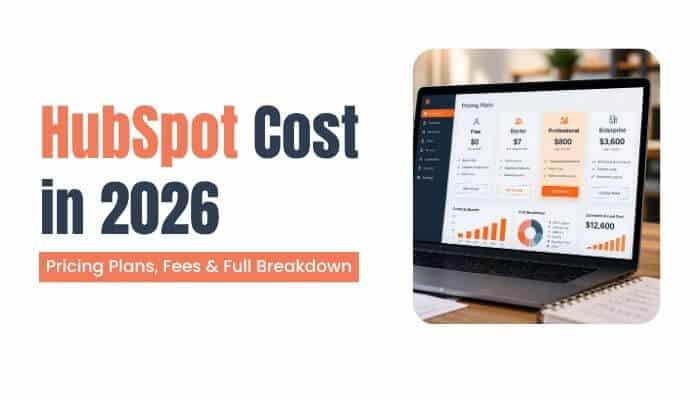

The HubSpot cost in 2026 can range from $0 for free tools to several thousand dollars per month for Professional and Enterprise products. The final amount depends on much more than the advertised plan price.
Businesses may also need to budget for paid seats, marketing contacts, onboarding, HubSpot Credits, optional add-ons, implementation, payment-processing fees, and taxes.
That can make HubSpot pricing confusing if you look only at the monthly headline price.
This guide explains what HubSpot costs in 2026, how its major products are priced, which fees can increase your bill, and how to estimate your real annual cost before buying.
Quick Answer: How Much Does HubSpot Cost in 2026?
HubSpot starts at $0 per month with free tools for up to two users.
For paid plans, HubSpot is currently advertising a limited Starter offer beginning at $7 per seat per month for eligible new customers. Its regular displayed Starter starting price is $20 per seat per month.
At the Professional level, current annual-billing starting prices include $800 per month for Marketing Hub, $90 per seat per month for Sales Hub and Service Hub, $450 per month for Content Hub, $720 per month for Data Hub, $45 per seat per month for Smart CRM, $85 per seat per month for Revenue Hub, and $1,300 per month for the Customer Platform.
The important point is that these are starting prices. Your actual HubSpot cost may increase as you add users, contacts, AI usage, onboarding, integrations, or other services.
Key Takeaways
- HubSpot offers free tools for up to two users.
- Starter currently begins at a promotional $7 per seat per month for eligible new customers.
- The regular displayed Starter rate starts at $20 per seat per month.
- Marketing Hub Professional starts at $800 per month with annual billing.
- Sales Hub and Service Hub Professional start at $90 per seat per month with annual billing.
- Customer Platform Professional starts at $1,300 per month with annual billing.
- Some Professional and Enterprise products require one-time onboarding fees.
- Marketing-contact volume can significantly increase Marketing Hub costs.
- HubSpot Credits can create additional usage-based costs for AI and automated features.
- Payment processing, integrations, optional capacity increases, and taxes can increase the total bill.
- Professional and Enterprise plans generally involve an annual commitment even when payments are made monthly.
- Eligible startups may qualify for substantial temporary discounts.
HubSpot Pricing Overview for 2026
Here is a simplified overview of HubSpot’s major public U.S. starting prices.
| HubSpot Product | Free | Starter | Professional | Enterprise |
|---|---|---|---|---|
| Customer Platform | $0 | From $7/seat/mo promotional | From $1,300/mo | From $4,700/mo |
| Marketing Hub | $0 | From $7/seat/mo promotional | From $800/mo | From $3,600/mo |
| Sales Hub | $0 | From $7/seat/mo promotional | From $90/seat/mo | From $150/seat/mo |
| Service Hub | $0 | From $7/seat/mo promotional | From $90/seat/mo | From $150/seat/mo |
| Content Hub | $0 | From $7/seat/mo promotional | From $450/mo | From $1,500/mo |
| Data Hub | $0 | From $7/seat/mo promotional | From $720/mo | From $2,000/mo |
| Smart CRM | Free CRM tools available | — | From $45/seat/mo | From $75/seat/mo |
| Revenue Hub | $0 | No separate Starter tier | From $85/seat/mo | From $140/seat/mo |
HubSpot’s live pricing pages show these lower Professional starting rates when annual billing is selected. Starter’s $7 rate is a limited new-customer offer, while HubSpot also displays its regular $20-per-seat starting rate.
These prices are useful for comparison, but they should not be treated as guaranteed quotes.
What Determines the Real HubSpot Cost?
The real HubSpot cost depends on more than the subscription tier. Seats, marketing contacts, AI usage, onboarding, add-ons, and payment fees can all affect what a business actually pays.
1. Subscription Tier
HubSpot commonly offers Free, Starter, Professional, and Enterprise tiers, although availability varies by product. Higher tiers generally provide more automation, reporting, customization, permissions, AI capabilities, and governance.
2. Paid Seats
Some HubSpot products charge according to the number of users who need paid functionality. This is especially important for Sales Hub, Service Hub, Smart CRM, and Revenue Hub.
As your team grows, additional paid seats can increase the overall HubSpot cost.
3. Marketing Contacts
Marketing Hub costs can increase as the number of contacts you actively market to grows. Keeping marketing and non-marketing contacts properly classified can help control expenses.
4. HubSpot Credits
Certain AI agents and automated features consume HubSpot Credits. Businesses with heavier AI usage may need additional paid credit capacity.
5. Onboarding
Marketing Hub, Sales Hub, and Service Hub Professional and Enterprise plans currently have mandatory onboarding fees. These one-time charges can significantly affect first-year costs.
6. Add-Ons and Capacity
Larger businesses may need additional API calls, workflows, reporting capacity, sandboxes, transactional email, or other upgrades.
7. Payment Processing
Businesses collecting payments through HubSpot may also pay processing and platform fees in addition to their software subscription. These transaction costs should be included when estimating the total HubSpot cost.
A simple formula is:
Real HubSpot Cost = Subscription + Seats + Marketing Contacts + Onboarding + Credits + Add-Ons + Payment Fees + Implementation + Taxes
HubSpot Free Cost
The lowest possible HubSpot cost is:
$0 per month
HubSpot currently provides free foundational tools for up to two users without requiring a credit card. This makes the free plan a practical starting point for businesses that want to test HubSpot before paying for additional features.
Free tools can be useful for freelancers, startups, and small businesses that need basic CRM and customer-management functionality without increasing their HubSpot cost.
Depending on the product area, free tools may help with:
- Contact management
- Basic deal tracking
- Forms
- Meeting scheduling
- CRM records
- Simple sales activities
- Basic marketing
- Customer communication
- Invoices and billing workflows
The free option is not simply a short trial that automatically becomes a Professional subscription. Businesses can continue using eligible free tools while their requirements remain within the available limits.
However, companies that need advanced automation, customization, reporting, permissions, higher limits, or more sophisticated AI functionality will generally need a paid plan, which increases the overall HubSpot cost.
HubSpot Starter Cost
HubSpot Starter is designed for businesses that have outgrown the free tools but are not ready for the advanced automation and reporting available in Professional plans. The HubSpot cost for Starter currently begins at $7 per seat per month for qualifying new customers under a limited promotional offer.
The regular displayed starting price is $20 per seat per month. At that standard rate, the estimated monthly cost would be:
- 5 paid seats: $100 per month
- 10 paid seats: $200 per month
- 20 paid seats: $400 per month
Because Starter uses seat-based pricing, the total HubSpot cost can increase as more team members need paid access. Businesses should also remember that the $7 rate is promotional, so it is important to confirm eligibility and check what price will apply after the introductory offer ends.
For small and growing teams, Starter can provide a practical middle ground between HubSpot’s free tools and the more expensive Professional plans.
HubSpot Customer Platform Cost
HubSpot Customer Platform combines marketing, sales, service, content, and data capabilities into one package. It can be worth considering when several departments need HubSpot because purchasing a combined platform may be more practical than subscribing to multiple products separately.
The HubSpot cost for Customer Platform depends on the selected tier:
1. Customer Platform Free
The Free plan costs $0 per month and supports up to two users. It provides a starting point for small teams that need basic HubSpot tools without a paid subscription.
2. Customer Platform Starter
Starter currently begins at a promotional $7 per seat per month for qualifying new customers. HubSpot also displays a regular starting price of $20 per seat per month.
3. Customer Platform Professional
Professional starts at $1,300 per month with annual billing and currently includes:
- 6 seats
- 5,000 HubSpot Credits
- Additional Core Seats from $45 per month
At the starting rate, the annual subscription is approximately $15,600. HubSpot also displays a higher $1,450 monthly-payment rate while maintaining an annual commitment.
4. Customer Platform Enterprise
Enterprise starts at $4,700 per month and currently includes:
- 8 seats
- 10,000 HubSpot Credits
- Additional Core Seats from $75 per month
At the starting rate, the annual subscription is approximately $56,400 before additional seats, credits, add-ons, or other expenses.
For companies using several HubSpot products, comparing Customer Platform with separate Hub subscriptions can help determine which structure offers a more manageable overall HubSpot cost.
Marketing Hub Cost
Marketing Hub deserves special attention when calculating HubSpot cost because the final price can depend on the subscription tier, number of marketing contacts, paid seats, and onboarding requirements.
1. Marketing Hub Starter
Marketing Hub Starter currently begins at a promotional $7 per seat per month for qualifying new customers. The plan includes 1,000 marketing contacts and 500 HubSpot Credits under the current offer.
The regular starting price is $20 per seat per month, so businesses should check whether they qualify for the promotional rate before subscribing.
2. Marketing Hub Professional
Marketing Hub Professional starts at $800 per month with annual billing and currently includes:
- 3 Core Seats
- 2,000 marketing contacts
- 3,000 HubSpot Credits
- Additional Core Seats from $45 per month
A $3,000 one-time onboarding fee also applies. At the starting subscription rate, the annual cost is $9,600, bringing the approximate first-year base cost to $12,600 after onboarding.
Additional marketing contacts, seats, credits, services, and taxes can increase the final price.
3. Marketing Hub Enterprise
Marketing Hub Enterprise starts at $3,600 per month and currently includes:
- 5 Core Seats
- 10,000 marketing contacts
- 5,000 HubSpot Credits
Enterprise also requires a $7,000 one-time onboarding fee. The base subscription costs approximately $43,200 per year, bringing the first-year starting cost to about $50,200 after onboarding.
For larger marketing teams, contact growth is particularly important because additional marketing contacts can push the overall HubSpot cost beyond the base subscription price.
How Marketing Contacts Affect HubSpot Cost
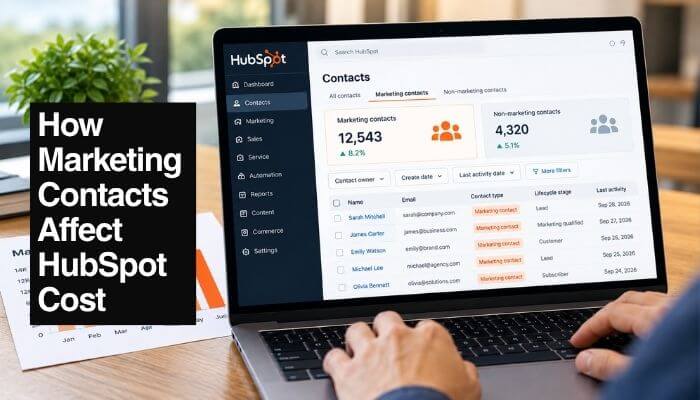
Marketing contacts can significantly affect the total HubSpot cost, especially for businesses with large or rapidly growing contact databases.
HubSpot distinguishes between marketing contacts and non-marketing contacts. Marketing contacts can receive marketing emails and be targeted through supported advertising features, while non-marketing contacts can remain in the CRM without counting toward the paid marketing-contact tier, subject to HubSpot’s overall database limits.
Marketing Hub Professional currently includes 2,000 marketing contacts. Additional capacity is priced in 5,000-contact blocks.
| Professional Marketing Contact Range | Monthly Price per Additional 5,000 |
|---|---|
| 2,001–22,000 | $250 |
| 22,001–42,000 | $225 |
| 42,001–62,000 | $200 |
| 62,001–82,000 | $175 |
| 82,001+ | $150 |
Marketing Hub Enterprise currently includes 10,000 marketing contacts, with additional capacity priced in 10,000-contact blocks.
| Enterprise Marketing Contact Range | Monthly Price per Additional 10,000 |
|---|---|
| 10,001–50,000 | $100 |
| 50,001–100,000 | $90 |
| 100,001–200,000 | $80 |
| 200,001–500,000 | $70 |
| 500,001+ | $60 |
These rates use volume pricing, so the exact charge depends on the number of marketing contacts purchased.
What Happens If You Exceed Your Marketing Contact Tier?
If an account exceeds its purchased marketing-contact tier, HubSpot can move it to a higher tier and charge accordingly. This means unexpected contact growth can increase the overall HubSpot cost.
Changing contacts from marketing to non-marketing does not necessarily reduce the paid contact tier immediately. Contact-tier reductions generally take effect at renewal rather than during the existing commitment.
For businesses with large databases, regularly reviewing marketing contacts can help prevent unnecessary contact-tier increases and keep Marketing Hub spending under better control.
Sales Hub Cost
Sales Hub is primarily priced according to the number of users who need advanced sales tools, making paid seats an important factor when calculating the overall HubSpot cost.
Sales Hub Professional
Sales Hub Professional starts at $90 per seat per month with annual billing and currently includes:
- 3,000 HubSpot Credits
- Advanced sales automation
- Pipeline management capabilities
- Additional Professional sales tools
A $1,500 one-time onboarding fee also applies.
For example, five paid Sales Hub Professional seats cost $5,400 per year at the starting rate. After adding the $1,500 onboarding fee, the approximate first-year starting cost is $6,900.
Sales Hub Enterprise
Sales Hub Enterprise starts at $150 per seat per month and currently includes 5,000 HubSpot Credits.
A $3,500 one-time onboarding fee also applies.
Because Sales Hub uses seat-based pricing, businesses should give paid seats only to team members who genuinely need advanced sales functionality. Adding more paid users can significantly increase the total HubSpot cost, especially at the Enterprise level.
Service Hub Cost
Service Hub uses seat-based pricing, so the number of customer service team members who need paid functionality can directly affect the overall HubSpot cost.
1. Service Hub Professional
Service Hub Professional starts at $90 per seat per month with annual billing and currently includes 3,000 HubSpot Credits.
A $1,500 one-time onboarding fee also applies.
For example, ten paid seats cost $10,800 per year at the starting rate. After adding onboarding, the approximate first-year starting cost is $12,300.
2. Service Hub Enterprise
Service Hub Enterprise starts at $150 per seat per month and includes 5,000 HubSpot Credits.
A $3,500 one-time onboarding fee also applies.
Because Service Hub is priced by paid seats, businesses should estimate how many support team members actually need advanced Service Hub functionality before choosing a plan.
Content Hub Cost
Content Hub focuses on content marketing, website management, SEO, personalization, and content operations. Unlike Service Hub, its Professional and Enterprise plans include a set number of Core Seats in the base subscription.
1. Content Hub Professional
Content Hub Professional starts at $450 per month with annual billing and currently includes:
- 3 Core Seats
- 3,000 HubSpot Credits
- Additional Core Seats from $45 per month
At the starting rate, the annual subscription is approximately $5,400.
HubSpot also displays a $500 monthly payment rate with an annual commitment.
2. Content Hub Enterprise
Content Hub Enterprise starts at $1,500 per month and currently includes:
- 5 Core Seats
- 5,000 HubSpot Credits
- Additional Core Seats from $75 per month
At the starting rate, the annual subscription is approximately $18,000 before additional seats or other optional expenses.
For content-focused businesses, additional Core Seats and other capacity requirements can increase the total HubSpot cost beyond the base subscription.
Data Hub Cost
HubSpot’s former Operations Hub is now known as Data Hub. It is designed for businesses that need to connect applications, synchronize information, improve data quality, and automate data operations.
1. Data Hub Professional
Data Hub Professional starts at $720 per month with annual billing and currently includes 5,000 HubSpot Credits.
At the starting rate, the annual subscription is approximately:
$8,640 per year
2. Data Hub Enterprise
Data Hub Enterprise starts at $2,000 per month and currently includes 10,000 HubSpot Credits.
At the starting rate, the annual subscription is approximately:
$24,000 per year
Data Hub can be particularly useful for organizations with complex integrations, large customer-data environments, or advanced data-management requirements.
Smart CRM Cost
Businesses that primarily need advanced CRM capabilities can consider Smart CRM without purchasing the complete Customer Platform. Because Smart CRM uses seat-based pricing, the number of paid users can directly affect the overall HubSpot cost.
Smart CRM Professional
Smart CRM Professional starts at $45 per seat per month with annual billing. HubSpot also displays a $50-per-seat monthly-payment option with an annual commitment.
Professional currently includes 3,000 HubSpot Credits.
At the annual-billing starting rate, one paid seat costs approximately $540 per year.
Smart CRM Enterprise
Smart CRM Enterprise starts at $75 per seat per month.
Smart CRM is worth comparing with other HubSpot products before purchasing because CRM functionality is already included across many HubSpot packages. Businesses should check for overlapping features to avoid paying for more functionality than they need.
Revenue Hub Cost
Revenue Hub covers quoting, billing, subscriptions, invoices, and payment workflows. Its current pricing structure includes Free, Professional, and Enterprise rather than a separate Revenue Hub Starter plan.
1. Revenue Hub Free
Revenue Hub Free starts at $0 and provides basic billing and payment capabilities without requiring a Professional Revenue Hub subscription.
2. Revenue Hub Professional
Revenue Hub Professional starts at $85 per seat per month with annual billing. HubSpot also displays a $95-per-seat monthly-payment rate with an annual commitment.
Professional currently includes 3,000 HubSpot Credits.
At the annual-billing starting rate, one paid seat costs approximately $1,020 per year.
3. Revenue Hub Enterprise
Revenue Hub Enterprise starts at $140 per seat per month and currently includes 5,000 HubSpot Credits.
HubSpot may also offer reduced Revenue Hub pricing to qualifying new customers purchasing it with Sales Hub. Businesses considering both products should therefore check the current bundled offer before calculating their final HubSpot cost.
HubSpot Payment Processing Fees
Payment-processing charges are separate from Revenue Hub subscription pricing and can increase the overall HubSpot cost for businesses that collect customer payments through the platform.
For HubSpot payments, current processing fees include:
| Payment Type | Processing Fee |
|---|---|
| Credit or debit card | 2.9% |
| ACH | 0.8%, capped at $10 |
| Buy now, pay later | 5.99% |
HubSpot is currently advertising a 0% platform fee for the first year for eligible HubSpot payments customers. After the promotional period, a 0.5% platform fee per transaction applies, with the ACH platform fee capped at $10.
For businesses connecting Stripe, HubSpot currently lists a separate 0.75% platform fee in addition to applicable Stripe processing charges.
These fees may appear small on individual transactions, but they can become significant for businesses processing high payment volumes. Companies using Revenue Hub should therefore include transaction and platform fees when calculating their total HubSpot cost.
HubSpot for Marketers Cost
Businesses that need both Marketing Hub and Content Hub should compare the bundled HubSpot for Marketers package with purchasing the two products separately. For the right company, the bundle can reduce the overall HubSpot cost while keeping marketing and content tools together.
HubSpot for Marketers Professional
Professional starts at $900 per month with annual billing and currently includes:
- Marketing Hub Professional
- Content Hub Professional
- 3 Core Seats
- 2,000 marketing contacts
- 3,000 HubSpot Credits
A $3,000 one-time onboarding fee also applies, bringing the approximate first-year starting cost to $13,800.
For comparison, Marketing Hub Professional and Content Hub Professional currently start at a combined $1,250 per month when purchased separately. The HubSpot for Marketers bundle starts at $900 per month, creating a published starting-price difference of approximately $350 per month before additional contacts, seats, credits, discounts, or other account-specific costs.
HubSpot for Marketers Enterprise
Enterprise starts at $3,800 per month and currently includes:
- 5 Core Seats
- 10,000 marketing contacts
- 5,000 HubSpot Credits
A $7,000 one-time onboarding fee also applies.
Businesses planning to use both Marketing Hub and Content Hub should compare the bundle with separate subscriptions before purchasing, as the final HubSpot cost will depend on contacts, seats, credits, and other requirements.
How HubSpot Credits Affect the Total Cost
HubSpot Credits are becoming an important part of the overall HubSpot cost because certain AI-powered agents and usage-based features consume credits whenever they perform specific actions.
Examples of current credit usage include:
- Customer Agent: 50 credits per resolved conversation
- Data Agent: 10 credits for certain smart-property actions
- Prospecting Agent: 100 credits per recommended outreach
- Data Studio: 25 to 200 credits depending on the dataset action
Businesses using these features frequently may need additional credits after consuming the allowance included with their subscription.
How Many HubSpot Credits Are Included?
The number of included credits depends on the product and subscription tier.
| Subscription | Starter | Professional | Enterprise |
|---|---|---|---|
| Smart CRM, Marketing, Sales, Service, Content or Revenue Hub | 500 | 3,000 | 5,000 |
| Data Hub or Customer Platform | 500 | 5,000 | 10,000 |
These allowances can cover moderate usage, but businesses running AI agents at scale should estimate expected consumption before choosing a plan.
How Much Do Extra HubSpot Credits Cost?
HubSpot currently advertises additional credits from $9 per 1,000 credits with annual billing.
Its Product & Services Catalog also lists additional credit usage at $0.010 per credit through capacity packs or Pay-as-You-Go, depending on the account’s billing setup.
For businesses relying heavily on AI agents and automated features, additional credit usage can increase the total HubSpot cost beyond the standard subscription price. Monitoring monthly consumption can help determine whether the included allowance is sufficient.
HubSpot Onboarding Fees
Mandatory onboarding can significantly increase the first-year HubSpot cost, especially for businesses choosing Professional or Enterprise plans. These are one-time charges that are separate from the recurring subscription price.
| HubSpot Product | Professional Onboarding | Enterprise Onboarding |
|---|---|---|
| Marketing Hub | $3,000 | $7,000 |
| Sales Hub | $1,500 | $3,500 |
| Service Hub | $1,500 | $3,500 |
| HubSpot for Marketers | $3,000 | $7,000 |
Businesses may also have separate implementation expenses, such as:
- Data migration
- CRM configuration
- Employee training
- Custom integrations
- Consulting
- HubSpot Solutions Partner services
- Custom development
These implementation expenses are different from HubSpot’s required onboarding fees and can vary considerably depending on the complexity of the setup.
For this reason, businesses should include both required onboarding and any external implementation expenses when calculating their first-year HubSpot cost, rather than comparing plans using the monthly subscription price alone.
HubSpot Add-On Costs
Optional add-ons can increase the overall HubSpot cost when a business needs more capacity or specialized functionality than its standard subscription includes.
Depending on the plan and account requirements, available upgrades can include:
- API capacity for businesses making large numbers of API calls
- Reporting limits for teams that need additional reports or dashboards
- Workflow capacity for more complex automation
- Standard sandboxes for additional testing environments
- Transactional email for operational and customer communications
- Dedicated IP addresses for greater control over email sending
- Brands for companies managing multiple brands
- Custom objects for specialized CRM data structures
- Calling capacity for teams requiring additional calling minutes
Small businesses may not need these upgrades, but they can become important for companies with large integrations, high email volumes, multiple brands, extensive automation, or complex development requirements.
Because add-ons are charged separately from the base subscription, businesses should include any required upgrades when estimating their total HubSpot cost rather than budgeting only for the advertised plan price.
HubSpot Cost for Startups
Eligible companies may substantially reduce their initial HubSpot cost through the HubSpot for Startups program.
HubSpot currently offers qualifying Pre-seed, Seed, and Series A startups discounts that can reach:
| Program Year | Discount |
|---|---|
| Year 1 | Up to 90% |
| Year 2 | 50% |
| Year 3 | 25% |
Another eligibility path currently provides 30% off in the first year for qualifying startups associated with approved entrepreneurial organizations.
HubSpot states that its Startup program requires an annual commitment, and eligibility requirements apply.
The important consideration is what happens after the initial discount period. A startup receiving a large first-year discount can experience a substantial increase as the discount decreases and the account moves closer to standard pricing.
Startups should therefore calculate their expected HubSpot cost for later years, not just the heavily discounted first year, especially if they expect their team size, marketing contacts, or product usage to grow.
Monthly Billing Does Not Always Mean a Monthly Contract
This is an important detail when comparing HubSpot pricing because payment frequency and contract length are not necessarily the same.
A billing cycle determines how often you make payments, while a commitment term determines how long you have agreed to maintain the subscription.
HubSpot’s Professional pricing pages may offer monthly payments while still requiring an annual commitment. For example, a plan can be billed monthly even though the customer has committed for a full year.
Therefore, paying monthly does not automatically mean that the subscription can be cancelled after one month.
Before purchasing, check both the billing frequency and commitment term so you understand the full financial obligation.
Can You Downgrade HubSpot During a Contract?
Generally, subscription reductions must wait until renewal. HubSpot’s current subscription guidance states that mid-contract downgrades are not permitted, which can affect the long-term HubSpot cost if a business purchases more capacity than it ultimately needs.
Changes that may need to wait until renewal include:
- Moving to a lower subscription tier
- Decreasing the marketing-contact tier
- Removing paid seats
- Reducing HubSpot Credit capacity packs
Approved reductions generally take effect on the renewal date rather than immediately during the existing commitment term.
For this reason, businesses should estimate their actual requirements carefully. Adding capacity when it becomes necessary may be more cost-effective than purchasing significantly more seats, contacts, or credits than expected at the beginning of a contract.
Can You Cancel HubSpot Anytime?
Businesses can turn off auto-renewal, but doing so does not normally end an existing paid commitment immediately.
For example, if a customer has a 12-month commitment and turns off renewal after eight months, the subscription generally remains active and payable through the end of the current commitment term.
Before renewal, review:
- Subscription tier
- Paid seat count
- Marketing-contact tier
- HubSpot Credit capacity
- Add-ons
- Renewal date
- Auto-renewal setting
Reviewing these items before the next commitment begins can help prevent unnecessary capacity from carrying into another term and increasing the future HubSpot cost.
Existing HubSpot Customers May Pay Different Prices
Two businesses using similar HubSpot products may still receive different invoices, so the published starting price does not always represent the exact HubSpot cost for an existing customer.
HubSpot introduced changes to its seat-based pricing model for new customers beginning March 5, 2024. Customers on earlier arrangements may therefore have different pricing structures depending on their contract and subsequent account changes.
Pricing differences can result from:
- Legacy contracts
- Negotiated pricing
- Startup discounts
- Promotional offers
- Regional pricing
- Different renewal dates
- Different seat structures
For this reason, public HubSpot pricing is best treated as current new-customer starting pricing rather than a guarantee of what every existing account will pay.
Businesses with an existing subscription should review their own contract, renewal information, and billing portal when estimating future costs.
One-Time vs Recurring HubSpot Costs
Separating recurring, one-time, and usage-based charges makes it easier to calculate the true HubSpot cost over a full year.
| HubSpot Cost | Cost Type |
|---|---|
| Base subscription | Recurring |
| Paid seats | Recurring |
| Marketing contacts | Recurring |
| HubSpot Credits | Recurring or usage-based |
| Required onboarding | One-time |
| Optional add-ons | Usually recurring |
| Capacity increases | Recurring |
| Payment processing | Transaction-based |
| Data migration | Usually one-time |
| Implementation | One-time or project-based |
| Third-party apps | Varies |
| Taxes | Varies |
The first year may be more expensive because of one-time onboarding, migration, or implementation expenses.
However, later years are not necessarily cheaper. Costs can increase as a business adds paid seats, marketing contacts, HubSpot Credits, products, capacity, or optional add-ons.
Existing HubSpot Customers May Pay Different Prices
Two businesses using similar HubSpot products may still receive different invoices, so the published starting price does not always represent the exact HubSpot cost for an existing customer.
HubSpot introduced changes to its seat-based pricing model for new customers beginning March 5, 2024. Customers on earlier arrangements may therefore have different pricing structures depending on their contract and subsequent account changes.
Pricing differences can result from:
- Legacy contracts
- Negotiated pricing
- Startup discounts
- Promotional offers
- Regional pricing
- Different renewal dates
- Different seat structures
For this reason, public HubSpot pricing is best treated as current new-customer starting pricing rather than a guarantee of what every existing account will pay.
Existing customers should review their contract, billing details, and upcoming renewal before comparing their HubSpot cost directly with the prices advertised to new customers.
One-Time vs Recurring HubSpot Costs
Separating recurring, one-time, and usage-based charges makes it easier to understand how HubSpot pricing affects a company’s total annual budget.
| Cost Item | Cost Type |
|---|---|
| Base subscription | Recurring |
| Paid seats | Recurring |
| Marketing contacts | Recurring |
| HubSpot Credits | Recurring or usage-based |
| Required onboarding | One-time |
| Optional add-ons | Usually recurring |
| Capacity increases | Recurring |
| Payment processing | Transaction-based |
| Data migration | Usually one-time |
| Implementation | One-time or project-based |
| Third-party apps | Varies |
| Taxes | Varies |
The first year may be more expensive because of one-time onboarding, migration, or implementation expenses.
However, later years are not necessarily cheaper. The total HubSpot cost can increase as a business adds paid seats, marketing contacts, HubSpot Credits, products, capacity, or optional add-ons.
How to Calculate Your Real HubSpot Cost Before Buying
The advertised monthly subscription is only one part of the total HubSpot cost. Before purchasing, estimate your first-year spending based on the products, users, contacts, credits, onboarding, and additional services your business will actually need.
- Identify the products you need. Determine whether your business requires CRM, marketing, sales, customer service, content, data management, revenue tools, or a combination. Avoid purchasing products simply because they are available.
- Choose the required tier. List the features your business considers essential, then compare Free, Starter, Professional, and Enterprise against those requirements.
- Count paid users. Identify which employees genuinely need paid functionality. Not every employee necessarily requires the same seat type or level of access.
- Estimate marketing contacts. If you use Marketing Hub, separate contacts that need marketing communication from those that only need to remain in your CRM.
- Forecast contact growth. Do not budget only for today’s database. A company approaching its included marketing-contact limit may need additional capacity as its audience grows.
- Estimate HubSpot Credits. Consider how frequently your team expects to use AI agents and other credit-based features. Heavy usage may require additional credits.
- Add onboarding fees. Include any required onboarding charges when calculating first-year spending, particularly for Professional and Enterprise products.
- Include implementation and integrations. Budget for data migration, consulting, employee training, custom development, integrations, and third-party applications where required.
- Estimate payment-processing fees. Businesses collecting payments through HubSpot should consider transaction volume, processing charges, and applicable platform fees.
- Calculate the full 12-month cost. Combine recurring subscriptions with seats, contacts, credits, onboarding, implementation, add-ons, payment fees, third-party services, and applicable taxes.
The most useful comparison is therefore the 12-month HubSpot cost of ownership, not simply the monthly price displayed on a pricing page.
Example of Calculating the Real HubSpot Cost
Consider a business evaluating Marketing Hub Professional. The subscription currently starts at $800 per month with annual billing, which equals a base subscription cost of $9,600 per year.
A required $3,000 onboarding fee brings the first-year starting HubSpot cost to approximately $12,600.
That figure still may not represent the company’s final spending. Additional expenses could include:
- Extra marketing-contact capacity
- Additional paid seats
- Additional HubSpot Credits
- Optional add-ons
- Integrations or implementation services
If the business needs any of these extras, its actual annual spending will exceed the $12,600 starting estimate.
This example shows why businesses should calculate their complete HubSpot cost rather than comparing CRM platforms using headline monthly subscription prices alone.
How to Reduce HubSpot Cost
Businesses can often control their overall HubSpot cost by matching subscriptions, seats, contacts, credits, and add-ons to what they actually use.
- Start with Free or Starter when appropriate: Do not upgrade to Professional simply because it offers more features. Move up when your business has a clear need for advanced automation, reporting, customization, or other paid capabilities.
- Control paid seats: Give advanced paid access only to employees who genuinely need those features for their work.
- Keep marketing contacts organized: Avoid classifying every CRM record as a marketing contact. Only contacts that need marketing communication should generally consume paid marketing-contact capacity.
- Review contact growth before large imports: A large database import can push an account into a higher marketing-contact tier, so check your available capacity first.
- Monitor HubSpot Credits: Track AI agents and other credit-based features before purchasing additional credit capacity.
- Compare bundled products: Customer Platform or HubSpot for Marketers may be more economical for some businesses than purchasing several standalone products separately.
- Review add-ons before renewal: Check whether additional API capacity, workflows, sandboxes, calling minutes, or other upgrades are still necessary.
- Check HubSpot for Startups eligibility: Qualifying early-stage companies may receive substantial temporary discounts, although businesses should also budget for the cost increase as those discounts decline.
- Review the account before renewal: Reassess paid seats, marketing contacts, credits, products, and add-ons before entering another commitment period.
Regular account reviews can prevent unused capacity from carrying forward and unnecessarily increasing the long-term HubSpot cost.
Is HubSpot Free Really Free?
Yes. HubSpot offers free tools for up to two users at $0 per month, with no credit card required to get started.
The free tools are not simply a temporary trial that automatically converts into a Professional subscription. They provide a genuine entry point for individuals and small teams that need basic CRM, sales, marketing, and customer-management functionality.
However, advanced automation, reporting, customization, permissions, higher usage limits, and additional AI capacity generally require paid products.
HubSpot Free can therefore keep the initial HubSpot cost at $0, but it should not be viewed as an unlimited version of the paid platform.
Does HubSpot Charge Per User?
HubSpot uses a combination of base subscription pricing and seat-based pricing, so the answer depends on the product and tier.
Sales Hub, Service Hub, Revenue Hub, and Smart CRM are particularly sensitive to the number of paid users.
Other products, including Marketing Hub Professional and Enterprise, Content Hub, and Customer Platform, include a specified number of Core Seats in their base price and charge for additional seats.
This is why the HubSpot cost per user cannot be represented by one universal price. Businesses need to consider both the product they purchase and the number and type of seats required.
Is HubSpot Expensive?
HubSpot can cost very little for a small business using basic tools or substantially more for an organization with complex requirements.
A freelancer or very small team may be able to use HubSpot’s free tools, while larger organizations may pay significantly more when they require Enterprise products, additional seats, large marketing-contact tiers, AI credits, integrations, and optional add-ons.
The more useful question is:
How much does HubSpot cost for the exact tools and workflows your business needs?
Businesses should also consider whether HubSpot can replace separate tools for CRM, email marketing, automation, websites, customer service, content management, data integration, quoting, or payments.
A higher HubSpot subscription price does not automatically mean a higher overall software expense if the platform allows a business to replace several other paid products.
Which HubSpot Plan Should You Choose?
There is no single HubSpot plan that fits every business. The right choice depends on team size, required features, automation needs, marketing contacts, data requirements, and the HubSpot cost the business can realistically support.
| Plan | Best Suited For |
|---|---|
| Free | Individuals and very small teams that need basic CRM and customer-management tools |
| Starter | Growing businesses that need higher limits and additional functionality without advanced Professional features |
| Professional | Businesses that need stronger automation, reporting, sales processes, service management, content operations, or data workflows |
| Enterprise | Larger organizations requiring advanced governance, customization, permissions, reporting, scale, and centralized control |
| Customer Platform | Businesses with several departments using HubSpot that might otherwise purchase multiple Hubs separately |
The lowest advertised price is not always the lowest long-term cost. A business that quickly outgrows Starter may find that moving to Professional is more practical than repeatedly changing its setup.
Before choosing a plan, compare the features you actually need with expected growth in users, marketing contacts, credits, and integrations. This makes it easier to select a package based on long-term requirements rather than focusing only on the initial HubSpot cost.
Conclusion
The HubSpot cost in 2026 can range from $0 for free tools to tens of thousands of dollars per year for businesses using advanced products, larger teams, additional marketing contacts, AI features, and optional capacity.
Small businesses can begin with Free or Starter, while growing teams may need Professional plans for advanced automation, reporting, sales, marketing, service, content, or data operations. Larger organizations can move to Enterprise when they require greater governance, customization, scale, and control.
The biggest mistake is evaluating HubSpot solely by its advertised monthly subscription price. The total HubSpot cost may also include paid seats, marketing contacts, onboarding, HubSpot Credits, payment-processing fees, add-ons, implementation, integrations, and taxes.
Marketing Hub Professional, for example, starts at $800 per month with annual billing, but its $3,000 required onboarding fee brings the first-year base cost to approximately $12,600 before additional contacts, credits, or services.
Businesses comparing HubSpot pricing should calculate the complete 12-month cost, determine which employees genuinely need paid seats, forecast marketing-contact growth, estimate AI-credit usage, and review contract and renewal terms before purchasing.
Taking these factors into account makes it easier to estimate the HubSpot cost your business can expect today and how that spending may change as your needs grow. Instead of choosing a plan based only on its headline price, businesses can make a more informed decision based on their actual requirements and long-term budget.
FAQs About HubSpot Cost
1. Does HubSpot Cost More as Your Business Grows?
Yes. HubSpot cost can increase as you add paid users, marketing contacts, AI credits, additional products, and capacity.
2. Is HubSpot Cost Tax-Deductible for a Business?
Potentially. CRM and software subscription expenses may qualify as business expenses depending on local tax rules. Consult a qualified tax professional for your situation.
3. Does HubSpot Cost Include Integrations?
Some integrations are available without a separate HubSpot charge, while third-party apps or custom integrations may have their own subscription, development, or implementation fees.
4. Can You Negotiate HubSpot Cost?
Pricing may vary through promotions, startup programs, partner arrangements, or negotiated agreements. Larger buyers can request a customized quote based on their requirements.
5. Does HubSpot Cost Increase at Renewal?
It can. Changes in discounts, seats, marketing contacts, credits, add-ons, or contract pricing may affect what you pay during the next term.
6. Is HubSpot Cost Different by Country?
It can be. Regional pricing, currencies, taxes, payment methods, and product availability may cause the final amount to differ between countries.
7. Does HubSpot Cost Include Customer Support?
Available support depends on the subscription and product. Businesses should check the support channels included with their selected plan before purchasing.
8. Can HubSpot Cost Change During the Year?
Yes. Adding seats, contacts, credits, products, or other capacity can increase spending during the subscription term, subject to the applicable contract and billing rules.
