


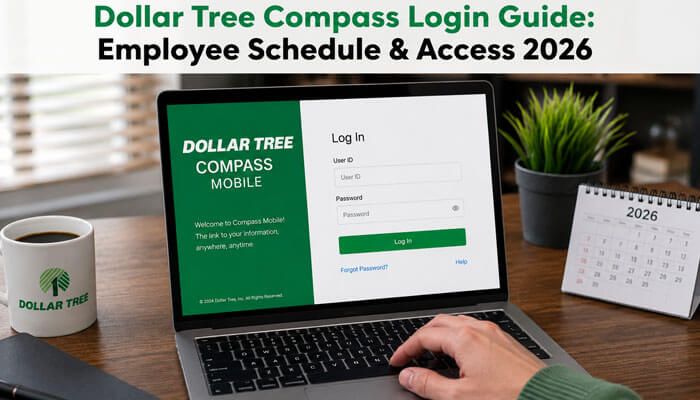

Managing work schedules, login access, and employee resources has become an important part of daily work for retail associates. Many Dollar Tree employees search for Dollar Tree Compass because they want a simple way to check schedules, view upcoming shifts, access work-related updates, or understand where to find official associate support.
However, because employee login pages may involve private information such as employee IDs, passwords, payroll details, tax forms, and schedule data, associates should be careful when searching online. Not every website using the Dollar Tree Compass name is official or safe. Employees should always confirm login links through official Dollar Tree resources, a store manager, HR, or an internal support channel.
This guide explains what Dollar Tree Compass means, how associates may use it for schedule access, what login problems can happen, how to stay safe from fake login pages, and which Dollar Tree employee resources may help with payroll, Workday, W-2 forms, and support.
What Is Dollar Tree Compass?
Dollar Tree Compass is generally searched as an employee schedule and access tool connected with Dollar Tree associate work information. Many employees look for the Dollar Tree Compass login when they want to check upcoming shifts, confirm work hours, or find employee portal support.
However, employees should understand that public information about Dollar Tree Compass is limited. Dollar Tree’s official Associate Information Center does provide secure associate resources for employment-related tasks such as pay stubs, address changes, tax withholding, direct deposit changes, and electronic W-2 access.
Is Dollar Tree Compass Official?
Many employees search for Dollar Tree Compass, but Dollar Tree’s public pages do not clearly publish a full official guide describing Compass as a scheduling portal. This does not mean employees are wrong to search for it, but it does mean associates should be careful before choosing any login page.
The safest option is to use official Dollar Tree associate resources or ask a store manager, HR team, or internal support channel for the correct employee access link. If a website is not clearly connected with Dollar Tree, employees should not enter their employee ID, password, Social Security number, or personal details.
Important safety points:
- Use only verified Dollar Tree employee links.
- Ask your manager if you are unsure about the login page.
- Do not enter private details on random websites.
- Avoid pages with too many ads, pop-ups, or strange URLs.
- Employee portals may contain payroll, schedule, and tax information.
- Official access helps protect sensitive employee data.
2026 Update: Dollar Tree and Family Dollar Are Not the Same
Some older online content may connect Dollar Tree Compass with both Dollar Tree and Family Dollar employees. For a 2026 article, you should be careful with that claim.
Dollar Tree completed the sale of Family Dollar Stores, LLC to 1959 Holdings, LLC on July 5, 2025, with a base purchase price of about $1.0075 billion.
Because of this, avoid saying Dollar Tree Compass is for both Dollar Tree and Family Dollar employees unless you can verify that from a current official employee source. This makes your article more accurate, updated, and trustworthy.
Why Employees Search for Dollar Tree Compass
Employees commonly search for Dollar Tree Compass because they want a simple way to manage work-related information.
This makes Dollar Tree Compass a strong SEO topic because it answers real employee questions instead of only repeating generic login instructions. The main search intent usually includes:
- Checking weekly work schedules
- Viewing upcoming shifts
- Finding employee login help
- Accessing associate resources
- Understanding schedule changes
- Getting support for login problems
- Finding official Dollar Tree employee links
- Looking for payroll or W-2 information
- Searching for Dollar Tree Workday support
This makes Dollar Tree Compass a strong SEO topic because it answers real employee questions instead of only repeating generic login instructions.
Dollar Tree Compass Login Guide 2026
To access Dollar Tree Compass, employees should first confirm the correct login page through official company sources, a store manager, HR, or internal support. Avoid entering employee details into random websites, especially pages that are not clearly connected to Dollar Tree.
A safe login process usually includes:
- Visit the verified Dollar Tree employee or associate resource page.
- Enter the correct employee username, employee ID, or network login.
- Type your password carefully.
- Check that the page looks official and secure.
- Avoid saving passwords on shared devices.
- Log out after checking your schedule.
- Contact your manager or HR team if the login fails.
Dollar Tree’s careers FAQ says current associates can look for internal opportunities through the Jobs Hub in Workday, and associates with Workday technical issues should submit a ServiceNow ticket.
Dollar Tree Compass vs Associate Information Center vs Workday
Some employees may confuse Dollar Tree Compass with other Dollar Tree employee systems. These resources may serve different purposes.
| Resource | Main Purpose |
| Dollar Tree Compass | Commonly searched for employee schedule and shift access |
| Associate Information Center | Pay stubs, direct deposit, address updates, tax withholding, and W-2 access |
| Workday Jobs Hub | Internal job opportunities for current associates |
| ServiceNow | Technical support for Workday-related issues |
This section helps readers understand that not every Dollar Tree Compass search has the same purpose. Some employees may want schedules, while others may need payroll, tax forms, direct deposit, or job application support.
How to Check Your Employee Schedule on Dollar Tree Compass
Many associates use Dollar Tree Compass to check their employee schedule. After signing in through the correct access point, employees may be able to view upcoming work shifts, scheduled hours, and related store updates.
If your schedule does not appear, possible reasons may include:
- Your account is not fully activated
- Your store schedule has not been published yet
- Your login details are incorrect
- The system is temporarily unavailable
- Your manager has not updated your shift information
- You are using an unofficial or outdated login page
For schedule-related concerns, employees should contact their store manager because schedules may depend on store-level updates and manager approval.
What Can Employees Access Through Official Dollar Tree Associate Resources?
Besides searching for Dollar Tree Compass to check schedules, employees may also need access to payroll and employment records. Dollar Tree’s Associate Information Center provides official associate resources for important employment-related tasks.
Employees may use official associate resources for:
- Viewing pay stubs
- Updating address information
- Changing direct deposit details
- Updating tax withholding
- Signing up for electronic W-2 forms
- Accessing tax-related employee documents
This section improves the article because many users searching for Dollar Tree Compass may also be looking for payroll, W-2, and employee self-service information.
Is Dollar Tree Compass Only for Employees?
Dollar Tree Compass Mobile Access
Many users search for Dollar Tree Compass mobile because they want to check schedules from a phone. Mobile access can help Dollar Tree associates view upcoming shifts, work hours, and schedule updates more conveniently outside the store.
Before using any mobile page or app claiming to be Dollar Tree Compass, employees should verify it through official Dollar Tree sources, a store manager, HR, or an internal support channel. This helps protect employee login details from fake or unsafe websites.
For safer mobile access, employees should remember these points:
- Use only verified Dollar Tree employee links.
- Avoid entering login details on random websites.
- Do not use public Wi-Fi for employee login pages.
- Check that the page looks official and secure.
- Log out after viewing schedule details.
- Ask a manager if the mobile page does not work.
Dollar Tree Compass Mobile Browser Troubleshooting
If Dollar Tree Compass mobile is not opening properly, the issue may be related to your phone browser, internet connection, or saved login data.
Try these simple fixes:
- Refresh the page
- Use a stable internet connection
- Clear mobile browser cache
- Try another browser such as Chrome, Safari, or Edge
- Turn off VPN if the page does not load
- Avoid public Wi-Fi when logging into employee portals
- Try logging in from a desktop device
- Ask your manager if mobile access is supported for your location
If the mobile page still does not work, do not enter your password on other websites claiming to fix the issue.
Common Dollar Tree Compass Login Problems
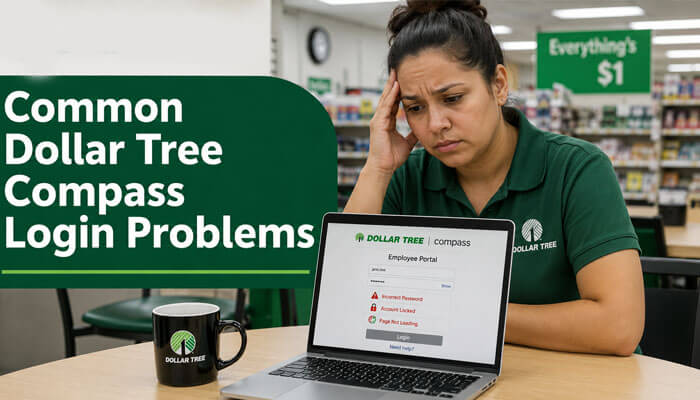
In many employee portal systems, browser cache issues and expired passwords are among the most common reasons login pages stop working properly.
Sometimes employees may run into login issues when trying to access Dollar Tree Compass, especially on mobile devices or after password changes.
Common issues include:
- Incorrect username
- Wrong password
- Expired password
- Browser loading problems
- Old saved login details
- Account not active
- Mobile page not working
- Poor internet connection
- Using the wrong login link
- Temporary system downtime
If the login page is not working, try clearing your browser cache, using another browser, checking your internet connection, or switching from mobile to desktop. If the issue continues, ask your manager or HR team for the correct support process.
How to Reset Dollar Tree Compass Login Issues
If Dollar Tree Compass login is not working, employees should avoid guessing passwords repeatedly. Too many failed login attempts may lock an account or create additional access problems.
Try these steps:
- Check that your username or employee ID is correct
- Make sure the caps lock is off
- Re-enter your password carefully
- Try a different browser
- Clear cache and cookies
- Use a desktop device if mobile login fails
- Confirm that your employee account is active
- Ask your manager for the correct login link
- Use only official password reset instructions
For Workday-related technical problems, Dollar Tree directs current associates to submit a ServiceNow ticket.
What to Do If Dollar Tree Compass Is Not Working
If Dollar Tree Compass is not working, do not keep entering your password repeatedly on unknown pages. Instead, follow these steps:
- Confirm the official login link with your manager
- Check whether the system is temporarily down
- Try using a different browser
- Clear cache and cookies
- Make sure your employee account is active
- Reset your password only through verified company instructions
- Avoid third-party “login help” websites
If your issue is related to Workday, use Dollar Tree’s official support direction for current associates.
Official Support Options for Current Associates
Employees who need help with Dollar Tree Compass access should not rely only on search results. The safest support options include:
- Asking the store manager
- Contacting HR or the appropriate internal support team
- Using official Dollar Tree associate resources
- Checking official Workday access instructions
- Submitting a ServiceNow ticket for Workday issues
- Avoiding third-party websites that ask for employee login details
Dollar Tree also lists corporate contact information on its official website, including its Chesapeake, Virginia address and company phone number.
Dollar Tree Associate Information Center
The Dollar Tree Associate Information Center is an official online resource page for Dollar Tree employees. It helps associates access secure employee-related tools, work resources, HR links, benefits information, and company support services.
This page is mainly for current Dollar Tree associates, and secure areas may require a username and password. Employees should use this resource only through verified Dollar Tree links or instructions provided by management.
It may help employees with:
- Employee login access.
- Work-related resources.
- Associate account information.
- Internal job opportunities.
- Benefits and HR-related links.
- Payroll and tax-related support.
- Company employee support pages.
Fake Dollar Tree Compass Login Pages: Red Flags to Watch
Employees should be careful because some third-party websites may use the Dollar Tree Compass name to attract search traffic. A page may be risky if it:
- Does not clearly belong to Dollar Tree
- Asks for your employee ID without official verification
- Has too many ads or pop-ups
- Uses strange spelling or poor formatting
- Promises access to private employee systems without proof
- Does not use a secure login page
- Looks different from official Dollar Tree resources
- Claims to reset your password without official confirmation
- Requests unnecessary personal information
If a page looks suspicious, do not log in. Ask your manager, HR team, or official associate support channel for the correct Dollar Tree Compass access method.
Dollar Tree Compass Safety Tips for Employees
Because Dollar Tree Compass may involve employee information, associates should be careful when entering login details online. Employee portals may include schedules, payroll information, tax forms, and personal account details.
Employees should follow these safety tips:
- Use only verified Dollar Tree employee resources
- Never share your password with anyone
- Avoid logging in from public computers
- Do not click suspicious employee portal links
- Check the website carefully before entering login details
- Log out after using a shared device
- Ask HR or management if a page looks suspicious
- Do not trust pages that ask for unnecessary personal details
This section is important because employee login content can affect privacy and security. Google’s people-first content guidance also emphasizes helpful, reliable information and trustworthiness.
Is Dollar Tree Compass Legit or a Scam?
Dollar Tree Compass is a real employee-related search term, but not every website using the name is official. Some third-party websites may use the keyword to attract traffic, so employees should be careful before entering login information.
The safest approach is to use official Dollar Tree associate resources or links shared by store management. If a website asks for your employee ID, password, or personal details but does not look official, do not log in.
Who Should Use Dollar Tree Compass?
Dollar Tree Compass is useful for:
- Current Dollar Tree associates
- Store employees checking schedules
- Employees needing shift updates
- Associates looking for login support
- Workers are trying to access employee resources
- Employees looking for schedule or account help
It is not useful for customers who only want to shop, track orders, or find store products.
How This Dollar Tree Compass Guide Was Researched
This Dollar Tree Compass guide is based on official Dollar Tree associate resources, careers information, employee support details, and publicly available company information.
Because employee login systems are private, some public details may be limited or change over time. For the most accurate Dollar Tree Compass login support, employees should confirm information through:
- Store managers
- HR representatives
- Official Dollar Tree associate resources
- Verified company support channels
This helps employees avoid unofficial websites and access safer, more reliable login information.
Employee systems and login procedures may change over time, so associates should always verify access instructions through official Dollar Tree support channels.
Final Thoughts
Dollar Tree Compass is an important employee-related search topic for Dollar Tree associates who want to check schedules, access work updates, and manage employee information. However, because employee login details are private, users should be careful when searching online.
The best way to access Dollar Tree Compass safely is to use official Dollar Tree associate resources, follow manager instructions, and avoid unofficial login websites. For employees, this can help protect personal information while making schedule access easier and safer.
Dollar Tree Compass FAQs
1. What is Dollar Tree Compass?
Dollar Tree Compass is commonly searched by Dollar Tree employees who want to check work schedules, view upcoming shifts, and access employee-related work information. Associates should always use verified Dollar Tree resources or links shared by their manager.
2. How do I access the Dollar Tree Compass login?
To access the Dollar Tree Compass login, employees should use the official login link provided by Dollar Tree, their store manager, HR team, or associate support. Avoid entering employee IDs or passwords on unofficial websites.
3. Can I check my employee schedule on Dollar Tree Compass?
Yes, many associates use Dollar Tree Compass to check employee schedules, shift times, and work hours. If the schedule is missing or incorrect, employees should contact their store manager for updates.
4. Why is Dollar Tree Compass not working?
Common reasons Dollar Tree Compass may not work include incorrect passwords, browser cache problems, expired login credentials, mobile access issues, or temporary system downtime.
5. How can I fix Dollar Tree Compass login problems?
To fix Dollar Tree Compass login problems, check your username and password, clear browser cache, try another browser, switch from mobile to desktop, and confirm the correct login page with your manager or HR team.
