Quick Picks
Best Overall: Raise3D RMS220—An industrial-scale SLS 3D printer that offers high cost-effectiveness and supports a wide range of materials, making it ideal for various 3D printer projects.
Its high precision and reliable performance make the Raise3D RMS220 suitable for both large-scale production and small-batch runs, reducing setup and debug time. Additionally, its material versatility allows businesses to manage a wide variety of projects, making it a flexible and effective solution for small businesses.
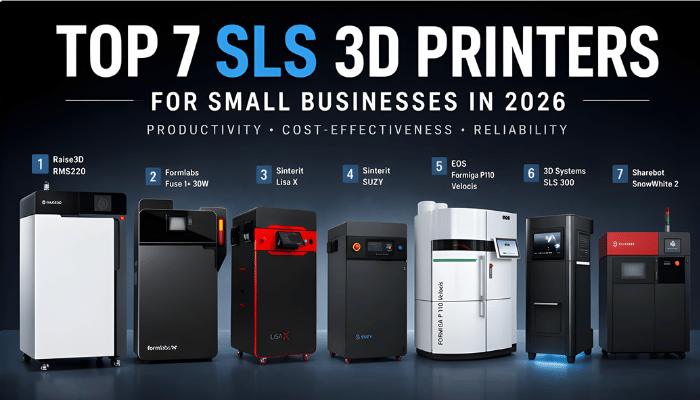
For those seeking a more comprehensive overview, the following section provides a complete list of the top 7 SLS 3D printers for small businesses in 2026. Additional sections also detail each 3D printer’s features, suitable scenarios, and limitations for small business applications.
Full List of Top 7 SLS 3D Printers for Small Businesses in 2026
NO.1: Raise3D RMS220
NO.2: Formlabs Fuse 1+ 30W
NO.3: Sinterit Lisa X
NO.4: Sinterit SUZY
NO.5: EOS Formiga P110 Velocis
NO.6: 3D Systems SLS 300
NO.7: Sharebot SnowWhite 2
Note: Ranking based on productivity, cost-effectiveness, build volume/workflow, and material flexibility.
Detailed Comparison — Specs and Price
| SLS Printer Model | Build Volume (mm) | Print Speed | Laser Type | Min. Layer Thickness | Approx. Price |
| Raise3D RMS220 | 220 × 220 × 350 | 2.2L/h (20% density) | 75W Infrared Fiber | 0.05mm | $34,999 |
| Formlabs Fuse 1+ 30W | 165 × 165 × 300 | 10 mmhour | 30WYtterbium Fiber | 0.11 mm | $24,649 |
| Sinterit Lisa X | 130× 180 ×340 (TPU)
130× 180 ×330 (PA) |
Up to 14 mm/h | 30W IR Fiber Coupled Diode Laser | 0.075 mm | $28,990 |
| Sinterit SUZY | 130×180×330 (PA) | up to 20 mm/h | 30W IR Fiber Coupled Diode Laser | 0.075mm | $25,990 |
| EOS Formiga P110Velocis | 200 × 250 × 330 | 1.2 L/h | CO₂; 1 × 30 W | 0.06mm | €139,000
(USD quote needed) |
| 3D Systems SLS 300 | 300 × 300 × 300 | 1 L/h | 50W CO₂ | 0.1 mm | Price upon request |
| Sharebot SnowWhite 2 | 100 × 100 × 100 | Up to 35 mm/h | 14W CO₂ | 0.05 mm | Price upon request |
For businesses exploring industrial 3D printers and evaluating the best 3D printer for small business use cases, the differences between systems become especially important.
For instance, the Raise3D RMS220 stands out in productivity with a throughput of 2.2 L/h (at 20% density), while the 3D Systems SLS 300 offers the largest build volume at 300 × 300 × 300 mm. In terms of entry-level affordability, compact systems such as Sharebot SnowWhite 2 and Sinterit SUZY provide lower-cost options for small-scale 3D printer projects.
However, for small businesses, selecting an SLS 3Dprinter is rarely about optimizing a single performance metric. Instead, factors such as overall production efficiency, workflow simplicity, and scalability tend to carry more weight in real-world operations.
From this perspective, the RMS220 delivers one of the most balanced combinations of speed, scalability, and industrial-grade performance, making it a more suitable all-around solution for small businesses entering scalable SLS production.
In-Depth Reviews of the Top 7 SLS 3D Printers
1. The 2026 Market Leader: Raise3D RMS220
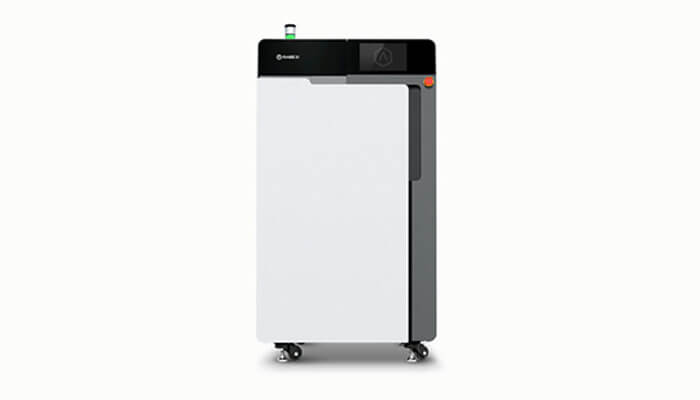
The RMS220 is an industrial-grade production system optimized for high-speed manufacturing of engineering plastics and composites. It is marketed as a “Rapid Manufacturing Simplified” solution that offers a low total cost of ownership and high-volume output.
- Key Features: Equipped with a 75W infrared fiber laser, a 17L build volume (220 x 220 x 350 mm), and an incredible scanning speed of 30,000 mm/s.
- Pros: Provide a 2.2 L/h print rate, which outperforms most desktop competitors in throughput (e.g., Formlabs Fuse 1). With a 5kg/day maximum throughput, a quick 45-minute material changeover, and a build unit that cools in just 30 minutes, it ensures maximum uptime and strong return on investment potential.
- Cons: While the $34,999 price is higher than smaller benchtop or lower-capacity SLS systems, its industrial output makes it the most cost-effective choice for actual manufacturing.
- Typical Use Cases: High-volume serial production, functional end-use parts, and demanding aerospace or automotive jigs and fixtures.
2. Formlabs Fuse 1+ 30W
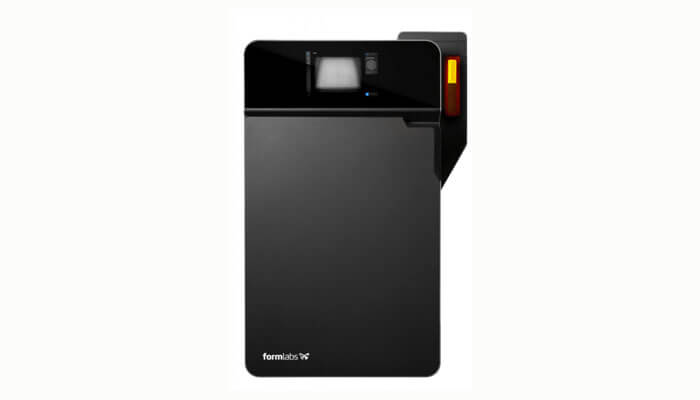
The Formlabs Fuse 1+ 30W is designed to make SLS 3D printing accessible for small businesses through a highly integrated and easy-to-use ecosystem.
- Key Features: 30W fiber laser, 165 × 165 × 300 mm build volume, and automated workflow via PreForm software.
- Pros: Simple operation and reliable print consistency make it ideal for teams new to SLS.
- Cons: The build rate of around 10 mm/hour is relatively slower compared to higher-throughput SLS systems. In addition, powder handling and post-processing still require significant manual work, especially in cleaning and powder recovery, and material switching is relatively time-consuming due to system cleaning requirements.
- Typical Use Cases: Prototyping, functional validation, and low-volume manufacturing aids.
3. Sinterit Lisa X
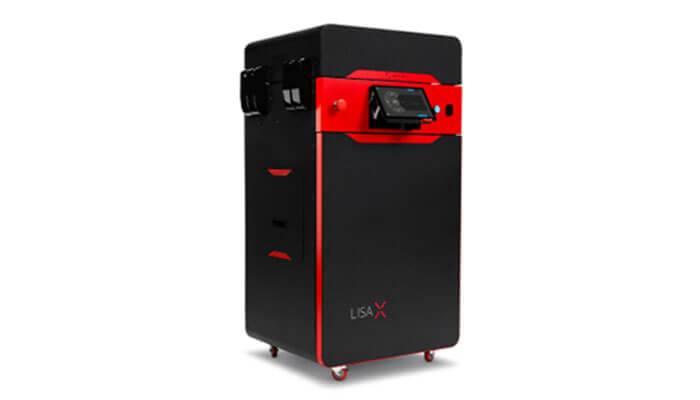
The Sinterit Lisa X is positioned as a mid-range SLS solution, offering a balance between performance, material flexibility, and cost.
- Key Features: 30W IR fiber-coupled diode laser, 150 × 200 × 350 mm build volume, and speeds up to 14 mm/h.
- Pros: Open material system allows broader material experimentation, making it suitable for engineering applications.
- Cons: Lacks automated powder handling and workflow integration, which increases manual intervention and limits efficiency in continuous production environments.
- Typical Use Cases: Functional prototyping, small-batch production, and engineering validation.
4. Sinterit SUZY
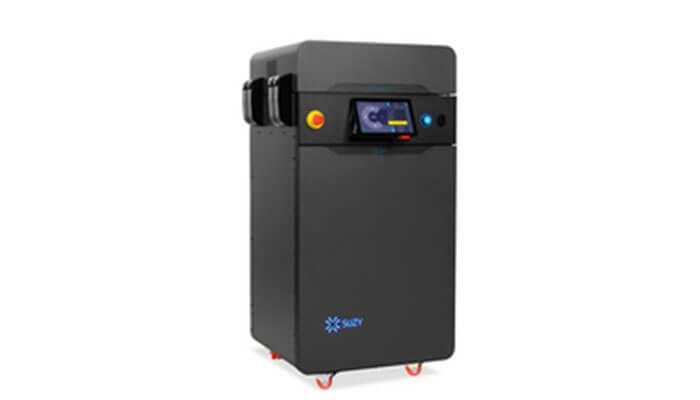
The Sinterit SUZY is designed as a compact SLS printer for businesses with limited space or budget.
- Key Features: 30W IR fiber-coupled diode laser, 130 × 180 × 330 mm build volume, and speeds up to 20 mm/h.
- Pros: Faster layer speed and lower entry cost make it attractive for lightweight production needs.
- Cons: The compact build volume of 130 × 180 × 330 mm restricts nesting efficiency for batch production, even though the system can reach speeds of up to 20 mm/h. As a result, it is better suited for small functional parts rather than scalable manufacturing runs.
- Typical Use Cases: Prototyping, small functional parts, and low-volume customization.
5. EOS Formiga P110 Velocis
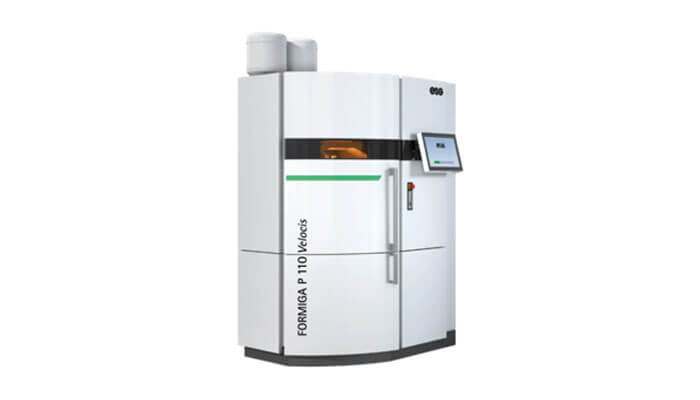
The EOS Formiga P110Velocis is a well-established industrial SLS system known for consistent performance and reliability.
- Key Features: 30W CO₂ laser, 200 × 250 × 330 mm build volume, and production-oriented system design.
- Pros: High repeatability and stable process control make it suitable for demanding industrial environments.
- Cons: With a production speed of around 1.2 L/h, the system lags behind newer high-throughput SLS platforms. Combined with its traditional workflow architecture, this leads to lower overall production efficiency in fast-paced small business environments, despite its strong process stability.
- Typical Use Cases: End-use parts, industrial prototyping, and applications requiring consistent quality.
6. 3D Systems SLS 300
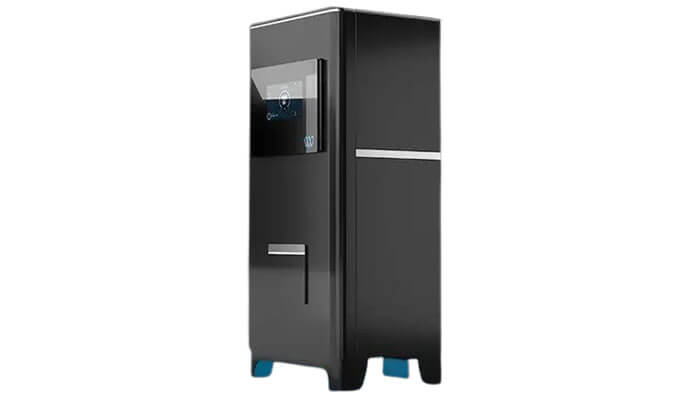
Designed for serial production with a smaller footprint, this system focuses on industrial-grade reliability.
- Key Features: A 50W CO₂ laser and a 300 × 300 × 300 mm build volume.
- Pros: The CO₂ laser enables the use of white powders for post-processing color flexibility, and it features an advanced powder recycling system.
- Cons: While the system offers a large build volume and stable industrial output, its relatively lower print speed of around 1 L/h, combined with a more traditional system architecture, results in less efficient throughput.
- Typical Use Cases: Professional-grade serial production and high-detail industrial prototyping.
7. Sharebot SnowWhite 2
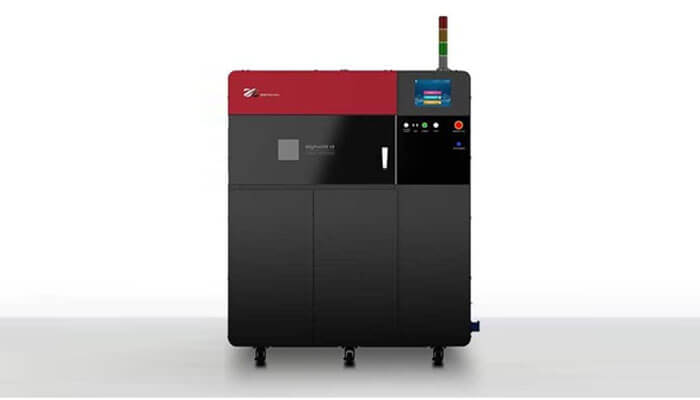
SnowWhite 2 is a professional research tool engineered for universities and materials science centers.
- Key Features: 14 W CO₂ laser, 100 × 100 × 100 mm build volume, and fully open parameters for experimental powders.
- Pros: Supports small powder usage (300 g+) and handles diverse materials due to its laser wavelength.
- Cons: The extremely small build volume of 100 × 100 × 100 mm severely limits batch production capability, making it unsuitable for commercial manufacturing workflows. It is primarily restricted to research and material testing applications rather than production use.
- Typical Use Cases: Developing new polymers, biocompatible material studies, and university research.
Buying Guide—Choosing the Best SLS 3D Printer
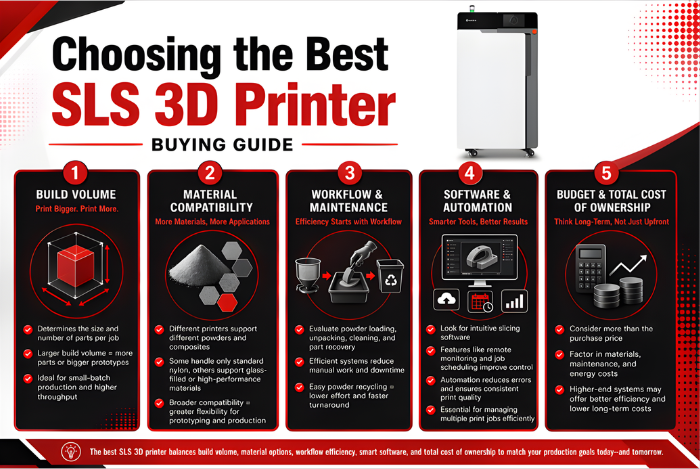
What makes one SLS printer faster or more efficient than another? This section breaks down the most important factors to consider when comparing your options.
Build Volume
The build volume determines the size and number of parts you can print in a single run. Printers with larger build volumes allow multiple components or larger prototypes to be produced at once, which is especially useful for small-batch production.
Material Compatibility
Different SLS 3D printers support different powders and composites. Some printers can only handle standard nylon, while others accommodate glass-filled or high-performance polymers. Choosing a printer that supports a wide range of materials ensures flexibility for prototyping and production across various 3D printer projects.
Workflow and Maintenance
When evaluating an SLS 3D printer, pay close attention to how powder loading, unpacking, cleaning, and part recovery are handled. A well-designed workflow should minimize manual steps, simplify powder recycling, and reduce routine maintenance time, especially for businesses that need to keep production moving across multiple print jobs.
Software and Automation
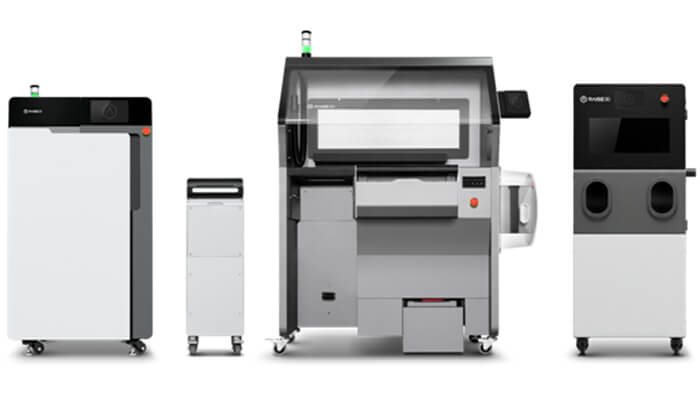
A capable SLS 3D printer should include intuitive slicing software, remote print monitoring, and job scheduling tools. Automation features—such as automatic powder handling, part removal, and print queue management—help maintain consistency, reduce errors, and allow teams to efficiently handle multiple print jobs in industrial or small-batch production scenarios.
Budget and Total Cost of Ownership
Upfront cost is only one part of the equation. Consider ongoing expenses, including material consumption, maintenance, and energy. While higher-end printers may require a larger initial investment, their reliability and efficiency often result in lower total costs over time.
Our Final Verdict: Raise3D RMS220
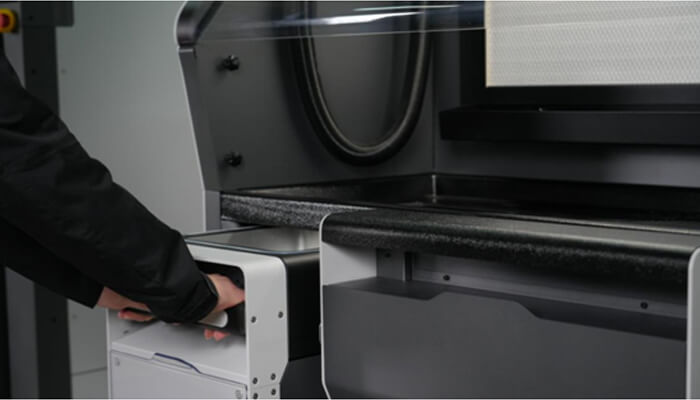
When these factors are considered together, the Raise3D RMS220 stands out as a well-rounded solution for small businesses with growing production needs.
Industrial-Scale Productivity and Continuous Output
RMS220’s 220 × 220 × 350 mm build volume and 2.2 L/h print speed (at 20% density) support higher productivity and make it easier to manage multiple parts or continuous production runs.
Industrial-Grade Print Quality and Material Options
At the same time, RMS220’s 75W infrared fiber laser, 0.05 mm minimum layer thickness, and compatibility with a wider range of engineering materials allow it to deliver the precision and flexibility required for professional applications.
Efficient Workflow and Lower Operating Costs
In terms of workflow, the RMS220 supports smooth, continuous operation. Files are prepared and packed in ideaMaker with optimized part orientation and density to reduce print time and material waste.
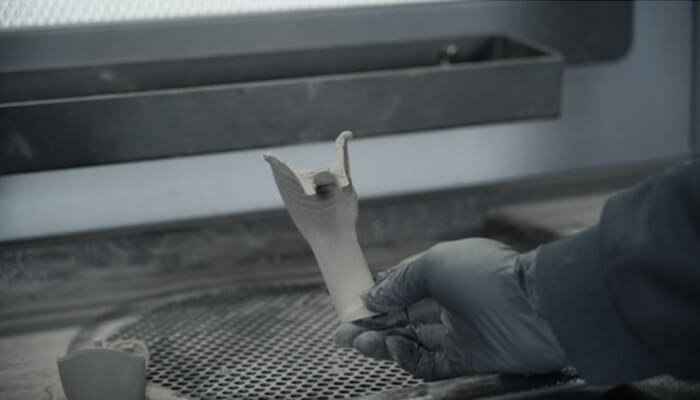
Preheating starts during slicing, reaching printing temperature in about 20 minutes, and the Build Unit 220 cools below 100 °C in 30 minutes after a job, readying the printer for the next run. Optional integration with the semi-automated C220-P station streamlines powder handling, with 20-45 minutes of labor per cycle, enabling one operator to process over 50 kg of parts per shift.
Low TCO
The Raise3D RMS220 delivers industrial-grade performance while maintaining a low total cost of ownership (TCO). Its equipment cost is less than half that of typical entry-level industrial machines, yet it can complete two full-travel print cycles per day —enabling high throughput with a single system.
Labor requirements are minimal: pre-print setup takes just 10 minutes, powder changes 45 minutes, and new operators can be trained in 10 minutes. Material efficiency is another strength, with a low virgin powder ratio supported by a robust supply chain.
Additionally, the system’s compact footprint of just 0.58 m² keeps operating expenses low, making the RMS220 well-suited for office environments without the need for a full industrial setup.
Conclusion
For small businesses prioritizing both precision and workflow efficiency, the Raise3D RMS220 offers one of the most balanced solutions currently available. With a large build volume, high print speed, versatile material compatibility, and streamlined operation, it delivers industrial-grade performance with low total cost of ownership.
To explore how the RMS220 can transform your 3D printing projects, contact us today for expert guidance and tailored recommendations.
Frequently Asked Questions
Q1: How much space do I really need for an SLS printer?
While the printer itself may be compact, you will need extra space for a powder handling station, a cleaning/sieving area, and part storage. Plan for at least a small dedicated room or a well-ventilated corner of your workshop—especially if you choose a budget system that requires manual powder handling. Dust control is important for both part quality and operator safety.
Q2: Can I use the same nylon powder over and over to save money?
Most SLS printers allow you to mixused powder with fresh powder(typically 30–50% fresh powder). This is called the “refresh ratio.” Over time, used powder degrades due to heat exposure and may produce weaker parts. You will eventually need to discard old powder. The exact number of reuse cycles depends on the printer and material—some high-end systems can recycle powder 3-5 times before performance drops.
Q3: Do SLS printers need regular maintenance? Is it a hassle?
Yes, but it’s simpler than other 3D printing, such as FDM maintenance. Typical tasks include:
- Every few dozen print hours: Clean the optical window (the glass the laser passes through) with a lint-free wipe.
- Every few hundred hours: Replace filters, check heating elements.
Yearly or every few thousand hours: Laser calibration or replacement (usually done by a service tech).