




Most likely, unwanted software was the reason my PC slowed down so much by 2026 compared to when I first bought it. Bundled applications, trial programs, temporary files, and unused software had silently accumulated over time. Even after uninstalling them, leftover traces still remained on the system. That is when I started using IObit Uninstaller to batch remove unwanted programs and clean my PC more effectively.
And that is where IObit Uninstaller 15 Free comes in. It is a powerful uninstaller that is designed to batch-uninstall unwanted programs, fully removing any leftovers; this is much more than the default Windows tool. But is it the most effective method of uninstalling apps in Windows 10 and Windows 11 in 2026? I’d like to make it feature by feature.
Why Windows Default Uninstall Isn’t Enough
I’m very disappointed with the Windows Default Uninstall tool. Removing the apps in Windows 10 the same way, via the inbuilt Control Panel or Settings app, removes only the main program files. It usually leaves behind:
- Registry entries
- Empty folders
- Startup items
- Hidden services
- Temporary files
These remnants pile up and retard work. The special uninstaller, such as IObit Uninstaller 15, will guarantee more thorough uninstallation.
My Experience with the Core Features Breakdown
Software Uninstall- One Click Uninstall Programs
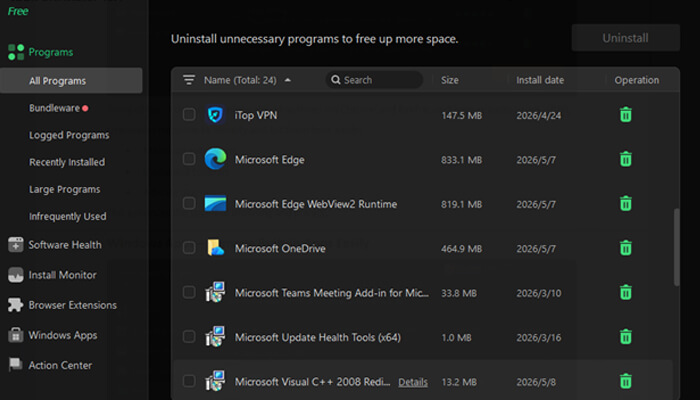
The primary dashboard contains all the programs that have been installed in a simple interface. The actual strength is in bulk uninstallation.I can:
- In several unwanted programs, choose.
- Click “Uninstall” once
- Eliminate single-handedly.
This feature alone will save hours for me when I remove cheat software on my new laptops.
Uninstallation Process Faster/Silent
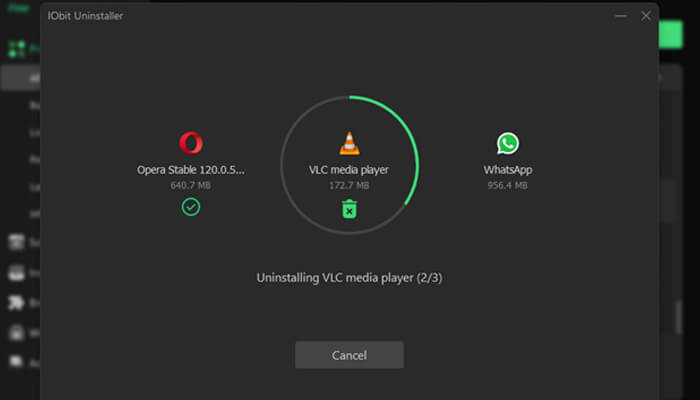
The latest version is provided with improved silent uninstallation and an improved uninstall engine. This makes the uninstallation process easier than ever before. Because:
- There are no repeated confirmations.
- No manual clicking
- Fully automatic removal
Uninstalled Means Completely Removed
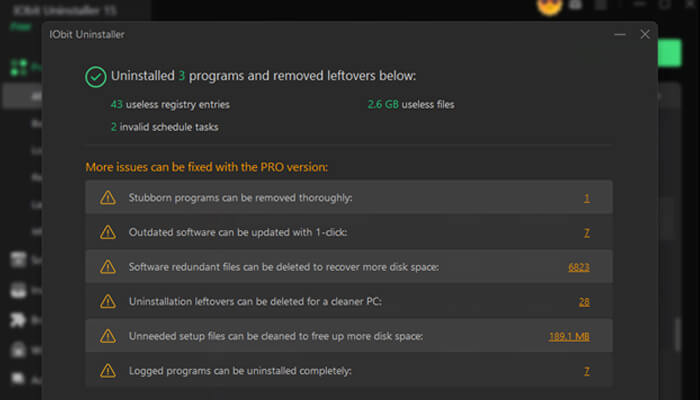
After the uninstallation process finished, I found that this uninstaller will search for residues following uninstallation. It guarantees, unlike Windows’ default uninstaller:
- No hidden leftovers
- No broken registry entries
- No lingering junk folders
This system cleaning sustains my PC at a level.
Filter By Disk Drive – Target Storage Hogs
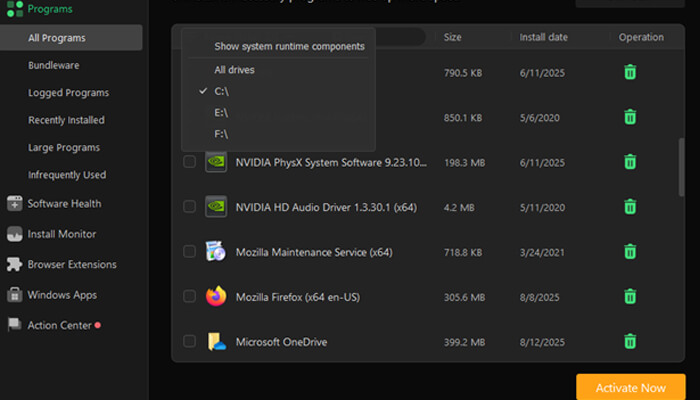
Alert! My C drive is short of space. The filter by disk drive feature allows me to free up space quickly by filtering programs according to their location. It may work well for SSD users who have a low storage capacity.
Software Health – Smart PC Optimisation
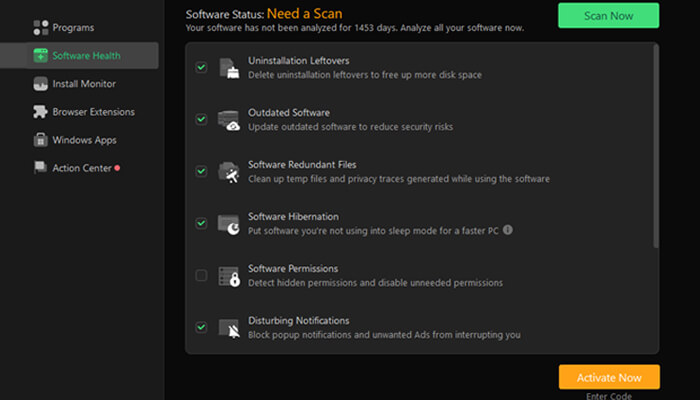
IObit Uninstaller is more than just an uninstaller; it is now an assistant for system maintenance. When I go to the Software Health feature, I can easily remove leftover setup files, manage hidden permissions, and block disruptive pop-ups.
Install Monitor – Track Everything in Real Time
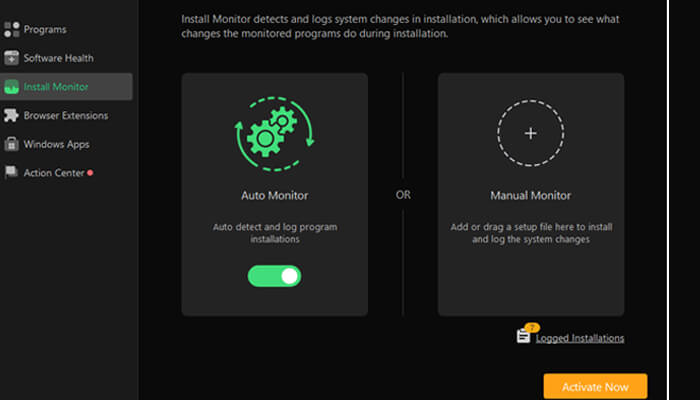
Amazing! The Install Monitor records all installations; it keeps a track of startup entries, system services, scheduled tasks, and DLL changes. When I reinstall after some time, it removes everything because it is aware of what was added. This ensures that there is a 100 percent clean uninstall.
Browser Extensions – Clean and Secure Browsing
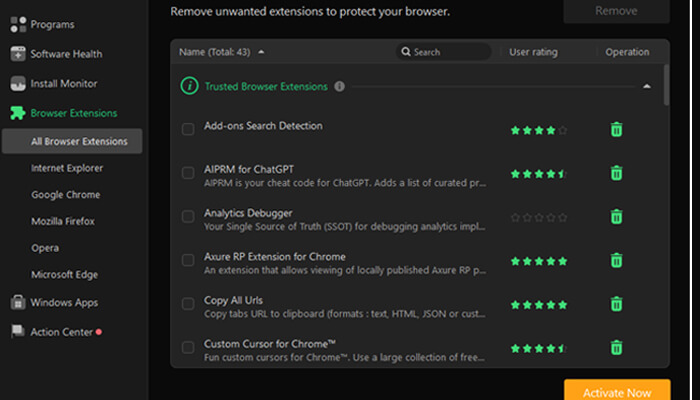
Some of the browser extensions also slow down my Chrome and Firefox, and have security issues. IObit Uninstaller helps me to identify and list them here easily:
- Malicious extensions
- Unwanted toolbars
- Adware plug-ins
This enhances the speed of browsing and privacy.
Windows Apps – Remove Built-in Apps Easily
Most of the applications that are pre-installed with Windows are not easily removable. Easier than any Windows installation. This uninstaller for Windows allows me to:
- Removal of Windows Store applications.
- Remove hidden system apps
- Obvious superfluous inbuilt software.
Software Updater – Keep Everything Secure
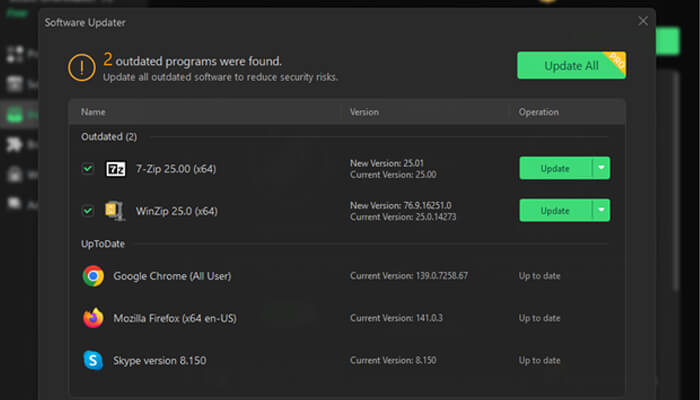
Cleaning the PC is not only clearing it but keeping up with it as well. I found that the largest security risk is old software. Luckily, the Software Updater feature:
- Detects outdated programs
- Gives notification on update.
- Improves compatibility
Force Uninstall – Remove Broken Programs
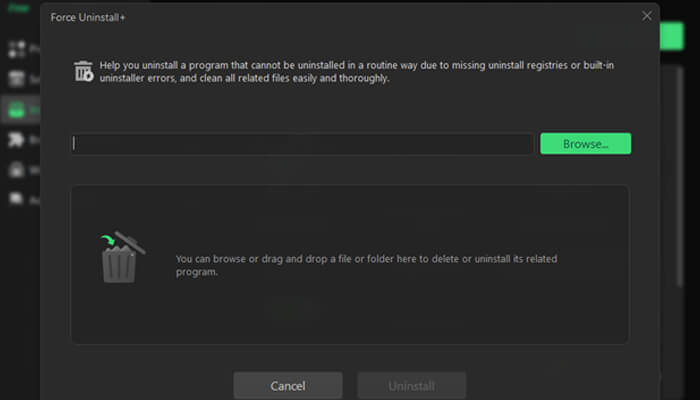
During the uninstallation process, there are issues that sometimes cause programs to:
- Lose their uninstall files
- Become corrupted
- Refuse removal
At this time, I use the Force Uninstall+ feature to take the files in question and remove them one by one. This will manage the issues that cannot be managed by the Windows default tool.
Stubborn Program Remover – 4,000+ Difficult Apps
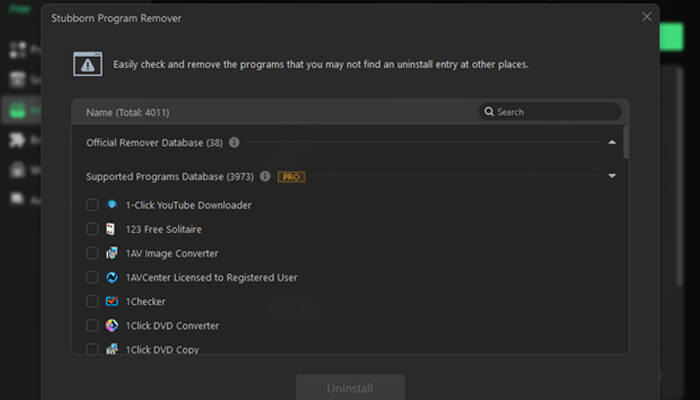
Indeed, IObit Uninstaller is one of the most powerful tools in 2026.Version 15 increased its platform to eliminate more than 4,000 problematic applications.These include:
- Antivirus leftovers
- Deep system utilities
- Installable software of questionable value.
File Shredder – Permanently Delete Sensitive Files
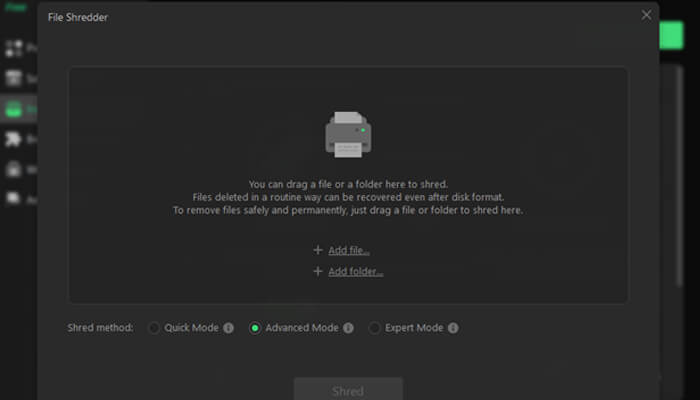
Normal deletion of files does not cause permanent deletion. When I try to have in the event of discarding sensitive records, I use the File Shredder to prevents file recovery and secures individual data.
Boost PC Performance
Uninstallation of unnecessary programs is beneficial not only in the amount of space generated, but also in the very speed and stability of the system. Lots of applications do not clear up the restart entries, background services, and hidden files, which consume the booting time and general performance of the computer. IObit Uninstaller 15 removes leftover files and registry traces fully with its updated uninstallation engine and extensive leftover scan. The outcome is a more expedited, well-refined PC, particularly among Windows 10 and Windows 11 users who would like to be certain that they perform well in 2026.
Smarter Than Seconds Uninstall
The Windows built-in uninstaller utility is only able to delete the main program files, leaving behind numerous traces. The IObit Uninstaller 15 is a more sophisticated one with a batch uninstall, silent removal, Force Uninstall and allows up to 4000 stubborn programs to be uninstalled. Options such as Install Monitor and Software Health are now even more insightful and have deeper cleanup. It does more than merely remove a simple app, and it offers a smarter PC cleanup solution.
Conclusion
Assuming I need to clean Ir PC with ease, uninstall stubborn programs and programs that are unwanted without trouble, and do it in batches, using IObit Uninstaller 15 Free is one of the most useful tools.
It is an all-in-one device with deep cleaning, an automation system, and smart monitoring features far better than the default uninstaller in Windows.
