




Software teams evaluating writing utilities often jump straight to the biggest monthly word bucket. An Ai humanizer should be assessed against the documents people already paste, not against an abstract volume promise. That habit hides the constraint that actually breaks adoption: per-input caps. A humanizer that looks cheap on a spreadsheet can still force awkward chunking if each paste window is smaller than the documents your PMs already produce. Before anyone argues about annual discounts, run a one-hour cap test on the entry plan and see whether your real packets fit.
This walkthrough treats drhumanizer pricing as a fit check, not a shopping spree. The claim under test is whether Lite’s smaller per-input ceiling is enough for your weekly artifacts—or whether you need Plus-level headroom before volume discounts matter.
Goal: Prove Packet Fit In One Focused Hour
Collect three real samples you already ship: a release-note block, a support macro, and a one-pager section. Strip them to plain text. Your pass rule is boring and strict: each sample must paste in one run without manual splitting, return usable rewrites, and keep product names intact. If you have to split a routine one-pager just to clear the box, the plan fails for that packet type even if the monthly word total looks generous.
Prep: Map Published Floors To Your Packets
| Plan | Monthly words | Per-input ceiling | Best first test |
| Lite ($9/mo) | 20,000 | Up to 600 words | Release notes, macros, short FAQ answers |
| Plus ($15/mo) | 50,000 | Up to 2,000 words | One-pagers, longer help articles |
| Max ($19/mo) | 400,000 | Up to 2,000 words | High-volume content factories |
Notice the jump that matters. Lite is not only a smaller monthly pool; it is a 600-word input ceiling. Plus and Max share a 2,000-word input ceiling and differ mainly on monthly volume (and Plus/Max call out unlimited Basic model usage). If your median packet sits near 900 words, Lite fails before Max’s giant pool becomes relevant.
Guest and free-credit surfaces are useful for the hour test, but paid ceilings are what you are simulating. Keep a notepad of which samples would have required a split on Lite.
Steps: Run The Cap Drill Without Shopping Bias
- Paste sample A (short release notes) with a mid Humanize Level and run Humanize Now.
- Paste sample B (support macro). Confirm it still fits a 600-word mental budget.
- Paste sample C (one-pager section). If it exceeds ~600 words, mark Lite as a forced-split plan for that artifact.
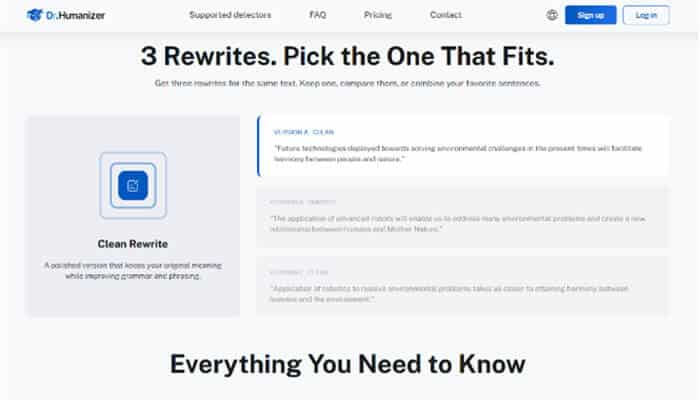
- For any sample that fits, review the three rewrite variants and keep only lines that preserve product names.
- Decide plan tier by packet fit first, monthly pool second.
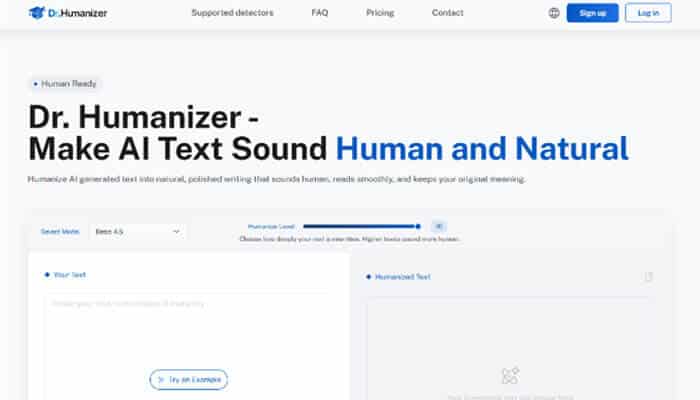
Dr. Humanizer’s UI keeps the same controls across tiers—model select, Humanize Level, Humanize Now—so the drill isolates the ceiling, not a different product personality. That is the point of an drhumanizer pricing test: you are measuring workflow friction, not chasing a marketing badge.
Mistakes That Fake A Plan Pass
Teams fake success by pre-splitting every doc until it fits Lite, then declaring the plan “fine.” That hides the coordination tax: inconsistent voice across chunks, duplicated openings, and merge edits that burn the hour you thought you saved. Another mistake is buying Max because 400,000 words looks safe while every document still hits the same 2,000-word input wall Plus already offered. Volume without headroom is a spreadsheet illusion.
Also avoid judging the hour only by detector screenshots. Cap fit is a logistics result. Detector behavior is a separate protocol you can run after the packet fits in one paste.
Count Forced Splits As Real Operating Cost
The spreadsheet mistake is to treat a split as free. It is not. Someone chooses a break point, repeats context in the next chunk, compares two sets of rewrites, and repairs the join. A one-pager can look fine but become unreadable at that seam because the second section restarts the same idea. The time cost is not mysterious: each forced split adds a handoff that has to be checked before the document can ship.
Make the cap test deliberately ordinary. Use the kind of release note, support article section, and product brief the team receives on a normal week. Do not shrink a sample until it passes. Record whether the original fits, whether the output preserves proper names, and whether the stitched result needs rework. That gives a buyer a concrete decision rule instead of a vague belief that a lower price is always more efficient.
Test The 600-Word Boundary Without Gaming It
Lite at $9 per month provides 20,000 words but permits inputs of up to 600 words. That is a reasonable fit for short, self-contained blocks. It is a poor fit if the routine unit of work is a 900-word product explanation. Cutting that explanation into two artificial packets may keep the monthly arithmetic low while pushing the editing burden onto the writer. Treat a repeated forced split as a hard fail for the tier, even when individual fragments return acceptable prose.
Separate Capacity From Real Document Headroom
Plus at $15 pr month raises the monthly allowance to 50,000 words and the per-input ceiling to 2,000 words. Max costs $19 per month, offers 400,000 words, and keeps that same 2,000-word ceiling. The practical comparison is therefore two questions, in order: does the normal document fit in one input, and then will the team use enough words to justify the pool? Buying Max cannot solve an input that exceeds 2,000 words; it only changes how much work can pass through the same opening.
Review Outputs At The Join, Not Only Inside Chunks
If a document genuinely must be split, inspect the joins before looking at tone. Repeated introductions, missing references, and two conclusions are visible signs that the tier imposed a workflow penalty. A team that ignored those joins can waste an afternoon in rework while believing it saved on subscription cost. The plan has to support the packet, not just the purchase order.
Dr. Humanizer is a sensible option when the controls and caps match the work being done. It is not a reason to reshape every document to fit the smallest box. Use the cap drill to choose a tier that removes avoidable handling, then revisit volume only after the real packets have cleared that test.
Check Results Against The Original Packet
A Lite pass means your weekly packet set mostly lives under 600 words and 20,000 monthly words is enough for expected reruns. A Plus pass means you needed the 2,000-word window for routine one-pagers; upgrade for headroom, not for vibes. Max is a volume decision after headroom is already solved.
Budget discussions get clearer when teams separate recurring volume from peak volume. A support group may have one unusually busy launch period and a steady run of short updates the rest of the quarter. The right answer may be Plus for normal work and a temporary larger pool during the launch, rather than carrying Max all year. The calculation remains practical: which plan avoids manual splits on regular documents, and which plan covers the confirmed burst without creating idle capacity afterward?
Do not overlook retries. A plan that fits the source once but leaves no room for a legitimate second pass will feel cheaper only until the editor has to ration rewrites. Add expected review rounds to the packet count, then choose the smallest tier that still leaves room for correction. Treat it as a way to budget for the ordinary fact check and rewrite comparison a careful team already performs.
Use Lite Only When Packets Fit; Skip Trophy Buckets
Use Dr. Humanizer Lite when your real artifacts clear the 600-word input test and the monthly pool covers reruns. Skip straight-to-Max shopping when the pain is per-paste headroom—Plus already raises that ceiling. Skip the whole category when your documents are unfinished briefs; a larger word bucket will not invent missing product truth. Buy the smallest plan that survives the hour drill with your actual packets.
