



You might often encounter network blocks when you try to look up study materials or work references on video sites. It can be highly frustrating when you cannot load the video content you need. Many local networks restrict access to specific video platforms through firewalls. Learning how to unblock YouTube safely can help users understand secure ways to access video resources while maintaining online privacy and avoiding unnecessary risks. This article offers practical solutions to unblock YouTube with details on how to bypass these limitations. We will explain both the technical reasons behind restrictions and the actual steps involved. These methods can help you access video resources safely and reliably.
Why Does YouTube Get Blocked?
Before we explore the solutions, we need to understand why network administrators set up these barriers. This block is not a personal attack. It usually happens for three main reasons:
- Bandwidth preservation: High definition videos consume vast amounts of network bandwidth. To keep key educational or office systems online and responsive, IT departments set Firewall rules to limit high-traffic video websites.
- Productivity drain: School and company managers want users to maintain focus. They restrict entertainment platforms to reduce distractions and boost overall efficiency.
- Content filtering: Many organizations must comply with network safety policies. To prevent the spread of inappropriate content, they use Deep packet inspection to filter all network traffic, which makes unblocking YouTube at school a common goal for students.
How to Unblock YouTube: 6 Proven Methods
Once you understand the logic behind these restrictions, you can use targeted solutions. We will walk you through six methods at varying levels of technical depth. Whether you are a beginner or a tech enthusiast, you can find a suitable way and get practical tips on how to access YouTube.
Method 1: Utilize Reliable YouTube Unblockers and Proxies
This is a reliable solution for standard firewalls and geographic restrictions. Local firewalls block access when they intercept specific IP addresses or domain names. A proxy server acts as a middleman. It makes the firewall believe that you only send requests to an approved IP address.
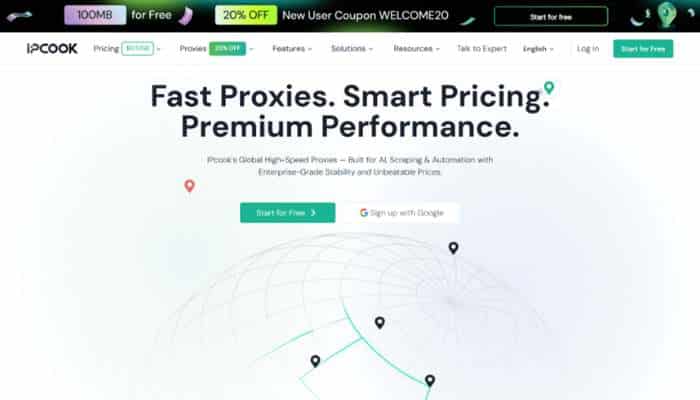
Free web proxies often carry privacy risks, so professional YouTube unblocker solutions are a better choice. IPcook is a prominent provider with highly stable and affordable residential proxy service worldwide. It features tens of millions of active residential IPs and supports HTTP, HTTPS, and SOCKS5 protocols. Its dynamic residential proxies offer high anonymity to bypass deep packet inspection. This keeps your personal data safe from local network monitoring.
1. Obtain your credentials: Avoid unsafe free tools and choose a high-performance proxy service instead. Register an account on the official IPcook website and select a residential proxy on the dashboard. You can filter by country or region to generate proxy details, including the server address, port, username, and password.
2. Set up parameters: Open your browser settings and navigate to the system network or proxy settings. Alternatively, you can use a third-party browser extension like SwitchyOmega. If you need advanced separation, open AdsPower, a browser partner of IPcook. Create a new profile, set the protocol to HTTP or SOCKS5, and fill in the server address and port from IPcook proxies. Enter your username and password to save the profile.
3. Verify and access: After configuring the proxy, visit ipinfo.io to check whether your IP address matches the chosen country. If the IP is correct, you can directly try to unblock YouTube and watch high-quality videos without limitations.
Method 2: Install Dedicated Chrome Browser Extensions
If you want a quick and automated solution within your browser, a dedicated extension is a convenient way to unblock YouTube safely while managing access restrictions with added browsing flexibility.
1. Search the store: Open the Chrome Web Store and search for the keyword YouTube unblocker.
2. Select and install: Read the reviews and ratings. Avoid extensions that demand excessive permissions. Click Add to Chrome to install your chosen extension.
3. Click to connect: Click the extension icon in the top right corner of your browser. Choose an active node and click the connect button, then refresh the page to achieve the goal to unblock YouTube.
Warning: If your school network uses Google Workspace administration, the IT department might block access to the extension store. In this case, this method will fail at the first step.
Method 3: Switch to a Secure HTTPS URL
This is a simple trick that relies on loopholes in basic firewalls. Some basic firewalls only block unencrypted HTTP traffic, so this method is suitable for a quick test to unblock YouTube.
1. Check and modify: Look at the address bar of your browser. If you see http:// at the beginning, change it manually to https:// and press enter.
2. Try short links: If the change does not work, try typing the official short domain youtu.be. A different domain name can sometimes slip through simple filtering systems.
Method 4: Deploy a Virtual Private Network (VPN)
A VPN is a robust method to unblock YouTube safely when you need to encrypt all network traffic. It wraps your data in a secure tunnel, helping protect your online activity while providing a more private browsing experience.
1. Download the client: Install a reputable VPN application on your device.
2. Choose stealth options: Open the app’s advanced settings. Ensure that you enable obfuscation or stealth mode to counter deep packet inspection on restricted networks.
3. Connect to a server: Click the connect button. Now all traffic from your device is secure, and you can bypass the local network blocks easily.
Note that advanced firewalls can sometimes detect VPN protocols, which might reduce your network speed.
Method 5: Access via Google Translate as a Temporary Proxy
When you do not have permission to install software, you can use this simple trick. It can help you solve the issue of how to bypass the YouTube block without any installations.
1. Open the tool: Go to the official Google Translate website at translate.google.com.
2. Enter the link: Paste the link of the video in the left box. Set the source language to any language other than English, and set the target language to English.
3. Click the link: Click the blue link that appears in the right box. The Google server will fetch the page and display it for you.
This quick method is only for temporary use. You cannot log in to your account, and the video quality is often low.
Method 6: Modify Network DNS Settings
Some network blocks only happen at the domain name level. If you change your DNS settings, you can unblock YouTube from a basic level.
1. Open network settings: Go to the Network and Sharing Center on your computer and select the properties of your active network.
2. Change DNS: Select IPv4 protocol and choose the option to use manual DNS server addresses instead of automatic ones.
3. Enter public DNS: Type in a popular public DNS address like 8.8.8.8 or 1.1.1.1. Save the settings and clear your browser cache to apply the changes.
Best Practices for Browsing YouTube Safely at School
When you learn these technical steps, you should also develop an awareness of network safety and rules. When you try to unblock YouTube at school, privacy and self-discipline are equally important:
- Enable incognito mode: This ensures your browser does not store history records or local cookies on shared computers.
- Avoid personal logins: Do not log in to your personal accounts on shared devices to protect your passwords and private data.
- Choose anonymous connections: High-anonymity proxies prevent local administrators from tracing your online activities through traffic analysis.
- Manage your time: Set a sensible daily limit on video time to avoid distractions during class or work hours.
- Focus on learning: Use these methods primarily to access study materials and respect the basic rules of your institution.
FAQs About Unblocking YouTube
Q1: Is it illegal to unblock YouTube at work?
To bypass network restrictions at work is generally not against the law, but it likely violates your company’s IT policy. A successful attempt to unblock YouTube might lead to internal disciplinary actions or affect your performance review. You should only use these methods during breaks and for legitimate purposes.
Q2: How to Bypass YouTube Block at School?
You need flexible strategies to bypass the YouTube block depending on your situation. If you just need to watch a quick tutorial, the Google Translate trick is enough. For a reliable, unblocked YouTube experience, a residential proxy or manual DNS settings will provide a more stable connection.
Conclusion
In summary, we discussed various solutions, from simple URL changes to professional tools that can help users unblock YouTube safely. When you understand how network blocks function, you can make informed decisions about accessing your favorite videos while maintaining online security and privacy.
If you require a stable and high-speed connection, a professional proxy like IPcook can be considered as one option for creating a more reliable browsing environment. It provides network flexibility while helping protect user privacy. We hope this guide helps you understand ways to overcome technical barriers so you can access valuable video resources. Select a method that fits your current setup and evaluate it based on your security and performance needs.
