



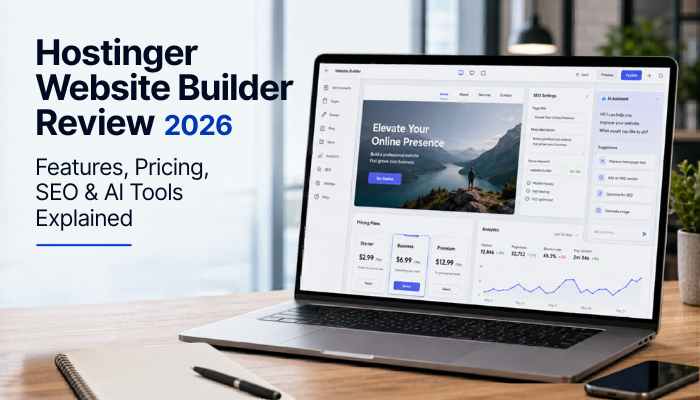

The Hostinger Website Builder has become one of the most popular website-building tools for beginners, small businesses, bloggers, freelancers, creators, and online store owners. In 2026, many users want a website builder that is affordable, AI-powered, mobile-friendly, easy to edit, and SEO-ready without requiring coding skills.
For many small businesses and creators, this type of all-in-one platform can reduce both website development costs and technical setup time.
Hostinger is already known for web hosting, domains, email, and WordPress hosting, but its website builder has become a major part of its platform. The Hostinger Website Builder combines hosting, templates, AI tools, drag-and-drop editing, ecommerce features, SEO settings, marketing integrations, and security features in one package.
According to Hostinger, its AI Website Builder can help users create websites for online stores, blogs, portfolios, business websites, and more. Hostinger also says its AI builder includes hosting, SSL certificates, SEO optimization, AI content creation, logo generation, and 24/7 support.
This detailed Hostinger Website Builder review 2026 explains its features, pricing, AI tools, ecommerce support, SEO tools, performance, security, limitations, alternatives, pros, cons, and whether it is worth using for your next website.
Is Hostinger Website Builder Worth It in 2026?
Yes, the Hostinger Website Builder is worth considering in 2026 if you want a simple, affordable, AI-powered website builder for a business website, blog, portfolio, landing page, personal brand, or small online store.
It is best for beginners and small businesses that want hosting, domain support, templates, AI tools, ecommerce features, SEO settings, and support in one platform. However, advanced SEO users, developers, large ecommerce brands, complex membership websites, and businesses needing deep customization may prefer WordPress, Shopify, Webflow, or WooCommerce.
TechRadar’s 2026 review describes Hostinger Website Builder as a good value because of its easy-to-use interface, AI tools, and low price, while also noting that it lacks some advanced features found in top competitors.
Best For / Not Best For
| Best For | Not Best For |
| Beginners building their first website | Advanced developers needing backend control |
| Small business websites | Large ecommerce brands |
| Portfolios and personal brands | Complex membership platforms |
| Blogs and landing pages | Large media websites |
| Simple online stores | Advanced technical SEO projects |
| Freelancers and local services | Businesses needing many third-party integrations |
| Startup landing pages | Highly customized web applications |
Quick Overview of Hostinger Website Builder
| Feature | Details |
| Product Name | Hostinger Website Builder |
| Best For | Beginners, small businesses, bloggers, portfolios, and simple e-commerce stores |
| Main Benefit | Affordable AI website creation without coding |
| AI Tools | AI Website Builder, AI Writer, AI Image Generator, AI Blog Generator, AI SEO Assistant, AI Logo Maker |
| Ecommerce | Available on selected website builder/ecommerce plans |
| SEO Features | Meta titles, meta descriptions, image alt text, sitemap support, mobile-friendly design, AI SEO Assistant |
| Support | Hostinger promotes 24/7 support |
| Skill Level | Beginner-friendly |
| Best Alternative for Advanced SEO | WordPress |
| Best Alternative for Large E-commerce | Shopify |
| Best Alternative for Design Control | Webflow |
| Best Alternative for Creative Templates | Squarespace |
What Is Hostinger Website Builder?
Hostinger Website Builder is a no-code website builder that helps users create websites using templates, AI tools, and a drag-and-drop editor. Instead of hiring a developer or learning WordPress, users can build a professional website by choosing a template or letting AI generate a starting website based on their business description.
The platform can be used to create:
- Business websites
- Personal websites
- Blogs
- Portfolios
- Landing pages
- Online stores
- Service websites
- Link-in-bio pages
- Digital product pages
- Appointment pages
- Startup landing pages
Hostinger says its AI Website Builder is suitable for traditional websites such as online stores, blogs, portfolios, and business websites, while Hostinger Horizons is designed for AI-generated web apps.
Why Hostinger Website Builder Is Popular in 2026
The Hostinger Website Builder is popular because many users want a website solution that saves time, reduces technical work, and includes AI features. In 2026, AI website builders are especially attractive to small businesses because they can help with layout creation, copywriting, images, product descriptions, and basic SEO tasks.
Hostinger stands out because it offers:
- AI-powered website setup
- Hosting included
- Beginner-friendly editing
- E-commerce tools
- Free domain on selected plans
- Built-in SEO and marketing tools
- Responsive templates
- AI content and image tools
- SSL support
- Support options
TechRadar’s review says Hostinger is aimed at newcomers and less experienced users who want to create a personal blog, portfolio, or small online store.
Hostinger Website Builder Pricing 2026
Hostinger pricing can change based on region, contract length, discounts, renewal rates, promotional offers, and selected plan. This means users should always check the latest official Hostinger pricing page before buying.
Before choosing a Hostinger plan, check:
- Monthly price
- Total upfront cost
- Contract duration
- Renewal price
- Free domain terms
- Email mailbox terms
- E-commerce access
- AI tool availability
- Storage and bandwidth terms
- Refund policy
- Trial availability
- Payment method fees
This is important because the lowest displayed price usually requires a longer billing term. If you are building a serious business website, do not compare only the first-year cost. Compare the total cost over two to four years.
Features, AI tools, pricing, renewal costs, and ecommerce limitations may change over time depending on region, promotional offers, and Hostinger platform updates, so users should always verify details directly on the official Hostinger website before purchasing.
Premium vs Business Plan: Which One Should You Choose?
Choose the Premium Website Builder plan if you only need a simple website, personal portfolio, blog, landing page, or small business website. It is suitable for users who do not need serious e-commerce features.
Choose the Business Website Builder plan if you want to sell products, use stronger AI tools, create an online store, manage product descriptions, accept payments, or build a stronger online business presence.
| Feature | Premium Website Builder | Business Website Builder |
| Best For | Simple websites | Online stores and growing businesses |
| Ecommerce | Limited or plan-dependent | Better e-commerce support |
| AI Website Builder | Yes | Yes |
| AI Image Generator | May depend on the plan | Usually stronger support |
| AI Blog Generator | May depend on the plan | Usually stronger support |
| AI Product Generator | Limited or unavailable | Better fit |
| AI SEO Assistant | May depend on the plan | Better fit |
| Product Selling | Not ideal | Yes |
| Recommended For | Bloggers, portfolios, local services | E-commerce, startups, product sellers |
For most small businesses that only need a professional online presence, the Premium plan may be enough. For e-commerce, the Business plan is usually the better choice.
Main Features of Hostinger Website Builder
1. AI Website Builder
The biggest feature of the Hostinger Website Builder is its AI website creation system. Users can enter a brand name, website type, and short description, and the builder can generate a starting website layout.
This helps beginners who do not know where to start. Instead of building every page manually, AI gives users a first draft that can be edited later.
During setup, the AI-generated layouts can save significant time for beginners, although most users will still need to customize sections, branding, images, and calls-to-action before publishing.
2. Drag-and-Drop Editor
Hostinger includes a drag-and-drop editor, so users can move sections, change text, update images, add buttons, and customize pages visually.
This is useful for:
- Beginners
- Non-technical users
- Small business owners
- Freelancers
- Bloggers
- Local service providers
- Portfolio creators
You do not need coding knowledge to edit your website.
In practice, the editor feels simple enough for first-time website owners, although users coming from WordPress or Webflow may notice fewer advanced customization options.
3. Ready-Made Templates
Hostinger offers templates for different industries and website types. These templates help users create a professional design faster.
Template categories may include:
- Business
- Portfolio
- Blog
- Ecommerce
- Restaurant
- Services
- Personal brand
- Agency
- Landing page
Templates are helpful because beginners do not need to design every page from scratch.
4. Built-In Hosting
One major benefit of Hostinger Website Builder is that hosting is included. Users do not need to buy hosting separately, connect technical files, or install CMS software.
This makes setup easier for beginners and reduces technical confusion.
5. Free Domain on Selected Plans
Hostinger often includes a free custom domain for the first year on selected plans. This can help new website owners reduce startup costs.
However, users should check renewal pricing for the domain after the first year.
6. SSL Certificate
A secure website is important for trust and SEO. Hostinger says its AI website builder includes SSL certificates, and TechRadar also notes that Hostinger sites include a free Let’s Encrypt SSL certificate.
7. E-commerce Features
The Business plan includes e-commerce tools for users who want to sell products online. Hostinger’s ecommerce page says users can sell up to 1,000 products and services, schedule appointments, offer 100+ payment methods, use discount codes, and use AI product description tools.
8. AI Writing Tools
Hostinger includes AI writing tools that can help users create website copy, product descriptions, service pages, blog content, and marketing text.
This is useful when you need content ideas quickly, but users should still edit AI content for accuracy, originality, tone, and brand voice.
9. AI Design Tools
The Hostinger Website Builder includes AI design support, helping users create visuals, layouts, and website sections faster.
AI design tools are helpful for:
- Faster website creation
- Better visual structure
- Beginner-friendly customization
- Brand design ideas
- Simple marketing visuals
10. SEO Tools
Hostinger includes built-in SEO and marketing tools. These help users optimize pages by editing important SEO elements.
SEO features may include:
- Meta title editing
- Meta description editing
- Mobile-friendly pages
- Clean page structure
- Image alt text support
- Sitemap support
- SEO-friendly URLs
- Google tools integration
- AI SEO Assistant
Hostinger’s ecommerce page says its built-in SEO tools and AI SEO Assistant help users optimize stores for search engines.
Full Hostinger AI Tools Breakdown
The Hostinger Website Builder is not just a drag-and-drop builder. Its biggest 2026 advantage is its AI toolset.
| AI Tool | What It Does |
| AI Website Builder | Creates a starter website from a short description |
| AI Writer | Helps generate website copy and marketing text |
| AI Image Generator | Creates visuals for website pages |
| AI Blog Generator | Helps create blog post drafts |
| AI Product Generator | Helps generate product descriptions |
| AI Logo Maker | Creates basic brand logos |
| AI SEO Assistant | Helps with SEO suggestions and optimization |
| AI Heatmap | Predicts areas of visitor attention |
These tools save time, especially for users who do not have design, copywriting, branding, or development experience.
Hostinger Website Builder SEO Review
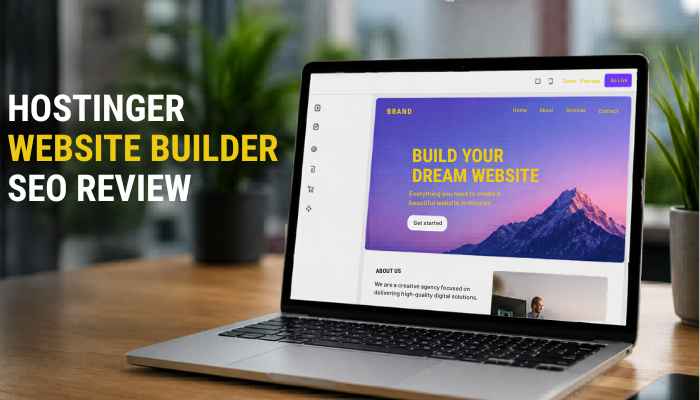
The Hostinger Website Builder is suitable for basic and intermediate SEO. It gives users enough tools to optimize a small business website, portfolio, blog, landing page, or simple online store.
SEO Strengths
| SEO Area | Hostinger Website Builder Support |
| Meta Titles | Yes |
| Meta Descriptions | Yes |
| Mobile-Friendly Design | Yes |
| SSL | Yes |
| Sitemap Support | Yes |
| Image Alt Text | Yes |
| Blogging | Basic support |
| E-commerce SEO | Useful for product pages |
| AI SEO Assistant | Available on selected plans |
| Advanced Technical SEO | Limited compared to WordPress |
Google Search Central explains that SEO should support helpful, reliable, people-first content rather than content created only to manipulate rankings. That means Hostinger’s tools can help, but rankings still depend on content quality, search intent, usability, and authority.
Can Hostinger Website Builder Rank on Google?
Yes, a website built with Hostinger Website Builder can rank on Google if the content is useful, original, properly structured, fast, and aligned with search intent.
Ranking depends on factors such as:
- Content quality
- Search intent
- Page speed
- Internal linking
- Backlinks
- Topical authority
- Mobile experience
- User engagement
- Competition level
- Website structure
Google’s SEO Starter Guide explains that title text and meta descriptions can help search engines understand pages and may influence how snippets appear in search results.
For simple business websites, Hostinger’s SEO tools are usually enough. For advanced SEO campaigns, WordPress may provide more flexibility through plugins, schema tools, technical SEO settings, and deeper content workflows.
In competitive industries, rankings usually depend more on content quality, backlinks, topical authority, and user engagement than the website builder itself.
Integrations and Analytics
The Hostinger Website Builder can help business owners track performance and improve marketing. This section is important because many users want more than just a website; they want to understand traffic, conversions, and customer behavior.
| Integration | Why It Matters |
| Google Analytics | Tracks traffic, users, pages, and conversions |
| Google Tag Manager | Helps manage tracking tags |
| Meta Pixel | Useful for ads and retargeting |
| Google Ads | Helps support paid search campaigns |
| WhatsApp Contact | Helps customers contact businesses quickly |
| Live Analytics | Helps users monitor store or website performance |
Hostinger’s ecommerce page mentions Google Ads, Meta Pixel, Google Analytics, live analytics, WhatsApp contact support, and marketing tools for online stores.
Hostinger Website Builder for E-commerce
The Hostinger Website Builder can be a good choice for small online stores. It is useful for sellers who want to launch quickly without managing complex e-commerce software.
Hostinger says users can upload up to 1,000 products, calculate taxes, set up shipping options, provide multiple payment methods, and use AI tools to help with product descriptions and marketing.
E-commerce Feature Breakdown
| E-commerce Feature | Hostinger Website Builder Support |
| Physical products | Yes |
| Digital products | Yes |
| Services | Yes |
| Appointments | Yes |
| Donations | Yes |
| Product limit | Up to 1,000 products and services |
| Shipping options | Yes |
| Tax settings | Yes |
| Multiple payment methods | Yes |
| AI product descriptions | Yes |
| SEO tools for store pages | Yes |
| Mobile-friendly store design | Yes |
| Hostinger sales commission | Hostinger says zero transaction fees; payment gateway fees may still apply |
Best E-commerce Uses
The Hostinger Website Builder is suitable for:
- Small product stores
- Digital product websites
- Local business stores
- Handmade product shops
- Beginner e-commerce stores
- Service booking pages
- Product landing pages
- Appointment-based businesses
- Donation pages
- Print-on-demand stores
Hostinger’s ecommerce page also mentions built-in Printful integration for custom merch.
E-commerce Limitations
Hostinger may not be the best choice for very large online stores with complex inventory, advanced automation, multi-vendor selling, or enterprise-level ecommerce needs.
For larger stores, platforms like Shopify, WooCommerce, or BigCommerce may offer deeper ecommerce control.
Hostinger Website Builder Performance and Speed
Website speed is important for SEO, user experience, and conversions. Since Hostinger includes hosting with its website builder, users do not need to configure separate hosting manually.
For small and medium websites, Hostinger can provide strong performance. However, performance also depends on:
- Image size
- Number of pages
- Third-party scripts
- Video embeds
- Store size
- Template design
- Tracking tools
- User location
- Number of apps or integrations
How to Keep a Hostinger Website Fast
- Compress large images before uploading
- Avoid unnecessary third-party scripts
- Use simple page layouts
- Test pages on mobile devices
- Remove unused sections
- Use fewer heavy videos
- Keep tracking scripts limited
- Check Core Web Vitals regularly
Hostinger Website Builder Security, Backups, and CDN
Security is another important factor for any business website. Hostinger includes SSL support, and TechRadar notes that Hostinger sites come with a free Let’s Encrypt SSL certificate. TechRadar also says the platform allows Cloudflare setup and includes weekly backups, with daily backups available on upgraded plans.
For better website security, users should also:
- Use strong passwords
- Enable two-factor authentication
- Keep account details safe
- Avoid suspicious third-party scripts
- Monitor website activity
- Renew domains and plans on time
- Keep store and contact forms updated
- Use secure payment gateways
This section improves trust because readers want to know whether the platform is safe before building a business website.
Hostinger Website Builder vs WordPress
| Feature | Hostinger Website Builder | WordPress |
| Ease of Use | Very easy | Medium learning curve |
| Coding Needed | No | Not always, but setup can be technical |
| AI Tools | Built in | Depends on plugins |
| SEO Flexibility | Good for basic SEO | Advanced SEO flexibility |
| Design Control | Good but limited | Very flexible |
| Plugins | Limited | Thousands available |
| Maintenance | Low | Requires updates and management |
| Best For | Beginners and small businesses | Bloggers, SEO users, advanced websites |
Choose Hostinger Website Builder if you want simplicity. Choose WordPress if you want maximum control, advanced SEO, plugins, and long-term scalability.
Hostinger Website Builder vs Wix
| Feature | Hostinger Website Builder | Wix |
| Pricing | Usually more affordable | Usually more expensive |
| Ease of Use | Very beginner-friendly | Beginner-friendly |
| AI Tools | Strong | Strong |
| Design Flexibility | Good | More advanced |
| App Marketplace | Limited | Larger app marketplace |
| Ecommerce | Good for small stores | More feature-rich |
| Best For | Budget users | Users wanting more design and app options |
The Hostinger Website Builder is better for budget-focused users. Wix may be better for users who want more apps, design freedom, and advanced built-in business tools.
Hostinger Website Builder vs Shopify
| Feature | Hostinger Website Builder | Shopify |
| Best For | Small online stores | Serious ecommerce stores |
| Ease of Use | Easy | Easy but ecommerce-focused |
| Product Selling | Good for small stores | Excellent for scaling stores |
| Apps | Limited | Large app marketplace |
| SEO | Basic to intermediate | Strong ecommerce SEO |
| Cost | Usually lower | Usually higher |
| Best Use Case | Simple store launch | Growing ecommerce brand |
Use Hostinger Website Builder for a small online store or beginner e-commerce website. Use Shopify if e-commerce is your main business and you need advanced inventory, apps, automation, and scaling options.
Hostinger Website Builder vs Squarespace
| Feature | Hostinger Website Builder | Squarespace |
| Best For | Budget-friendly AI websites | Design-focused websites |
| AI Tools | Strong | Available, but design is the main strength |
| Templates | Good | Very polished |
| Ecommerce | Good for small stores | Good for creative businesses |
| Ease of Use | Very easy | Easy |
| Best User | Beginners and budget users | Creators, designers, personal brands |
Choose Hostinger Website Builder for affordable AI website creation. Choose Squarespace if your main priority is polished visual design and premium-looking templates.
Pros and Cons of Hostinger Website Builder
Pros
- Very beginner-friendly
- Affordable compared to many competitors
- AI website builder included
- Hosting included
- Drag-and-drop editing
- Good templates
- Built-in SEO tools
- E-commerce support available
- Free domain on selected plans
- SSL support
- Good for small business websites
- Fast website launch process
- AI image, blog, product, and SEO tools
- Useful for simple online stores
Cons
- Limited advanced customization
- Fewer third-party integrations than Wix or WordPress
- Not ideal for large e-commerce stores
- Renewal prices can be higher
- Template switching may be limited
- Advanced SEO users may prefer WordPress
- Developers may find the editor too basic
- Migration can require manual rebuilding
TechRadar lists positives such as an intuitive drag-and-drop editor, affordable pricing, built-in AI tools, free domain, and SSL, while noting limitations such as no free plan, limited third-party integrations, and content loss during template switches.
Hostinger Website Builder Limitations
To make this review honest and helpful, it is important to understand the limitations of the Hostinger Website Builder.
Main limitations include:
- Less design freedom than Webflow or WordPress
- Fewer third-party apps than Wix
- Not ideal for large e-commerce stores
- Advanced SEO control is limited compared to WordPress
- Serious bloggers may outgrow the platform
- Migration can be difficult if you want to move later
- The editor may feel basic for developers
- Complex membership websites may need another platform
- Large media websites may need a stronger CMS
This does not mean Hostinger is bad. It means the platform is designed more for simplicity, speed, affordability, and beginner-friendly website creation than deep customization.
Migration and Platform Lock-In Warning
One important topic many reviews miss is website migration. Users should understand that moving a website from one builder to another is not always simple.
TechRadar notes that Hostinger Website Builder has a migration tool, but migration works best when users have the original website files. It also explains that some website builders may not allow full file downloads, which can force users to rebuild manually when moving platforms.
The Hostinger Website Builder is best for users who want to build and manage their website inside Hostinger’s ecosystem. If you plan to move your site later to WordPress, Wix, Shopify, or another CMS, migration may require manual rebuilding.
This is important for bloggers, agencies, e-commerce owners, and businesses that want long-term platform flexibility.
Who Should Use Hostinger Website Builder?
The Hostinger Website Builder is best for:
- Beginners building their first website
- Small business owners
- Bloggers
- Freelancers
- Portfolio creators
- Local service businesses
- Coaches and consultants
- Restaurants and cafes
- Simple e-commerce stores
- Startup landing pages
- Personal brands
- Digital product sellers
- Service providers
It is especially useful for users who want an affordable website without hiring a developer.
Who Should Avoid Hostinger Website Builder?
Hostinger may not be the best option for:
- Large ecommerce brands
- Developers needing full backend control
- Websites needing complex custom code
- Advanced SEO agencies
- Membership platforms with complex features
- Large media websites
- Businesses needing many third-party integrations
- Large affiliate blogs needing advanced content workflows
For advanced needs, WordPress, Shopify, Webflow, or custom development may be better.
How to Build a Website With Hostinger Website Builder
Here is a simple process:
- Choose a Hostinger website builder plan.
- Pick a domain name.
- Select a template or use AI website creation.
- Add your business name and website details.
- Customize text, images, buttons, and sections.
- Add important pages.
- Optimize SEO settings.
- Connect analytics and marketing tools.
- Preview your website on mobile and desktop.
- Publish your website.
Hostinger’s ecommerce page describes a similar process: use AI or a template, customize with drag-and-drop editing and AI tools, add products, and publish the online store.
Important Pages to Add
A complete website should include the right pages from the beginning.
| Page | Why It Matters |
| Home | Introduces your brand and main offer |
| About | Builds trust with visitors |
| Services | Explains what you offer |
| Blog | Helps SEO and content marketing |
| Contact | Makes it easy for customers to reach you |
| Privacy Policy | Important for legal transparency |
| Terms and Conditions | Sets website usage rules |
| Product Pages | Needed for e-commerce websites |
| FAQ Page | Answers common customer questions |
| Refund Policy | Important for e-commerce trust |
| Shipping Policy | Important for physical product stores |
SEO Tips for Hostinger Website Builder Users
To get better rankings with the Hostinger Website Builder, follow these SEO tips:
- Use your main keyword in the title.
- Write a clear meta description.
- Add internal links between pages.
- Use short and clean URLs.
- Add alt text to images.
- Publish helpful blog content.
- Improve page speed.
- Use original images where possible.
- Add FAQ sections.
- Use schema markup where possible.
- Keep paragraphs short.
- Match search intent.
- Update content regularly.
- Add trust signals such as contact details and author information.
- Build backlinks naturally.
Publishing more pages alone does not guarantee better rankings because search engines increasingly prioritize originality, expertise, user satisfaction, and content usefulness.
Google’s guidance emphasizes helpful, reliable, people-first content, so SEO tools should support quality content rather than replace real expertise.
Best Use Cases for Hostinger Website Builder
| Use Case | Suitability |
| Personal Blog | Good |
| Portfolio Website | Excellent |
| Small Business Website | Excellent |
| Local Service Website | Excellent |
| E-commerce Store | Good |
| Large Online Store | Limited |
| SEO Blog Network | Limited |
| Startup Landing Page | Excellent |
| Agency Website | Good |
| Developer Project | Limited |
| Digital Product Store | Good |
| Appointment Website | Good |
Hostinger Website Builder Alternatives
| Alternative | Best For |
| Wix | Design flexibility and app marketplace |
| Squarespace | Beautiful templates and creative websites |
| WordPress | Advanced SEO and content control |
| Shopify | Serious ecommerce stores |
| Webflow | Advanced design control |
| GoDaddy Website Builder | Fast small business setup |
| BigCommerce | Larger ecommerce businesses |
| WooCommerce | WordPress-based ecommerce stores |
Hostinger Website Builder vs Competitors by Use Case
| Use Case | Best Platform |
| Cheapest beginner website | Hostinger Website Builder |
| AI-powered quick website | Hostinger Website Builder |
| Advanced SEO blog | WordPress |
| Large e-commerce store | Shopify |
| Design-heavy creative site | Squarespace |
| App marketplace and flexibility | Wix |
| Advanced custom design | Webflow |
| WordPress e-commerce | WooCommerce |
| Enterprise ecommerce | BigCommerce |
This comparison helps readers choose the right platform based on their actual goal instead of only comparing prices.
Final Buying Checklist
Before buying the Hostinger Website Builder, ask these questions:
- Do I need a simple website or a large custom website?
- Do I need e-commerce features?
- Am I comfortable with renewal pricing?
- Do I need advanced SEO plugins?
- Do I plan to migrate later?
- Do I need Google Analytics or Meta Pixel tracking?
- Do I want AI tools for writing, images, SEO, and products?
- Is Hostinger enough for my long-term business growth?
- Do I need appointment booking or digital product selling?
- Do I want a beginner-friendly editor instead of full technical control?
If your goal is a simple, affordable, AI-powered website, the Hostinger Website Builder is a strong choice. If you need advanced plugins, full design control, or large-scale ecommerce, WordPress, Shopify, or Webflow may be better.
Conclusion: Is Hostinger Website Builder Worth It in 2026?
Yes, the Hostinger Website Builder is worth considering in 2026, especially for beginners, small businesses, freelancers, bloggers, portfolios, startup landing pages, and simple e-commerce stores.
However, businesses needing advanced development flexibility, large-scale ecommerce automation, or highly customized SEO workflows may eventually require a more advanced platform.
It offers a strong mix of affordability, AI tools, templates, hosting, SEO features, ecommerce support, SSL security, and easy editing. It is not the most advanced builder for developers, large ecommerce brands, or technical SEO experts, but it is one of the better choices for users who want to create a professional website quickly without coding.
If your goal is to launch a professional website with less cost and less complexity, the Hostinger Website Builder is a strong option in 2026. If your goal is advanced SEO, deep customization, or large-scale ecommerce, compare it carefully with WordPress, Shopify, Webflow, Wix, and WooCommerce before buying.
In real-world use, Hostinger Website Builder works best for users who want speed and simplicity more than deep customization. Small businesses and beginners can launch a professional-looking website quickly, but advanced users may eventually outgrow the platform as SEO, integrations, or content workflows become more complex.
This review is based on publicly available platform information, feature analysis, SEO considerations, ecommerce capabilities, usability evaluation, and comparisons with other major website builders available in 2026.
Hostinger Website Builder FAQs
1. Is Hostinger Website Builder good for beginners?
Yes, the Hostinger Website Builder is very good for beginners because it offers AI website creation, drag-and-drop editing, templates, hosting, and built-in SEO tools without coding.
2. Is Hostinger Website Builder free?
The Hostinger Website Builder is not usually a permanent free website builder. Pricing and trial availability may vary by country and promotion, so users should check Hostinger’s latest official pricing page before signing up.
3. Can Hostinger Website Builder rank on Google?
Yes, websites built with Hostinger Website Builder can rank on Google if they have useful content, proper SEO settings, fast loading speed, backlinks, good structure, and strong search intent optimization.
4. Does Hostinger Website Builder include e-commerce?
Yes, e-commerce features are available on selected Hostinger website builder plans. Hostinger says users can sell products and services, schedule appointments, use multiple payment methods, and access built-in ecommerce tools.
5. Who should use Hostinger Website Builder?
The Hostinger Website Builder is best for beginners, bloggers, freelancers, startups, small businesses, portfolios, local service providers, and small ecommerce stores.
