


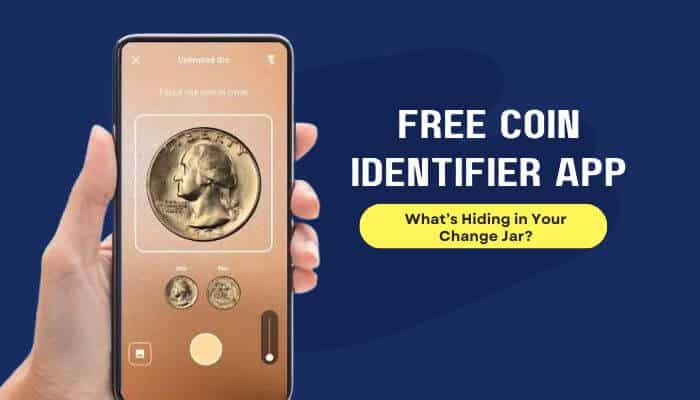

A Free Coin Identifier App can turn an ordinary jar of loose change into an interesting search for overlooked coins. An unusual mint mark, older date, striking error or uncommon variety could make one coin more collectible than the rest. With a smartphone photo, you can quickly compare unfamiliar coins with digital catalogues and narrow down what you may have found.
These tools are useful starting points, but they are not miniature professional graders. An app may suggest a coin’s country, denomination, date, design and possible value range, yet accurate valuation still depends on condition, rarity, authenticity, variety and current collector demand.
This guide compares the most useful Free Coin Identifier App options available in 2026, explains what you actually get without paying, and shows you how to verify a scan before buying, selling or sending a potentially valuable coin for professional grading.
Quick Answer
A Free Coin Identifier App uses image-recognition technology to compare photographs of a coin with known examples in a database.
For worldwide coins, Maktun and Coinoscope are useful starting points. CoinSnap offers a polished AI-assisted experience but includes in-app purchases. PCGS CoinFacts is particularly useful for researching United States coins, while the NGC App is designed primarily for verifying NGC-certified coins.
The safest process is simple:
- Scan the coin.
- Confirm the likely identification.
- Check the date and mint mark.
- Compare its weight, size and design with a trusted reference.
- Research realistic prices only after the identification is confirmed.
Key Takeaways
- Maktun is a strong Free Coin Identifier App option for identifying worldwide coins and banknotes.
- Coinoscope provides basic visual coin identification for free with advertising.
- CoinSnap is free to download but includes in-app purchases and subscription features.
- PCGS CoinFacts is a free specialist research tool for U.S. coins rather than a general worldwide AI scanner.
- The NGC App is especially useful for verifying NGC-certified coins.
- A Free Coin Identifier App can provide an estimated value, but it cannot guarantee a selling price or replace a professional appraisal.
- Clear photographs of both sides can improve identification accuracy.
- Confirm important identification and value results with a second independent source.
- Never clean a potentially collectible coin simply to get a clearer scan.
What Is a Free Coin Identifier App?
A free coin identifier app is a mobile or web-based tool that analyzes photographs or visible characteristics of a coin and attempts to match them with known examples. It can be a useful starting point when you find an unfamiliar coin and want to determine what it might be.
Depending on the tool, a result may include:
- Country or issuing authority
- Denomination
- Year
- Mint mark
- Metal composition
- Diameter
- Weight
- Mintage
- Catalogue reference
- Possible variety
- Estimated value
- Collection-management features
Some apps use image recognition to provide an automatic result. Others work more like searchable coin encyclopedias, requiring you to compare your coin manually with catalogue photographs and specifications.
The word free also needs clarification. A free coin-identifier app may be:
- Completely free
- Free with advertising
- Free with daily scan limits
- Free to download but subscription-based for important features
- Free for research but not for automatic photo identification
That distinction matters because an app marked “Free” in the App Store or Google Play may still charge for advanced scans, valuations, collection tools or other premium features.
How Does a Free Coin Identifier App Work?
A free coin identifier app uses image recognition to compare photos of your coin with known coins in its database.
The process is simple:
- Photograph both sides: Take clear photos of the obverse and reverse of the coin.
- Scan visible details: The app analyzes the date, mint mark, lettering, symbols, denomination, shape and design.
- Compare database records: It searches known coin images and catalogue records for possible matches.
- Identify the coin: Results may show the country, denomination, year, mint, composition and possible variety.
- Check estimated value: Some apps also provide an approximate market value or condition estimate.
- Review possible errors: Certain tools may flag unusual features or possible mint errors.
- Verify the result: Treat the identification as a suggested match rather than proof.
A free coin identifier app may be less accurate with heavily worn, corroded, blurry, reflective or uncommon coins, so verify potentially rare or valuable finds with a trusted numismatic source.
How to Interpret a Free Coin Identifier App Result
A Free Coin Identifier App can suggest a likely match, but you should check several details before trusting the identification or estimated value.
1. Signs of a Strong Match
A reliable result should match most of these details:
- Country
- Denomination
- Date
- Mint mark
- Obverse and reverse designs
- Lettering
- Edge type
- Metal composition
- Diameter
- Weight
The more details that match, the stronger the identification.
2. Signs of an Uncertain Match
Treat the result cautiously when:
- The design matches but the year does not.
- The mint mark cannot be identified.
- Several possible matches appear.
- The coin is heavily worn or damaged.
- Only one side was scanned.
- The weight or diameter differs.
- A rare variety is suggested without clear evidence.
3. Signs of an Incorrect Match
Reject the result when:
- The country or denomination is wrong.
- The inscriptions do not match.
- The portrait or reverse design is different.
- The size, weight or composition is substantially wrong.
- Repeated scans identify unrelated coins.
Do not rely on an estimated value until the coin itself has been correctly identified.
4. Follow the Two-Source Verification Rule
For rare or potentially valuable coins, confirm the result from your Free Coin Identifier App with an independent numismatic source.
Use this simple process:
- Scan the coin with Maktun, Coinoscope or CoinSnap.
- Record the suggested identification.
- Verify it with PCGS, NGC, Numista, an official mint or a specialist catalogue.
- Compare the weight, diameter and composition.
- Research prices only after the important details match.
Two coin-scanning apps giving the same answer can be helpful, but an independent catalogue or official source provides stronger verification.
Best Free Coin Identifier App Options in 2026
The best free coin identifier app depends on whether you need worldwide identification, U.S. coin research or certified-coin verification.
| Tool | Best For | Free Access | Main Limitation |
|---|---|---|---|
| Maktun | Worldwide coins and banknotes | Free Standard plan | Tokens and medals aren’t automatically recognized |
| Coinoscope | Quick visual matching | Free basic identification | Ads and some daily limits |
| CoinSnap | Beginner-friendly scanning | Free download | Premium features cost extra |
| PCGS CoinFacts | U.S. coin research | Free | Mainly U.S. coins |
| NGC App | Certified-coin verification | Free | Mainly NGC-certified coins |
| Google Lens | Unusual coins and tokens | Free | No grading or authentication |
- Maktun: A strong option for worldwide coins and banknotes. Its free plan includes identification, value research and basic collection tools.
- Coinoscope: A useful free coin identifier app for comparing an unknown coin with visually similar matches. Basic identification is free, while some advanced features have daily limits.
- CoinSnap: Easy for beginners who want photo identification, estimated values and collection tools in one app. Some features require payment.
- PCGS CoinFacts: Best for researching U.S. coins with price guides, auction records, population data and detailed reference images.
- NGC App: Best for checking NGC-certified coins by scanning a holder barcode or entering its certification number.
- Google Len: A useful backup for unusual foreign coins, tokens and medals, but results should always be verified with a specialist coin source.
What Do You Get Without Paying?
A free coin identifier app may offer basic identification at no cost while charging for advanced scans, valuations or collection features. Here’s what the main tools provide for free:
| Tool | What You Get Free | Main Limitation |
|---|---|---|
| Maktun | Identification, value research and collection tools | Advanced features cost extra |
| Coinoscope | Basic identification and limited analysis | Ads and daily limits |
| CoinSnap | Basic access after free download | Premium features cost extra |
| PCGS CoinFacts | U.S. prices, auction records and coin research | U.S.-focused |
| NGC App | Certification and Census tools | Mainly for NGC-certified coins |
| Numista | Searchable coin and exonumia catalogue | Important details may need verification |
| Google Lens | General visual matching | No grading or authentication |
Before choosing a free coin identifier app, check its current scan limits, trial terms, and subscription price because these can vary by platform and region.
Which Free Coin Identifier App Should You Choose?
The right Free Coin Identifier App depends on what you are trying to identify:
- Unknown foreign coin: Try Maktun or Coinoscope.
- Coins and banknotes: Start with Maktun.
- Beginner-friendly scanning: Try CoinSnap.
- U.S. coins: Identify the coin first, then research it with PCGS CoinFacts.
- PCGS-certified coin: Use PCGS Cert Verification.
- NGC-certified coin: Use the NGC App.
- Token or medal: Search Numista or Google Lens, then consult an exonumia specialist.
- Potentially valuable or counterfeit coin: Seek an experienced dealer or professional authentication service.
If your Free Coin Identifier app cannot find a match, Numista can help narrow the search using lettering, composition, shape, size and weight.
How to Test a Free Coin Identifier App Before Trusting It
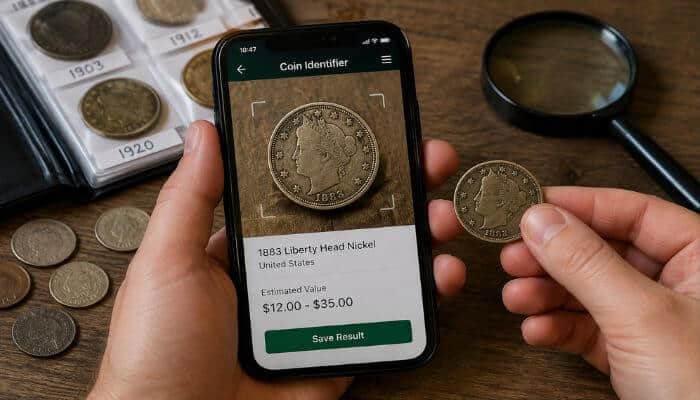
Before relying on a free coin identifier app for an unfamiliar coin, test it with five coins you can already identify:
- One common modern coin
- One older circulated coin
- One foreign coin
- One coin with a visible mint mark
- One worn or toned coin
Scan Each Coin Twice
Photograph both sides under slightly different lighting and check whether the app consistently identifies:
- Country and denomination
- Year and mint mark
- Metal or composition
- Variety
- Approximate value
Check the Results
A reliable free coin identifier app should return similar results when the same coin is scanned more than once. If the date, country or denomination repeatedly changes, verify the coin with another source before trusting the result.
You can also calculate a simple test score:
Correct identifications ÷ Total coins tested × 100
For example, 4 correct results out of 5 = 80% in your test. This does not mean the app is universally 80% accurate; it only shows how it performed with those five coins.
Free Coin Identifier App vs. Coin Value App
A free coin identifier app and a coin value app serve different purposes:
- Coin identifier: Answers, “What coin is this?”
- Coin value app: Estimates, “What might this coin be worth?”
Identification is usually easier than valuation. Two coins with the same date and design can have very different values based on:
- Grade and wear
- Scratches or cleaning
- Strike quality
- Variety
- Certification
- Collector demand
A free coin identifier app may correctly identify your coin but still provide an inaccurate value estimate. Always confirm the exact variety, condition and recent comparable sales before deciding what a coin is worth.
How Accurate Is a Free Coin Identifier App?
A free coin identifier app can identify many common coins, but there is no universal accuracy percentage that applies to every app, coin or photograph.
Results are usually more reliable when the coin has:
- Clear lettering and a visible date
- A recognizable denomination
- Distinctive designs or symbols
- Minimal wear or corrosion
- Clear photos of both sides
- A matching example in the app’s database
A Free Coin Identifier App may be less accurate with:
- Heavily worn or corroded coins
- Ancient or hand-struck coins
- Subtle die varieties
- Tokens and medals
- Replicas or counterfeits
- Partially obscured coins
- Blurry photos or strong glare
Treat the first result as a possible match rather than a final answer, especially when the coin appears rare or valuable.
What to Do When a Coin Identifier App Cannot Find a Match
If a free coin identifier app cannot identify your coin, it does not automatically mean the coin is rare. Poor photos, heavy wear, missing database records or a token mistaken for a coin can all cause failed matches.
Try these steps:
- Record visible details: Note the date, lettering, denomination, mint mark, portraits, symbols and other readable features.
- Check the edge: Look for reeding, lettering, grooves or decorative patterns that may provide extra clues.
- Measure the coin: Record its weight, diameter and thickness, then compare them with official specifications.
- Search manually: Use details such as lettering, metal, shape, size and weight to search a catalogue such as Numista.
If your Free Coin Identifier app still returns no useful match, the object could be a token, medal or other form of exonumia. For an unusual or potentially valuable piece, send a specialist clear photos of both sides and the edge along with its weight, diameter and visible inscriptions.
Why New 2026 Coins May Confuse Identification Apps
A free coin identifier app may struggle with newly released 2026 coins if its database has not yet been updated. This is especially relevant because the U.S. Mint introduced special Semiquincentennial designs and the dual date 1776 ~ 2026 on selected coins.
The 2026 designs include the Emerging Liberty dime, Enduring Liberty half dollar and five quarters featuring:
- Mayflower Compact
- Revolutionary War
- Declaration of Independence
- U.S. Constitution
- Gettysburg Address
An outdated Free Coin Identifier app may return an older design, suggest the wrong denomination or fail to find a match.
For unfamiliar 2026 coins:
- Compare the coin with official U.S. Mint images.
- Check its denomination, weight and diameter.
- Make sure your identification app is updated.
- Do not assume a new design is rare or a mint error.
Remember: An unfamiliar 2026 design may simply be new—not valuable or rare.
How to Photograph a Coin for Accurate Identification
Clear photos help a Free Coin Identifier App recognize dates, mint marks, lettering and design details more accurately.
For better results:
- Use a plain background: Place the coin on white or neutral paper without other objects in the frame.
- Photograph both sides: Capture clear images of the obverse and reverse, keeping the entire rim visible.
- Shoot straight from above: Keep the camera parallel to the coin to avoid distorting its shape and design.
- Use soft lighting: Avoid direct flash, glare and heavy shadows that can hide small details.
- Capture important details: Take separate close-ups of the date, mint mark, edge lettering or suspected error when necessary.
Avoid filters, heavy sharpening and blurry images. A free coin-identifier app can only analyze details that are clearly visible in the photograph.
What Could Be Hiding in Your Change Jar?
Most coins in everyday change are worth face value, but a Free Coin Identifier app can help you spot features that deserve a closer look.
Watch for:
- Older dates: Age alone does not guarantee value, but older coins may have different designs or metal compositions.
- Unusual mint marks: Certain mints, dates and combinations can be more collectible than others.
- Lower mintages: Fewer coins originally produced can contribute to scarcity, although demand and surviving population also matter.
- Mint errors: Off-center strikes, clipped planchets, multiple strikes and other genuine errors may attract collectors.
- Recognized varieties: Small differences in dates, lettering, doubling or die details can distinguish one variety from another.
- Exceptional condition: A well-preserved example may be worth more than a heavily circulated coin of the same issue.
- Tokens or medals: Some coin-shaped objects found in change are not legal-tender coins at all.
A free coin identifier app can help narrow down these possibilities, but unusual errors, varieties and potentially valuable coins should be verified with a trusted numismatic reference.
How to Check a Coin’s Value Correctly
A free coin identifier app may show an estimated value, but never assume the highest number displayed is what your coin is actually worth.
Use these checks:
- Confirm the exact coin: Verify the country, denomination, date, mint mark, variety, metal, weight and diameter.
- Check condition: Compare trusted images and look closely at wear, scratches, corrosion, cleaning or other damage that could affect grade.
- Use grade-specific prices: Compare your coin with examples in a similar condition. Do not apply the value of a professionally graded coin directly to an ungraded example.
- Check completed sales: Look for recent sales of the same date, mint mark, variety, approximate grade and certification status—not just active asking prices.
- Get expert verification when needed: Consider professional help if the coin may be rare, valuable, counterfeit or a significant mint error.
A free coin-identifier app is useful for starting your research, but the most realistic value comes from combining correct identification, condition, comparable sales and current collector demand.
Why App Values Can Be Misleading
A free coin identifier app may show a wide value range because its data can mix coins that are not truly comparable.
For example, the estimate may combine:
- Circulated and uncirculated coins
- Common and rare varieties
- Raw and professionally certified examples
- Dealer prices and marketplace asking prices
- Completed auction results from different grades
A $20 circulated coin and a $500 high-grade certified example may share the same date and design, but they should not be valued the same way.
Use the value shown by a
Why App Values Can Be Misleading
A Free Coin Identifier App may show a wide value range because its data can mix coins that are not truly comparable.
For example, the estimate may combine:
- Circulated and uncirculated coins
- Common and rare varieties
- Raw and professionally certified examples
- Dealer prices and marketplace asking prices
- Completed auction results from different grades
A $20 circulated coin and a $500 high-grade certified example may share the same date and design, but they should not be valued the same way.
Use the value shown by a free coin identifier app as a research starting point—not a guaranteed selling price. Always compare the exact date, mint mark, variety, condition and recent completed sales.
as a research starting point—not a guaranteed selling price. Always compare the exact date, mint mark, variety, condition and recent completed sales.
Melt Value vs. Collector Value
A free coin identifier app may show an estimated value, but coins can have several different types of value depending on their metal content, condition, rarity and market demand.
| Value Type | What It Means | What Affects It |
|---|---|---|
| Face Value | The denomination assigned to the coin | Issuing authority and denomination |
| Melt Value | Approximate value of the metal inside the coin | Metal weight, purity and current metal price |
| Collector Value | What collectors may pay for the coin | Date, mint mark, rarity, grade, variety and demand |
| Wholesale Value | What a dealer may offer when buying for resale | Market demand, condition and dealer margin |
| Retail Value | What a dealer may charge a collector | Grade, rarity, certification and selling costs |
| Auction Value | Price achieved in a completed auction | Condition, rarity, bidder demand and buyer premium |
For melt value, the basic calculation is:
Metal weight × purity × current metal price = approximate gross melt value
PCGS Coinflation provides melt-value calculators for U.S. silver, base-metal and precious-metal coins. Dealer offers may be lower than gross melt value because of margins, refining costs and changing metal prices.
A free coin identifier app should not be used to assume that a gold-coloured coin contains gold, a silver-coloured coin contains silver, or that melt value equals collector value. Always confirm the coin’s official composition first.
Can a Free Coin Identifier App Detect Rare Errors?
A Free Coin Identifier App may flag unusual features, but identifying genuine mint errors from photos alone can be difficult. Post-mint damage often resembles legitimate errors.
Common mix-ups include:
- Scratches mistaken for die cracks
- Flattening mistaken for weak strikes
- Chemical damage mistaken for unusual metal
- Altered dates mistaken for overdates
- Dryer damage mistaken for mint errors
- Plating issues mistaken for doubling
A genuine mint error should be consistent with how coins are produced at the mint. If an error could significantly affect value, have the coin examined by an experienced specialist or professional grading service.
Can an App Tell Whether a Coin Is Real?
A Free Coin Identifier App can help identify a coin, but it cannot conclusively prove that the coin is genuine. Professional authentication may examine details that a photograph cannot reliably capture, including:
- Exact weight, diameter and thickness
- Metal composition
- Edge construction
- Die characteristics
- Surface texture
- Tooling or casting evidence
- Known counterfeit markers
For certified coins, use the grading company’s official verification system. NGC allows certification-number or barcode verification, while PCGS provides Cert Verification tools.
A free coin identifier app can be a useful first check, but buyers should still compare the coin, holder, label, certification details and available official images before relying on the result.
Privacy and Subscription Checks Before Installing
Before installing a Free Coin Identifier app, check its permissions, privacy settings and payment terms. Many coin scanners require access to your camera or photo library.
Check for:
- In-app purchases and advertising
- Free-trial length and renewal terms
- Monthly or annual subscription costs
- Camera and photo permissions
- Account requirements
- Data-sharing and account-deletion options
For privacy, avoid photographing coins on top of bank statements, ID cards, mail showing your address or other personal documents.
Also, do not assume a large “Continue” button means the next step is free—always check the subscription terms before proceeding.
Do Not Clean a Coin Before Scanning It
A dirty coin may be harder for a free coin identifier app to scan, but cleaning it can permanently damage the surface and potentially reduce its collectible value.
The U.S. Mint recommends handling coins by their edges and warns against polishing or cleaning them. NGC also notes that improper cleaning can permanently alter a coin’s natural surface.
For a potentially collectible coin:
- Hold it only by the edges.
- Do not polish, scrub or scrape it.
- Avoid metal cleaners and abrasive cloths.
- Keep it separate from loose change.
- Seek expert advice if conservation may be necessary.
A clearer photo for a free coin identifier app is not worth risking permanent damage to the coin. Photograph it as found and verify the identification without cleaning it first.
Common Free Coin Identifier App Mistakes
Even a free coin identifier app can produce misleading results if you use it incorrectly. Avoid these common mistakes:
- Trusting the first match: Verify the date, mint mark, denomination, weight and other key details.
- Ignoring the reverse: Both sides may contain important clues needed for accurate identification.
- Confusing damage with a mint error: Scratches, dents and other post-mint damage are not genuine minting errors.
- Assuming old means valuable: Age alone does not make a coin rare or collectible.
- Using asking prices as market value: Check completed comparable sales instead of relying on unusually high listings.
- Comparing raw coins with certified prices: Professionally graded coins may sell differently from ungraded examples.
- Ignoring trial terms: Check subscription costs and automatic-renewal conditions before starting a free trial.
- Cleaning the coin for a better scan: A clearer image is not worth permanently damaging a collectible coin.
Using a free coin identifier app as a starting point—and verifying important results independently—can help you avoid most of these mistakes.
A Reliable Five-Minute Coin-Checking Process
When you find an unfamiliar coin, a free coin identifier app can be part of a quick five-minute check:
- Inspect: Check the country, date, denomination, mint mark and visible inscriptions.
- Photograph: Take clear photos of both sides, keeping the full coin in view.
- Scan: Use a free coin-identifier app to find the closest possible match.
- Verify: Compare the result with PCGS, NGC, Numista, an official mint or another trusted catalogue.
- Protect: If the coin looks unusual or potentially valuable, handle it by the edges, do not clean it and store it safely while you continue researching.
This quick process helps you move from identification to verification without relying on a single scan.
What to Do If an App Says Your Coin Is Valuable
If a free coin identifier app shows a surprisingly high value, treat it as a reason to investigate—not as a guaranteed price.
- Protect the coin: Handle it by the edges, do not clean it and store it safely.
- Photograph the details: Capture the obverse, reverse, edge, date, mint mark and any suspected error or variety.
- Verify the identification: Rescan the coin and compare the result with an independent numismatic source.
- Check specifications: Confirm the weight, diameter, thickness, edge and composition.
- Research comparable sales: Compare the exact date, mint mark, variety and condition with recent completed sales—not just asking prices.
- Get an independent opinion: For a potentially valuable coin, consider an experienced dealer or numismatic specialist.
- Consider grading costs: Compare the potential value with grading, shipping, insurance, membership and selling fees before submitting the coin.
A high estimate from a free coin identifier app is only a starting point. The coin’s exact variety, condition, authenticity and real market sales ultimately determine whether the apparent value is realistic.
When Is Professional Grading Worth Considering?
Professional grading may be worth considering when a free coin identifier app or further research suggests that your coin could be rare, valuable or difficult to authenticate.
Consider grading when:
- The coin may be a key date or rare variety.
- Authenticity is uncertain or counterfeits are common.
- A small difference in grade could significantly affect value.
- A genuine mint error is suspected.
- You plan to sell through a specialist auction.
- Buyers are likely to expect third-party certification.
For ordinary low-value coins, grading may not make financial sense because submission, shipping, insurance and other fees can exceed the coin’s value.
Free Coin Identifier App Checklist
Before trusting a free coin identifier app, check whether it:
- Uses clear photos of both sides of the coin.
- Covers the country, period or coin type you need.
- Shows multiple possible matches when identification is uncertain.
- Provides useful details such as date, mint mark, weight or composition.
- Separates coin identification from estimated value.
- Clearly explains free limits, ads and subscription requirements.
- Allows results to be verified with independent sources.
- Avoids guaranteeing authenticity from a photo alone.
- Distinguishes estimated prices from professional appraisals.
The most useful coin-identification tools acknowledge uncertainty rather than promising a perfect answer from every photograph.
Conclusion
A Free Coin Identifier App can turn an ordinary change jar into an easy way to investigate unfamiliar coins. Maktun and Coinoscope can help narrow down possible matches, CoinSnap offers beginner-friendly scanning, while PCGS CoinFacts and the NGC App provide more specialized research and verification.
The key is not to trust a single scan. Photograph both sides, confirm the date and mint mark, compare physical specifications and use a second reliable source before assuming a coin is rare or valuable.
Most coins in your change jar may be ordinary, but a Free Coin Identifier App can help you identify the ones worth a closer look. Just remember that accurate identification, condition and verified market data matter more than an eye-catching app estimate.
Free Coin Identifier App About FAQs
1. Can I use a free coin identifier app without signing up?
Some tools allow basic identification without creating a full account, while others require registration for saved collections, advanced scans or premium features. Check the app’s current requirements before uploading coin photos.
2. Does a free coin identifier app work on both iPhone and Android?
Many popular coin-identification tools support both iPhone and Android, but features, subscriptions and free limits may differ between platforms. Check the current App Store or Google Play listing before installing.
3. Can a free coin identifier app identify silver coins?
Yes, a free coin identifier app may identify the type, date and possible composition of a silver coin. However, confirm its official metal content and specifications before calculating silver or melt value.
4. Can a free coin identifier app identify coins from other countries?
Yes. Some apps specialize in worldwide coins and can suggest the country, denomination and year from photos. Database coverage varies, so obscure or heavily worn world coins may require manual catalogue research.
5. Does a free coin identifier app work offline?
Most photo-identification tools require an internet connection because images or coin details must be compared with online databases. Offline capabilities vary by app and may change between versions.
6. Can a free coin-identifier app identify old pennies?
A free coin-identifier app can help identify old pennies by date, mint mark and design, but subtle varieties may require closer examination with a specialist reference.
7. Can I scan an entire coin collection with a free coin identifier app?
You normally need to photograph coins individually for reliable identification. Some apps also provide collection-management features for saving, organizing and tracking coins after they have been identified.
8. Can a free coin identifier app identify coins with foreign writing?
Often, yes. Image recognition can sometimes identify a coin even when you cannot read its inscriptions, although clear photos of both sides and visible symbols greatly improve the chance of a useful match.
