


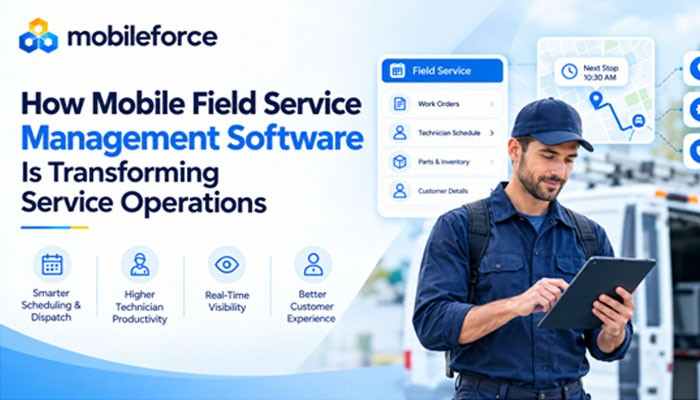

For many years, field service ran on phone calls, paper work orders, and the institutional memory of a few experienced dispatchers. That approach held up when service territories were small and customer expectations were modest. Today, customers expect reliable appointment windows, accurate updates, and technicians who arrive prepared. Mobile Field Service Management Software has become a central tool for meeting those expectations, giving distributed teams a shared, real-time view of every job. This article examines how it is changing field service operations, from scheduling and dispatch to technician productivity and customer experience, and what leaders should weigh as digital transformation continues.
The Evolution of Mobile Field Service Management Software
Early field service tools were essentially back-office systems. Dispatchers assigned jobs on desktop software, technicians phoned in status updates, and paperwork returned to the office at day’s end to be re-keyed into other systems. Delay and error were built into the process.
Mobile devices changed the direction of information. Work orders, customer history, and job status now travel with the technician. Modern Field Service Management Software treats the smartphone or tablet as the primary workspace rather than an accessory. Features such as GPS and offline synchronization allow mobile field service to function in basements, rural areas, and industrial sites with unreliable connectivity.
The shift is organizational as well as technical. Teams that once treated the field and the office as separate worlds are moving toward a single, shared record of each job.
Improving Technician Productivity Through Mobile Access
Picture a technician servicing commercial HVAC equipment. Without mobile access, the day may start with a printed schedule, include a call to the office about a previous visit, and end with handwritten notes someone else must transcribe. Each handoff consumes time that could go toward the work itself.
Mobile Field Service Management Software removes many of those handoffs. Technicians can review assigned jobs and service history, capture photos, collect customer signatures, and close work orders on-site. Digital work order management also improves data quality, because required fields and checklists can be standardized across the team.
Technician productivity is not only about speed. It is about reducing friction: fewer callbacks for missing information, less duplicate data entry, and more time spent resolving the customer’s issue. Offline support matters here, too, since a technician in a mechanical room with no signal still needs access to job details.
How Field Service Automation Streamlines Scheduling and Dispatch
Scheduling is a puzzle with many moving parts: technician skills, location, availability, job priority, parts on hand, and traffic. Solving it by hand works for a small team, but it becomes fragile as volume grows.
Field service automation applies rules and, increasingly, optimization logic to these variables. When an emergency call arrives, the system can identify a qualified technician who is nearby and show the schedule adjustments required to fit the job in. Route planning can reduce unproductive drive time, one of the largest hidden costs in service operations.
The role of dispatch management changes as a result. Dispatchers spend less time on routine assignments and more time on exceptions, such as a job that runs long or a customer who reschedules. Automation supports human judgment; it does not replace it.
Increasing Real-Time Visibility Across Service Operations
Traditionally, managers learned about problems after they occurred: a missed appointment, a delayed repair, an unhappy customer call. Real-time visibility moves that awareness earlier.
With location tracking, live job statuses, and dashboards, supervisors can see where work stands across regions and teams. Metrics such as response time, first-time fix rate, and schedule adherence become available continuously rather than in monthly reports. A service manager who notices a technician running behind can reassign a nearby job and alert the affected customer before the delay becomes a complaint.
This operational visibility also supports workforce optimization. Patterns in the data, such as recurring parts shortages or uneven workloads, show where training, staffing, or inventory adjustments would have the most effect.
Improving Customer Experience and Service Responsiveness

Customers rarely see the software, but they feel its effects. Accurate arrival windows, proactive notifications, and technicians who already know the service history all signal competence. Some organizations also offer self-service portals where customers can book, reschedule, and track appointments.
Consistency is the real advantage. When work orders, checklists, and approvals follow the same digital workflow, the customer experience depends less on which dispatcher answers the phone or which technician arrives. For a medical equipment provider or a utility contractor, that predictability builds trust over time.
Connecting Field Workflows With Business Systems
Field workflows rarely stand alone. A service request may begin in a CRM, require parts from inventory, and end with an invoice in a finance system. If the field app is disconnected from those systems, staff re-enter data and errors follow.
That is why integration is a core evaluation criterion for any Field Service Management Software. According to its website, Mobileforce offers a field service platform that combines scheduling, mobile workforce management, and inventory management, with native iOS and Android apps that support offline use and real-time sync, and it connects with CRM systems including Salesforce, HubSpot, Microsoft Dynamics, Creatio, and SugarCRM. Examples like this illustrate the broader direction of the category: field data and business data moving in one flow.
Organizations should still validate integration depth during evaluation, since “integrated” can mean anything from a simple data sync to a shared workflow.
Future Trends in Mobile Field Service Management
Several trends are shaping the next phase. AI-assisted scheduling is being applied to technician assignment and routing. Predictive maintenance, fed by equipment sensor data, may allow service to be scheduled before a failure occurs. Customer self-service is expanding, and analytics are moving from retrospective reporting toward forward-looking forecasts, including parts demand.
Leaders should approach these developments pragmatically. The most durable gains typically come from clean data, well-defined service workflows, and technician adoption, not from adding features. A phased rollout, starting with work orders and scheduling, is often easier to sustain than a sweeping change.
Conclusion
Mobile Field Service Management Software is changing service operations by putting information where the work happens. Mobile access supports technician productivity, field service automation improves scheduling and dispatch, real-time visibility strengthens oversight, and connected workflows reduce manual effort while supporting more consistent customer experiences. The organizations that benefit most treat it as an operational discipline, pairing the technology with clear processes and training rather than viewing it as a standalone purchase.
FAQ
1. What is Mobile Field Service Management Software?
It is software that lets technicians and dispatchers manage scheduling, work orders, and job updates from mobile devices, so field and office teams work from the same real-time information.
2. Can dispatchers still override automated schedules?
Generally, yes. Automation proposes assignments and routes based on set rules, while dispatchers handle exceptions and make final decisions.
3. Which metrics should organizations track?
Common measures include response time, first-time fix rate, schedule adherence, travel time, and customer satisfaction.
4. What affects implementation timelines?
Team size, data quality, integration requirements, and process complexity all play a role. A phased approach helps manage change.
5. Is Field Service Management Software only for large enterprises?
No. Organizations of many sizes use it. The right fit depends on service volume, workflow complexity, and existing systems.
