


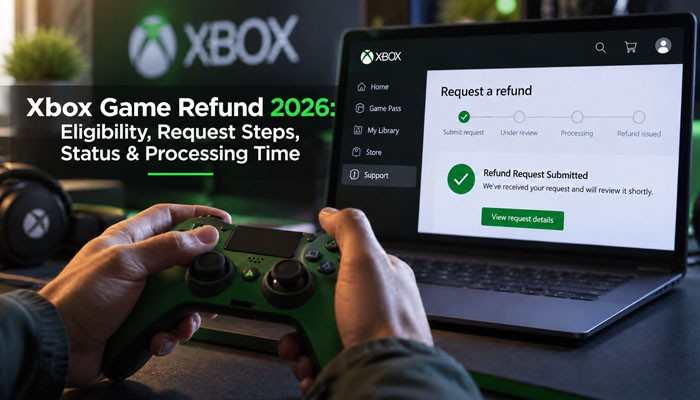

Need an Xbox game refund after buying the wrong game, choosing the wrong edition, making an accidental purchase, or experiencing a serious technical problem? Microsoft provides a refund process for qualifying digital Xbox purchases, but an Xbox game refund is not automatically approved simply because you changed your mind.
For digital games, Xbox’s refund guidance considers factors such as how recently the game was purchased and how much it has been played. Xbox also maintains a dedicated digital-game refund process where eligible purchases can be submitted for review. The Xbox game refund process involves more than just approval. Microsoft says qualifying refunds are generally returned to the original payment option, and payment processing can require 3–5 business days after a refund has been issued.
This complete guide explains Xbox game refund eligibility, how to request an Xbox refund, refund processing time, refund status, denied requests, Game Pass refunds, DLC, bundles, in-game purchases, pre-orders, third-party purchases, and common refund problems.
Quick Answer About Xbox Game Refund
An Xbox game refund may be available when a digital game meets Microsoft’s applicable eligibility requirements.
The most important points are:
- Submit your Xbox game refund request as soon as you realize there is a problem.
- Playtime can affect eligibility for a digital-game refund.
- Xbox does not advertise every digital purchase as automatically refundable.
- Refund approval is not guaranteed.
- Eligible refunds normally return to the original payment method.
- Microsoft says processed refunds generally require around 3–5 business days to appear.
- Xbox Game Pass uses a subscription process rather than the standard digital-game refund workflow.
- Individual products within a bundle cannot normally be returned separately.
- Purchases made through another retailer generally need to be handled by that retailer.
Xbox Game Refund Key Takeaways
An Xbox game refund is different from uninstalling a game. Removing a title from your console does not reverse the transaction. Your Xbox game refund eligibility can depend on the purchase, usage, product type, payment source, applicable Microsoft terms, and consumer laws in your country.
The company that actually processed the transaction also matters. A purchase made directly through Microsoft may follow Microsoft’s process, while an in-app purchase handled by another billing provider may need to be refunded through that provider.
An approved Xbox game refund also does not always mean the money will appear immediately. Your bank or payment provider may still need several business days to process the credit.
Xbox Game Refund Rules at a Glance
| Xbox Game Refund Question | What You Need to Know |
|---|---|
| Where to request a digital game refund | Use the Xbox digital-game refund system. |
| Does playtime matter? | Yes. Usage can affect refund eligibility. |
| Is every request approved? | No. Each request is reviewed individually. |
| Where does the refund go? | Usually to the original payment method. |
| How long does payment processing take after issuance? | Generally 3–5 business days. |
| Can one item from a bundle be returned? | Generally no. |
| How do Game Pass refunds work? | Game Pass uses a separate subscription refund process. |
| What if the game was purchased from a retailer? | Contact the original seller or retailer. |
| What about alternative in-game billing? | Contact the billing platform or game publisher. |
| What about physical Xbox products? | Physical products use a separate return process. |
What Is an Xbox Game Refund?
An Xbox game refund is a request to reverse an eligible purchase of digital gaming content associated with a Microsoft or Xbox account.
Players may look for an Xbox game refund after:
- Buying the wrong title
- Selecting the wrong edition
- Making an accidental purchase
- Buying the same game twice
- Encountering serious technical problems
- Discovering that a product does not meet expectations
However, deleting or uninstalling the game does not create a refund.
The digital license remains connected to your Microsoft account unless Microsoft approves the Xbox game refund or otherwise reverses the purchase.
Xbox Game Refund Eligibility in 2026
Not every digital Xbox purchase automatically qualifies for a refund.
Xbox provides specific digital-game refund terms and an online refund process for qualifying gaming purchases.
Several factors can affect an Xbox game refund.
Purchase Timing
Check your Xbox game refund options as soon as you know that you want Microsoft to review the transaction.
Waiting unnecessarily can make the situation more difficult, particularly when the purchase has already been used extensively.
Game Usage and Playtime
Playtime is another important consideration for an Xbox game refund.
A refund system is intended to address qualifying purchase issues rather than operate as an unlimited free-trial service.
If you have already decided to seek an Xbox game refund, continuing to play for many additional hours may make the request more difficult to justify.
Product Type
Different products can follow different processes.
For example:
- Digital Xbox games
- Game Pass subscriptions
- DLC
- Season passes
- Virtual currency
- Game bundles
- Pre-orders
- Physical products
should not automatically be treated as identical refund situations.
Who Processed the Payment?
This is another important Xbox game refund factor.
If Microsoft processed the transaction, Microsoft’s refund system may apply.
If a game or app used another billing platform, Microsoft says refund questions should be directed to the publisher or billing platform that handled the payment.
Does Xbox Have a Two-Hour Refund Rule?
One of the most common Xbox game refund questions is whether Xbox uses a strict two-hour playtime rule.
You should not assume that Xbox has the same refund rules as another gaming platform.
Xbox maintains its own digital-game purchase refund terms.
That means you should avoid relying on a simple formula such as:
Under two hours = guaranteed Xbox game refund
or
Over two hours = automatic Xbox game refund denial
Instead, check Microsoft’s current digital-game refund system for the specific purchase.
If you intend to request an Xbox game refund, submitting the request promptly is safer than continuing to accumulate playtime.
Is an Xbox Game Refund Guaranteed?
No.
Submitting an Xbox game refund request means Microsoft will evaluate the transaction under the applicable terms. It does not mean every purchase will automatically be reversed.
Factors that may matter include:
- Purchase age
- Usage
- Product type
- Payment source
- Whether content has been redeemed
- Whether the transaction was part of a bundle
- Applicable refund policies
- Regional consumer law
Users should therefore avoid treating an Xbox game refund as a guaranteed “try any game and return it later” system.
How to Request an Xbox Game Refund
If you want an Xbox game refund, use the account that originally made the purchase.
Step 1. Sign In to the Correct Microsoft Account
Start by signing in with the Microsoft account connected to the purchase.
This is particularly important if you use:
- More than one Xbox profile
- Several Microsoft accounts
- Family accounts
- Different email addresses for gaming and personal use
If the game is missing, the wrong account is one possible explanation.
Step 2. Open the Xbox Game Refund Page
Xbox maintains dedicated support pages for digital-game purchase refunds and refund requests.
Sign in and review the purchases associated with your account.
Step 3. Locate the Game
Find the game for which you want an Xbox game refund.
If Microsoft provides a refund option for that transaction, select it.
Step 4. Choose the Correct Refund Reason
Provide accurate information about why you are requesting the Xbox game refund.
Possible reasons may include:
- Accidental purchase
- Wrong game
- Wrong edition
- Duplicate transaction
- Serious technical problem
- Another legitimate purchase issue
Do not submit false information simply because you think it could improve your chances.
Step 5. Add Useful Information
If Microsoft allows you to explain the issue, keep your description concise.
For technical problems, useful information may include:
- Whether the game launches
- When the problem started
- Any recurring error message
- Troubleshooting already attempted
Step 6. Submit the Xbox Game Refund Request
Review the purchase and your information before submitting the request.
After submitting the Xbox game refund, monitor the same Microsoft account for updates rather than creating unnecessary duplicate requests.
Xbox Game Refund Process Explained
| Stage | Xbox Game Refund Process |
|---|---|
| Purchase | You buy the digital Xbox game. |
| Problem identified | You decide to seek a refund. |
| Refund request | You submit the purchase for review. |
| Microsoft review | Microsoft evaluates eligibility. |
| Decision | The request is approved or denied. |
| Refund issued | Microsoft sends the approved credit. |
| Payment processing | Your bank or payment provider processes the refund. |
| Completed | The money appears through the original payment method. |
Understanding this sequence is important.
An Xbox game refund approved status and the actual arrival of the money are not always the same event.
Xbox Game Refund Processing Time
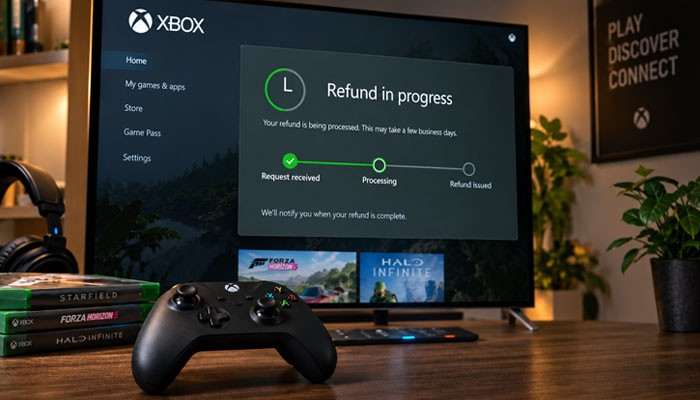
Another major search question is how long an Xbox game refund takes.
There are two parts to consider.
Microsoft Processing
Microsoft first needs to review and process the transaction.
The exact time can depend on the refund type and circumstances.
Bank or Payment Provider Processing
Once Microsoft has issued an eligible refund, the payment must still be returned through the financial system.
Microsoft says refunds are generally processed within 3–5 business days and applied to the original payment option.
Weekends and public holidays can make that period feel longer in calendar days.
Xbox Game Refund Timeline Example
Imagine that you purchase a game and request an Xbox game refund shortly afterward.
| Stage | Example |
|---|---|
| Game purchased | Day 1 |
| Xbox game refund submitted | Day 1 |
| Microsoft review | Depends on the request |
| Decision | After review |
| Refund issued | After approval |
| Payment processing | Generally 3–5 business days |
| Money received | Depends on payment provider |
This example is illustrative.
It is not a guaranteed Xbox game refund schedule.
How to Check Xbox Game Refund Status
If you have already submitted an Xbox game refund, check the existing transaction rather than immediately submitting another request.
Microsoft says customers can check refund status through their Microsoft account and Order History for applicable purchases.
Make sure you are signed into the Microsoft account that purchased the game.
When checking Xbox game refund status, confirm:
- The game name
- Purchase date
- Original payment method
- Current refund status
- Whether Microsoft has issued the credit
Xbox Game Refund Approved but Money Not Received
An Xbox game refund can be approved before the money appears in your account.
Microsoft says refunds are generally processed within 3–5 business days after they are issued and are applied to the original payment option.
If your Xbox game refund says it was issued but you have not received the money:
- Check the original payment method.
- Review recent bank or card transactions.
- Allow the standard processing period.
- Account for weekends and holidays.
- Contact your payment provider if the expected period has passed.
- Contact Microsoft Support if necessary.
Do not assume a missing immediate credit means the Xbox game refund failed.
Why Is the Xbox Game Refund Button Missing?
Sometimes a player wants an Xbox game refund but cannot find the refund option.
Possible reasons include:
- You are signed into the wrong Microsoft account.
- The transaction is not eligible for self-service refunding.
- The purchase is a subscription.
- Another retailer processed the payment.
- The purchase used another billing provider.
- The item was part of a bundle.
- The order is still processing.
- Online refund functionality is not available in the same way in your market.
Microsoft notes that online return options can vary by market.
Before contacting support, verify the exact transaction and account.
Why Was My Xbox Game Refund Denied?
An Xbox game refund denied decision can occur for several reasons.
The Purchase Does Not Meet the Applicable Conditions
Microsoft evaluates digital gaming purchases under the relevant Xbox refund terms.
Not every transaction automatically qualifies.
Extensive Usage
If a product has been used heavily, that can make an Xbox game refund less straightforward.
Wrong Refund Process
A Game Pass subscription, physical product, pre-order, bundle, DLC purchase, or third-party transaction may use a different process.
Another Retailer Sold the Product
Microsoft says it will not accept returns for purchases made from another retailer.
If another company processed the sale, contact that company about its refund policy.
Another Billing Platform Processed the Purchase
Microsoft says purchases made using alternative billing platforms are handled by the relevant publisher or billing provider.
This can be especially relevant to in-app purchases.
Can You Appeal a Denied Xbox Game Refund?
If your Xbox game refund is denied, carefully review the email or account message explaining the decision.
Follow any appeal, reply, or support instructions provided with that decision.
If you contact support, keep your explanation factual.
Useful information can include:
- Purchase date
- Order information
- Reason for the Xbox game refund
- Approximate usage
- Technical problems
- Missing details from the original request
An appeal does not guarantee that the Xbox game refund decision will change.
Is There a Limit on Xbox Game Refund Requests?
Microsoft does not advertise the Xbox game refund process as an unlimited return system.
Submitting many refund requests does not mean every future purchase will automatically qualify.
The safest approach is to use an Xbox game refund for legitimate purchase problems and follow Microsoft’s terms.
Microsoft separately warns that repeated misuse of payment chargebacks can be considered fraud.
Can You Get an Xbox Game Refund After Playing the Game?
Possibly, depending on the applicable eligibility rules and how the purchase was used.
Launching a game should not automatically be interpreted as permission to use it extensively and still expect a guaranteed refund.
If you quickly discover that you want an Xbox game refund, avoid adding unnecessary playtime while you decide what to do.
The best source for a final eligibility determination is Xbox’s current digital-game refund system.
Can You Get an Xbox Game Refund After 14 Days?
Older Xbox purchases can be more difficult to refund than recent ones.
Instead of assuming that an older purchase will definitely qualify or definitely fail, sign in to Xbox’s current digital-game refund system and check the transaction.
Regional consumer-protection rules can also affect refund rights.
For that reason, an Xbox game refund should be considered under both Microsoft’s applicable terms and any legal rights that apply where you live.
Can You Get an Xbox Game Refund for an Accidental Purchase?
If you accidentally purchased an Xbox game, check your Xbox game refund options immediately.
Examples include buying:
- The wrong game
- The wrong edition
- A duplicate game
- A product intended for another account
Avoid continuing to use the game extensively once you know you want to seek an Xbox game refund.
An accidental purchase can be submitted for review, but approval should not be treated as automatic.
Xbox Game Refund Rules by Purchase Type
Different Xbox purchases may require different refund routes.
| Purchase Type | Best Starting Point |
|---|---|
| Digital Xbox game | Xbox game refund process |
| Xbox Game Pass | Microsoft subscription management |
| DLC | Xbox/digital purchase refund options |
| In-game transaction | Check billing provider |
| Bundle | Bundle refund rules |
| Pre-order | Microsoft Order History |
| Physical product | Microsoft Store or retailer |
| Third-party game code | Original seller |
| Unrecognized charge | Microsoft payment investigation |
Xbox Game Refund vs Xbox Game Pass Refund
An Xbox game refund and an Xbox Game Pass refund are not the same thing.
Game Pass is a recurring subscription.
Microsoft says customers seeking a subscription refund generally need to manage or cancel the subscription first to determine whether it is eligible. Not every cancellation results in a refund.
Refund rights can also depend on country.
Microsoft lists certain countries where eligible subscriptions may receive prorated refunds under specified circumstances.
If your charge says Xbox Game Pass instead of the name of an individual game, use Microsoft’s subscription-management process rather than assuming the normal Xbox game refund workflow applies.
Xbox Game Refund for Pre-Orders
Pre-orders can follow different billing and cancellation rules from completed game purchases.
If you pre-ordered a game and want to cancel it, check Microsoft Order History and the current pre-order terms.
The correct process can depend on:
- Whether payment has already been collected
- Which payment method you used
- Whether the game has been released
- Whether the order still offers a cancellation option
Do not assume that every pre-order follows the same Xbox game refund procedure as an already released digital game.
Xbox Game Refund for DLC and Add-Ons
DLC and other downloadable content can include:
- Expansions
- Season passes
- Cosmetic packs
- Additional levels
- Character content
- Bonus items
An Xbox game refund for DLC may depend on the specific purchase and whether Microsoft’s refund system provides an eligible option.
Check the transaction in your account rather than assuming every add-on automatically qualifies.
Xbox Game Refund for In-Game Currency and Purchases
In-game purchases can be more complicated.
They may include:
- Virtual currency
- Coins
- Points
- Consumable items
- Character items
- In-game bundles
- Microtransactions
Before requesting an Xbox game refund for an in-game purchase, determine who actually processed the payment.
Microsoft says purchases made through an alternative non-Microsoft billing platform must be handled through that billing platform or publisher.
This is why an in-game purchase may not appear in your normal Microsoft spending history.
Xbox Game Refund for Bundle Purchases
Bundles can contain several pieces of content under one purchase.
For example:
- Base game
- Expansion
- Cosmetics
- Bonus currency
- Additional characters
Microsoft says individual items inside a bundle cannot be returned separately under its standard return process.
Therefore, before submitting an Xbox game refund for a bundle, review exactly what was purchased and what refund options Microsoft provides.
Can You Get an Xbox Game Refund From Another Retailer?
Usually, the company that sold you the product is responsible for its return policy.
Examples of third-party purchases include codes bought from:
- Gaming retailers
- Electronics stores
- Online marketplaces
- Digital-key websites
Microsoft says it does not accept returns for Microsoft products or other products purchased from another retailer.
That means activating a code on Xbox does not automatically make the transaction eligible for a Microsoft Xbox game refund.
Contact the original seller.
Xbox Game Refund for Physical Games or Products
A digital Xbox game refund is different from returning a physical Microsoft product.
Microsoft says selected eligible physical products purchased directly from Microsoft may qualify for returns of up to 60 days, depending on the product and market.
Physical products can include items such as:
- Controllers
- Hardware
- Packaged software
- Other eligible Microsoft Store merchandise
If you purchased the product from another retailer, that retailer’s return rules apply.
Xbox Game Refund for an Unrecognized Charge
An unrecognized Microsoft charge should not automatically be treated as a normal Xbox game refund.
Microsoft provides an Investigate option through the Manage your payments section of the Microsoft account dashboard.
Unexpected charges can sometimes result from:
- Recurring subscriptions
- Family-member purchases
- Previously declined transactions being retried
- Pre-orders
- In-app purchases
If you believe an unauthorized person accessed your account, secure the account and contact your financial institution when appropriate.
Xbox Game Refund vs Chargeback
An Xbox game refund and a chargeback are two different processes.
An Xbox game refund is handled through Microsoft or Xbox.
A chargeback is initiated through:
- A bank
- Credit card company
- PayPal
- Another financial provider
For an ordinary purchase problem, using the normal Xbox game refund and support process first is generally the more direct route.
For truly unauthorized transactions, follow Microsoft account-security guidance and your payment provider’s dispute procedures.
How to Prevent Accidental Xbox Purchases
If an accidental transaction caused your Xbox game refund request, changing your purchase settings can prevent repeat problems.
Consider:
- Requiring authentication before purchases
- Using a console passkey
- Reviewing saved payment methods
- Checking recurring subscriptions
- Securing your Microsoft account
- Reviewing family purchase activity
- Using parental purchasing controls
These precautions are especially useful when several people share one Xbox console.
Common Xbox Game Refund Problems and Solutions
| Xbox Game Refund Problem | What to Do |
|---|---|
| Game does not appear | Verify the purchasing Microsoft account |
| Refund button missing | Check product type and eligibility |
| Refund still processing | Review the existing request |
| Refund issued but money missing | Allow normal payment-processing time |
| Xbox game refund denied | Review the decision and support options |
| Game bought elsewhere | Contact original retailer |
| Bundle item | Check whole-bundle options |
| Game Pass charge | Use subscription management |
| Unknown charge | Investigate the payment |
| In-game transaction | Check billing provider |
Common Xbox Game Refund Mistakes to Avoid
Requesting the Refund Too Late
If you already know that you want an Xbox game refund, delaying the request provides little benefit.
Check eligibility promptly.
Continuing to Play Extensively
Usage may matter when Microsoft reviews an Xbox game refund.
Avoid unnecessary playtime after deciding that you want the purchase reviewed.
Assuming Approval Is Guaranteed
An Xbox game refund request is not the same as an automatic refund.
Microsoft still determines whether the transaction qualifies.
Using the Wrong Microsoft Account
A missing game may simply be associated with another account.
Always verify the purchasing account.
Using the Wrong Refund Process
Game Pass, physical products, pre-orders, and third-party purchases may follow different rules.
Contacting Microsoft About Another Retailer’s Transaction
Contact the company that actually processed the payment.
Expecting the Refund Immediately
Even after Microsoft issues the refund, normal payment processing can require several business days.
Tips for a Successful Xbox Game Refund Process
No method can guarantee approval, but you can avoid common problems.
- Check your purchase immediately after identifying an issue.
- Stop unnecessary play once you decide to seek an Xbox game refund.
- Sign into the Microsoft account used for the purchase.
- Review the exact transaction in Order History.
- Identify the product type.
- Confirm who processed the payment.
- Give an accurate reason for the Xbox game refund.
- Keep relevant order information available.
- Avoid submitting unnecessary duplicate requests.
- Monitor the existing refund status.
- Allow the payment provider enough time to post an issued refund.
- Contact the original retailer for third-party purchases.
Final Takeaway
An Xbox game refund in 2026 is easiest to manage when you first identify exactly what you purchased, who processed the payment, and which refund process applies.
For an individual digital game, use the official Xbox game refund system and submit your request promptly. Avoid unnecessary additional play once you know that you want the purchase reviewed, and provide accurate information about the transaction.
Remember that an approved Xbox game refund does not always appear instantly. Microsoft says issued refunds generally require around 3–5 business days to return to the original payment option.
Game Pass subscriptions, DLC, virtual currency, bundles, pre-orders, physical products, third-party codes, and purchases processed by another billing provider may follow different procedures.
For the smoothest Xbox game refund experience, use the correct Microsoft account, review the exact transaction, submit the request as soon as possible, monitor the refund status, and allow your payment provider enough time to process an approved refund.
Xbox Game Refunds FAQs
1. How do I request an Xbox game refund?
Sign in with the Microsoft account used to make the purchase and open Xbox’s digital-game refund system. Find the relevant purchase and follow the available refund-request steps.
2. Is an Xbox game refund guaranteed?
No. An Xbox game refund request must meet Microsoft’s applicable eligibility requirements, and submitting a request does not guarantee approval.
3. How long does an Xbox game refund take?
The Microsoft review period and the payment-processing period are separate. Once Microsoft has issued an eligible refund, it says the credit generally requires 3–5 business days to reach the original payment method.
4. How do I check Xbox game refund status?
Sign in with the account that made the purchase and review the applicable refund or Order History information.
5. Why was my Xbox game refund denied?
An Xbox game refund can be denied because of eligibility restrictions, extensive usage, the purchase type, the original seller, the billing provider, or other applicable refund conditions.
6. Can I request an Xbox game refund after playing?
Possibly. However, usage can affect eligibility. If you already intend to seek an Xbox game refund, avoid continuing to use the product unnecessarily.
7. Can I request an Xbox game refund for DLC?
Possibly, depending on the purchase and eligibility. Review the DLC transaction through the appropriate Xbox/Microsoft refund system.
8. Can I request an Xbox game refund for in-game currency?
It depends on the purchase and billing provider. If another billing platform processed the transaction, Microsoft directs customers to that platform or publisher for refund support.
9. Can I get an Xbox game refund for one item in a bundle?
Individual products within a bundle generally cannot be returned separately under Microsoft’s standard return process.
10. Is Xbox Game Pass handled through the Xbox game refund form?
Game Pass is a subscription, so use Microsoft’s subscription-management and refund process rather than treating it like an individual digital-game purchase.
11. Can Microsoft give an Xbox game refund for a retailer purchase?
Generally, Microsoft does not accept returns for products bought from another retailer. Contact the company that processed the original transaction.
12. Why is my Xbox game refund approved but the money is missing?
Your payment provider may still be processing it. Microsoft says issued refunds are generally processed within 3–5 business days and returned to the original payment option.
13. What should I do if the Xbox game refund button is missing?
Verify the purchasing account, product type, payment provider, and refund eligibility. If the self-service option is unavailable, use the appropriate Microsoft or Xbox support route.
