


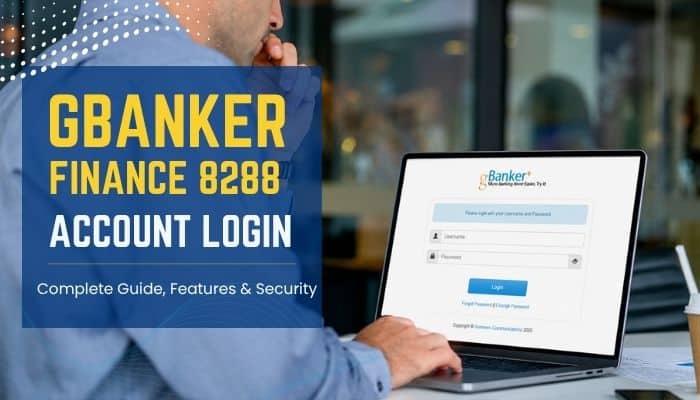

The GBanker Finance 8288 account login is commonly used by authorized users trying to access gBanker, a web-based microfinance management system developed by Grameen Communications. However, several online guides incorrectly present it as a consumer banking website or publish login addresses that have not been officially verified.
According to the official product information, gBanker is an integrated micro-banking system designed primarily for microfinance institutions, or MFIs. It supports loan management, deposits, accounting, payroll, inventory and fixed-asset administration. It is not a public banking platform where anyone can independently register for a personal account.
There is also no publicly confirmed evidence that “8288” is an official gBanker software version. In the context of GBanker Finance 8288, the number most likely refers to a custom network port used by a particular installation. Users should therefore obtain the correct login address directly from their employer, microfinance institution or authorized system administrator before entering any credentials.
Quick Answer
To complete a GBanker Finance 8288 account login, use only the web address provided by your microfinance institution or authorized system administrator. Check that the domain is correct, the page uses HTTPS and the browser displays no certificate warning. Then enter your assigned username and password and complete any additional verification required by your organization.
Do not treat a search result containing “gbanker.finance.8288” as an official login page. Grameen Communications describes gBanker and its core modules on its public website, but it does not provide one universal login address for every institution using the software.
Key Takeaways
- gBanker is a web-based microfinance management system developed by Grameen Communications.
- The platform is mainly used by microfinance institutions, branch offices, accounting teams and other authorized employees.
- In GBanker Finance 8288, the number “8288” most likely refers to a server port rather than an official software version.
- Each organization may operate its own gBanker installation and use a different login address.
- Users should access the system only through a URL provided by their institution or authorized administrator.
- The platform includes six core modules: portfolio management, deposit banking, payroll, inventory, fixed assets and accounting.
- Account activation, password resets and access permissions are generally managed by the institution rather than through a universal public portal.
What Is GBanker Finance 8288?
GBanker Finance 8288 is an informal search term linked to the web-based version of gBanker, an integrated microfinance management system developed by Grameen Communications.
The platform was created to support the operational needs of microfinance institutions. It helps organizations manage lending, savings, accounting and branch-level administrative tasks through one connected system.
The official gBanker product includes six core modules:
- Portfolio and loan management
- Deposit banking
- Payroll
- Inventory
- Fixed assets
- Accounting
Unlike a conventional consumer banking app, gBanker is primarily an institutional platform. Its users may include loan officers, branch employees, accountants, managers, auditors and system administrators.
Access to GBanker Finance 8288 depends on each organization’s individual installation, user permissions and security settings. Some institutions may also provide separate customer-facing services.
Is “8288” a GBanker Version Number?
There is no reliable primary-source evidence showing that “8288” is an official gBanker software version. Grameen Communications’ product information refers to versions 1.0, 5.0 and 6.0, but it does not identify a release called GBanker Finance 8288.
In a web address, 8288 is more likely to be a network port. A port directs the browser to a specific service running on a server and normally appears after the hostname with a colon.
For example:
https://approved-domain.example:8288/Account/Login
In this sample address:
https://is the communication protocol.approved-domain.exampleis the hostname.:8288is the network port./Account/Loginis the login-page path.
This is only a technical formatting example, not an official gBanker login URL.
An address written as gbanker.finance.8288/account/login does not follow the standard format for port 8288. Users should not assume that a page is legitimate simply because it contains the words GBanker Finance 8288. Always verify the exact login address with the relevant institution or authorized system administrator.
Is There One Official GBanker Finance 8288 Login URL?
Grameen Communications does not publish one universal GBanker Finance 8288 login URL for every customer. gBanker is deployed and customized separately for different microfinance institutions, so each organization may use its own domain, server and access settings.
The correct login address may depend on:
- The institution operating the system
- Its country or service region
- Whether gBanker is cloud-hosted or internally hosted
- The organization’s assigned domain name
- Its network and security configuration
- Whether a corporate network or VPN is required
- The software version and custom features in use
Obtain the verified login URL directly from:
- Your microfinance institution or employer
- Your branch manager
- Your internal IT department
- An authorized gBanker administrator
- Grameen Communications or an approved implementation partner
Never assume that a search result is the official login page. Avoid unofficial APK websites, social-media links, advertisements and copied blog URLs when accessing GBanker Finance 8288.
How to Complete the GBanker Finance 8288 Account Login
The login screen may differ between institutions, but authorized users can generally follow the same process. Complete the GBanker Finance 8288 login only through the web address approved by your organization.
1. Obtain the Approved Login Address
Ask your organization for its current gBanker login URL. The address should come from a trusted source, such as:
- An official company email
- An employee handbook
- Your institution’s internal portal
- Your branch manager
- The authorized IT department
Do not recreate the address from memory, especially when it contains a custom port number such as 8288.
2. Check the Complete Domain
Inspect the entire web address before entering your login details.
Confirm the following:
- The domain is spelled correctly
- The address belongs to your organization
- The expected port appears after a colon, when required
- The login-page path is correct
- The connection uses HTTPS
- The browser displays no certificate or security warning
A padlock icon alone does not prove that a website is genuine. Fraudulent websites can also use HTTPS, so the complete hostname must match the address provided by your institution.
3. Enter Your Assigned Username
Use only the username or employee identifier issued by your organization. Depending on the system configuration, this may be:
- An employee ID
- A branch user ID
- An email address
- A system-generated username
- A role-specific operator account
Never use another employee’s account, even when you both need access to the same module. Shared accounts reduce accountability and make unauthorized activity harder to trace.
4. Enter Your Password
Type your password directly into the approved GBanker Finance 8288 login page. Do not store passwords in unsecured documents or share them through email, messaging apps or spreadsheets.
Use a long, unique password that is not reused for other services. A trusted password manager can help generate and securely store strong login credentials.
Passwords alone cannot fully protect users from phishing. Complete any additional authentication step provided by your organization and never share a password or verification code with another person.
5. Complete Additional Authentication
Some institutions may require an extra verification step before granting access to GBanker Finance 8288. Depending on the organization’s security settings, this may include:
- An authenticator-app code
- A hardware security key
- A passkey
- An SMS verification code
- An email verification code
- Approval through a registered device
These security options depend on the configuration selected by each institution. Grameen Communications’ public product page does not confirm that multifactor authentication is enabled in every gBanker installation.
Multifactor authentication adds another layer of protection when a password is stolen. Phishing-resistant methods, such as passkeys and hardware security keys, generally provide stronger protection than verification codes entered manually from SMS or email.
Never approve an unexpected login request or share a verification code with another person.
6. Verify the Dashboard
After logging in, confirm that the dashboard displays the correct:
- Institution or branch name
- Username and assigned role
- Business or transaction date
- Authorized modules
- Menu permissions
- Account or operational information
Do not continue using the system when you notice unfamiliar branding, unauthorized modules, incorrect branch information or unusual transactions. Log out and report the issue immediately to your administrator or IT department.
7. Log Out Securely
Always select Logout or Sign Out after completing your work.
Closing the browser tab may not immediately terminate the active session. Another person could potentially reopen the browser and access sensitive information if the session remains valid.
Secure logout is especially important when using:
- A shared office computer
- A branch terminal
- A public device
- A remote desktop connection
- A temporary workstation
After logging out of GBanker Finance 8288, close the browser and lock the device when it is shared with other employees.
Information Commonly Required at Login
| Login requirement | Purpose |
|---|---|
| Approved web address | Connects the user to the correct institutional installation |
| Username or operator ID | Identifies the authorized user |
| Password | Verifies the user’s login credentials |
| Branch or office code | Identifies the assigned operational location |
| Business date | Determines the active accounting or transaction period |
| Verification factor | Provides an additional layer of identity confirmation |
| VPN or internal network | Restricts access to approved networks or devices |
Not every gBanker installation requests all these details. Login requirements depend on the institution’s security policies, user roles and system configuration.
Main Features of GBanker
GBanker Finance 8288 combines essential microfinance and administrative functions in one system.
- Portfolio and Loan Management: Records loan disbursements, installment collections, savings transactions and repayment schedules.
- Deposit Banking: Manages savings accounts, deposits, withdrawals, cheque receipts and cheque issuance.
- Accounting: Generates cash books, trial balances, ledgers, balance sheets and financial reports.
- Payroll: Handles employee salaries, allowances, deductions, bonuses, staff loans and payroll reports.
- Inventory Management: Tracks suppliers, materials, stock balances and store requisitions.
- Fixed-Asset Management: Maintains asset records, depreciation details and asset reports.
- Multi-Branch Operations: Allows authorized teams to manage activities across multiple branches.
- Web-Based Access: Enables approved users to access GBanker Finance 8288 through an internet-connected computer.
- Language Support: Supports English and Bengali, with additional languages available through customization.
Who Can Use GBanker Finance 8288?
Access to GBanker Finance 8288 is generally limited to authorized employees and representatives of microfinance institutions that use the gBanker system.
Potential users include:
- Microfinance loan officers
- Branch operators
- Cashiers
- Savings and deposit officers
- Accountants
- Payroll employees
- Inventory officers
- Asset managers
- Branch managers
- Auditors
- System administrators
- Senior managers reviewing reports
Borrowers and depositors should not use an employee login portal unless their institution has officially provided access. Any customer-facing GBanker Finance 8288 portal or application should be verified directly with the relevant microfinance institution.
GBanker Finance 8288 Login Security
A professional-looking login page is not always genuine. Before entering credentials into GBanker Finance 8288, confirm the complete web address with your microfinance institution, employer or authorized system administrator.
What Official Sources Confirm
Grameen Communications describes gBanker as a secure and reliable microfinance management system developed with modern security considerations. Its privacy policy also mentions reasonable safeguards and SSL encryption for certain information processed through its websites and applications.
However, these broad statements do not prove that every GBanker Finance 8288 installation uses the same authentication methods, hosting environment, encryption settings or access controls.
What Has Not Been Publicly Confirmed
Official product information does not confirm that every installation automatically includes:
- Biometric authentication
- A universal Android or iOS app
- Mandatory multifactor authentication
- A specific “256-bit” encryption standard
- AI-powered budgeting
- Personal investment accounts
- Gold loans or home loans
- A free consumer plan
- Automated credit scoring
- Universal 24-hour customer support
Some institutions may add custom features or integrations. Users should verify all security claims and available services directly with the organization operating GBanker Finance 8288, rather than relying on unofficial articles, advertisements or download websites.
How to Identify a Fake GBanker Login Page
A polished design and padlock icon do not guarantee a safe login page. Fake websites can closely copy genuine portals to steal usernames, passwords and verification codes from GBanker Finance 8288 users.
Watch for these warning signs:
- The domain differs from the address provided by your institution
- “8288” appears inside a suspicious domain instead of after a colon as a port
- The institution’s name or logo is misspelled
- The browser displays a certificate or security warning
- The page triggers unexpected pop-ups or downloads
- You are asked to install an unknown APK or browser extension
- The site requests a debit-card PIN or unrelated banking details
- Someone asks you to share an OTP by phone, email or chat
- The message creates urgency or threatens immediate account suspension
- The login link comes from an unknown sender
- The page promises loans, investments, rewards or prizes
- The form asks for more personal information than the normal login screen
Phishing pages may reach users through emails, text messages, advertisements or manipulated search results. Always compare the full address with the official URL supplied by your institution before accessing GBanker Finance 8288, and never approve an unexpected login request.
Password and Account Security Best Practices

Follow these simple steps when using GBanker Finance 8288:
- Use a unique password: Never reuse your gBanker password for email, social media, banking or other workplace accounts.
- Choose a strong passphrase: Use a long password and avoid names, phone numbers, birth dates and predictable patterns.
- Enable MFA: Use passkeys, security keys or verification codes when your institution offers additional authentication.
- Never share login details: Do not share your password, OTP or verification code with anyone.
- Use an approved device: Access the system through a company-managed computer with updated software and security protection.
- Avoid public Wi-Fi: Use your organization’s secure network or approved VPN.
- Check account activity: Report unfamiliar transactions, login alerts or permission changes immediately.
- Log out securely: Always sign out of GBanker Finance 8288 and lock the device after finishing your work.
Forgotten GBanker Password: What to Do
Password recovery for GBanker Finance 8288 depends on the institution managing the account.
Use the Official Reset Option
If the verified login page includes Forgot Password or Reset Password, follow the instructions provided.
You may need to confirm your identity through:
- A registered email address
- A registered phone number
- An authenticator app
- An authorized administrator
- An internal verification process
Contact Your Administrator
If no reset option is available, contact your organization’s gBanker administrator or IT support team.
Provide only the details needed to identify your account, such as:
- Your name
- Employee ID
- Branch
- Username
- Error message
- Time of the failed login attempt
Never send your current password, proposed password or verification code by email or message.
Do Not Create a New Account
Accounts for GBanker Finance 8288 are usually created and assigned by authorized administrators. Registering through an unrelated website will not restore access and may expose your personal information.
Common GBanker Login Problems and Solutions
Users may occasionally face access issues while signing in to GBanker Finance 8288. The table below explains the most common problems and the safest actions to take.
| Problem | Likely cause | Recommended action |
|---|---|---|
| Invalid username or password | Typing error, changed password or disabled account | Re-enter the details carefully or contact the administrator |
| Account locked | Too many failed login attempts | Stop retrying and request an authorized account unlock |
| Login page does not load | Server outage, incorrect URL or network issue | Verify the address and contact the IT team |
| Port 8288 is unreachable | Firewall restriction, VPN requirement or network policy | Connect through the approved network or VPN |
| Certificate warning appears | Incorrect domain, expired certificate or possible interception | Do not continue; report the warning to IT |
| Session has expired | Inactivity or automatic security timeout | Return to the verified login page and sign in again |
| Dashboard is incomplete | Incorrect role or permission settings | Ask the administrator to review your access rights |
| Verification code does not arrive | Incorrect contact details or delivery delay | Confirm the registered method with support |
| Browser displays a blank page | Cache, browser compatibility or script issue | Use the approved browser and clear the site data |
| Login page keeps redirecting | Cookie or session problem | Allow required cookies and restart the browser |
| Wrong branch or institution appears | Incorrect account assignment | Log out immediately and contact the administrator |
| Unauthorized modules are visible | Excessive user permissions | Avoid using them and report the issue to IT |
Do not disable browser, firewall or certificate protections to solve a login problem. When GBanker Finance 8288 remains unavailable, contact your institution’s authorized administrator rather than using an unofficial login link.
Why Port 8288 May Not Open
A GBanker Finance 8288 login page may fail to open when the browser cannot connect to the required server port.
Common reasons include:
- Access is limited to the organization’s internal network
- A firewall blocks port 8288
- A corporate VPN is required
- The server is temporarily unavailable
- The hostname or login address has changed
- The organization has moved the service to another port
- The security certificate does not match the address
Do not disable browser, firewall or certificate protections to restore access. Contact your institution’s authorized IT team to verify the login address, VPN requirements and network settings.
GBanker Versus Regular Online Banking
| Area | gBanker | Consumer online banking |
|---|---|---|
| Primary users | Microfinance institutions and authorized employees | Individual bank customers |
| Main purpose | Manage loans, deposits, accounting and branch operations | Check balances and complete personal transactions |
| Account creation | Controlled by the institution or administrator | Connected to the customer’s bank account |
| Login address | May vary by organization and installation | Usually provided through one official bank domain |
| Main features | Portfolio, deposits, payroll, inventory, assets and accounting | Transfers, cards, bills, balances and statements |
| Permissions | Based on role, branch and job responsibilities | Based on the customer’s accounts |
| Customization | Can be customized for each institution | Usually standardized by the bank |
This distinction matters because GBanker Finance 8288 is an institutional microfinance platform, not a public consumer-banking website where anyone can create an account.
Advantages and Limitations of GBanker
GBanker Finance 8288 can help microfinance institutions manage financial and administrative activities through one integrated system. However, organizations should also evaluate its technical and operational requirements.
| Area | Advantages | Potential limitations |
|---|---|---|
| Loan and savings management | Combines loan, installment, deposit and savings records | Accuracy depends on correct and timely data entry |
| Accounting | Centralizes ledgers, vouchers and financial reports | Accounting setup and reconciliation may require trained staff |
| Multi-branch operations | Supports activities across multiple branches | Performance depends on reliable network connectivity |
| Data entry | Reduces repeated entry across connected modules | Data migration from older systems may be complex |
| Reporting | Produces operational and financial reports | Custom reports may require additional configuration |
| Payroll | Manages salaries, allowances, deductions and staff loans | Payroll rules must be configured correctly |
| Inventory and assets | Tracks stock, suppliers, assets and depreciation | Physical records still require regular verification |
| Web-based access | Allows authorized access through connected computers | Server, browser, firewall or port issues may affect availability |
| Customization | Can be adapted to institutional requirements | Custom integrations may increase cost and implementation time |
| Language support | Supports English and Bengali | Additional languages may require customization |
| Security | Can use role-based access and institutional controls | Security settings may differ between deployments |
| User management | Administrators can assign roles and branch permissions | Organizations may depend heavily on local administrators |
| Backup and recovery | Can support centralized data-management procedures | Backup quality depends on the institution’s configuration |
| Training | Brings major operations into one platform | Employees may require implementation and ongoing training |
Features, security controls and support services available in one GBanker Finance 8288 installation may not exist in another. Each institution should verify its selected modules, infrastructure, permissions, backup procedures and maintenance arrangements before deployment.
Security Recommendations for GBanker Administrators
Organizations managing a GBanker Finance 8288 account login portal should follow recognized security best practices, including:
- Enforce unique user accounts.
- Apply least-privilege access controls.
- Enable multi-factor authentication (MFA) where supported.
- Remove inactive or former employee accounts promptly.
- Monitor failed login attempts and suspicious activity.
- Maintain detailed audit logs.
- Keep operating systems, databases and application software updated.
- Test backups and disaster recovery procedures regularly.
- Use valid TLS/SSL certificates to encrypt connections.
- Train employees to recognize phishing and social engineering attacks.
Conclusion
The GBanker Finance 8288 account login should be treated as an institutional system-access process rather than a public consumer banking registration page. gBanker is a comprehensive microfinance management solution developed by Grameen Communications, offering modules for loan management, deposit banking, payroll, inventory, fixed assets and accounting.
Before using the GBanker Finance 8288 account login, always verify that the login URL has been provided by your institution or an authorized administrator. Because 8288 likely represents a custom server port and different organizations may operate separate deployments, there is no single public login address for every user.
Never enter your credentials on a page found only through advertisements, unofficial articles or APK download websites. Verify the domain carefully, use strong and unique passwords, enable the strongest available multi-factor authentication (MFA) where supported and report certificate warnings, suspicious login attempts or unusual account activity immediately to your organization’s IT or security team.
FAQs About Gbanker Finance 8288
1. Is GBanker Finance 8288 available on mobile devices?
Some institutions may provide mobile access to GBanker Finance 8288, but availability depends on the organization’s deployment and security policies.
2. Can multiple users access GBanker Finance 8288 simultaneously?
Yes. GBanker Finance 8288 supports multiple authorized users with role-based permissions, allowing different departments to work at the same time.
3. Does GBanker Finance 8288 support report exports?
Many deployments of GBanker Finance 8288 allow authorized users to export financial reports, though available formats depend on institutional settings.
4. How often should passwords be changed for GBanker Finance 8288?
Organizations should require users to update GBanker Finance 8288 passwords regularly and immediately after any suspected security incident.
5. Can GBanker Finance 8288 integrate with other business systems?
Some institutions customize GBanker Finance 8288 to integrate with accounting, reporting or other enterprise systems based on operational needs.
6. Who manages user permissions in GBanker Finance 8288?
User roles and access permissions in GBanker Finance 8288 are typically managed by the institution’s authorized system administrator.
7. Does GBanker Finance 8288 require regular software updates?
Yes. Keeping GBanker Finance 8288 updated helps improve security, stability and compatibility with supported browsers and operating systems.
8. Why is GBanker Finance 8288 widely used by microfinance institutions?
GBanker Finance 8288 helps microfinance institutions manage loans, deposits, accounting, payroll and branch operations from a centralized platform.
