


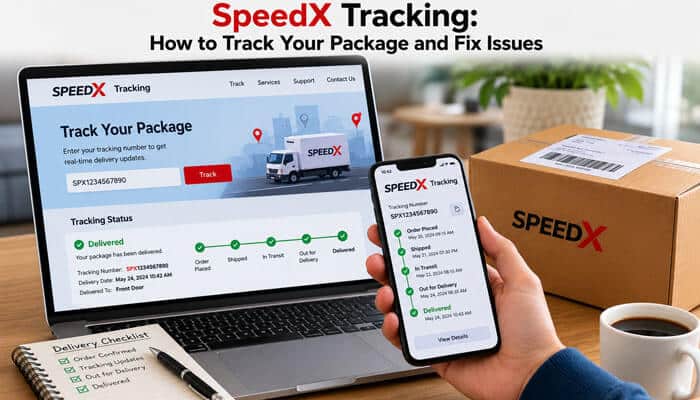

Waiting for an online order can become frustrating when its delivery status stops changing, shows an unfamiliar message, or says the parcel was delivered when nothing arrived. SpeedX Tracking helps recipients check recent shipment events, estimated delivery information, out-for-delivery notifications, and available proof-of-delivery photos.
The company’s official brand spelling is SpeedX, although many customers search for its tracking service using the phrase SpeedX Tracking. SpeedX provides last-mile delivery services for ecommerce retailers, online marketplaces, direct-to-consumer brands, fulfillment companies, and cross-border logistics providers.
SpeedX says its delivery network covers more than 12,000 ZIP codes across the United States. However, that does not mean every U.S. address is covered. Carrier availability can depend on the retailer, service level, parcel type, and destination.
This complete SpeedX Tracking guide explains how to track a SpeedX package, understand common statuses, resolve delayed updates, handle an attempted delivery, find proof of delivery, correct an address, and contact the appropriate company when a parcel is missing, damaged, delayed, or misdelivered.
Quick Answer: How to Use SpeedX Tracking
To use SpeedX Tracking, find the carrier tracking number in your shipping email, retailer account, order page, or dispatch message. All official SpeedX tracking numbers begin with SPX.
Enter the number in the official SpeedX portal to view the latest available shipment events. The SpeedX Tracking page may show facility scans, estimated delivery information, an out-for-delivery update, and a proof-of-delivery photo after the parcel arrives.
Customers can also register for automated SMS notifications. These alerts may tell you when the package enters an important stage, including when it goes out for delivery.
If SpeedX Tracking has not changed for three business days, SpeedX advises contacting the retailer. Use the Miles chatbot to provide access codes, apartment information, business hours, safe-place instructions, or eligible street-address corrections.
Refunds, replacements, and formal claims generally need to be handled through the merchant rather than through SpeedX Tracking support.
Key SpeedX Tracking Takeaways
- Every official SpeedX tracking number starts with SPX.
- SpeedX Tracking may begin before SpeedX physically receives the parcel.
- “Label created” means SpeedX has shipment information but does not yet have the package.
- “In transit” means the parcel is being processed but is not yet out for delivery.
- “OFD” means “Out for delivery,” indicating that a driver has the package.
- The estimated date shown through SpeedX Tracking is not a guaranteed appointment.
- SpeedX does not currently provide a live customer-facing driver map.
- Contact the retailer if SpeedX Tracking does not change for three business days.
- SpeedX does not currently allow recipients to collect packages from its facilities.
- Most ordinary packages do not require signatures.
- Merchants normally handle refunds, replacements, returns, and recipient claims.
What Is SpeedX?
SpeedX is a technology-enabled logistics company focused on ecommerce and last-mile delivery. Last-mile delivery is the final stage of a shipment’s journey, when a package moves from a local sorting or delivery facility to the customer’s address.
SpeedX works with:
- Ecommerce retailers
- Online marketplaces
- Direct-to-consumer brands
- Third-party logistics companies
- Fulfillment providers
- Cross-border shippers
The company promotes next-day and second-day delivery options to business clients. It also offers shipment tracking, SMS updates, proof-of-delivery photography, customs-clearance support, parcel handling, address verification, and delivery-network technology.
For recipients, SpeedX Tracking is the main tool used to check the progress of an eligible shipment after the retailer provides an SPX tracking number.
These business services do not mean every online purchase will arrive one or two days after the order is placed. The merchant may still need time to prepare the item, move it internationally, clear customs, or transfer it into the SpeedX network.
Where Does SpeedX Deliver?
SpeedX says its network covers more than 12,000 U.S. ZIP codes, with an emphasis on densely populated markets.
A retailer may use SpeedX for one destination and another carrier for a different ZIP code. Therefore, customers should confirm the carrier inside the retailer’s order page before attempting to use SpeedX Tracking.
Coverage can depend on:
- Destination ZIP code
- Parcel type
- Merchant contract
- Delivery service
- Package dimensions
- Local network availability
If your order page lists a different carrier, entering that company’s number into SpeedX Tracking may produce no result.
Is SpeedX a Legitimate Delivery Company?
Yes. SpeedX operates an official tracking portal, delivery-support system, logistics network, and publicly available parcel-services agreement under Speed Xpress Inc.
A valid SpeedX Tracking result should correspond with a genuine order in your retailer account. The tracking number should also begin with SPX.
However, a legitimate carrier can still experience:
- Processing delays
- Missing facility scans
- Incorrect address information
- Property-access problems
- Failed delivery attempts
- Parcel damage
- Misdeliveries
- Packages marked delivered but not found
A delivery problem shown through SpeedX Tracking does not automatically mean the carrier or tracking number is fraudulent.
How to Verify a SpeedX Shipment
Follow these steps:
- Open the order through the retailer’s official website or application.
- Confirm that SpeedX is listed as the delivery carrier.
- Check that the tracking number begins with SPX.
- Open SpeedX Tracking through the official SpeedX website.
- Compare the order number, destination, and shipment information.
- Avoid unfamiliar links sent through unsolicited texts or emails.
A fake message may use the SpeedX name but direct you to an unrelated website. Always reach SpeedX Tracking through a verified source.
How SpeedX Tracking Works
SpeedX Tracking normally begins when a retailer, fulfillment company, or logistics provider electronically submits shipment data to SpeedX.
A tracking number can be created before SpeedX physically receives the parcel. This means the tracking page may exist even though the package is still with the merchant or another shipping partner.
The general process is:
- A customer places an order.
- The retailer prepares the shipment.
- Shipment data is sent to SpeedX.
- An SPX tracking number is generated.
- The parcel is transferred into the SpeedX network.
- The package is scanned at a sorting facility.
- The shipment is assigned to a route.
- A driver receives the package.
- The parcel is delivered.
- A proof-of-delivery photo may become available.
Each important recorded event may appear through SpeedX Tracking.
A SpeedX Tracking Number Does Not Mean SpeedX Has the Package
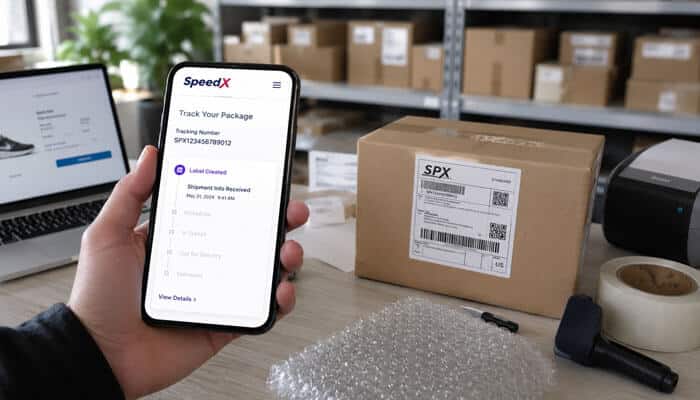
This distinction is important.
When SpeedX Tracking says “Label created” or “Shipping label created,” SpeedX has received electronic shipment information, but it does not yet have the physical package.
The parcel may still be with:
- The retailer
- A fulfillment warehouse
- An international carrier
- A consolidator
- Another logistics provider
Contacting SpeedX may not resolve a label-created delay because SpeedX cannot scan a parcel it has not received.
Does SpeedX Tracking Provide Live GPS?
SpeedX Tracking provides shipment events and status updates, but recipients should not expect a continuously moving driver map.
SpeedX currently does not allow recipients to:
- Select a delivery time slot
- Change the delivery time
- See the driver’s exact live location
- Receive a nearby-driver notification
- Speak directly with the driver
An “Out for delivery” event means a driver has the package. However, SpeedX Tracking does not show the driver’s exact stop number or guaranteed arrival time.
How to Use SpeedX Tracking Step by Step
Step 1: Find Your SpeedX Tracking Number
Look for the number in:
- Your shipping-confirmation email
- The retailer’s order page
- Your marketplace purchase history
- A dispatch notification
- A shipping text message
- A customer-service email
Do not confuse the merchant order number with the carrier tracking number. An order number identifies the purchase in the seller’s system, while the SPX number identifies the parcel inside SpeedX Tracking.
Step 2: Open the Official SpeedX Tracking Portal
Visit the official SpeedX website and select Track My Package.
The official SpeedX Tracking portal may provide:
- Recent shipment events
- Facility information
- Out-for-delivery updates
- SMS notification registration
- Proof-of-delivery photos
- Delivery ZIP-code verification
- Access to Miles support
The official portal is generally more useful than a third-party tracker when you need support or proof of delivery.
Step 3: Enter the SPX Number
Copy and paste the tracking number whenever possible. Remove accidental spaces before or after the number.
Every official SpeedX tracking number begins with SPX. SpeedX does not publish one universal total character length, so do not reject a number merely because it differs from an unofficial example.
Step 4: Review the Latest SpeedX Tracking Event
Check:
- Current shipment status
- Date and time of the latest event
- Facility or location details
- Estimated delivery date
- Out-for-delivery status
- Delivery timestamp
- Proof-of-delivery photo
The newest event in SpeedX Tracking is normally more useful than the original shipping date because it shows the last recorded movement.
Step 5: Save SpeedX Tracking Evidence
Take screenshots when:
- The status has not changed for several days
- The package is marked delivered but cannot be found
- The delivery photo shows another property
- The shipment displays the wrong city or ZIP code
- The package arrived damaged
- You plan to request a replacement or refund
Keep the order confirmation, seller messages, packaging photographs, and any SpeedX Tracking delivery photo.
What Does a SpeedX Tracking Number Look Like?
Every official SpeedX tracking number begins with SPX.
A number that does not begin with SPX may be:
- The retailer’s order number
- A reference from another carrier
- A number used for an international shipping stage
- A temporary fulfillment reference
- An incorrectly copied number
- A delivery-partner tracking number
Contact the retailer if your number does not work in SpeedX Tracking.
Avoid websites that claim every SpeedX number must contain one exact number of characters. The official support information confirms the SPX prefix but does not publish one universal length.
SpeedX Tracking Statuses Explained
The wording can vary by shipment or retailer integration. However, the following table covers the most important SpeedX Tracking statuses.
| SpeedX Tracking status | What it means | What you should do |
| Label created | SpeedX has shipment data but not the physical parcel | Allow the seller time to transfer it |
| Facility or processing update | The parcel is being scanned, sorted, or transferred | Continue monitoring |
| In transit | The parcel is being processed but is not yet out for delivery | No immediate action is usually needed |
| OFD / Out for delivery | A driver has the package | Make sure the destination is accessible |
| Attempted delivery | The driver could not complete delivery | Check the address and provide instructions |
| Delivered | A final delivery event was recorded | Check the location and delivery photo |
| Return initiated | The parcel may be moving back to the seller | Contact the retailer |
| EDD / Estimated delivery date | A predicted delivery timeframe | Treat it as an estimate rather than a guarantee |
What Does “Label Created” Mean?
When Speed Tracking shows “Label created,” SpeedX has not yet received the physical package.
The retailer may still be processing the shipment. If this status remains for several business days, contact the retailer.
What Does “In Transit” Mean?
An “In transit” status means the package is moving through processing or transportation stages but is not yet out for final delivery.
Recent movement in SpeedX Tracking normally means you can continue waiting unless the promised delivery date has passed.
What Does OFD Mean?
OFD means Out for delivery.
This status indicates that a driver has the package. Make sure your building, gate, apartment, or business is accessible.
What Does EDD Mean?
EDD means Estimated delivery date.
The date displayed in SpeedX Tracking is a prediction and can change because of weather, route volume, carrier handoffs, customs processing, or facility delays.
Speed X Tracking Quick-Action Guide
| Latest SpeedX Tracking status | Wait or act? | Who to contact |
| Label created for less than three business days | Usually wait | Retailer if its processing window passes |
| Label created for several days | Act | Retailer |
| In transit with recent movement | Usually wait | No one unless the expected date passes |
| No update for three business days | Act | Retailer |
| Attempted delivery | Act immediately | SpeedX through Miles |
| Out for delivery | Wait until the route ends | SpeedX if a problem appears |
| Delivered but missing | Act immediately | Miles first, then the retailer |
| Wrong city, state, or ZIP code | Act immediately | Retailer |
| Incorrect apartment or street detail | Act immediately | SpeedX if reported early enough |
| Return initiated | Act | Retailer |
Why Is SpeedX Tracking Not Updating?
A missing SpeedX Tracking update does not automatically mean the parcel is lost.
- The Retailer Has Not Transferred the Parcel
A seller can generate a tracking label before physically handing over the package.
When SpeedX Tracking only shows “Shipping label created,” SpeedX may not have the parcel yet.
- The Package Is Moving Between Facilities
Carriers do not necessarily publish a scan during every stage. A package may be moving between sorting facilities before another update appears.
Another Logistics Company Has the Package
Cross-border shipments may involve:
- An international carrier
- Airport handling
- Customs processing
- A logistics consolidator
- A fulfillment warehouse
- SpeedX final-mile delivery
The SpeedX Tracking history may pause while the parcel or shipment data is transferred between companies.
Customs Processing Is Taking Longer
International parcels may be delayed by:
- Customs inspection
- Incomplete documents
- Restricted products
- Duties or taxes
- High parcel volume
- Incorrect product descriptions
A Scan Was Missed or Delayed
The parcel may continue moving even when SpeedX Tracking does not immediately change. A later scan may show that the shipment reached another facility.
The Delivery Estimate Is Being Recalculated
Weather, route capacity, transportation disruptions, facility volume, and carrier handoffs can cause the estimated date to change or disappear.
The Driver Cannot Access the Property
Common delivery-access problems include:
- Apartment complexes
- Gated communities
- Construction
- Severe weather
- Missing access codes
- Closed businesses
- No safe delivery location
Use Miles to provide missing information that may help the driver complete delivery.
How Long Should You Wait for a SpeedX Tracking Update?
SpeedX recommends contacting the retailer when SpeedX Tracking has not changed for three business days.
| Time without a SpeedX Tracking update | Recommended response |
| Less than one business day | Continue monitoring |
| One to two business days | Compare it with the seller’s delivery window |
| Three business days | Contact the retailer |
| Past the promised delivery date | Contact the retailer and check SpeedX support |
| Attempted delivery | Submit corrections immediately |
| Delivered but not received | Review the photo and report the problem |
When the only SpeedX Tracking status is “Label created,” the retailer is generally better positioned to investigate because SpeedX may not have received the parcel.
How to Fix Common SpeedX Tracking Problems
| SpeedX Tracking problem | Likely reason | Best action |
| Tracking number shows no result | Typing error, new record, or wrong carrier | Copy it again and contact the retailer |
| Number does not start with SPX | It may be an order number or another carrier’s number | Ask for the correct SpeedX number |
| Label created for several days | SpeedX has not received the package | Contact the retailer |
| No update for three business days | Delayed handoff, transport, or processing | Contact the retailer |
| Package remains in transit | Facility transfer, customs, or missing scan | Compare it with the promised date |
| Estimated date disappeared | The estimate may be changing | Continue monitoring |
| Attempted delivery | Address, access, or safe-place problem | Submit details through Miles |
| Out for delivery but not delivered | Route delay or failed attempt | Recheck after the route ends |
| Delivered but missing | Safe-place delivery or misdelivery | Check the photo and contact the retailer |
| Wrong address displayed | Incorrect shipping information | Contact SpeedX and the retailer |
| Package arrived damaged | Handling or packaging damage | Photograph it and notify the merchant |
What Does Attempted Delivery Mean in SpeedX Tracking?
An attempted-delivery status means the parcel was loaded into a SpeedX delivery vehicle, but the driver could not complete delivery.
Possible causes include:
- An incorrect or incomplete address
- No access to the property
- No secure place to leave the parcel
- A closed commercial address
- Missing apartment information
- Missing gate instructions
After you verify the address and provide the required details, SpeedX says the package should generally be redelivered within one to two business days.
How to Resolve a SpeedX Tracking Attempted Delivery
- Confirm the street address used during checkout.
- Verify the apartment or unit number.
- Add the gate or building-access code.
- Provide accurate business hours.
- Suggest a secure delivery location.
- Make sure the entrance is accessible.
- Submit the information through Miles.
- Monitor SpeedX Tracking for another attempt.
- Contact the retailer if redelivery does not occur.
The one-to-two-business-day period is an expected timeframe, not a guaranteed appointment.
What Happens If Nobody Is Home?
Most ordinary SpeedX packages do not require the recipient to be present. When a signature is not required, the driver may leave the parcel in an appropriate place and upload a photograph.
Possible locations include:
- Front porch
- Back porch
- Side entrance
- Garage area
- Mailroom
- Building reception
- Package locker
- Concierge desk
- A weather-protected location
After delivery, SpeedX Tracking may show a photograph of the parcel’s location.
Signature and Age-Restricted Deliveries
Most standard parcels do not require a signature.
However, age-restricted products may require a signature from an adult aged 21 or older. A driver may also need to verify government-issued identification.
SpeedX Tracking Says Delivered, but No Package Arrived
Do not immediately assume the parcel was stolen. It may have been left in a less visible area or accepted by another person.
Take these steps:
- Check the exact delivery timestamp in SpeedX Tracking.
- Open the proof-of-delivery photo.
- Compare the doorway, walls, flooring, house numbers, and nearby objects.
- Check the front and back porch.
- Look near the garage or side entrance.
- Check the mailroom, mailbox, reception area, or parcel locker.
- Ask household members.
- Contact building staff or a concierge.
- Check with nearby neighbors.
- Report the issue through Miles.
- Contact the merchant for an investigation, replacement, or refund.
SpeedX advises recipients to report delivered-but-not-received shipments through Miles and then contact the merchant.
Do not publish an unedited SpeedX Tracking delivery photo if it reveals an address, apartment number, entrance, or other private information.
How to View a SpeedX Tracking Proof-of-Delivery Photo
To view an available photograph:
- Open the official SpeedX Tracking portal.
- Enter the SPX tracking number.
- Open the delivered shipment event.
- Enter the destination ZIP code when requested.
- View the delivery image.
The photo may show whether the parcel was:
- Left at the correct entrance
- Delivered to another apartment
- Placed behind an object
- Left in a mailroom
- Delivered to a neighboring property
- Left in an exposed location
Save the SpeedX Tracking photo when it appears to show the wrong property or unsafe delivery location.
How Long Does SpeedX Delivery Take?
SpeedX promotes next-day and second-day services to its business customers. However, these services begin after the parcel is properly prepared and transferred into the relevant network.
They do not mean every online purchase will arrive one or two days after checkout.
Total delivery time can depend on:
- Retailer processing
- Origin location
- International transportation
- Customs clearance
- Time before SpeedX receives the parcel
- Destination ZIP code
- Merchant-selected service level
- Weather conditions
- Route capacity
- Address accuracy
- Property access
Use the retailer’s promised delivery window together with SpeedX Tracking rather than relying on a general carrier estimate.
What Time Does SpeedX Deliver?
SpeedX’s commercial parcel-services agreement describes a broad first-delivery-attempt window between 6:00 a.m. and 10:00 p.m. local time.
This is not a guaranteed customer appointment. A parcel may therefore arrive in the evening.
An “Out for delivery” event in SpeedX Tracking does not provide an exact arrival hour.
Does SpeedX Deliver on Weekends?
Yes. SpeedX says it delivers to covered locations on Saturdays between 8:00 a.m. and 8:00 p.m. local time.
Sunday delivery is available in selected service areas during the same hours.
| Day | Published availability |
| Monday to Friday | Depends on the shipment and service |
| Saturday | Covered locations, 8:00 a.m.–8:00 p.m. local time |
| Sunday | Selected service areas, 8:00 a.m.–8:00 p.m. local time |
Weekend availability does not guarantee that a particular parcel will be scheduled for Saturday or Sunday. Continue checking SpeedX Tracking for shipment-specific information.
Can You Change a SpeedX Delivery Address?
SpeedX may be able to correct a street address or apartment number if the request is submitted early enough.
Changes involving the city, state, or ZIP code must be handled through the merchant.
| Requested change | Who to contact |
| Apartment or unit number | SpeedX support |
| Street-address correction | SpeedX support |
| Gate or building code | SpeedX through Miles |
| Safe-place instructions | SpeedX through Miles |
| Business hours | SpeedX through Miles |
| Different city | Retailer |
| Different state | Retailer |
| Different ZIP code | Retailer |
| Major rerouting request | Retailer |
Submit corrections as soon as possible. Once SpeedX Tracking shows that the parcel has been assigned to a driver, an address change may become more difficult.
How to Add Delivery Instructions
Use Miles to submit:
- Gate codes
- Apartment details
- Building-access instructions
- Business hours
- Safe-place preferences
- Contact information
- Notes explaining which entrance to use
Keep instructions clear and specific:
Apartment 204. Use the east entrance. Leave the parcel beside the apartment door rather than in the lobby.
After submitting instructions, monitor SpeedX Tracking for new delivery events.
Can You Pick Up a Package From a SpeedX Facility?
No. SpeedX currently does not permit recipients to collect packages from its facilities.
Even when SpeedX Tracking shows a nearby facility, do not travel there without authorization. The location may be:
- A sorting center
- A processing warehouse
- A transfer point
- A route-assignment facility
- A location without a public customer counter
The carrier must normally attempt delivery.
Can You Contact the SpeedX Driver?
SpeedX says it cannot arrange direct verbal communication between a recipient and a delivery driver.
Instead, submit delivery instructions or eligible address changes through Miles. The information can then be transmitted through the SpeedX system.
Continue monitoring SpeedX Tracking after submitting the details.
How to Contact SpeedX Customer Service
SpeedX directs recipients to its tracking portal, Miles chatbot, and support email.
| Support method | Purpose |
| Official SpeedX Tracking portal | Shipment events, delivery status, and photos |
| Miles chatbot | Delivery instructions and access problems |
| Support email | speedXops@speedx.io |
| Telephone | SpeedX says it currently has no customer-service phone number |
| Retailer or merchant | Refunds, replacements, returns, and claims |
Miles is available from 8:00 a.m. to 8:00 p.m. Eastern Time daily.
Include:
- Your SPX tracking number
- Retailer name
- Order number
- Complete delivery address
- Latest SpeedX Tracking status
- Date of the last update
- A brief explanation of the problem
- Relevant screenshots
- Damage or packaging photographs
Never send a password, complete payment-card number, online-banking login, or one-time verification code.
Who Should You Contact About a SpeedX Tracking Problem?
| Problem | SpeedX | Retailer |
| View current tracking events | Yes | Can also assist |
| Add an access code | Yes | Usually unnecessary |
| Add business hours | Yes | Usually unnecessary |
| Correct an apartment number | Yes, if early enough | Can also be informed |
| Change city, state, or ZIP code | No | Yes |
| No update for three business days | Limited | Yes |
| Delivered but missing | Report through Miles | Yes, for resolution |
| Delivered to the wrong address | Report the issue | Yes, for replacement or refund |
| Request a refund | No | Yes |
| Request a replacement | No | Yes |
| File a formal recipient claim | No | Merchant handles it |
| Return a delivered purchase | No collection service | Yes |
Can a Recipient File a SpeedX Claim Directly?
No. SpeedX says it cannot accept formal claims directly from parcel recipients.
Customers must contact the merchant for:
- Claims
- Refunds
- Replacements
- Reshipments
- Purchase-protection requests
SpeedX publishes separate business-facing claims terms for retailers and logistics clients. Those commercial documents are not consumer refund policies.
Evidence to Send the Merchant
Provide:
- Order number
- SPX tracking number
- Latest SpeedX Tracking status
- Tracking screenshots
- Proof-of-delivery photo
- Packaging photographs
- Damaged-item photographs
- A description of the problem
- The date the issue was reported
The retailer decides whether to provide a refund, replacement, account credit, investigation, or another remedy.
How to Return a SpeedX Delivery
SpeedX is the carrier, not necessarily the retailer that sold the item.
For an order that has already been delivered, contact the merchant for return instructions.
The seller may provide:
- A prepaid return label
- A QR code
- A drop-off location
- A different return carrier
- A replacement
- A refund without return
SpeedX does not currently offer a service that collects already delivered returns from a recipient’s address.
If the package has not yet arrived, contact Miles to ask whether delivery can be stopped. Continue checking Speed X Tracking because the request may depend on the shipment’s current stage.
Official SpeedX Tracking vs Third-Party Trackers
| Feature | Official SpeedX Tracking portal | Third-party tracker |
| Carrier information | Direct | Usually imported |
| SpeedX support | Available | Usually unavailable |
| Proof-of-delivery photo | Available for delivered parcels | May not be shown |
| Delivery ZIP verification | Available | Varies |
| Delivery-instruction support | Available through Miles | Usually unavailable |
| Multiple carriers on one page | Limited | Often available |
| Risk of delayed information | Lower | Varies |
| Ability to resolve problems | Better | Usually limited |
Third-party tracking websites can be useful when a cross-border package changes carriers. However, they may display delayed, incomplete, simplified, or incorrectly interpreted events.
Use official SpeedX Tracking as the primary source for delivery problems and proof-of-delivery photos.
How to Avoid Fake SpeedX Tracking Messages
Scammers may send fake delivery texts or create imitation websites.
Use these safety precautions:
- Open the order through the retailer’s official website or app.
- Confirm that the seller identifies SpeedX as the carrier.
- Check that the tracking number begins with SPX.
- Access SpeedX Tracking through the official SpeedX website.
- Do not trust a website only because “SpeedX” appears in its domain.
- Avoid unexpected redelivery-payment requests.
- Never provide an online-banking password.
- Never share a one-time verification code.
- Do not install an unknown tracking app.
- Be suspicious of threats, urgency, or unusual payment methods.
- Contact the merchant through its verified support channel.
A legitimate SpeedX Tracking process may request the shipment number and delivery ZIP code. It should not request cryptocurrency, gift cards, remote access to your device, or your complete banking login.
SpeedX Tracking Troubleshooting Checklist
Before contacting support, confirm that:
- SpeedX is the correct carrier.
- The tracking number begins with SPX.
- The number was copied without extra spaces.
- The retailer displays the same carrier number.
- You checked the latest SpeedX Tracking event.
- You reviewed the seller’s delivery window.
- The shipment has remained unchanged for three business days.
- You checked SMS and email updates.
- You reviewed the proof-of-delivery photo.
- The street and apartment details are correct.
- Gate codes and business hours were supplied.
- You saved screenshots of unusual events.
- You contacted SpeedX for delivery instructions.
- You contacted the retailer for a refund, replacement, return, or claim.
Conclusion
SpeedX Tracking helps customers follow a parcel from label creation through processing, out-for-delivery activity, and final proof of delivery. Understanding each status is the key to choosing the correct next step.
A newly created label does not mean SpeedX has received the physical parcel. “In transit” means the shipment is still being processed, while “Out for delivery” means a driver has it. An attempted-delivery status normally requires the recipient to verify the address or provide access instructions.
Contact the retailer when SpeedX Tracking has not changed for three business days. Use Miles for gate codes, apartment details, business hours, safe-place instructions, and eligible street-address corrections.
Contact the merchant for refunds, replacements, major address changes, wrong-address deliveries, returns, and formal claims.
Using the official SpeedX Tracking portal, reviewing the delivery photo, saving screenshots, and reporting problems promptly can make a delayed, damaged, missing, or misdelivered package easier to investigate and resolve.
SpeedX Tracking FAQs
1. How do I use SpeedX Tracking to track my package?
Find the SPX tracking number in your shipping confirmation, retailer account, or order page. Enter it into the official SpeedX Tracking portal to view shipment updates, estimated delivery details, and available proof-of-delivery information.
2. Why is SpeedX Tracking not updating?
SpeedX Tracking may pause while a parcel moves between facilities, clears customs, changes carriers, or waits for a new scan. Contact the retailer when no new tracking event appears for three business days.
3. What does “Label Created” mean in SpeedX Tracking?
“Label Created” means SpeedX has received the shipment information electronically but may not yet have the physical package. The parcel could still be with the retailer, warehouse, or another logistics provider.
4. What does OFD mean in SpeedX Tracking?
OFD means Out for Delivery. A driver has the package and is expected to attempt delivery that day, although the status does not provide a guaranteed arrival time.
5. What should I do if SpeedX Tracking says delivered but the package is missing?
Check the delivery photo, porch, garage, mailroom, parcel locker, reception area, and nearby entrances. Ask household members or neighbors, report the issue through Miles, and contact the retailer for an investigation, replacement, or refund.
