


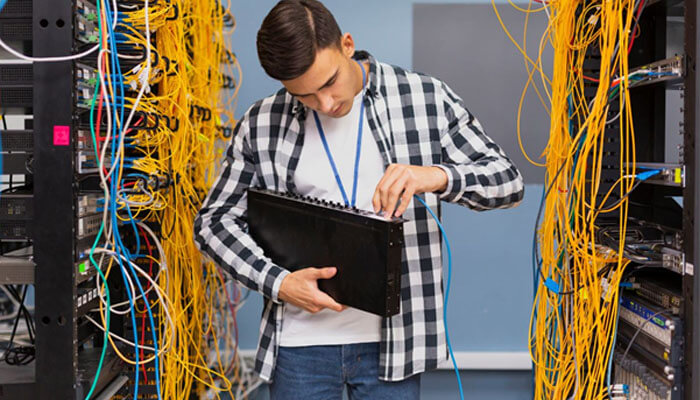

In today’s world, having reliable and fast remote desktop protocol (RDP) access is important for businesses and individuals who need to access a virtual environment from anywhere. Whether you’re working remotely or have distributed teams in your business, High-Speed RDP Servers Online offer a secure and efficient way to access your files, software, and systems.
In this guide, we’ll go through the steps on how to buy RDP online with high speed and what you should be looking out for when making sure you’re getting the best performance out of your money.
1. Understand your Requirements
You need to identify your specific requirements before you start purchasing RDP services. Here are some things you expect to pay attention to:
Usage Purpose: You must establish whether RDP server use will serve personal needs or business requirements and function as a business application host. The two use cases require different specifications, which will lead to their best performance.
Performance Needs: How much speed do you need? Businesses require high-speed RDP services to run functions that need immediate access to their remote systems for video conferencing and information analysis and uses of resource-intensive software.
Security Requirements: Organizations that handle sensitive data must implement RDP admin access, which includes both encrypted connections and firewall protections at a high-security level.
2. Importance of High-Speed RDP Servers
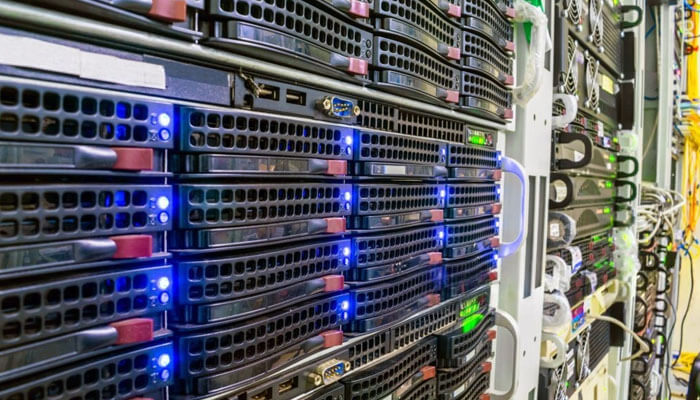
When searching to buy RDP online, it is crucial that speed and performance is key. Fast RDP Server makes sure that you experience little lag and have smooth interactions with your remote system. Whether you’re working with large files, running applications, or even managing servers remotely, speed makes-or-breaks-your productivity. Some of the advantages of high-speed RDP servers are:
Quick File Transfers: Fast speeds mean you will not have to wait for people when transferring big data, which makes it an important part of businesses dealing with high-volume data.
Better User Experience: High-speed servers offer smooth and uninterrupted remote desktop experiences that make it easier to perform tasks such as video editing, rendering and running virtualized environments.
Improved Collaboration: Speeding up ensures the teams working remotely are able to work together on a task seamlessly without interruptions and delays, thus improving the efficiency of the work.
3. What to Watch Out for With High-speed RDP Servers Acquisition
When searching for high-speed RDP servers, consider the following factors when choosing an RDP server:
Server Location: Select a server that is closer to your location to avoid latency. If you’re working with people around the globe, you may want to consider a provider whose servers are in multiple locations to ensure the best performance, no matter where your team is located.
Bandwidth: Look for RDP service providers that provide high bandwidth. An RDP server operating at high speeds will require a good amount of bandwidth to handle the volume of data that you are sending and receiving.
Processor and Memory: A good processor (CPU) and sufficient quantities of RAM are essential to good RDP experiences. Depending on the purpose you will use it for, you will want servers that come with at least 8 GB of RAM and with multi-core processors for optimal speed.
The process of selecting an appropriate remote desktop protocol provider requires equal importance to the selection of server specifications. Your selection process requires you to find a trustworthy provider who delivers the specific features and customer support options you need.
DashRDP delivers multiple high-speed remote desktop protocol (RDP) solutions that customers can select according to their specific needs. The RDP service provides you with different configuration options that you can use to meet the specific requirements of your business, whether your organization has a small workforce or operates as a large corporation.
5. The Importance of Security in RDP Servers
The main focus when purchasing RDP online should always be on achieving maximum speed and security. Cybercriminals can attack RDP sessions when they lack appropriate security measures. Look for providers that provide the following security features:
Encryption: Your RDP connection requires 128-bit or 256-bit encryption to protect your data from potential attackers through encryption.
Two-Factor Authentication (2FA): Two-Factor Authentication (2FA) serves as an essential security tool that people must implement to protect their online accounts.
Firewall Protection: The Best RDP providers will provide firewall protection to prevent any unauthorized users from accessing your remote server.
Dedicated IP Addresses: Some providers include dedicated IP addresses, which can further improve security by restricting access to certain IP ranges.
Conclusion
When you need reliable, fast and secure access to your remote desktops, then RDP online high speed is the way to go. By taking into account your specific needs, using price factors such as server performance, bandwidth and security, and selecting a trusted provider such as DashRDP, you can help ensure that your remote desktop experience goes both seamlessly and efficiently.
Whether you’re running a business or working from home, having the right RDP server can help you to significantly increase productivity and give you the flexibility to work from anywhere in the world. To get started with high-speed RDP servers, you can explore DashRDP’s service and buy RDP online that is right for you. Laser-focused on performance and customer satisfaction, DashRDP can help you get the most out of your remote work experience.
